

Your ERP Records Overdue Invoices. It Won't Collect Them.
In short:
ERPs track when invoices go overdue. They don’t track what happens next. Without workflow context—whether the customer opened your last email, whether they’re disputing a line item, who owns follow-up—every late invoice looks the same. Your team sorts by dollar value or invoice age instead of collection probability. Blixo builds structured follow-up on top of ERP data so you can prioritize by actual risk and behavior, not just aging buckets.
Where ERP falls short on collections
ERPs tell you an invoice is 45 days late. They won’t tell you the customer is disputing two line items, already on a payment plan, or that their usual AP contact is out on leave. Without that context, every overdue flag reads identical. Your team defaults to sorting by age or dollar amount because the system gives you nothing better to work with.
The operational limits compound at scale. High-volume AR teams hit batch processing constraints that force manual reruns of dunning sequences. When overhead mounts, teams narrow their focus to the highest-dollar invoices and let smaller balances age. That’s not a staffing problem—it’s a system that forces triage when it should enable systematic follow-up.
ERP dunning treats all overdue invoices as equivalent problems
A habitually late account in your “High Risk” tier needs different handling than a “Gold” client three days late for the first time in five years. Both may carry invoices 30 days overdue. Static ERP dunning treats invoice age as the only variable and ignores behavioral signals: a customer who opened three reminder emails without paying, or submitted a partial payment that signals cash flow trouble rather than good faith.
When a customer engages but doesn’t convert, the system should prompt a human touchpoint or move the account to a named collector. Instead it recycles the same message.
Behavioral segmentation reduces bad debt and shortens collection cycles by directing effort where it matters. Research on accounts receivable optimization shows that early intervention matters: invoices that slip deeper into aging buckets become progressively harder to collect. The initial weeks after due date are the window where sequencing and escalation logic pay off.
Actionable collections status requires more than an aging bucket
A past-due flag tells you the invoice is late. It doesn’t tell you whether dunning has started, which level the account has reached, or what the next scheduled action is. Effective accounts receivable automation tracks dunning level, next task owner, any active dispute or payment-plan hold, promise-to-pay commitments with follow-up dates, and escalation status.
Without those fields, your collections queue defaults to tribal knowledge. Whoever remembers the account’s history handles it. Consistency evaporates when that person is out.
The visibility paradox: ERPs digitize invoice status but preserve no audit trail of what happened between flagging and resolution. You cannot prove why an invoice moved from Level 1 reminder to write-off, which accounts were systematically de-prioritized, or whether disputed invoices were paused correctly. You end up maintaining manual screenshots and spreadsheets despite running a digitized workflow.
Automating dunning and chasing with Blixo
Accounts receivable automation turns ERP overdue flags into systematic collection sequences that run before human collectors see the queue. The shift shows up in teams that configure pre-due courtesy reminders before invoice maturity. Those notices can reduce the invoices entering formal dunning by catching oversights early.
Once an invoice slips past 60 days overdue, collection probability drops sharply. Every additional week compounds the difficulty.
Building a dunning sequence that matches account risk
A configurable dunning workflow routes invoices through escalation levels based on days overdue, customer segment, and payment history. Most teams structure four levels: a friendly reminder at seven days past due, a firmer follow-up around 21 days, a formal notice at 45 days, and a final demand with stated consequences beyond 60 days. Each level includes invoice number, outstanding amount, original due date, payment link, and—at later stages—a named contact and direct phone number instead of a generic AR inbox.
The sequencing logic needs two adjustments most ERPs miss.
First: disputed invoices, active payment plans, and VIP accounts should pause automated emails rather than override them entirely. If a customer disputes a $50,000 invoice and receives a collections letter the next day, you’ve damaged the relationship for no reason.
Second: behavioral signals should trigger channel switches. If digital reminders show interest but no action, the workflow should assign a call, SMS, or account-specific task instead of continuing on autopilot. Static reminders train customers to ignore follow-up.
What automated collections deliver
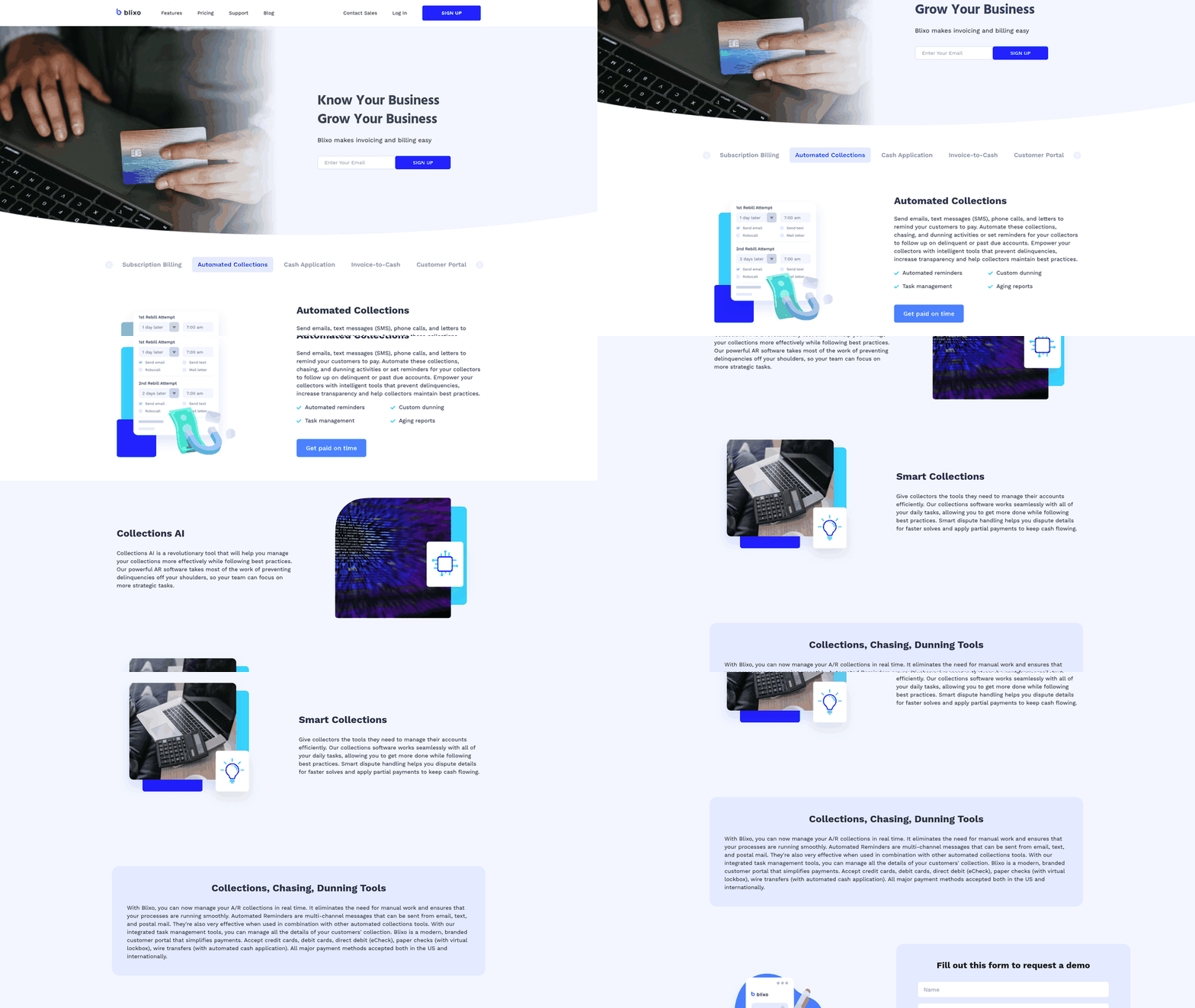
Blixo automates collections, chasing, and dunning activities so you can send emails, text messages (SMS), phone calls, and letters to remind customers to pay. The system follows up on overdue invoices at the defined threshold, which removes the prioritization bottleneck AR teams face when sorting manually by dollar amount or intuition.
When collectors handle only the accounts that need human judgment—complex disputes, payment plan negotiations, VIP relationship management—DSO compresses faster than manual chasing can deliver.
A warning: automation amplifies a flawed policy. If your Level 4 letter threatens service suspension but the operations team has no process for it, the threat erodes credibility. Before configuring any dunning sequence, document consequences (late fees, suspension terms, collections referral) and confirm internal teams can execute them. Automation runs the policy you configure. It won’t fix contradictions between what finance promises and what operations can deliver.
Integrating Blixo with your ERP for real-time collection
Blixo integrates with your ERP to keep invoice and payment data synchronized across systems. When an invoice becomes overdue in your ERP, that status flows into Blixo’s automated collections workflow. When a customer pays through the Blixo customer portal, that payment updates your ERP records.
This connection matters because accounts receivable automation breaks down the moment your collections layer and your system of record disagree on which invoices need attention.
Setting up the data sync
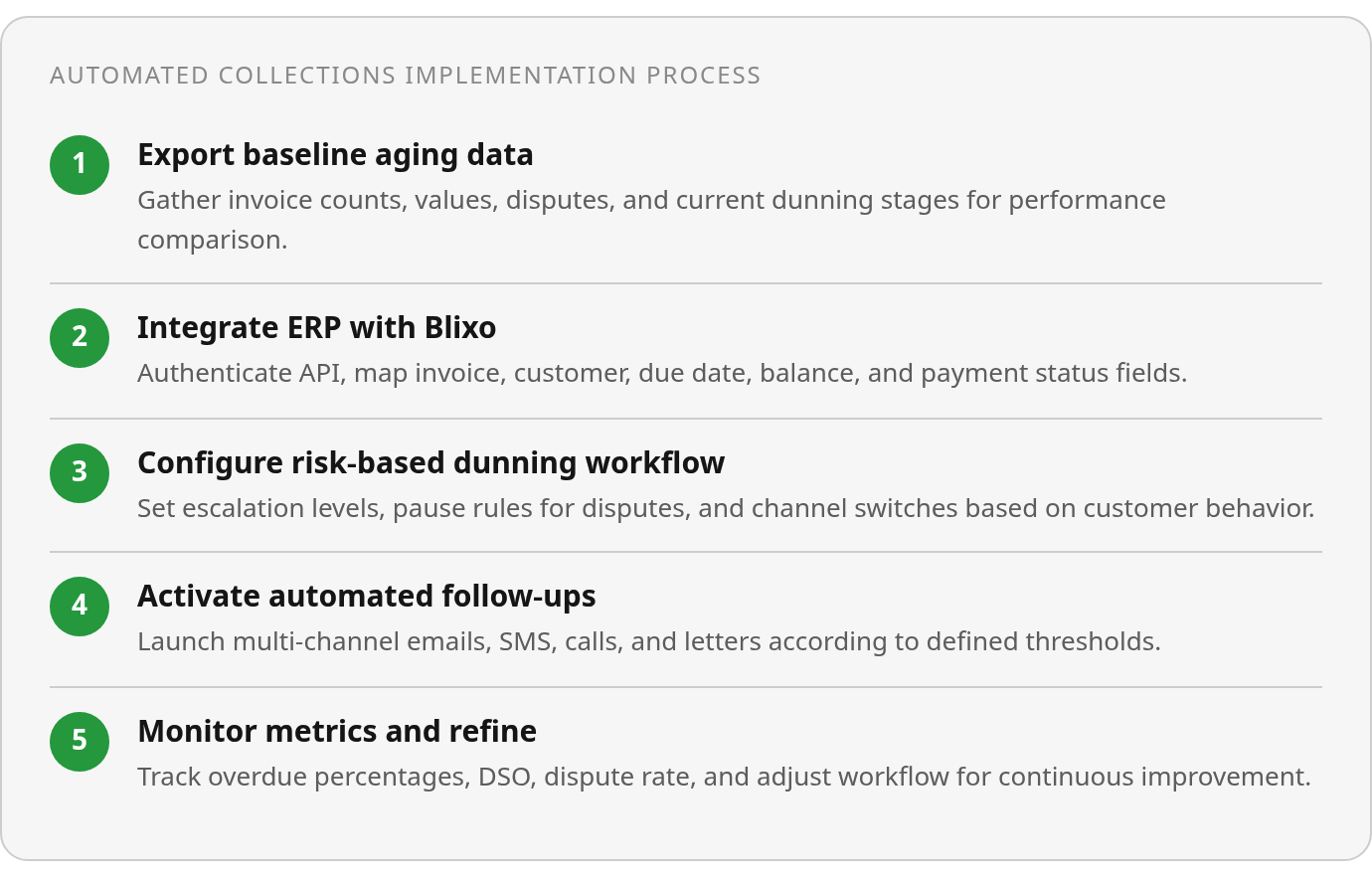
Blixo integrates with QuickBooks, Xero, Sage Intacct, and NetSuite through your accounting software’s API. We also offer custom ERP integrations for Oracle, SAP, and Microsoft Dynamics. The setup process typically involves authentication through your ERP, then mapping key fields like invoice number, customer ID, due date, balance, and payment status so Blixo can automatically match payments to invoices and keep your aging reports current.
Synchronization keeps invoice and payment data flowing between systems so you’re working from accurate information. One common result: finance teams eliminate manual reconciliation steps—exporting aging reports, cross-referencing payment confirmations, and uploading corrected balances—because payment status updates automatically as transactions clear.
Security and compliance for financial data transfer
Industry-standard practices for integrations like these include encrypting data in transit and storing credentials securely. The integration does not store full payment card details—tokenized payment references move between systems, while actual card data stays with your payment processor. Details like whether the customer portal payment updates trigger automatic status changes in your ERP’s dunning queue, or whether that logic requires additional configuration, should be verified in a live demo.
Set a collections baseline before turning anything on
Export your current ERP aging report and turn it into something you can measure against. You need invoice count and value by aging bucket, customer segment, disputed invoices, payment plans, promise-to-pay dates, current follow-up owner, current dunning stage if any, and manual collection time. This baseline worksheet becomes the only reliable way to prove whether accounts receivable automation moved the needle or just shifted where the work happens.
Track these monthly: percentage of invoices overdue, percentage of credit-based sales overdue, invoices 31+/60+/90+ days overdue, DSO, bad debt/write-off rate, past-due balance, automated follow-up rate, dispute rate, and time spent on cash collection. Your first audit should show where overdue value is concentrated, which accounts are blocked by disputes, and which customers have no clear next action. Once you know that, you can configure alerts and task triggers around your actual risk points rather than copying a generic collections calendar.
Confirm ROI timelines in a demo, not a blog post
Your payback timeline depends on invoice volume, current DSO, dispute rate, and how much manual follow-up your team currently handles. Ask for Blixo-specific ROI projections, support resources, and dashboard capabilities in a demo rather than assuming industry results transfer directly. Implementation details—how quickly the system syncs with your ERP, how long it takes to configure dunning sequences per customer segment, and whether your team can audit every state change without exporting to spreadsheets—determine whether automation actually reduces manual work or just moves it somewhere else.
Questions People Ask
If my ERP already flags overdue invoices, why do I need a separate collections tool?
Because an overdue flag is a record, not a workflow. A collections tool adds sequencing, exception handling, channel selection, and accountability so the team knows what should happen next instead of simply seeing that payment has not arrived.
What specific fields should I track if I can’t implement automated collections yet?
At minimum, create a shared status view that shows who owns the account, what action is pending, whether anything is blocking outreach, and when the next review should happen. The goal is to make follow-up visible enough that another collector can step in without reconstructing the account history from emails and spreadsheets.
How do I know if my collections process is actually broken or just understaffed?
Look for patterns, not just workload. If the team repeatedly reworks the same queues, focuses on large balances while other invoices age quietly, or cannot explain why certain accounts moved from reminder to escalation, the process is forcing manual triage. More staff may help temporarily, but the underlying workflow still needs structure.