

Automate Accounts Receivable: Check These 3 Data Requirements First

What You Need to Know
Manual data entry eats hours you could be spending on sales calls or product work. When you automate AR, inconsistencies in customer records, invoice formatting, and payment metadata surface immediately. They stop being occasional cleanup and become a daily reconciliation backlog. The prep work isn’t glamorous, but it determines whether automation saves time or creates new problems.
Why Data Quality Matters for AR Automation
Manual reconciliation consumes more hours than most teams realize. You’re probably spending part of each week matching payments to invoices, hunting down missing customer references, and fixing duplicates that enter your CRM when sales reps skip a search. When you automate accounts receivable, clean data determines whether you get your time back or just trade manual entry for manual exception-handling.
Clean data powers faster collections
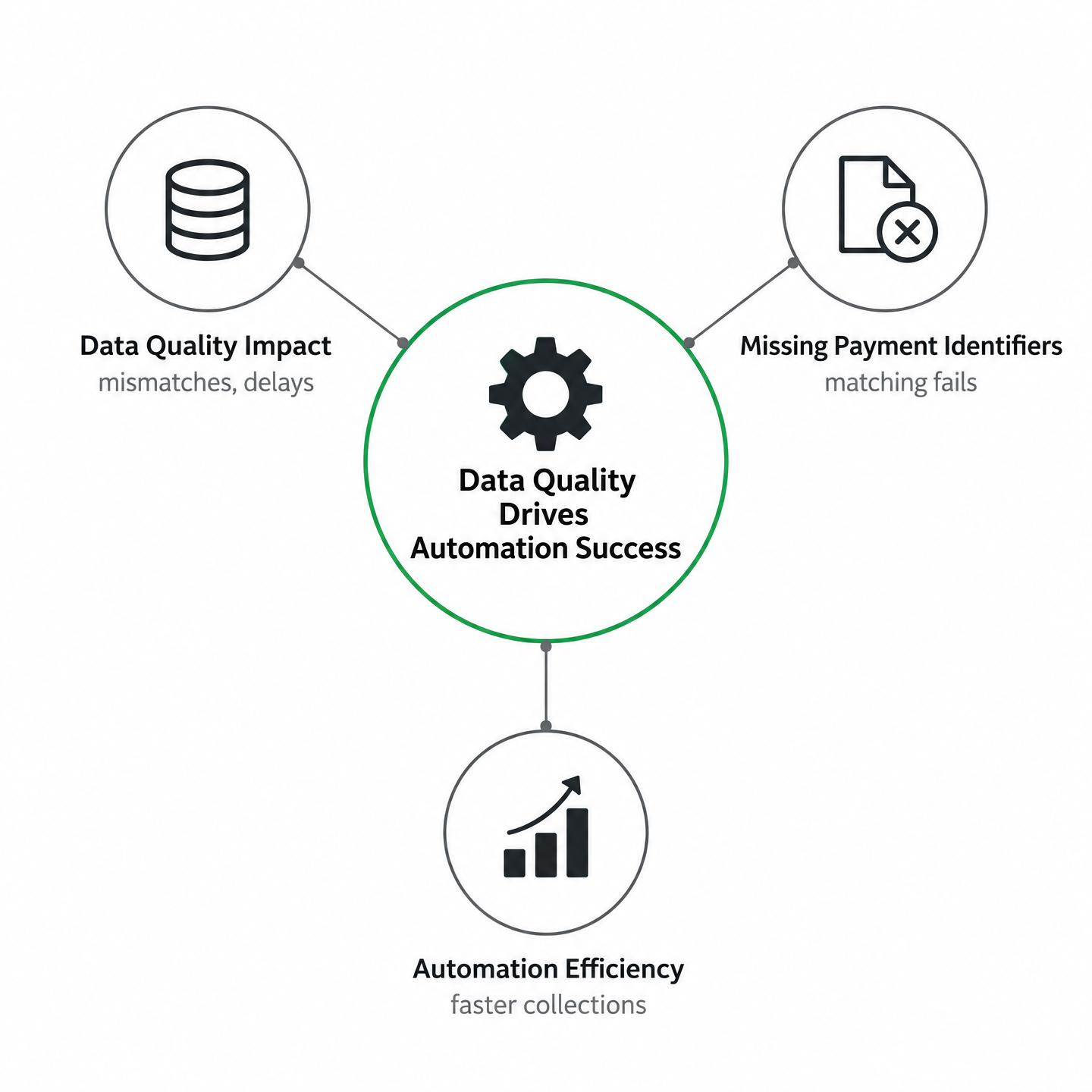
The gains come from fixing customer master files, invoice formats, and payment metadata upstream, not from software alone. When a payment arrives without a contract number or customer name that matches your system, automated matching fails. The payment sits in an unapplied-cash queue while someone investigates, which defeats the point.
The bottleneck is not the technology. It’s upstream data hygiene. If your invoicing system generates inconsistent customer names, or your CRM holds several variations of the same client, automation will struggle to reconcile inbound payments. Standardization matters more than the brand of software you choose.
Validate these three pillars before launch
Invoicing integrity means every invoice includes the fields your payment processor and bank feed will return: invoice number, amount, due date, and a customer identifier that matches your receivables ledger. Pull a sample of recent invoices and check for consistency. Customer-master consistency requires deduplicating accounts and ensuring one canonical name per customer across billing, CRM, and ERP. Run a query for duplicate customer names or slight variations—those duplicates become reconciliation nightmares once payments flow automatically. Payment and reconciliation history should be complete enough to support matching rules. If you’ve been tracking payments in spreadsheets outside your accounting system, consolidate that history first.
Verify your data foundations first, and automation can deliver the speed you’re after.
The Three Data Requirements You Must Verify First
Walk through your data the same way an automation engine will: match each payment to an invoice, each invoice to a customer, and each customer record to one source of truth. When unidentified transfers or duplicate entries land in your system, automation does not fix them. It amplifies them into mismatches, delayed cash application, and frustrated finance teams chasing exceptions.
Invoice integrity: format and field consistency
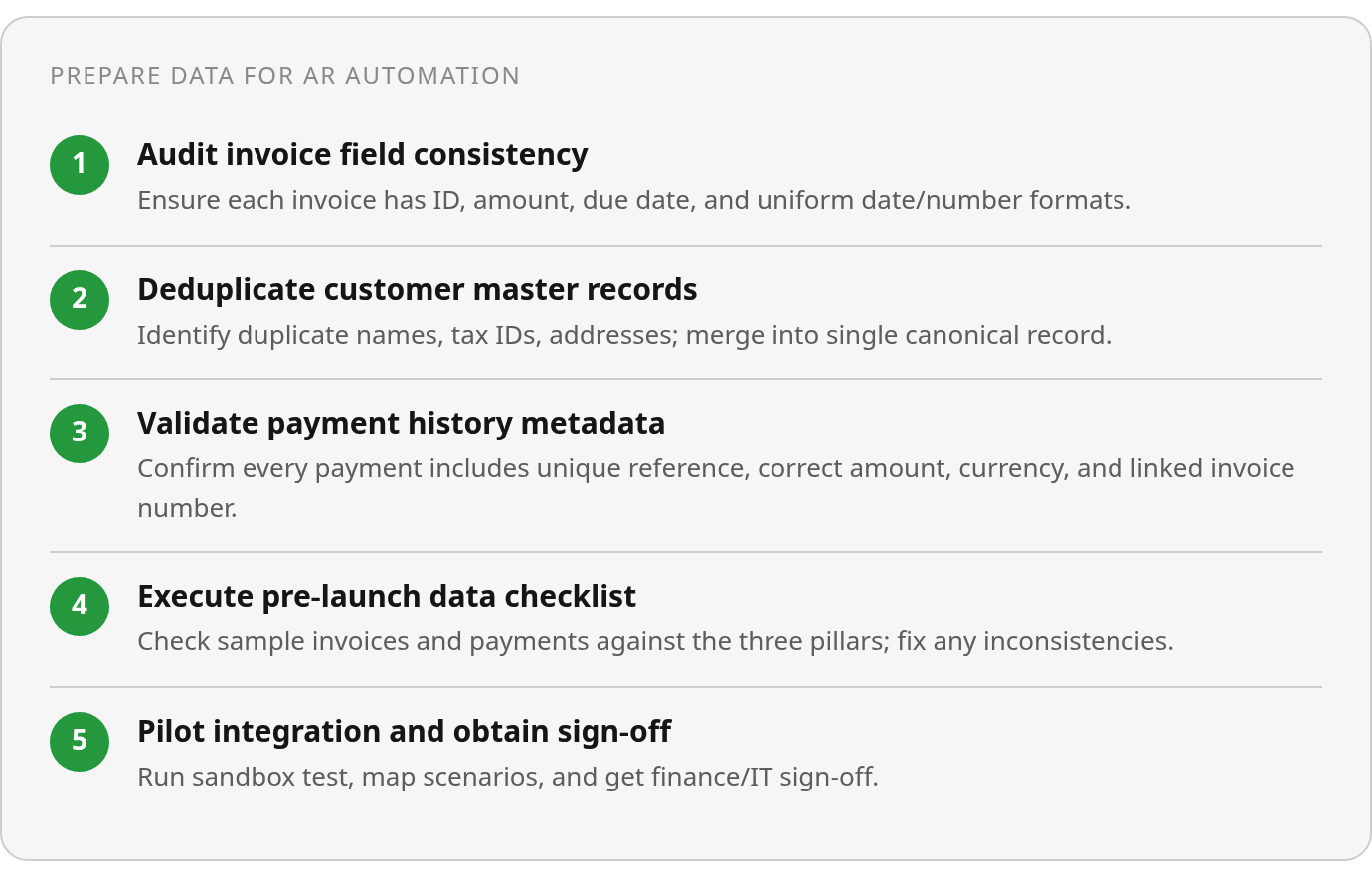
Your automation software reads invoice data exactly as your system exports it. If invoice dates use inconsistent formats—some MM/DD/YYYY, others DD-MM-YYYY—or line-item amounts use different decimal precision across billing cycles, the reconciliation engine cannot reliably match payments to the right balances. This shows up most often during monthly close, when unidentified transfers spike and finance teams scramble to manually trace which payment belongs to which contract.
Start with a field-level audit. Confirm that every invoice includes a unique identifier, a clear due date in a single standard format, and numeric amounts that match your general ledger precision. If your billing system allows custom fields—client PO numbers, project codes, contract references—decide which ones are mandatory and which are optional, then enforce that rule upstream before invoices leave your system. Payment-collection issues often start with invoices that customers can’t easily match to their own payables records, and format inconsistencies contribute.
Customer-master consistency: one record for each entity
Duplicate customer records quietly disrupt automated cash application. When your system holds three variations of the same client—“Acme Corp,” “Acme Corporation,” and “ACME, Inc."—each with a different billing contact, your automation tool treats them as three separate entities. Payments submitted under any of those names won’t auto-match to the correct aging bucket, and your team spends hours reconciling what should have been a single transaction.
Run a deduplication pass before you turn on automation. Flag records with similar names, overlapping tax IDs, or identical billing addresses, then consolidate them into a single master record with a consistent naming convention. If you manage subscription-based or recurring billing, verify that each customer record includes an active status flag and a primary contact who owns payment disputes. Centralizing customer data through consistent master records ensures payments land in the right account on the first pass, cutting overdue-invoice backlogs and reducing manual reconciliation work.
Payment and reconciliation history: matching keys and bank references
- Verify that every payment record includes a unique bank reference or transaction ID. Without this field, your automation tool can’t distinguish between two payments of identical amounts received on the same day.
- Confirm that payment amounts, currency codes, and payment dates match the format your reconciliation engine expects. Mismatched date formats can cause auto-matching to fail during integration.
- Check that your historical payment data includes the invoice number or customer reference each payment was intended to settle. If past payments lack this context, your system has no baseline for future matching rules.
Inefficient receivables tie up working capital that could support operations or growth. Your reconciliation engine depends on structured metadata—bank transfer notes, remittance advice, or payment portal tags—to link incoming funds to open invoices. When customers submit payments without adequate information, those transactions become “unapplied cash” that delays financial reporting and increases the risk of recording errors.
Map your payment channels to your automation tool’s matching logic. If most customers pay via bank transfer, define a standard format for transfer notes that includes contract numbers or invoice references. If you accept online payments, configure your portal to capture the invoice being settled at the point of payment. Give every incoming payment a clear matching key before it hits your reconciliation queue, so your team can focus on exceptions rather than routine data entry.
Typical Data Pitfalls That Derail Automation
Missing fields and duplicate records can break automated accounts receivable before you send your first reminder. When payments land in your system without a customer ID, or a bank transfer arrives without an invoice number, the matching engine can’t complete the loop. Cash sits unidentified, reminders fire to customers who’ve already paid, and your team spends hours manually reconciling transactions that should have been instant. Unidentified consumer transfers can delay monthly close because the system can’t auto-match payments to open invoices, forcing manual investigation of every ambiguous deposit.
Structural issues: the wrong shape stops the workflow
Missing required fields are the first blocker. If your invoicing system exports customer names but your payment gateway returns only account numbers, the automation has no join key to link them. The same problem shows up with incorrect data types—a date stored as text, a currency field formatted as a string, or an integer saved where the system expects a decimal. Automation engines do not guess. They’ll reject the record or mark it as an exception.
Inconsistent currency codes between your ERP and your payment processor cause similar friction. When one system logs a transaction in USD and the other expects a three-character ISO code, the matching logic fails even if the amount is identical. Before you automate accounts receivable, audit every field the workflow depends on: customer identifier, invoice number, payment method, transaction date, and currency. If any of those arrive inconsistently—or don’t arrive at all—your automation will stall.
Content issues: the right shape, wrong data
Duplicate customer records often appear when sales teams create new entries instead of searching for existing ones. Duplicate accounts can cause double-payment errors during AR rollout: the system may match a single payment to two open invoices under slightly different customer names, leaving one account overpaid and another still overdue. Preventing this requires a bulk deduplication pass before migration.
Stale payment-history records can create similar problems. If your data includes legacy bank feeds with outdated account numbers or closed payment methods, cash-application engines can match payments to the wrong accounts or flag valid transactions as anomalies. Clean your master data before you flip the switch—remove closed accounts, merge duplicates, and standardize naming conventions across every system that feeds the automation. Mapping gaps between systems are another silent killer: if your CRM uses “Net 30” and your billing platform expects “30 days,” the automation won’t recognize them as equivalent without an explicit transformation rule. Accounts Receivable Automation: 5 Checks Before It Beats a Manual AR Desk walks through the full pre-flight audit checklist.
Ready‑to‑Deploy Checklist
Run this checklist against live data before you turn on automation. The pass/fail line is simple: every invoice has a clean identifier, every customer has one master record, and every payment carries a matching key. Treat every unchecked box as a launch blocker, not a warning. Each question maps to one of the three pillars—invoicing integrity, customer-master consistency, and payment history—so you can spot the gaps that will break matching logic.
Invoice-level validation questions
Your invoicing format either feeds the automation engine clean identifiers or it doesn’t. Check whether every invoice exports a unique ID in the same format your payment gateway will reference. Open five recent invoices and confirm the invoice number, customer ID, due date, and total amount appear in every record without variation. If one invoice shows “INV-001234” and another shows “1234,” the matching engine will treat them as separate transactions.
Check whether line-item detail is structured or freeform. Automation handles structured data—SKU, quantity, unit price—far better than a paragraph of text. If your invoices include custom notes or manual adjustments, verify that those fields don’t overwrite the core identifiers the system needs to match payments.
- Every invoice includes a unique, machine-readable invoice number with no format drift across months
- Customer ID appears on every invoice and matches the ID in your CRM or ERP exactly
- Due dates follow a single date format (YYYY-MM-DD or MM/DD/YYYY, never mixed)
- Currency codes are explicit when you bill internationally, preventing multi-currency mismatches
Customer-master and payment-history checks
Duplicate customer records will route payments to the wrong account. Search your customer database for common names or slight spelling variations—“ABC Corp” versus “ABC Corporation”—and merge them before you automate accounts receivable. A single customer with two IDs will split their payment history, leaving automation unable to apply cash correctly.
Verify that bank details and payment methods are stored at the customer level, not buried in email threads. If a customer pays via ACH but your system doesn’t record their bank account number in a structured field, the reconciliation engine can’t auto-match the incoming transfer.
- No two customer records share the same email address, phone number, or billing contact
- Every active customer has a default payment method on file (ACH routing number, card token, or wire instructions)
- Payment terms are standardized (Net 30, Net 60) rather than custom text strings that vary by sales rep
- Historical payment data includes remittance identifiers for each settled invoice
Pilot timeline and ownership
A thorough data audit before launch helps prevent downstream reconciliation failures. Assign your CFO or Head of Operations to coordinate the validation—this isn’t an IT-only task. Finance owns the invoice and customer data; IT owns the integration mapping. Both need to sign off that the data passes the checks above before you route live payments through the automation engine.
Plan a mapping phase after the audit to connect your source systems. Your automation software needs API access to your invoicing platform, your bank feed, and your general ledger. Test the connections with a small batch of closed invoices before you process open receivables.
- CFO or finance lead has reviewed a sample of 50 invoices for format consistency
- IT has confirmed API access to your invoicing system, bank, and ERP without manual CSV exports
- You’ve mapped at least three payment scenarios (full invoice payment, partial payment, overpayment) in a sandbox environment
- Exception-handling rules are documented for unmatched payments, so your team knows who resolves them
What I’d actually do
Run the checklist above against a sample of 50 recent invoices and 50 recent payments. If you keep finding format inconsistencies or duplicate customer records, pause and fix those before you commit to an automation platform. A pilot run shows where data quality breaks down under real transaction volume. Fixing data issues before you automate delivers better returns than launching with dirty data and spending months cleaning up manual reconciliation backlogs.
Frequently Asked Questions
Can I clean up data after automation is already running?
You can, but automation will keep surfacing every inconsistency immediately.
Which data requirement should I fix first if I can’t address all three at once?
Customer-master consistency delivers the highest immediate return because duplicate records break automated cash application across every transaction. When your system holds three variations of the same client, payments won’t auto-match to the correct aging bucket, and your team spends hours reconciling what should have been single transactions.
What specifically breaks when payment data lacks matching keys?
Incoming funds become unapplied cash that delays financial reporting and increases recording errors. When customers submit payments without invoice numbers or bank references, those transactions sit in a queue while humans investigate, defeating automation’s purpose.