

Sync Your ERP Ledger with AI Cash Application for Clean Reconciliation

In short: Spreadsheets can introduce error risk, so manually reconciled cash can be wrong. Unmatched payments in unapplied cash can distort AR aging and DSO. Legacy rule-based matching on fragmented bank and remittance formats can slow reconciliation cycles. Machine-learning models can extract invoice numbers and references from email bodies, scanned checks, and portal exports, then score each suggested match by confidence before posting. A growing exception queue signals broken upstream data, such as incomplete customer records or missing remittance, not system failure.
The link between your ERP ledger and AI cash application is where subscription revenue gets recognized or quietly rots
For SaaS founders without a finance team, this connection is the highest-use piece of accounts receivable automation you can put in place. Get it right, and reconciliation stops being a monthly fire drill.
Most early-stage SaaS teams still run cash application as a manual memory exercise. Someone compares gateway payouts, bank deposits, invoice records, and customer notes until the numbers appear to agree. That works when payment volume is low. It becomes fragile once customers start changing plans, paying late, or bundling invoices into a single transfer.
Manual posting becomes a liability the moment you scale billing
Manual cash application breaks where SaaS billing is messiest: partial payments, mid-cycle upgrades, multi-currency, and remittance data that never matches the invoice number cleanly. A person can usually solve one messy payment. The problem is that the same pattern repeats every close, and every workaround becomes part of next month’s starting point.
That lag is the hidden tax. Unmatched payments sit in unapplied cash, and your AR aging and DSO can drift. For a founder reading board metrics off that data, the numbers can be misleading. AI-driven systems reduce the manual work by pairing payment evidence with open invoices faster and by separating true exceptions from routine matches.
The exception queue is a diagnostic, not a backlog
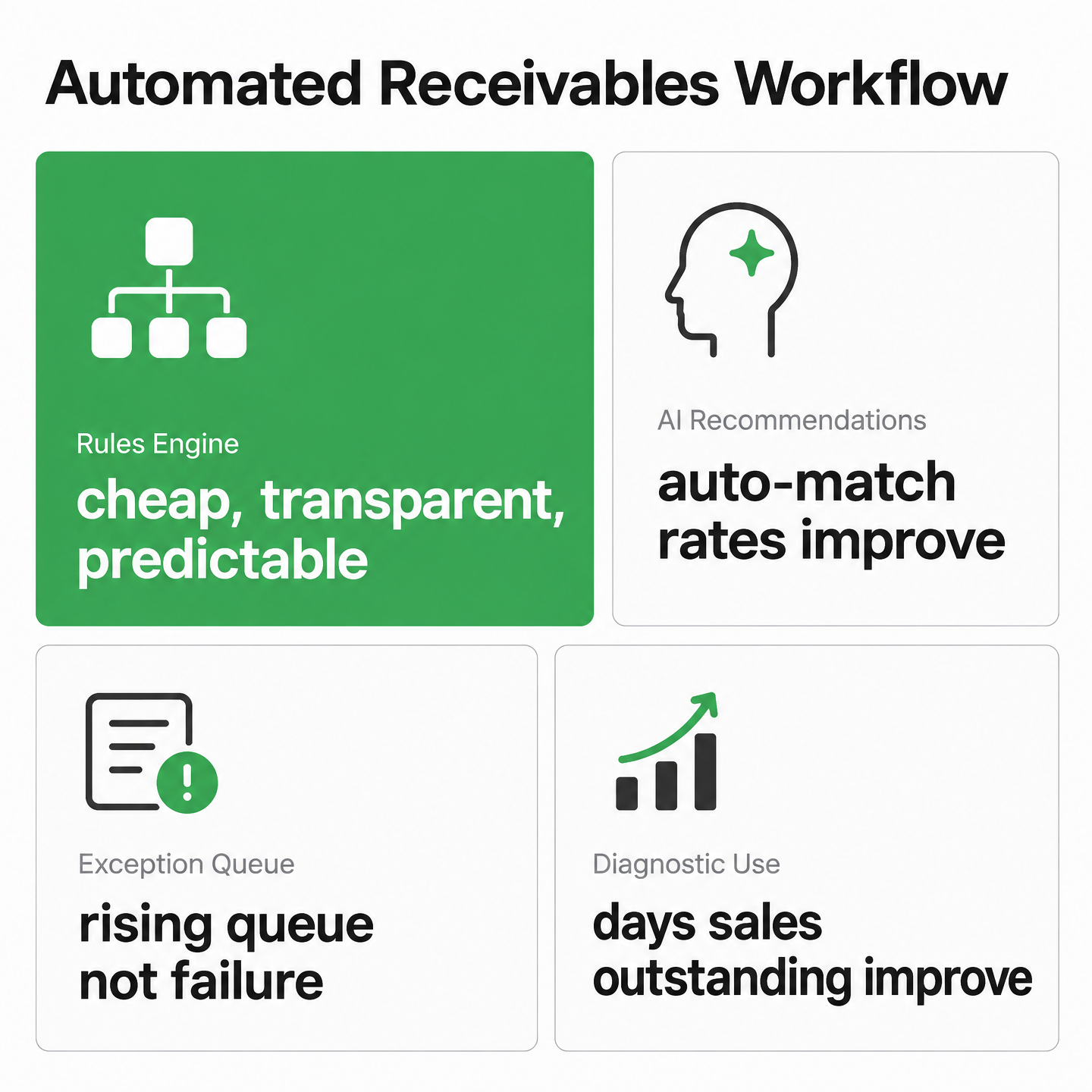
Exception queue: the set of payments an AI system cannot confidently match, routed for review instead of forced into a wrong match. A growing queue is not failure. It is the system surfacing broken upstream data you can fix once.
This is the part most SaaS founders miss. The payments that fall out are often recurring defects: incomplete customer records, references that vary by payer, or remittance that never arrived in a usable form. Manual spreadsheets absorb those defects and compound them. AI can isolate them so you can repair the source.
For example, imagine a $1,199 annual prepay that arrives in the bank feed through a gateway payout. The payer reference shows a subscription ID, not an invoice number. A rule-based engine that only checks exact invoice numbers and amounts will miss the match and route the payment to review. The AI layer can then weigh the remaining evidence—customer name, amount, subscription ID, or the recent prepay schedule—and suggest a likely allocation with a confidence score. If the score is below your auto-post threshold, you approve the pairing once. The entry posts to the customer’s AR record, and the audit trail stores the bank feed line, matched prepayment, rule or model stage, approval, and timestamp. If that same payer keeps landing in the queue, the fix is a collection field or customer master update, not another late-night workaround.
Syncing inside the ERP beats bolting a tool alongside it
The sync direction matters as much as the matching accuracy. If the AI cash application sits beside your ERP as a separate tool, you create a second source of truth and reintroduce the manual data shuttling that automation was supposed to eliminate. Embed it inside the ledger, and reconciliation shifts from periodic cleanup to posting that keeps pace with the business.
Don’t chase a zero-touch dream before your data is ready. Aim for reliable straight-through processing on clean, recurring subscription charges, and keep a human in the loop for deductions and disputes. If you want the deeper argument on why cash application, not invoicing, is the real breaking point, this breakdown of subscription billing’s four failure points is worth your time.
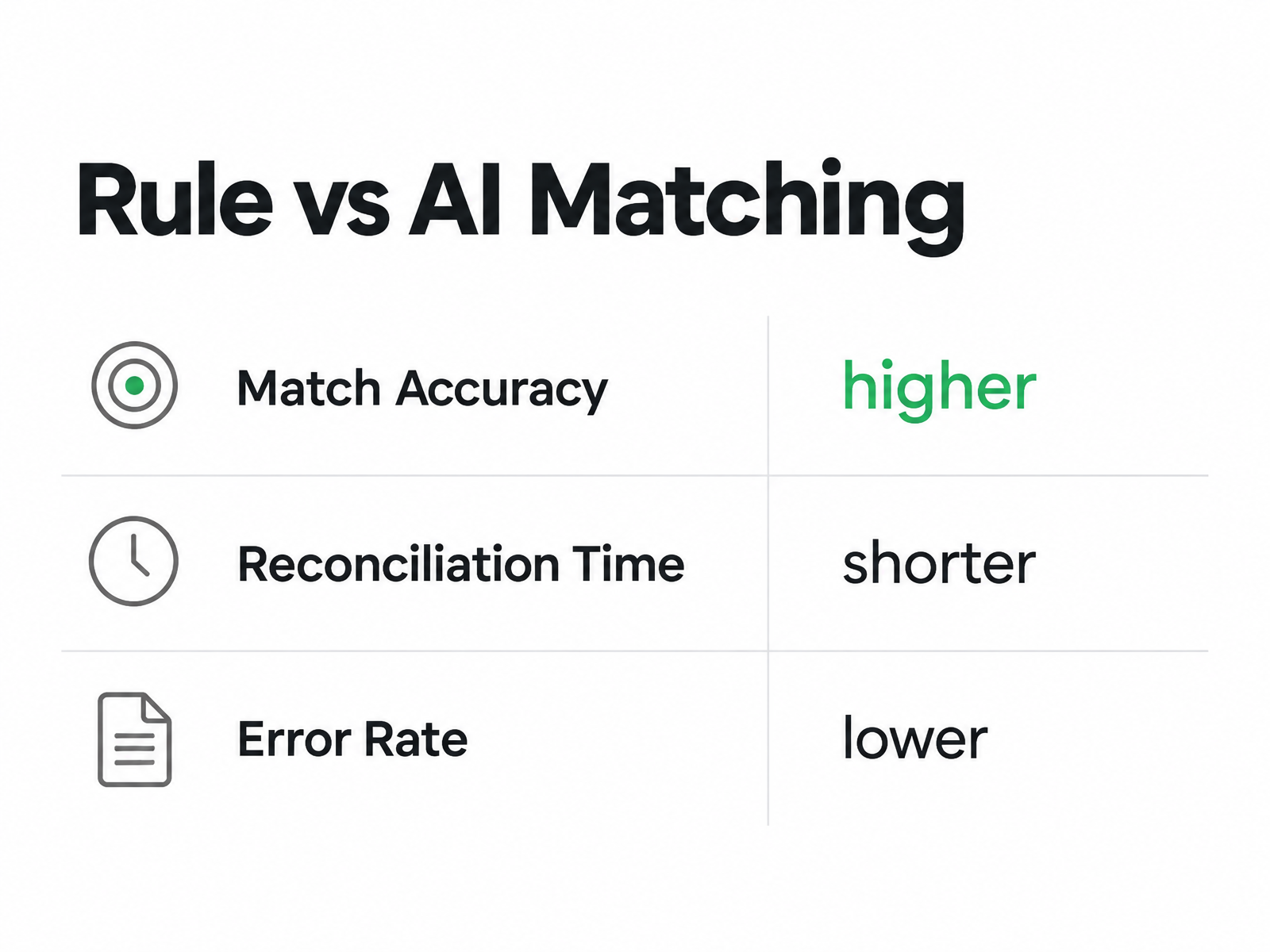
Rule-based matching hits a ceiling on messy payments; machine learning pushes beyond that limit
For a SaaS founder reconciling subscription revenue without a finance hire, that gap is the entire case for AI-driven accounts receivable automation.
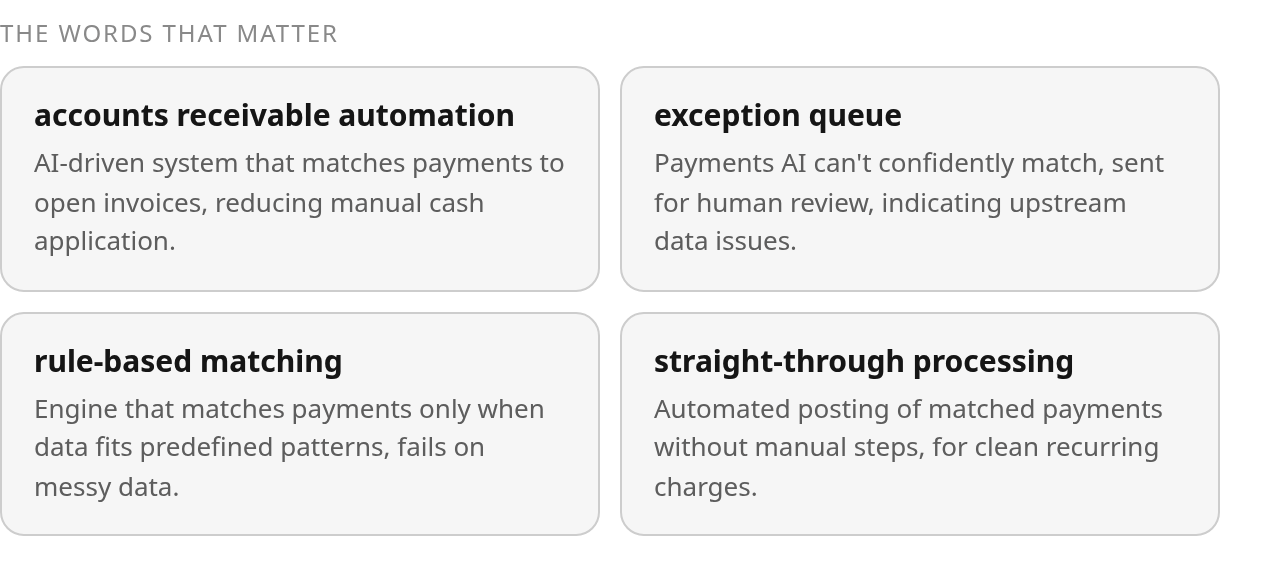
Rule engines only fire when the data is clean. Subscription payments rarely are.
Why do rule-based engines stall?
A customer pays several open invoices in one ACH. The payer name on the bank line reads nothing like the entity in your billing system. The remittance detail shows up as a PDF buried in an email, not in the payment itself.
A traditional rules engine can match only what you have explicitly taught it to recognize. If the payer name, reference, invoice number, or amount falls outside the expected pattern, the engine stops being automation and becomes a sorting tray. Everything that does not match cleanly falls to a person. For a founder, that person is usually you, late at night, before a board update.
What changes with machine learning?
Machine learning changes the matching problem from “does this line equal that line?” to “what evidence suggests these records belong together?” The model can compare payer behavior, historical approvals, invoice amounts, remittance clues, and document text before recommending a match.
The confidence score is the part that matters for a lean team. The system can recommend a pairing; you approve the ones below threshold and let high-confidence matches post automatically. That gives you a practical control layer without forcing you to learn every bank file specification by hand.
Don’t read this as fully hands-off. Some sources frame the end state as “zero-touch” order-to-cash. Treat that as a direction, not a day-one reality: aim for straight-through processing on clean, repeat subscription charges, and keep yourself in the loop for disputes, short pays, and refunds. The goal is taking work off your plate without losing control of posting decisions.
How does the exception queue become your diagnostic?
Because AI routes incomplete or ambiguous payments to review instead of forcing a bad match, the queue becomes an operating signal. If exceptions cluster around one customer segment, one payment portal, or one bank account, you have found the next data problem to fix.
The practical work is not glamorous: standardize customer names, tighten invoice reference instructions, and make remittance capture part of the billing process instead of an afterthought. Once the source data improves, the same matching logic performs better without another heroic close.
One caveat worth stating plainly: these accuracy improvements follow onboarding and format training, not a plug-and-play switch. Budget time to map your documents early. The payoff is reconciliation that runs as operating work instead of a monthly scramble, which is exactly where subscription cash application tends to break.

Your reconciliation hub is only as good as the pipes feeding it
Pull bank statements, gateway payouts, and ERP transactions into one place with clean, well-mapped data, and accounts receivable automation starts matching subscription payments on its own. Feed it inconsistent references and stale customer records, and you get review work instead.
A SaaS founder without a finance team cannot afford a bridge that needs babysitting. The connection between your bank, your payment processor, and your ledger has to carry structured data both ways, or the automation downstream has nothing reliable to work with.
API-first connectivity beats overnight file drops
Two models dominate ERP connectivity. File-based transfer moves data in scheduled batches. API-first connections push and pull in near real time.
For subscription revenue, the difference shows up as latency. A batch file means your cash position is stale until the next run completes. An API feed keeps the ledger closer to actual bank activity, which matters when you are watching runway closely and reconciling daily rather than monthly.
Default to API connections for your gateway and bank where they exist, and reserve file transfer for the formats your bank only exports in batches. Verify the actual refresh cadence in a live test before you trust it.
Your bank feed speaks several dialects
Bank data does not arrive in one tidy shape. Structured bank statements, payment processor payouts, customer remittance, and emailed attachments all describe the same cash event differently.
Each source carries payer details, references, and amounts in its own way. Your normalization layer has to read those inputs and map every field to the same place in your ledger. Payer name here, invoice reference there, amount and value date in their own columns.
This is where upfront effort pays off. Some vendors note that accurate initial mapping of document layouts reduces exceptions later. Train the templates once, keep your customer master clean, and the matching engine stops guessing. Absence of a prebuilt connector in a provider’s marketing is not proof it lacks one, so confirm supported integrations in a live demo.
A growing exception queue is a diagnostic, not a failure
A useful bridge does more than move data. It tells you when the data is not good enough to trust.
Look at the exception queue by cause, not just by count. If the same payer keeps appearing, fix the customer record. If payments from a portal lack remittance, change the collection process. If one bank feed drops key references, address the feed mapping. The bridge should turn reconciliation pain into a prioritized cleanup list.
One more design call. Set tolerance rules so micro-variances, such as a two-cent rounding gap, close automatically. The labor cost of a human reviewing that line already exceeds the variance. Reserve human eyes for the exceptions that actually move your numbers.
For the connective tissue between a subscription billing system and your AR ledger specifically, this walkthrough on integrating an AR cloud with subscription data covers field-level mapping in more depth.
Start with rules, layer AI on the exceptions, and keep both visible enough to audit
For a SaaS founder running accounts receivable automation without a finance hire, that sequence beats betting everything on one approach and hoping it covers the mess.
A rules engine is cheap, transparent, and predictable. You set an amount tolerance, a fuzzy-match threshold on invoice numbers, and a few lookup tables mapping payer names to customer IDs. For clean recurring subscription charges, that covers a surprising amount of volume. The problem starts the moment a payment stops being clean, and subscription payments rarely stay clean for long.
When should rules handle the match alone?
Rules win when the variance is tiny and the logic is obvious. If, for example, a two-cent rounding difference appears between a payment and an open invoice, it should clear automatically. The labor cost of a human reviewing that gap is higher than the gap itself. Set a tolerance band and let it post, untouched.
Keep rules for the predictable stuff: exact-amount matches, single-invoice ACH pulls on the same billing date, and known payer references. You want this layer because it is auditable. When a match fires, you can point to the exact rule that fired and the timestamp. That trail matters when you eventually raise money and someone audits your revenue.
How much does AI shrink your receivables exception queue?
AI earns its keep on the payments rules reject: partial payments, bundled invoices, renamed payers, and remittance trapped in documents instead of structured fields. Instead of writing a new rule for every edge case, the model can use prior approvals and contextual evidence to suggest the most likely allocation.
Read the remaining queue carefully. Its value is in the pattern. A handful of isolated exceptions may only need review. Repeated exceptions from the same source are a process problem, not a matching problem. Fix the source and the benefit compounds.
Who approves the match, and when does the model retrain?
The practical hybrid pattern is simple. AI can propose a match, a person approves anything below the confidence line, and that approval can become training data for the next pass. Governance has to treat two things differently. A rule change is a config edit you version and log. Model retraining is a separate event, because every approval you make may be quietly teaching the system.
One source frames the destination as zero-touch order-to-cash, where cash applies with minimal human involvement. Another insists the point is to take work off finance without removing finance from the loop. Both are right at different scales. Treat zero-touch as a rate to improve on high-volume, low-variance charges, and keep a human on deductions, short pays, and disputes. That balance can improve days sales outstanding. That is cash in the bank, not a dashboard metric.
Posting cash-application results straight into your general ledger is where automation stops being a dashboard and starts being your books
Configure it well and journal entries write themselves, matched back to the source payment, ready for close. Configure it carelessly and you get duplicate entries and a currency mess that takes longer to unwind than manual posting ever did.
A SaaS founder without a finance team can’t babysit the ledger. The posting layer has to be trustworthy on its own. That means getting three things right before you flip the switch: your account structure, your posting cadence, and your audit trail.
What should your GL account structure look like first?
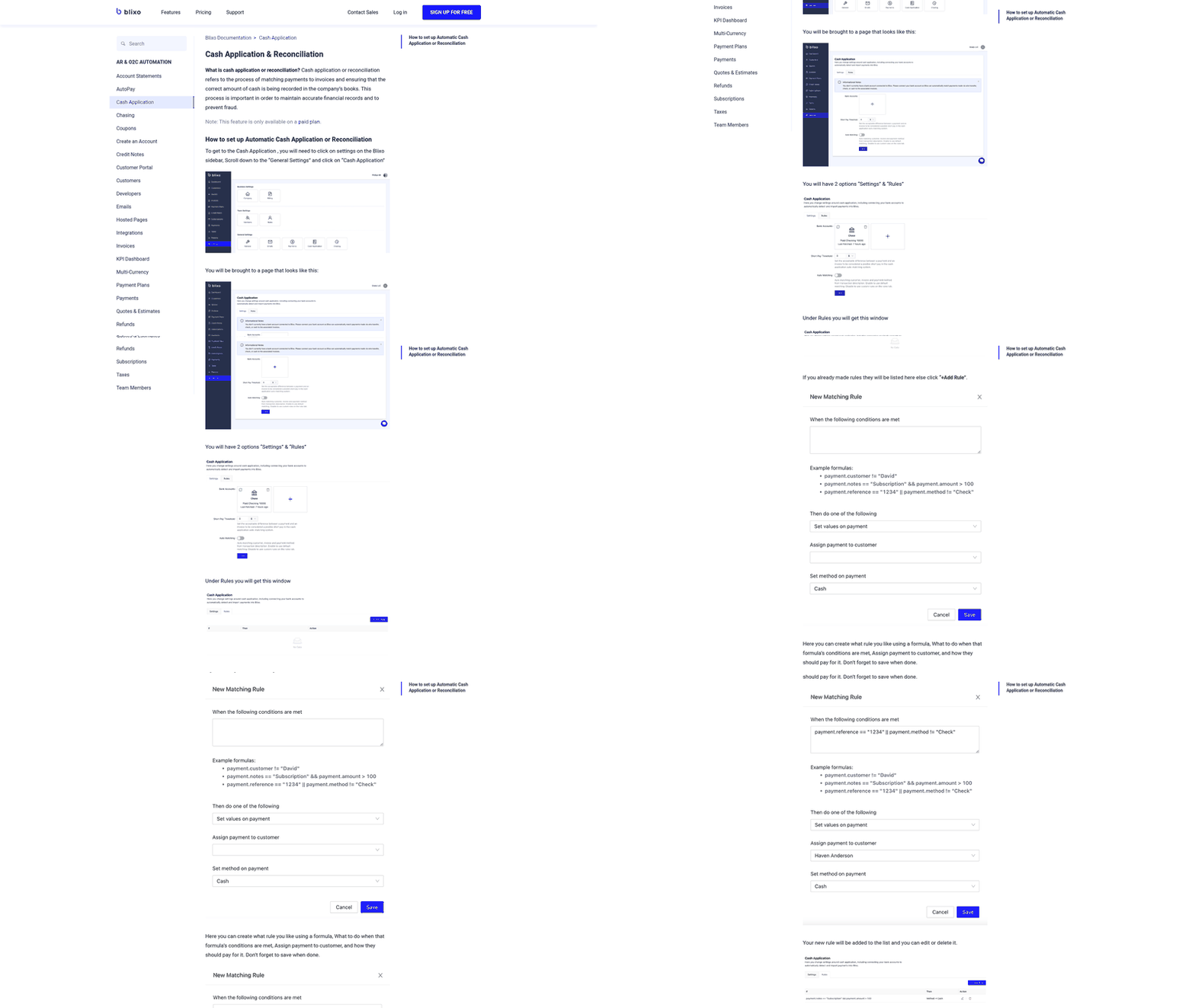
Before any automated posting, map the accounts the engine will touch. At minimum that’s revenue, accounts receivable, and cash, plus a clearing account for money that lands in the bank before it’s matched.
A payment that reaches your bank but hasn’t been tied to the customer, invoice, or deduction still creates friction across reconciliation and reporting. The clearing account keeps that unmatched cash visible instead of silently inflating revenue.
For subscription revenue specifically, keep deferred revenue separate from recognized revenue so the posting logic doesn’t book a full annual plan as earned on day one. The four breaking points of subscription billing almost always trace back to this mapping being sloppy.
How often should the engine post to the ledger?
The old rhythm was periodic batch posting. Some ERP platforms now support more continuous receipt creation from bank statement lines, matched to remittance and posted as payments arrive. Whether that is available depends on the platform and its bank connectors.
Post continuously only if the engine lives inside your ERP rather than beside it. A sideline tool creates a second source of truth and forces you to shuttle entries by hand, which reintroduces the exact delay and error risk you were trying to eliminate.
Some ERP platforms offer receipt creation as a configurable capability at the bank-account level, switched on by bank, region, or legal entity in a phased rollout. That phasing matters for multi-entity SaaS. Turn posting on for one entity, confirm the entries reconcile, then expand.
How do you preserve the audit trail?
Automated posting is only safe if every journal entry links back to the source payment. Each posted line should carry the bank reference, the matched invoice, and the match confidence, so an auditor can trace revenue to cash without opening a spreadsheet.
Two failure modes show up repeatedly. Duplicate entries happen when the same bank line gets ingested twice; a unique-reference check on each receipt stops it. Currency mismatches happen when a payment and its invoice settle at different rates, so book the FX difference to its own account instead of letting it distort revenue.
Watch the exception queue as part of that audit discipline. A payment routed to review should show why it was held, who resolved it, and what changed. That record turns an operational exception into evidence instead of an unexplained adjustment.
Run this as a phased rollout, not a big-bang switch
Pick one bank account or one legal entity, prove the match rates, then widen. For a SaaS founder standing up accounts receivable automation without a finance hire, the sequence below is the difference between a clean go-live and a holding account full of unapplied cash.
The payment volume you’re reconciling against isn’t disappearing, and every incoming payment is a potential match or a potential exception. You want the system catching that volume before you scale, not during.
What do you check before the pilot?
Data readiness decides the pilot. Clean the inputs first, and the matching engine has something reliable to work with.
Five data problems sink most pilots: missing or malformed invoice numbers on outbound bills, inconsistent customer tax IDs across your billing and bank records, duplicate customer entities, payer names that don’t resemble the account in your system, and remittance detail that arrives as an email attachment instead of structured data. Fix these once at the source. Each one you leave in place becomes recurring review work.
Implementation guides often emphasize that accurate initial mapping of document formats directly reduces exceptions downstream. That upfront effort isn’t overhead. It is where your long-term straight-through rate gets decided.
How do you structure the phased go-live?
Enable automation incrementally. Some ERP platforms let you switch on receipt creation by bank, by region, or by legal entity rather than everything at once. Mirror that discipline.
A workable timeline looks like this. Weeks one and two: sandbox testing with historical payment files and stakeholder sign-off on your account mapping. Weeks three and four: pilot on a single bank feed with human approval on every match. Week five onward: cut over to live posting, keeping approvals on exceptions only.
Set tolerance rules early. Micro-variances should auto-close, not route to a human. Reserve human attention for the matches that actually carry risk.
Which KPIs tell you it’s working?
Track four numbers through the first 90 days: percentage auto-matched, average posting lag, unapplied cash balance, and exception queue size.
Read those metrics together. A higher auto-match rate is useful only if unapplied cash is falling and posting lag is shrinking. A smaller queue is good only if the system is not forcing questionable matches through. Review a sample of posted matches during the pilot so you know the automation is accurate, not merely fast.
For your audit trail, confirm every posted match stores the payment, the invoice, the rule that fired, the approving user, and a timestamp. If a reviewer later asks how a payment got credited, that record answers it. A spreadsheet row never could.
Run a reconciliation health review monthly for the first quarter, then quarterly. If auto-match rates slip, your customer master or remittance patterns have drifted. Go fix the source.
Questions People Ask
Can AI cash application handle payments that bundle multiple invoices in one wire transfer?
Yes, but the control point is confidence. A cash application system can compare the bundled amount against open invoices and supporting remittance, then route uncertain allocations for review when the evidence is not strong enough to post safely.
How long does it take to train an AI cash application system on my bank’s file formats?
Plan to include format training and account mapping in the opening sandbox phase of the rollout. Historical payment files are useful for baseline testing, and live approvals help the model adapt once the pilot begins.
What happens to unmatched payments while they sit in the exception queue?
They should remain visible in a clearing account until they can be tied to the right customer, invoice, deduction, or adjustment. That keeps the cash on the books without pretending the revenue or AR allocation is already resolved.
Should I disable rules entirely once AI matching is live?
No. Keep rules for exact, predictable matches and use AI where rigid logic breaks down. The strongest setup is hybrid: rules give you transparency on routine items, while AI handles ambiguity with review controls.