

4 AR Automation Integrations Ranked: One Forces Manual CSV Work

In short: A significant share of B2B invoices go overdue, and administrative inefficiency in payment processes is often cited as a contributing factor. Our ranking gives the most weight to ongoing manual effort, above real-time sync and error handling. CSV-only AR tools can relocate manual work rather than eliminating it, often requiring finance teams to export, clean, and re-import data on schedules. Depending on implementation, API integrations can handle real-time individual transactions with fewer manual validation steps, while flat files may work better for scheduled bulk transfers. Variable subscription pricing with usage metering, amendments, credits, pro-rations, and mid-cycle contract changes often makes live API integration worth evaluating early for SaaS teams.
Why AR Automation Integrations Matter
Integration quality decides whether accounts receivable automation actually saves your team time or just moves the manual work somewhere else. For mid-market SaaS firms running subscription billing, the integration method often matters more than the feature list. Get it wrong and your finance team may spend mornings reconciling CSV exports by hand.
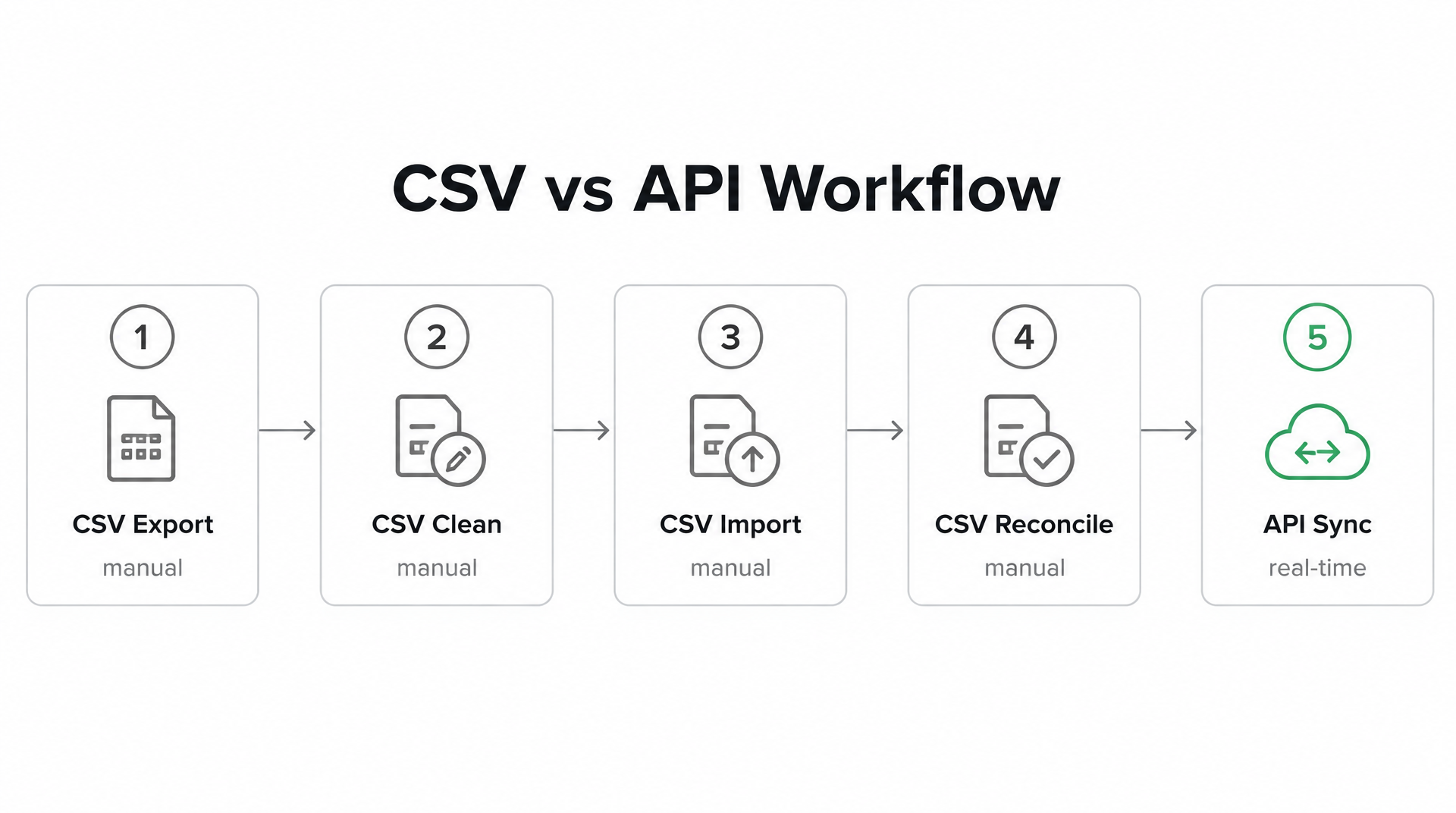
A tool that only syncs through flat files can force your team to export, clean, and re-import data on a schedule. A tool wired through live API connections can keep your ERP, CRM, and payment gateway talking to each other in real time. That gap may show up directly in cash-flow velocity and dunning speed.
Why does integration method decide your real workload?
Integration method decides your workload because the manual effort doesn’t vanish with automation. It relocates. Some published materials suggest that file-based workflows often require manual data entry and validation steps per invoice. For a mid-market company, that manual reconciliation work can consume meaningful finance capacity each month.
Real-time API integrations may deliver faster processing and fewer data errors than file-based systems, depending on the provider and implementation. The direction of travel is clear, but it is not universal.
API or CSV: which actually wins?
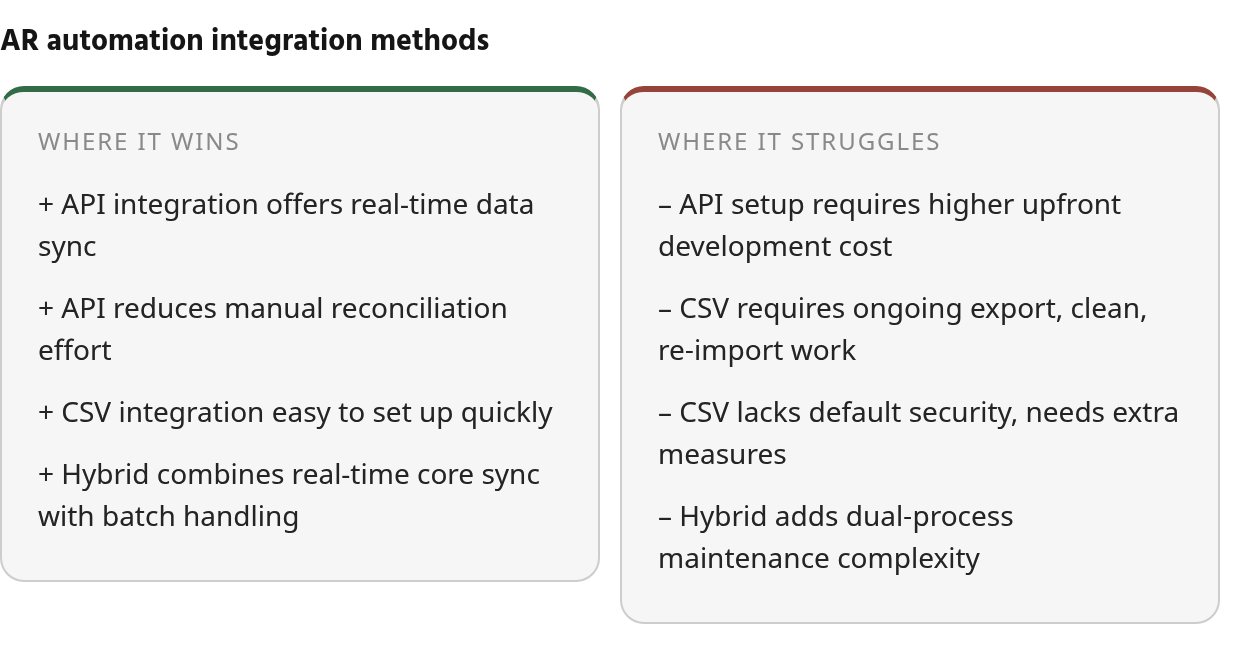
Both methods win at different jobs. Depending on implementation, APIs can handle real-time, individual transactions with lower error rates. Flat files can handle scheduled bulk transfers well and can work with legacy systems that have no API support. Some accounting systems in use today lack a usable API.
For subscription SaaS billing with usage data, pro-rated charges, amendments, credits, and mid-cycle contract changes, APIs may be worth the setup cost. CSV-only tools can turn every billing nuance into a reconciliation task.
| Factor | API Integration | CSV / Flat File |
|---|---|---|
| Data timing | Can be real-time | Usually scheduled batches |
| Error rate | May be lower; validation can be automated | Often requires manual validation |
| Setup effort | Often higher upfront development work | Usually easier to start |
| Ongoing maintenance | Often lower, but depends on integration quality | Can require more engineering over time |
| Best fit | Dynamic subscription billing | Bulk, static data |
| Security | May support encryption, keys, and other controls | May need additional controls such as SFTP |
What this means for subscription billing teams
For subscription teams, the CSV route can carry a hidden integration tax. Daily manual work reconciling usage data, amendments, credits, and contract modifications can eat hours. An API-connected platform may reduce that work.
The stakes are real. When administrative drag is the reason payments slip, AR automation stops being a back-office convenience and becomes a cash-flow control. Finance leaders often cite broken process, not unwilling customers, as a root problem.
Skip the API-first requirement only if your billing is flat and simple: fixed monthly fees, no usage metering, low volume. In that case, a well-run CSV workflow may hold up fine. For everyone running variable subscription pricing, treat live integration as a high-priority evaluation criterion rather than a settled conclusion. If you want the deeper mechanics, see our breakdown on how to stop exporting ERP data to reconcile payments by hand.
Ranking Methodology
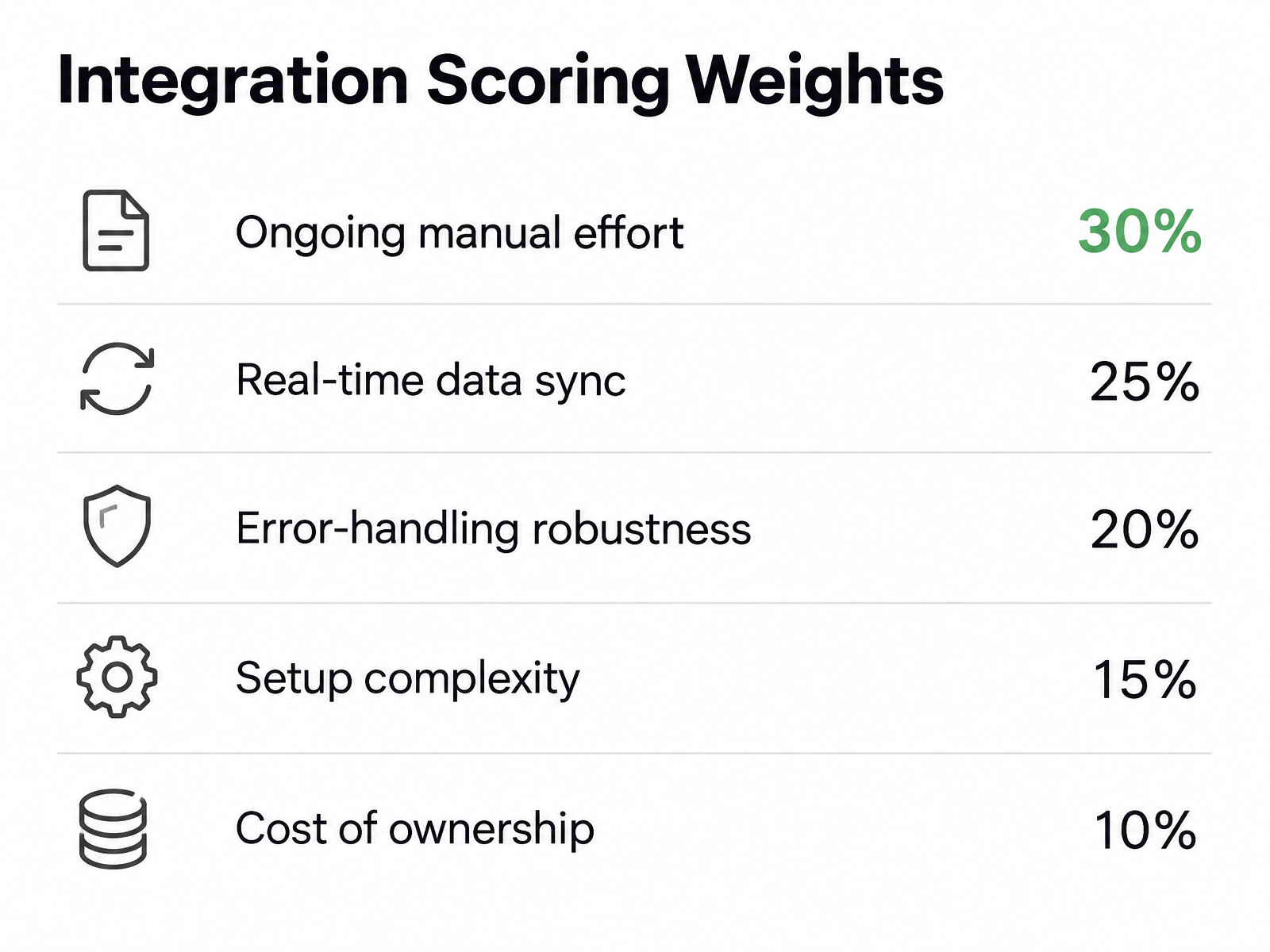
We scored each integration on five criteria, weighted toward the thing that actually drains your week: ongoing manual effort. Not setup. Not the feature checklist. The hours your subscription-billing team loses after go-live.
Because public evidence on integration performance is uneven, we are not publishing a precise 1–5 numeric scorecard in this revision. The integration profiles below treat these criteria as qualitative tests. Treat any score-like claim as directional and confirm it in a live demo.
Feature parity is the norm in accounts receivable automation. Visit any vendor’s site and you’ll see the same checkmarks. So the differentiator isn’t what a tool claims to do. It’s how its integration layer behaves on an ordinary Tuesday when a customer upgrades mid-cycle and three systems need to agree on the pro-rated amount.
The five scoring criteria
Each integration earned a qualitative judgment on these, and we weighted them to reflect where mid-market SaaS teams bleed time.
| Criterion | Weight | What we looked for |
|---|---|---|
| Ongoing manual effort | 30% | CSV exports, re-imports, hand reconciliation of usage and contract changes |
| Real-time data sync | 25% | Live API connections across ERP, CRM, and payment gateway vs batch files |
| Error-handling robustness | 20% | How failed records surface and whether cleanup falls on your team |
| Setup complexity | 15% | Time-to-value, middleware requirements, engineering lift |
| Cost of ownership | 10% | Connector fees, per-transaction charges, maintenance over time |
Ongoing effort carries the most weight for a reason. The question is not whether a vendor can move data. It is whether your team still has to babysit that movement after go-live.
How we handled integration cost tradeoffs
Cost is where the public materials openly disagree, so we scored it carefully. One line of reasoning says natively embedded AR tools lower total cost of ownership because they skip middleware and third-party connectors entirely. Another says custom API integrations run meaningfully higher upfront than file-based setups, and that file-based connections can demand more engineering maintenance over time despite the cheaper start.
Both can be right at different moments. If you’re committed to a single ERP for the long haul, native embedding may win on cost. If you need cross-platform flexibility—which many growing SaaS firms do—the higher API spend may buy you out of operational brittleness. We scored for flexibility, since that’s the segment this comparison serves.
Where our evidence is inferred
Some scores come from public documentation and user-review sentiment on ease of integration, not from a controlled test on your stack. Absence of a published SLA or uptime guarantee isn’t proof the feature’s missing. It means we couldn’t verify it. Treat those cells as a prompt to confirm in a live demo.
We pulled integration-model details, pricing disclosures, and connector-fee notes from each vendor’s own materials where available. Where a vendor stays quiet on a per-transaction charge, we flagged it rather than guessed.
Use the weighting as a starting point, not scripture. If your bottleneck is reconciling usage data and contract modifications by hand, the ongoing-effort column is the one that decides your winner.
Integration 1 — Seamless API Sync (API-First Archetype)
A pure-API integration is often the right call for mid-market SaaS teams drowning in CSV reconciliation. It can sync invoices, payments, and status webhooks in real time, which may kill the daily export-clean-import ritual that eats your mornings. The tradeoff is cost and setup complexity up front.
This is the integration style that matters most for subscription billing. When a customer upgrades mid-cycle, the billing platform, accounting system, and payment layer all need to agree on the updated amount. A REST or GraphQL connection can be configured to push that change through live, so your accounts receivable automation does not have to wait on a scheduled file drop. Some published materials on this approach suggest real-time payment matching and automated dunning triggers may fire the moment a payment status changes; verify the webhook coverage in a live demo before you commit.
Why live connections tend to reduce manual work
Research sources describe real-time API integrations in finance operations as delivering faster processing and fewer data errors than file-based setups in many cases. For a subscription team reconciling usage data, amendments, credits, and contract modifications, that error reduction is where the real savings may sit.
Flat-file sync can force manual validation on every transfer. If you’re running CSV imports more than once a day, you may have outgrown the format. API sync can remove that checkpoint because failed transfers may retry automatically and alert you instead of silently corrupting a batch.
One caveat. Tipalti’s documentation notes flat-file handling can be more efficient for high-volume bulk transfers, while APIs win for real-time individual transactions. The two optimize for different jobs. For per-customer billing complexity, you likely want the real-time path. For large batch data loads, a file may still earn its place.
The pricing gap many buyers miss
Setup cost is the uncomfortable part. API connections often carry higher implementation costs than CSV connections. That gap stops some teams at the demo stage.
Price the manual hours you’re paying now. If each invoice requires even a few minutes of data entry, those minutes compound quickly at higher invoice volumes. The API premium may pay for itself when that labor is reduced or removed.
| Criterion | API-First Integration | Blixo | CSV / Flat File |
|---|---|---|---|
| Data freshness | Real-time, if configured | Positioned as real-time | Hours to days |
| Setup cost per connection | Often higher | Verify in demo | Often lower |
| Error handling | Can be automated | Verify in demo | Often manual |
| Best fit | High-change subscription billing | Mid-market SaaS billing | Low-volume batch |
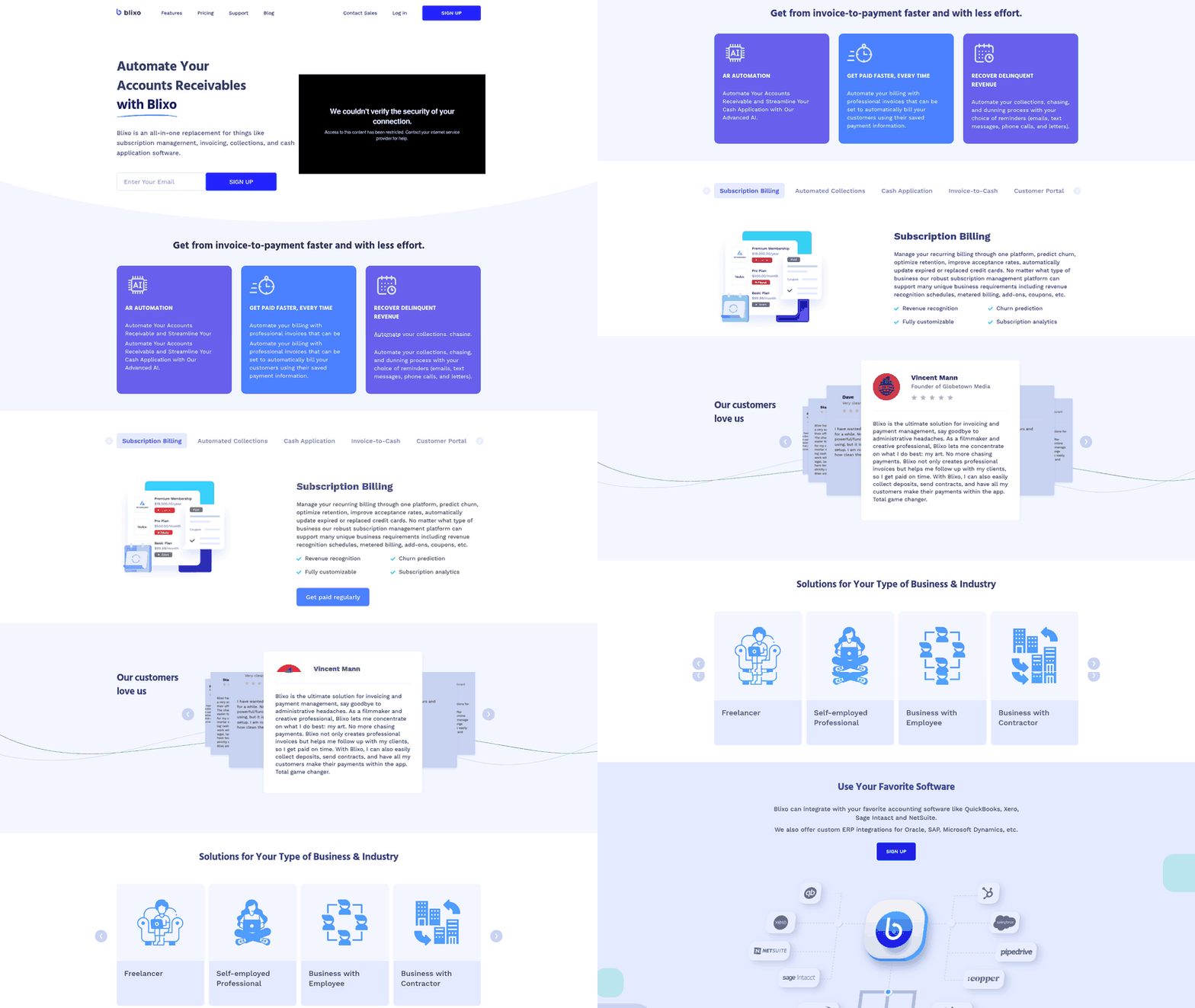
Blixo positions itself in the same real-time camp, built for mid-market SaaS firms tired of hand-reconciling payments. If your pain is daily CSV cleanup, our guide to stopping manual ERP exports walks through the switch.
Skip a pure-API build if one system in your stack lacks a documented API or your volume fits batch processing better. In that case a file export may still be the honest answer, and no amount of real-time wiring will change the math.
Integration 2 — CSV‑Only Import (Manual CSV Work)
A CSV-only import model is the integration most likely to recreate the exact manual work accounts receivable automation is supposed to remove. It can make sense for low-volume, non-urgent data. For mid-market SaaS teams running subscription billing, it can quietly become the most expensive option you can pick.
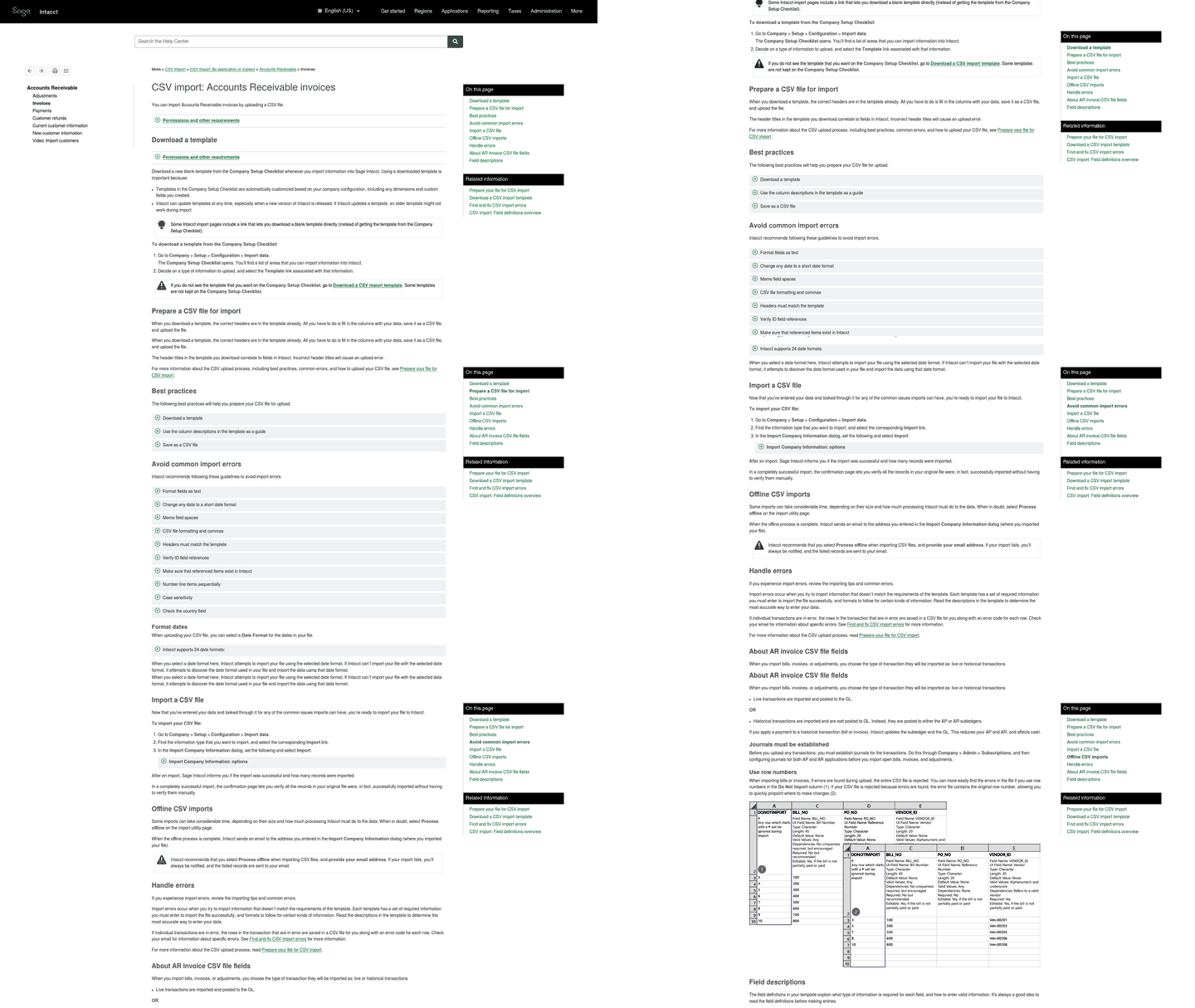
This model asks your team to export payment data from one system, clean it, then upload it into the AR platform on a schedule. Reviewed documentation on file-based integration describes exactly this loop: users either script scheduled jobs to fetch files or manually import and export them between systems. For usage-based or pro-rated billing, amendments, credits, and usage true-ups, that loop can run constantly, and your accounts receivable automation may stop being automatic.
Why CSV-only breaks for subscription billing
The trap is volume and freshness, not the file format itself. Industry guidance often suggests file exports are appropriate mainly for low-volume transfers, and frequent imports may indicate you’ve outgrown file-based integration.
Subscription billing can blow past both limits fast. Mid-cycle upgrades, metered usage, amendments, and credits can generate updates throughout the day. A daily CSV drop may mean your dunning and cash application run on stale numbers. That lag is where revenue can leak.
There’s a security caveat too. Flat files including CSV may require additional security measures like SFTP to protect payment data during transfer. Moving payment data as unsecured files can add exposure that API-connected systems may avoid by default.
What CSV-only actually costs over a year
Upfront, CSV often wins. CSV-only setups may cost less initially but can demand recurring labor for export, cleaning, and import. API-connected setups like Blixo may cost more upfront but can reduce manual work once built.
CSV-Only Import:
- Ongoing manual effort: export, clean, import, validate, repeat
- Error resolution: usually handled after a batch fails or posts incorrectly
- Data freshness: limited by the upload schedule
API-Connected (e.g. Blixo):
- Ongoing manual effort: reduced once the connection is live
- Error resolution: surfaced through integration logic instead of spreadsheet review
- Data freshness: tied to system events rather than file timing
Reviewed documentation notes file-based integrations often need more engineering work for ongoing maintenance despite the easy start. For any team touching data more than daily, the labor hours can erase the setup savings within the first year.
That’s the hidden integration tax. The platform that looked affordable in the demo may bill you every morning in reconciliation time. If this is your daily reality, we’ve written more on escaping it.
When CSV-only is still the right call
Don’t dismiss it entirely. CSV may earn its place when one or both systems have no API at all. Platform-agnostic flat files may be the only bridge for some legacy ERPs without modern connectivity.
If your billing is low-volume, static, and tied to a system without an API, CSV-only may be fine. The moment your subscription data changes intraday—such as a usage true-up or a mid-cycle amendment—treat it as a temporary bridge, not a destination.
Integration 3 — Hybrid API/CSV
A hybrid integration gives you live API endpoints for core objects like invoices and customers, then drops back to CSV for bulk payment imports. For mid-market SaaS teams, it is a pragmatic middle path. You may get real-time sync where it counts and batch files where volume is heavy.
Not every object in your accounts receivable automation stack needs to move in real time. Invoice creation and status changes often benefit from an API push. A nightly dump of thousands of settled payments may not. Reviewed documentation on hybrid models describes exactly this split: APIs for dynamic, high-value tasks and flat files for bulk transfers that run on a schedule.
The split that decides your workload
The dividing line matters more than the vendor’s feature list. Public materials suggest the hybrid approach routes core objects through live API calls while bulk payment data arrives as CSV batches over SFTP. That design can resolve a real tension in the research: live connections may be better for time-sensitive updates, while files may still be efficient for large, predictable transfers.
For a subscription billing team, the practical read is this: keep pro-rated upgrades, usage true-ups, credits, and mid-cycle changes on the API side, and reserve the file side for batches that genuinely do not need immediate action. Verify in a live demo exactly which actions are API-driven and which fall back to CSV. Absence of a documented API endpoint is not proof it doesn’t exist, but you want it confirmed before signing.
Where the hidden cost lives
The hybrid model’s weak spot is the dual-process workflow your team has to manage. Someone owns the CSV side. That means monitoring scheduled jobs, catching file-format changes, and validating that batches imported cleanly. Reviewed material notes flat files may not be secured by default, so your SFTP setup and validation step are not optional.
Cost tells a similar story. API connections often cost more than file-based integration at setup, and the hybrid may split the difference, but watch the maintenance line. File-based pieces can demand more ongoing engineering than their easy setup suggests. If your payment imports run more than once a day, the CSV half of a hybrid can become the bottleneck you were trying to escape.
| Criterion | Pure API | Hybrid API/CSV |
|---|---|---|
| Core object sync | Varies by platform | API, real-time, if configured |
| Bulk payment import | Varies by platform | CSV batch over SFTP, if configured |
| Daily manual CSV steps | Varies by platform | Present on the file side |
| Setup complexity | Varies by platform | Moderate to high |
A hybrid earns its place when your payment volume is genuinely batch-shaped and daily. If your subscription billing produces constant pro-rated changes or usage true-ups, pick the integration that keeps CSV out of your mornings entirely.
Integration 4 — Blixo (Fully Automated Matching)
For mid-market SaaS teams buried in CSV reconciliation, a fully API-matched platform may earn the top spot because it removes the manual step entirely instead of relocating it. This integration style targets the subscription-billing gap directly. The tradeoff: you commit to a connected stack rather than a bolt-on file importer.
The other three archetypes all leave a seam somewhere. Pure API gets you close but still asks you to verify webhook coverage. Hybrid hands bulk payments back to a flat file. CSV-only recreates the whole export-clean-import loop. End-to-end matching can close those seams by capturing remittance, matching payment to invoice, and firing dunning without a file ever touching your drive. That is what full accounts receivable automation should mean for a subscription billing team.
What fully automated matching actually removes
Think about where the hours really go. Manual data entry and reconciliation consume staff time that scales with invoice volume. Published best-practice material describes intelligent data capture that improves through machine learning rather than relying on static OCR. Applied to cash application, that means the matching engine may get better at your pro-rated upgrades, usage true-ups, credits, and amendments the longer it runs.
Public materials on platforms in this category point to that end-to-end flow; confirm the matching accuracy and latency figures in a live demo before you sign, since absence of a published SLA isn’t the same as absence of one.
How it compares across the ranking
| Dimension | CSV-Only | Hybrid API/CSV | Pure API | Fully Automated Matching |
|---|---|---|---|---|
| Ongoing manual effort | High | Moderate | Low | Positioned as lowest |
| Remittance capture | Manual | Manual/batch | API | Automated / AI-assisted, verify |
| Payment-to-invoice matching | Spreadsheet | Partial | Real-time | Automated |
| Dunning triggers | Manual | Scheduled | Live | Live |
| Best fit | Low-volume data | Mixed volume | API-ready teams | Subscription billing |
The scores track ongoing effort, which is where mid-market SaaS teams bleed time. Bill360’s guidance frames the buying decision around one question: where is your AR process costing your team the most time? For subscription billing, the answer is often reconciliation. That’s the category this integration wins.
When you should skip it
Be honest with yourself about volume and complexity. If you invoice a handful of customers on flat annual terms with no mid-cycle changes, a connected matching engine may be more machine than you need. The simpler importers in this ranking can do fine, and you’ll spend less.
The payoff shows up when billing complexity per customer is high: usage tiers, pro-ration, amendments, credits, contract modifications. That return lives in the complex-billing segment, not the flat-rate one.
Match the integration depth to your billing complexity, and if you’re already exporting ERP data to reconcile payments by hand, this is the tier worth demoing first.
Cost, ROI, and Feature Comparison
When you tally the real numbers, the gap between integration types is often about labor hours and days-to-cash, not feature checkboxes. For mid-market SaaS teams running subscription billing, a fully API-matched approach may win on total cost of ownership. CSV-only can look cheap on the quote and expensive on the payroll.
Feature parity is common in accounts receivable automation, so the spreadsheet that matters isn’t the one listing capabilities. It’s the one that prices your team’s time. Setup effort varies by integration type; API connections often require more upfront engineering work than file-based alternatives. That upfront delta is real. The ongoing side can flip it.
Which integration actually costs the most?
The hidden cost sits in manual effort after go-live. Data entry, exception review, and batch cleanup can compound as invoice volume rises. Pro-rated subscription changes may multiply those touches because each change has to reconcile across billing, accounting, and payment records. A CSV-only model can recreate that loop every cycle.
| Integration | Setup effort | Ongoing manual work | API coverage | Cost signal | Best-fit |
|---|---|---|---|---|---|
| Pure API | Often high | Often low | High | Higher setup | High-volume real-time sync |
| CSV-only | Often low | Often high | None | Lower setup | Low-volume batch transfers |
| Hybrid API/CSV | Moderate | Moderate | Partial | Mixed | Bulk payments + live core objects |
| Blixo | Medium, per vendor materials | Positioned as low | Documented on vendor site | License + connected stack | Subscription billing, cash application |
One flag worth your attention. Reviewed material notes that file-based integrations can demand more engineering maintenance over time despite the lower sticker price, since file formats drift and errors need manual investigation. Absence of a published maintenance figure isn’t absence of the cost.
The payback math
Finance leaders already expect returns from AR automation. Published results provide a benchmark for what connected automation can deliver: faster collections, shorter time-to-payment, and less time spent chasing invoices.
Calculate payback on the hours you reclaim, not the license you avoid. For a SaaS team, that means including exception handling, customer follow-up delays, dunning timing, and the finance time spent proving that the AR subledger agrees with the billing platform.
Your next move
For routine, low-volume invoicing with batch transfers, file-based may be enough and the evidence may not always support the extra spend on full API infrastructure.
For subscription SaaS firms drowning in usage data, contract mods, and pro-rated charges, a fully automated matching approach may earn the top ROI slot. It can remove the manual step instead of relocating it to a flat file. If you’ve been exporting ERP data to reconcile payments by hand, that’s the exact labor line a connected engine can erase. Verify the match-rate claim and webhook coverage in a live demo before you sign.
Still Wondering?
1. Why does ongoing manual effort matter more than setup cost when choosing an AR integration?
Setup is a one-time project; manual reconciliation comes back every billing cycle. For subscription teams, the expensive part is usually not the initial connection. It is the recurring work of resolving mismatched payments, contract changes, usage records, and invoice statuses after the system is supposedly live.
2. When should a subscription billing team choose CSV over API integration?
Choose CSV when the workflow is simple, slow-moving, and tied to a legacy system that cannot support a usable API. It can also work as a temporary bridge during migration, as long as the team understands that file timing will limit cash-application speed and dunning accuracy.
3. Can a hybrid API/CSV integration eliminate manual reconciliation work entirely?
No. A hybrid can reduce manual work by reserving APIs for the records that need immediate sync, but the file side still requires ownership. Someone has to monitor scheduled jobs, handle file-format changes, and confirm that each batch imported correctly.
4. How do real-time API integrations reduce payment errors compared to flat files?
They move validation closer to the transaction. Instead of waiting for a batch import to reveal a problem, an API-connected workflow can flag failed records as they occur and route exceptions for review before they distort downstream AR reporting.
5. What billing complexity makes fully automated matching worth the connected-stack commitment?
Fully automated matching becomes worth it when payment records, remittance data, invoice status, and billing changes all need to stay aligned without spreadsheet review. Teams with usage-based pricing, frequent amendments, and customer-level billing variation usually feel that pain first.