

How to integrate accounts receivable cloud with Younium subscriptions

Why AR-cloud plus Younium beats a second reconciliation pass
Connect an accounts receivable cloud to Younium subscriptions, and reconciliation should stop being a second manual pass. Younium’s published materials describe subscription activity booking and payment matching against invoices. The practical payoff comes from feeding those existing reference keys into cash application so finance does not have to re-enter them.
The reasoning is fairly simple. Many mid-market SaaS finance teams run a fractured order-to-cash chain. Subscription data lives in one system. Invoicing and collections live in another. Every billing cycle, someone re-keys invoice numbers, chases mismatches, and posts journal entries by hand. That gap between systems is where cash gets stuck.
Why a split O2C chain costs you cash
A fragmented O2C chain creates duplicate data entry, misaligned billing cycles, and delayed reconciliation. Each handoff adds latency, and latency is cash sitting in receivables instead of the bank account. Unify the two and you close those gaps at the point where cash meets ledger.
Younium’s public materials describe an AR engine that imports payments, auto-matches them to open invoices, and surfaces overdue items for follow-up. Its documentation suggests the workflow is built to push matched transactions through automatically while flagging exceptions for review. That reference-standard matching is the join key your AR cloud should consume, not rebuild.
What actually kills the manual matching
The integration works because it reuses Younium’s existing match keys instead of duplicating the matching logic. Your AR cloud reads the invoice IDs and subscription references Younium already resolved, applies cash against them, and returns a reconciled result. No parallel matching engine. No fought-over system of record.
It is worth stating plainly because Younium’s vendor materials describe two overlapping capabilities. One set of documents describes auto-matching payments end-to-end. Another describes booking invoices, payments, and revenue recognition events into segmented journals for general ledger reconciliation. The practical interpretation is to treat Younium as the subscription, billing, and GL record, and your AR cloud as the collections and cash-application layer. Draw that line before you build, or the two systems may argue over the same match.
How this cuts DSO all the way to the ledger
The DSO reduction should come from closing the loop to the general ledger, not just from faster matching. Younium’s materials describe segmented journal booking for subscription activity. If configured that way, cash applied in your AR cloud can flow back to a ledger that does not need a manual reconciliation entry. Faster matching plus no-touch posting is what compresses the collection cycle.
If your subscription volume is low and your invoice count is small, this integration may be overkill. Native matching alone may be enough.
If you run recurring or usage-based billing at scale, with multi-currency invoices and a monthly close that eats days, this is where the payback likely lives. Verify the exact match-key behavior in a live demo before committing. Absence of a feature in public docs is not proof it is missing; it just means you should confirm it against your own data first. For a broader view of what to prioritize, our rundown of AR software features that matter most is a useful companion.
Draw the data boundary before you build anything
This is a data-boundary problem, not a template-design problem. Let Younium stay the source for subscription events, invoice references, payment status, revenue recognition, and GL-ready accounting detail. Let Blixo handle the receivables work that sits around that record: collections activity, cash-application workflow, remittance handling, approval queues, and exception management.
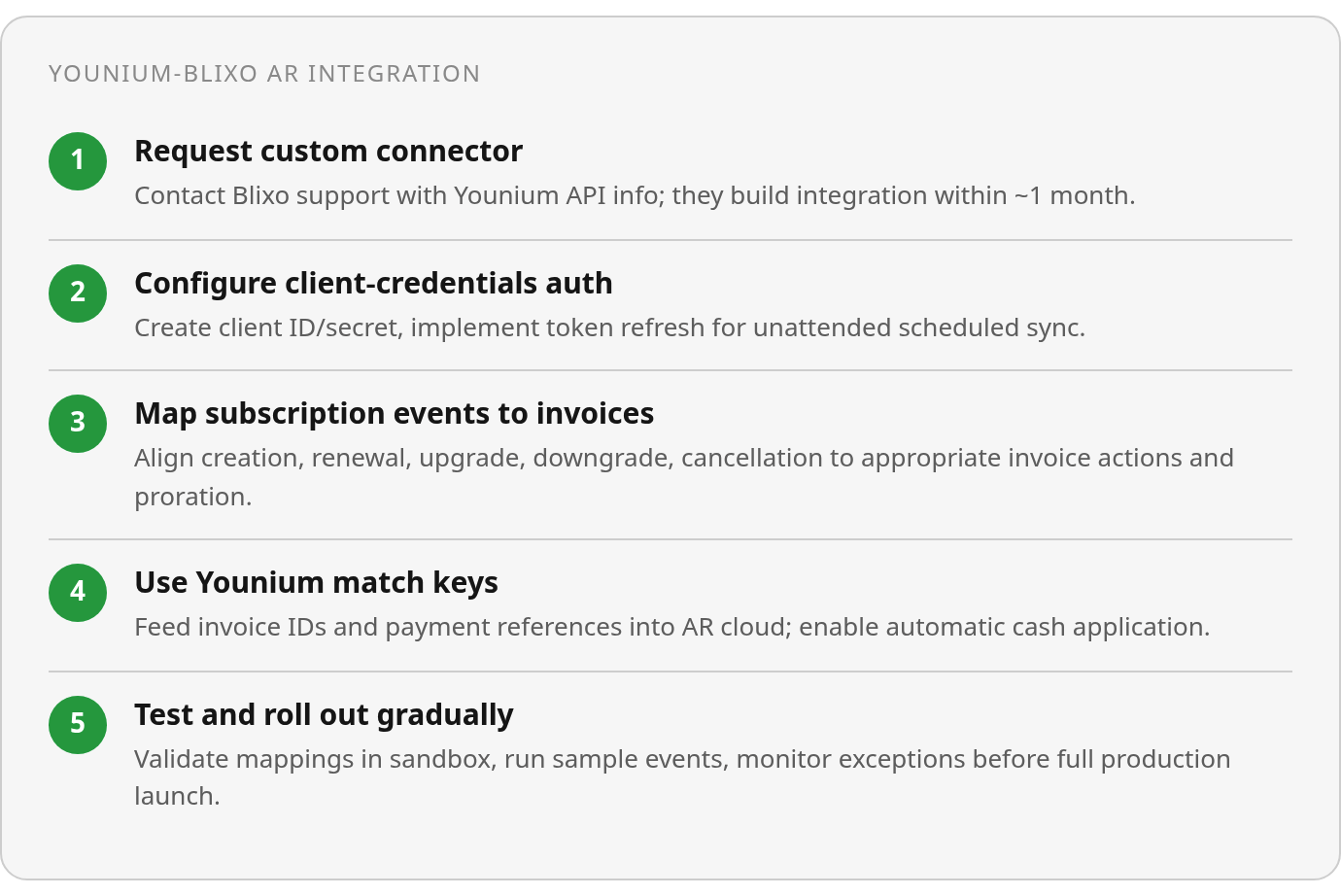
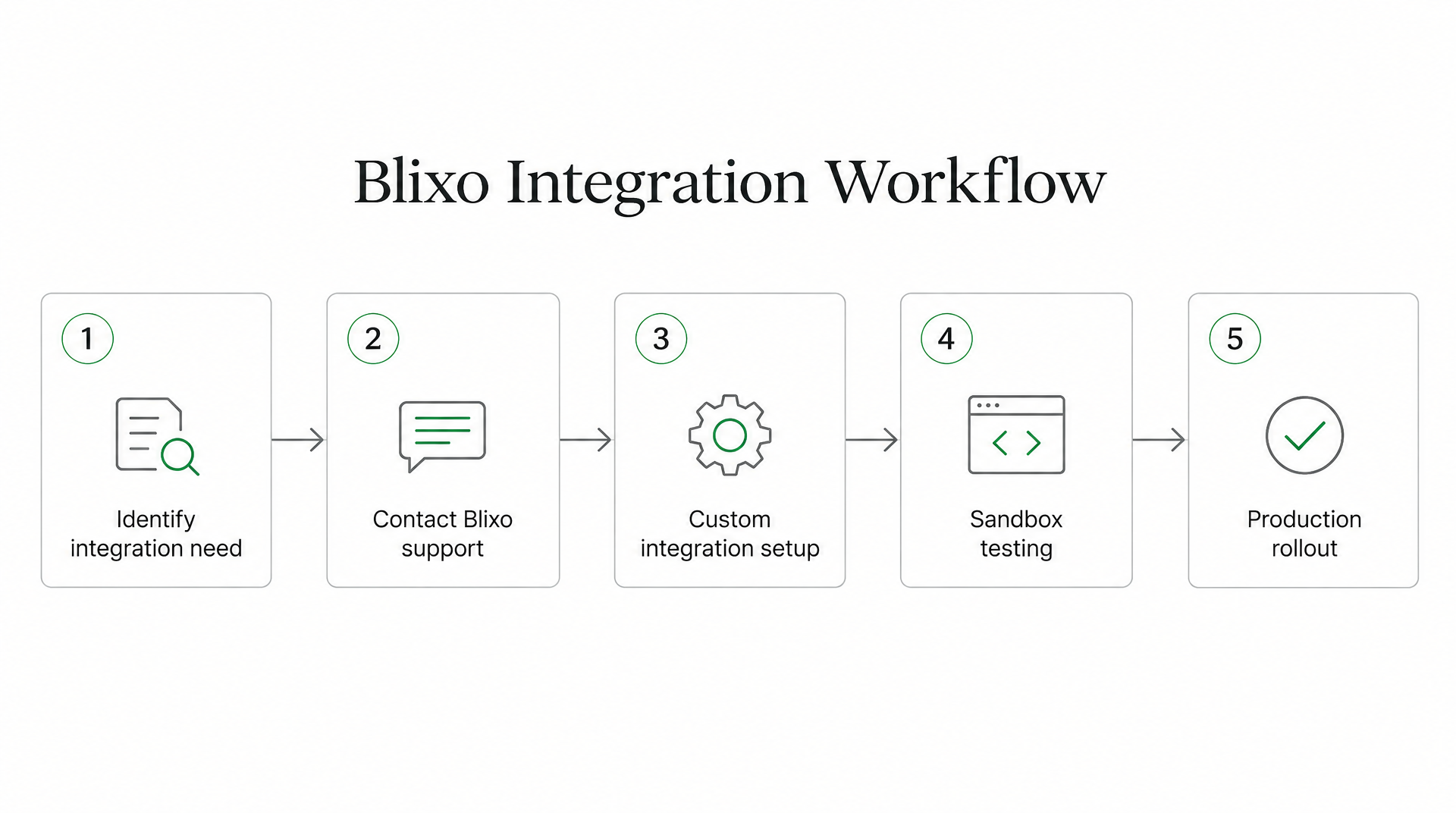
Before implementation, confirm the connector path, authentication model, event schema, and sandbox behavior with Blixo Customer Support. The safest build starts by proving that Younium’s identifiers survive the full journey from subscription event to invoice, payment, collection status, and ledger update. Once that join is dependable, rollout can proceed entity by entity, currency by currency, and event type by event type.
Wiring Blixo AR Cloud to Younium, step by step
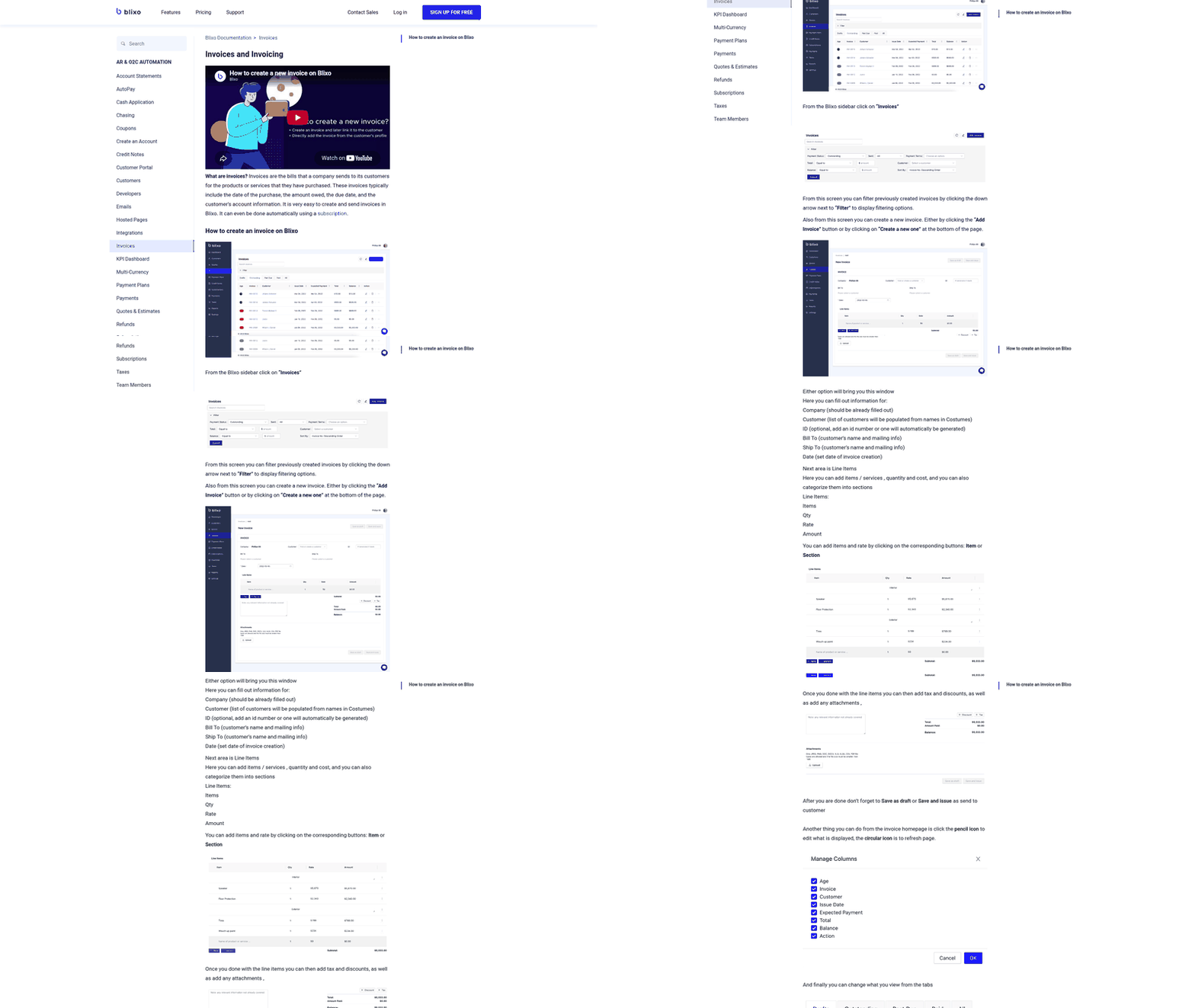
Start with the connector situation. In the documentation reviewed for this article, Blixo does not list Younium as a prebuilt connector, so this should be treated as a custom setup rather than a flip-a-switch feature. Blixo’s documentation points to its support process for unsupported tools; timelines can vary, so confirm scope, fields, authentication, sandbox access, and rollout timing directly with Blixo Customer Support.
One note up front. Younium’s public materials describe accounts receivable and revenue recognition capabilities, but the reviewed Blixo documentation does not list a prebuilt Younium connector. Treat any UI specifics below as the pattern to look for, and confirm the wording with Blixo Customer Support or in a live demo.
What Blixo connects to out of the box
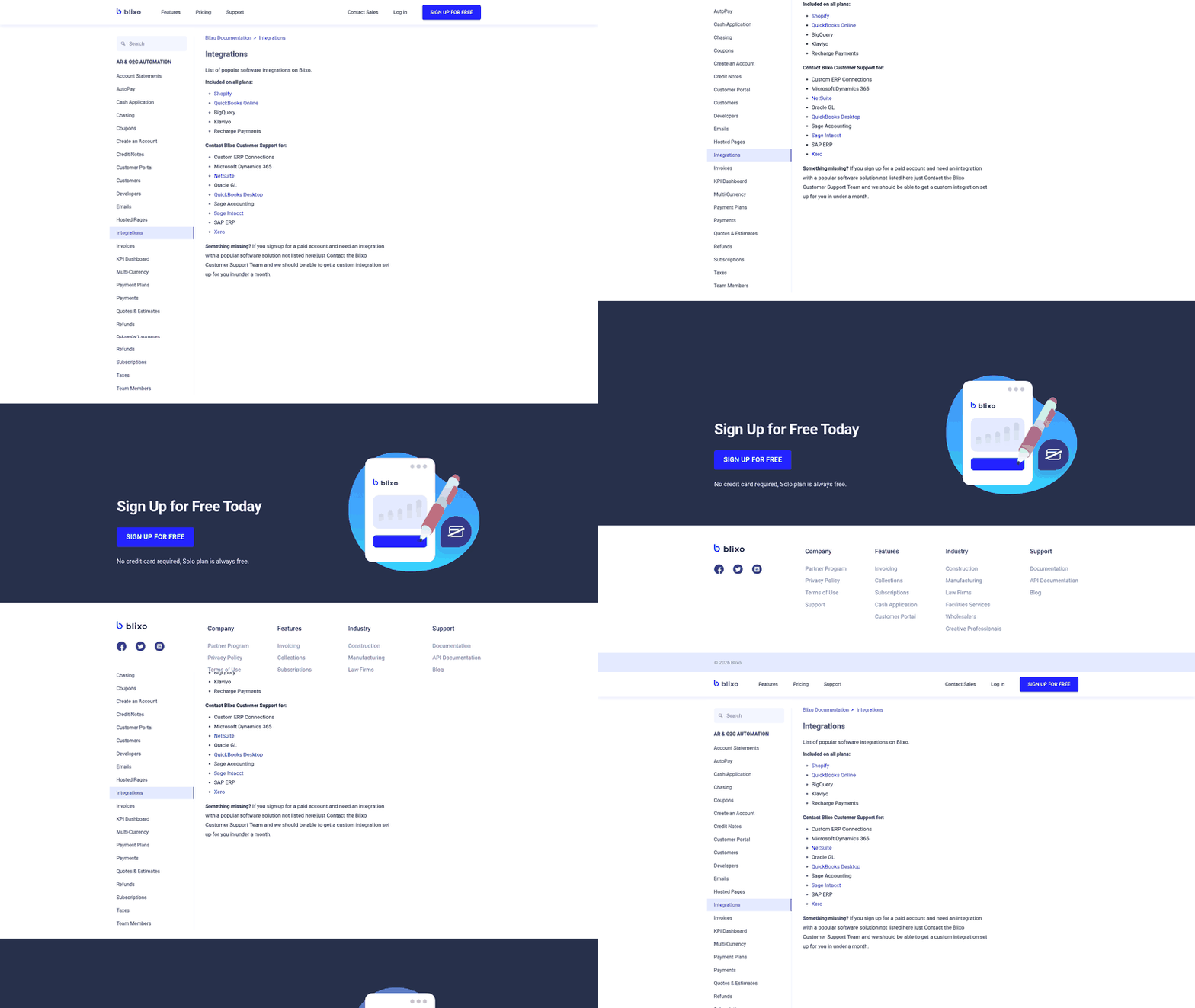
Start inside Blixo’s integrations area. Blixo’s published documentation describes several out-of-the-box connectors; the exact plan-level list may depend on your account, so confirm current availability. Examples reviewed included commerce, accounting, and data destinations, but you should verify which connectors are enabled for your plan. Copy any generated key once and store it in a secrets manager, not a config file.
For tools outside that list, Blixo handles connections through its support team. Reviewed documentation describes custom ERP and accounting connections that are discussed with support rather than self-serve. If the software you want is not listed, a paid account plus a support request is the documented route.
Which authentication flow to pick
Two OAuth 2.0 flows cover most integration cases. Use the Authorization Code flow when a human logs in and grants access on behalf of an organization. Use Client Credentials for server-to-server sync where no user is present, which is the common shape for a reconciliation pipeline running on a schedule.
For unattended cash-application sync, Client Credentials is usually the cleaner choice. Whichever you choose, build token refresh in from day one. Access tokens expire, and a pipeline that cannot refresh will stall mid-cycle and leave invoices unmatched. Store the refresh token, catch the 401, request a new access token, and retry.
How Blixo matches subscription payments to invoices
This is where the reconciliation angle earns its keep, but the exact behavior should be confirmed in your Blixo demo. Some receivables platforms use a matching engine that applies payments and balances to invoices at the envelope and item level, with an approval workflow for exceptions. If Blixo’s current workflow allows manual corrections and learns from them, that feedback loop may improve matching over time. For recurring revenue, ask Blixo how it tracks recurring invoices so incoming payments reconcile against the right customer and invoice.
I cannot hand you a verified sample payload for a Younium feed. The reviewed sources do not publish one. If you build a custom connection, pull the real schema from the source system and map fields against it rather than guessing. The same discipline applies whether you route through a prebuilt connector or a custom integration. Verify field mapping in a sandbox first.
Common connection errors cluster in a few spots. Invalid scope usually means the token was not granted permission for the resource you are calling. Mismatched timestamps point to clock drift or an expired signature window. A 401 after everything looked fine is almost always the refresh step you skipped. If you want a parallel example of this handshake pattern, our walkthrough on linking AR cloud to a payments provider covers the same failure points.
Configuring invoice generation, sync, and the subscription lifecycle
Map Younium’s lifecycle events to invoice actions first, decide where payment evidence is mastered second, and only then worry about templates. Get the boundary right and the sync runs itself. Get it wrong and you force two platforms to interpret the same billing event.
The reasoning here is that Younium’s public materials describe automatic capture and booking across invoices, revenue recognition, and payments. In that architecture, an accounts receivable cloud is not the billing engine. It is a translation layer that turns subscription state changes into invoice instructions and then feeds receivables outcomes back. Confirm the exact event names and field payloads in a live demo before you commit to a schema.
Which Younium events map to which invoice actions
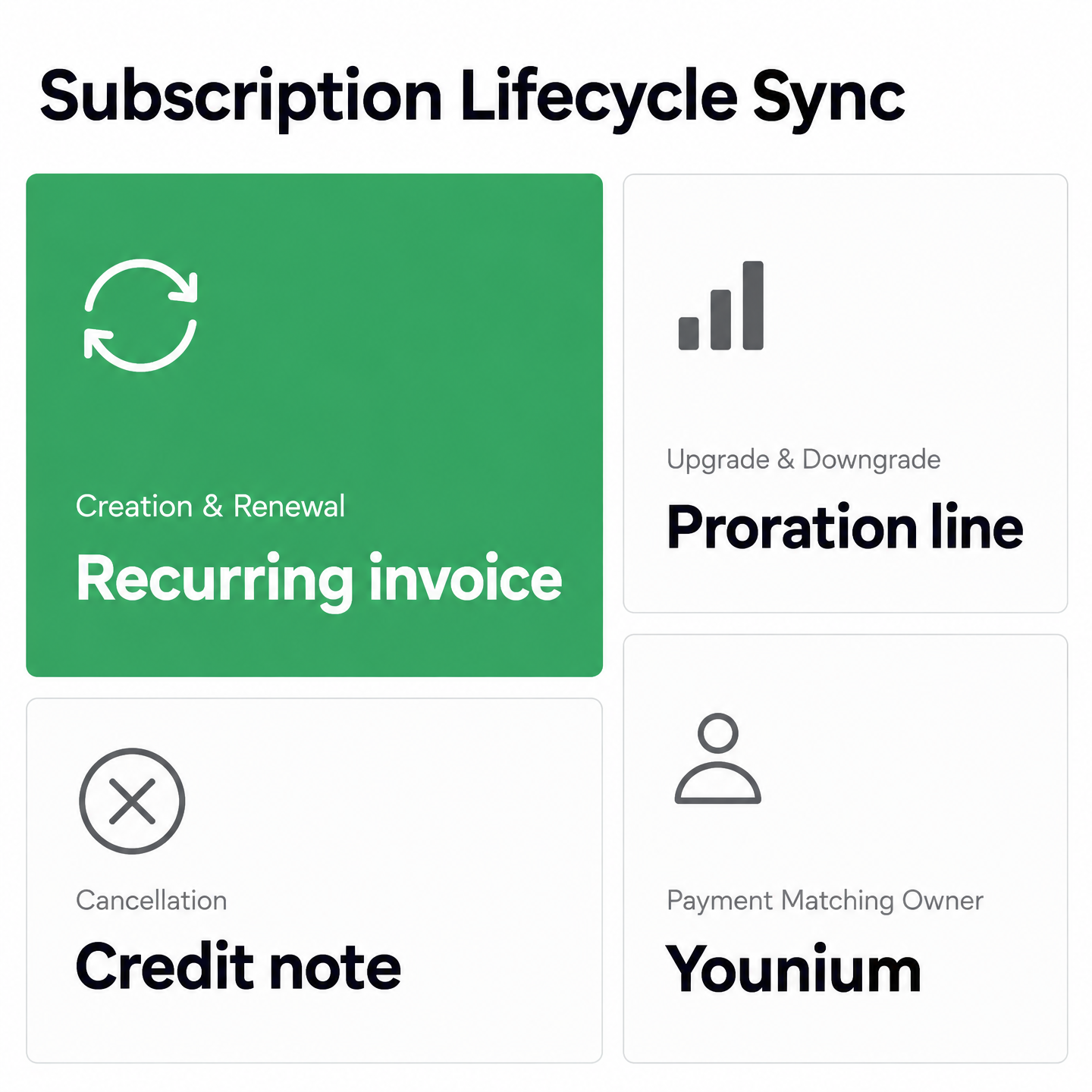
Typical subscription lifecycle events include creation, upgrade, downgrade, renewal, and cancellation. Confirm the exact event list in your Younium configuration, because it may differ by plan or deployment.
In a configured integration, creation and renewal would generate a fresh recurring invoice. Upgrades and downgrades would produce a proration line against the current service period. Cancellation would stop the recurring template and, where applicable, issue a credit note for unused time.
The join key matters more than the event itself. Younium’s reviewed documentation describes revenue recognition with line-item rules for different billing periods and full quote-to-cash traceability. On the Blixo side, keep the matching fields stable across customer, invoice, subscription, and payment records. If those values change between event creation and cash application, automation becomes guesswork.
Handling proration and multi-currency in the sync
Proration is where many SaaS syncs break. A mid-cycle upgrade should credit the old plan and charge the new plan against the same service period, not re-bill the full amount. If Younium calculates prorated periods with line-item rules as its documentation describes, pass those computed amounts through rather than recalculating them downstream. Two engines proration-ing the same event may disagree, and you will chase the difference every close.
Multi-currency follows the same principle. Younium’s public materials describe multi-entity, multi-currency configurations in which entities book in their base currency. If your deployment is configured that way, let Younium be the source of the booked amount and currency. Your AR cloud should apply cash in the invoice currency and match against the reference key, not re-derive FX. For a fuller checklist on what to demand from the receivables side, our rundown of which AR software features matter most is a useful cross-check.
Which system owns payment matching
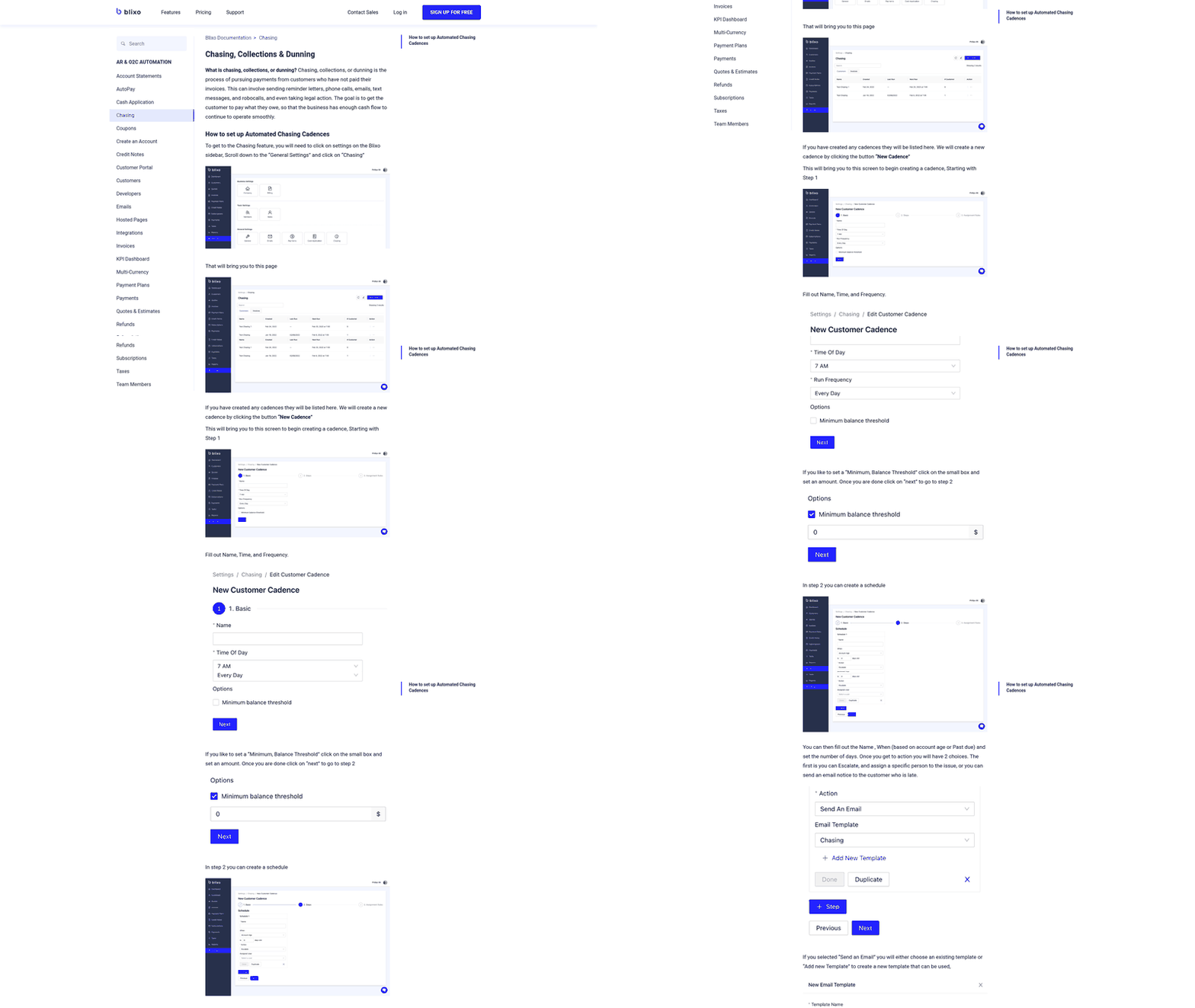
This decision determines whether reconciliation is automatic or a second operations task. Younium’s platform materials describe native payment matching and exception surfacing. Your AR cloud is the collections and cash-application layer.
Do not duplicate the decision step. Consume Younium’s reference-standard keys as the join for cash application, and reserve Blixo for dunning, remittance capture, and split-remittance partial payments that need human judgement. If Blixo’s matching engine supports learning from user corrections, use that feedback loop to improve proposed matches over time. Before go-live, validate the actual payload in a sandbox so your build reflects the data you will receive, not the field names you expected.
Automating collections, dunning, and cash application
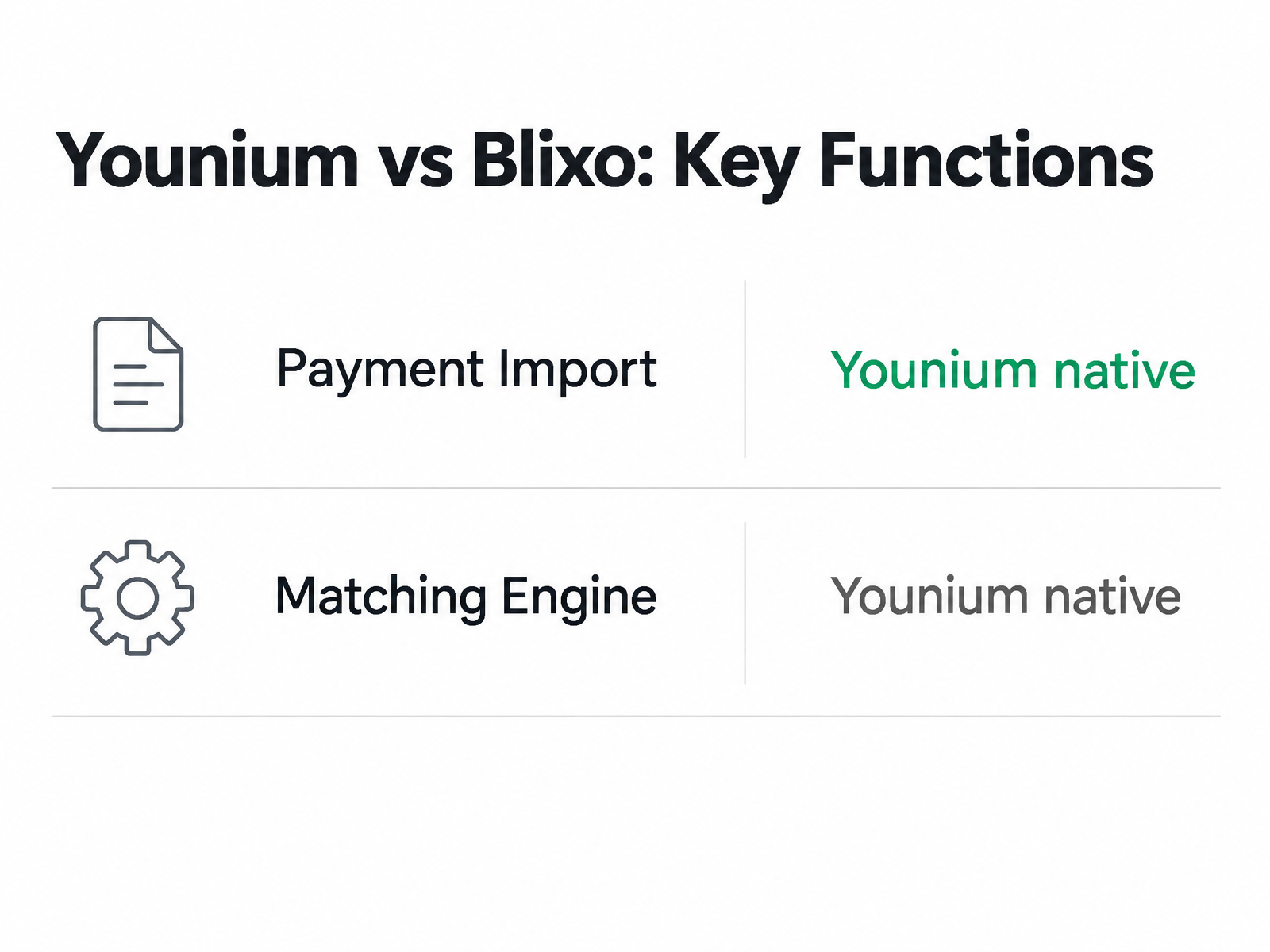
Use the integration to coordinate collections activity around the subscription record. Younium’s public materials describe payment import, tying that payment information to open receivables, and identifying overdue items. The AR cloud should turn that status into operational follow-up without creating a second source of truth.
The logic is that the identifiers Younium already carries on each payment and invoice are the cleanest join. Feed those same keys into your accounts receivable cloud and cash application becomes a controlled lookup with an exception path, rather than a fresh attempt to infer which customer paid which invoice.
Which overdue workflows actually fire on their own
Younium’s public materials describe automated overdue follow-up on open invoices, so structured reminder activity may already live upstream. If that is enabled in your deployment, much of the follow-up cadence does not need to be rebuilt downstream. Confirm the exact reminder timing, suppression rules, and escalation behavior in a live demo before you model them in Blixo.
That matters for template design. Younium’s transaction detail traces a customer’s history “from the quote that sparked the subscription to the version behind the invoice, including every product line, customer, service period, and more.” Pipe that context into your reminder and notice templates so a first notice references the actual subscription, not a bare invoice number.
One note: the public docs describe automated overdue follow-up, but they do not spell out a built-in hand-off to an outside collections agency. Confirm any API-triggered escalation path in a live demo before designing around it.
How to split cash application without fighting over matching
This is where the two systems overlap. Younium’s materials position it as the place where subscription billing, payment evidence, and accounting detail come together. Blixo adds the receivables workflow around that record: approvals, collection action, customer follow-up, and exception handling.
Pick one place to decide what a payment belongs to. Let Younium stay the subscription, billing, and general-ledger record, and let the AR cloud run collections and cash application on top of Younium’s reference keys. Do not run both matchers against the same payment file. That is how you end up chasing phantom mismatches instead of real ones.
Younium’s reporting may help here. Its documentation describes A/R reports covering account balance, aging, financial accounts, and journals, so your team can focus on open and overdue items that need attention. Confirm the reports included in your current Younium plan. Consume those statuses rather than re-deriving them.
Where the DSO reduction actually comes from
At this stage, the DSO benefit is operational. The reminder cycle starts from cleaner subscription context, exceptions move into a single queue, and finance no longer has to reconcile the same payment trail in multiple places. The fewer times a person inspects the same invoice, the faster cash moves from notice to application to close.
The practical workflow is straightforward: trigger the right customer follow-up, capture remittance detail, resolve exceptions once, and push the outcome back to the accounting record. For a deeper look at which AR capabilities move this needle, our rundown on accounts receivable software features is a useful companion read.
Testing, validation, rollout, and the monitoring that keeps it quiet
Test against sandbox accounts before you touch a single live invoice, roll out one subscription event at a time, and build monitoring around exceptions rather than green checkmarks. Get those three right and the sync stays quiet. Skip them and you find the breaks in production, where they cost you cash.
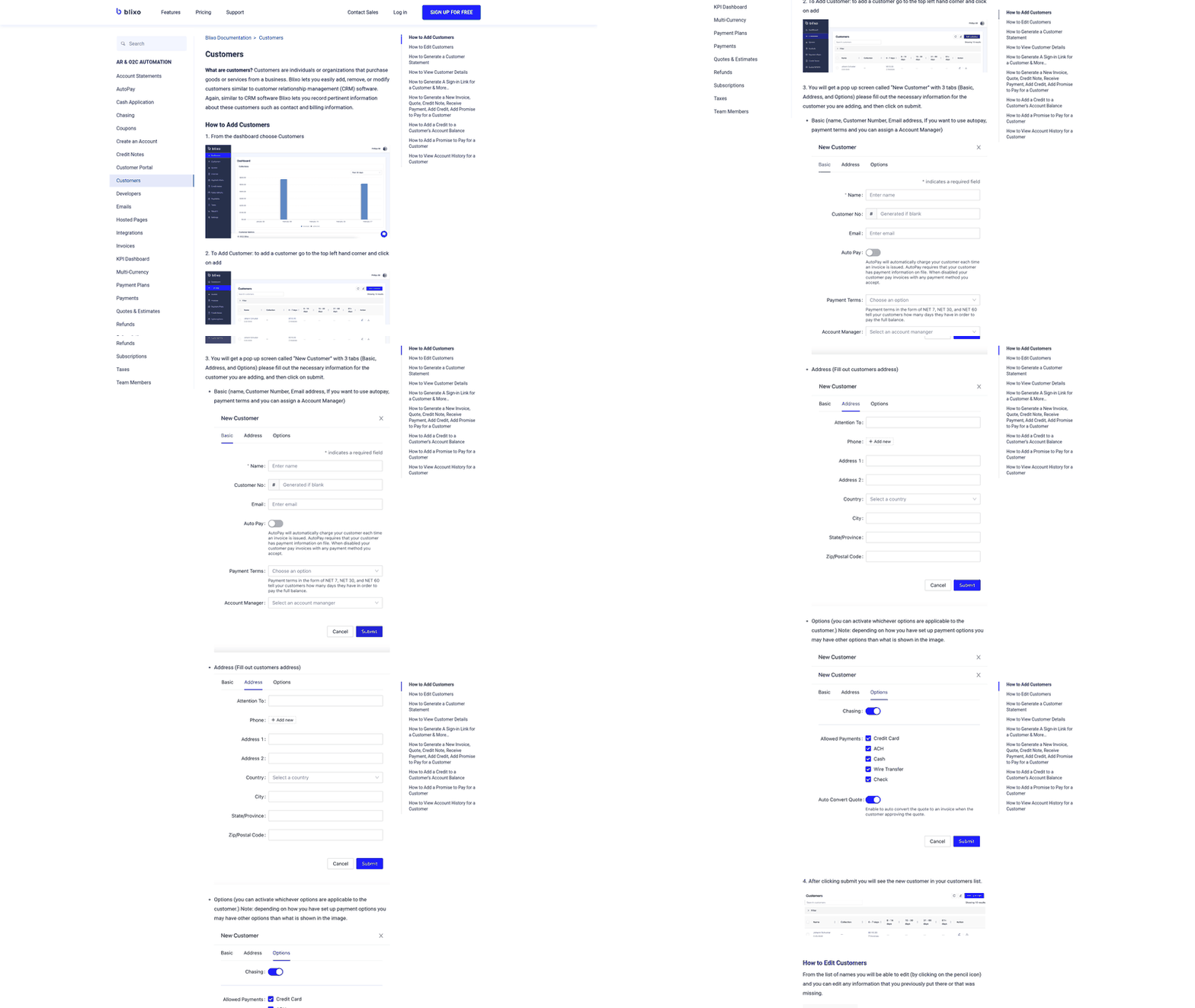
When you integrate an accounts receivable cloud on top of Younium, you are wiring two systems that may each book activity independently. A bad mapping does not just drop one payment. It corrupts the reference keys that cash application depends on. So testing should prove that the join holds before real money flows through it.
Which test cases actually prove the join holds
Confirm both vendors offer the non-production environments you need in your live demo, then build a matrix of subscription events with expected outcomes on the receivable side. Younium’s public materials describe lifecycle activity from invoices through revenue recognition to payments, so your cases should walk the same path.
At minimum, script these:
- New subscription: an invoice generates with the correct reference key and lands as an open item.
- Upgrade or add-on: a prorated invoice books without duplicating the original.
- Cancellation: billing stops and any credit posts to the right entity.
- Failed payment: the invoice stays open and dunning fires if your configuration includes automated dunning, rather than the payment silently matching.
Run each case, then check that a payment carrying Younium’s identifiers matches automatically in your accounts receivable cloud. If it does not, the mapping is wrong, not the payment.
How to deploy integration code safely
Treat the integration like any other production code. Version-control the mapping logic, gate new event types behind feature flags, and push through a CI/CD pipeline so you can roll back a bad release without unpicking journal entries by hand.
Phase the rollout. Start with one entity or one currency, watch it for a full billing cycle, then widen. If Younium’s multi-currency reporting works as its materials describe without a separate consolidation step, push cash-application events per entity and per currency rather than aggregating first. That keeps group-level DSO accurate as you expand, instead of forcing a reconciliation pass later.
What the monitoring dashboard should track
Watch the seams between the systems, not the systems themselves. Sync latency, error rate, and webhook or callback delivery status are the metrics that tell you whether events are actually crossing the gap. A spike in delivery failures means invoices are not being created, even if both tools look healthy on their own.
Make monitoring exception-driven. If Blixo routes unmatched payments into an approval workflow, work that queue as your single reconciliation list instead of chasing two. Confirm the exact behavior in a demo.
Wire alerts to where people already work. A Slack ping on webhook failure or a daily email digest of unmatched items beats a dashboard nobody opens. After go-live, hold a short review at the end of the first full cycle: what matched automatically, what fell to manual, and which mapping needs tightening. That is where DSO gains get locked in.
Quick Questions, Straight Answers
Is this integration worth it for a small SaaS business with low invoice volume?
Usually not. If finance can already keep up with billing, collections, and close without spreadsheet-heavy reconciliation, the integration may add more process than it removes. Revisit it when volume, currency complexity, or usage-based billing makes manual review the bottleneck.
Which OAuth 2.0 flow should I use for a scheduled reconciliation pipeline?
Use a server-to-server authentication pattern for scheduled jobs that run without a person in the loop. If access depends on a user granting permissions for an organization, use the user-consent pattern instead. In either case, design for token expiry before the first billing cycle runs.
What do the most common connection errors mean when linking the two systems?
Most failures are permission, timing, or session-continuity issues. Check whether the app has access to the resource, whether request timestamps are still valid, and whether the integration can renew credentials without manual intervention.
Does Blixo connect to Younium out of the box, or does it need custom setup?
Plan on custom setup unless Blixo confirms otherwise in your account. Use the support process to validate scope, fields, authentication, sandbox access, and rollout timing before you promise a production date.