

Subscription Billing's Four Breaking Points: Why Cash Application, Not Invoicing, Is Your Real Problem

Key Takeaways
- Cash application, not invoicing, is where subscription revenue leaks. 78% of finance teams report costly manual reconciliation errors.
- Manual cash application costs SaaS companies $22,000-$33,000 annually in labor. Reconciliation consumes 480-720 hours each year.
- The gap between invoiced MRR and collected cash creates phantom delinquencies. These trigger wasteful outreach and preventable churn.
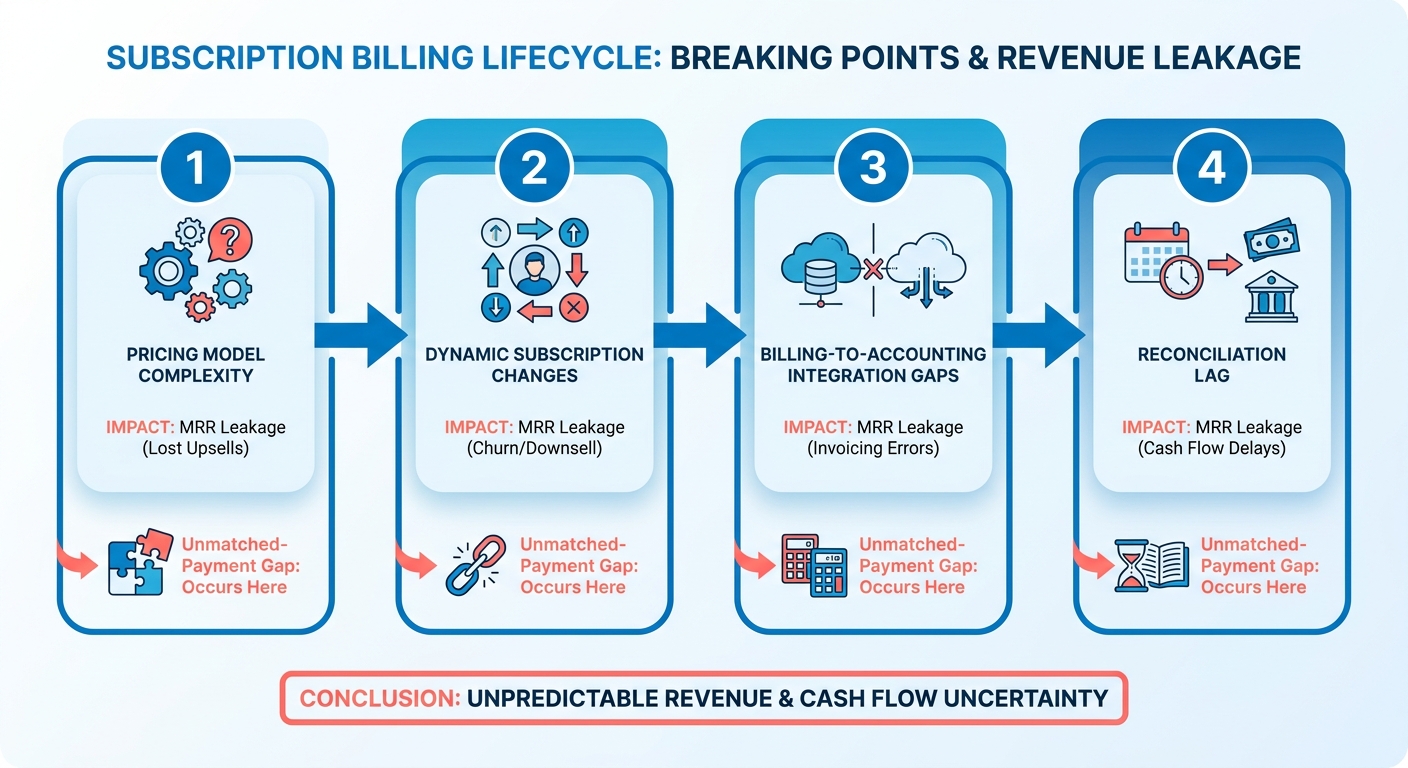
- Subscription billing breaks at four points: pricing complexity, dynamic changes, accounting gaps, and payment-to-invoice reconciliation delays.
- Automated cash application matches payments in near real time. It reduces DSO and catches revenue leakage before month-end.
- Founders often focus on pricing and subscription changes. They treat cash reconciliation as a cleanup task.
- High-accuracy AI matching replaces manual processes at lower ongoing cost. Initial setup still requires moderate effort.
The quiet place where recurring revenue disappears
Invoicing shows what customers owe. Cash application shows what they paid. When those figures differ, false delinquency flags and wasted outreach follow.
The subscription lifecycle has friction at several stages. These include pricing setup, mid-cycle adjustments, ledger sync, and payment matching. Teams prioritize billing configuration and treat matching as cleanup. That gap is where recurring revenue leaks.
Manual processes introduce errors. In SaaS, those errors compound with every billing cycle.
Manual vs. automated cash application: actual costs
Manual cash application is a hidden cost on recurring revenue. It consumes time, hides billing leakage, and keeps AR teams focused on reconciliation.
| Factor | Manual Cash Application | Automated Cash Application |
|---|---|---|
| Time cost (SaaS) | Hundreds of hours annually | Near real-time matching |
| Annual labor cost | Significant overhead spend | Fraction of manual spend |
| Match accuracy | Error-prone, high rate of manual mistakes | High-accuracy AI matching |
| DSO impact | Elevated, slow visibility | Measurably reduced |
| Revenue leakage | Caught at month-end (or missed) | Caught as it happens |
| Setup difficulty | Low effort, high ongoing cost | Moderate setup, low ongoing cost |
The main return is not only saved matching time. Faster matching removes false delinquency flags and needless dunning. It also frees teams to address genuine payment issues.
Which breaking points to audit first
Start with the failure closest to cash. Then review the surrounding processes.
- Map your pricing complexity. Usage-based and hybrid models create more payment variations. Confirm billing handles metered charges, add-ons, and coupons.
- Test mid-cycle changes. Upgrades, downgrades, and proration create partial payments. Manual matching often applies them incorrectly.
- Check billing-to-ledger integration. If billing and accounting systems do not sync, reconciliation becomes guesswork. Revenue recognition can also slip.
- Measure your reconciliation lag. The time between payment and matching can hide MRR churn.
When automation pays for itself
Automation earns its place when removed rework outweighs setup effort. For most SaaS teams past a few hundred subscribers, that point arrives quickly.
- Track your match rate. If many payments require manual work, intelligent matching can pay for itself quickly.
- Move to continuous cash application. Matching payments throughout the month creates live revenue assurance.
- Connect anomaly detection to matching. Automated matching and accounting checks can catch leakage as it occurs.
Manual matching can remain manageable for businesses with few fixed-rate contracts. This is especially true when customers pay through direct bank transfers. Usage-based or changing plans usually benefit from automated cash application.
Why cash application matters in subscription billing
In SaaS billing, invoicing gets attention while cash application works quietly. Teams automate invoice generation, dunning, and payment portals. They often leave payment matching for month-end cleanup.
That gap allows recurring revenue to slip through. When payment status is unclear, revenue recognition stalls. Collection outreach also reaches the wrong accounts.
The operational damage grows quickly. Finance staff spend hours matching payments to accounts. Those hours accumulate throughout the year. The cost also includes downstream errors.
When 85% of finance leaders still match payments manually with remittance information, mistakes are common. A misapplied payment creates a phantom delinquency. It can trigger unnecessary collection calls and distort financial records for months. Blixo’s intelligent matching engine matches payments and balances to invoices with very high accuracy.
The reconciliation gap SaaS companies miss
Recurring revenue can create a false sense of control. Invoices go out on schedule, MRR projections look predictable, and payment portals process card charges. None of this guarantees accurate cash application.
Subscription businesses may automate invoice generation while keeping cash matching manual. That process often breaks at scale.
A customer may change payment methods mid-cycle. Another may upgrade before renewal. A third may pay several invoices in one transaction. The payment gateway captures the money, but AR must identify the covered invoices.
Teams must also determine how to apply partial payments. They must decide whether balances are current or overdue. Bulk payments across multiple accounts create additional work. Each mismatch creates reconciliation debt.
A payment misapplied in month one affects later months. It can distort revenue recognition and account balances through months two to twelve. It can also create duplicate collection attempts for paid invoices.
In transactional businesses, one cash application error affects one transaction. In subscription models, the error can compound throughout the customer lifecycle. The operational cost is therefore much higher.
Who takes the hit when cash application lags
Finance teams feel the first impact. They search for remittance details, cross-reference deposits, and correct payment records.
The impact spreads across the business. Collections teams chase customers who already paid. Customer success handles delinquency questions from current accounts. CFOs may struggle to close the books on time.
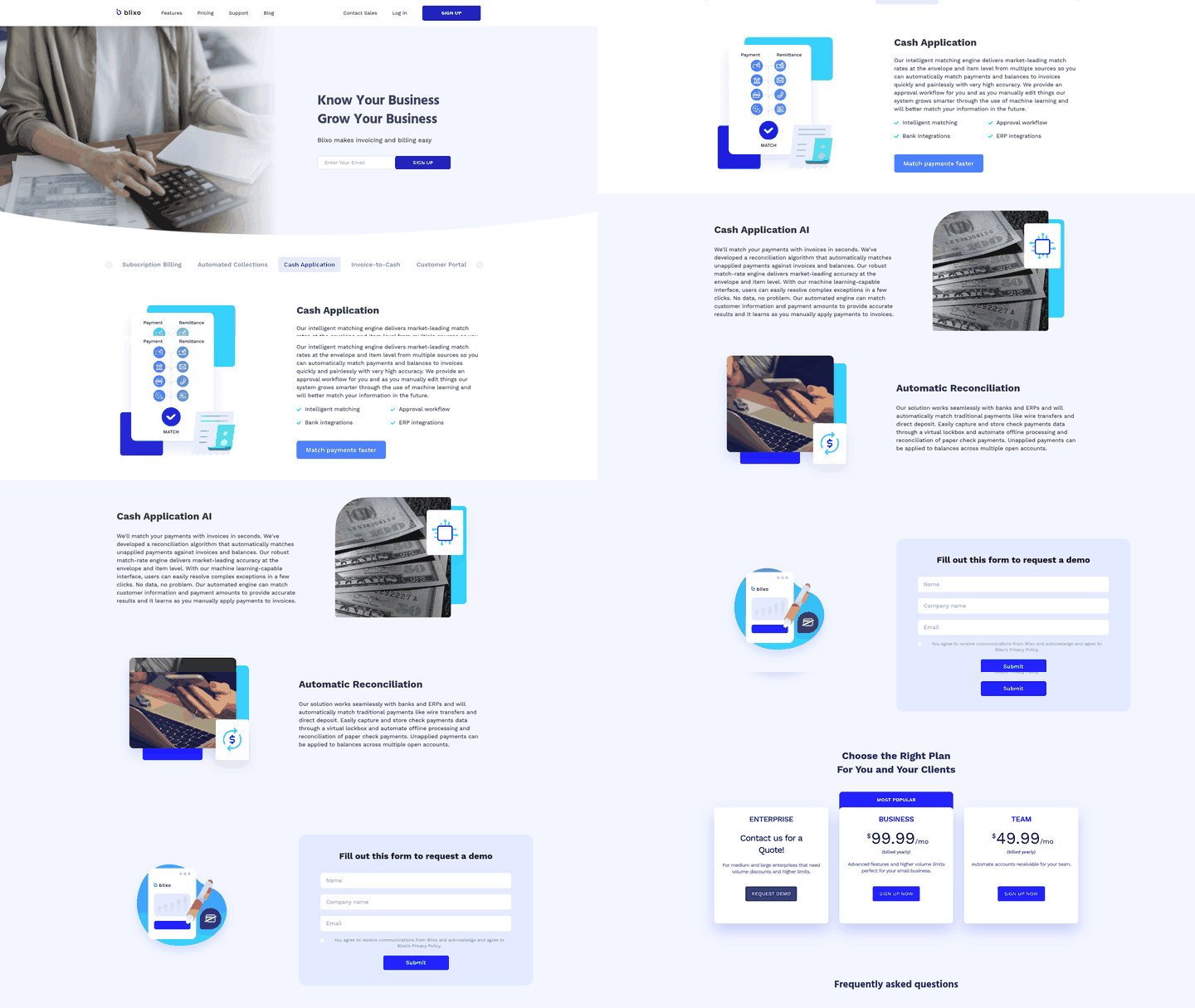
Companies can automate billing and still see DSO rise. The bottleneck is often the delay between receiving payment and identifying its invoice. Blixo reduces that delay through automatic cash application and reconciliation.
Blixo matches payments to invoices as they arrive instead of in weekly batches. The matching engine also improves through machine learning as users review and edit results.
The manufacturing sector provides one example. A company handling high-volume recurring B2B orders adopted automated cash application tools. The result included fewer errors and better cash-flow visibility. It also supported faster credit decisions and tighter working capital management.
Real numbers behind the cash application problem
69% of businesses report more late payments over the past year. Some of those payments are not late. They remain in reconciliation queues while staff match them to invoices.
When cash application takes days or weeks, collections decisions use outdated data. Teams may contact customers who paid three days earlier. They may offer payment plans to current accounts. They may also restrict credit for customers with strong payment histories.
The healthcare industry has faced this problem. Providers receive payments from insurers, patients, and government programs. Reconciliation complexity can delay revenue recognition by weeks.
Streamlined cash application improves the speed of closing the books. It also shows which accounts need follow-up and which are settled.
That is the purpose of Blixo’s system. It combines an intelligent matching engine with approval workflows, bank integrations, and ERP integrations. Automatic reconciliation gives AR teams a single source of truth.
Removing false overdue flags is more than a small efficiency gain. It determines whether AR teams rely on current data or information three weeks old.
Common cash application pain points in subscription businesses
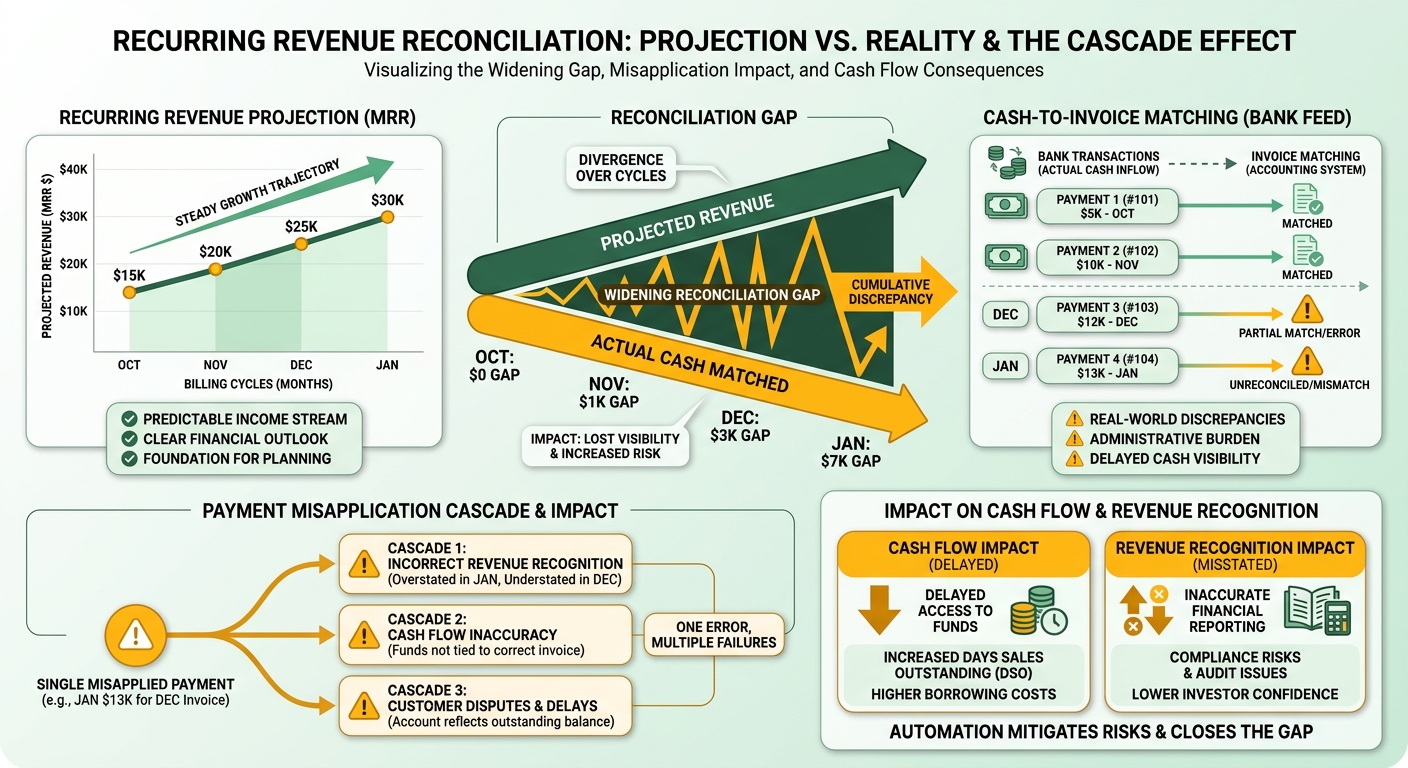
Four pain points commonly disrupt subscription cash application. They share one root cause: recurring revenue projections remain clean while cash matching stays manual.
This creates a wider reconciliation gap with every billing cycle. MRR may show one position while the bank feed shows another.
A single early error can distort balances, trigger collection attempts, and delay revenue recognition for months. Subscription billing makes this burden especially persistent.
Why DSO stays high even when invoices go out on time
High DSO in subscription businesses often reflects cash application delays. Invoices arrive on schedule and payments arrive, but matching takes longer.
The average B2B payment now clears 8 to 10 days past terms. Each unmatched day adds to DSO, regardless of when the customer paid.
- Track match rate, not only invoice delivery. If payments are not confirmed within 24 hours, DSO may reflect reconciliation lag.
- Separate genuine delinquencies from false alarms. Misapplied payments create incorrect balances and unnecessary outreach.
Invoice timing still matters because customers cannot pay before receiving invoices. However, application errors can cause longer-term damage. A late invoice delays one payment. A misapplied payment can affect an account for months.
What makes manual reconciliation so costly in SaaS
Manual matching consumes hours and creates errors across revenue recognition. SaaS companies may spend large daily blocks on cash application. Those costs build throughout the year.
Manual processes also have an error rate of 1 to 4% per transaction. Each error requires additional downstream work.
- Audit how your AR team matches payments. Most finance teams still handle remittance data manually at some stage.
- Flag partial and bulk payments as high-risk. Usage-based and mixed pricing create more payment formats and matching errors.
- Measure error-driven rework, not only labor hours. Mistakes distort records and delay revenue recognition.
How poor visibility breaks dunning
Without current payment status, dunning can target the wrong accounts. Teams may chase current customers while missing accounts that actually lapsed.
- Confirm that payment status feeds dunning logic before reminders go out.
- Give collections one source of truth for current balances.
Teams that automated matching reported measurable results. One building-materials company increased cash receipts by $6 million through AR automation. Another distributor reduced work by 200 hours weekly after changing its payment workflows.
Automated systems achieved match rates above 90%. This gave AR teams more time for analysis. Blixo’s automated collections, chasing, and dunning use reconciled payment status. Reminders therefore reach accounts that have actually lapsed.
Automating cash application: tools and best practices
Automation platforms generally fall into two categories. Some treat cash application as an ERP add-on and require clean remittance data. Others handle partial payments, bulk deposits, and missing references.
Teams often compare match rates, which show how many payments reconcile without manual work. The unmatched payments matter just as much. Subscription businesses save time or lose it based on exception handling.
What makes cash application automation work for recurring revenue
The system must reconcile payments against changing invoices. One deposit may involve a prior overpayment, a prorated upgrade, and a future prepayment.
Traditional ERP systems often expect one payment per invoice. Continuous reconciliation keeps AR balances current. It also identifies mismatches before the next billing cycle.
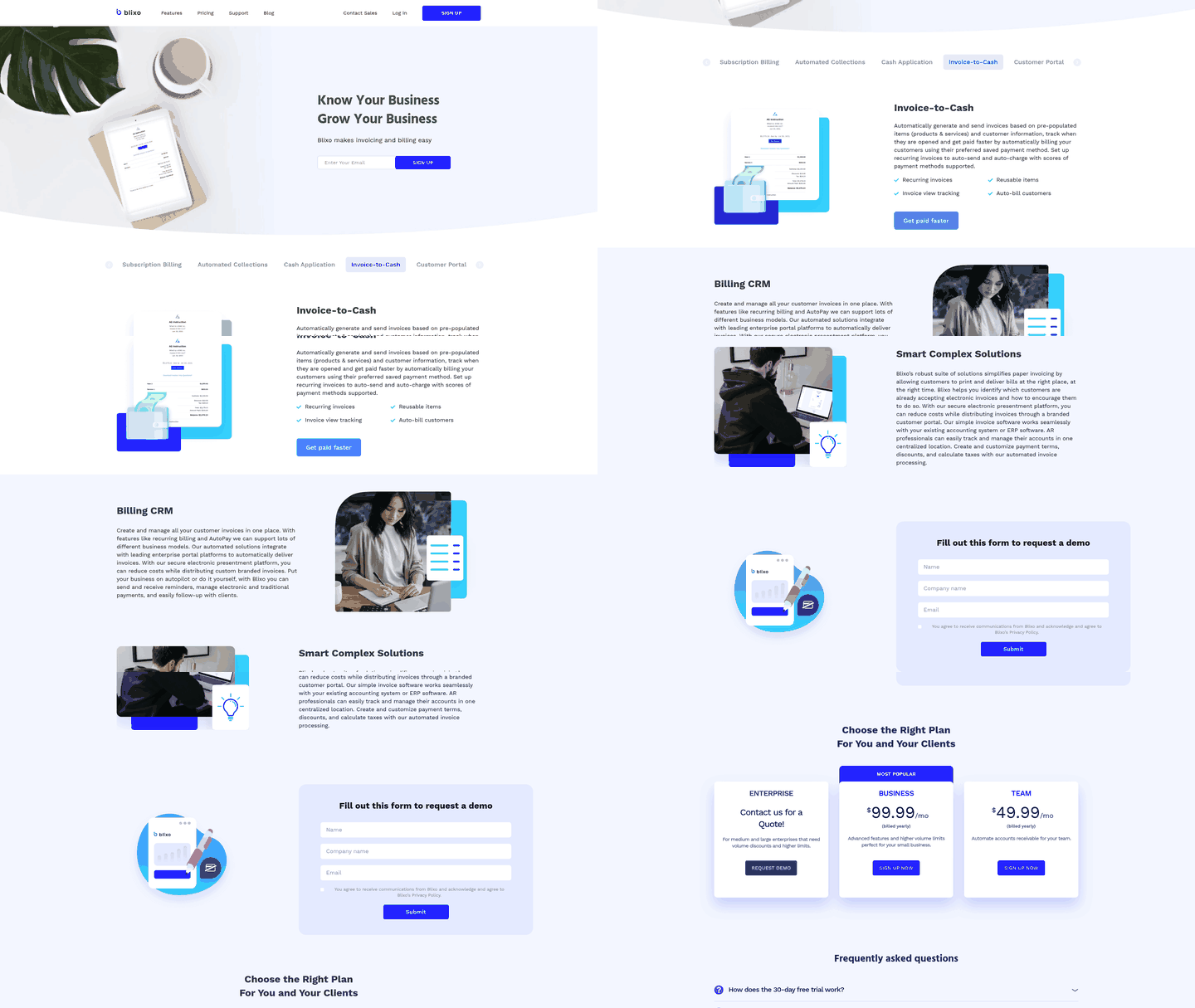
Blixo connects with bank feeds and payment processors to pull transaction data as it arrives. Its intelligent matching engine uses AI-powered matching against invoice history.
The system supports high match rates at both envelope and item levels across multiple sources. Ambiguous payments receive suggested matches for review. Examples include wires without reference numbers and checks covering several invoices.
The platform adapts to user corrections. This helps it handle similar cases automatically later.
- Verify multi-invoice matching support. Subscription customers often pay several invoices in one transaction.
- Confirm ERP integration through APIs. Real-time synchronization prevents reconciliation drift between systems.
- Test exception workflows before committing. Unmatched payments should include customer history and similar transactions.
- Require complete audit trails for automated matches. Compliance and revenue recognition require traceable payment applications.
How much time automation actually saves
Recovering daily hours gives teams more time for financial planning. Automation also prevents downstream operational problems.
A ledger error can cause systems to flag active accounts as overdue. It can also trigger premature collection sequences. Matching payments within hours helps keep account status accurate.
A direct link between the billing engine and ledger is essential. Without it, teams cannot realize the full efficiency gains.
What breaks when you skip integration
Standalone cash application tools can create another reconciliation gap. They match payments but leave teams to update billing records manually.
Some teams automate matching, then discover that their subscription platform still shows outdated balances. This often happens when integration only moves data one way.
The fix is to use webhooks and bidirectional APIs. Payment data should return to the billing platform in real time. When a payment posts, the system should update account status, adjust balances, and stop pending collection workflows.
The integration also needs read-write access. It should reach customer records, invoice history, and payment logs.
A one-way integration only moves the manual step. Teams still need to update balances after matching payments. During implementation, apply a payment in the cash application tool. Then confirm that the subscription platform updates without manual work.
Frequently Asked Questions
1. What’s the difference between invoicing and cash application?
Invoicing records the billing demand. Cash application matches incoming funds to accounts. When the figures differ, false delinquency flags and wasted outreach follow. In SaaS, this gap can cause subscription revenue loss.
2. When should a small SaaS company NOT automate cash application?
Automation becomes useful with usage-based or changing plans. It also helps when many payments require manual work. Most teams past a few hundred subscribers reach that point quickly.
3. Why does a misapplied payment hurt subscription businesses more than transactional ones?
A transactional error usually affects one purchase. A subscription error can repeat across later billing cycles. It can distort balances and revenue recognition over time. This makes the operational cost much higher.
4. What is continuous cash application and how does it differ from month-end reconciliation?
Continuous cash application matches payments as they arrive. Month-end reconciliation waits for a batch process. Continuous matching keeps AR balances current and surfaces mismatches earlier. Month-end processing may catch leakage late or miss it.
5. Why does a one-way integration fail to actually automate cash application?
Payment updates do not return to the billing platform. Customer balances then remain outdated. Teams must manually align both systems. Real automation requires webhooks and bidirectional APIs.
6. What are phantom delinquencies and why do they matter?
Phantom delinquencies mark paid accounts as overdue. They occur when payments remain unmatched in a reconciliation queue. These flags can trigger needless dunning and strain customer relationships. Faster matching helps collections focus on genuine payment issues.
7. How does automated matching handle payments with no reference number?
Blixo flags ambiguous payments for review and suggests matches. This includes unidentified transfers and bulk payments without account details. The engine also uses historical corrections to improve automated accuracy over time.