

Run Order to Cash Automation Alongside Your ERP Without Rip-and-Replace

Related Video
Watch: HiBid Automates 100% of Order-to-Cash Operations End-to-End with Maximor by Maximor AI
Key Takeaways
- Automating downstream accounts receivable stages, like collections and cash application, delivers faster ROI.
- Manual order-to-cash processes extend Days Sales Outstanding and working capital cycles.
- Mid-market finance teams avoid ERP replacement because migration risk is high.
- Parallel automation layers let finance own collections while IT keeps the ERP.
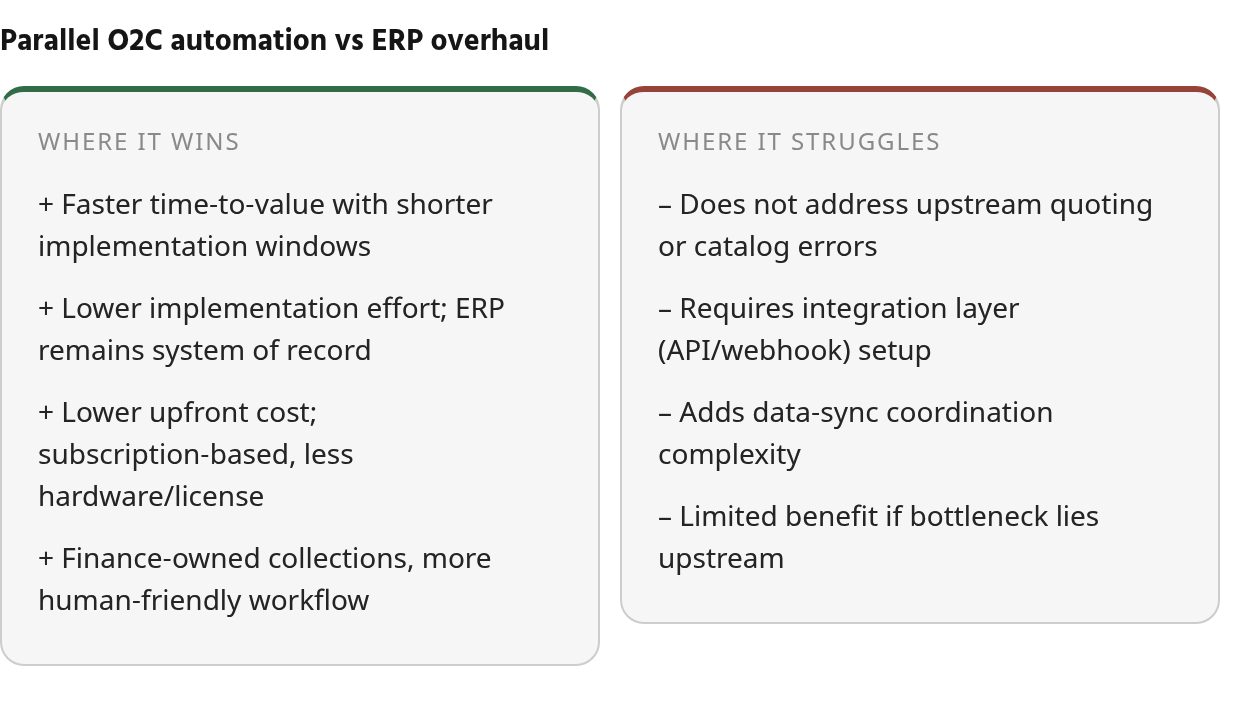
In short: automate around your ERP, not through it
You don’t need to tear out your ERP to automate order-to-cash. The fastest, lowest-risk wins come from attaching accounts receivable automation to downstream stages like collections, cash application, and reconciliation. Your ERP stays the system of record. Rip-and-replace is where projects stall and budgets bleed.
The heaviest, riskiest integration work sits upstream, in bridging your CRM or CPQ catalog to the ERP. The cleanest ROI sits downstream. Automating collections, cash application, and reconciliation removes manual work, speeds payment recovery, and reduces DSO. You capture that by running a parallel accounts receivable automation layer, not by replacing core order logic.
Parallel layer vs. ERP overhaul: which wins?
A parallel layer beats an ERP-only overhaul on every dimension that matters to a subscription business: faster time-to-value, lower blast radius, and finance, not IT, owning the collections experience.
| Dimension | Classic ERP-only O2C | Parallel O2C automation + ERP |
|---|---|---|
| Implementation effort | High; core reconfiguration, long IT cycles | Moderate; connect to existing ERP, keep it as record |
| Time-to-value | Months to quarters | Shorter implementation windows |
| Cost profile | Large upfront, hardware/license heavy | Subscription-based, lower upfront TCO |
| Data-sync complexity | Deep native table coupling, tighter lock-in | Connective sync layer across systems |
| User impact | IT-owned, slower change | Finance-owned collections, human-friendly |
The timelines above are directional and should be verified in a live demo. Absence of a published number isn’t absence of the capability.
When layering beats replacing
Layer automation on top when your bottleneck is downstream: slow close, manual remittance capture, messy reconciliation. Companies automate these stages by layering automation atop their existing ERP, with no replacement needed.
The honest exception: if your real problem is upstream—broken quoting, usage-based pricing errors, bad catalog data—automating the downstream just generates clean invoices from dirty orders faster. One monetization-focused source argues the fix must happen in the quote-to-cash layer first. Target the actual bottleneck, not a blanket automation of a broken flow.
What subscription SaaS teams should automate first
Start with the stages that touch cash: automated dunning, intelligent payment matching, and reconciliation. These attach to your ERP through a sync layer rather than deep table-level writes, which keeps data integrity manageable without the lock-in of native coupling.
O2C spans sales, finance, operations, and IT, so a failure at one step cascades. Keeping collections human-friendly only works when finance owns that layer and IT keeps the ERP untouched. That split is the whole argument for parallel adoption. For recurring-billing specifics, which invoice-to-cash solutions offer automation for recurring billing is a useful next read.
Why running O2C automation alongside your ERP matters
Modernizing order-to-cash is a finance problem before it’s a software problem. Every manual handoff between sales, billing, and collections quietly drains working capital, and the leak is hard to spot until month-end. This is why accounts receivable automation has moved from a nice-to-have to a line item CFOs actually defend in budget reviews.
When any stage in the cycle runs on spreadsheets or disconnected systems, the damage ripples into slow cash application, uneven collections, and a longer close. Replacing the ERP is rarely the first move. The better move is to attach automation where payment, matching, and follow-up actually happen.
Manual O2C directly extends DSO and drains working capital
Manual order-to-cash shows up first in your DSO. A longer DSO means cash you’ve earned is sitting in someone else’s bank account. Industry evidence confirms that automating the receivables lifecycle shortens Days Sales Outstanding, reduces collections cost per dollar collected, and improves cash application accuracy through intelligent matching.
The time drain is just as real. Finance teams processing high transaction volumes report that month-end close cycles shrink when manual cash application and reconciliation work is eliminated. That’s headcount you get back without hiring.
Mid-market firms keep the ERP for good reasons
Most mid-market finance teams are not reluctant to automate. They’re reluctant to replace. The ERP holds your orders, revenue recognition, and system-of-record data, and tearing it out means data migration risk, long timelines, and disruption to live billing.
That caution is correct. Bridging a sales-led CRM to a legacy ERP carries integration complexity because the two systems often run different product catalogs. The upstream integration work is where budgets bleed.
So the guidance is this: if your bottleneck is complex quoting or usage-based pricing, fix the front end of the process. But if the pain is downstream—in collections, cash application, and reconciliation—leave the ERP’s order logic alone and automate around it.
The value lives downstream, which is why parallel wins
The risk and the reward sit in different parts of the cycle. The riskiest, costliest integration work is upstream in the catalog and order logic. The cleanest ROI is downstream, where touchless cash matching, prioritized collections, and faster close deliver measurable gains fast.
That separation is what makes parallel adoption practical. Finance can shape the outreach and cash-application workflow, IT can protect the core ERP, and the business does not have to wait on a full platform replacement to see progress. It also keeps collections more customer-aware, because the team talking to customers controls the timing and tone instead of being boxed into a rigid back-office workflow.
For subscription businesses with recurring and usage-based billing, this is the practical path. You can see how a parallel layer closes the loop in this breakdown of order-to-cash automation beyond basic charges.
Understanding order-to-cash automation and its core components
Order-to-cash is not one job. It’s a chain of distinct functions, and accounts receivable automation earns its keep by targeting the specific link where cash is stuck, not by rewiring the whole chain.
Start with the vocabulary. The cycle runs from order placement through fulfillment, invoicing, payment, and reconciliation. Within that, two terms trip people up. Dunning is the structured sequence of payment reminders you send as an invoice ages past due. Remittance capture is matching an incoming payment to the right invoice when the customer’s bank data arrives messy or stripped of detail. Both sit downstream, and both are where receivables automation pays off fastest.
The core sub-processes in O2C
Think of the cycle as a relay. Each handoff can drop the baton, and each stage maps to a different automation capability.
Order management captures the deal from your CRM or CPQ, validates pricing, and checks contract terms. Automated pricing validation prevents margin leakage before billing even starts.
Credit approval scores customer risk and sets payment terms. Automated credit workflows accelerate customer onboarding, increase review capacity, and reduce blocked orders by streamlining risk assessment and term assignment.
Fulfillment confirms delivery, whether that’s shipment, milestone completion, or continuous usage tracking for a subscription.
Invoicing turns contract rules into accurate invoices. Electronic invoicing starts the payment clock immediately and accelerates cash flow.
Accounts receivable runs collections, dunning, dispute handling, and aging analysis. This is the stage that decides when cash actually lands.
One line worth memorizing: P2P governs how money leaves your business to pay vendors, while O2C governs how money enters it from customers.
Where automation should attach first
Not every stage carries equal risk or reward. The point is to match the tool to the operational choke point, not to buy against the broad O2C label on a vendor page. A healthy upstream process can support fast receivables gains. A flawed one needs cleanup before automation can do useful work.
For subscription SaaS teams, the question is often whether the problem lives in quote configuration or in payment follow-through. If orders are already accurate but invoices age because follow-up is inconsistent or remittance data is hard to match, AR automation is the right first layer. If pricing, contract terms, or usage data are wrong before billing starts, fix those inputs before scaling the downstream workflow.
This is why layering works. You can attach receivables automation to the AR stage while your ERP remains authoritative for the underlying transaction record. Industry sources describe approaches that improve DSO without modifying upstream order logic. Mid-market AR tools reviewed in available materials are built specifically to run over an existing ERP rather than replace it.
For subscription SaaS, this matters doubly. Finance can manage the customer-facing collections experience while IT protects the core application stack. If you’re weighing specific platforms, our breakdown of invoice-to-cash solutions for recurring billing covers the pattern in detail.
Integration strategies: connecting O2C automation to your existing ERP
Connect your O2C platform to the ERP through a layer that sits beside it, not inside it. Push and pull through APIs, listen for events through webhooks, and keep the ERP as your system of record. That is how accounts receivable automation attaches to collections without an IT project that drags across quarters.
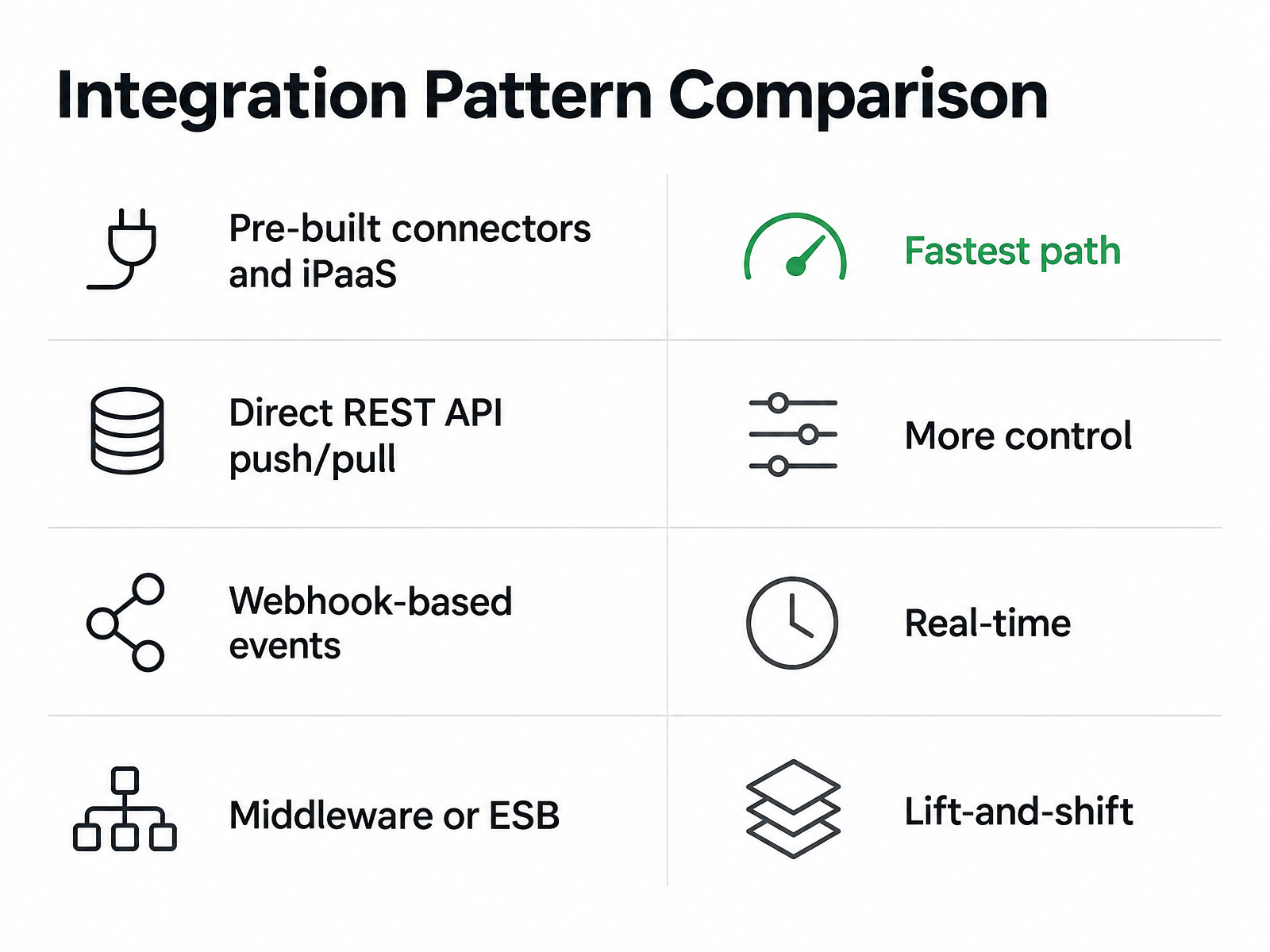
There are four common ways to link a best-of-breed O2C tool to your ERP: direct REST APIs, middleware or an ESB, vendor pre-built connectors, and iPaaS. Each trades setup speed against control, and the one you pick quietly decides who owns your receivables automation layer: finance or IT.
The table-level write debate you should settle first
Some enterprise O2C platforms write directly to ERP tables for systems like SAP ECC, S/4HANA, Oracle EBS, JD Edwards, and Infor. They skip middleware and claim tighter data integrity. Others favor a connective layer that syncs many systems through APIs instead.
Native table writes give you field-level accuracy for one ERP. They also create tight coupling and lock-in, and they pull ownership into IT. The connective model adds a sync layer but scales across heterogeneous systems and lets finance keep control of collections.
For a SaaS running alongside an existing ERP without rip-and-replace, the connective layer is usually the better fit. Let the core ERP remain the ledger of truth, and let the automation layer communicate through supported interfaces instead of reaching into tables. Customer-sensitive collections work better when finance can adjust rules directly rather than filing a ticket for every change.
Four patterns, ranked by how fast you ship
Pre-built connectors and iPaaS: the fastest path. Vendor-maintained connectors to your ERP handle authentication and schema, so you configure rather than build.
Direct REST API push/pull: more control, more engineering. Good when your billing logic is custom and you want to own the sync cadence.
Webhook-based events: real-time and event-driven. An invoice posts, a payment clears, and the event fires downstream instead of waiting on a batch poll.
Middleware or ESB: the lift-and-shift option for complex, multi-ERP environments where you need routing and transformation in one place.
Most subscription teams get the cleanest win pairing connectors or iPaaS for the heavy sync with webhooks for the real-time triggers that keep recurring billing and collections current.
Data mapping and error handling are where projects quietly die
Map the fields that actually reconcile money: invoice IDs, customer IDs, payment status, and amounts. A field-level mapping checklist catches the mismatches before they corrupt your cash application.
Build for failure. Add retry logic, idempotency keys so a replayed webhook does not double-post, and a dead-letter queue for records that fail validation. A connective layer is only useful if bad records are surfaced quickly, routed to the right owner, and prevented from contaminating the rest of the process.
On security, hold your integration partner to SOC 2 controls and GDPR obligations for customer data in transit and at rest. Verify scoped access tokens, encryption, and audit logging in a live demo rather than taking the datasheet at its word.
Parallel adoption: implementing O2C automation without a rip-and-replace
Roll out in three waves. Pilot one module, prove the number, then expand. Do not switch on everything at once, and do not touch your ERP’s upstream order logic until the downstream wins are banked. This is how accounts receivable automation lands next to your ERP without a stalled IT project.
Demand for O2C automation is real, but the teams that get burned are the ones who treat receivables automation as a platform migration instead of a sequenced rollout. Pick the stage where cash is actually stuck, pilot there, and let early results fund the next phase.
Which module should your pilot land on?
Start where the clock starts: invoicing. Electronic invoicing closes the shipment-to-invoice gap by sending the invoice the moment fulfillment completes. You cannot chase cash on an invoice that was never sent, so this is the highest-use first move for a subscription business.
Automated dunning is the natural second pilot. It runs the structured reminder sequence as invoices age, with no code written into your ERP. Cash application follows once collections are flowing. Treat each as a standalone switch you can activate and measure in isolation.
My advice is simple: pick one module, set a two-week pilot window on a single invoice batch, and measure DSO before and after. If the number does not move, you learn that cheaply before expanding.
Who owns the rollout?
Phased adoption needs three roles named on day one. A project sponsor from finance who defends the budget. An integration lead who owns the API and webhook connections to the ERP. And a finance champion inside the AR team who lives in the tool daily and surfaces friction.
Keep ownership on the finance side, not IT. The purpose of a parallel layer is to let the controller shape collections policy while technical teams maintain the connections. That governance choice is what keeps the rollout from turning into a broad ERP modernization project.
How you dual-run without doubling the work
Run a dual-run period where the automation layer processes invoices in parallel with your existing manual process. Compare outputs for one full billing cycle. When the automated results match or beat the manual baseline, cut over and retire the manual steps.
This is where advertised ROI numbers deserve scrutiny. Published case studies and vendor claims should be verified in live demos and reference calls. Time-to-value matters more than peak outcomes that require heavy IT involvement, which is the exact rip-and-replace risk you are trying to dodge.
For a mid-market SaaS team, weigh time-to-value over the biggest advertised number. A lighter layered rollout that banks a measurable DSO drop in weeks beats a full platform swap that pays off in quarters. If you want a deeper look at matching tooling to recurring billing, our guide to invoice-to-cash solutions for recurring billing covers the fit.
Best practices for seamless workflow automation across teams
The teams that automate order-to-cash without drama decide ownership first and wiring second. Order-to-cash touches four functions at once. Sales creates the order, finance bills and collects, operations fulfills, IT keeps the systems talking. Accounts receivable automation only stays smooth when each of those four knows exactly which stage it owns.
A failure at any step cascades downstream, so the choice of integration pattern is really an organizational choice, not a technical one. Deep native coupling to your ERP’s tables concentrates ownership in IT and lengthens every timeline. A layered approach gives finance control over the customer-facing receivables workflow while IT safeguards the system that records revenue and transactions.
Build a RACI before you build integrations
Map responsibility before you touch a single connector. A simple RACI grid works: for each O2C stage, name who is Responsible, Accountable, Consulted, and Informed. Finance is accountable for collections and cash application. IT is responsible for the ERP sync and uptime. Sales gets consulted when credit terms change. Operations stays informed on billing triggers tied to fulfillment.
This matters more for subscription billing than for one-off orders. Recurring invoices fire on a schedule, so an unclear owner means a missed renewal nobody catches until the customer churns. Put the matrix on one page and keep it where all four teams can see it.
What a single source of truth actually requires
Your ERP stays the system of record for revenue, invoicing, and reconciliation. The automation layer reads from it and writes back, but it never becomes a second ledger. That’s the rule that prevents the reporting blind spots you get when two systems each think they’re authoritative.
Give every team the same real-time view. A shared dashboard pulling live DSO, open invoices, and aging buckets means sales stops asking finance for a spreadsheet and finance stops rebuilding it at month-end. One number, one source, four teams reading it.
Where alerts and exception handling earn their keep
Before you invest in anything clever, close the invoice-timing gap. Delays often sit in the shipment-to-invoice window, not in customer behavior. Electronic invoicing starts the payment clock as soon as fulfillment is confirmed, which gives every later collections step a cleaner starting point.
Then automate the exceptions, not the whole chain. Set alerts for the cases a human should see: a disputed line, a payment that won’t match, a credit limit breach. Automated credit workflows can accelerate customer onboarding and increase the volume of credit reviews your team completes each day, reducing the number of blocked orders that stall revenue. Everything routine runs silent. Everything odd pings a named owner from your RACI.
One caveat: skip the heavy certification-track rollouts if your finance team is small. Short written runbooks for each exception type and a shared dashboard will take you further than a formal training program your five-person team never finishes.
Measuring success: ROI, KPIs, and ongoing optimization
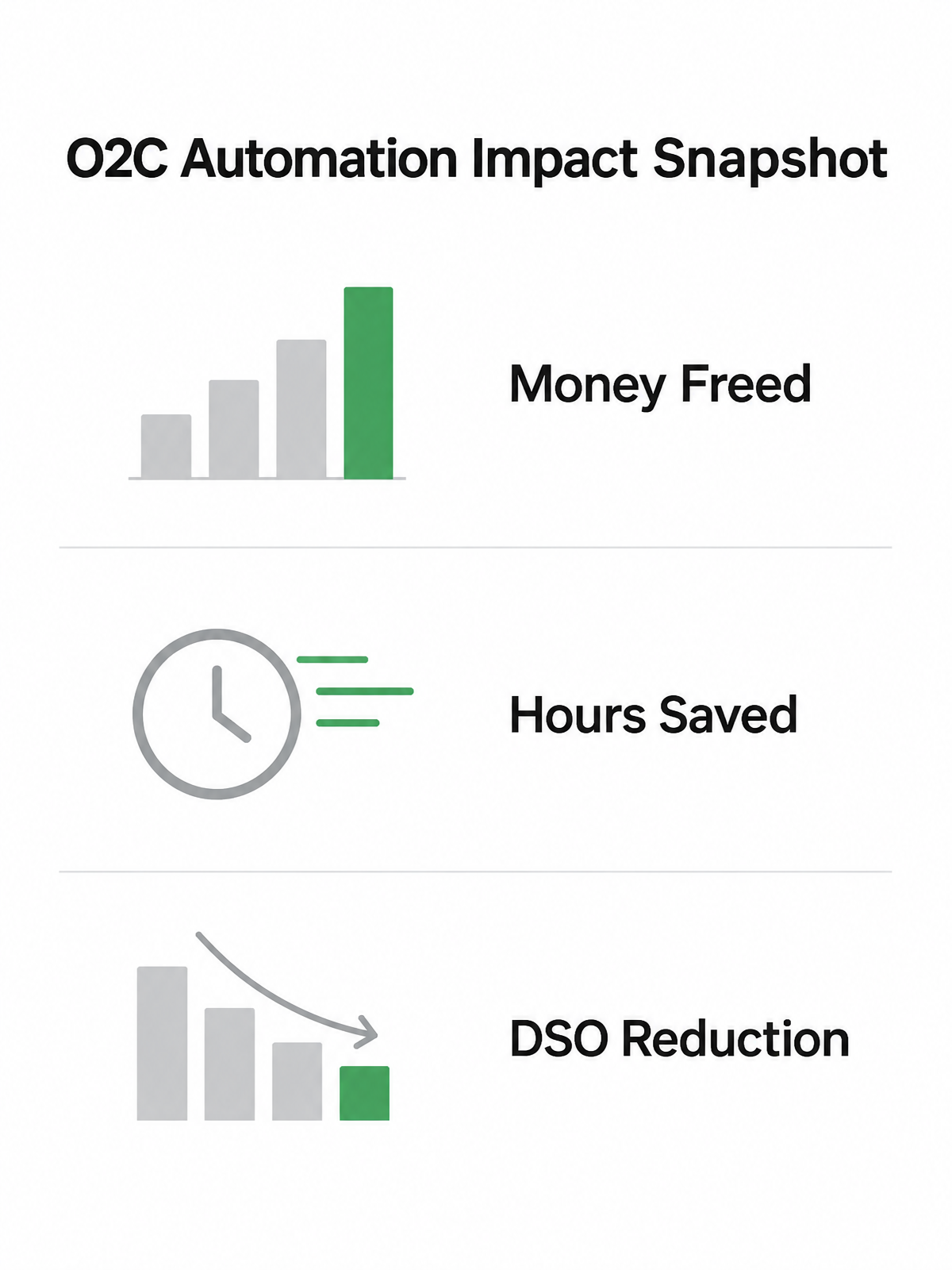
Measure parallel O2C automation on three things, in order: the money you free up, the hours you give back to finance, and the DSO you shave. Everything else is secondary. The whole point of running accounts receivable automation beside your ERP, instead of replacing it, is a payback you can show on one slide.
A rip-and-replace project buries its ROI under integration cost for quarters. A layered receivables automation rollout touches the downstream stages where cash is stuck, so the numbers move fast and you can attribute them cleanly.
Build the ROI case on labor and cash, not software fees
Model three variables: automation cost, labor saved, and cash-flow impact. The labor side is the easiest to defend. Automating O2C frees finance teams from repetitive manual processing—reconciliation, dunning follow-up, payment matching—and redirects that capacity to higher-value work like dispute resolution and strategic cash planning.
The cash side is where it compounds. Automated cash application accelerates reconciliation and improves visibility into open receivables.
Still Wondering?
Can I automate collections without replacing my ERP if it’s already integrated with my CRM?
Yes. Add automation where the receivables work happens, rather than reopening the upstream CRM-to-ERP build. That lets you improve payment follow-up, matching, and reconciliation while leaving order capture and catalog mapping alone.
What happens to my existing invoice data when I add an automation layer?
Your historical invoice data stays in the ERP. The automation layer uses approved connections to read current invoice and payment status, then sends updates back so reporting does not split across competing ledgers.
How long does a typical pilot implementation take for one module like automated dunning?
Keep the first test narrow: one module, one controlled invoice group, and a clear before-and-after measurement plan. The goal is not a full rollout on day one; it is proving whether the module changes cash timing or finance workload enough to justify expansion.
Do I need middleware if my ERP already has a REST API?
Not necessarily. Direct REST API integration gives you more control over sync cadence and custom billing logic. Pre-built connectors and iPaaS are faster to deploy because they handle authentication and schema for you. Choose based on whether your team can own the engineering or prefers vendor-maintained connections.
What’s the risk of running automated and manual processes in parallel during a dual-run period?
The main risk is temporary duplicate effort. Define the validation period upfront, assign owners for comparing exceptions, and cut over once the automated workflow proves accurate enough. Without that discipline, a test phase can turn into permanent dual-maintenance.
If my bottleneck is bad product catalog data, will automating collections help?
No. Collections automation cannot repair incorrect inputs from quoting, pricing, or usage capture. If those errors originate before invoicing, fix that layer first; otherwise the receivables tool will only make the downstream handling of bad bills more efficient.
Who should own the automation rollout—finance or IT?
Finance should lead the business rollout, because the customer-facing collections experience belongs to the AR team. IT still owns connectivity, security, uptime, and integration quality. The clean split is finance governing the workflow and IT governing the pipes.
How do I know if native table writes or a connective API layer is right for my setup?
Use native table writes only when your ERP environment, governance model, and IT capacity justify that level of coupling. If your goal is to add O2C automation alongside an existing ERP with minimal disruption, a connective API layer is usually the safer operating model.