

Accounts Receivable Automation in 3 Steps: Capture Remittance Before Matching

Key Takeaways
- Capturing remittance data before matching is what makes AR automation more reliable. Matching logic still stalls on payments it cannot read.
- The automated flow runs in three moves: AI remittance capture, then rules-plus-machine-learning matching, then automatic ledger posting.
- Automated posting can often happen faster than manual cash application, reducing the lag that keeps cash unapplied and distorts DSO.
- AI email parsing reads remittance advice across multiple formats and languages, pulling invoice numbers, amounts, and deduction details before matching begins.
- A lump-sum payment with an ambiguous reference can be allocated across multiple invoices when remittance data is captured cleanly.
- The visibility gap opens when money arrives before the remittance advice. Cash sits in limbo while aging reports may show paid invoices as unpaid.
- The gains shrink when invoices carry clean references and customers pay one invoice at a time. The value shows up with high-volume, messy remittance.
Related Video
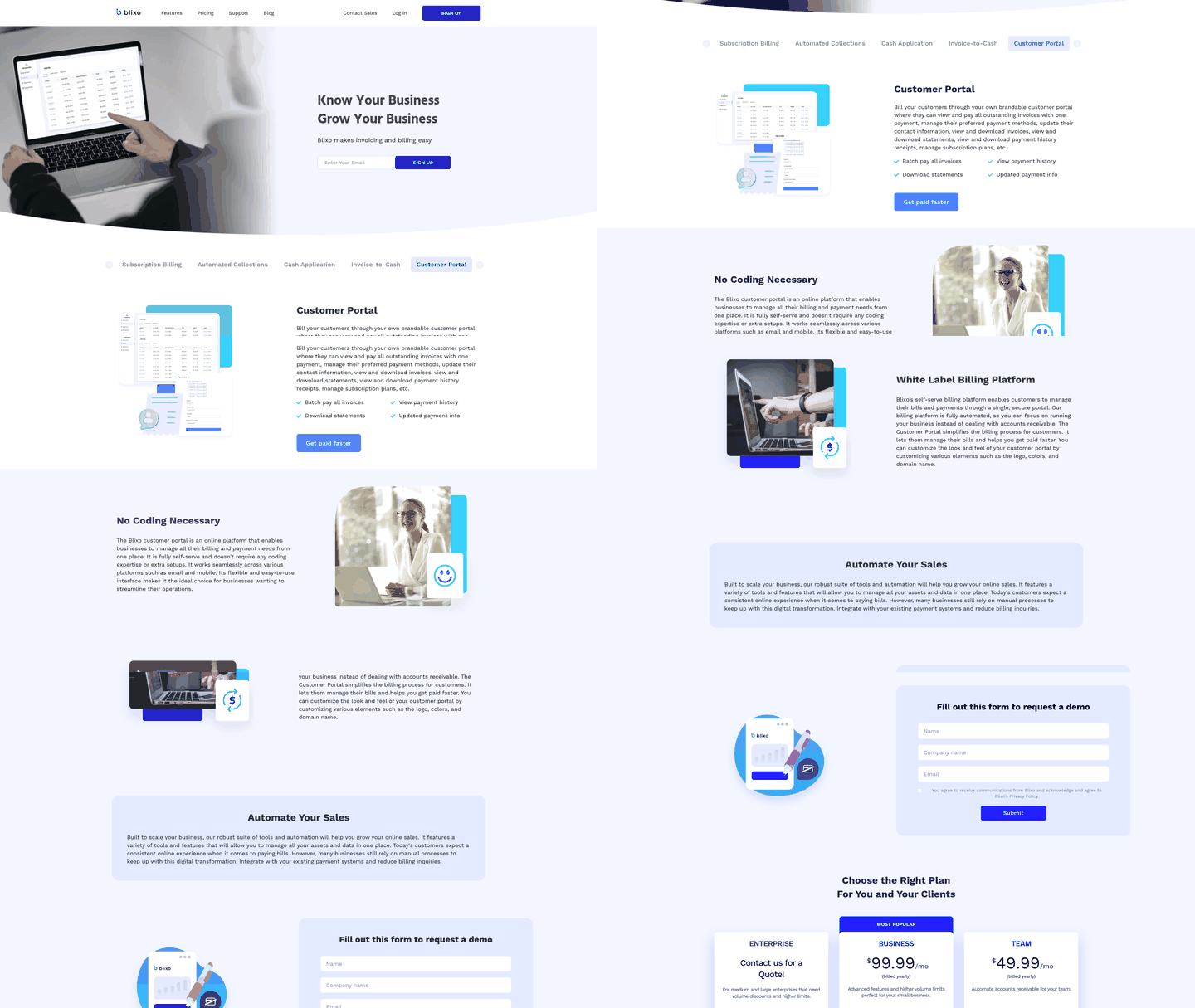
Watch: Automate Remittance Matching with AI-led Cash Application Software by HighRadius
The Short Version (Quick Summary)
In short: AR automation works best when the payment explanation gets captured before the system tries to apply the cash. Get the remittance detail into a structured form first, and invoice matching becomes more reliable. Skip that front-end step, and the software is left guessing from incomplete payment data.
Manual cash application slows down because payment information shows up in fragments. One clue in the bank feed, another in an email attachment, a third buried in a customer portal. AI-powered automation changes the order of operations. It collects and structures the remittance trail first, then lets matching logic and machine learning apply payments with fewer exceptions. The payoff is not just faster keystrokes. It is fewer payments stranded between the bank and the ledger.
What changes when capture comes first
The difference shows up in effort, error rate, and speed of cash application. This table maps a manual workflow against the three-step automated flow.
| Aspect | Manual workflow | 3-step automated flow |
|---|---|---|
| Posting lag | Multi-day | Often faster, sometimes same-day |
| Exception / match rate | Higher exception volume and manual matching | Higher touchless match rate when properly configured |
| Team effort | Analysts key remittances from email and lockbox into spreadsheets | AI parses email, portal, and check remittance; humans review unclear cases |
| Cash visibility | Current to last reconcile | More continuous, closer to real time |
| Typical ROI signal | N/A | Firms may report DSO and efficiency improvements depending on volume and data quality |
The email parsing layer is often what separates automation that looks good in a demo from automation that survives real customer behavior. Payment explanations arrive as attached PDFs, spreadsheets, copied text, or portal downloads. A useful capture layer normalizes those inputs into the fields the matching engine needs, instead of forcing analysts to prep the data by hand.
What the three steps actually do
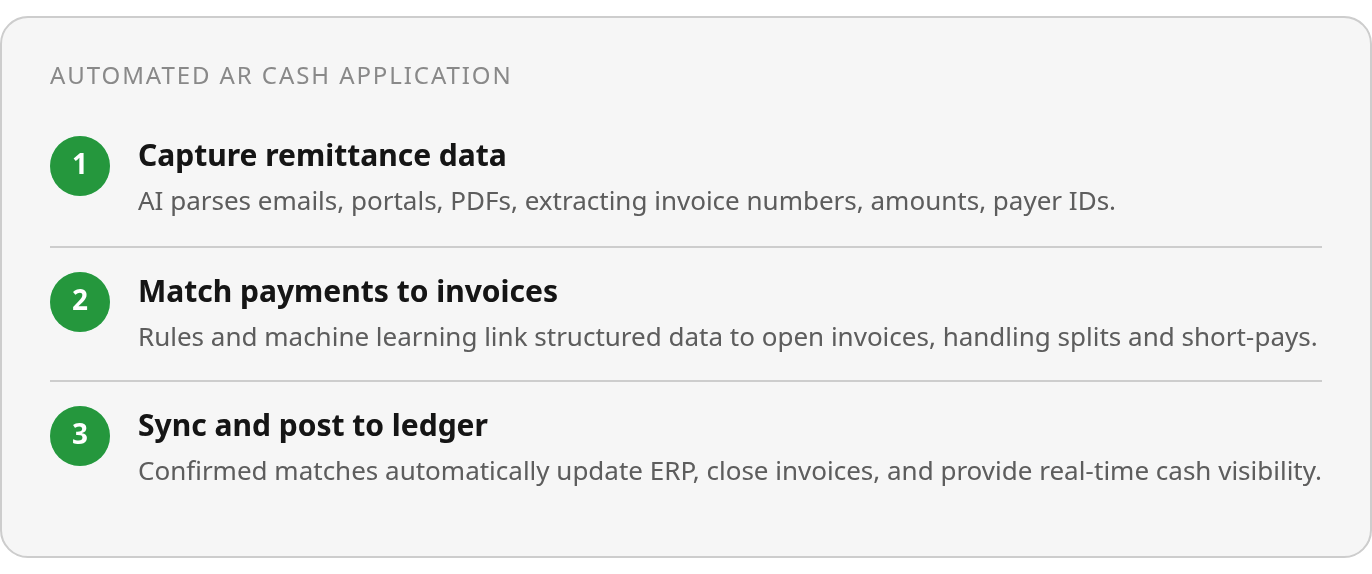
- Step 1 — Capture remittance: AI-powered email parsing reads remittance advice from inboxes, portals, and check stubs, then structures it into invoice numbers, amounts, and payer IDs. This is the front end that lowers customer effort before any matching runs.
- Step 2 — Match to open invoices: Rules and machine learning tie each payment to the right invoice, handling lump-sum payments, short-pays, and customer references that do not exactly match your ERP format.
- Step 3 — Sync and post: Confident matches post to the ledger automatically. Only genuine judgment calls route to a person.
What you actually get out of it
- Potential DSO improvement: Faster posting can reduce the lag that inflates the receivables clock.
- Less manual effort: Your team stops ticking bank lines and reviews only the exceptions that need a brain. Without automation, AR teams can spend more time managing exceptions than driving outcomes.
- More current cash visibility: A ledger that stays current means aging reports and forecasts you can trust more, with less unapplied cash sitting in backlog.
One caveat belongs upfront. The strongest business case appears when payment volume is high, customer references are inconsistent, or remittance arrives through several channels. Clean, single-invoice payments are manageable even without a sophisticated system.
Why capture has to come before matching
When manual cash application chokes on a payment, the root cause usually sits upstream. The matching engine never had clean remittance data to work with. That is the first thing AR automation has to fix: before you can match a payment to an invoice, you need the payment details captured cleanly and automatically.
The visibility gap inflates unapplied cash and distorts DSO
When payment receipt and remittance capture fall out of sync, finance has cash in the bank but not enough context to apply it. The payment cannot be confidently tied to specific invoices, so it may sit as unapplied cash while analysts dig through emails, portals, lockbox files, or customer notes. During that interval, open receivables can be overstated, and the collections team may be working from an aging report that no longer reflects reality.
Finance teams often call this delay the visibility gap. The money has landed, but the accounting record cannot recognize it because the “what is this for?” detail is missing. Organizations with automated AR processes may report lower DSO than those on manual workflows, though results vary by volume, customer mix, and implementation quality.
The cascade does not stop at DSO. When your ledger shows phantom receivables—invoices marked open despite payment already received—cash flow forecasts can drift from reality. You may not be able to trust your AR aging report to tell you who actually owes money. Invalid deductions and short payments can also sit unresolved longer when analysts lack the remittance context to investigate.
Manual aggregation caps throughput at headcount
The traditional AR workflow forces analysts to hunt for payment details across email inboxes, customer AP portals, lockbox files, and check stubs. Manual matching is still common across AR teams, and it creates a bottleneck that does not scale easily with transaction volume.
At low volumes, a small team can often manage by hand. As payment volume climbs, the math turns against you. Every hand-off between systems—whether downloading a file from a portal, extracting invoice numbers from a PDF, or typing amounts into a spreadsheet—is a spot where remittances can go missing or data gets entered wrong. Manual work turns many payments into small puzzles of hunting for the right open invoices and trying combinations until the numbers add up. Automation can do that arithmetic more quickly and reserve human time for genuine judgment calls.
Automated portal remittance capture changes the workflow. AI-powered systems can log into customer portals, extract remittance data from emails and attachments using OCR, and pull check stub details without manual keying. Some implementations reach high straight-through cash application rates and post payments more quickly with minimal human touch. The system captures remittance, matches it to open invoices using rules that handle partial payments and multi-invoice lump sums, and updates your ERP automatically. Actual performance depends on data quality, integration setup, and how consistently customers send remittance detail.
The cost advantage can be meaningful. Automation can cut processing costs by eliminating rework, reducing keying errors, and freeing analysts to focus on exceptions that need investigation. Finance teams may find that automated capture shifts analyst work from chasing transactions to resolving the smaller fraction of payments that could not auto-match.
Clean capture is what makes matching reliable
The matching engine sits downstream from capture. If the capture step delivers clean, structured data—invoice numbers, payment amounts, customer IDs, deduction codes—matching becomes more straightforward. If remittance data arrives incomplete, illegible, or buried in unstructured formats, even a strong matching algorithm will struggle.
Matching accuracy depends heavily on remittance data quality. Systems that capture remittance automatically from portals and emails using AI can handle payments that cover several invoices, payments that come up slightly short because of fees, and references typed differently from the invoice master. Manual capture adds avoidable errors that the matching engine then has to route to a human.
So reliable matching is a quiet prerequisite for almost everything else in your AR stack. You cannot fully trust an aging report, a collections forecast, or a cash position if a chunk of received money is still sitting unapplied because the remittance never made it in cleanly. Get capture right, and the matching layer has clean data to work from. Half-automate that step, and the process can crack as volume grows.
Step 3: Posting the cash and closing the loop
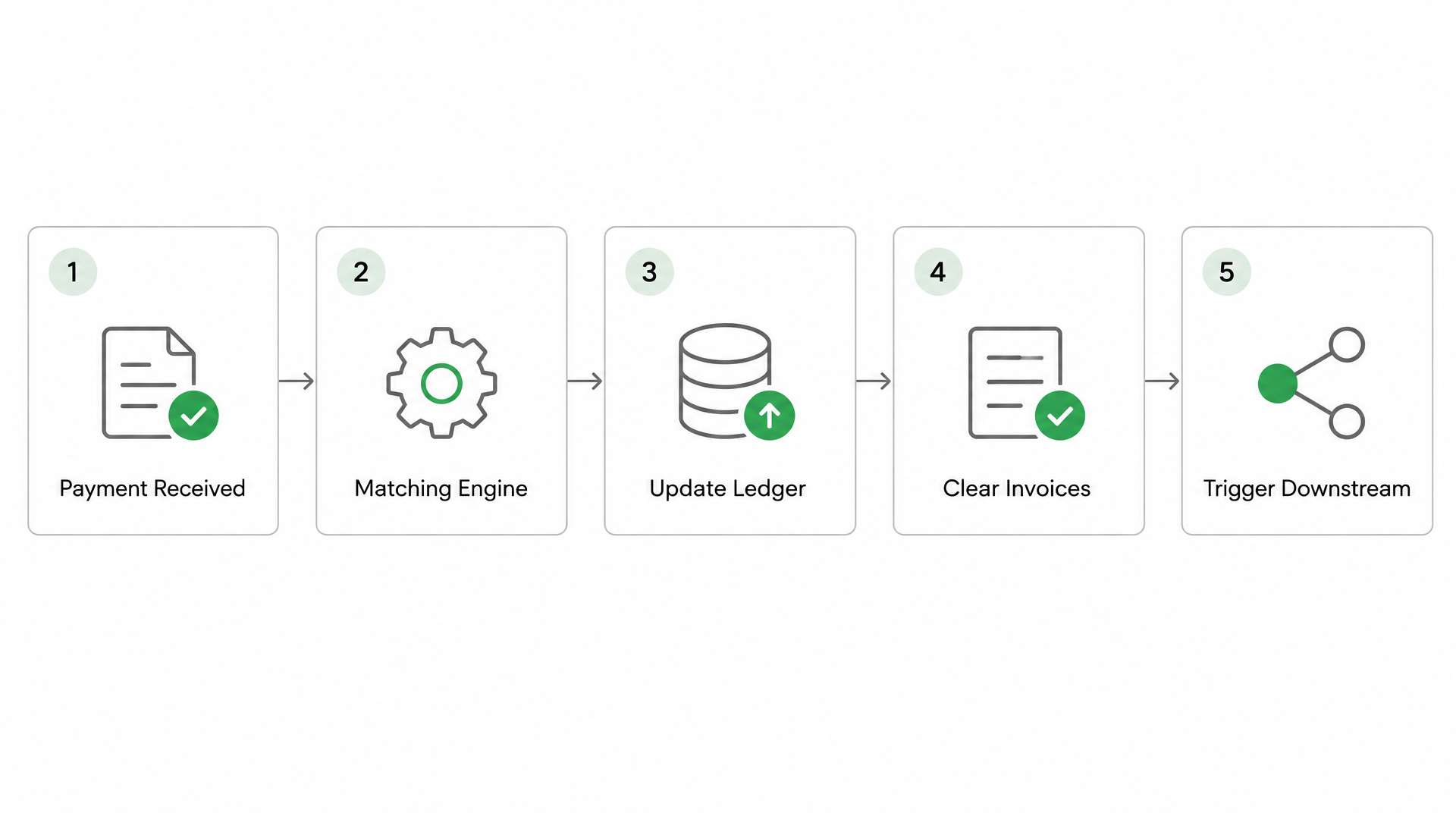
Once the matching engine pairs a payment with the right invoices, the real accounting work starts. The matched remittance has to update your general ledger, clear the open invoices, and trigger every downstream step that depends on knowing a customer paid. This is where AR automation either closes the loop cleanly or leaves you with a half-automated process that still needs manual reconciliation at the end.
Plenty of finance teams treat this step as background plumbing, but reconciliation timing directly affects cash visibility and customer experience. If a payment is matched but not posted, customer-facing systems may still behave as if the balance is outstanding. That is when a paid account can get an unnecessary reminder, a credit decision can lean on stale exposure, or a revenue dashboard can lag behind the bank.
Ledger updates and invoice closure in real time
The matched payment data can flow into your ERP or accounting system through an API connection. NetSuite, SAP Business One, and similar platforms can consume the payment record, update the customer account balance, and mark the invoices as paid, often without manual entry. The result can be near-real-time ledger accuracy and a more current view of your cash position.
This is the line between automation that saves data-entry time and automation that changes your financial operations. When the ledger updates promptly, your days sales outstanding may reflect recent receipts instead of only the payments your AR team has manually processed so far. Your credit team may see more accurate open balances before they reach out to a customer. Your revenue recognition logic has cleaner data to work with.
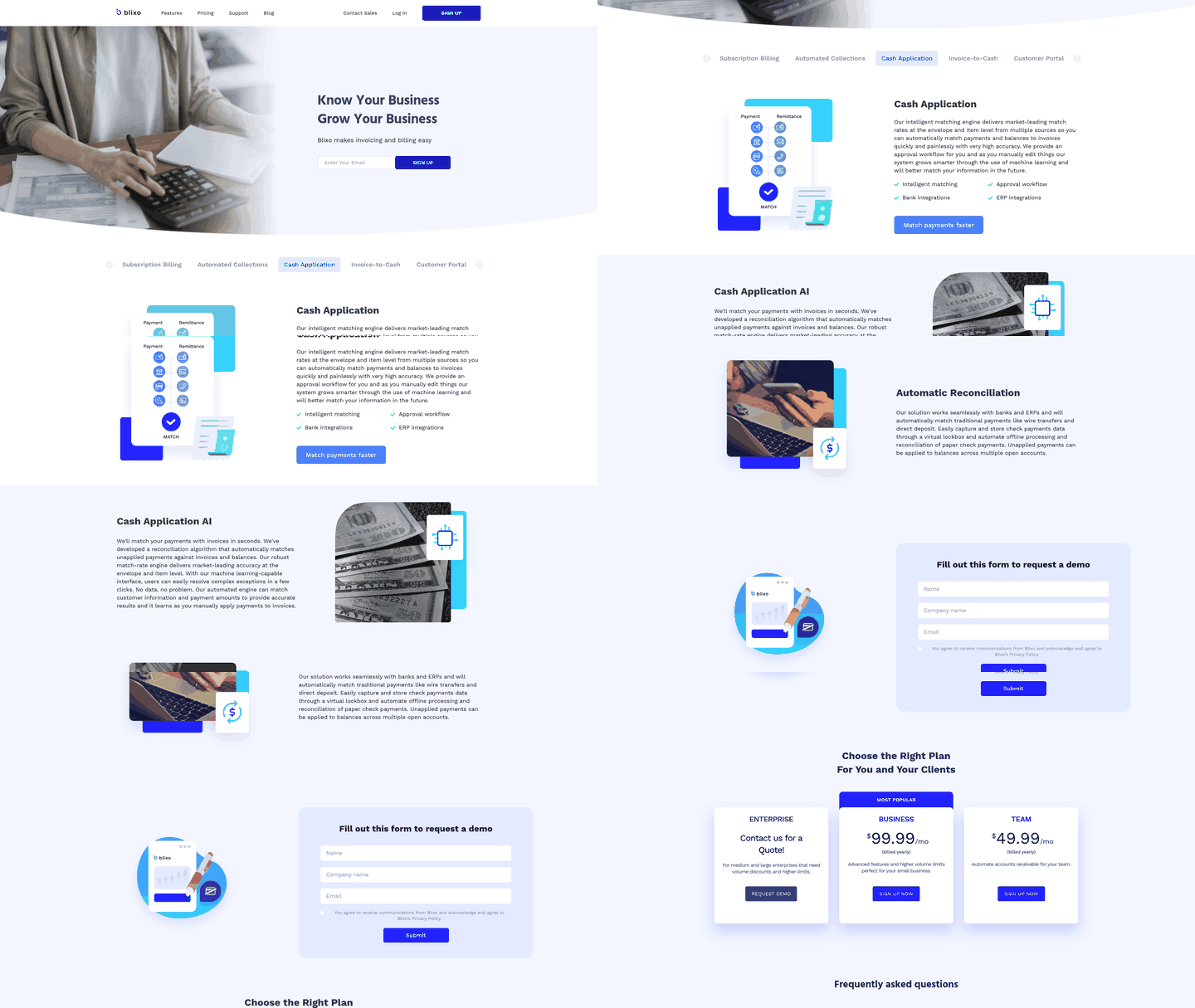
Reconciliation works with your bank and ERP integrations to automatically match traditional payments like wire transfers and direct deposit. An approval workflow lets you review exceptions before they post, and many systems learn from manual corrections over time through machine learning, which can improve match accuracy the longer you use them.
Downstream actions fire automatically after posting
Clearing an invoice in your ledger is not the end of the workflow. Your system may need to acknowledge receipt to the customer, release collection holds, and update the customer portal to reflect the new balance. Manual cash application forces your team to handle these one by one. Automation can make them more automatic.
The customer portal can update as soon as payments post, so customers see their current balance and payment history without calling your AR team. That visibility can reduce “did you receive my payment?” inquiries before they start. For businesses on recurring billing or subscriptions, timely reconciliation helps keep accounts current and reduces administrative friction from payment delays.
These are not optional conveniences. They are operational dependencies that can break when reconciliation lags.
Real-time dashboards and audit-ready reporting
Matched and posted data can feed into your revenue dashboard, giving you a single source of truth for cash application status. You can see which payments cleared, which are still in review, and which invoices remain open—without waiting for a batch process or manually reconciling your bank feed against the AR aging report.
The approval workflow surfaces exceptions that need a second look before they post. If a payment needs manual review because the remittance information was incomplete, it can show up in your queue when it happens, not after a customer complains about a wrong application. You review the exception, apply the correction, and some systems learn from that edit for future matches.
Automated reconciliation reduces manual work and error risk compared with fully keyed entry, but that improvement only holds if the process includes a clean exception-handling workflow. Automatic matching, prompt posting, and human oversight for edge cases together are what separate real automation from a black-box process that posts data with no accountability.
Where AI matching beats rules-based auto-match
Machine learning does not just move data faster. It can interpret ambiguous payment references, handle multi-invoice remittances, and learn from your correction patterns to reduce manual exceptions over time. Rules-based automation breaks when a customer writes “Inv 1234” instead of “Invoice #1234.” AI-powered matching engines can adapt to format variations, partial matches, and mis-keyed references that would otherwise pile up in exception queues.
You see this gap most clearly in portal-based remittances. A customer uploads a PDF to an AP portal with several invoice references buried in a paragraph of text. Manual keying can miss a line. A rigid auto-match engine may reject the payment because the remittance detail does not line up neatly with the deposit amount. An AI-powered OCR tool can extract the references, compare them with open invoices, and move the payment forward while reserving uncertain items for review.
What separates adaptive matching from rigid rules
Most ERP systems ship with basic auto-match logic: if the payment amount equals an open invoice and the customer ID matches, post it. That works until a customer pays a batch of invoices in one wire transfer, applies an unapproved deduction, or sends a reference number that is off by a single digit. AR automation that relies solely on exact-match rules can leave a meaningful share of payments needing manual intervention, and every exception is a delay before cash shows as applied in the ledger.
Machine learning can close that gap by recognizing patterns your rules never anticipated. It may learn that Customer A always abbreviates invoice numbers. It can flag partial payments from Customer B as intentional short-pays rather than errors. It can cross-reference remittance data from multiple channels—email, EDI files, lockbox scans, API feeds from payment processors—and build a unified payment record before attempting a match. Some providers publish materials describing strong match rates at the envelope and item level when capture works correctly, though these claims should be verified in a live demo.
The practical difference shows up in exception volume. Manual cash application creates a substantial exception workload because people have to interpret each mismatch. Basic ERP auto-match reduces the obvious work but can break on short-pays and deductions. AI-powered engines treat remittance capture as a parsing problem, not a data-entry problem, which is why they can handle ambiguous references that would otherwise need manual research.
Training requirements and the cold-start challenge
AI matching engines improve with volume, but they need a baseline dataset before they can make useful predictions. Supervised learning models for payment-invoice matching may require historical transactions before they can reliably handle exceptions. The ramp-up varies by transaction volume: higher-volume businesses may reach useful accuracy faster. Smaller organizations often find that vendor-managed AI services deliver value more quickly than in-house models, because the vendor can train on aggregated, anonymized data across multiple clients.
Data privacy rules complicate this. Training on payment data means your model processes customer identifiers, invoice amounts, and remittance notes, all of which may fall under GDPR, CCPA, or industry-specific rules. Confirm that any AI matching service either anonymizes training data or processes it in a jurisdiction that aligns with your compliance requirements. A managed service may handle this through vendor contracts and data processing agreements, but in-house models require your legal team to sign off on how you store and use payment records for training.
The cold-start problem is why pre-trained models are appealing. Some platforms use transfer learning: they train a base model on remittances from other companies, then fine-tune it on yours. This can deliver usable accuracy faster, but it assumes your remittance patterns overlap with the training set. If your industry uses non-standard invoice references or payment terms, the pre-trained model may not generalize well.
Multi-invoice payments and currency conversions
AI matching shows its clearest advantage in many-to-one payments: one wire covering a large invoice group, some invoices fully paid, some carrying partial deductions, and one disputed line item. A rules-based engine may flag this as an exception because it cannot easily split the payment across invoices with different statuses. An AI-powered engine can parse the remittance note, identify invoice numbers, allocate amounts against open balances, and route the disputed line to a deduction worklist with less manual intervention.
Currency conversion adds another layer. A customer in Europe may pay USD-denominated invoices but send the wire in EUR. The bank applies a conversion rate that may not match your ERP’s rate as of the invoice date. Manual reconciliation means looking up the wire date, checking historical exchange rates, and adjusting the ledger entry. AI matching engines that integrate with payment processors can pull the actual conversion rate from the wire metadata and post using the realized rate rather than a forecast. That can remove some rounding discrepancies that otherwise leave unresolved differences across many transactions.
AI can also handle lockbox ambiguity better than manual keying in some cases. A check arrives with a vague handwritten note. Your team has to infer intent from open balances, payment history, and timing. An AI-powered OCR tool can scan the check image, extract the customer name, compare the amount against eligible invoices, and suggest the likeliest allocation. If the amount does not match a single invoice, the system can flag a partial payment and present the most probable split. Some documented AR platforms describe virtual lockbox features that capture and store check payment data to automate offline processing and reconciliation, with the matching engine learning from manual corrections over time.
The metrics that tell you it’s working
Performance reporting is where you prove your AR automation pays for itself. Yet finance teams routinely skip the baseline measurement step, then wonder why executives question the ROI six months later. Dashboards look impressive, but if you do not track the right metrics from day one, you are guessing instead of managing.
Set your baseline before you flip the switch
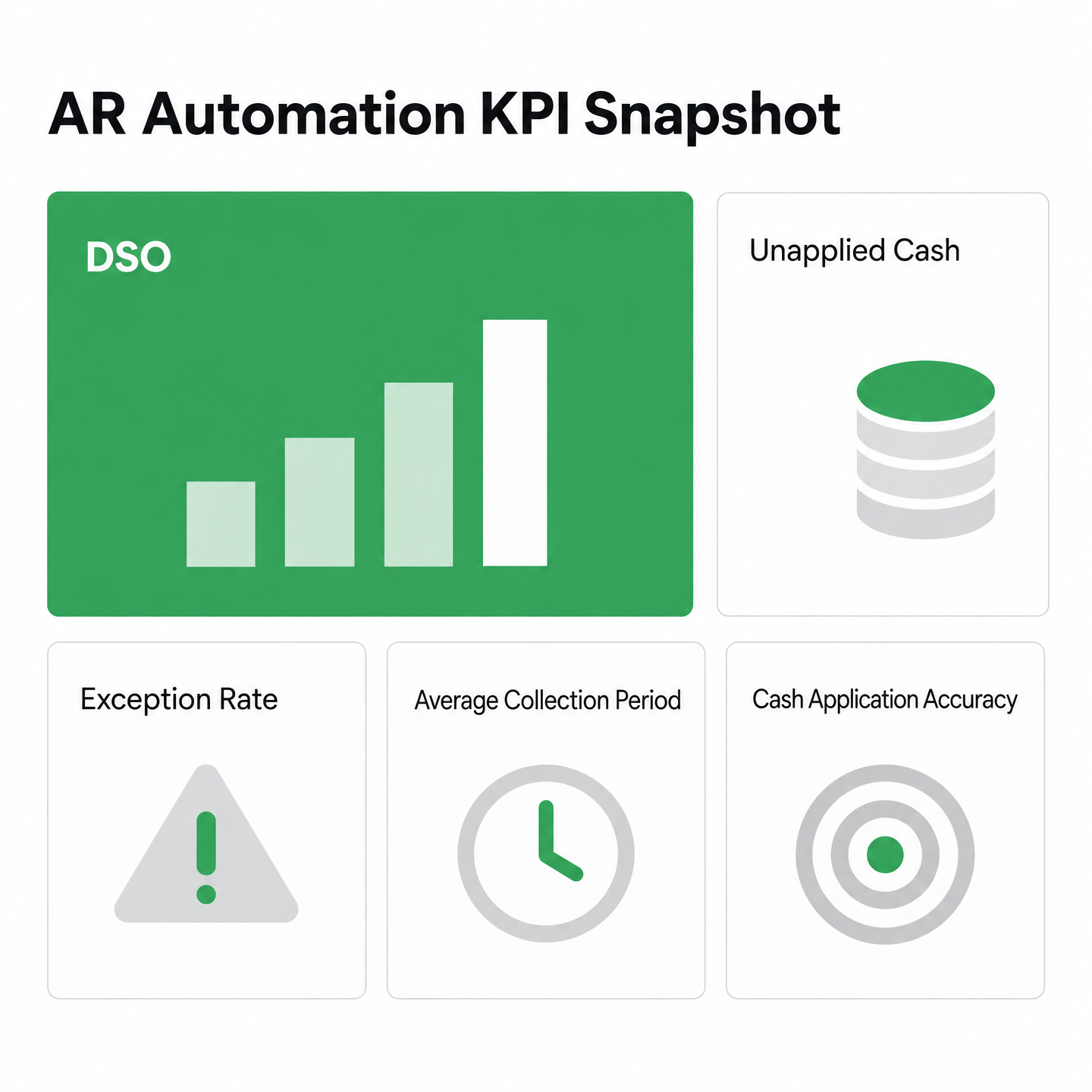
Measure your starting point before you touch anything. Pull DSO from your aging report, calculate your manual exception volume over a representative period, and time how long it takes a payment to move from bank deposit to ledger posting. Automation can reduce DSO and speed cash flow, but the improvement is only visible if you know where you started. Record your current DSO and set a realistic target based on your billing cycle and customer mix.
Your auto-match rate is the single metric that predicts most downstream outcomes. Some teams see meaningful improvement from roughly 70% match rates toward 90% or higher after tuning, but results vary. The difference is not just efficiency. It is the share of your team’s day spent chasing exceptions instead of investigating real problems. Measure your pre-automation match rate by tracking how many payments required manual intervention over a full billing cycle, then set a realistic target for your environment.
Track cost per transaction and time to cash separately
Cost per transaction tells you whether automation reduced labor faster than it added software expense. Calculate your baseline by dividing total AR labor cost by payment volume, then rerun it quarterly. If cost per transaction is not dropping after the initial rollout, your exception queue may still be too long, or your team may be working around the system instead of through it.
Time to cash, the hours between payment receipt and ledger posting, is where AI-powered capture can pull ahead of portal-only systems. Automated matching and reconciliation can compress the interval between deposit and posting, while manual aggregation leaves more payments waiting for explanation. Track it weekly. If time to cash is not shrinking after the first month, the bottleneck may be upstream: your remittance data is not reaching the matching engine cleanly, which means the fix may sit in email parsing configuration or portal integration rather than in the matching rules.
Run a thirty-day review, then go quarterly
Lock in a checkpoint thirty days after go-live. Pull your auto-match rate, exception volume, DSO, and time to cash, and compare against baseline. If your match rate improved but exceptions did not drop, you may have automated the easy payments and left the hard ones untouched—common when teams turn on automation without first fixing invoice reference quality or portal workflows. If DSO did not move but match rates climbed, the delay may sit in reconciliation or ERP posting, not in matching.
After that first review, shift to a quarterly cadence. Monthly dashboards can create noise; quarterly reviews give the system time to learn from corrections and let you spot trends. Track user adoption separately: if your AR team still exports payment files to spreadsheets instead of working exceptions in the platform, adoption is the blocker, not the software. Process fixes upstream—like requiring complete customer contact information at onboarding, enforcing invoice reference standards, or improving credit application workflows—can deliver faster DSO reductions than tuning the matching engine. Adoption fixes beat configuration tweaks when the software works but the team routes around it.
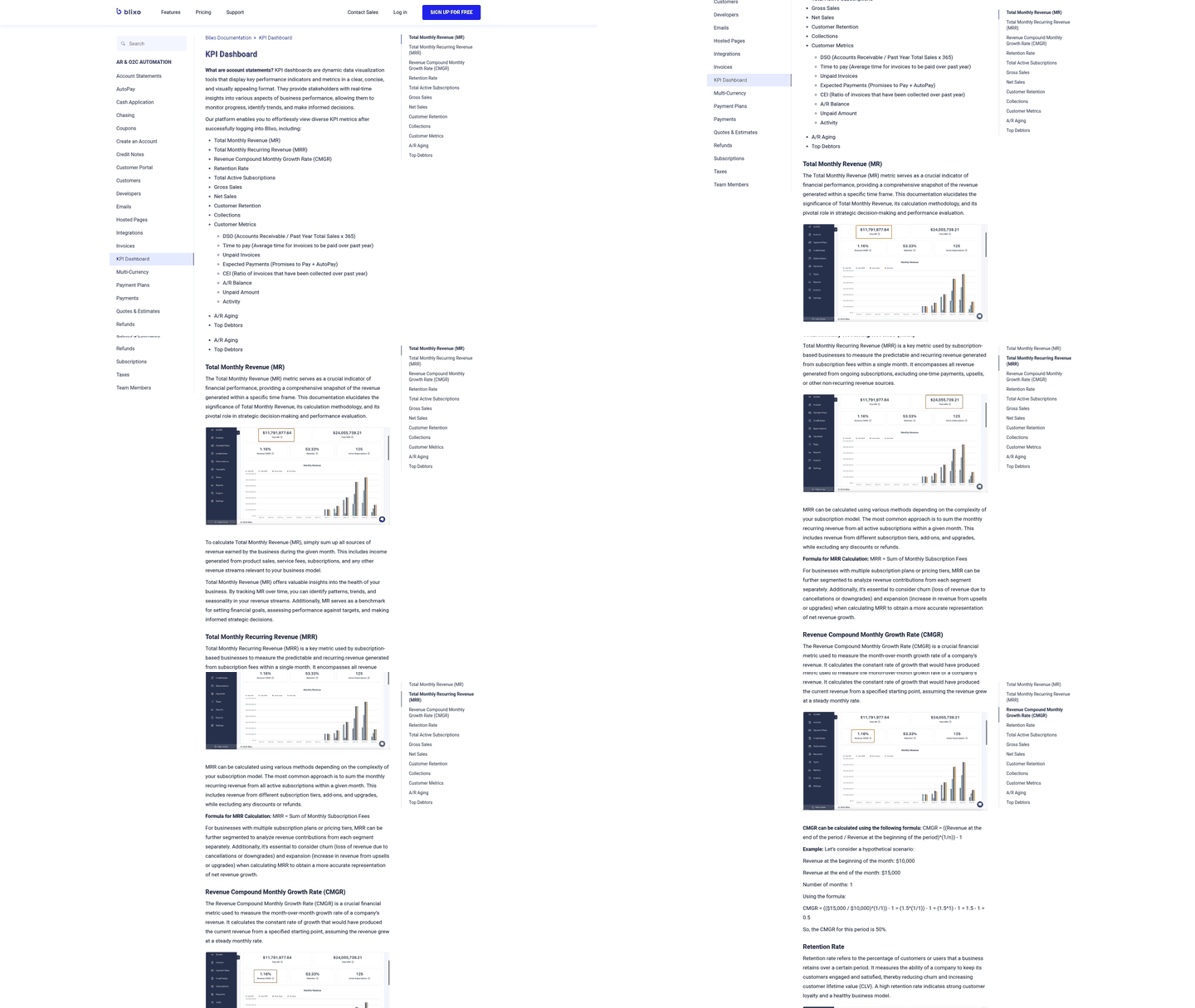
Build a simple dashboard that surfaces six metrics in real time: DSO, auto-match rate, exception volume, time to cash, cost per transaction, and platform login frequency. PowerBI and Looker templates may exist for AR automation KPIs, but the tool matters less than the discipline. Your team should glance at the dashboard Monday morning and know whether last week’s payments cleared cleanly or built a backlog. If the dashboard takes ten minutes of SQL to refresh, no one will use it.
Where these projects quietly fail (and a checklist)
Most AR automation projects fail quietly. The matching engine gets configured, the ERP connector goes live, and six months later the finance team is still keying remittances from customer portals every Monday morning. The gap is rarely the matching logic. It is the decision to skip proper remittance capture in the initial scope and retrofit it later, once exceptions pile up.
Map every remittance channel before you configure anything
Start by auditing where payment details actually arrive. Walk through the current process with your AR team and document every path: lockbox bank files, email attachments, customer AP portals, EDI feeds, wire transfer memos. Some provider guides note that many small and mid-sized businesses regularly experience cash shortfalls, and the root cause is often remittance data sitting somewhere outside the accounting workflow while the bank balance has already changed. Your automation cannot parse what it cannot see.
Create a spreadsheet with four columns: remittance source, file format, arrival frequency, and current manual steps. If your team logs into five different customer portals each morning to download PDFs, that is five separate capture workflows you may need to automate. Miss one channel during implementation, and you can build a system that works for your most common scenarios but leaves a meaningful slice of payments needing manual intervention—which means your team may not trust the automation enough to stop checking every payment.
Set matching confidence thresholds after you test with real exceptions
Most tools let you set a confidence threshold: the system auto-posts any payment above the bar and flags the rest for review. That sounds simple until you realize your customer data quality determines how the matching engine actually performs. If customers routinely reference invoice numbers with typos, abbreviations, or their own internal PO codes instead of your invoice numbers, the engine may flag a significant share of payments as exceptions even when a human would know exactly which invoice they are paying.
Run a small pilot with a conservative threshold and manual review for anything below it. Track what the system flagged and what your team would have auto-posted anyway. Finance teams often find their largest customers have consistent payment patterns—always paying the oldest invoices first, or always rounding payments to a standard amount—and those patterns can be coded as custom matching rules that lift straight-through rates without lowering the confidence bar.
Build exception handling into the workflow before go-live
Some AR automation providers document that well-configured systems can reach high straight-through cash application rates when capture works correctly, but every system will have payments that need human review. The mistake is treating exceptions as edge cases you will deal with later. Map out exactly what happens when the system cannot match a payment: does it create a task in your accounting software, send an email to the AR team, or drop the payment in an “unmatched” queue nobody checks until month-end?
Design the exception queue with the same care you gave the happy path. Every flagged payment needs context: the remittance data the system captured, the invoices it considered, and why it rejected each candidate. Your analyst should not have to re-key the customer name or manually search for invoices the system already evaluated. This is where intelligent matching and approval workflows earn their keep: the system surfaces the original payment reference, highlights what the customer wrote, and presents the most likely invoice matches even when it is not confident enough to auto-post.
Common Questions
What happens if the remittance advice arrives after the actual payment hits the bank?
The payment cannot be applied confidently until the system knows which invoices it covers. In a manual process, that means the AR team has to locate the advice, interpret the details, and connect the deposit to the right customer balance. Until that happens, reporting can overstate open receivables and collections activity can be based on stale information.
Does AI-powered remittance capture work if my customers send payment details in different languages?
It can, when the capture layer is designed for multilingual and multi-format remittance. The important part is that the system converts unstructured payment explanations into structured fields before matching begins, rather than asking analysts to translate, copy, and re-key the information manually.
When does AR automation deliver the smallest return on investment?
The smallest return usually appears in simple AR environments: low payment volume, disciplined customer references, and little variation in how payments arrive. In that setting, the cost and effort of implementation may outweigh the labor savings. The business case strengthens as remittance becomes more fragmented across portals, inboxes, lockboxes, and short-pay scenarios.
How does the matching engine handle a single payment that covers multiple invoices with different amounts?
The engine reads the remittance note, compares it with open invoices, and allocates the payment according to the invoice references and balances it can support. If the total reconciles cleanly, the payment can move forward without a manual queue. If there is a deduction, dispute, missing reference, or mismatch, the system routes only that unresolved item for review.
What cost should I measure to prove automation is actually saving money?
Measure cost per transaction. Start with total AR labor expense divided by payment volume before implementation, then keep tracking the same calculation after go-live. That gives you a cleaner way to show whether reduced manual work is offsetting the software investment.
Why does my ledger still show invoices as open even after I see the bank deposit?
A bank deposit only proves cash arrived. The ledger changes after the payment is connected to the right customer and invoice records, then posted through the ERP. If remittance capture, matching, or reconciliation is still manual, the deposit can appear in the bank before the accounting system has enough detail to close the invoices.