

ERP's Built-In Collections Module Stops at the Remittance Email

Related Video
Watch: Order-to-Cash Software in 2026: 6 AI O2C Tools Compared for Finance Teams by Paraglide
In short:
ERP collections modules send reminders and surface aging data, but they usually stop where the hard work begins: when payment arrives through one channel and remittance detail appears somewhere else. Dedicated AR automation tools can handle payment matching, exception workflows, cash application, and collector prioritization using live payment behavior rather than exported snapshots.
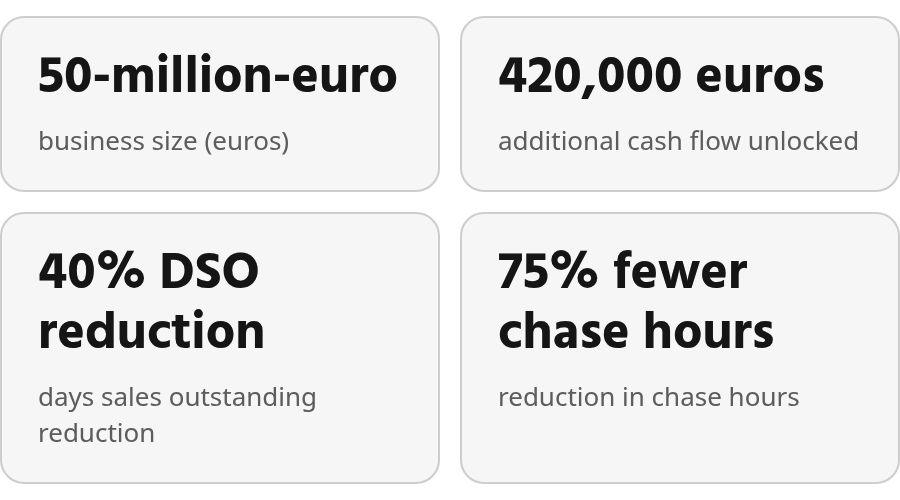
AR automation can improve cash flow and reduce manual collections effort, but results depend on payment behavior, ERP configuration, and vendor implementation choices. Some providers report stronger outcomes than others, so specific figures should be verified in demos or current case studies before they appear in a business case.
Your ERP posts transactions once you tell it what to post. It doesn’t aggregate remittance data from email attachments, PDF scans, and bank files, then reconcile mismatched amounts or investigate short pays. That downstream workflow requires either custom scripting or a dedicated AR layer.
Here’s how the options compare:
| Feature | ERP Built-In | Legacy/Enterprise AR Tools | Spreadsheet/Manual | Blixo (Business) |
|---|---|---|---|---|
| Dunning & follow-up | Basic reminders, one template | Multi-channel workflows may be available depending on platform | Manual emails or calls | Automated follow-up; channels vary by plan |
| Payment matching | Rule-based, struggles with incomplete references | Remittance capture may require configuration | Manual lookup across PDFs, emails, bank files | Matching engine with review workflow; verify current feature set |
| Cash application | Posts to GL when match is clear | Automated posting may require configuration | Manual entry, high error risk | Cash application workflows; verify current feature set |
| Reporting | Aging snapshots, static exports | Dashboards and analytics vary by platform | Pivot tables, stale by the time you read them | Dashboards and aging reports; advanced analytics depend on plan |
| Implementation effort | Already in place, limited configuration | Varies by platform and environment | No setup, scales poorly | Verify with vendor |
| Scalability | May break when exceptions exceed analyst capacity | Usually handles higher volume, but requires dedicated support | Collapses at scale | Plan-based limits; verify with vendor |
Why ERP modules hit a ceiling: As payment volume grows, even a modest exception rate creates manual review backlogs. The issue isn’t that a payment failed a rule. Your ERP often lacks the context to decide whether a short pay is valid, whether a payer name maps to a parent account, or whether remittance documentation arrived outside the bank feed. Your team spends time assembling that context before making a posting decision.
Multi-Entity and PSP Settlement Complexity
In a multi-entity business, matching the customer isn’t enough. The payment has to post against the correct receivable record. One customer may send a single payment for invoices spread across multiple entities, or a newly acquired company may still use legacy customer names that don’t match your ERP setup. If cash is applied to the wrong entity, the issue surfaces later as intercompany cleanup or reconciliation breaks.
PSP deposits hide transaction detail behind the settlement. By the time a payment service provider sends cash to your bank, customer transactions may have been combined and adjusted before appearing as a single bank line. Your ERP still holds invoice-level records. Finance has to connect the settlement back to those invoices before cash can be applied correctly. Without that bridge, cash application turns into pre-reconciliation work.
Payment-matching exceptions aren’t true exceptions—they’re routine payments with fragmented remittance data that ERPs can’t resolve without manual analyst review and context assembly.
When the Remittance Email Handoff Becomes the Bottleneck
Most ERPs send the remittance email, then stop. That’s where your finance team’s real work begins. The cash might be in your bank, but you still have to figure out which customer sent it, which invoice it covers, and whether the amount matches what they owed. For teams processing a few dozen payments a week, that’s routine reconciliation. For teams processing hundreds, it quietly becomes one of the bigger operational bottlenecks in finance: matching slips, accounts receivable aging goes stale, and before long your collections team is chasing customers who already paid.
That last outcome is the expensive one. A follow-up sent to a customer whose payment is already in transit damages trust and creates avoidable noise for both teams. The problem isn’t that your ERP lacks a collections module—the module is optimized for outbound activity, while the hardest work is inbound: interpreting payment evidence, resolving disputes, and applying cash accurately.
AR Automation Workflows Start After the Remittance Arrives
When a payment lands in your bank account, someone still has to connect it to the right customer and invoice. Your ERP can handle simple one-to-one payments with clean references. It struggles when matching depends on support sent separately, entity context in a multi-subsidiary roll-up, settlement detail from a payment processor, or approval history for a short pay. Those aren’t edge cases. They’re recurring patterns in B2B receivables operations.
Basic ERP rules can clear straightforward transactions, but they weren’t designed for high-volume, multi-format remittance processing. Your team ends up assembling support before they can make a posting decision. A lockbox file, portal download, email attachment, and bank line may all describe the same payment from different angles. Until those pieces are tied together, finance can’t confidently close the receivable.
The real constraint on cash application isn’t how many payments are coming in—it’s how many people are doing manual aggregation. Manual posting requires significantly more labor than connected automation that can read remittance details from emails, PDFs, and bank references, then match payments reliably even when payer names mismatch or amounts split across multiple invoices.
B2B companies often collect well past standard invoice terms. Dedicated AR platforms with automated collections, reminders, and payment tracking can help companies accelerate payment velocity. When your workflow can’t preserve structured data across formats like CCD/CTX addenda, Fedwire ISO 20022, and other remittance records, your team is rebuilding that context manually every cycle. That’s repeatable work, but it doesn’t scale when the same patterns show up across thousands of transactions.
ERP Built-In Collections: Capabilities and Limits
Most ERP collections modules send the invoice, trigger a scheduled reminder, and stop there. The workflow ends at your customer’s inbox. What happens after the payment arrives—matching it to the right invoice, handling partial payments, catching short-pays, reconciling the cash—lands squarely on your finance team’s desk.
Some ERP platforms offer configurable dunning runs, customer-profile-based reminders, collections workspaces, and aging-bucket views. Those features help with outbound follow-up. The inbound side is usually less flexible: if payment detail is clean and fits the configured tolerance, the system can clear items; if customers combine invoices, reference an outdated document, or dispute a line item, the workflow may stop until someone manually investigates. Exact behavior depends on the ERP version, configuration, and supporting data sources.
The Remittance-Matching Boundary
The constraint isn’t how many payments you receive—it’s how many people you have doing manual aggregation when remittance data arrives in formats your ERP wasn’t designed to parse. Cash can arrive before the supporting detail, increasing unapplied cash until someone tracks down the missing evidence. Invalid deductions also drain revenue in organizations without a structured process to catch and recover them.
ERPs excel at posting transactions once you tell them what to post. They’re not built to aggregate remittance data from email attachments, PDF scans, and portal downloads, then reconcile mismatched amounts or investigate why a customer shorted you on an invoice. That downstream workflow—the one that turns inbound cash into closed receivables—requires either custom scripting, a third-party connector, or a dedicated accounts receivable automation layer that integrates without custom development work.
For scaling B2B finance teams processing hundreds of payments a month, the ERP collections module handles the outbound dunning. The real bottleneck starts when the money comes back.
Alternative Approaches: Legacy AR Tools and Spreadsheets
When ERP collections stop at the remittance email, most finance teams reach for one of three paths: spreadsheets, legacy enterprise AR platforms built for scale, or dedicated automation tools that target the receivables work left outside the ERP.
Legacy Enterprise AR Platforms
Enterprise AR platforms may manage accounts across multiple debt types, entities, and countries, with customers that include large financial institutions. Those deployments often come with longer configuration timelines and enterprise pricing, and vendors rarely publish a fixed licensing model. Before choosing one, request current scoping details and onboarding expectations.
Some dedicated AR vendors publish case-study outcomes such as DSO reduction, faster dispute resolution, or improvements in past-due receivables. These figures vary by customer size, industry, and starting process maturity, so use them as directional evidence rather than a guaranteed result. Integration and pricing should also be verified directly with the vendor.
The cost comparison comes down to total cost of ownership. Manual cash-application staffing compounds quickly as payment volume scales, and platform investments must be weighed against implementation services, integration work, and training that extend the payback period.
The Spreadsheet Trap
Spreadsheets remain the default manual workflow when ERP modules fall short, but the reconciliation reality tells the story: spreadsheet-based matching turns institutional knowledge into hidden operational dependency. If the analyst who knows a customer’s payment habits is out, the workflow slows or breaks.
The operational cost shows up most clearly in time-to-apply metrics. Some dedicated platforms report meaningful reductions in cash-application time, compared to spreadsheet workflows where every payment touches a human. When reconciliation slows, finance may see cash in the bank before it has the context needed to use it—and that delay ripples into collections accuracy and liquidity forecasting.
| Approach | Best For | Typical DSO Impact | Implementation | Integration Depth |
|---|---|---|---|---|
| Spreadsheets | Very low volume, stable customer base | None (operational cost only) | Immediate | Manual export/import |
| Legacy Enterprise AR Platforms | Large revenue, complex multi-entity structures | Varies by vendor and case study | Varies by scope and environment | Deep ERP/CRM sync often available; confirm bi-directional posting |
| Dedicated AR Automation | Scaling B2B teams across revenue ranges | Vendor-reported gains vary; verify current case data | Varies by vendor and configuration | ERP sync, bank feeds, remittance capture |
The integration question determines whether you’re automating the work or just digitizing the spreadsheet. Evaluate whether the platform pulls bank feeds, remittance PDFs, and customer correspondence into one workflow, or whether your team still aggregates context manually before the tool can act. Bi-directional ERP sync matters—posting reconciled transactions automatically rather than requiring another export step—and any source that remains outside the workflow becomes the new reconciliation bottleneck.
Dedicated cloud platforms often target the gap between ERP-native collections and full enterprise AR. The decision should rest less on feature lists and more on how much of the invoice-to-cash workflow can run without manual context assembly.
Blixo (Business): End-to-End Automation
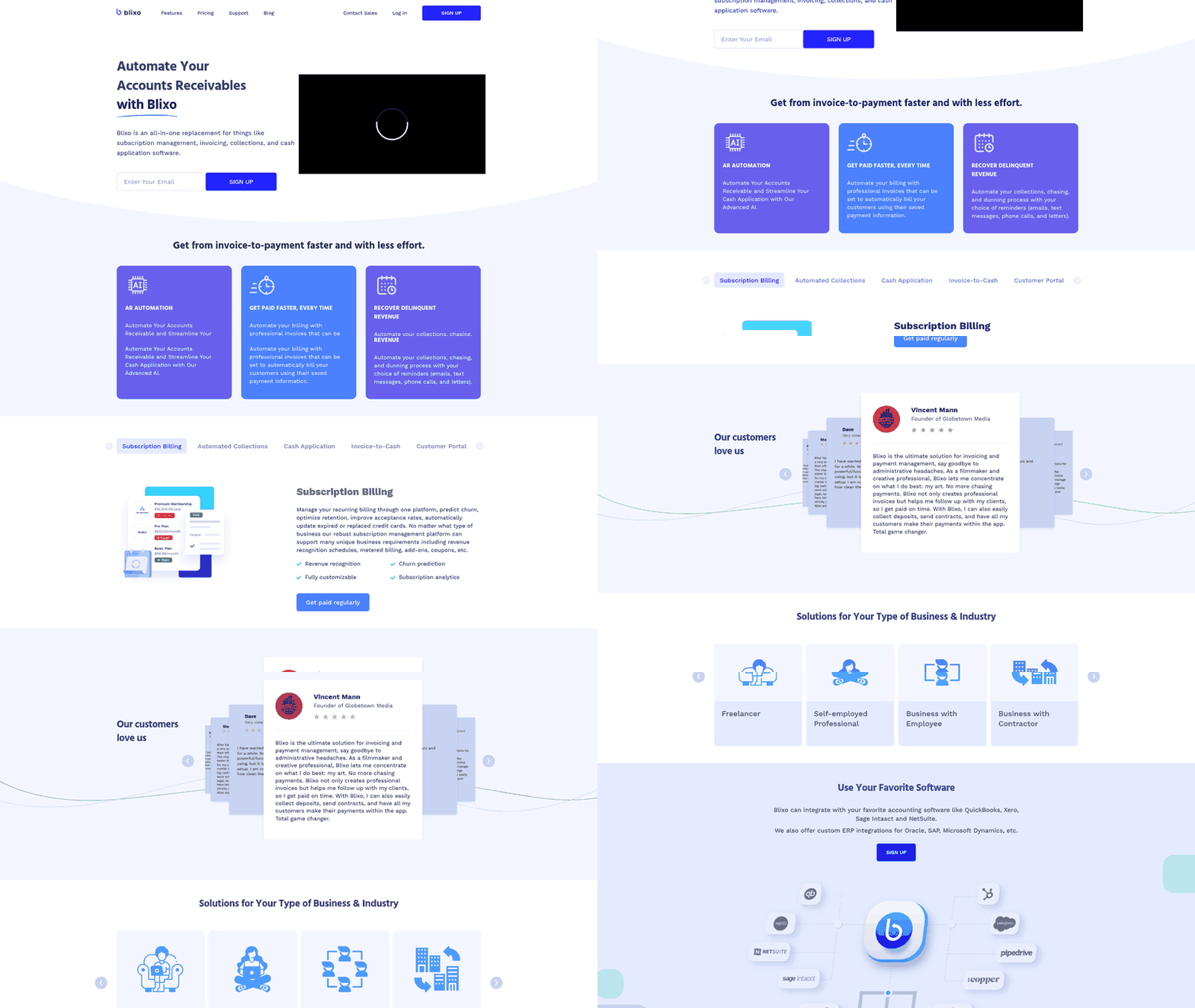
Blixo’s accounts receivable automation platform is designed to address the gap that opens when your ERP sends an invoice. The invoice went out, the customer received it, and your team waits. When payment arrives, someone still has to match invoices, handle short pays, reconcile partial payments, and post everything cleanly to your GL. Payment matching, exception handling, cash application, and collections follow-up represent the downstream work where manual processes quietly accumulate.
Most ERPs weren’t designed to manage that downstream work at scale. When monthly payment volume climbs and exception rates rise, your cash sits in the bank while your team rebuilds context from emails, PDFs, and inconsistent payment references. By the time reconciliation finishes, collections outreach may already be working from outdated status rather than live payment behavior.
What End-to-End AR Automation Should Prove
Blixo approaches this as a data problem first. Payment matching accuracy determines whether your team spends time chasing customers who already paid or focusing on accounts that genuinely need attention. The benchmark that matters is straight-through posting rate: how many payments clear from bank to ERP without manual review.
Instead of accepting a static feature list, verify whether the platform routes exceptions for review and whether correcting exceptions improves future matching. That capability should be confirmed in a demo with your own receivables examples rather than assumed.
Collections and dispute workflows should run on live payment behavior, not aging snapshots exported from your ERP. Check whether follow-up can be automated or assigned to collectors, and which channels and escalation rules are available in your plan. The platform includes task management and aging reports to help collectors work from current account status.
What We Verify Before Claiming a Blixo-Specific Feature
We don’t publish capability claims without documentation to back them. If you need specifics on supported ERP connectors, bi-directional sync behavior, payment gateway integrations, or dunning cadence options, request access to our integration documentation or schedule a walkthrough. Feature lists pulled from older blog posts or competitor comparison pages can drift from what the platform currently delivers. My advice is simple: show the workflow live, verify it handles your payment patterns, then commit.
Implementation timelines matter as much as feature depth. Enterprise AR suites may require significant professional services effort, while mid-market platforms are often designed for finance-team configuration without IT projects—especially when cash application needs to adapt as payment volume or customer mix changes.
Side-by-Side Comparison Grid
When you evaluate accounts receivable automation options, you need evidence-backed performance data rather than feature checklists. The grid below uses general capability categories and labels cells where documentation is missing or should be verified with the vendor. Where documentation is absent—particularly for newer platforms—treat the capability as unverified rather than assuming it exists.
How to Read This Grid
Compare each solution category by dunning follow-up, payment matching, cash application, reporting depth, implementation effort, and scalability. Each cell is directional; exact behavior depends on the ERP instance, vendor plan, and integration. The goal is to separate what a platform can demonstrably do today from what is only claimed in marketing material.
The evidence suggests modern cloud AR platforms and purpose-built tools can offer stronger automation for payment matching and cash application than manual or ERP-native workflows, but the right fit depends on the organization’s compliance, volume, and integration requirements. If you need on-premises deployment or strict auditability across multiple jurisdictions, an enterprise AR platform may be more appropriate. For mid-market and growing businesses, self-service configuration and predictable pricing often matter more.
| Capability | ERP Built-In | Legacy / Enterprise AR | Cloud AR Platforms | Blixo |
|---|---|---|---|---|
| Dunning / Follow-Up | Basic reminders; single template | Configurable workflows; risk-based prioritization | Intelligent workflows; multi-channel; segmentation | Automated follow-up; channels vary by plan |
| Payment Matching | Rule-based; struggles with partial pays | Template-driven; deduction management | ML-assisted; remittance capture from email/PDF | Matching engine with review workflow; verify current feature set |
| Cash Application | Manual post-match | ERP-native posting where supported | Real-time ERP sync; straight-through posting | Automated cash application workflows; verify current feature set |
| Reporting & Analytics | Aging reports | Enterprise dashboards; compliance audit trails | Live DSO tracking; payment predictions; risk alerts | Dashboards and AR analytics; forecasting availability depends on plan |
| Implementation Timeline | Already deployed | Enterprise rollout; professional services | Finance-team configured; no IT project | Verify with vendor |
| Scalability | May break at volume | Enterprise-grade volume handling | Multi-company AR workflows; high-volume remittance aggregation | Plan-based limits; verify with vendor |
| Configuration Depth | N/A (native) | Enterprise rollout; professional services | Self-service; days to first automated workflow | Verify with vendor |
Some vendors publish case-study metrics on reduced manual collection work and improved straight-through cash application. Those results depend on the vendor, customer mix, and starting processes. Request current evidence and verify it against companies similar to yours before relying on it.
What I’d Actually Recommend
Run a vendor demo or pilot using measurable criteria: DSO reduction, payment-delay improvement, reminder-processing time, auto-match rate, straight-through posting rate, exception volume, and implementation effort. Use your own receivables aging and payment behavior as the baseline, because invoice terms and customer mix vary widely.
Dedicated cash-application automation platforms can deliver measurable savings by reducing manual reconciliation work, though implementation complexity and total cost of ownership vary across vendors and should be verified in live demos. Integration risk is a gap to verify, not a documented limitation. Multi-ERP and multi-source receivables environments can leave analysts matching part of the receivables population by hand if one source stays outside the workflow. The evidence supports that downstream payment matching and cash application remain manual bottlenecks when receivables context is fragmented across systems and inboxes.
Frequently Asked Questions
What happens when a customer references the wrong invoice number on their payment?
The payment usually leaves the automatic matching path and enters a review queue. Finance then has to compare the bank line, customer account, open invoices, and any supporting correspondence before posting. That effort is easy to overlook in ERP processing reports because the delay happens around the system, not inside a clean automated workflow.
Why can’t ERPs parse PSP settlement deposits from Stripe or PayPal automatically?
Payment service provider deposits often arrive as summarized bank activity rather than invoice-by-invoice receivable evidence. The ERP may know what customers were billed, but it still needs the settlement breakdown before it can connect the deposited cash to the right open items. Without that detail in the same workflow, finance becomes the translation layer.
When does sticking with spreadsheets for payment matching actually make sense?
Spreadsheets can be reasonable when the receivables operation is small, the customer base is stable, and payment behavior is predictable. They become risky when knowledge of customer-specific patterns lives in individual files or individual heads. At that point, the issue is not only speed; it is control, continuity, and auditability.
How do you measure whether AR automation is delivering real results?
Measure whether fewer payments require human review, whether collectors work from current payment status, and whether unapplied cash falls as a result. Strong AR automation should reduce avoidable follow-up, shorten reconciliation cycles, and make exception work visible enough to manage instead of burying it in inboxes and spreadsheets.