

ERP Systems Run GL and Inventory: AR Automation Owns Invoice-to-Cash

In short:
- ERPs handle accounting and inventory, but invoice-to-cash needs delivery tracking, payment matching, and collections workflows they don’t provide.
- AR automation platforms sync with your ERP and own the customer-facing work—invoice delivery, reminders, dispute tracking, payment reconciliation.
- HighRadius is often positioned around AI-driven collections and cash application automation.
- Sidetrade emphasizes proprietary transaction data for predictive collections and targets mid-market use cases.
- Esker is frequently praised in user reviews for willingness-to-recommend and working-capital improvements.
- Some ERP users look for third-party AR tools to automate reminders and structure collections work.
- The architecture that works: ERP stays as the system of record; AR platform handles invoice delivery, payment matching, and dispute resolution.
The ERP handles books; AR automation handles cash
Your ERP manages the general ledger, inventory, and procurement. Those modules post transactions correctly and track stock levels. But invoice-to-cash—sending invoices, tracking delivery, automating reminders, matching payments, resolving disputes—needs different tooling.
In many ERP ecosystems, the boundary is similar: the ERP handles core operations, but AR teams need invoice visibility, overdue-account workflows, and customer self-service payments. Those aren’t accounting records. They’re customer-facing interactions that need timing, personalization, and exception handling.
AR automation platforms fill that gap by owning the workflow around the receivable while your ERP stays as the financial source of truth. The result: cleaner collections, better cash visibility, less manual work.
What ERPs cover vs. what they miss
Your ERP posts invoices, records payments, generates aging reports. That foundation is necessary. The gap appears in confirming delivery, segmenting reminder strategies, managing disputes through resolution, and turning remittance data into matched payments without repeated manual work.
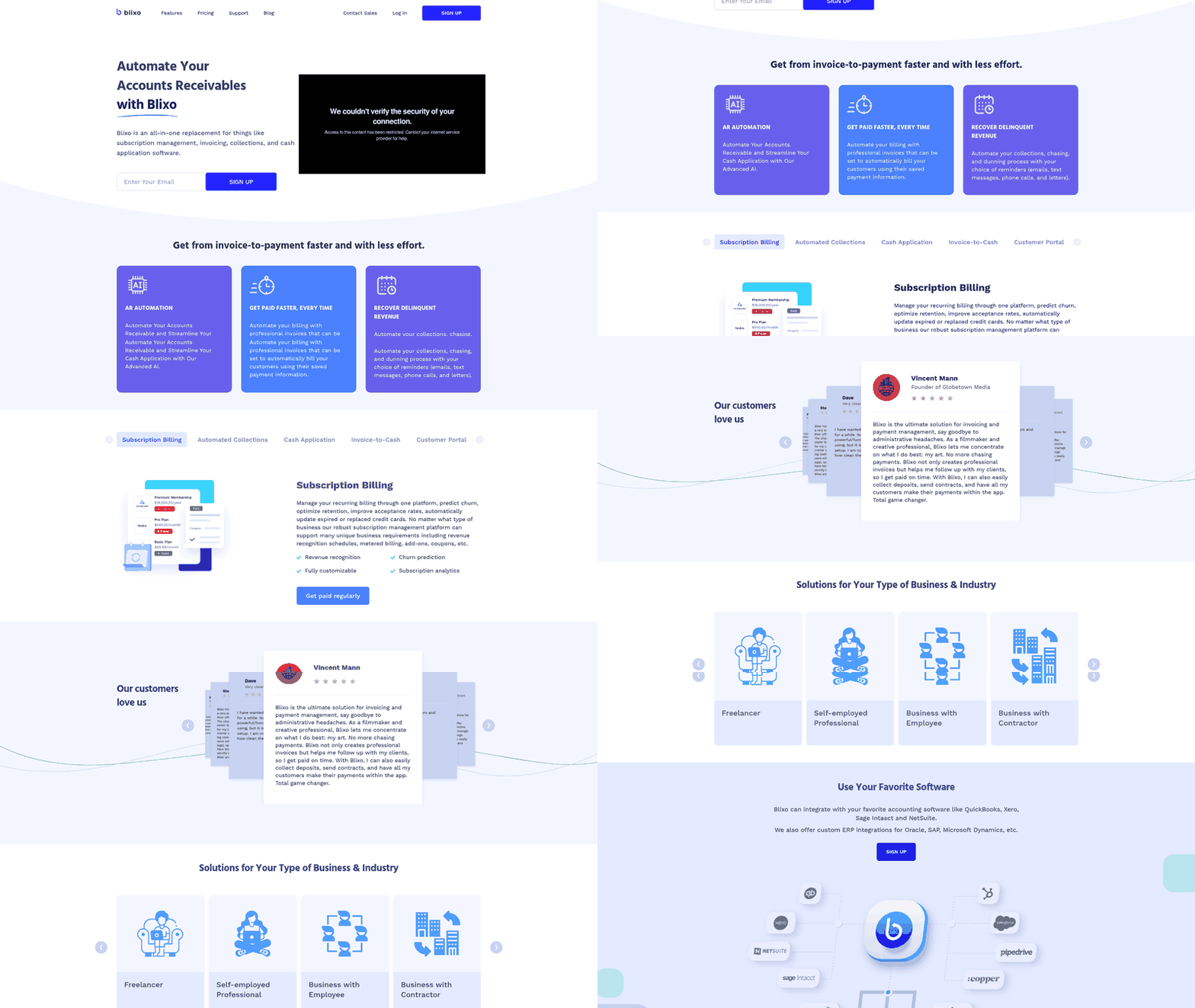
Purpose-built AR platforms specialize in the collection workflows ERPs leave manual. Depending on the platform, they may add data-driven risk detection, AP portal integrations, electronic invoicing, DSO reduction, faster customer onboarding, and higher credit-review throughput. Blixo, for example, describes automated collections, chasing, and dunning alongside intelligent payment matching through cash application AI. The platform is designed to reduce manual reconciliation and gives your AR team visibility into payment status across open invoices.
Comparison: ERP-native AR vs. purpose-built automation
| Solution | Core AR Scope | Invoice-to-Cash Coverage | Integration Evidence | Public Metric | Verdict Note |
|---|---|---|---|---|---|
| ERP GL/Inventory Baseline | GL posting, basic invoicing | Limited—manual follow-up, no delivery tracking | Native but narrow | No published I2C benchmarks | Handles books; stops before collections |
| HighRadius | Collections, cash app, deductions, e-invoicing | Broad I2C coverage in vendor materials, with automation for capture and prioritization | Multiple ERP connectors noted in public materials | Strong Gartner Peer Insights profile | Often positioned for receivables as revenue engine |
| Billtrust Unified AR | Invoice delivery, payments, collections | Broad I2C with AP portal integrations emphasized | Multiple ERP connectors | Public reviews available | Deep AP portal reach for invoice delivery |
| Sidetrade O2C Intelligence | Predictive collections, credit, disputes | Full I2C with proprietary transaction data emphasized | Real-time ERP sync claimed in vendor materials | Mid-market focus highlighted | Data-driven prioritization at mid-market scale |
| Esker AR Suite | E-invoicing, cash app, collections | End-to-end I2C with real-time dashboards in user materials | ERP integration cited by users in reviews | Strong willingness-to-recommend signals in some reviews | Often mentioned for DSO reduction and working capital optimization |
| Quadient AR | Invoice presentment, payment acceptance | Mid-range I2C coverage in public materials | Standard ERP connectors | Reviews available, limited published outcomes | Solid for invoice-to-payment basics |
Reviewed documentation suggests these platforms handle invoice-to-cash workflows your ERP doesn’t prioritize. Verify feature depth in a live demo—absence of public evidence isn’t absence of capability.
What this means
AR automation platforms deploy alongside ERP systems that remain the GL source of truth, handling the customer-facing orchestration ERPs don’t prioritize. Public case studies show AR automation can reduce manual work in collections, dispute resolution, and payment matching—the daily tasks that consume your team’s time.
Purpose-built platforms offer capabilities manual ERP workflows can’t replicate: invoice tracking, predictive collections, self-service customer portals, AI-driven payment matching. The operating model: keep accounting control in the ERP, move collections execution into a platform built for invoice-to-cash.
Why AR automation owns invoice-to-cash
Late payments represent working capital sitting in someone else’s bank account. The invoice-to-cash lifecycle—the stretch between billing a customer and depositing their payment—has become a documented cash-flow bottleneck.

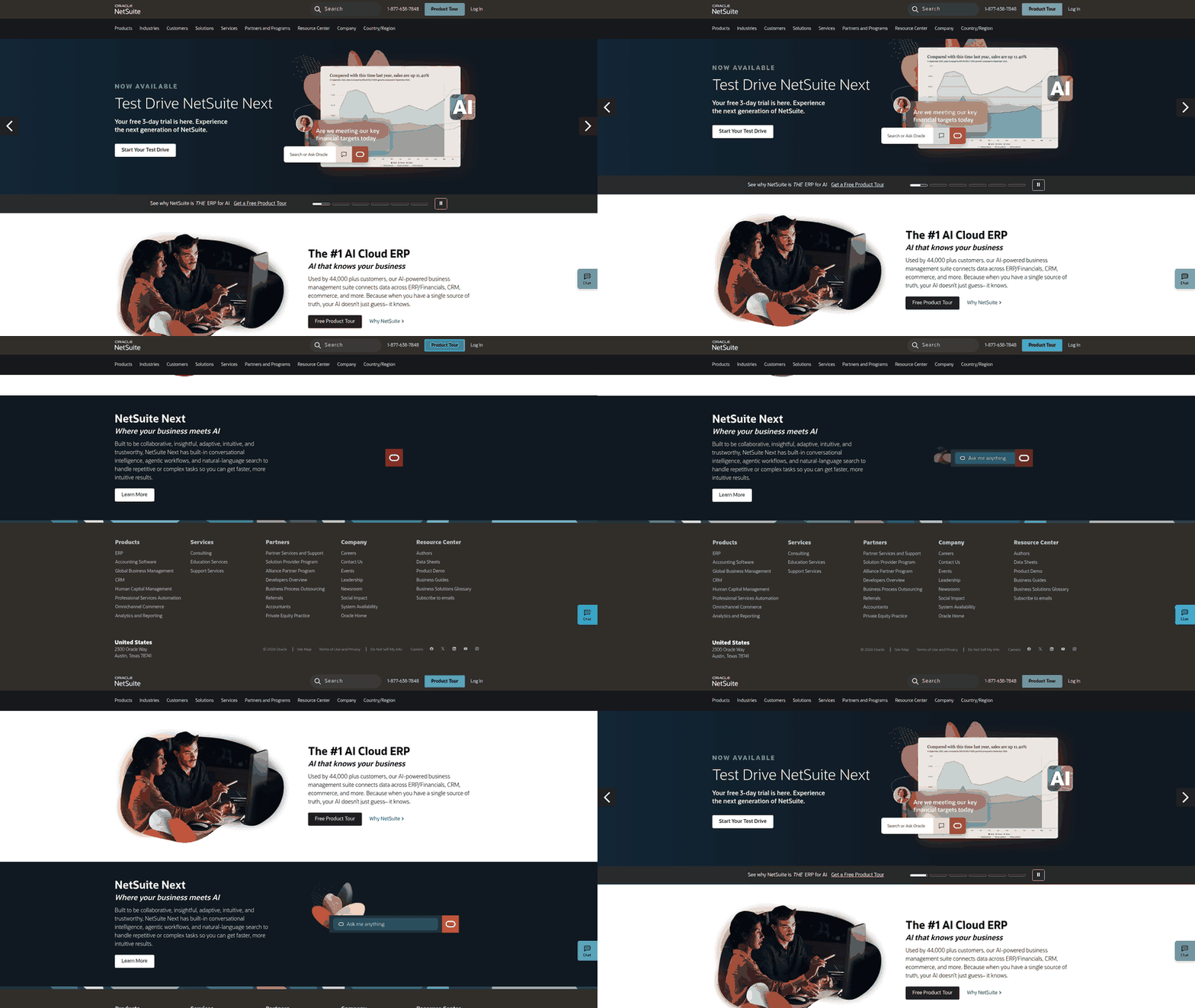
ERPs handle general ledger, inventory, and procurement cycles effectively. AR work depends on delivery status, payer behavior, remittance quality, dispute handling, and credit controls. Organizations running mid-market or enterprise ERPs often value the platform’s flexibility while still looking outside the ERP for tools that make collections more structured and proactive.
Where ERP-only AR falls short
Process friction matters, particularly the gaps between an invoice being issued and a matched, reconciled payment reaching the ledger.
Common ERP-only AR pain points: limited invoice-delivery options beyond email attachments, custom coding requirements for AP portals and bank integrations, manual collections work, reconciliation errors when unusual remittances arrive, and limited financial visibility as transaction volume grows. These gaps compound as you add customers billed in multiple currencies, increase invoice volume, or acquire companies running different ERPs.
Documented gains from dedicated AR automation
Public case studies show similar patterns. Some finance teams report faster collection cycles and lower overdue receivables after adding a dedicated AR layer, such as Invoiced by Flywire. In published examples, a provider of physical therapy practice management software and a fundraising intelligence software provider described improvements in collections and customer payment experience. Finance leaders in those examples also noted that branded self-service payment portals improved the customer experience. Individual results depend on invoice volume, customer mix, and existing workflows.
These cases point to the same design principle: the ERP didn’t need replacement. Invoices continued to originate from the financial system with the expected numbering, tax rules, and customer records. The AR layer handled payment links, reminders, dispute activity, and remittance capture before sending clean results back into accounting.
| Capability | ERP-Only AR | Dedicated AR Automation |
|---|---|---|
| Invoice delivery | Email attachments, manual sends | Multi-channel (email, AP portals, self-service), branded |
| Collections workflow | Manual tracking, spreadsheet-based | Automated reminders, customer-specific cadences |
| Payment matching | Manual reconciliation, error-prone with partials | Automated matching including multi-currency, partial payments |
| Dispute tracking | Email chains, no structured process | Centralized tracking, resolution workflows |
| Reporting | Batch ERP reports, limited real-time visibility | Real-time dashboards, DSO tracking, customer behavior analytics |
Gartner tracks a dedicated Invoice-to-Cash Applications category, indicating market recognition that AR requires specialized capabilities beyond what general-purpose ERPs provide.
For finance teams looking to improve invoice-to-cash without replacing their ERP, extending the system with a dedicated AR workflow provides a more structured way to manage collections, payments, disputes, and reconciliation while keeping the ERP at the center of financial reporting. You see the biggest impact in businesses where invoice volume has outgrown manual follow-up, where cross-border transactions create reconciliation complexity, or where customer self-service expectations have risen beyond what email invoices can deliver.
Core AR automation capabilities vs. ERP GL/inventory
Your ERP protects accounting accuracy and operational control. It records transactions, maintains inventory data, supports purchasing activity, gives finance a reliable audit trail. The limitation appears when AR teams need to influence customer behavior after the invoice has already been created.
What ERPs handle and where they stop
ERP systems act as systems of record for accounting and operational data. They generate invoices from sales orders, post payments to the GL, produce aging reports. That foundation is necessary. The workflow gap appears in tasks like confirming delivery, segmenting reminder strategies, managing billing disputes through resolution, and turning remittance information into a matched payment record without repeated manual intervention. Dedicated AR platforms focus on those collection workflows.
The ROI evidence for dedicated AR tools
Companies implementing dedicated AR automation often report measurable improvements in operational efficiency and cash positioning, though results vary widely. Some teams describe reducing weekly collections workload after deploying automated collections, while others report lower manual reconciliation time after adding payment matching. Publicly detailed metrics are limited, so finance teams should request reference calls and pilot trials to validate expected outcomes.
Those results matter because AR scale problems rarely arrive all at once. They show up first as more exceptions, more spreadsheet tracking, more customer follow-up, more close pressure. A dedicated AR layer gives finance teams a workspace designed for those exceptions rather than forcing every step through ERP transaction screens.
Feature-by-feature comparison grid (incl. Blixo)
The grid below compares platforms most often cited for AR automation, using vendor materials and public review signals where available.
What we measured and why
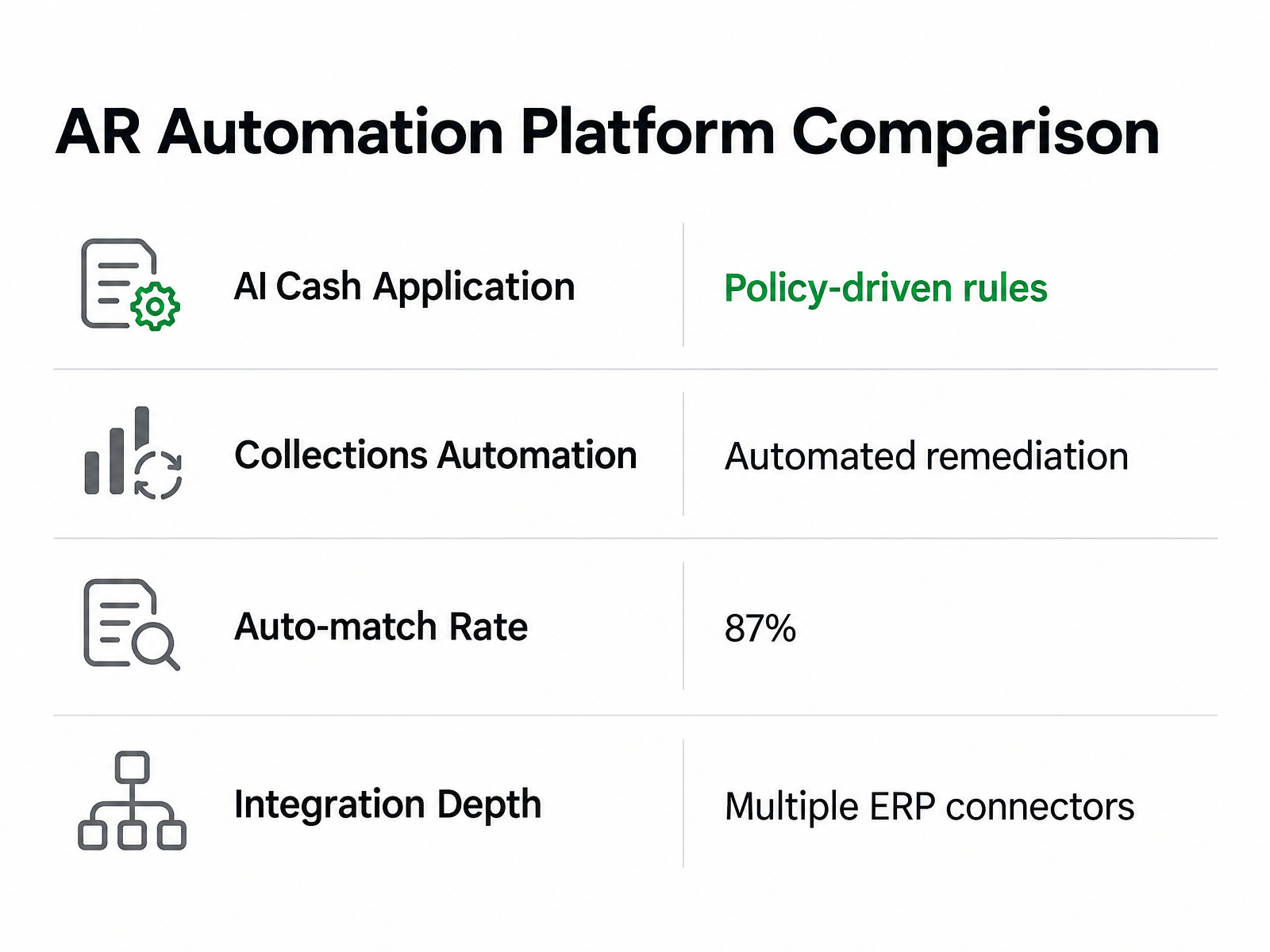
Accounts receivable automation platforms compete on a few dimensions that matter when you’re trying to close the invoice-to-cash gap: AI-driven cash application accuracy, collections workflow automation, invoice delivery reach, ERP integration breadth, and user satisfaction.
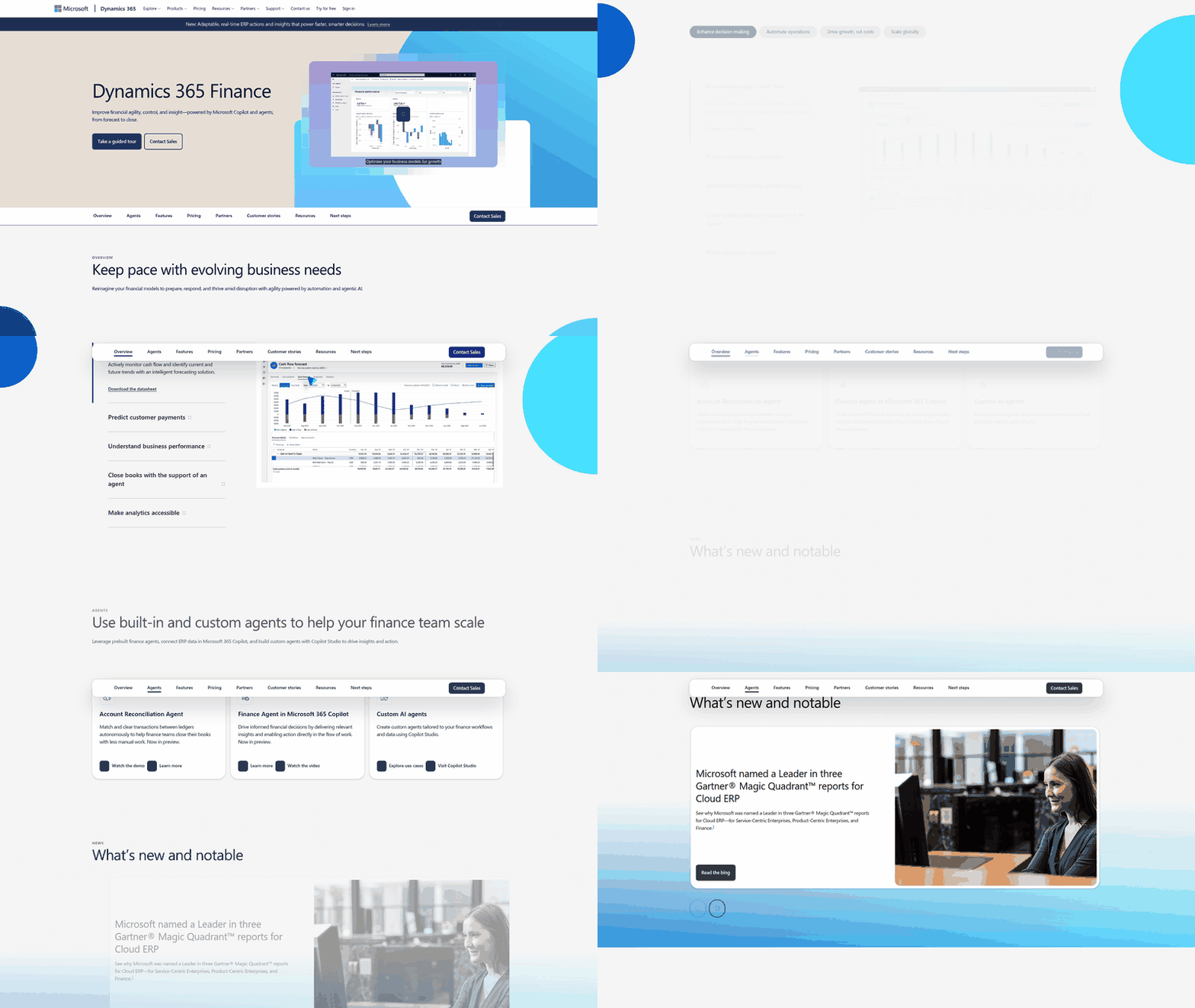
Public materials suggest HighRadius emphasizes policy-driven decision rules and an orchestration layer that automates routine remediations at scale, surfacing exceptions to humans only when intervention adds value. Billtrust’s public materials emphasize integration reach for invoice delivery across multiple ERP systems. Sidetrade highlights a proprietary dataset that powers its AI models for payment prediction and risk scoring. Some Esker user reviews describe real-time dashboards that track aging, cash flow, and automation rates across multiple ERP integrations.
Sage Intacct surfaces in broader accounting software comparisons and positions itself as helping companies get paid faster. Public materials may not fully detail baselines or measurement windows.
Blixo’s public materials describe AI-powered cash application that automatically matches payments to invoices, automated collections and dunning, subscription and recurring billing management, a hosted customer portal for self-service account management, and integrations with QuickBooks. Pricing is available through tiered plans; specifics should be confirmed with Blixo.
| Platform | AI Cash Application | Collections Automation | Invoice Delivery | ERP Connectors | Notable Feature |
|---|---|---|---|---|---|
| HighRadius | Vendor describes policy-driven rules and orchestration | Automated remediation at scale in vendor materials | Electronic invoicing module | Not specified in reviewed sources | Positions AR as revenue engine |
| Billtrust | Not detailed in reviewed sources | Workflow automation | Multiple AP portals | Multiple ERP connectors | Broad integration reach for invoice delivery |
| Sidetrade | Vendor emphasizes proprietary transaction dataset | AI-native agent-building described | Not specified | Not specified | Proprietary data lake powers payment prediction |
| Quadient | Not detailed in reviewed sources | Not detailed in reviewed sources | Not specified | Not specified | No standout feature surfaced in research |
| Esker | Real-time ERP integration described | Dashboard tracking (aging, cash flow, automation rates) | Not specified | Multiple ERP integrations | Strong dashboard visibility |
| Blixo | Vendor describes intelligent matching engine | Automated collections, dunning & chasing | Multi-channel delivery described | QuickBooks, Xero; custom integrations described | Hosted customer portal with self-service payments |
The integration layer no one mentions
Integration quality determines whether AR automation becomes a finance accelerator or another system to maintain. Some teams in healthcare and manufacturing report meaningful reductions in manual cash posting and higher auto-match rates after improving integration and master data quality. Those outcomes depend on more than matching logic—they depend on clean master data, reliable syncs, and clear ownership of each field.
The practical evaluation point is not whether a vendor says it “integrates with ERP.” It’s whether customer records, invoice IDs, payment statuses, credits, deductions, and reconciliation outputs move between systems in a way your team can audit. Missing vendor-specific pricing, implementation timelines, and feature depth for most platforms means this grid is a starting point, not a final score. Confirm feature claims and roadmap gaps in live demos before committing.
Layering AR automation on top of your ERP—architecture & benefits
Most finance teams layer accounts receivable automation on top of their existing ERP by syncing customer master data, invoices, payments, and reconciliation results between the two systems. The ERP remains the system of record for the general ledger, customer accounts, and tax logic. The AR automation platform handles workflow tasks the ERP wasn’t designed for: tracking invoice delivery, automating reminders by customer segment, matching partial and multi-currency payments, managing dispute resolution.
Common data flows and sync points
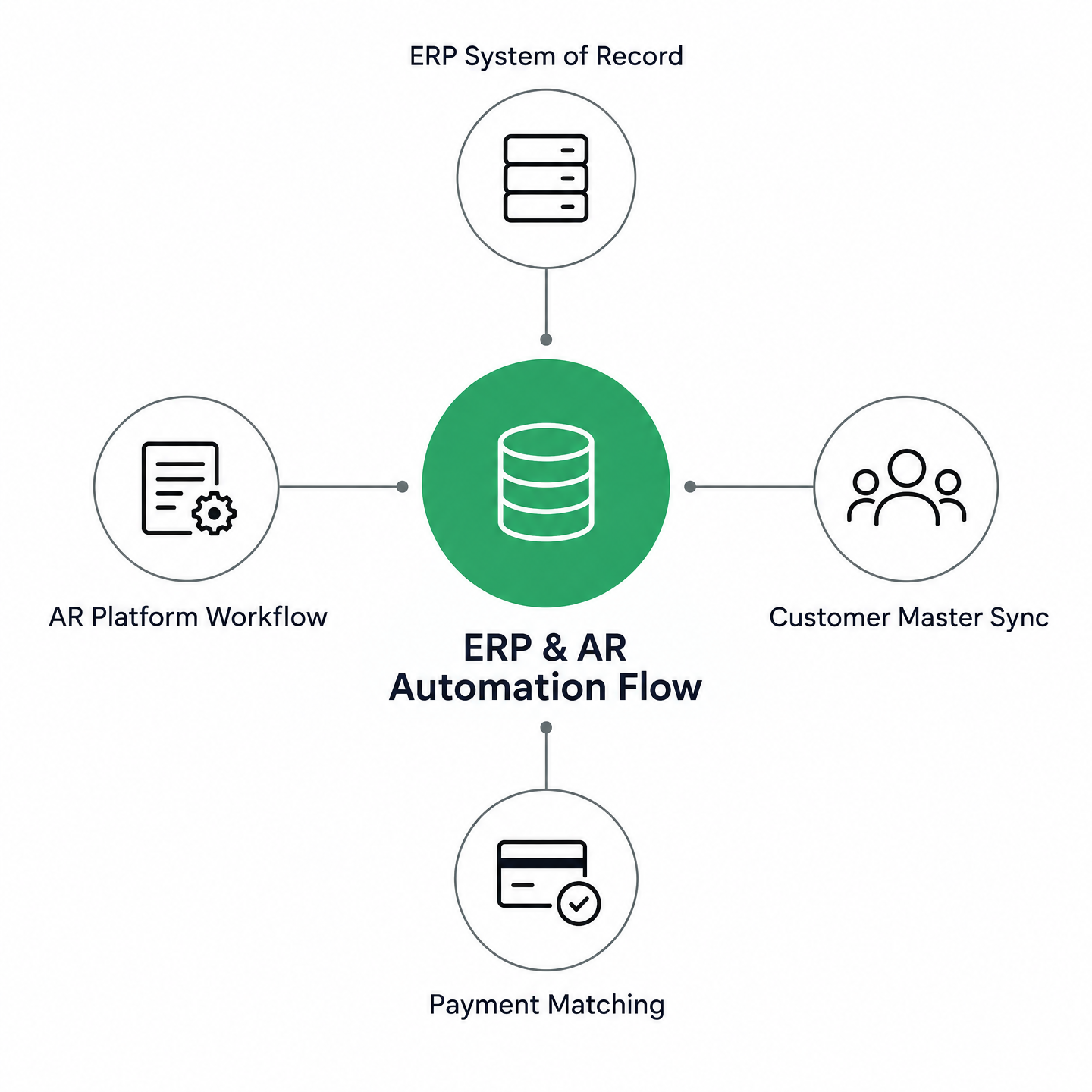
Customer master data, invoice details, and credit terms flow from the ERP to the AR platform when an invoice is ready to send. The AR system delivers the invoice through the customer’s preferred channel, tracks opens and clicks, and triggers reminders based on customer payment history. When a payment arrives, the AR platform evaluates remittance data against the open AR ledger, applies the match where confidence is high, and routes ambiguous items for review. Once cleared, the reconciled payment record flows back into the ERP and posts to the GL.
This architecture keeps the ERP’s accounting integrity intact while the AR platform owns the customer-facing process. The bidirectional sync keeps invoice data consistent across systems while giving AR teams the agility to manage collections and payment matching without waiting for ERP batch updates. Most platforms maintain an audit trail of every sync event, making it straightforward to trace discrepancies back to their source and resolve them before they compound.
Master data governance and reconciliation
The ERP should remain the authoritative source for customer records, item catalogs, tax rates, and pricing. Changes to these fields sync from the ERP to the AR platform on a scheduled or near-real-time basis. AR teams can manage collections notes, payment preferences, and dispute tracking within the AR system without syncing every field back to the ERP.
Data latency matters less than consistency. Many teams choose scheduled syncs rather than attempting real-time mirroring, which reduces integration complexity and surfaces reconciliation issues faster. Controlled field mapping keeps invoice numbers, customer IDs, and GL accounts aligned across systems, while reconciliation reports flag mismatches before they affect month-end close.
Finance leaders evaluating AR automation should verify that the platform supports your ERP’s data structure without forcing you to rebuild customer hierarchies or tax logic. Direct integration with existing ERP workflows reduces manual data entry and streamlines the path to positive ROI, though specific payback timelines and efficiency gains should be verified through demos and reference checks with your ERP vendor.
Evaluation checklist—why Blixo wins for end-to-end I2C
When you’re deciding whether to keep working inside your ERP or layer on dedicated accounts receivable automation, you’re not just comparing feature lists. You’re weighing how much control you need over collections workflows, how fast you want cash in the door, and whether your finance team can scale without adding headcount.
Start by asking whether the platform automates cash application. Manual payment matching burns hours and introduces reconciliation errors that compound as transaction volume grows. Look for systems that use AI to interpret remittance details, identify the right open items, and reduce the number of exceptions that require human review.
Check if it supports collections workflows that adapt to customer behavior. Can it prioritize high-risk accounts automatically? Does it send reminders based on payment history rather than a fixed schedule? Does it integrate with the ERP systems and AP portals your customers already use? Broad invoice delivery reach lets customers pay through their existing systems rather than learning yours.
Real-time AR visibility matters more than most teams realize. Without connected analytics, you often find cash flow problems after they’ve already affected operations. The platform should surface aging trends, DSO movement, and collection effectiveness without requiring manual report assembly.
Weight integration ease heavily if your ERP already handles core accounting well. AR teams want their own workspace where they can see relevant data, track invoice delivery, and manage customer status—separate from ERP transaction screens. The right AR platform sits alongside your existing financial infrastructure rather than replacing it.
Evidence-based outcomes point to dedicated AR platforms
Some research sources report that businesses using AR automation alongside their existing financial infrastructure see measurable improvements in collection speed, payment matching accuracy, and working-capital visibility. The strongest cases are not about abandoning ERP. They give AR teams a workflow built for post-invoice work.
When invoice volume stays low, payment terms stay simple, and collections complexity remains minimal, an ERP-only approach may still work. But the evidence favors dedicated AR automation when collection speed, cash application accuracy, invoice delivery reach, and working-capital visibility matter to your business.
Why Blixo wins for end-to-end invoice-to-cash
Blixo positions itself as handling the full invoice-to-cash cycle—AI-powered cash application, automated collections, recurring billing, and customer self-service—without forcing you to abandon your existing ERP. According to Blixo, your QuickBooks, Xero, or other accounting system can remain in place while Blixo owns the customer-facing workflow.
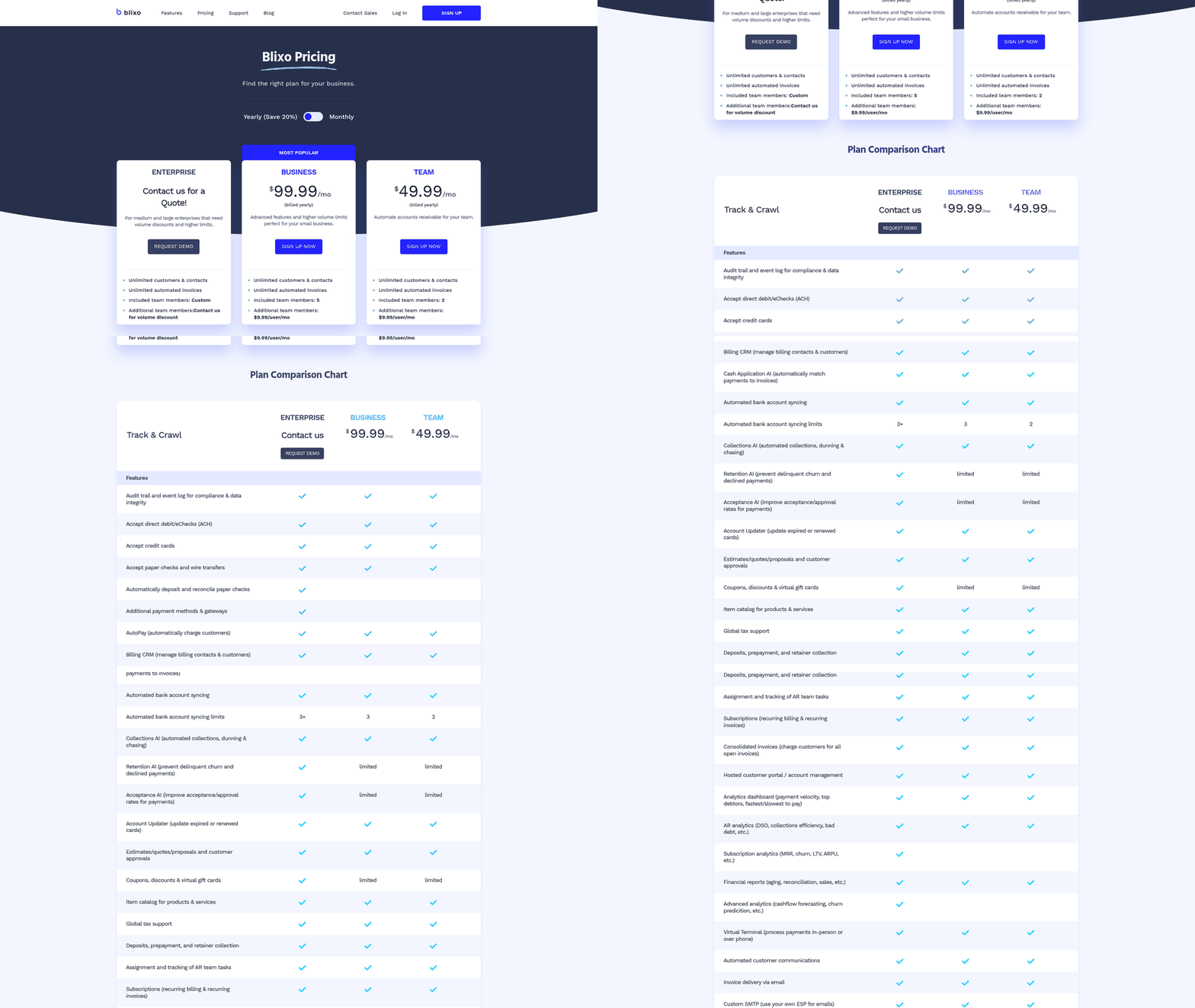
Blixo describes intelligent payment matching that reconciles remittances automatically when the supporting data is clear. Collections AI is designed to adapt to customer behavior, prioritizing high-risk accounts and sending reminders based on payment history rather than a fixed schedule. The hosted customer portal gives your customers a dedicated space to view invoices, make payments, update billing details, and manage subscriptions—reducing friction from the payment process.
Blixo states its native QuickBooks and Xero integrations sync bidirectionally, keeping invoice data, payment records, and customer details consistent across systems. For teams handling subscription billing or usage-based charges, Blixo describes automated invoice generation, proration logic, and renewal sequences without manual intervention. Cash flow forecasting tools are designed to show expected collections by week and flag at-risk accounts before they age too far.
If you’re evaluating Blixo, confirm integration support for your specific ERP, request references from teams in your industry, and verify cash-application accuracy in a trial before committing.
FAQ
Do I need to replace my ERP to use AR automation?
No. AR automation platforms sync with your existing ERP. The ERP remains the system of record for the general ledger, customer accounts, and tax logic. The AR platform handles invoice delivery, payment matching, collections workflows, and dispute resolution.
How long does AR automation take to implement?
Implementation timelines vary by platform and ERP complexity. The integration layer—mapping customer records, invoice fields, and payment data—determines speed. Verify expected timelines with vendors during demos.
What ROI can I expect from AR automation?
Public case studies point to reduced manual reconciliation time, improved DSO, and higher cash application accuracy. Specific ROI depends on current invoice volume, collections complexity, and manual work your team performs today.
Can AR automation handle multi-currency payments?
Yes. Most AR automation platforms support multi-currency invoicing and payment matching. The platform applies exchange rates, matches partial payments, and reconciles remittances across currencies. Verify your specific currency requirements with vendors.
How does AR automation improve cash flow?
AR automation speeds collections by automating reminders, prioritizing high-risk accounts, and reducing reconciliation delays. Faster payment matching means cash hits your bank account sooner. Real-time dashboards surface aging trends before they affect operations.
What integrations does Blixo support?
Blixo states it integrates with QuickBooks and Xero, with custom integrations available for other ERP systems. Confirm current integration support and field-level sync behavior with Blixo.