

Accounts Receivable Automation: 4 Checks Before Dunning Scales Your Disputes
The Short Version
In short: don’t switch on automated dunning until four checks pass on every invoice. Here are the numbers behind that call.
- A 2022 survey found 85% of finance and business services leaders said poor communication directly caused customers not to pay invoices.
- About 35% of finance leaders name communication quality as a major obstacle in collections.
- Automated dunning amplifies existing process flaws. A bad-data reminder can reach a large portion of your customers every billing cycle.
- Reminders sent against wrong invoices, unapplied payments, or open disputes create friction and manual work instead of collecting cash.
- Payment matching breaks for ordinary reasons: missing reference numbers, partial payments, consolidated transfers, short-pays, bank fees, or incorrectly posted credits.
- The four pre-automation checks are invoice accuracy, payment application status, dispute escalation rules, and dunning cadence measured against customer contact history.
- A due date passing should trigger verification of the invoice amount, payment application, and dispute status before any message sends.
Don’t Scale Dunning Until Your AR Data Passes
A reminder built on flawed AR data doesn’t just miss. It hands the customer a reason to doubt your billing operation and hands your collections team one more exception to untangle.
Accounts receivable automation magnifies whatever your process already does. With clean invoice data, fast payment matching, and disputes routed before reminders send, automation makes follow-up consistent. With loose controls, the same system spreads the mistake faster than any human collector could.
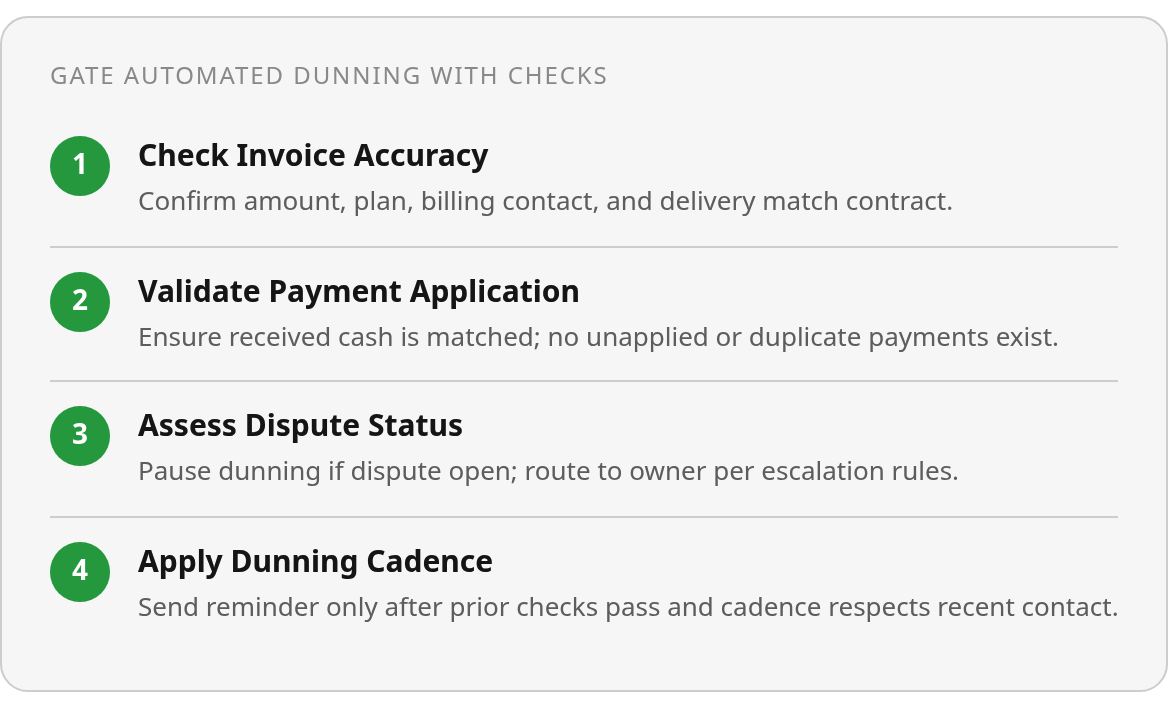
So my advice is simple: put a gate in front of every reminder. Before the system asks a customer to pay, it should confirm that the balance is valid, the cash hasn’t already arrived, and nobody has raised an issue. That turns a reminder from a reflex into a verified next step.
| Check | What it catches | Risk signal to watch |
|---|---|---|
| Invoice accuracy | Wrong amounts, plans, or billing contacts | Customers replying to reminders with corrections |
| Payment application | Payments received but not matched to the invoice | Reminders reaching accounts that already paid |
| Dispute escalation rules | Contested invoices still sitting in the reminder queue | Disputes surfacing only after a second or third notice |
| Dunning cadence | Reminders that ignore recent customer contact or stale card data | Complaints about tone, or declines that trigger avoidable notices |
The payoff is unglamorous but real. Fewer avoidable messages. Cleaner handoffs between billing and collections. Better customer conversations, and less manual triage afterward.
When should you skip this? If you invoice a handful of clients by hand and know each one personally, this framework is overkill. Everyone else should run these checks before automating at volume, not after.
How Dunning Turns a Billing Glitch Into a Dispute
Some past-due balances aren’t collection problems at all. A customer’s card details go stale, the charge fails quietly, and the system starts a reminder sequence for a bill they fully meant to pay. That reminder won’t recover cash. It opens a support ticket.
This is the loop accounts receivable automation feeds when nothing checks the data first. Every reminder makes an implicit claim: this balance is due, and it’s been verified. When that verification never happened, the customer has to correct you, and your team picks up the thread by hand.
Every Reminder Assumes Your Data Is Right
Volume raises the stakes. Once reminders run on rules, any flaw in invoice data, payment application, or dispute status repeats across the whole queue. It stops being one account’s problem and becomes the customer experience for everyone caught by the same rule.
The format adds its own friction. Standard dunning is formal, narrow, and often one-way. A customer who already raised an issue doesn’t want a generic notice that ignores it. They want to know whether anyone saw the dispute, who owns it, and what happens next.
Treat a Due Date as a Question, Not a Send Button
The fix starts with what a trigger means. A due date passing should prompt checks before any message goes out. Does the amount match the contract? Did cash arrive but fail to attach to the right invoice? Is a dispute already open?
If unapplied cash is your weak spot, fix cash matching before you touch cadence. Skip this gate and your collectors spend their week explaining preventable errors instead of moving valid balances forward.
Check 1: Invoice Accuracy and Payment Application
A reminder is only as honest as the two records behind it: the invoice and the payment ledger. If either one is wrong, your accounts receivable automation sends a confident message about a balance the customer may not owe. Split this check in two, and run both halves before any dunning trigger fires.
Will the Invoice Survive the Customer’s AP Review?
Start with the document itself. Before an invoice enters a reminder sequence, confirm:
- The amount and plan match the contract
- The billing contact is current
- Delivery status, meaning the invoice actually reached that billing contact
Any gap here gives the customer’s payables team a valid reason to hold the bill. Your reminder then chases an invoice they never accepted as payable.
Unapplied Cash Creates False Overdue Flags
Next, check the ledger. Payments go astray for boring reasons: missing or wrong reference numbers, partial payments, consolidated transfers, short-pays, bank fees, credits, chargebacks, or cash posted to the wrong account.
Hypothetical example: a customer pays two invoices in one bank transfer. Your system matches the transfer to the first invoice and leaves the second open. A week later, that open balance trips a reminder. The customer paid in full. Your team now owes them an apology.
Reviewed vendor documentation suggests many AR tools can flag missing invoice fields, delivery gaps, unapplied cash, and matching exceptions before a message goes out. Confirm that in a live demo. A product page that doesn’t mention a capability is absence of evidence, not absence of the feature, so ask directly. In my experience, the matching layer is where these errors hide, and it deserves the hardest look.
Check 2: Dispute Escalation Rules and Dunning Cadence
Once a dispute flag goes up, your reminder sequence should go quiet and a named person should take over. Routing and pausing are the two controls that keep accounts receivable automation from pressing for money a customer has already contested.
Dunning messages aren’t built for nuance. A customer disputing a PO mismatch can’t fix it by receiving another formal reminder. Each extra notice adds friction and muddies your own records. If a reminder goes out after the customer has already sent proof of a short shipment, your collections log now shows you chasing an amount you may end up crediting.
Who Should Own a Suspected Dispute?
Route by the reason for the dispute, not the age of the invoice. Some example rules:
- Contract or PO issues go to the account owner.
- Tax questions go to billing or tax operations.
- Payment-application exceptions go to cash application.
- High-value invoices or top-tier customers escalate to a finance lead.
- Product-line complaints go to the team that delivered the work.
Pause dunning the moment a dispute is flagged. Resume only when three things are clear: who owns the dispute, where it stands, and what happens next. As for the optimal pause length, I won’t give you a number. No source I trust establishes one.
How Should Automated Accounts Receivable Reminders Read
Write down your timing, tone, channel, and escalation thresholds before you switch anything on. Then make each template context-aware. Pull in the dispute status, owner, next step, and any partial or unapplied payment.
A customer who reads “Credit under review by [owner name], update by Friday” has no reason to write back asking why you’re still chasing them.
For low-volume billing where one person can review every account manually, a shared inbox and clear ownership may be enough.
Running the Four Checks in One AI-Powered AR Platform (Blixo as the Example)
The four checks need to run inside one workflow, or they won’t run consistently. When invoice validation, payment matching, dispute routing, and cadence rules live in separate tools, someone on your team stitches them together by hand. That person becomes the bottleneck.
Late payment follow-up is recurring work, not a once-a-quarter cleanup project. If every invoice needs manual coordination across billing, banking, CRM, and collections notes, the process eventually runs on memory instead of controls. A unified AR workflow is meant to make the gate repeatable.
Four Checks Before Every Reminder
Treat the four checks as one gate each invoice clears before a dunning message goes out. Here’s how they map to what Blixo’s public materials describe:
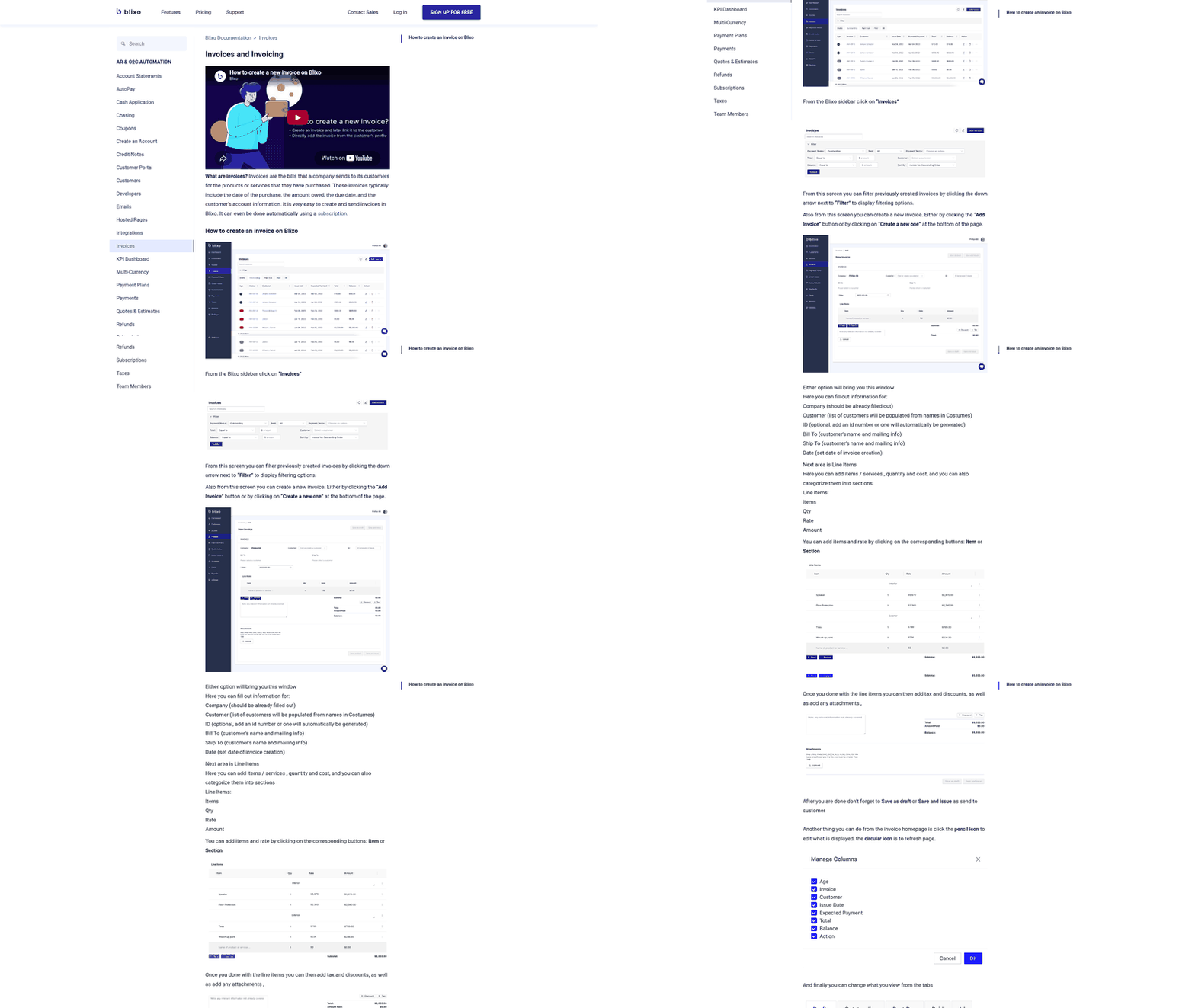
- Invoice validation still needs a human or rules-based review on your side. Blixo’s smart invoicing builds invoices from pre-populated, reusable items and saved customer information, which should cut down on manual entry errors. Confirm in a demo how much pre-send checking it covers for your invoices.
- Cash application matches incoming payments to open invoices, so a paid bill should not earn a reminder.
- Disputed items need a pause and a clear owner. Reviewed documentation mentions collector reminders and task management for past-due accounts. Ask specifically whether the workflow can pause by dispute reason, assign an owner, and keep that status visible before the next reminder runs.
- Cadence rules set timing and tone only after the first three checks pass. Public materials describe custom dunning across email, text messages, phone calls, and letters.
Don’t take any of this on faith. Ask to see each check run against your own invoices in a live demo. A clean sample dataset proves very little.
Where the Payback Shows Up
Integrations decide whether the gate holds. Your ERP and payment gateway have to feed the same record, or validation runs against stale data.
Before you buy anything, count the hours your team spent last month correcting reminders that never should have gone out. That number is your baseline.
Your Next Move: Audit Last Month’s Reminders, Then Pilot the Gate
Start with an audit of your current process before you layer accounts receivable automation on top of it. Pull your recent overdue invoices and flag every case where a reminder went out against a disputed charge, an unapplied payment, or a contract mismatch. Those are exactly the exceptions your dunning sequence will scale if nothing catches them first.
Then map your workflow to the four checks. For each invoice entering a reminder queue, confirm the document is complete, verify no payment already covers it, check for an open dispute flag, and decide who owns resolution if one exists. Write these steps as triggers in your billing or AR platform, and assign each exception type to a specific person or team.
Track What Moves After You Automate
Measure dispute volume, overdue balances, days sales outstanding, unapplied cash, manual touches per invoice, and resolution time. Also track false overdue reminders: any notice sent for an invoice the customer had already paid or contested. That metric tells you whether your validation layer is doing its job or just adding steps.
Start Small and Refine Before Scaling
Pilot the four-check workflow on one customer segment, such as the group with the most frequent billing exceptions. Document who reviews exceptions, what triggers a pause, and where manual intervention is still required. Train your finance team and your customer-facing staff so both know what changed and where to route edge cases. Review exception logs weekly during the pilot, tighten your rules, and expand only after the workflow runs clean.
Your integration list depends on your stack, but plan for an ERP or accounting system, subscription billing platform, CRM, payment gateway, bank feed, and email system at minimum.
Common Questions
Why would a customer who intends to pay still get flagged as overdue
Because the system may not connect the customer’s action to the right invoice. A payment can arrive without the right reference, cover multiple invoices at once, include a deduction, or land against the wrong account. The customer sees themselves as paid up, while your ledger still shows an open balance.
How long should dunning stay paused while a dispute is open?
Use status-based restart rules instead of a calendar guess. Reminders should resume only after ownership, current status, and next action are all clear. Until then, another notice is more likely to create noise than collect cash.
Does Blixo automatically pause reminders when a customer disputes an invoice?
Public materials do not conclusively answer that specific workflow question. They describe collector reminders, task management for past-due follow-up, and custom dunning across email, text, phone calls, and letters. In a demo, test whether a disputed invoice can be paused, assigned, and kept out of the next cadence until the issue is resolved.
What metric shows whether pre-dunning checks are actually working?
False overdue reminders are the clearest signal. Count every notice sent for an invoice the customer had already paid or contested. If that number falls after you automate, your validation layer is doing its job. If it holds steady while process steps multiply, you have added overhead without catching errors. Pair it with hours spent correcting bad reminders.
Is a four-check gate worth it for a small business?
Not always. If reminder volume is low enough for a person to review each account before sending, a lighter process can work. The gate earns its setup cost once follow-up volume grows past what manual review can reliably catch.