

Cut AR Costs: Automate Collections Before Hiring Another Clerk

Key Takeaways
- Manual collections become difficult to manage when customer volume exceeds a few hundred active accounts per collector, reducing time available for strategic contact and forecasting.
- Reducing DSO can free substantial working capital that was previously tied up in unpaid invoices.
- Automated workflows can enable collectors to manage larger portfolios while reducing time spent on manual follow-up tasks.
- AR teams often spend a majority of their time on manual tasks like drafting emails and logging calls, limiting capacity for strategic escalation or pattern analysis.
Why This Matters
When your AR team is buried in repetitive admin work, you hit an operational bottleneck. Every new customer account increases the burden. Eventually, collectors can’t proactively manage accounts anymore, which means unpredictable payment cycles and declining efficiency.
Delays in invoice processing and follow-up extend Days Sales Outstanding (DSO), trapping working capital that could fund growth. For mid-market companies, reductions in outstanding payment cycles can unlock liquid cash without generating new revenue. Your AR team risks becoming a reactive inbox processor instead of a partner who escalates at-risk accounts, negotiates payment plans with context, or spots patterns that signal credit-limit adjustments.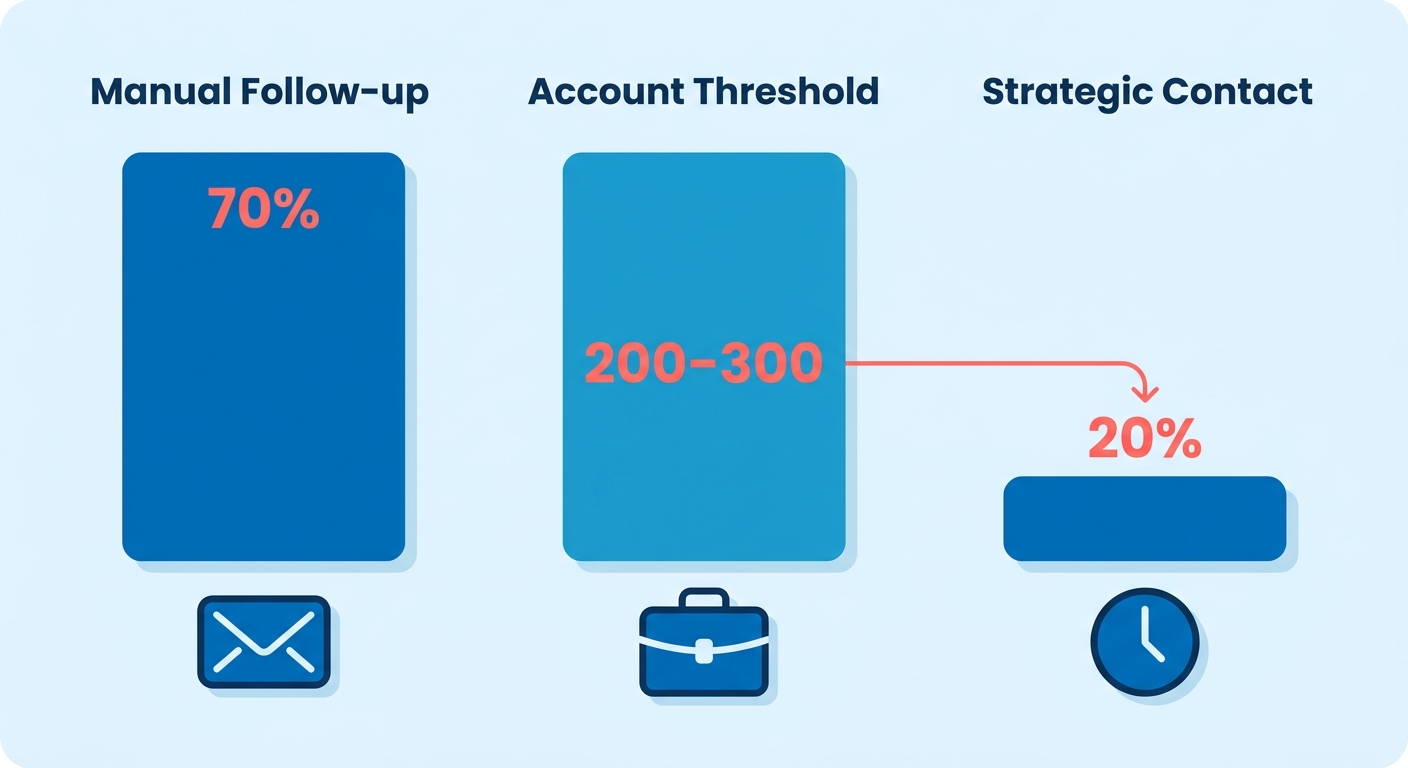
The Collections Scaling Problem You Can’t Hire Your Way Out Of
Manual collections don’t scale linearly with revenue. A collector managing a set number of accounts can’t simply double their workload without results deteriorating. Automated workflows can break that dependency by standardizing outreach. Existing staff may be able to manage larger portfolios without a drop in recovery rates when automation handles repetitive, time-sensitive tasks: sending the first invoice reminder, escalating tone at key intervals, flagging accounts that hit certain thresholds for human intervention.
Automation addresses what hiring another clerk doesn’t. Remittance costs can consume a significant percentage of every payment when your team manually matches transactions to invoices, chases down missing PO numbers, and reconciles partial payments. Automated matching can reduce that cost by routing payments to the correct invoice in real time. Customer experience may improve in parallel when customers receive consistent, timely reminders instead of radio silence followed by an urgent phone call.
Why Timing and Tone Determine Recovery Rates More Than Frequency
Generic dunning sequences ignore the behavioral reality of B2B payments. A customer who’s moderately late because their AP clerk is on vacation may need a gentle reminder with a payment link. A customer who’s significantly past due with a history of broken promises may need a firm escalation and a conversation about payment plans. Automated collections with segmented messaging can tailor tone and timing to payment history, account size, and past behavior.
The opportunity cost compounds as you scale. Without automation, your team can’t personalize outreach at volume, so they default to batch emails or skip follow-ups entirely when workload spikes. Automated workflows can prioritize which accounts need human attention and handle routine reminders for the rest, reallocating your team’s time to the accounts that drive the most collections risk.
Starting with simple task automation (credit applications, invoice delivery, payment reminders) can build internal credibility before you deploy predictive AI that requires extensive validation. Companies that automate credit applications may see faster payments and shorter DSO when the digital form captures detailed contact information that manual intake missed. That low-hanging fruit creates momentum for later phases: AI-powered dunning that adjusts messaging based on customer sentiment, predictive models that flag accounts likely to churn, self-service portals that let customers update payment methods without opening a ticket.
Core Concepts
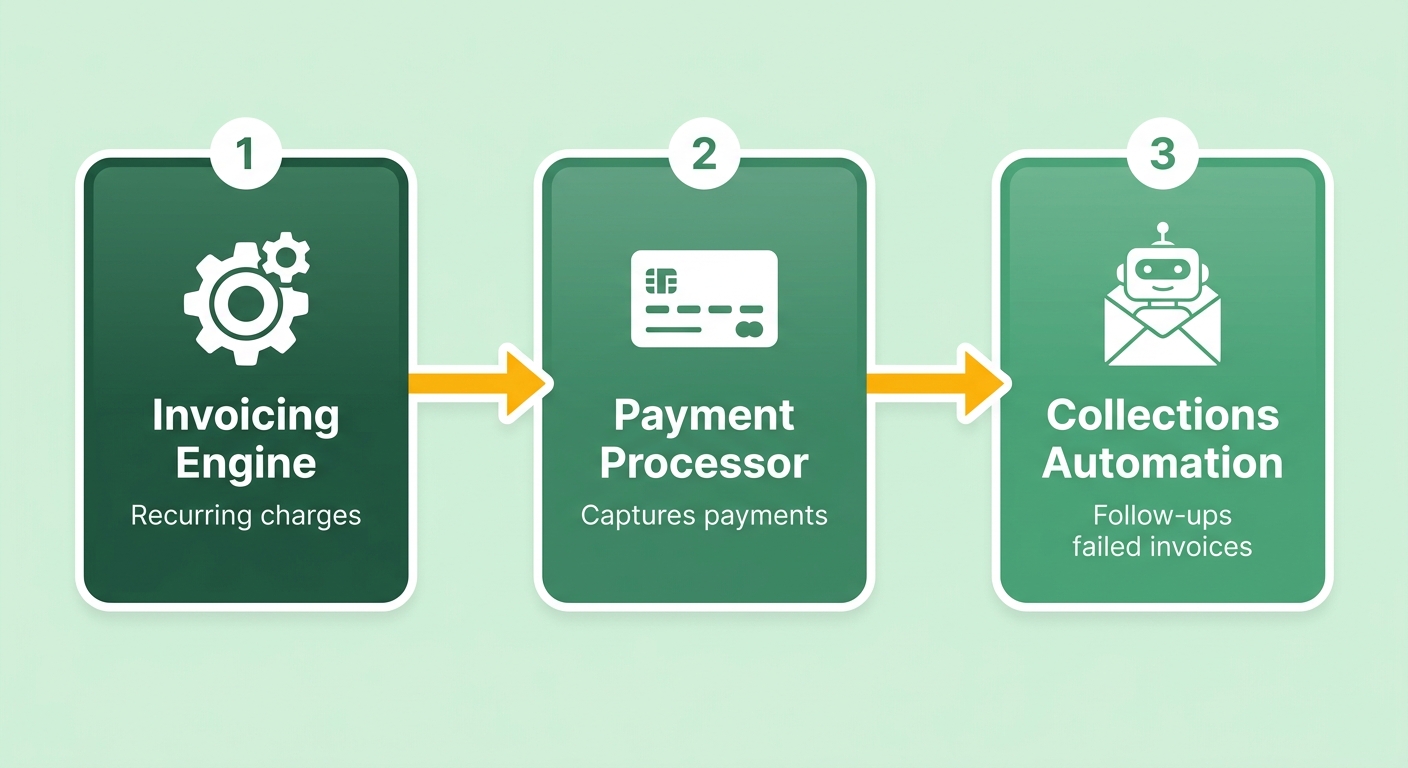
Automatic subscription billing workflows combine three moving parts: an invoicing engine that generates recurring charges, a payment processor that handles customer transactions, and a collections automation layer that manages follow-ups when payments fail or invoices age past terms. Most companies handle the first two components well, but the collections layer is where manual work piles up. Without automation, your AR team drafts personalized emails for every late account, logs every customer promise, and manually escalates high-risk accounts. That preparation work (pulling payment history, checking account health, deciding tone and timing) consumes collector capacity before they make a single strategic call.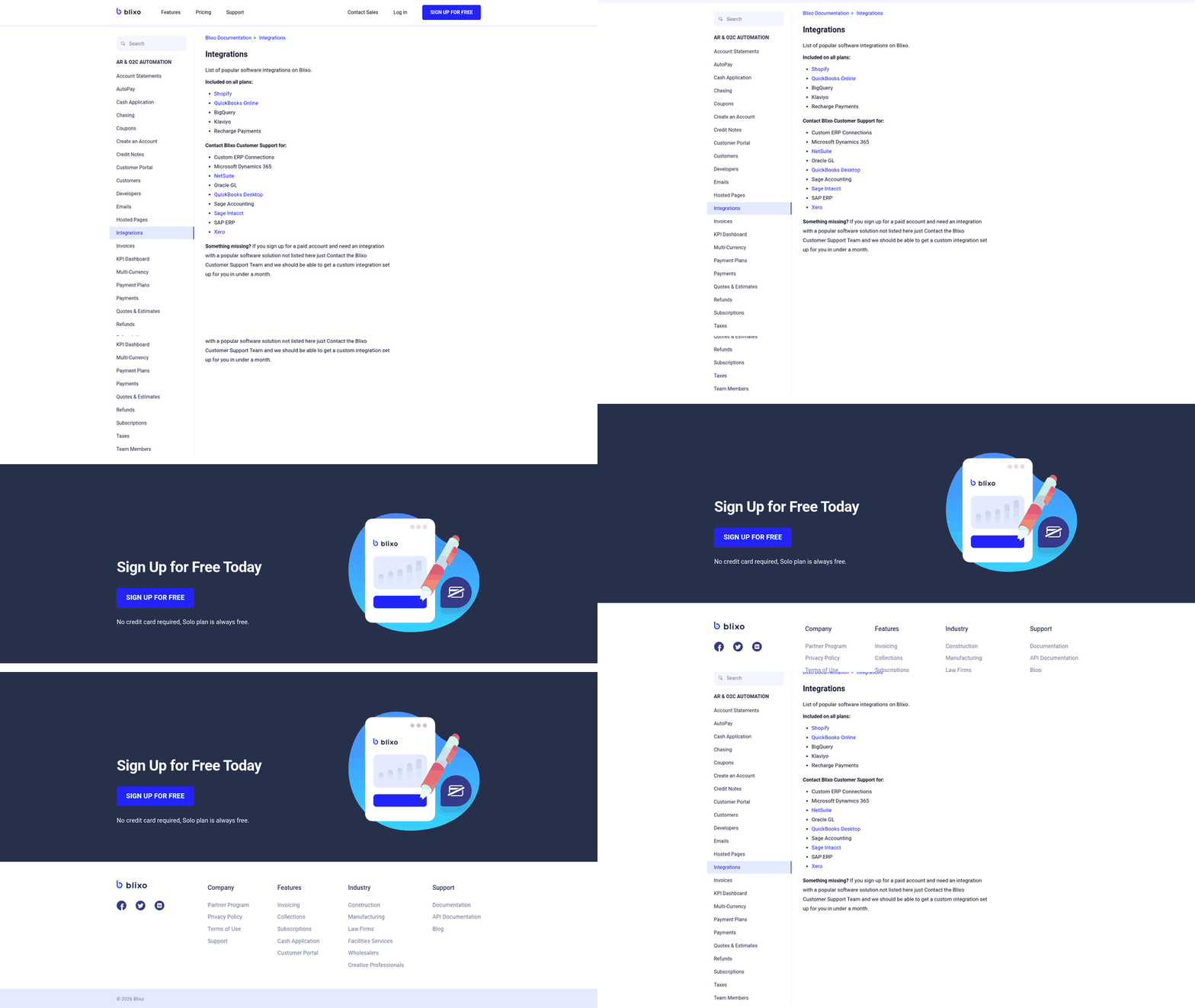
What Collections Automation Actually Does
Collections automation can shift preparation work from human brainpower to predictive workflows. The system may monitor invoice aging in real time, check payment history features, then score each account for risk. High-risk accounts can be flagged quickly, not after a weekly aging report lands on someone’s desk. The workflow engine may then trigger the right message at the right time: a friendly reminder for a customer with strong payment history who’s slightly late, an escalated notice with payment-plan options for a chronically late account, or a direct human touchpoint for a high-value customer showing new delinquency patterns.
This predictive prioritization can eliminate the reactive trap where clerks chase every late invoice with equal urgency. Instead of treating a small invoice from a loyal customer the same as a large invoice from a repeat late-payer, the system may route low-risk accounts through automated nudges and reserve human attention for the accounts that need strategic contact.
The Four Core Components That Drive Recovery
Intelligent workflows can handle repetitive touchpoints: sending reminders at specified intervals, adjusting tone based on payment history, and offering self-service payment links in every message.
Predictive analytics may score accounts using historical payment data, flagging high-risk invoices before they slide into serious delinquency. Companies with hundreds of active accounts may be able to reduce manual account research time by letting the system surface which invoices need immediate attention versus which customers will pay without intervention.
Customer self-service portals let customers view outstanding invoices, update payment methods, and set up payment plans without emailing your AR team. This can cut inbound queries and give customers control over their payment timeline, which may reduce friction and speed resolution.
System integration ties your billing platform, payment processor, CRM, and ERP into a single source of truth. When a customer disputes an invoice or requests a credit, that context may surface automatically, so your collector isn’t toggling between multiple systems to piece together account history before making a call.
Step-by-Step Implementation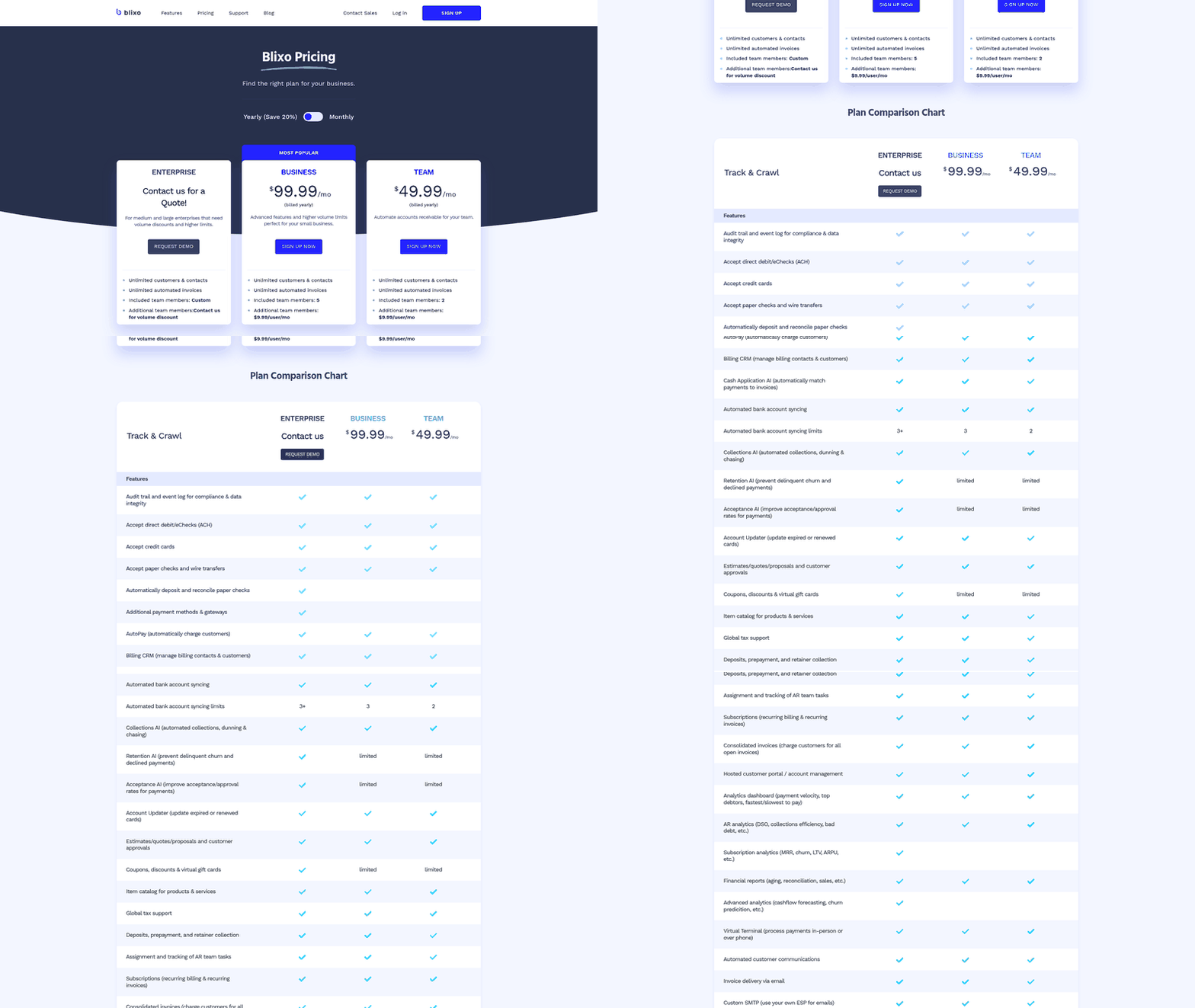
We’ve mapped three sequenced stages that let teams deploy automatic subscription billing and collections automation without overwhelming your AR staff or triggering customer complaints. Each stage builds on the last, letting you validate results before expanding scope.
Stage One: Automate Invoice Delivery and Payment Capture
Start with the mechanical prep work that consumes hours each week across your AR team. Configure your billing platform to generate recurring invoices on subscription anniversary dates, attach them to automated email sends, and log delivery confirmations in your CRM. This eliminates the manual export-attach-send ritual and ensures every customer receives their invoice the moment it’s due, rather than when someone remembers to queue the batch.
Next, connect your payment processor to auto-charge stored payment methods on the invoice due date. For customers who’ve authorized recurring card charges, automated billing may convert a substantial portion of invoices into same-day payments without human intervention. The remaining portion (failed cards, manual-approval accounts, net-30 terms) feeds into your collections queue.
The value includes contact-data hygiene. Automated delivery bounces back invalid email addresses immediately, letting you fix them before the invoice ages into a collections problem. Cleaning contact data in real time may improve DSO because you’re not chasing outdated contacts or waiting for mailed statements to return.
Stage Two: Build Workflow Rules for Dunning Sequences
Once invoice delivery runs on autopilot, layer in dunning and collections automation rules that trigger follow-ups based on account age and payment history. A typical three-tier ruleset: friendly reminders at an early interval for accounts with clean payment records, firmer language at a later interval for repeat late payers, and escalation to a human collector at a threshold for high-balance accounts or those showing signs of financial distress.
The key improvement over blanket email blasts is tone customization per customer segment. An enterprise client with a complex multi-step approval process might receive a collaborative note offering to resend the purchase order. A small account with a history of late payments might receive a direct notification detailing potential consequences. This segmentation may prevent the reputation damage caused by aggressive dunning sent to reliable customers who simply had a card expire.
Configure these workflows to log every sent message, track open rates, and pause the sequence when a customer responds or submits payment. That visibility lets collectors focus their time on the accounts that need negotiation or payment plans, rather than drafting routine reminders for the majority. Automated reminders shift the burden from manual follow-up to scheduled, consistent communication that may keep invoices from aging.
Stage Three: Personalize Communication for High-Value Accounts
After your workflow rules handle the predictable majority, focus manual attention on the judgment calls: accounts with complex payment histories, high balances, or relationship sensitivities that demand nuanced language. Use the data your platform collects (past interactions, payment cadence, and account health) to create messages that balance urgency with relationship preservation. A longtime client might get a phone-first approach with a warm email backup. A new account with erratic payment behavior might get a stricter tone and shorter payment window.
This tier requires validation before you trust it. Run multiple cycles where you draft messages using available customer data, then track recovery rates, response tone, and complaints. Once your approach consistently delivers results, apply it systematically for lower-balance accounts, reserving deeper personalization for invoices above your risk threshold.
The benefit is scalability without adding headcount. When your account volume increases, automated workflows may handle the new load without proportional time investment, and your collectors can spend their hours on strategic calls rather than template customization. That’s the shift from labor-intensive collections to automated accounts receivable that can grow with your customer base.
Best Practices
The biggest mistake we see teams make with automatic subscription billing and collections automation? Turning it all on at once. Start with the simplest, highest-trust tasks first. Automate credit applications and invoice delivery before you touch predictive risk scoring.
This sequencing matters because early wins build internal credibility. By digitizing the onboarding process, businesses can ensure that billing and contact fields are validated at the point of entry. This upfront hygiene may prevent downstream billing disputes and administrative delays before the first invoice is even generated. Simple task automation captures low-hanging fruit while your team learns to trust the system.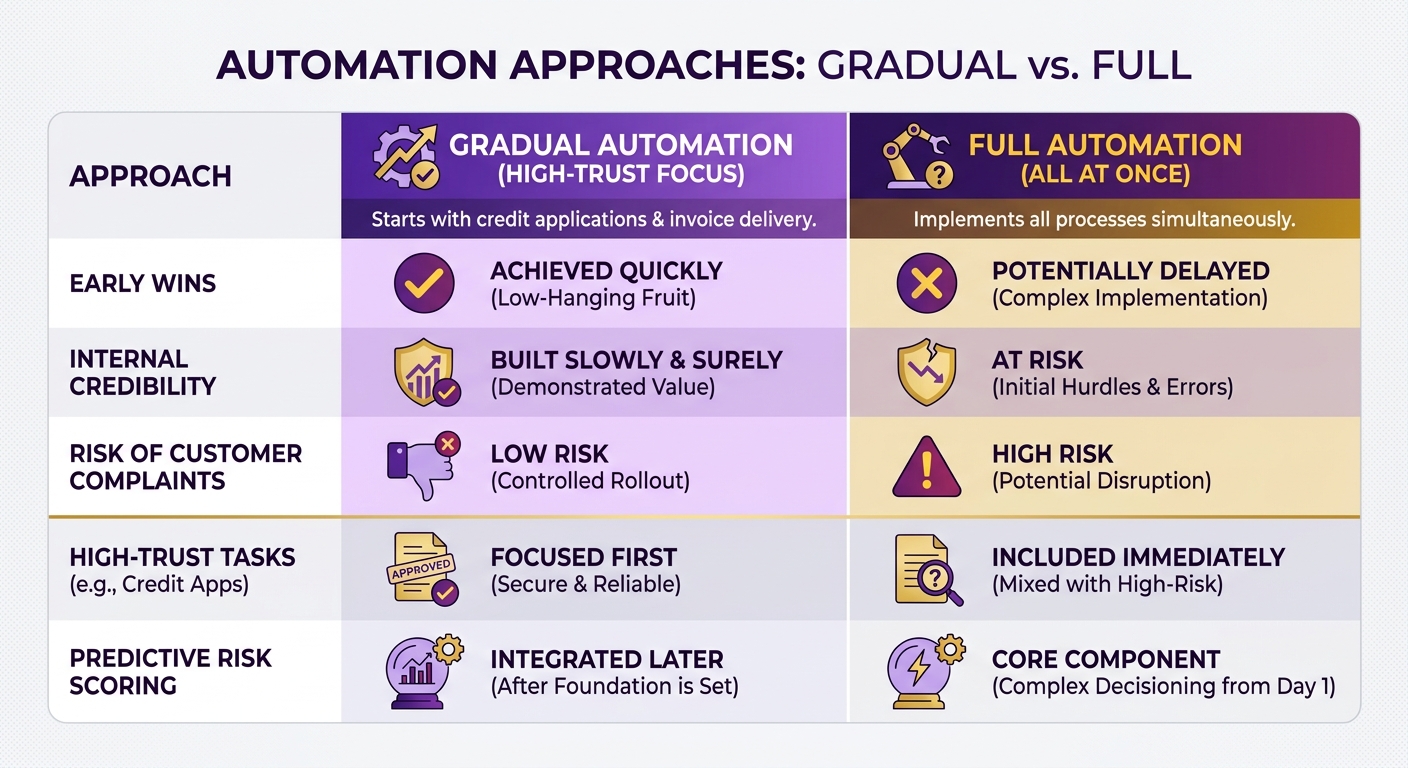
What Should You Automate First?
Automate the mechanical, then the judgmental. Start with invoice generation, payment reminders, and payment-to-invoice matching. These tasks have clear rules and minimal ambiguity, so mistakes are rare and easy to catch. Save dispute routing and payment-plan decisions for later, once your team trusts the automated layer.
Michelle Murdock, Credit and Accounts Receivable Manager for Mitutoyo America, recommends automating simple tasks first to ease into the process. The sequencing isn’t just about comfort. Each automated task feeds cleaner data into the next one, so early wins compound. Cleaner contact records make later AI-driven segmentation sharper.
The operational efficiency gained from this phased approach can directly correlate with accelerated cash flow and faster overall process speed. That acceleration may free cash that would otherwise sit trapped in aging receivables.
Does Automation Replace Your AR Team?
No. It replaces repetitive clerical work, not judgment. This is where perspectives differ, and the distinction matters. Some vendors report automation doing “the work of multiple employees.” Other experts insist AI in AR augments finance professionals rather than replacing them.
Both perspectives hold truth at different levels. Automation replaces the task of drafting the same follow-up email repeatedly. It augments the role of the credit manager deciding whether to extend terms or escalate a disputed invoice.
“AI in AR is not meant to replace finance professionals but to augment their capabilities, allowing them to focus on what truly requires human attention.” - Nicolas Boucher
Keep humans on the decisions that need judgment. Let the engine handle volume. That split is what may protect customer relationships while you scale collections. Some companies have reduced collection call volume significantly after automation handled routine follow-ups, freeing teams to focus on accounts with complex payment histories.
How Do You Avoid the Common Pitfalls?
Fix your data before you scale your automation. Poor data quality produces noise, not insight. If your customer records are missing contact fields or payment terms, automated reminders may fire at the wrong people at the wrong time, and that damages trust faster than any late invoice.
Two dependencies decide whether your rollout works:
- Clean, structured data: AI-driven tone and timing only works when the underlying customer records are accurate and complete.
- Native ERP and accounting integration: Your system must sync invoices and payments without manual re-entry, or you introduce the same errors you were trying to remove.
Set realistic expectations on predictive features. Task automation can deliver results quickly. Advanced forecasting algorithms require extensive historical data and continuous calibration before they can reliably guide credit decisions. Some companies have reduced DSO within the first few months by getting the basics right first. Build that foundation, then expand.
Troubleshooting
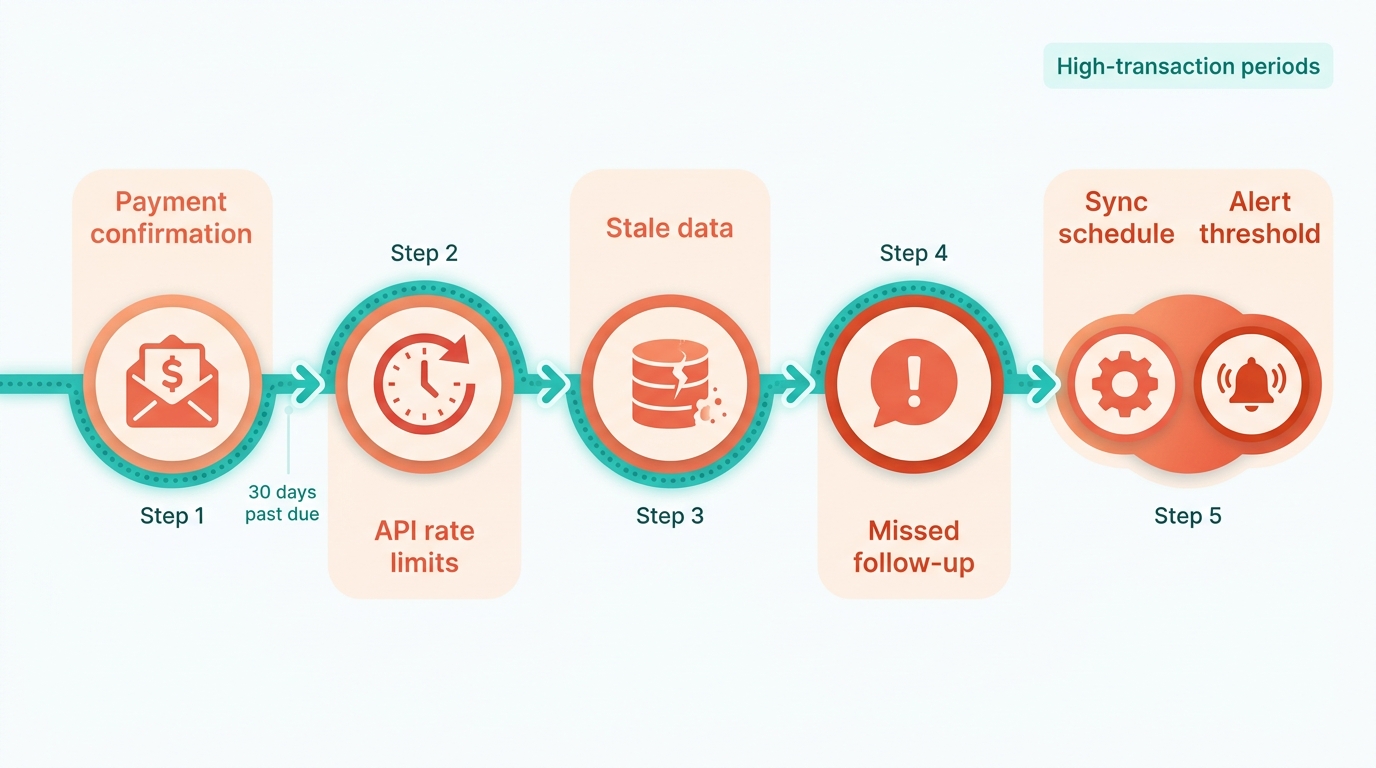
When your automatic subscription billing workflow flags a customer as past due but your CRM shows they paid recently, you’ve hit the most common automation failure mode: data sync gaps between your payment processor and billing platform. This disconnect happens when payment confirmation reaches one system but doesn’t trigger an update in the other, leaving your collections engine operating on stale data. We see this most often during high-transaction periods when API rate limits throttle data refreshes or when customers pay through alternate channels your integration doesn’t monitor.
Why Payment Confirmations Disappear Between Systems
The root cause often traces to webhook delivery failures: the automated notifications your payment processor sends when a transaction completes. Network issues, endpoint timeouts, or misconfigured retry logic can mean those confirmations never reach your billing system, so the invoice stays marked unpaid even though funds cleared. Check your payment processor’s webhook logs first. If you see delivery attempts with error codes, your billing platform’s endpoint may not be accepting the notifications. Fix this by verifying your endpoint URL matches what your processor expects and that your firewall rules allow inbound traffic from the processor’s IP ranges.
Alternate payment channels create a second sync gap. When customers call your support team and pay by phone, or mail a check directly to your office, those transactions may bypass your automated workflows entirely. Your payment processor never sees the transaction, so it can’t notify your billing system. Route all payment acceptance through a single system of record (typically your payment processor), and train support staff to log phone payments there rather than directly updating invoices in your CRM. This keeps one authoritative source of truth.
When Automated Dunning Messages Fire at the Wrong Time
Customers who just paid shouldn’t receive overdue notices shortly after, yet this can happen when your dunning schedule runs before payment confirmations sync. The fix requires sequencing your automation triggers so payment data refreshes complete before your collections engine evaluates account status. Configure your billing platform to pull fresh payment data before each dunning run. This buffer may absorb most webhook delays and prevent false positives.
For customers on payment plans or partial-payment agreements, standard dunning logic breaks down because your system sees an unpaid balance and fires a reminder even though the customer is current on their agreed schedule. Tag these accounts with a custom status flag and exclude that tag from your automated collections workflow. Reserve those accounts for manual review so your team can verify compliance with the plan terms before deciding whether to escalate.
How to Debug Message Personalization Failures
When your automated emails show placeholder text instead of customer names, your merge-tag logic isn’t pulling data from the right CRM field. Open your email template editor and verify each merge tag maps to a populated field in your customer record. Common mistakes: mapping to field names that don’t match your CRM schema, or referencing custom fields that exist in your data model but weren’t filled during customer onboarding. Test every template by sending yourself a preview using a real customer record, not generic test data.
Tone mismatch (sending an aggressive final-notice message to a long-term customer with one missed payment) signals your segmentation rules need refinement. Route accounts through different message tracks based on payment history and account age. Ensure your system’s routing logic evaluates the customer’s lifetime payment history rather than just the age of the current invoice, preventing automated systems from treating a temporary oversight as chronic delinquency. Set up conditional logic in your collections platform so message severity scales with customer risk score, not just days overdue. This may prevent your automation from burning goodwill with reliable accounts who hit a temporary cash flow issue.
What I’d Actually Recommend
The shift from manual collections to automatic subscription billing workflows can save money in ways that don’t always show up on the first spreadsheet review. By offloading administrative tasks, collections teams may be able to shift their focus toward high-value accounts that require nuanced negotiation and direct relationship management. Businesses may be able to redeploy those saved hours toward strategic work: negotiating payment plans with distressed accounts, tightening credit policies based on portfolio trends, and building relationships with high-value customers who occasionally slip past terms. That capacity shift often drives DSO improvement beyond what the automation alone delivers.
The return may compound when you layer AI-driven segmentation on top of automated outreach. Automated workflows can identify which accounts respond to early reminders and which need escalation sequences before they reach serious delinquency. Machine learning models may continuously analyze payment patterns to optimize the timing of future outreach. This behavioral learning can improve over time, reducing false positives and allowing your team to concentrate on accounts showing genuine signs of payment distress rather than those who simply need a nudge.
Start With the Manual Tasks Consuming the Most Hours
Most AR teams underestimate how much time goes into repetitive prep work. Log a week of your collectors’ activities before deciding what to automate. You’ll likely find a substantial portion of their time goes to tasks that require minimal judgment: pulling aging reports, drafting first-contact emails, logging payment promises, and updating account statuses. Automate those first. The strategic work (negotiating payment plans, evaluating creditworthiness, deciding when to escalate to legal) still needs human oversight, but automation clears the path to it.
Once you’ve eliminated the prep work, focus on verification. Run your build or test suite after each configuration change to confirm the automation behaves as expected. If your workflow flags accounts incorrectly or sends reminders to customers who already paid, you’ll erode trust faster than you save time. Test with a small cohort of low-risk accounts before scaling the automation across your entire portfolio.
Measure Results Against Baseline Metrics You Captured Earlier
Track three numbers before and after implementation: DSO, collector hours per account recovered, and customer complaint volume. DSO tells you whether cash flow improved. Hours per account tells you whether automation freed up capacity or just shifted the work. Complaint volume tells you whether your tone and timing are customer-appropriate. Monitor these metrics closely during the first several months, and expect complaint volume to spike briefly during the first month as customers adjust to automated sequences. If complaints don’t drop back to baseline within a reasonable period, your messaging needs adjustment.
Successful implementations also track recovery rate by cohort (accounts that enter collections in different quarters) to measure whether seasonal factors affect your automation’s effectiveness. If you see recovery rates drop during certain periods, your workflow timing may need adjustment to account for vacation schedules or budget cycles. The data should guide continuous refinement rather than one-time setup.
Frequently Asked Questions
How long does it take to see ROI from collections automation?
Most companies see measurable DSO improvement within a few months. The operational efficiency gains (fewer manual emails, reduced call volume) may show up quickly, but the cash flow impact typically takes a billing cycle or two to materialize as newly automated workflows start converting aged receivables into collected payments.
Can automation handle disputed invoices?
Automation can flag disputes and route them to the right team member, but the negotiation itself still requires human judgment. The system may surface relevant context (payment history, dispute reason, account health) so your collector has the full picture before making a call. Don’t automate the resolution, automate the triage.
What happens if a customer replies to an automated email?
Most platforms can pause the automated sequence when a customer replies, preventing the next scheduled message from firing. The reply gets routed to your collections team for a manual response. This may prevent the robotic experience where a customer says “I already paid” and receives another dunning message the next day.
How do you prevent automation from damaging customer relationships?
Segment your messaging by payment history and account value. Reliable customers with one late payment get a gentle reminder. Chronically late accounts get firmer language. High-value accounts get a phone call before an automated escalation. The key is matching tone to behavior, not applying one dunning track to everyone.
Do I need clean data before I start?
Yes. Garbage in, garbage out. If your customer records are missing email addresses or payment terms, automated workflows will fire at the wrong time to the wrong people. Spend the first few weeks cleaning contact data and validating payment terms before you turn on automated outreach. That upfront investment prevents downstream reputation damage.
Can small businesses benefit from collections automation, or is it only for enterprises?
Small businesses with dozens of active accounts may benefit. The breakeven point is when manual follow-up consumes substantial weekly time across your team. Below that threshold, the setup cost and learning curve may outweigh the time savings. Above it, automation may pay for itself within a quarter.
This article is part of our series on financial operations automation. For more insights on streamlining your AR processes, explore our related guides on invoice management and payment optimization.