

Credit Note Workflow for B2B Finance Teams: Approvals, Posting, and Audit Trail

What You Need to Know
- Many B2B invoices are overdue, and bad debts consume credit sales.
- Credit analysis teams spend much of their time gathering and reviewing data by hand.
- Manual credit note workflows break at every handoff when credits move through spreadsheets, email threads, and legacy ERP screens.
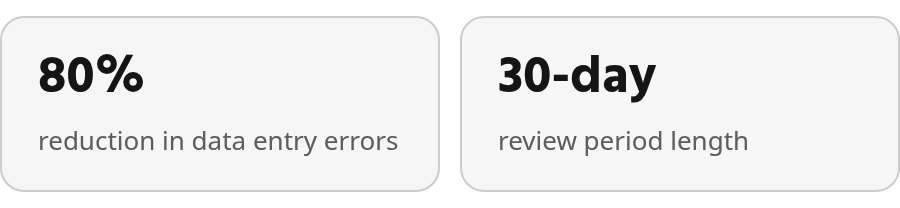
- One mistyped digit can send the credit to the wrong customer account and create reconciliation gaps.
- Duplicate adjustments happen when two people issue credits for the same dispute or when a credit posts twice.
- Automated approval routing directs requests to the right person based on rules rather than manual inbox coordination.
- Structured intake forms should capture the original invoice number, customer account, requested amount, reason code, and supporting documents.
Why credit note workflows matter for B2B finance teams
Those overdue-payment and bad-debt pressures show why credit note workflows matter. Every billing correction that stalls in approval or disappears in informal communication pushes cash farther out and makes your AR balance less trustworthy.
A credit note is the seller-issued document that reduces or reverses an amount you billed earlier. It shows up when a customer disputes an overbilled line item, when a SaaS seat count was wrong, when goods arrive damaged, or when a service period gets cancelled midterm. The correction itself is straightforward accounting. What breaks down is the path from dispute to approval to posting to reconciliation.
Credit notes touch more than your ledger
Credit requests rarely arrive as clean accounting events. Someone has to locate the original invoice, confirm the customer account, review the reason for the adjustment, gather evidence, determine who can approve it, and make sure the final credit updates both the customer balance and the ledger. When that work happens across disconnected tools, the process becomes slower than the correction it supports.
Automating credit approval processes reduces processing time by replacing informal handoffs with a governed sequence: request received, evidence validated, approval routed, credit posted, and audit history recorded as the transaction moves. The value is not just speed. It is having one traceable path from the original exception to the customer statement.
Automation should flag high-value or unusual credits for human review rather than issuing them blindly. The goal is not to remove judgment but to route exceptions to the right owner without forcing finance teams to rebuild the same context at every stage.
Common pitfalls of manual credit note processes
Manual credit note workflows collapse in predictable ways. Spreadsheets, email threads, and legacy ERP screens each hold part of the truth, so no one can see the status of a credit without checking several places.
Error-prone data entry and lost approvals
A manual credit note enters your system when someone types invoice numbers, customer accounts, amounts, and tax codes into a form or spreadsheet. Small keying mistakes can put the adjustment on the wrong record, distort the amount, or leave the request unsupported. Once that happens, the issue usually surfaces later—in cash application, collections, or month-end reconciliation rather than at the moment of entry.
Paper and email tracking carry structural risk. Printed forms, handwritten sign-offs, and physical filing make approval status hard to verify. Email threads get buried, attachments become separated from the decision, and customers dispute balances months later. These are not occasional failures. They are design flaws.
Approval routing also breaks when it depends on inbox searches and memory. A request may sit with someone who is unavailable, while the rest of the team has no clear way to determine who can act next. Rule-based routing eliminates that ambiguity by moving the request according to role, threshold, and policy instead of personal follow-up.
Duplicate credits and reconciliation burden
Duplicate adjustments are especially damaging because they often look valid until after posting. A customer may receive two separate credits for one issue, apply both, and leave finance to unwind the double adjustment later. By the time the error is found, the AR balance, customer statement, and GL may all need correction.
Tax mismatches add another layer of cleanup. The original invoice charged tax, and the credit must reverse the appropriate tax portion when only part of the invoice is reduced. If the tax treatment is handled manually or ignored, the tax report may not reconcile, which can lead to additional adjustments or amended filings.
Audit-trail gaps are the final structural problem. Email approvals do not create a searchable, complete record. When an auditor asks who approved a material credit and why, the team may have to search inbox archives, workflow exports, and ERP notes to reconstruct the decision. Manual systems rarely preserve that chain without effort.
Designing an automated approval workflow
Automated credit-note approval workflows succeed when they route requests through clearly defined stages, enforce threshold-based governance, and create audit records that satisfy both internal controls and external audits. The workflow design below works for most B2B setups: it captures the request, applies validation rules, checks amount thresholds, routes to the appropriate approver rank, and posts the approved credit directly into your accounting system.
Capturing the credit-note request and required fields
The workflow starts when someone submits a credit note request—typically from a customer dispute, a billing error, or a service cancellation. A structured intake form should capture the original invoice number, customer account, requested amount, reason code, and supporting documents. Without these fields, the request sits in an exception queue rather than moving to approval.
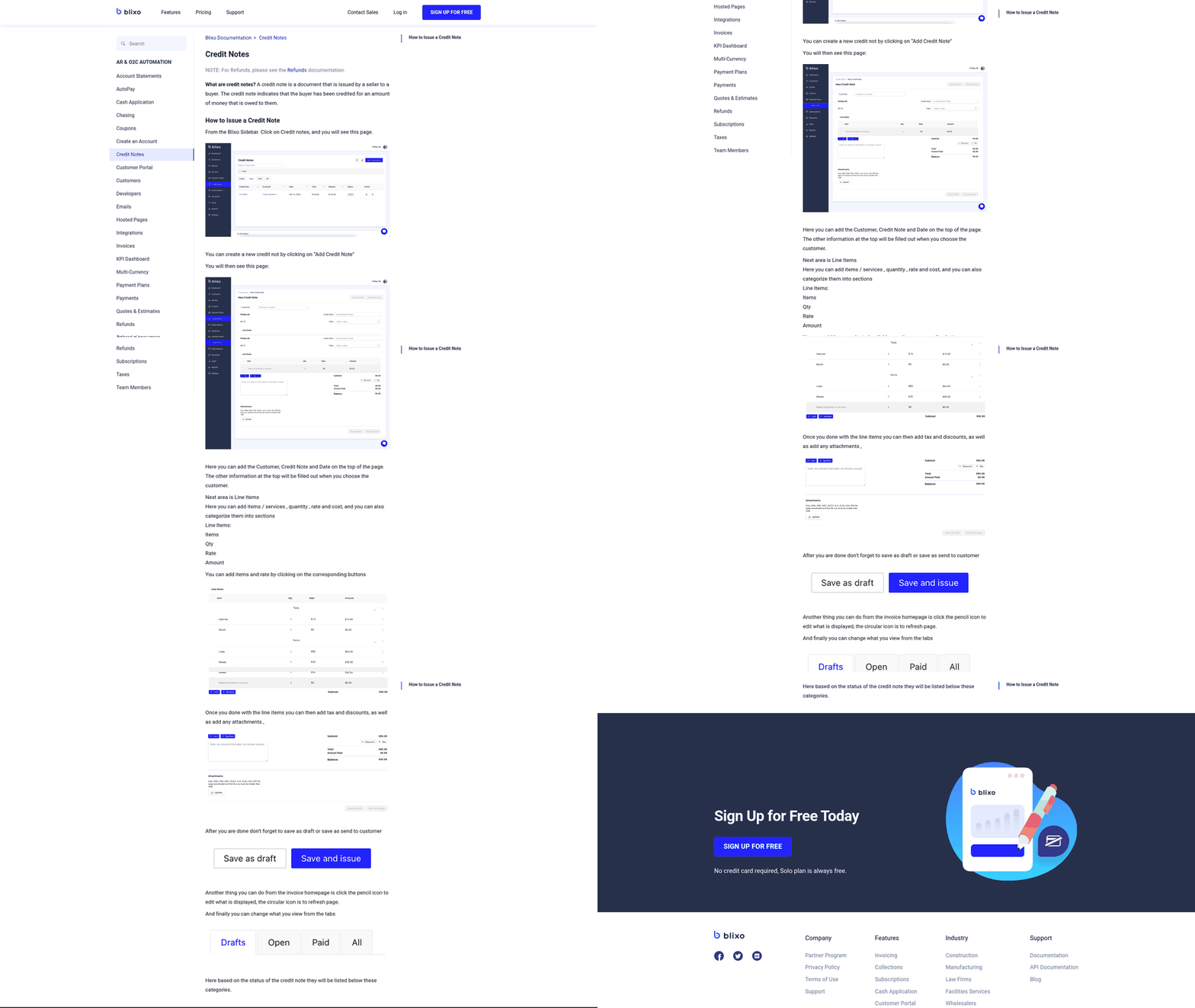
Integrating the intake screen with your ERP can pull customer details and open invoice balances automatically, which reduces manual lookup and data entry errors. The intake form should also require a reason code—return, overbilling, service cancellation, or pricing adjustment—because the reason determines the approval path and audit requirements.
Supporting documents such as proof of delivery, signed service agreements, or customer communications should attach directly to the request. Completeness checks at intake prevent the back-and-forth that stretches cycle time and keep approvers from making decisions without the required evidence.
Threshold-based approval routing and escalation
Once the request clears validation, the system checks the credit amount against predefined thresholds. Many teams configure one-step approval for smaller requests and two-step approval for larger amounts. The approval structure often follows this pattern: a junior credit analyst approves smaller adjustments, while larger credits require sign-off from both the credit manager and a finance director.
Each approval rank has a maximum value threshold. If the credit exceeds the threshold, the workflow routes it to the next rank automatically. When a rank is marked always required, the workflow enforces sign-off even if the amount exceeds that rank’s threshold. This ensures that high-value credits still pass through the credit manager before reaching final approval.
From approved credit to posted ledger entry
An approved credit note looks simple until it needs to post into your general ledger, reduce the customer balance, and survive an audit review three months later. Teams lose control at exactly this handoff: the correction sits approved in the workflow system, but someone still needs to code it, post it manually, then hope the journal entry matches what the customer sees on their statement.
From approval to accounting impact
Once the final approver signs off, the credit note should reduce the customer’s accounts receivable balance and offset revenue, a returns-and-allowances account, or a discount account depending on the reason code and your chart of accounts. A credit note issued for damaged goods typically hits revenue directly. A pricing correction might reduce a discount contra-account. A SaaS downgrade might credit deferred revenue. The GL mapping matters because your tax reporting, revenue recognition timing, and working capital calculations all depend on routing the credit to the right offset account.
Your ERP should validate these mappings before the credit posts. Flag any credit that lacks a complete mapping rule: customer account, reason code, tax jurisdiction, and offset account should all be defined before the system allows the posting trigger. When mappings are incomplete, credits sit in limbo or get posted to a default suspense account, which creates reconciliation work later and makes your AR aging report unreliable.
Reconciliation checkpoints and audit-ready records
The posting sequence creates the audit trail. You need to match the credit note back to the original invoice, confirm the customer balance updated correctly, and verify whether the credit will be applied to an open invoice, held as an unapplied balance, or refunded. This is where an automated workflow should write the approval decision, user, timestamp, and supporting documents directly into the ERP transaction record rather than storing them in a separate system.
When auditors review credit activity, they want to see who requested the credit, who approved it, what evidence supported the adjustment, when the credit posted, and how it affected downstream cash application. An audit trail that spans three systems forces your team to manually compile approval emails, posting logs, and ERP transaction IDs. This breaks down during quarter-close when finance teams chase down approval chains that live partly in email, partly in workflow tools, and partly in handwritten notes.
Your audit-ready field checklist should capture: requesting user, approval role, timestamp, original invoice number, customer account, credit amount, reason code, approval decision, supporting documents, posting status, ERP transaction ID, and GL account mapping. These fields should populate automatically as the credit moves through the workflow. If your team is manually entering this information after the fact, the audit trail is reconstructed, not real-time, and reconstruction introduces gaps that regulators and auditors flag during reviews.
Implementation checklist and success metrics
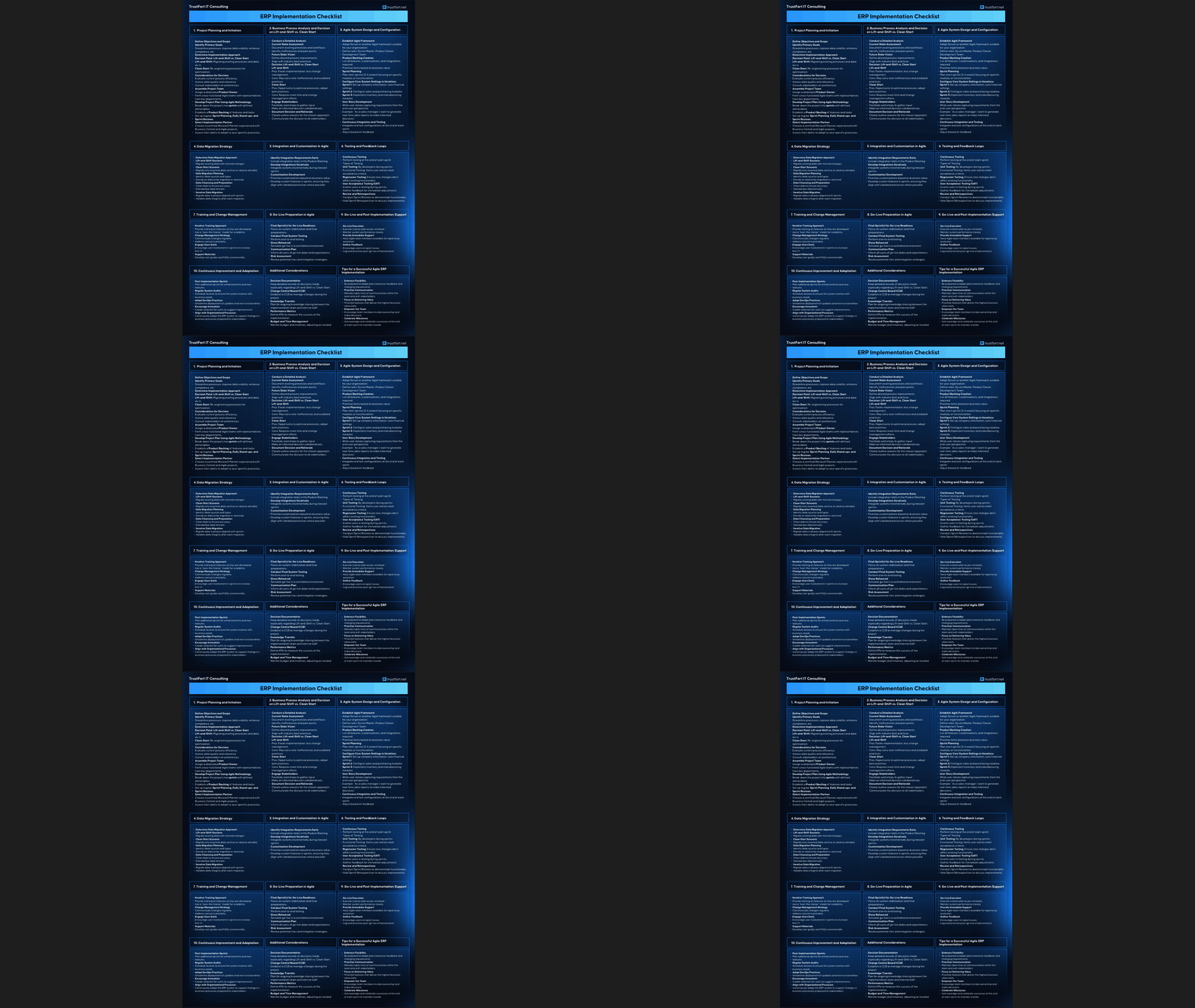
Rolling out an automated credit note workflow requires a structured path from discovery to post-launch review. Teams that map their current state, configure approval rules to match business policies, and track the right metrics from day one see faster approvals, fewer errors, and audit logs that write themselves.
Readiness questions every finance team should answer
Before configuring anything, answer five questions that define how your credit note process will operate. What credit reasons occur most often—overbilling, damaged goods, service cancellations, pricing corrections? The answer determines which reason codes to build into your intake form and whether each reason routes to a different approver rank. Who must approve by amount or reason? A small pricing adjustment may need one sign-off, while a material service cancellation may require sequential approval from a credit manager, then a finance director. Which ERP or AR systems must update when a credit posts? If credits approved in one system never reduce the customer balance in another, your cash application team will spend hours chasing reconciliation gaps. What evidence must be attached—original invoice, support ticket, signed authorization? Missing documentation stalls approvals and creates audit risks later. Which KPIs define success? Cycle time, approval backlog, error rate, and audit-trail completeness are the metrics that separate a functional workflow from one that merely moves emails around.
Configuration checklist for approval workflows
Build the workflow by mapping intake fields, approval thresholds, and posting rules before launch. Start with intake fields: customer account, original invoice number, requested amount, reason code, supporting documents, and approver notes. Next, define approval thresholds. One approach uses amount tiers: lower-value credits route to a single approver, while higher-value credits trigger a multi-step chain with senior finance review and credit management sign-off. Another approach splits by reason code: pricing corrections flow to sales operations, damaged goods route to fulfillment, service cancellations require finance director sign-off. Configure notifications so approvers see requests promptly, and set escalation rules for approvals sitting idle beyond your organization’s acceptable delay threshold. Map ERP posting rules: which GL accounts receive the offset, which revenue recognition schedules update, and which cash application queues receive the updated customer balance. Define exception handling for duplicate requests, credits exceeding invoice amounts, and missing approvals. Assign permissions so only authorized users can initiate credits, approve them, or override a rejection. Automating these handoffs means routine cases can flow through decisioning logic without manual review at every step.
Metrics that show whether the workflow works
Track six operational KPIs after launch. Approval cycle time measures the time from submission to final approval and shows whether routing rules are accelerating decisions. Approval backlog counts how many credits sit in queue awaiting sign-off; persistent backlogs signal understaffed approval ranks or poorly tuned thresholds. Error rate tracks how often credits post with incorrect amounts, wrong GL codes, or mismatched customer accounts; structured workflow forms catch errors that spreadsheet intake misses. Document search time measures how fast your team can retrieve a credit approval record during an audit and indicates whether records are stored where reviewers can actually find them. Matching speed tracks how quickly cash application teams can reconcile payments against updated customer balances. Audit-trail completeness checks whether every approval includes approver name, timestamp, reason code, and supporting documents; incomplete records create compliance gaps. Monitor open credit memo requests and requests awaiting approval weekly to catch bottlenecks before they compound.
The bottom line on credit note automation
Run a review by asking seven questions. Are approvals routed correctly, or do credits land in the wrong queue because reason codes map incorrectly? Are postings accurate—do credits reduce the right customer balance, hit the correct GL account, and update revenue recognition schedules as expected? Are audit logs complete, capturing every action from submission to posting without gaps? Are exceptions visible, or do duplicate requests and over-limit credits slip through undetected? Are collections and cash-application teams seeing updated balances fast enough to avoid payment mismatches? Did training cover threshold logic and reason codes, or are approvers still guessing when to escalate? Are weekly exception reviews catching patterns—repeated errors from one submitter, threshold rules that send too many credits to senior approvers, or reason codes that need subdivision? Address gaps immediately rather than waiting for quarterly reviews; small adjustments during the first month prevent larger workflow redesigns later.
Questions People Ask
Can a credit note be partially approved, or does it have to be all-or-nothing?
Most automated workflows treat each credit note as a single approval decision: either the full amount gets approved, or the request gets rejected and sent back for revision. If your team needs to accept only part of a disputed amount, create a revised request for the approved portion so the posted credit, approval record, and remaining invoice balance stay aligned.
What happens if two people submit credit requests for the same invoice dispute?
The intake step should compare the submitted invoice number against open credit requests before the request moves forward. If the system finds an existing request for the same dispute, it can block submission or route the item for review. That control gives AR a chance to resolve overlap before anything reaches posting.
Do automated workflows handle tax recalculation when a credit reverses part of an invoice?
They should, but only if tax treatment is included in the posting rules. Configure the ERP mapping so each reason code carries the correct tax logic before approval triggers accounting impact. That way the credit reduces the invoice and related tax consistently instead of leaving finance to correct the tax treatment after posting.
How do you prevent a junior analyst from approving a credit that exceeds their authority?
Set approval authority in the workflow configuration by role, rank, and amount threshold. The system should evaluate the credit before it reaches an approver’s queue and route it upward when the request exceeds that person’s limit. This keeps authority limits embedded in the process rather than relying on individual judgment.