

PayPal Automatic Payment vs Recurring Invoices: What Subscription Service Teams Need to Collect on Time

Key Takeaways
- PayPal automatic payments are tied to the saved payment arrangement authorized during signup rather than the customer’s current wallet default, so a wallet change does not automatically redirect the subscription.
- PayPal Checkout automatic billing may have a different fee structure. Confirm whether your account and transaction type qualify for that rate.
- Paid PayPal invoices appear in your PayPal balance. Funds may be available for use once processed; review PayPal’s current funds availability policies for any delays.
- PayPal may suspend a subscription after repeated failed payments or carry an unpaid balance to a later bill instead of canceling immediately. That can create a retention buffer, but it also requires manual account tracking.
- PayPal’s public documentation does not confirm native dunning workflows, automatic retry schedules, or detailed reconciliation exports for failed recurring payments.
In short: recurring invoices vs. automatic payments
PayPal gives you two collection paths. Recurring invoices put the billing event in front of the customer—they see a bill, they choose to pay. Automatic payments charge a saved payment method in the background. The better fit depends on how much control your team needs over reminders, payment timing, and follow-up.
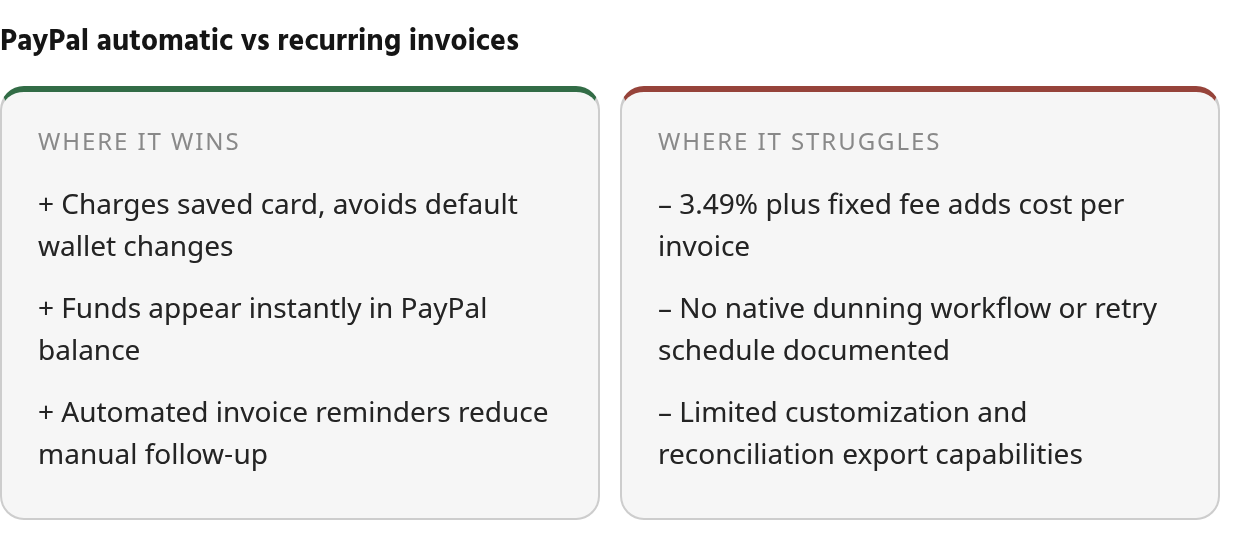
An automatic payment is a saved payment arrangement covering transactions scheduled in advance. Your customer authorizes it once, PayPal charges the agreed amount at the selected intervals. That arrangement is separate from the customer’s general wallet preferences, so changing a preferred card for ordinary PayPal purchases may not change the card assigned to the subscription.
Pricing depends on the collection route, transaction type, and currency. Rates can vary by payment method. Confirm the current schedule with PayPal before modeling margins.
Paid invoices appear in your PayPal balance. PayPal does not publish a single universal funds-availability timeline in the reviewed material, so confirm how quickly proceeds become available for your account.
The reviewed sources leave several operational questions open: implementation effort, the depth of dunning tools, and how well PayPal supports accounts-receivable workflows compared with dedicated billing platforms. Those questions belong in a product demonstration or pilot.
How automatic payments actually work
PayPal describes an automatic payment as a saved payment arrangement that covers transactions scheduled in advance. You set it up once during checkout, and PayPal charges your customer at the agreed intervals. The payment method tied to that arrangement takes priority over whatever default card or bank the customer uses for general PayPal purchases. If a subscriber changes a wallet preference later, the subscription remains associated with its enrollment method.
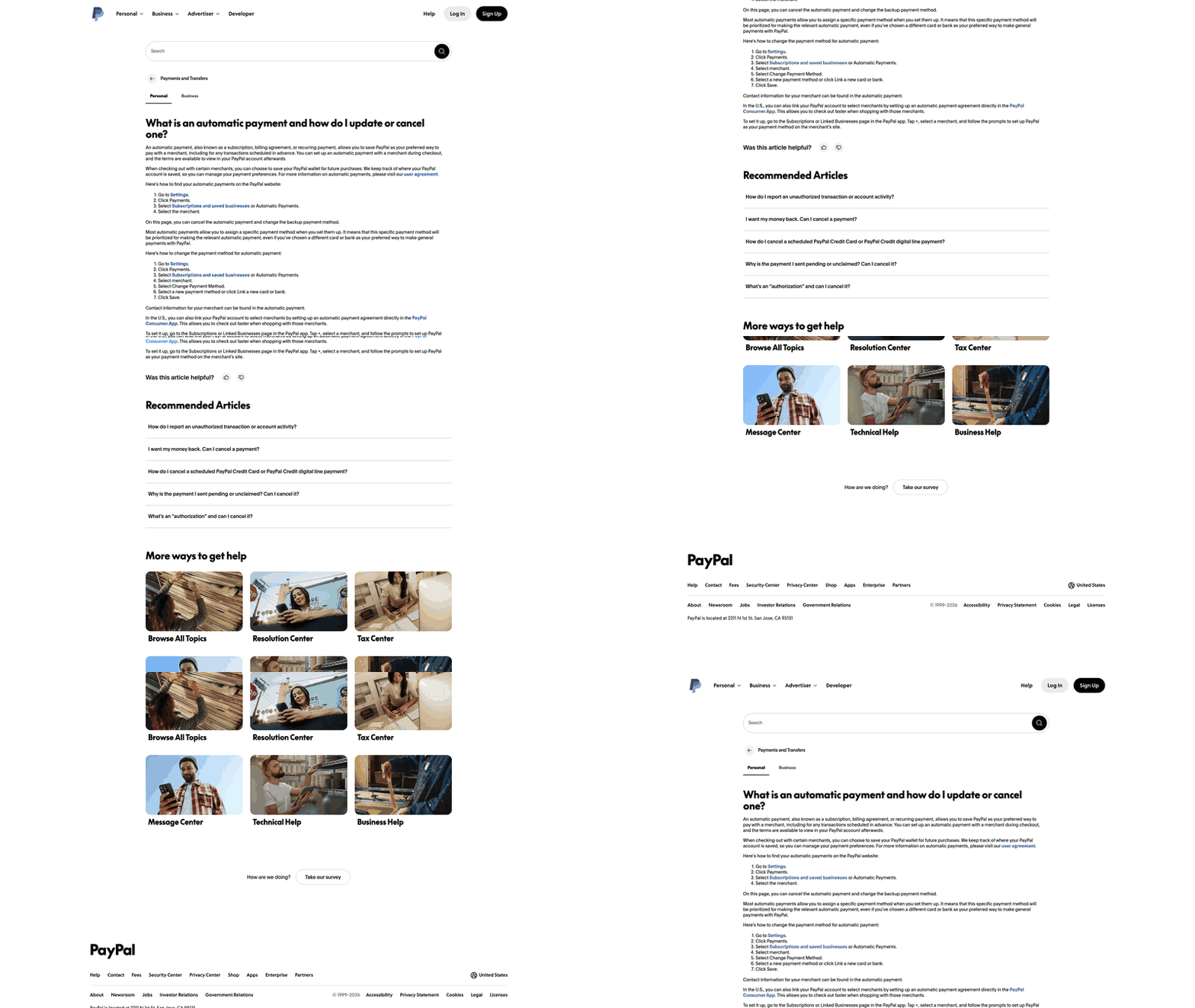
That separation is useful because the billing relationship is tied to an explicit authorization rather than a customer’s broader wallet settings. You still need to monitor expired cards and failed charges, but a routine change to the customer’s preferred PayPal card won’t silently redirect the subscription.
Pricing structures available
PayPal’s automatic billing feature lets you charge customers on a recurring basis. Pricing structures may include fixed amounts, quantity-based charges, volume-based pricing, or tiers. Public materials focus more heavily on the payment mechanism than on the full configuration rules, so confirm the available model, interval, and customer-facing experience in PayPal’s current documentation or a live demonstration.
What automatic payments actually cost you
The cost depends on transaction type, currency, and account configuration. PayPal Checkout automatic billing may have a separate fee structure. Request a transaction-specific fee schedule before comparing PayPal with another collection system.
How recurring invoices work
PayPal lets you bill subscribers through two paths: recurring invoices in PayPal Invoicing or automatic payments through PayPal Checkout. Invoicing is the more visible workflow—the customer receives a bill, can review its contents, and responds through the payment options presented on the invoice. Automatic payments are better suited to an agreed schedule that runs without a new customer action each cycle.
Recurring payment pricing models
PayPal Checkout supports four recurring pricing models: fixed, quantity, volume-based, and tiered. Fixed pricing charges the same amount at a set interval. Quantity pricing scales with units ordered. Volume-based and tiered options can accommodate different rates or levels. Confirm which model your product supports and how it appears to customers.
The fee example for Checkout automatic billing may differ by account and transaction type. The percentage-based charge increases with invoice amount. Confirm the current schedule before modeling margins.
Fund availability and what’s still manual
PayPal’s invoicing material doesn’t document a complete dunning workflow, a defined retry cadence for failed payments, or a detailed reconciliation export. Its published behavior indicates that a subscription may be suspended after repeated failures or that an unpaid balance may move to a later bill instead of triggering immediate cancellation. That can leave room for a service team to intervene, but it also creates an account-status task outside the payment event itself.
For teams that require aging reports, systematic cash application, or a clear queue of accounts needing intervention, the invoicing dashboard may not provide enough documented detail. Confirm how those records can be extracted and matched before moving a larger subscriber base.
PayPal vs. Blixo: what the documentation tells us
Use PayPal when collection visibility is the main requirement: you need to know whether an invoice was viewed, paid, or missed, and you can handle failed payments, matching, and reconciliation outside the system. PayPal’s documented flow gives you that status-level view, but it does not show a complete recovery workflow.
Move to a platform such as Blixo when your team must manage reconciliation, matching, dunning, and exception handling systematically. That means aging reports, automated retry schedules, payment-to-invoice matching, and a queue of accounts needing intervention. PayPal’s public documentation reviewed here does not confirm those capabilities, so the decision should be based on where manual work becomes unsustainable.
Can PayPal invoicing handle recurring invoices and automated payment reminders?
Yes. PayPal Invoicing supports recurring invoices with automated reminders when invoices are due or overdue. Frequency and timing can be customized in Invoice Settings. Once a customer pays, the proceeds appear in your PayPal balance.
Customers don’t need a PayPal account to pay an invoice. Payment methods can vary by transaction and customer eligibility. Verify the options shown in the live invoice experience.
What happens when a recurring payment fails?
A failed charge becomes an account-management event rather than an automatic service decision. Your team identifies the affected subscriber, determines whether the account remains active or has been suspended, and decides whether outreach or a manual status change is needed. PayPal’s published behavior gives you a window to investigate, but the sources don’t establish a complete recovery workflow.
How does PayPal’s invoice customization compare to Blixo?
PayPal invoices allow basic branding: logo uploads, business colors, and custom memo fields. You can attach files up to 25MB and place terms and conditions in the footer. Itemized descriptions, quantities, and tax calculations cover the core needs of a straightforward invoice template.
Other billing platforms may offer deeper customization, such as customer-segment terms, late-fee schedules, multi-currency presentation, and custom fields that sync to an accounting system. We did not review Blixo’s published documentation for this article, so treat those capabilities as areas to verify rather than confirmed differences.
This comparison doesn’t establish setup complexity, reporting depth, integration coverage, or the practical effort required to manage exceptions. Those areas need hands-on testing with your own billing scenarios.
What to do before switching
Before switching, use these two checks to decide whether PayPal’s visibility is enough or whether you need a receivables platform.
Audit your current workflow first
Start with the billing model you’re already running. Fixed monthly retainers may align with fixed-price automatic payments. Project milestones, usage-based billing, and tiered plans may point toward quantity or tiered pricing, but confirm that the selected product supports your intervals and payment-method requirements.
Then map the work performed after each bill is issued. Record the effort required to chase late payments, match received funds to open invoices, and reconcile PayPal activity with your accounting system. Confirm whether PayPal Invoicing integrates with your accounting platform directly or whether your team will need CSV exports and manual reconciliation.
Estimate monthly invoice volume and time saved per transaction. For example, if reconciliation took five minutes per invoice, 200 invoices would consume about 17 hours of data entry each month. Compare that labor with any additional service, integration, or transaction costs. The resulting calculation should show whether automation improves the economics of the switch, not merely whether it reduces clicks.
Run a contained pilot and track cash-application accuracy
Pilot one billing cohort, service tier, or customer segment for 60 days. Use a recurring invoice when customers need invoices by email, or Checkout automatic payments when the schedule is intended to run in the background. Track how often invoices are paid without intervention, how much time staff spend on follow-up, and how quickly cleared transactions become usable PayPal-balance records.
Adjust the cadence if the customer segment needs a different sequence. During the pilot, compare reminder activity with actual staff workload rather than assuming that an automated notice replaces account-level follow-up.
Measure invoice-to-cash matching accuracy. PayPal Invoicing surfaces status updates in the dashboard, allowing your team to see whether invoices were viewed, paid, or missed. If an accounting integration is connected, verify that payment records, fees, and transaction details reach the accounting ledger correctly and identify any fields that require manual correction.
Use the pilot to test exception handling as well as successful collections. Log failed charges, account-status changes, staff outreach, and recovered balances. That record will show whether PayPal’s built-in behavior is sufficient for your team’s retention process or whether an external workflow is needed.
Frequently Asked Questions
Where can I check which payment method is assigned to a PayPal subscription?
Review the subscription’s automatic-payment details rather than the customer’s general PayPal wallet settings. The enrollment record is the relevant source for confirming which instrument is associated with that recurring authorization.
What should a team monitor after a recurring payment fails?
Monitor the subscription’s current status, the unpaid amount, and the next account action required. A team should also maintain a separate exception list so that an account does not remain unnoticed while its billing status changes.
Where do proceeds from a paid PayPal invoice appear?
They appear in the merchant’s PayPal balance. That balance location gives the team a starting point for cash visibility; the accounting process still needs to connect the receipt to the correct customer and invoice.
What payment options can I offer on a PayPal invoice?
Available choices can vary by transaction and customer eligibility. Examples may include Venmo, Pay Later, Apple Pay, debit and credit cards, and Pay by Bank (ACH). Verify the options shown in the live invoice experience.
What should I verify if my team needs formal dunning and reconciliation controls?
Ask PayPal to demonstrate the failed-payment workflow, retry behavior, account-status reporting, and export fields using a representative subscription scenario. Pay particular attention to how the system identifies overdue balances and how those records reach the accounting process.