

ERP Closes the Books. It Can't Match Short Pays Automatically.

In short:
- Manual reconciliation can create 10–15 day close lags because partial payments sit in exception queues while your team researches discrepancies and chases customer documentation.
- Many finance teams write off invalid deductions rather than contest them. Investigation costs can make sub-$500 write-offs a rational economic choice.
- Modern AR platforms can connect in days to weeks; legacy ERP migrations can take months. Continuous accounting can replace batch month-end audits.
- ERP matching logic clears full-amount payments but often leaves short pays for review. The exception queue is driven by outside-the-invoice context—remittance, promotion, delivery, and dispute data—not merely weak ERP matching algorithms.
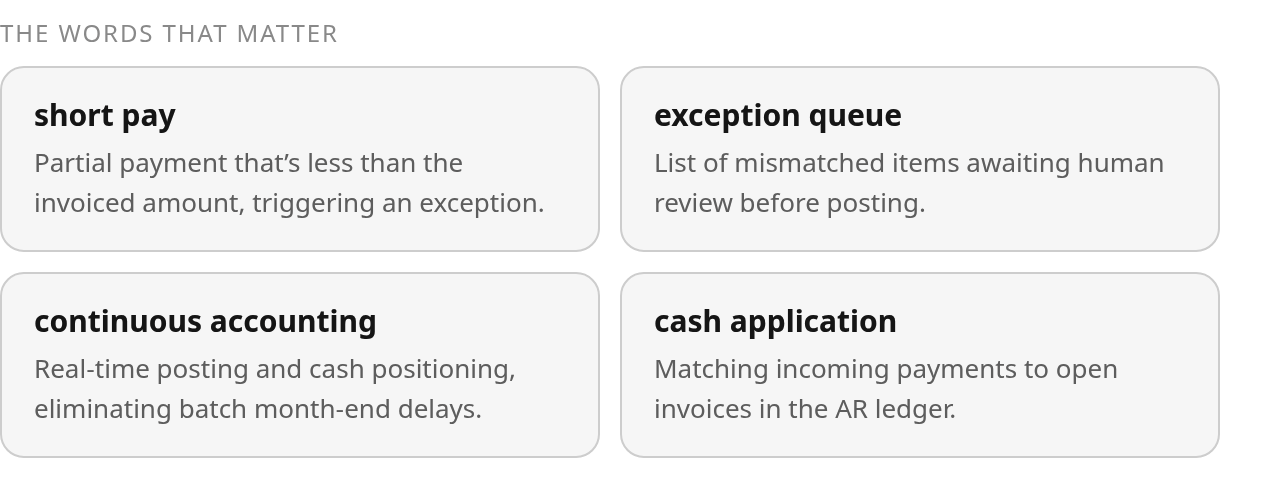
Your ERP closes the books. AR automation handles the work around it: cash application, exception handling, collections, and daily cash visibility. Traditional reconciliation is reactive and batch-driven. Continuous accounting keeps payment records and cash positions current while routing genuinely ambiguous items to review. The meaningful bottleneck is not the matching algorithm’s inability to compare amounts. It is that the algorithm lacks access to the promotion, delivery, trade-deduction, and dispute context that sits in email, portals, and PDFs outside the ERP.
What automation actually handles versus what stays manual
ERP core functions close the books and manage the ledger. Modern AR automation addresses three bottlenecks: cash application for incoming payments, exception handling for short pays and deductions, and collections dunning. SAP, Oracle, NetSuite, and Dynamics 365 document standard order-to-cash functions, but work often leaves those records when remittances arrive by email, payments cover multiple invoices, or pricing disputes require supporting documentation.
Rules-based and AI-assisted matching can clear tolerable variances or route exceptions for review. Partial payments and short pays often remain open for human investigation in standard ERP workflows. ERP Research’s reconciliation buyer-guide evaluates vendors on reconciliation capabilities, including Cash Application & AR Reconciliation. Batch ERP close compression shortens the month-end audit; true real-time-ledger architecture posts as transactions arrive and leaves only genuinely ambiguous items for review.
| Metric | ERP core / manual process | ERP add-ons | Modern AR automation |
|---|---|---|---|
| Data ingestion | Manual bank CSV/PDF exports, GL dumps | Semi-automated BAI2, MT940 imports | Bank APIs, ISO 20022 (camt.053), PSP feeds where supported |
| Matching engine | Manual Excel VLOOKUPs, human review | Rule-based clearing with tolerance groups | Algorithmic multi-way matching, fuzzy logic, ML proposals |
| Close cadence | Batch month-end audits with extended lag | Compressed close timeline | Continuous accounting, daily cash positioning |
| Exception handling | Spreadsheet flagging, manual email follow-ups | Automated workflow routing, residual item tracking | AI-assisted classification, ranked exception queues |
| Match output | Manual review before posting | Suggested matches in workflow queue | Auto-posting with confidence thresholds; only exceptions escalate |
| Short-pay resolution | Manual investigation per deduction | Deduction workbench with reason codes | Auto-classification, promotional agreement cross-reference |
Blixo AR automation: verify capability in demo
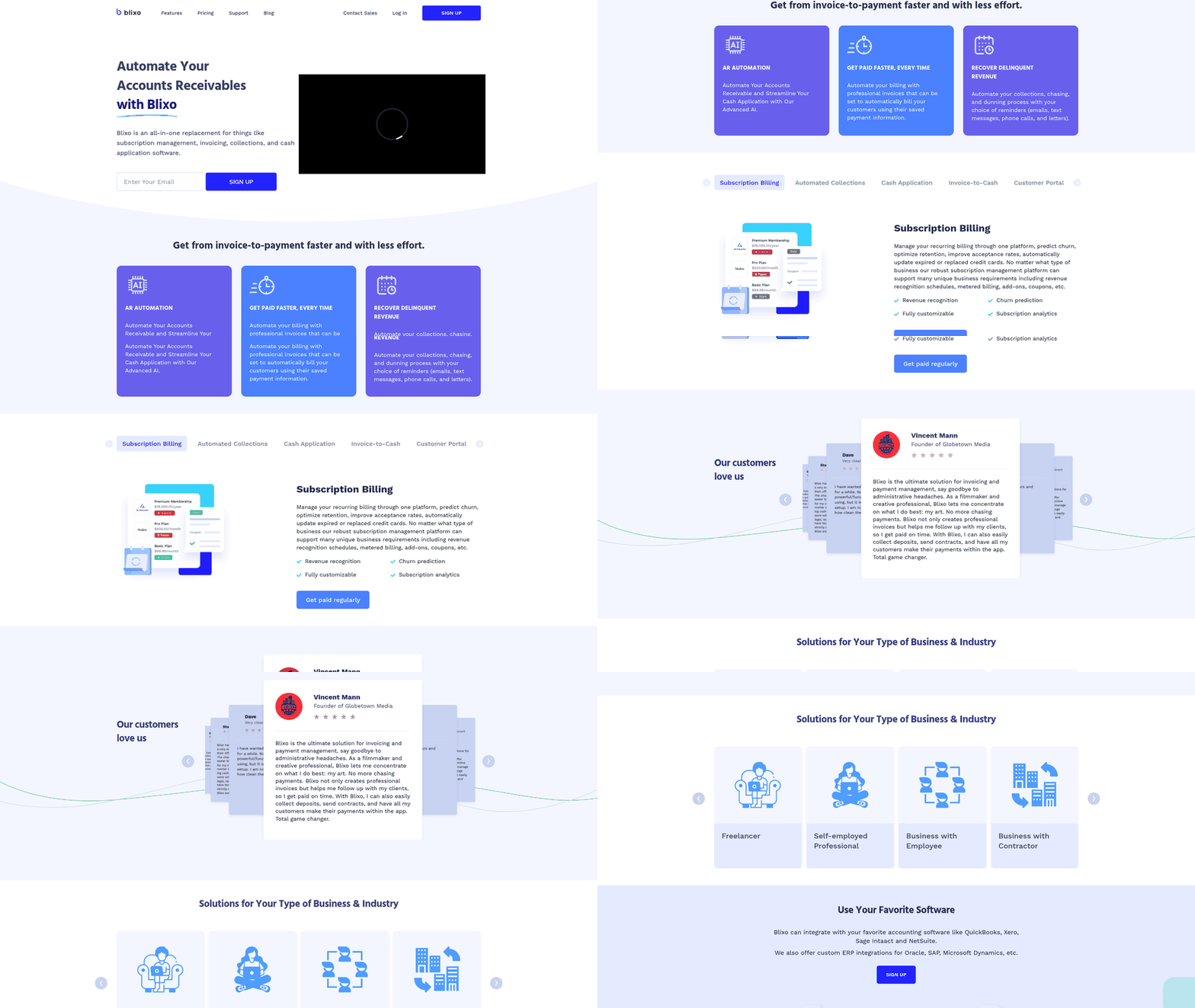
Blixo’s documented capabilities include AI-powered cash application and an intelligent matching engine for payments. Verify public materials in a live demo before you commit to implementation.
Why short pay matching matters
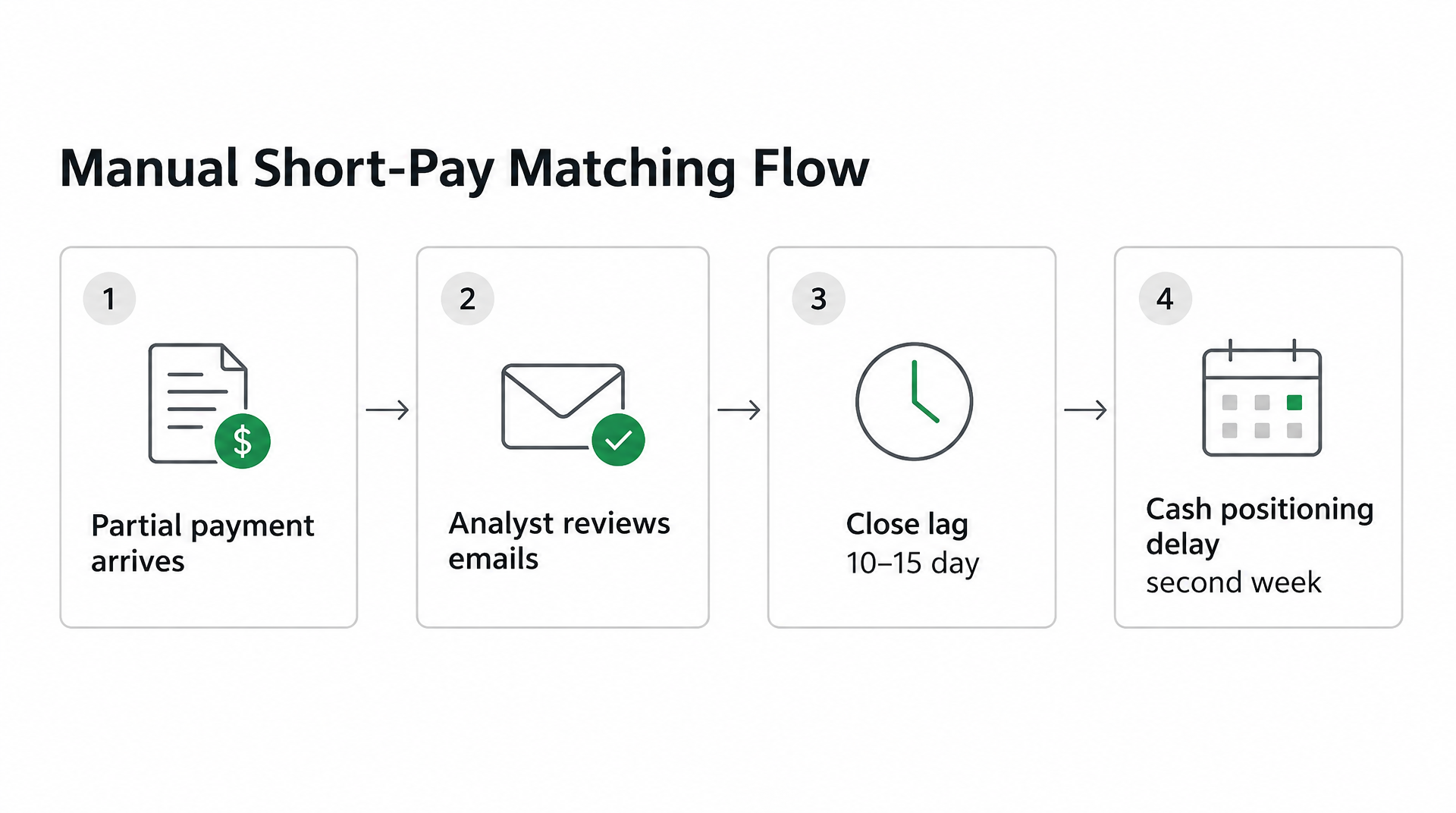
A partial payment arrives against an open invoice. Your analyst searches emails, checks discount agreements, and determines whether the gap is a legitimate trade promotion or an oversight. That work can create a 10–15 day close lag when the item sits in an exception queue awaiting research, ERP updates, and customer documentation. Your cash positioning is delayed into the second week of the month. Automated systems can support continuous accounting by matching and posting transactions as they arrive rather than reserving the work for a month-end batch.
Unresolved short pays inflate days sales outstanding. The remaining balance stays in AR until someone establishes that the deduction was valid or recovers the shortfall. In businesses with frequent retailer deductions, those balances become recurring revenue leakage when the dispute window closes before anyone investigates. Industry research often estimates investigation costs at $200–$300 per deduction; below $500, many finance teams rationally write off the deduction as uneconomic to dispute.
Your team needs tools that handle exceptions, not just clean matches
Many reconciliation tools handle clean one-to-one matches but return bundled payments, disputed amounts, and fee adjustments to a person. The difficult part is contextual: linking a short pay to the correct invoice, identifying its reason code, and deciding whether the deduction is valid or disputable. A system that only clears uncomplicated receipts leaves the most expensive part of the process unchanged.
At 5,000 payments per month, a 20% exception rate produces 1,000 reviews. Depending on complexity, that queue can consume 2–3 FTE staff. The key metric is not just match rate, but how many of those matches are auto-posted without human touch and how many are merely suggested for approval. Suggested matches still require analyst attention.
Feature-by-feature comparison: ERP vs. legacy tools vs. modern AR automation
Modern accounts receivable automation follows a different playbook from legacy tools and core ERP matching logic. The comparison is less about whether matching rules exist and more about where the context for a short pay lives.
Detection rules
Core ERP platforms such as SAP, Oracle, NetSuite, and Dynamics 365 clear a payment when amount and date match an open invoice. Add-on modules add rules or machine-learning proposals, but they depend on records already inside the ERP. Dedicated AR platforms can be configured to ingest remittance context from email, bank feeds, and portals, then match against promotional agreements, delivery confirmations, and dispute history. Blixo’s public materials describe an intelligent matching engine; verify the scope of partial-pay and multi-invoice matching.
AI-driven amount-variance matching
Amount-variance matching determines how efficiently your team resolves pricing discrepancies. Core ERPs flag the mismatch but don’t explain it. Manual processes require analysts to search correspondence, review discount agreements, and decide whether the gap is legitimate. AI-powered platforms can cross-reference deduction memos, remittance context, and customer payment patterns to classify short pays. Such systems can assess whether a variance relates to a trade promotion, pricing dispute, or delivery issue, then resolve or escalate it according to configured rules.
Blixo’s published materials describe smart reconciliation logic; verify automatic short-pay resolution in a demo.
| Feature | Core ERP | ERP Add-On / Manual | Third-Party AR Platform | Blixo |
|---|---|---|---|---|
| Detection Rules | Amount + date matching | Rule-based clearing / manual lookup | AI reads remittance context | Intelligent multi-factor matching |
| AI Variance Matching | Flags mismatch, no explanation | Limited cross-referencing | Automated classification | Smart reconciliation logic |
| Bank Feed Integration | BAI2, MT940, camt.053; batch uploads | Standard formats + API | Real-time feeds where supported | Direct bank connection: verify |
| Auto-Dunning Trigger | Manual workflow setup | Task automation | Risk-scored strategies | Communication channels: verify |
| Exception Review UI | None (ERP journal view) | Workflow dashboard / spreadsheet flags | Ranked suggestion queue | Streamlined review interface: verify |
| Implementation Effort | Already deployed | 4–6 weeks add-ons; manual immediate but labor-intensive | 4–8 weeks often | Verify timeline; some platforms claim days |
Real-time bank feed integration
Bank-feed integration determines whether your cash positioning is current or delayed. Most ERPs can ingest BAI2, MT940, or camt.053 files, but the limitation is operational: someone may still need to download and upload the file, turning a daily process into a batch exercise.
Third-party AR platforms may pull transaction streams through bank APIs or PSP feeds and write matched transactions to the ERP. Blixo’s direct bank connection and GL posting behavior should be confirmed in a live demo. The architectural difference is between accelerated batch file imports and continuous posting with a live exception queue.
Auto-dunning trigger and exception review
Dunning automation determines whether overdue invoices receive timely follow-up. Core ERPs provide dunning programs, but those workflows require configuration. Dedicated AR platforms can route exceptions to appropriate stakeholders and prioritize disputes by value and recovery probability. High-confidence matches post immediately; lower-confidence items appear in triage views with ranked suggestions.
The distinction between a suggested match and an auto-posted-without-human-touch match is crucial: a platform that creates 1,000 suggestions for review has not eliminated the queue. Blixo’s communication channels and approval workflow should be verified.
Implementation effort and integration depth
Core ERP functionality is already deployed in most organizations and handles invoicing, ledger posting, and basic cash application. The limitation is capability rather than installation: standard matching leaves many partial payments and deductions in review. ERP add-ons commonly take 4–6 weeks to configure, including feed connections and account mapping. Third-party deployments commonly take 4–8 weeks when remittance ingestion, rules, and ERP testing are included.
Some modern platforms claim implementation in days. Validate that for your ERP and bank setup. Blixo’s implementation timeline, connector coverage, and GL posting path should be confirmed in a live demo.
Inside Blixo: the end-to-end short-pay automation flow
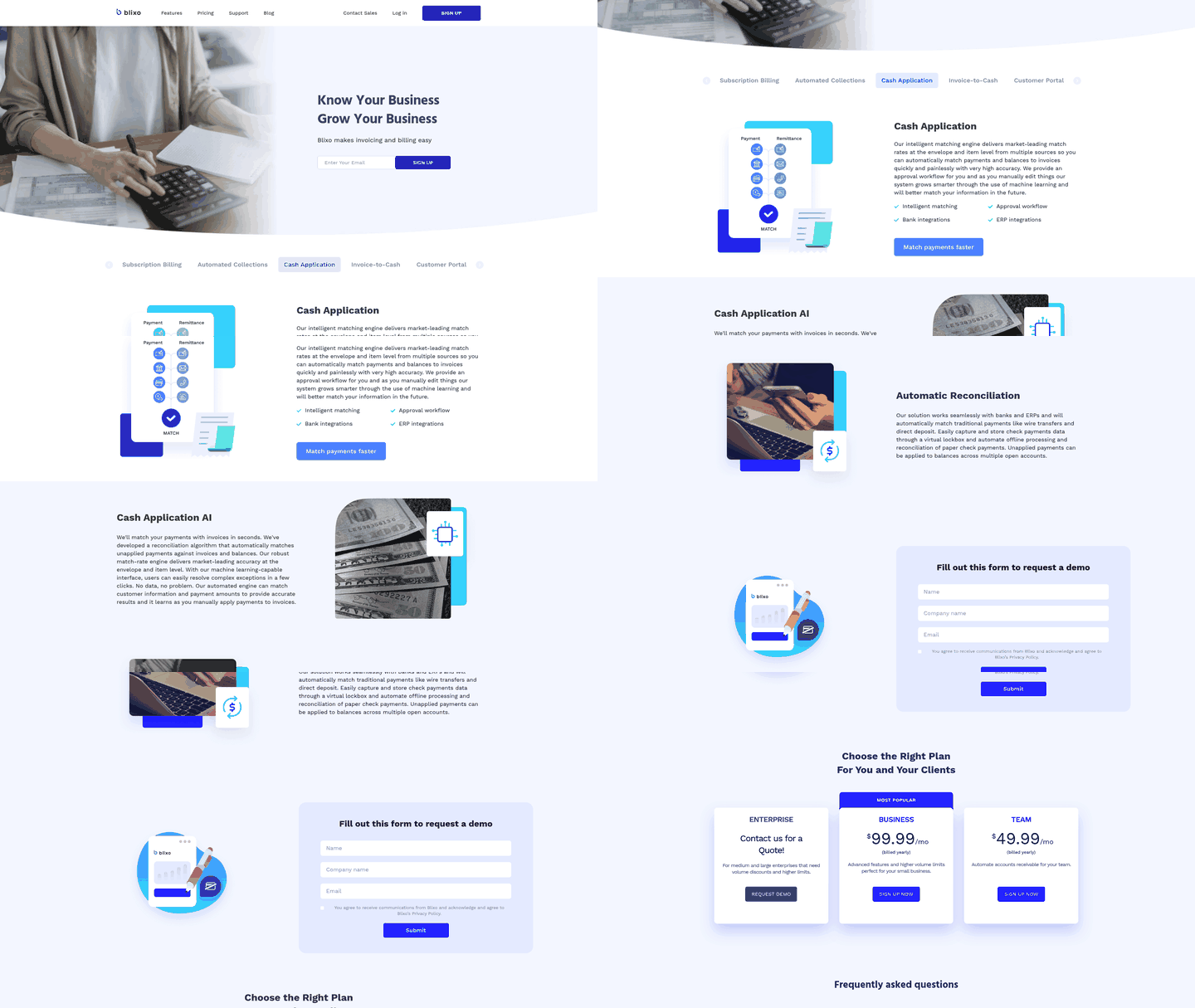
Publicly documented Blixo materials describe an AI-driven cash application workflow. The following describes how such platforms generally operate and where Blixo’s claims can be verified.
AI-driven variance detection and match logic
When cash reaches the account, a configured platform can pull transaction data and begin matching before analysts open their inbox. Blixo’s published materials describe an intelligent matching engine that examines available context, including customer history, open invoices, and remittance details. In any system, the engine should be configured to post only when evidence meets a confidence threshold; lower-confidence items should fall to an approval queue.
At 5,000 or more payments per month, a 20% exception rate leaves 1,000 payments for review. Some may be routine receipts with incomplete references or small variances that core ERP cannot resolve, but if they only appear as suggested matches they still require analyst attention. The difference between suggested matches and auto-posted-without-human-touch matches determines whether the platform reduces work or merely reclassifies it. Manual triage at that volume can consume 2–3 FTE staff.
Exception workflow and customer self-service
When a payment needs follow-up, AR platforms can be configured to send reminders through email, SMS, phone, or letter depending on the provider. Customer portals may allow buyers to view outstanding invoices, make payments, update payment methods, and manage their account. Blixo’s specific communication channels and portal capabilities should be confirmed in a demo.
The cash-application and reconciliation workflow can run continuously. Your AR aging and collections information reflect the latest posted activity rather than waiting for an export-match-import cycle. You still need governance around approvals and exception rules, but the routine movement of data no longer depends on repeated file transfers.
Implementation checklist and first-close calendar
A successful pilot depends on preparation. Teams that reach continuous close generally clean their data, define exception rules, and then connect bank feeds. Software cannot repair duplicate invoices, stale aging, or undefined short-pay policies by itself.
Data hygiene and rule configuration before bank integration
Begin with master-data cleanup. Open-invoice aging reports reveal duplicates, incomplete customer records, and invoices left open after a partial payment. Run a full AR aging export, flag long-outstanding items, and either write them off or document why they remain open. Matching becomes unreliable when incoming cash is paired against records that should no longer exist.
Next, configure rules for scenarios your team already handles manually. A customer that consistently takes an early-pay discount may need an approval rule tied to the discount window. Freight deductions may require a tolerance band and a designated approver. Document the judgment your analysts use today before translating it into automation.
Bank-feed setup follows rule configuration. BAI2 transactions identify payment types such as wires, ACH, and lockbox deposits, but they don’t necessarily identify the invoice being paid. Connect the feed after the rules are ready, then run a parallel period in which the system proposes matches and staff verify them before posting. This exposes edge cases without sending incorrect entries to the ledger.
Pilot metrics and the first-close calendar
Track auto-match rate, exception-queue size, days to resolution for flagged payments, and close-day timing. Split auto-match rate into matches posted without human touch and matches merely suggested for approval. A high suggested-match rate still leaves analysts reviewing items.
Queue size shows whether automation reduced work or merely reclassified it. Count the payments your staff research each week and compare that figure with the pre-automation baseline. If the queue remains flat, adjust rules, approvals, or tolerance bands rather than assuming that the platform is delivering a lower workload.
Reserve several business days at period-end for exception review, accrual posting, and variance sign-off. Continuous accounting keeps the ledger current, but a final reconciliation window remains necessary to confirm automated postings and clear manual adjustments. That window becomes shorter as rule coverage and team confidence improve; it doesn’t vanish simply because matching is automated.
Which solution closes books without adding reconciliation lag?
Core ERP handles ledger postings and routine one-to-one payment matching. With a clear reference and an exact amount, SAP, Oracle, NetSuite, and Dynamics 365 document standard clearing algorithms that close the item automatically. The system posts the transaction and updates AR aging.
The gap appears when a receipt contains a short pay, references several invoices, or bundles payments across accounts. ERP logic can flag the exception, but it generally cannot read a remittance email, cross-reference payment terms, or determine whether a variance is an earned discount or a dispute. Finance teams using core ERP alone must research those cases manually, which adds lag and staff demand.
Spreadsheet reconciliation can be practical at low volume with few exceptions. As payment volume and settlement complexity increase, manual matching consumes more analyst time and the queue grows faster than headcount can clear it. Investigation costs can make write-offs the economically rational path. At 5,000 payments per month, a 20% exception rate produces 1,000 reviews—enough to consume 2–3 FTE staff if those reviews are manual.
ERP add-on modules such as SAP Cash Application, Dynamics Advanced Bank Reconciliation, and NetSuite Automated Cash Application extend matching rules and add machine-learning proposals. They improve matching within the ERP’s workflow but still depend on records the ERP contains. Structured bank files and standardized remittances are easier for these modules than unstructured PDFs, email threads, or portal claims requiring document extraction and cross-system lookup.
When specialized AR automation outperforms ERP modules
Dedicated AR automation addresses workflows that ERP platforms were not designed to manage alone: ingesting unstructured remittance data, matching payments across invoices or entities, assessing short-pay validity against terms, and routing exceptions with relevant context. Public materials suggest that specialized cash-application software can achieve higher auto-match rates than core ERP alone, although you should validate those claims against your own payment data.
The difference is exception handling. An ERP module may flag a mismatch and leave it in a queue. AR automation can read supporting documents, classify the variance, cross-reference agreements, and propose a resolution or present your analyst with the assembled evidence.
Some reconciliation vendors are evaluated in ERP Research’s comparison, but vendor-reported deployment ranges vary. Treat those as planning estimates rather than guarantees.
| Capability | Core ERP | Manual / Spreadsheets | ERP Add-On Modules | Dedicated AR Automation | Blixo |
|---|---|---|---|---|---|
| One-to-one payment matching | Standard clearing algorithms | Manual lookup and posting | Enhanced rules + ML proposals | Real-time pattern matching | AI-driven invoice matching |
| Exception handling | Flags mismatches, queues for review | Full manual research required | Structured exception workflows | Auto-investigates short pays, deductions | Approval workflow for complex cases |
| Unstructured remittance ingestion | Requires structured feeds | Manual email parsing | Limited document extraction | OCR + multi-format support | Should be verified in demo |
| Multi-invoice / partial payment splits | Manual allocation | Manual allocation | Rule-based allocation | AI-assisted allocation + approval | Should be verified in demo |
| Best for | System of record, financial close | Very low volume | Teams extending existing ERP | High exception volume, complex matching | SaaS and service businesses with recurring billing |
Verify capability claims in a live demo before committing. Public documentation indicates possible functionality, but you should confirm how the product handles your remittance formats, approval policies, and exception types.
Our intelligent matching engine delivers high match rates, while the approval workflow routes exceptions so your team can close faster without adding analysts. Blixo’s platform is aimed at SaaS and service businesses with recurring billing, and it can be evaluated for the payment scenarios your current system may flag without resolving. Learn how we integrate with your ERP to streamline cash application.
FAQ
What is short pay matching, and why does it matter for my close process?
Short pay matching is the automated process of reconciling partial payments—when your customer pays less than the invoiced amount. It matters because manual short-pay investigation can create 10–15 day close lags: the item sits in an exception queue while your analyst searches emails, reviews discount agreements, and determines whether the gap is legitimate or an oversight. Automated short-pay matching can resolve those variances more quickly by cross-referencing promotional agreements, payment terms, and remittance context, so your AR aging stays current and your close timeline compresses.
Can Blixo handle multi-invoice payments and partial payments?
Blixo’s published materials describe an intelligent matching engine that uses multiple payment and invoice data points, including for partial-payment and multi-invoice scenarios. You should verify the scope and configuration requirements for your specific remittance formats and customer payment patterns in a live demo before committing to implementation.
How long does it take to implement Blixo compared to ERP add-on modules?
Implementation timelines vary. Some modern AR platforms claim connectivity in days; ERP add-ons commonly take 4–6 weeks to configure; third-party deployments commonly take 4–8 weeks when remittance ingestion, rules, and ERP testing are included. Blixo’s implementation timeline, connector coverage, and general-ledger posting path should be confirmed in a live demo.
What’s the difference between ERP core matching and dedicated AR automation?
Core ERP handles one-to-one payment matching when the amount equals the invoice and the reference is clear. Dedicated AR automation addresses workflows ERP platforms were not designed to manage alone: ingesting unstructured remittance data, matching payments across invoices or entities, assessing short-pay validity against terms, and routing exceptions with relevant context. An ERP module may flag a mismatch and leave it in a queue. AR automation can read supporting documents, classify the variance, cross-reference agreements, and propose a resolution or present your analyst with the assembled evidence.
How do I measure success after implementing AR automation?
Track four metrics: auto-match rate—split between matches posted without human touch and matches merely suggested for approval—exception-queue size, days to resolution for flagged payments, and close-day timing. A high auto-match rate is useful only if the remaining queue is manageable and legitimate. Queue size shows whether automation reduced work or merely reclassified it. If you process 5,000 payments per month with a 20% exception rate, 1,000 reviews may consume 2–3 FTE staff. Reserve several business days at period-end for exception review, accrual posting, and variance sign-off—that window becomes shorter as rule coverage and team confidence improve.