

Credit Notes for Recurring Billing: Refunds, Downgrades, and Negative Invoices
In short
Credit notes adjust invoices without erasing audit trails. They protect revenue recognition, tax filings, and accounts receivable entries. Credit notes reducing open invoices to zero mark them “paid” with no payment, creating phantom cash receipts in accounting syncs. Refund systems unapply entire payments rather than fractional amounts, pulling transactions in full before routing excess back. Retained credit notes skip cash refunds, applying balances to the next invoice while moving status to “paid” without recording payment.
Why you can’t just delete an invoice
When a subscription price drops mid-period or a customer asks for a refund, you can’t erase the original invoice. That invoice already triggered revenue recognition, tax filings, and AR entries. A credit note corrects the record without breaking the audit trail.
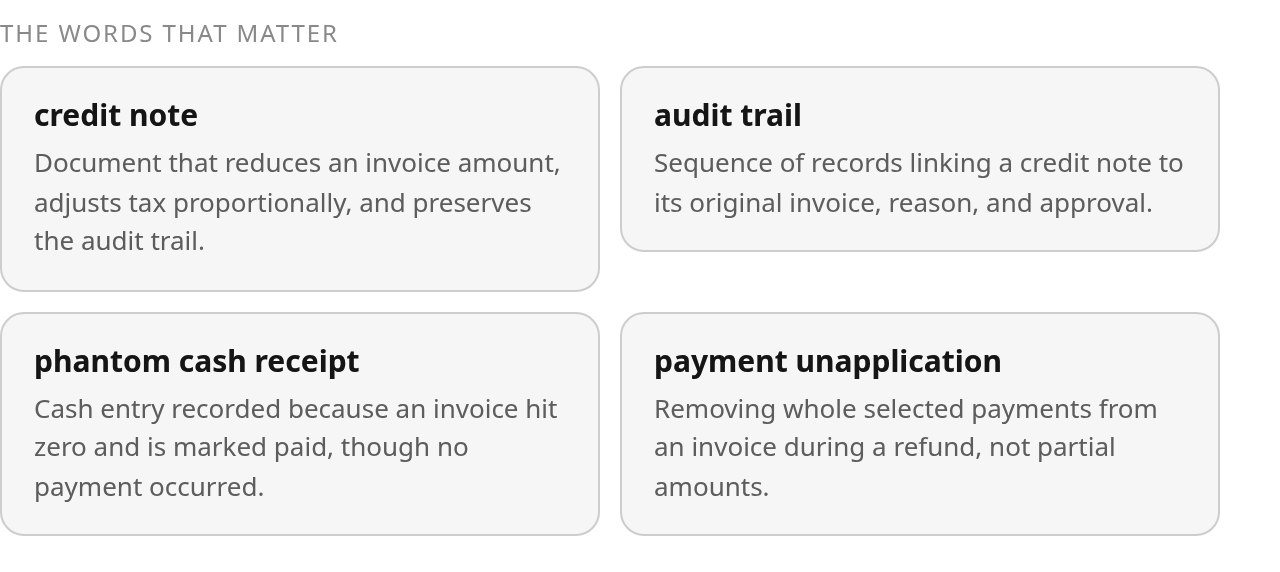
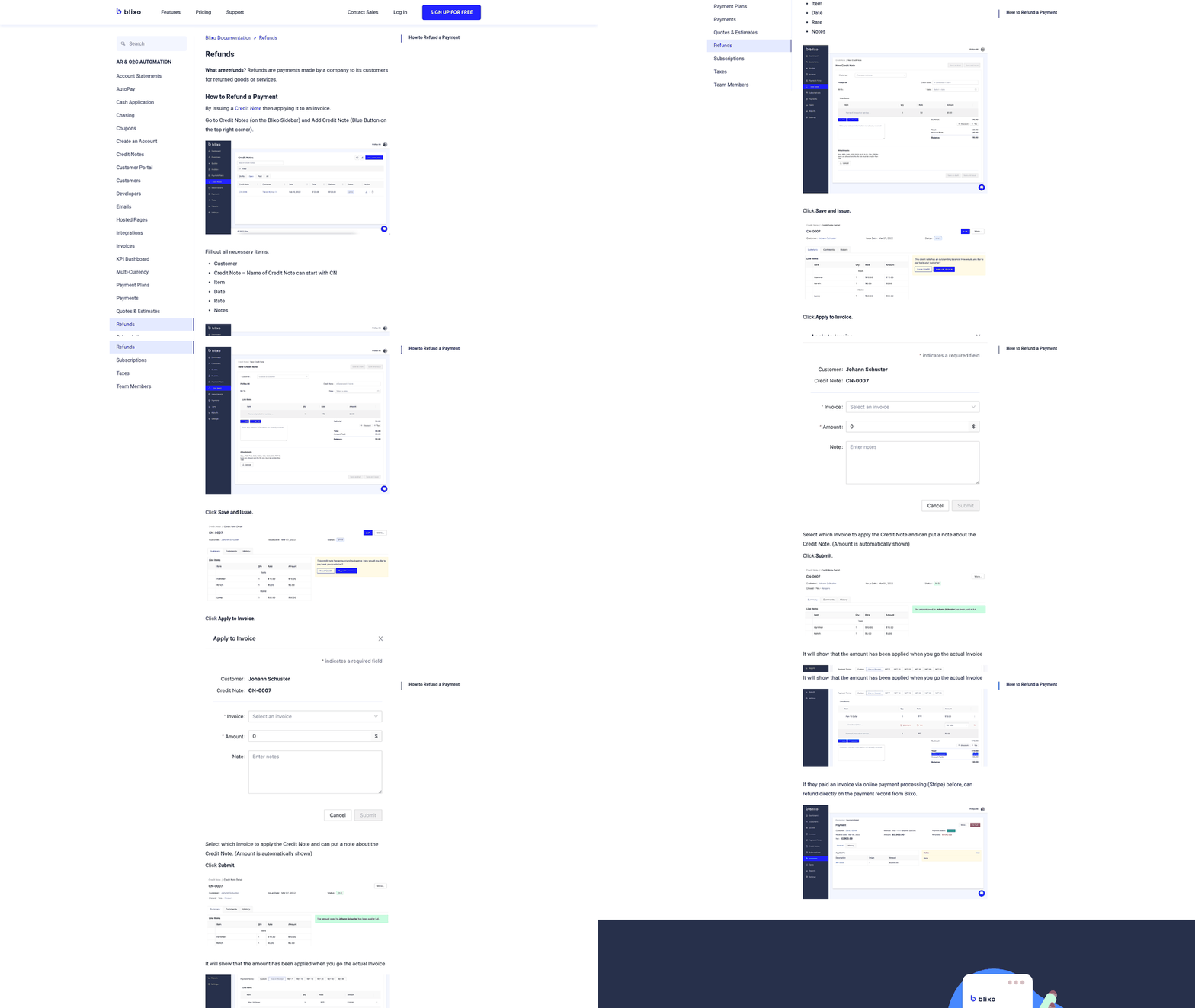
The documented workflows use credit notes three ways. You can reduce an open invoice before payment arrives: $1,000 charge minus $200 credit leaves $800 due. You can park the credit on the customer’s account and let it apply to the next invoice. Or you can route a refund to the original payment method while keeping the link between invoice, credit, and gateway transaction intact.
Tax recalculates proportionally
Credit notes carry tax adjustments in step with line-item reductions. Original invoice: $200 with 10% tax ($20). Credit note for $100 recalculates tax proportionally and issues $110 total: $100 line item, $10 tax. That keeps tax reporting aligned with the amount recognized and avoids a mismatch between the original charge and the adjustment.
The invoice-status trap
A credit note that reduces an open invoice to zero changes its status to paid, even though no payment arrived. If your accounting sync reads that status and books cash, you’ve created a phantom receipt. AR aging shows the invoice as collected. Your cash forecast expects money that never moved. Reconciliation fails when you compare bank deposits with recorded revenue.
Route credit-note events separately and post them as contra-revenue entries rather than inferred payments.
Tax and compliance requirements vary by jurisdiction, but most require you to preserve the reference between each credit note and the invoice it adjusted, along with the reason, approval record, and calculation detail. Your billing system should maintain that audit trail.
Refunds after a subscription change
When a customer downgrades mid-cycle, your system needs to issue a credit note for the unused portion of the higher-tier subscription. The orchestration behind that refund determines whether your books stay clean or leave phantom entries scattered across AR aging reports.
The documented refund workflow selects the fewest payments that total at least the refund amount, unapplies each selected payment in full, and routes any excess back to the original invoice.
Payment unapplication doesn’t do fractions
The refund orchestrator doesn’t remove payments in neat fractional pieces. A refund request pulls the selected transactions in their entirety, producing a total unapplied amount that may exceed the requested credit. The reconciliation impact is the spread between that full unapplied total and the requested credit. The excess returns to the invoice as a secondary adjustment, lowering the balance by the exact refund amount. Keeping each transaction intact simplifies reconciliation when records export to the general ledger.
Once payments are unapplied, the system routes a separate refund request to the payment gateway for each removed payment. If the gateway rejects one, the funds return to the processor balance, where they can sit before release. During that window, a Stripe or PayPal dashboard may show a credit balance while the accounting ledger records a negative receivable. Failed refunds require active tracking rather than an assumption that every credit note produces immediate cash movement.
Retained credits vs cash refunds
A fully refunded invoice can skip the cash-return step if the credit note is marked for retention. The invoice moves to paid status, the credit note creates a customer credit balance, and no refund transaction appears in the records. That balance applies automatically to the next finalized invoice, reducing what the customer owes without requiring another payment. Mapping logic must distinguish an applied credit from actual cash when interpreting invoice status.
Managing downgrades with negative invoices
The choice between payment-then-credit and credit-then-payment depends on the invoice’s state when the credit is created. An unpaid invoice can absorb the prorated amount before payment, leaving the customer with a smaller balance and avoiding a paid-status receivable in AR aging. A retained credit can wait for the next billing cycle. If the charge has already been settled, the credit can support a payment-method refund; the original invoice stays paid and the credit offsets revenue or becomes a customer balance. Because payment status can change between proration and credit-note creation, re-check the invoice state at credit-note creation, not when the downgrade was calculated. These are accounting destinations for the same adjustment, not separate changes to the underlying service period.
Daily proration carries tax adjustments
A credit note reverses more than the base subscription charge—it reverses the proportional tax from the original invoice. When a downgrade occurs mid-cycle, the prorated credit includes the service reduction and the corresponding tax correction. Systems that apply the service credit without recalculating tax leave revenue entries out of step with tax entries, complicating month-end reconciliation.
When a credit note applies across multiple origin invoices, choose either credit notes linked to each original invoice or a forward customer-balance adjustment—not both for the same reduction. If charges accumulated across separate billing events, the downgrade credit must reference each charge and identify the line items being reversed. Applying both the invoice-linked credit note and the forward balance would reduce tax twice. The multi-origin structure prevents double-counting and connects every credited amount to the charge that generated it.
Overpayment and credit-balance adjustments
When you refund an invoice that was already paid, the documented workflow generates a negative credit invoice and deposits that amount into the customer’s account balance. No refund transaction appears on the invoice itself. The customer holds a credit that automatically reduces the next finalized invoice.
This pattern preserves the audit trail while keeping future billing clean. The original invoice remains in the books as paid, while the credit invoice offsets recognized revenue. When the next invoice finalizes, the system applies the balance and charges the customer the net amount. The invoice shows the full charge alongside the credit payment and the resulting amount due.
When the balance applies to the next invoice
Research sources describe a specific sequence when an invoice already has a customer-balance adjustment. The system removes the existing balance application, applies the new credit, then reapplies the original balance. The invoice displays the revised amount due, and the credit remains connected to the appropriate line items and tax adjustments.
Routing the refund to the original payment method instead creates cash movement but leaves the customer balance unchanged. That option may suit an account closure or a customer who specifically requests a bank transfer. For an ongoing subscription, retaining the balance avoids a separate refund request and keeps the next billing cycle moving.
Multiple credit notes can apply to one invoice up to its total value. The platform shows the remaining creditable amounts for later adjustments and prevents the combined credits from exceeding the original charge.
Manual accounting vs automated orchestration
Documented controls inside automated refund orchestration determine whether recurring-billing books remain reliable or accumulate unexplained entries in AR aging reports.
The manual process
When you issue a credit note manually, you create a negative invoice or credit memo in the ERP, link it to the original invoice, apply the tax adjustment, and choose whether the credit reduces an open balance, remains on the customer account, or triggers a cash refund. You then update the invoice status, unapply payments when necessary, send refund requests to the processor, and reconcile any returned funds in the clearing account.
Automated orchestration performs those steps through a defined sequence. It selects the payments needed for the refund, removes selected payments as complete transactions, applies any excess to the origin invoice, and sends the relevant gateway requests.
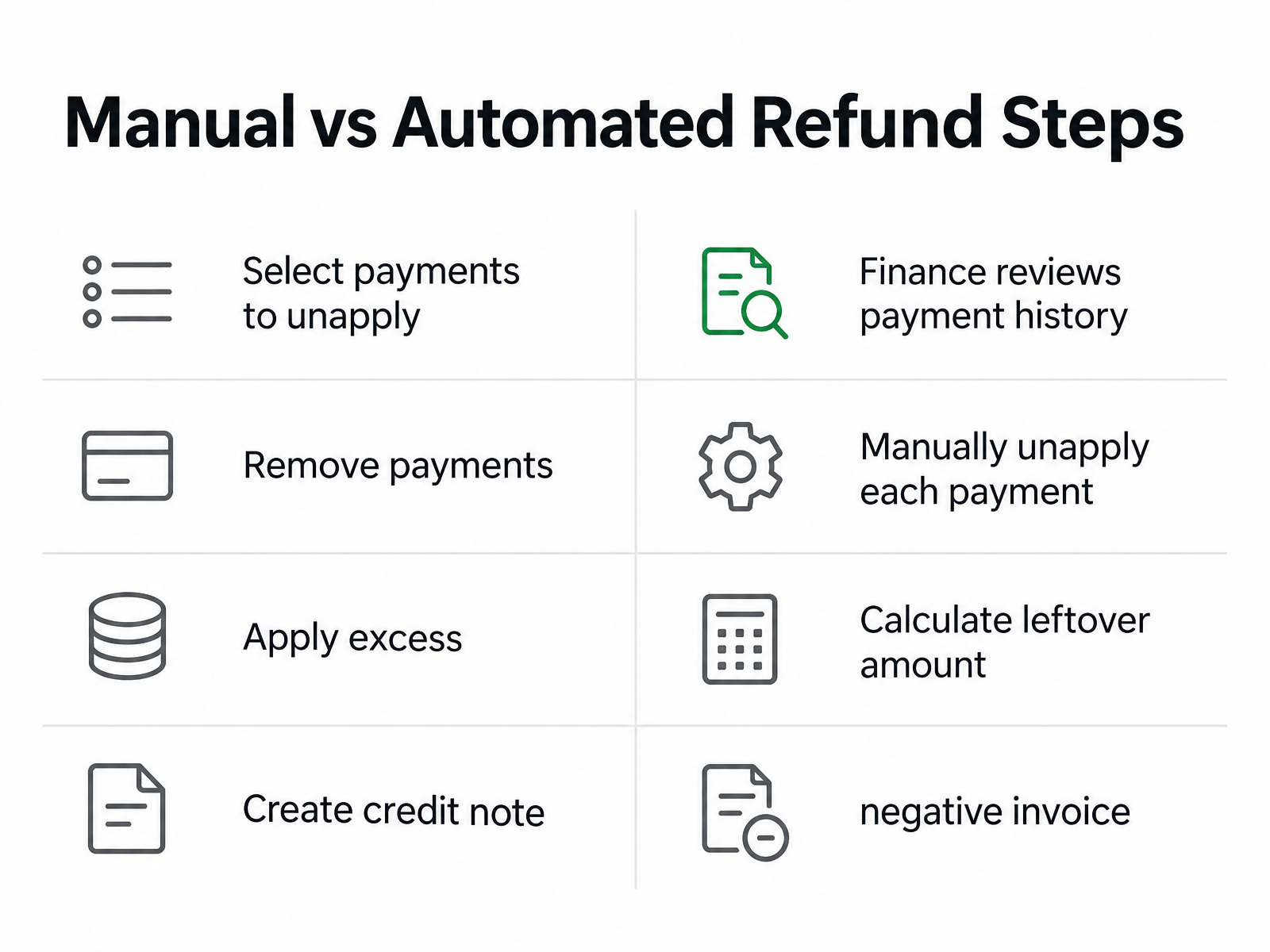
| Action | Manual Process | Automated Orchestration |
|---|---|---|
| Select payments to unapply | Finance reviews payment history and chooses payments to reverse | System selects the fewest payments needed |
| Remove payments | Manually unapply each payment in the ERP | Selected payments are removed in full |
| Apply excess | Calculate the leftover amount and reapply it to the invoice | Excess is applied automatically to the origin invoice |
| Create credit note | Create a negative invoice or credit memo | Credit note is generated with a tax adjustment |
| Route refund | Log into the payment gateway and issue the refund | Refund requests are sent to the gateway per payment method |
| Reconcile processor balance | Check the processor dashboard and match the clearing account | Failed refunds return to the processor balance for separate tracking |
A recurring-billing platform documents that credit notes can reference multiple origin invoices when a prorated allocation change spans two billing periods. For a mid-period upgrade, the system can reference both the original unit charge and the prorated charge that increased the allocation. The credit note captures line items from both invoices and reduces recognized revenue across both periods.
Documented pitfalls and controls
Failed refunds return to the processor balance rather than the customer account. The invoice may remain marked paid while the customer hasn’t received funds and the clearing account still holds the money. Track that balance separately, then retry the refund or issue it through another method.
Compliance checklist
Your credit-note retention policy needs to match local requirements. Many jurisdictions require businesses to store credit notes for tax and audit purposes, and issuance timelines vary by region. The credit note provides proof of the adjustment rather than proof of the refund transaction. If you issue a refund without a credit note, the tax office could treat the original invoice as valid in full.
The controls below cover the core requirements:
- Credit note numbering: Unique sequence separate from invoices
- Origin invoice reference: Every credit note links to the original invoice
- Tax adjustment: Proportional reversal of the original tax amount
- Payment unapplication: Select required payments, remove them in full, and apply excess back
- Refund routing: Separate refund requests per payment method
- Failed refund tracking: Monitor the processor balance for returned funds
- Customer balance application: Retained credits apply automatically to the next invoice
- Invoice status logic: Zero-balance invoices aren’t treated as cash collections
- Audit trail: Credit-note reason, approval, and linked documents are retained
- VAT compliance: Credit notes are issued within jurisdiction deadlines
- Retention period: Credit notes are stored according to local requirements
Without these controls, AR teams spend time correcting status-related entries, investigating failed refunds, and reconciling processor balances manually.
Questions People Ask
1. What happens to my accounting entries when a credit note reduces an open invoice balance to zero?
The accounting treatment should classify the adjustment as a reduction of the receivable and revenue, not as a customer payment. The invoice may display a paid status because its remaining balance is zero, but the ledger should preserve the distinction between settlement by credit and settlement by cash. Configure the integration to read the credit-note event and its linked document rather than relying on the status field alone.
2. Can I refund only part of a payment, or does the system pull entire transactions?
In the documented workflow, a payment is an indivisible accounting record for unapplication. The requested refund can still be smaller than the total amount removed: the system restores the difference as an invoice credit. This preserves the original payment history while allowing the customer to receive the intended refund amount.
3. How do I know if a credit note needs to reference multiple origin invoices?
Review the billing history for charges created by separate billing events or periods. If the adjustment reverses amounts from more than one source invoice, each source and affected line item should appear in the credit note. That structure is particularly important when an allocation change created both an original unit charge and a later prorated charge.