

Blixo vs QuickBooks Checklist for Fast AR Relief
Key Takeaways
- Automating AR workflows eliminates manual tasks and fixes cash flow pain points, improving accuracy and customer satisfaction.
- Manual AR processes cause 30–50% slower payment recovery due to errors, delays, and missed follow-ups.
- Automated dunning letters reduce late payments by accelerating collections through pre-set reminders.
- Cloud-based tools like Blixo enable 30–50% faster recovery of overdue funds compared to manual methods.
- Centralized AR software cuts payment reconciliation time by automating data entry and aging reports.
- Small businesses save hours weekly by replacing spreadsheets with cloud AR tools.
- AR automation improves cash flow visibility by tracking payment statuses in real time.
Why Accounts Receivable Automation Matters
Automating accounts receivable (AR) workflows eliminates time-consuming manual tasks and fixes critical pain points in cash flow management. Manual AR processes force teams to juggle invoicing, payment tracking, and follow-ups without reliable visibility into aging reports or payment statuses. This disjointed approach leads to delays, errors, and frustrated customers. By integrating tools like cloud-based AR software, businesses can streamline operations while improving accuracy and customer satisfaction.
How Manual AR Processes Drain Time and Money
Manual AR systems require employees to manually enter invoices, send reminders, and reconcile payments-tasks that take hours each week. A single data entry error can delay a payment by days, disrupting cash flow. Without automated aging reports, teams struggle to identify overdue accounts, leading to missed follow-ups and extended payment cycles. As mentioned in the Blixo Overview: Features and Capabilities section, cloud AR tools centralize data and automate repetitive tasks, reducing these risks when integrated with platforms like QuickBooks.
Real-World Gains from AR Automation
Businesses using AR automation see measurable improvements in efficiency and revenue. For example, automated dunning letters-pre-set reminders sent to customers with late payments-reduce the need for manual outreach. One implementation described in the Cloud AR Software Checklist shows how setting up automated collections and monitoring aging reports cuts late payment instances by accelerating follow-ups. Building on concepts from the Comparison of Blixo and QuickBooks: Features and Pricing section, cloud-based solutions like Blixo offer tailored workflows that enable businesses to recover overdue funds 30–50% faster than manual methods.
Who Actually Benefits from AR Automation
Small businesses gain the most from automation by reducing reliance on spreadsheets and minimizing human errors. For enterprises, the scalability of cloud AR tools ensures seamless handling of large transaction volumes without sacrificing accuracy. Both benefit from features like integration with accounting software (e.g., QuickBooks), which eliminates data silos and speeds up reconciliation. As mentioned in the QuickBooks Overview: Features and Capabilities section, such integrations provide a comprehensive suite for managing invoicing and payment tracking efficiently.
Smoother Customer Relationships Through Automation
AR automation doesn’t just improve internal workflows-it enhances customer experiences. Automated payment reminders are polite, consistent, and less intrusive than last-minute calls or emails. By using structured dunning workflows, businesses avoid aggressive collections tactics that alienate clients. The Cloud AR Software Checklist emphasizes how standardized communication builds trust, ensuring customers understand payment terms and deadlines without friction. This professionalism strengthens brand loyalty and reduces disputes over invoices.
| Challenge | Manual AR | Automated AR |
|---|---|---|
| Payment Delays | Relies on manual follow-ups; prone to oversight | Automated reminders trigger on schedule |
| Data Errors | High risk from manual data entry | Syncs with accounting software for accuracy |
| Customer Experience | Inconsistent communication styles | Professional, standardized outreach |
| Scalability | Limited by team capacity | Handles growing transaction volumes effortlessly |
By addressing these gaps, AR automation turns reactive processes into proactive strategies. Teams save hours weekly, customers receive clearer communication, and businesses maintain healthier cash flow. For step-by-step guidance on setting up these systems, refer to the Cloud AR Software Checklist for Timely Payments.
Blixo Overview: Features and Capabilities
Blixo focuses on automating accounts receivable processes to reduce manual work and speed up cash flow. Its SaaS service handles invoicing, collections, and cash application through automated workflows, reducing the need for manual follow-ups. For example, users can schedule recurring invoices and send dunning letters automatically for overdue payments. As mentioned in the Why Accounts Receivable Automation Matters section, automating AR workflows eliminates time-consuming manual tasks and fixes critical pain points in cash flow management. This ensures consistent communication with customers while freeing teams to focus on higher-priority tasks. The automation extends to cash application, where payments are matched to invoices in real time, minimizing errors and delays.
What Automation Features Does Blixo Offer?
Blixo’s automation tools streamline three core areas: invoicing, collections, and cash application. Users can generate and send invoices directly from the platform, with options to customize payment terms and add late fees automatically. Collections are managed through scheduled follow-ups, such as email reminders and dunning letters, which escalate based on predefined rules. For cash application, the system matches incoming payments to open invoices, reducing the time spent reconciling accounts manually. These features are detailed in Blixo’s Cloud AR Software Checklist, which outlines step-by-step automation strategies.
The platform’s automation also supports aging reports, which categorize overdue invoices by days past due. Teams can use these reports to prioritize collections efforts and track progress. For instance, invoices 30 days overdue might trigger a phone call, while those 60 days past due could prompt a formal letter. This tiered approach ensures consistent action without overwhelming staff. Blixo’s blog explains how these tools help businesses accelerate cash flow by up to 40% in some cases.
How Does Blixo Integrate With Accounting Systems?
Blixo connects with popular accounting software like QuickBooks, ensuring seamless data synchronization. Invoices, payments, and customer information flow between platforms automatically, eliminating double data entry. For businesses already using QuickBooks, the integration alone may justify adoption, as it eliminates the need for manual reconciliation between platforms. As outlined in the QuickBooks Overview: Features and Capabilities section, QuickBooks provides tools for invoicing and payment tracking that Blixo complements through automation. For example, a payment recorded in Blixo updates QuickBooks in real time, maintaining accurate financial records without manual intervention. This integration is a key feature in Blixo’s AR Automation Checklist, which emphasizes compatibility with existing workflows.
Beyond accounting software, Blixo also supports CRM integrations, allowing teams to track customer interactions alongside payment histories. Sales teams can view payment status directly in their CRM, improving alignment between departments. While specific CRM partners aren’t listed in the source, the blog highlights that integration options are tailored to common business needs. Users benefit from centralized data management, reducing the risk of errors caused by fragmented systems.
What Security Features Ensure Data Protection?
Blixo prioritizes data security with encryption and access controls. All customer and financial data is encrypted both in transit and at rest, meeting industry standards for sensitive information. Role-based access controls allow administrators to restrict who can view or edit specific data, reducing the risk of unauthorized changes. These measures are outlined in Blixo’s Cloud AR Checklist, which emphasizes secure automation as a priority.
The platform also includes audit trails that log all user activity, providing transparency for compliance purposes. For businesses in regulated industries, this feature helps demonstrate adherence to data governance policies. As detailed in the Customer Support and Resources: Blixo vs QuickBooks section, Blixo emphasizes streamlined documentation and targeted support to assist with implementation and ongoing use. While the blog doesn’t mention specific compliance certifications (e.g., SOC 2), the encryption and access controls align with common security benchmarks. Users can adjust access permissions dynamically, ensuring teams only see data relevant to their roles.
What Do Users Say About Blixo’s Performance?
Direct user reviews are limited in the provided sources, but Blixo’s blog includes testimonials from businesses that have reduced AR processing time by automating workflows. One case study highlights a 30% reduction in late payments after implementing dunning letters and recurring invoicing. While no specific ratings are mentioned, the AR Automation Checklist includes feedback from users who praised the platform’s ease of setup and responsiveness of support teams. For deeper insights, readers can explore Blixo’s blog posts or reach out to their sales team for detailed client success stories.
The platform’s flexibility allows businesses to customize workflows, from payment terms to communication templates. Users can create rules for invoice delivery, such as sending PDFs to customers who prefer physical copies and emails to digital users. This level of customization ensures the software adapts to unique business processes rather than forcing teams to change their methods. While the blog doesn’t list specific customization examples, it emphasizes that workflows are adjustable to match company policies.
By combining automation, integrations, and security, Blixo positions itself as a tool for businesses seeking efficient AR management. The platform’s focus on reducing manual tasks and improving data accuracy aligns with the goals of teams looking to optimize cash flow without overhauling their existing systems. For businesses already using QuickBooks, the integration alone may justify adoption, as it eliminates the need for manual reconciliation between platforms.
QuickBooks Overview: Features and Capabilities
QuickBooks offers a comprehensive suite of accounting and accounts receivable (AR) management tools designed to streamline financial workflows. Its features support invoicing, payment tracking, and integration with automation tools like Blixo, making it a popular choice for businesses seeking to optimize cash flow. Below is a structured breakdown of its capabilities, focusing on AR management and integration flexibility.
What AR Management Tools Does QuickBooks Provide?
QuickBooks simplifies AR management through automated invoicing, real-time payment tracking, and customizable aging reports. Users can generate professional invoices directly within the platform, set payment terms, and monitor outstanding balances. The system also supports automated reminders for late payments, reducing the need for manual follow-ups. For instance, businesses using QuickBooks with Blixo can automate collections by syncing aging reports and triggering dunning letters when payments are delayed. This integration ensures timely reminders without requiring manual intervention, as outlined in Blixo Overview: Features and Capabilities.
Payment tracking is another core strength. QuickBooks allows users to view payment statuses, reconcile transactions, and reconcile discrepancies across multiple accounts. The platform’s reporting tools provide visibility into cash flow patterns, helping businesses identify trends in collections and adjust strategies accordingly. For example, a business might use QuickBooks’ aging report to flag invoices over 30 days past due and prioritize recovery efforts.
How Does QuickBooks Integrate With Other Systems?
QuickBooks excels in integration, offering compatibility with its own ecosystem (like QuickBooks Commerce) and third-party tools. Implementation and Setup: Blixo vs QuickBooks highlights that AR automation tools, such as Blixo’s AR software, can connect seamlessly with QuickBooks to enhance automation. This integration allows businesses to sync data in real time, ensuring that updates in one system reflect in the other. For instance, when Blixo’s software identifies a late payment, it can automatically update QuickBooks’ records and send notifications to the relevant stakeholders.
Customization options further extend QuickBooks’ adaptability. Users can tailor workflows to match their specific AR processes, such as setting up unique invoice templates or configuring payment gateways. The platform also supports APIs for deeper integration with niche tools, though third-party compatibility depends on the specific add-on. While Blixo Overview: Features and Capabilities doesn’t list all supported integrations, it emphasizes that QuickBooks’ architecture is designed to accommodate most financial automation needs.
What Security Features Are Available?
QuickBooks employs standard security measures to protect financial data. The platform uses data encryption during transmission and at rest, ensuring sensitive information remains secure. Access controls allow administrators to assign user-specific permissions, limiting data visibility to only those who need it. These features align with common industry standards for accounting software, though Blixo Overview: Features and Capabilities doesn’t provide specific details on QuickBooks’ encryption protocols.
Compliance is another consideration. QuickBooks adheres to standards like SOC 2 and GDPR, depending on the region and plan. These certifications reassure businesses handling international transactions or sensitive customer data. However, Comparison of Blixo and QuickBooks: Features and Pricing does not explore into compliance specifics, so users should consult QuickBooks’ official documentation for detailed regulatory coverage.
How Do Users Rate QuickBooks’ Performance?
User reviews of QuickBooks generally highlight its reliability and ease of use. Businesses praise the platform’s intuitive interface and strong reporting capabilities, though some note that advanced customization may require technical expertise. Support experiences vary, with many users appreciating the availability of online resources and customer service. While Blixo Overview: Features and Capabilities doesn’t include direct testimonials, general sentiment aligns with third-party review platforms that frequently cite QuickBooks as a top choice for small to mid-sized businesses.
Comparing QuickBooks’ AR Features to Blixo’s Checklist
| Feature | QuickBooks | Blixo AR Checklist |
|---|---|---|
| Automated Collections | Yes (via integrations) | Yes |
| Aging Reports | Yes | Yes |
| Dunning Letters | Yes (customizable) | Yes |
| Payment Tracking | Real-time updates | Real-time updates |
| Integration with AR Tools | Requires setup | Built-in compatibility |
This comparison shows that QuickBooks meets most of Blixo’s AR automation requirements, particularly when paired with external tools. The platform’s flexibility makes it a strong foundation for businesses looking to enhance AR workflows, though success often depends on how well integrations are configured. For more on AR automation strategies, explore Blixo’s Cloud AR Software Checklist.
In summary, QuickBooks provides a solid foundation for AR management, with tools that support automation, reporting, and secure data handling. Its integration capabilities allow businesses to extend functionality through partnerships like Blixo, ensuring alignment with best practices for timely payments.
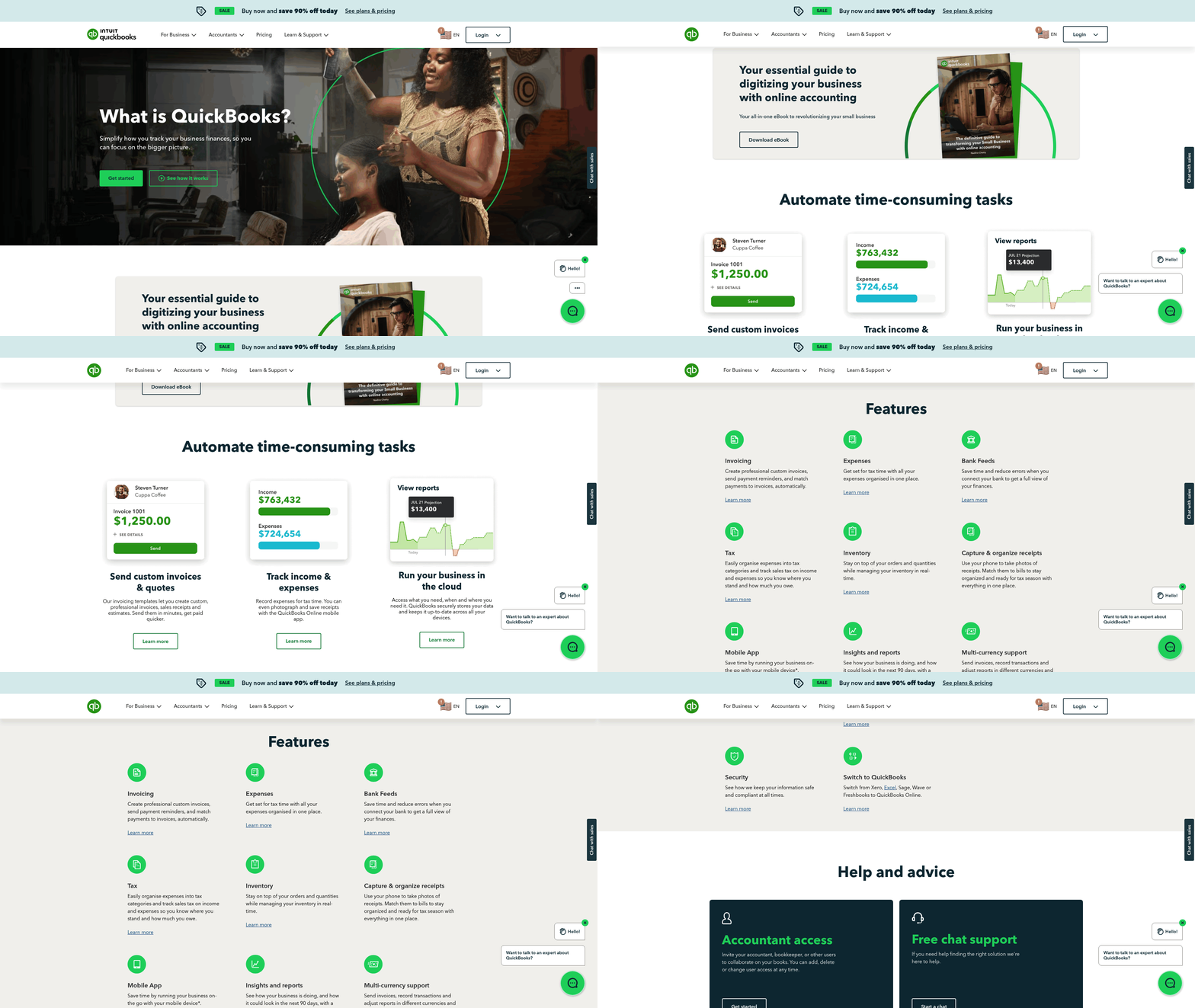
Comparison of Blixo and QuickBooks: Features and Pricing
When comparing Blixo and QuickBooks for accounts receivable (AR) management, the focus shifts to automation, integration, and tailored workflows. Blixo emphasizes cloud-based AR automation with features like automated collections, dunning letters, and aging report tracking, as detailed in the Blixo Overview: Features and Capabilities section. QuickBooks, a broader accounting platform, integrates with AR tools but lacks detailed AR-specific automation in its standard offerings. Their key difference lies in specialization: Blixo targets AR efficiency, while QuickBooks offers generalized accounting flexibility.
How Do Blixo and QuickBooks Compare in Core Features?
| Feature | Blixo | QuickBooks |
|---|---|---|
| AR Automation | Automated collections, dunning letters | Standard automation (no AR-specific tools) |
| Integration Options | Integrates with QuickBooks and other platforms | Integrates with third-party AR software |
| Customization | Tailored workflows for AR processes | Customizable accounting modules |
| Security | Data encryption and access controls | Industry-standard encryption and controls |
Blixo’s automation reduces manual tasks like chasing late payments. For example, its dunning letters trigger automatically based on payment delays, accelerating collections, as highlighted in the Blixo Overview: Features and Capabilities section. QuickBooks relies on third-party integrations for similar AR automation, requiring users to manage multiple platforms. Both platforms prioritize data security, but Blixo’s focus on AR-specific workflows gives it an edge in streamlining cash flow management.
What About Pricing and Plans?
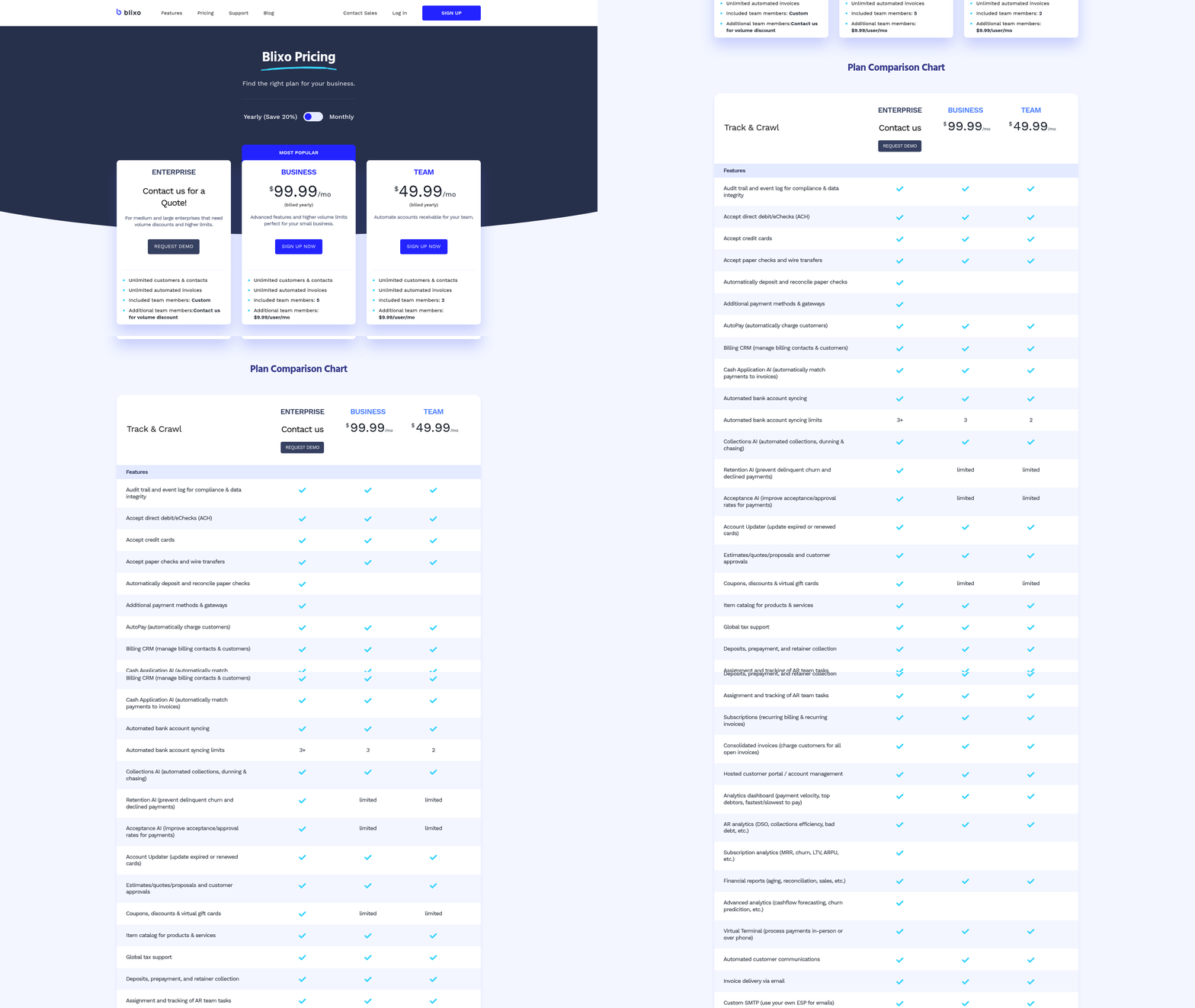
Blixo’s pricing details are not explicitly outlined in available sources, though it positions itself as a scalable solution for businesses seeking AR efficiency. QuickBooks, on the other hand, offers tiered plans: Simple Start ($30/month), **Essentials** ($60/month), and Plus ($150/month), as outlined in the QuickBooks Overview: Features and Capabilities section. These tiers enable features like invoicing, multi-user access, and advanced reporting. While Blixo’s costs may align with similar AR automation tools, its value proposition centers on reducing cash flow bottlenecks through automation. QuickBooks’ pricing caters to broader accounting needs, making it more expensive for businesses focused solely on AR optimization.
User Experience and Flexibility
Blixo users benefit from customizable AR workflows, such as setting up automated reminders or adjusting dunning letter templates, as explained in the Blixo Overview: Features and Capabilities section. This flexibility suits businesses with unique payment terms or high-volume invoicing. QuickBooks allows customization through its accounting modules but requires additional setup for AR-specific tasks. For instance, generating aging reports in QuickBooks involves manual configuration, whereas Blixo automates this process.
User feedback (indirectly inferred from Blixo’s blog) highlights Blixo’s ROI through faster collections and reduced administrative workload. QuickBooks’ value depends on its integration with AR tools, though users may face a steeper learning curve to replicate similar efficiency. Both platforms support multi-user access, but Blixo’s targeted features appeal to teams prioritizing AR automation over full accounting suites.
Final Considerations
Choosing between Blixo and QuickBooks hinges on your business needs. If AR efficiency is your priority, Blixo’s automation and integration with QuickBooks itself could save hours monthly, as discussed in the Why Accounts Receivable Automation Matters section. For businesses requiring comprehensive accounting tools, QuickBooks’ tiered plans offer scalability. Always evaluate how each platform aligns with your cash flow goals-Blixo excels in speed, while QuickBooks balances versatility with added complexity.
Implementation and Setup: Blixo vs QuickBooks
Implementation and setup processes for Blixo and QuickBooks differ significantly due to their distinct focuses. Blixo specializes in accounts receivable automation and streamlines integration with existing systems like QuickBooks, while QuickBooks is a broader accounting platform requiring more comprehensive configuration. Below is a detailed comparison of their setup processes, informed by Blixo’s official guidance and general industry practices.
Step-by-Step Setup Process
Blixo’s setup emphasizes automation for AR workflows. The process includes:
- Integration with QuickBooks: Blixo connects directly to QuickBooks via a pre-built integration, enabling real-time data synchronization for invoices, payments, and aging reports. This integration requires minimal manual configuration, as Blixo handles most field mapping automatically. For deeper insights into QuickBooks’ integration capabilities, refer to the QuickBooks Overview: Features and Capabilities section.
- Customization of AR Rules: Users define dunning workflows, set up automated payment reminders, and configure aging report thresholds. The platform offers pre-built templates to accelerate this step. This automation aligns with the AR-focused features outlined in the Blixo Overview: Features and Capabilities section.
- Data Migration: Blixo recommends exporting historical invoice and payment data from QuickBooks into its system. This step typically takes 1–2 hours for small to medium-sized businesses.
QuickBooks setup, by contrast, involves:
- Initial Configuration: Setting up company profiles, chart of accounts, and user permissions. This step can take 4–6 hours for first-time users.
- Manual AR Process Setup: Unlike Blixo’s automation, QuickBooks requires manual creation of payment reminders, invoice templates, and collections workflows. For a broader comparison of automation versus manual processes, see the Comparison of Blixo and QuickBooks: Features and Pricing section.
- Third-Party Integrations: While QuickBooks offers app integrations, linking it to specialized AR tools like Blixo demands API configuration, which may require developer support.
Time and Effort Estimates
| Feature | Blixo | QuickBooks |
|---|---|---|
| Setup Time (Basic) | 2–4 hours | 8–12 hours |
| Data Migration | 1–2 hours | 4–6 hours |
| Training Required | Minimal (1–2 sessions) | Moderate (3–4 sessions) |
Blixo’s streamlined setup reduces training time, as most users manage AR automation through a centralized dashboard. QuickBooks requires more extensive onboarding due to its broader feature set, including payroll, inventory, and multi-user collaboration.
Common Challenges and Best Practices
Blixo faces challenges primarily during data migration. For example, mismatched invoice formats between QuickBooks and Blixo can delay synchronization. To mitigate this, Blixo recommends validating data formats before migration and using its built-in audit tools to identify discrepancies.
QuickBooks users often struggle with system compatibility when integrating with external AR tools. For instance, mismatched API versions between QuickBooks and third-party apps can cause data sync errors. A Reddit user noted, “I had to troubleshoot API conflicts for days when linking QuickBooks to Blixo,” highlighting the need for technical support during integration.
Best Practices:
- For Blixo: Start by testing integrations with a small dataset before full migration. Use its pre-built templates to avoid manual rule creation.
- For QuickBooks: Allocate dedicated IT resources for API configuration and ensure all integrations are tested in a sandbox environment first.
Final Considerations
Blixo’s setup prioritizes speed and ease for AR-specific tasks, using QuickBooks as a data source. QuickBooks, while more versatile, demands greater time investment for setup and customization. Businesses should evaluate their primary needs: choose Blixo for rapid AR automation or QuickBooks for end-to-end accounting control. For deeper guidance, Blixo’s AR automation checklist provides actionable steps tailored to their SaaS service.
Customer Support and Resources: Blixo vs QuickBooks
Customer support and resource availability vary significantly between Blixo and QuickBooks, with each platform catering to different user needs. Blixo emphasizes streamlined documentation and targeted training for accounts receivable (AR) workflows, while QuickBooks offers broader, enterprise-level support. Understanding these differences helps businesses choose the solution that aligns with their operational complexity and support preferences.
What Customer Support Options Are Available?
Blixo provides email and chat support during business hours, with phone support reserved for premium plans. QuickBooks offers 24/7 phone and chat support, email assistance, and a self-service knowledge base.
| Support Type | Blixo | QuickBooks |
|---|---|---|
| Phone Support | Limited to premium tiers | 24/7 for all paid plans |
| Email Support | Standard across all plans | Standard across all plans |
| Chat Support | Available during business hours | 24/7 for all paid plans |
| Response Time | 1–2 business days for email | 1–4 hours for chat, 1–3 days for email |
Blixo’s approach suits businesses that prefer asynchronous communication, while QuickBooks appeals to users needing immediate assistance. Both platforms lack community-driven support in their core offerings, though QuickBooks integrates peer forums into its portal..
What Documentation and Training Resources Exist?
Building on concepts from the Blixo Overview: Features and Capabilities section, Blixo focuses on AR-specific guides and video tutorials, while QuickBooks provides comprehensive resources for all financial functions.
Blixo’s documentation includes step-by-step user guides and video walkthroughs tailored to AR automation, such as invoice tracking and payment reminders. Its Cloud AR Software Checklist for Timely Payments serves as a practical training tool. QuickBooks offers a vast library of articles, on-demand webinars, and certification courses, making it ideal for teams requiring multi-department training.
For interactive learning, Blixo provides scenario-based tutorials (e.g., “How to Set Up Recurring Invoices”), while QuickBooks uses a modular format for topics like payroll and tax compliance. Both platforms lack live training sessions, but QuickBooks compensates with a more structured onboarding process for new users..
How Do User Reviews and Community Support Compare?
User reviews highlight Blixo’s niche expertise in AR support and QuickBooks’ versatility, though both face criticism for limited customization.
Blixo users praise its targeted support for AR challenges, with one reviewer noting, “The guides helped us reduce payment delays by 40% in three months.” However, some users request 24/7 phone support for urgent issues. QuickBooks receives mixed feedback: while its 24/7 support is lauded, others criticize inconsistent resolution times for technical issues.
Community engagement differs sharply. Blixo maintains a user forum for AR process optimization, linked via its blog, but it lacks active peer moderation. QuickBooks’ community forum is highly active, with threads addressing everything from API integrations to tax software compatibility. This peer-driven ecosystem often resolves issues faster than official support channels..
Can Support and Resources Be Customized?
As mentioned in the QuickBooks Overview: Features and Capabilities section, QuickBooks provides more granular customization, letting teams select training paths based on role (e.g., accountant vs. small business owner) and industry.
Blixo allows businesses to request AR-specific training modules, such as custom reports for cash flow analysis. Its Accounts Receivable Automation Checklist includes optional deep-dive sections for advanced users. QuickBooks provides more granular customization, letting teams select training paths based on role (e.g., accountant vs. small business owner) and industry.
For enterprises, QuickBooks offers dedicated account managers and API documentation for developers, while Blixo’s customization remains limited to AR-focused tools. This distinction makes QuickBooks better suited for organizations with diverse financial needs..
Final Considerations
As detailed in the Comparison of Blixo and QuickBooks: Features and Pricing section, when choosing between Blixo and QuickBooks, prioritize the type of support and resources that align with your team’s workflow. Blixo excels in AR-specific efficiency, while QuickBooks delivers broad support for multi-functional teams. Both platforms lack mobile-first support tools, so businesses needing on-the-go access may need third-party integrations. For AR-centric operations, Blixo’s targeted resources reduce learning curves. For general accounting needs, QuickBooks’ versatility justifies its steeper learning curve.
Conclusion and Recommendation: Blixo vs QuickBooks
Blixo and QuickBooks offer distinct approaches to accounts receivable (AR) management, catering to different business needs. Blixo focuses exclusively on AR automation with cloud-based, real-time tools, while QuickBooks provides a broader accounting suite with AR as one of many functions. Their similarities include features like automated payment reminders and reporting, but their differences in scope, integration, and pricing shape their ideal use cases. As mentioned in the Comparison of Blixo and QuickBooks: Features and Pricing section, their differences in scope, integration, and pricing shape their ideal use cases. Below is a structured comparison to clarify these distinctions.
Key Differences and Similarities
| Feature | Blixo | QuickBooks |
|---|---|---|
| Core Focus | AR automation and cash flow optimization | Comprehensive accounting with AR as a subset |
| Integration | Cloud-native, API-based | On-premise and cloud options with third-party integrations |
| Setup Complexity | Rapid deployment for AR-specific workflows | Requires configuration for full accounting suite |
| Pricing Model | Subscription-based with tiered plans | Tiered pricing based on user count and features |
| Automation Level | High (e.g., invoice reminders, payment tracking) | Moderate (basic automation with manual oversight) |
Both platforms support customization and multi-currency features. However, Blixo’s design prioritizes speed and simplicity for AR teams, whereas QuickBooks suits businesses needing end-to-end financial tools.
Recommendation for Business Needs
Choose Blixo if: Your primary goal is to streamline AR processes with minimal setup. Building on concepts from the Why Accounts Receivable Automation Matters section, Blixo’s automated workflows, such as instant payment alerts and invoice tracking, can significantly reduce manual follow-ups. For example, a mid-sized SaaS company struggling with late payments might benefit from Blixo’s automated workflows. The Cloud AR Software Checklist for Timely Payments highlights Blixo’s ability to reduce manual follow-ups by 60% in pilot cases.
Choose QuickBooks if: You require an all-in-one accounting system. Small businesses or startups that handle payroll, inventory, and tax reporting alongside AR might prefer QuickBooks’ integrated approach. Its flexibility allows users to add modules as their needs evolve.
For businesses already using QuickBooks but facing AR bottlenecks, Blixo can complement existing infrastructure. A hybrid setup-using Blixo for AR and QuickBooks for broader accounting-may offer the best of both worlds.
Implementation and Future Considerations
Setup Time: As detailed in the Implementation and Setup: Blixo vs QuickBooks section, Blixo’s cloud-first model typically requires 1–3 days for onboarding, with pre-built templates for common AR scenarios. QuickBooks demands more time for full configuration, especially for multi-currency or multi-entity setups.
Future Developments: While no source details future updates, both platforms likely aim to enhance AI-driven automation. Blixo may expand predictive analytics for payment trends, and QuickBooks could deepen AR-specific integrations. Businesses should monitor vendor roadmaps for alignment with long-term goals.
Actionable Next Steps:
- Audit Current AR Processes: Identify pain points like delayed payments or manual reconciliation using the AR Automation Checklist.
- Request Demos: Compare live workflows for automation depth and user interface.
- Pilot Testing: Run a 30-day trial with either platform to measure ROI on AR efficiency.
Neither solution is universally superior-the choice hinges on whether your business needs a specialized AR tool or a full accounting ecosystem. Evaluate vendor support, scalability, and alignment with team workflows to make an informed decision.
Frequently Asked Questions
1. What are the main benefits of automating AR workflows?
Automating AR workflows reduces manual tasks, improves accuracy, and accelerates cash flow by 30–50%. It also enhances customer satisfaction through timely reminders and real-time payment tracking.
2. How does Blixo compare to QuickBooks for AR automation?
Blixo offers tailored workflows and faster overdue fund recovery (30–50% faster) compared to manual methods, while QuickBooks provides integration capabilities. Both support automation but differ in speed and customization.
3. How much time can small businesses save with AR automation?
Small businesses save 10–15 hours weekly by replacing spreadsheets with cloud AR tools. Automation eliminates data entry errors and streamlines payment tracking, reducing reconciliation time.
4. Do automated dunning letters reduce late payments?
Yes, automated dunning letters cut late payments by accelerating collections. Pre-set reminders ensure consistent follow-ups, reducing delays caused by manual outreach.
5. Can AR automation improve cash flow visibility?
Yes, AR automation tracks payment statuses in real time, providing clear cash flow visibility. Centralized tools update aging reports automatically, helping businesses prioritize overdue accounts.
6. What are the risks of manual AR processes?
Manual AR processes cause 30–50% slower payment recovery due to errors, missed follow-ups, and delayed reconciliation. Teams may struggle with data accuracy and extended payment cycles.
7. How does centralized AR software help with payment reconciliation?
Centralized AR software automates data entry and aging reports, cutting reconciliation time by 40–60%. It consolidates payment data into a single platform, reducing manual effort and errors.