

Cloud AR Software Checklist for Timely Payments
Key Takeaways
- Cloud AR software reduces administrative time spent on collections by automating tasks, saving businesses 14 weekly hours and preventing $4.5M/month in losses.
- Automating AR processes can cut Days Sales Outstanding (DSO) by 20 days and reduce manual work hours by 40%, as seen in case studies.
- Digitizing payments and dispute resolution boosts cash flow by 30% within three months for businesses adopting cloud AR tools.
- Communication gaps delay 30% of invoices, but automation ensures timely delivery and minimizes human error.
- Manual collections take 67% longer than automated methods, emphasizing the need for instant payment-matching and real-time dashboards.
- Small businesses eliminate dedicated AR teams by automating repetitive tasks, while enterprises manage global multi-currency payments.
- Real-time dashboards enable proactive tracking of outstanding balances, prioritizing collections to improve cash flow efficiency.
Why Cloud AR Software Matters
Cloud AR software is a critical tool for businesses aiming to streamline payments, reduce delays, and maintain financial stability. Industry data reveals that 65% of businesses spend 14 hours weekly on administrative tasks tied to collections, while $4.5 million per month is lost in upper-midsize firms due to poor invoicing. These challenges highlight the need for automation, as manual processes slow cash flow and drain resources. By adopting cloud-based AR solutions, companies can cut delays, improve accuracy, and reclaim time for strategic work.
How Cloud AR Software Solves Key Payment Challenges
Cloud AR software addresses persistent issues like manual invoicing, disjointed workflows, and late payments. For example, 30% of invoices are delayed due to communication gaps, and 67% of collections take longer with manual methods. Automation resolves these pain points by:
- Automating reminders and invoicing to reduce human error and ensure timely delivery
- Matching payments to invoices instantly, slashing cash application time from days to seconds
- Providing real-time dashboards to track outstanding balances and prioritize collections
Building on concepts from the How Does Automation Streamline AR Processes? section, one company using a cloud AR platform reduced its Days Sales Outstanding (DSO) by 20 days and cut manual hours by 40%. Another reported a 30% cash flow boost within three months by digitizing payments and dispute resolution. These results underscore how automation transforms accounts receivable from a reactive task to a strategic advantage.
Who Benefits Most from Cloud AR Automation
Small businesses and enterprises alike gain value from cloud AR tools, though the needs vary:
- Small businesses eliminate the need for dedicated AR teams by automating repetitive tasks.
- Enterprises unify global payments, manage multi-currency transactions, and scale workflows efficiently.
For instance, a midsize construction firm automated progress invoicing, reducing late payments by 50% and improving client satisfaction. Meanwhile, a healthcare provider streamlined insurance reimbursements, cutting write-offs by 15%. Blixo, a leader in this space, offers scalable solutions tailored to these use cases, ensuring businesses of all sizes access the same efficiency gains.
The Financial Impact of Cloud AR Adoption
The cost savings and efficiency boosts from cloud AR software are measurable and substantial:
- 70 million transactions processed annually by AR automation platforms save businesses an estimated $72 billion in operational costs.
- Dispute resolution time drops from 40% of staff hours to just 13% with automated matching and communication tools.
- Late payment rates fall by 30% when customers receive personalized, timely reminders via self-service portals.
These outcomes align with insights from the Cloud AR Software ROI and Cost Savings section, such as SAP’s note that proactive AR management is “essential for avoiding the pitfalls of unpaid invoices.” A case study from a retail chain illustrates this: After integrating cloud AR software, the company reduced manual data entry by 80% and recovered $2.1 million in previously uncollected receivables.
Why Cloud AR Outperforms Legacy Systems
Traditional AR processes-like paper invoices and spreadsheet tracking-are error-prone and slow. In contrast, cloud AR platforms offer zero-touch collections, AI-driven insights, and centralized reporting. For example, Blixo’s transparent pricing contrasts with generic providers that bundle hidden fees, ensuring businesses avoid budget surprises. Building on concepts from the Cloud AR Software Features and Functionality section, cloud solutions integrate seamlessly with ERPs like NetSuite and Salesforce, unifying financial data across departments.
In short, cloud AR software isn’t just a convenience-it’s a financial lifeline. By reducing delays, cutting errors, and freeing staff for high-value tasks, it ensures businesses stay agile in competitive markets. Whether you’re a small startup or a global enterprise, the ROI of automation is clear: faster payments mean stronger cash flow, healthier profit margins, and a foundation for sustained growth.
Cloud AR Software Features and Functionality
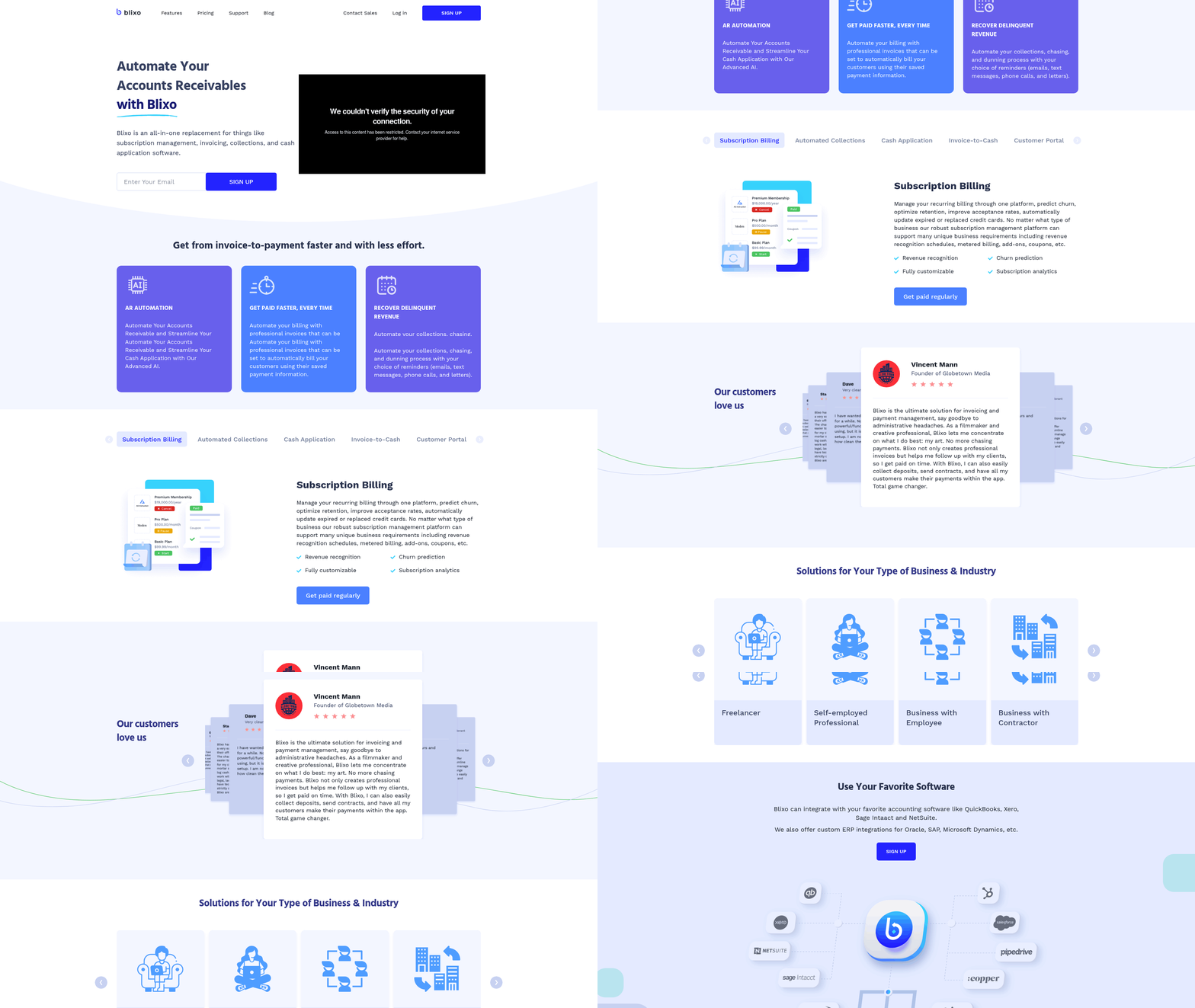
How Does Automation Streamline AR Processes? Cloud AR software automates repetitive tasks like invoicing, payment reminders, and cash application, reducing manual effort and speeding up collections. For example, automated invoicing ensures bills are sent promptly after services are rendered, cutting down delays. A self-service customer portal allows clients to view invoices, dispute charges, or make payments instantly, improving satisfaction and reducing back-and-forth communication.
- Enable automated invoicing to eliminate delays and errors in billing
- Set up scheduled payment reminders to reduce late payments by 50% or more (versapay reports 67% faster collections with automation)
- Use cash application automation to match payments to invoices in real-time, even with missing remittance data
What Analytics and Reporting Features Should You Prioritize?
Real-time dashboards and customizable reports provide visibility into cash flow, aging receivables, and collection performance. Metrics like Days Sales Outstanding (DSO) and accounts receivable turnover ratio help measure efficiency. For instance, one company reduced its DSO by 20 days using automated reporting tools, accelerating cash flow.
- Track DSO to identify trends in payment delays and adjust credit terms accordingly
- Generate customizable reports for stakeholders, including aging reports and collections performance summaries
- Use predictive analytics to flag high-risk accounts or forecast cash inflows
How to Ensure Seamless Integration with Existing Systems?
Cloud AR software must connect with your ERP, accounting, and banking systems to centralize financial data. Blixo, for example, offers integrations with platforms like NetSuite and QuickBooks, ensuring data accuracy and eliminating manual reconciliation. This connectivity also supports multi-currency transactions, which is critical for global businesses.
- Confirm compatibility with your ERP system (e.g., SAP, Oracle) for unified financial management
- Verify banking integrations to automate payment processing and reconcile transactions instantly
- Test API connectivity to ensure real-time data flow between AR software and other business tools
Can the Software Adapt to Your Business Needs?
Customization options allow you to tailor workflows, payment methods, and user roles. For instance, a healthcare provider might need automated insurance claim tracking, while a B2B retailer may prioritize flexible payment plans. Blixo’s modular design lets businesses add features like custom fields or workflow automations to align with unique processes.
- Configure payment options (credit cards, ACH, bank transfers) to meet customer preferences
- Customize user roles to restrict access to sensitive financial data
- Adjust workflow rules to automate approvals or escalate overdue invoices
What About Scalability and Security?
Cloud AR platforms should scale with your business, handling increased transaction volumes without performance dips. Security measures like end-to-end encryption, PCI DSS compliance, and role-based access controls protect sensitive financial data. For example, one business processing $72 billion annually relies on cloud AR solutions with 99.9% uptime and automated backups.
- Ensure the platform supports multi-currency transactions for international operations
- Verify data encryption and compliance with standards like GDPR or SOC 2, as outlined in the Cloud AR Software Security and Compliance section
- Test disaster recovery protocols to minimize downtime during outages
By using these features, businesses can reduce manual hours spent on AR tasks, lower error rates, and improve cash flow predictability. For instance, a mid-sized firm cut administrative work by 14 hours weekly after implementing automated collections and reporting, as mentioned in the Why Cloud AR Software Matters section. Prioritize solutions that combine flexibility, security, and integration to future-proof your financial operations. Building on concepts from the Implementing Cloud AR Software: Best Practices section, planning compatibility with ERP systems during deployment ensures smoother adoption and long-term efficiency.
Implementing Cloud AR Software: Best Practices
What Makes Planning and Preparation Critical?
Planning sets the foundation for a smooth Cloud AR implementation. Skipping this phase risks misalignment with business goals, integration delays, and user resistance. Start by defining clear objectives: Are you aiming to reduce Days Sales Outstanding (DSO) or improve payment automation? As mentioned in the Why Cloud AR Software Matters section, 65% of businesses spend 14 hours weekly on manual AR tasks, highlighting the urgency of strategic planning. Assess your current accounts receivable workflows to identify bottlenecks, such as manual invoice tracking or delayed collections.
- Define business goals and KPIs for Cloud AR adoption (e.g., reducing DSO by 20% within six months).
- Audit existing systems to identify gaps in payment tracking, reconciliation, or customer communication.
- Select a vendor that aligns with your technical requirements, such as multi-currency support or AI-driven collections.
For example, a construction company might prioritize a solution with automated progress invoicing, while a healthcare provider may need tools for insurance claim tracking. Avoid generic providers if your workflows require niche features like real-time dispute resolution..
How to Streamline Configuration and Integration?
Misconfigured systems or incomplete data migration can derail Cloud AR performance. Begin by mapping data from your legacy systems to the new platform, ensuring critical fields like invoice numbers and payment terms transfer accurately. Use APIs or flat files to connect with ERP systems, as supported by SaaS providers like Blixo, which integrates seamlessly with CRM tools. Building on concepts from the Cloud AR Software Features and Functionality section, automated reminders can reduce late payments significantly, with studies showing this cuts DSO in half.
- Migrate historical data in batches, verifying accuracy with sample checks after each transfer.
- Test integrations with accounting software and payment gateways to ensure real-time updates.
- Enable automated reminders to reduce late payments-studies show this can cut DSO in half.
A common mistake is skipping test scenarios, such as simulating late payments or payment disputes. For instance, one company saved 200 hours weekly by overhauling billing processes after rigorous testing of their new system’s workflows..
Why Training and Change Management Matter
Even the best Cloud AR software fails if teams resist using it. Training should address both technical skills (e.g., generating reports) and behavioral shifts (e.g., adopting automated collections). Pair hands-on workshops with role-specific guides, such as tailored tutorials for finance teams handling reconciliations. As mentioned in the Cloud AR Software ROI and Cost Savings section, streamlining AR workflows can lead to measurable efficiency gains, such as reducing administrative hours from 14 to under 5 weekly.
- Create a training plan that includes onboarding sessions, video tutorials, and FAQs.
- Assign superusers to assist colleagues and reinforce new processes.
- Monitor user adoption through dashboards and collect feedback for iterative improvements.
Change management is equally vital. One organization improved adoption by involving finance managers in the planning phase, ensuring the solution addressed their pain points. Regularly communicate progress, like highlighting how automated invoicing reduced weekly administrative hours from 14 to under 5..
What Mistakes Should You Avoid?
Rushing implementation without stakeholder alignment or underestimating data migration complexity are common pitfalls. Another error is neglecting to set up strong dispute resolution workflows-60% of overdue invoices go uncollected due to unresolved disputes. As outlined in the Cloud AR Software Security and Compliance section, ensure compliance with security standards (e.g., PCI DSS for payment processing) to mitigate risks.
- Avoid siloed planning by involving finance, IT, and customer service teams early.
- Don’t skip post-implementation reviews; analyze metrics like collections efficiency and user engagement.
- Ensure compliance with security standards (e.g., PCI DSS for payment processing).
For example, a business that ignored user feedback during rollout faced a 30% drop in adoption until they revised training materials. Always align technical capabilities with human factors to maximize ROI..
How to Measure Success After Implementation?
Track KPIs like DSO, payment error rates, and user satisfaction to gauge Cloud AR effectiveness. Compare these metrics against pre-implementation benchmarks to quantify improvements. Building on concepts from the Cloud AR Software Features and Functionality section, automating billing alerts can reduce payment disputes by 40%, as seen in a healthcare clinic’s case.
- Review collections performance monthly to identify trends in late payments or disputes.
- Survey users to assess ease of use and feature relevance.
- Adjust workflows based on feedback-such as adding multi-language support for international clients.
A healthcare clinic reduced patient payment disputes by 40% after implementing automated billing alerts. Regularly revisiting your strategy ensures your Cloud AR system evolves with your business needs.
Cloud AR Software Security and Compliance
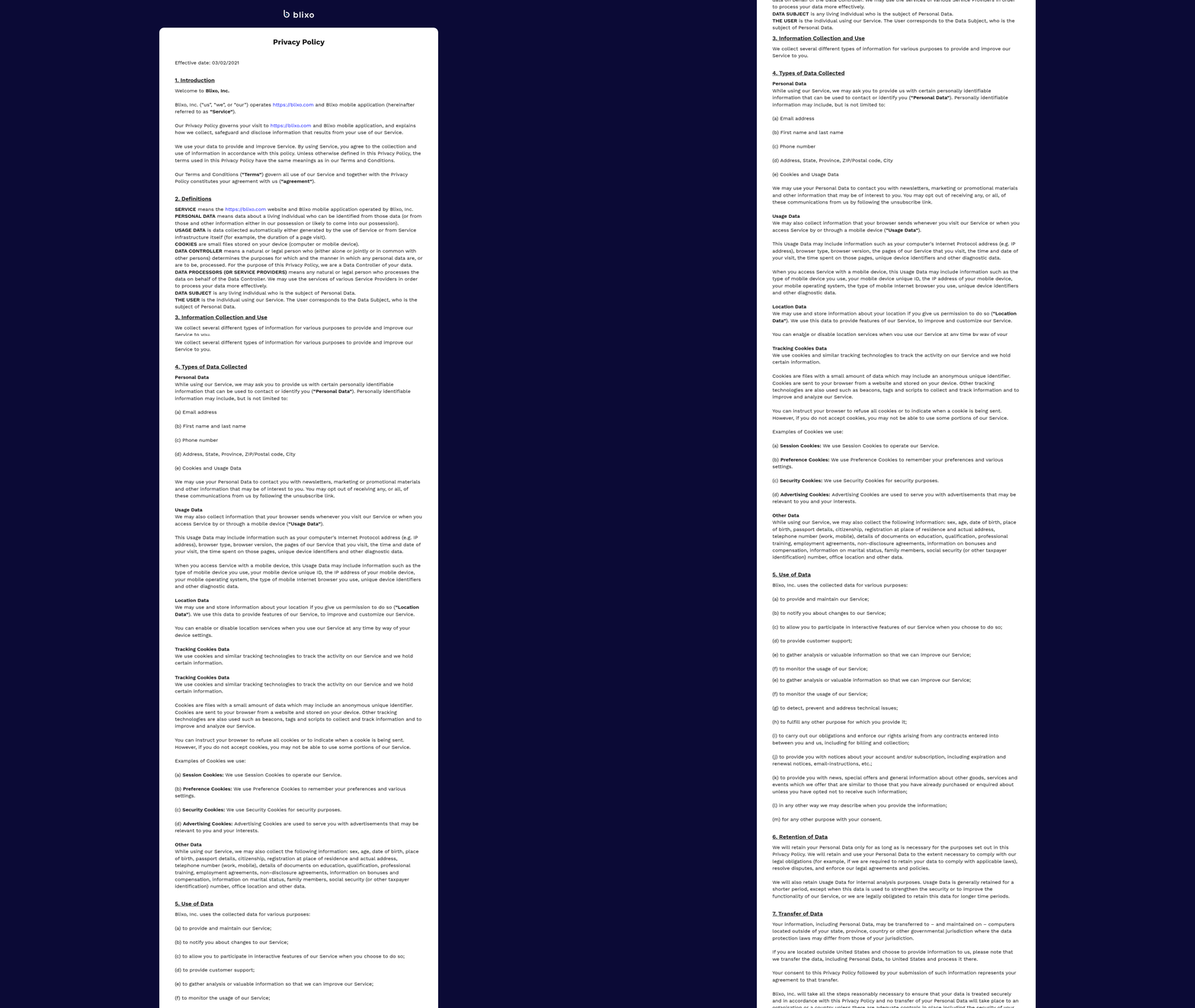
Cloud AR software must prioritize security and compliance to protect sensitive business data while meeting legal obligations. When evaluating SaaS providers like Blixo, focus on encryption standards, regulatory alignment, and third-party certifications to ensure your financial operations stay secure and compliant. As highlighted in the Why Cloud AR Software Matters section, maintaining financial stability hinges on these foundational safeguards.
What Security Features Should You Prioritize?
Data encryption forms the foundation of secure Cloud AR software. Look for platforms that use AES-256 encryption at rest and TLS 1.3 for data in transit to safeguard financial records and customer information. Access controls like role-based permissions and multi-factor authentication (MFA) add critical layers of protection, ensuring only authorized users can modify accounts receivable data.
- Confirm encryption methods: AES-256 for stored data, TLS 1.3 for network traffic
- Verify MFA support for all user roles
- Check for automated access logging and anomaly detection
Blixo’s encryption protocols align with industry benchmarks, reducing risks of unauthorized access or data leaks during AR automation. These features complement the automation capabilities detailed in the Cloud AR Software Features and Functionality section.
How Does Regulatory Compliance Impact Your Choice?
Regulations like GDPR and HIPAA impose strict requirements for handling personal and health-related data. GDPR mandates explicit user consent for data collection and 72-hour breach notifications, while HIPAA focuses on secure transmission of health information and audit trails. Cloud AR software must offer customizable compliance settings to adapt to these rules.
- Ensure GDPR-compliant data anonymization tools for EU customers
- Validate HIPAA-specific safeguards for healthcare clients
- Review automated compliance reporting features
By embedding GDPR and HIPAA-ready workflows, Blixo helps businesses avoid costly fines while streamlining cross-border AR management, as discussed in the Implementing Cloud AR Software: Best Practices section.
Why Certifications Matter in Security Audits
Third-party certifications like SOC 2 Type II and ISO 27001 demonstrate a provider’s commitment to ongoing security. SOC 2 audits evaluate controls around data confidentiality and system availability, while ISO 27001 certification verifies adherence to global information security best practices. Building on concepts from the Why Cloud AR Software Matters section, these certifications are critical for businesses managing high-value financial transactions.
- Request documentation for SOC 2 and ISO 27001 compliance
- Confirm annual penetration testing and vulnerability assessments
- Review incident response plans and breach disclosure policies
Blixo’s SOC 2 Type II certification ensures its infrastructure meets rigorous security standards, giving businesses confidence in their AR automation processes.
Real-World Compliance Use Cases
Consider a healthcare provider using Cloud AR software to track insurance payments. HIPAA-compliant features like encrypted patient data fields and audit logs prevent regulatory violations. Similarly, a multinational retailer using GDPR tools could automate data subject request handling, ensuring timely responses to EU customers. As mentioned in the Cloud AR Software Features and Functionality section, automation plays a key role in integrating compliance with operational workflows.
- Map your industry’s compliance needs to software features
- Test software for seamless integration with existing compliance frameworks
Choosing a solution with pre-configured compliance templates-like Blixo’s GDPR and HIPAA settings-reduces implementation time and complexity.
The Cost of Ignoring Security and Compliance
Data breaches in AR systems can lead to financial losses, reputational damage, and legal penalties. As discussed in the Cloud AR Software ROI and Cost Savings section, the financial impact of breaches can negate potential savings from AR automation. Prioritizing security during software selection isn’t optional-it’s a risk management imperative.
- Factor compliance costs into your software budget
- Evaluate vendor transparency about security incidents
- Plan for regular internal audits aligned with software capabilities
Blixo’s transparent security posture and documented certifications help businesses future-proof their AR operations against evolving threats.
By addressing encryption, regulatory needs, and audit readiness, Cloud AR software becomes a strategic tool for secure accounts receivable management. Always validate these features during vendor evaluation to align with both financial and legal goals.
Cloud AR Software ROI and Cost Savings
Cloud AR software delivers measurable ROI and cost savings by streamlining accounts receivable processes, reducing manual labor, and accelerating cash flow. Businesses adopting these solutions typically see reduced administrative costs, faster payment cycles, and improved operational efficiency. Below is a breakdown of the key financial benefits and real-world examples.
How Does Cloud AR Software Reduce Administrative Workload?
Automating repetitive tasks like invoicing, payment reminders, and reconciliation significantly cuts down on manual effort. For example, 65% of businesses spend 14 hours weekly on payment collection tasks, but automation can slash this time by up to 70% through self-service portals and AI-driven workflows.
- Minimize manual data entry: Automated systems reduce errors and free up staff for strategic work. One company reported a 62% increase in time spent contacting customers for payments after automation. As mentioned in the Cloud AR Software Features and Functionality section, these tools automate cash application and invoicing to reduce manual effort.
- Resolve disputes faster: Automation cuts dispute management time from 40% to 13% of total AR efforts by flagging discrepancies instantly.
- Streamline reconciliation: Real-time visibility into cash flow ensures accurate financial records, reducing monthly close cycles by up to 30%.
What Cost Savings Can Businesses Expect?
Cloud AR software directly lowers labor costs and improves cash flow velocity. For instance, TireHub saved 200 hours weekly by automating billing, while Laticrete boosted cash receipts by $6 million in one quarter. Key savings include:
- Lower labor expenses: Reduced need for AR staff or overtime hours. A business using Blixo’s SaaS service reported a 40% drop in payment processing costs.
- Faster cash flow: Automated reminders and flexible payment options cut late payments by 30–50%, accelerating revenue collection. Building on concepts from the Why Cloud AR Software Matters section, faster cash flow directly supports financial stability by reducing delays.
- Avoid bad debt: Improved visibility into outstanding invoices reduces uncollectible accounts by up to 60%.
What Is the ROI of Cloud AR Software?
The payback period for Cloud AR software often ranges from 6–18 months, depending on business size and usage. A 30% increase in cash flow within three months has been reported by companies using AR automation, with ROI reaching 300% over three years in high-volume scenarios.
- Payback period: Businesses processing $10M+ annually typically recoup costs within 8–12 months through reduced late fees and operational savings.
- Scalability: Cloud solutions grow with your business, avoiding the high upfront costs of on-premise systems. As mentioned in the Implementing Cloud AR Software: Best Practices section, planning for scalability ensures long-term value.
- Long-term savings: One provider processed $72 billion in payments using automation, demonstrating compound savings over time.
Why Should You Consider Total Cost of Ownership (TCO)?
Evaluating TCO ensures you account for hidden expenses like integration, training, and downtime. For example, 69% of businesses face rising late payments, which cloud platforms mitigate through proactive alerts. Key factors include:
- Integration costs: Choose software that syncs seamlessly with your ERP or CRM to avoid manual data transfers.
- Training and support: Platforms with built-in tutorials reduce onboarding time and staff frustration.
- Scalability: Cloud solutions avoid the need for hardware upgrades as your business expands.
By prioritizing automation, businesses can achieve 15–30% operational cost reductions and enable cash flow improvements that fuel growth. For guidance on evaluating software, refer to the SBA’s checklist on vendor selection.
Conclusion and Next Steps
What Should You Prioritize When Evaluating Cloud AR Software?
When selecting Cloud AR software, focus on scalability, integration capabilities, and vendor transparency. These factors ensure the solution aligns with your business needs and supports long-term growth. Start by assessing whether the software integrates seamlessly with your existing ERP or CRM systems, as this reduces implementation complexity. For example, Blixo’s SaaS service supports integration with major ERP systems, streamlining invoicing and payment workflows.
- Verify integration compatibility with your current financial systems to avoid manual data entry.
- Review automation features like payment reminders and self-service portals, which reduce late payments by up to 40%.
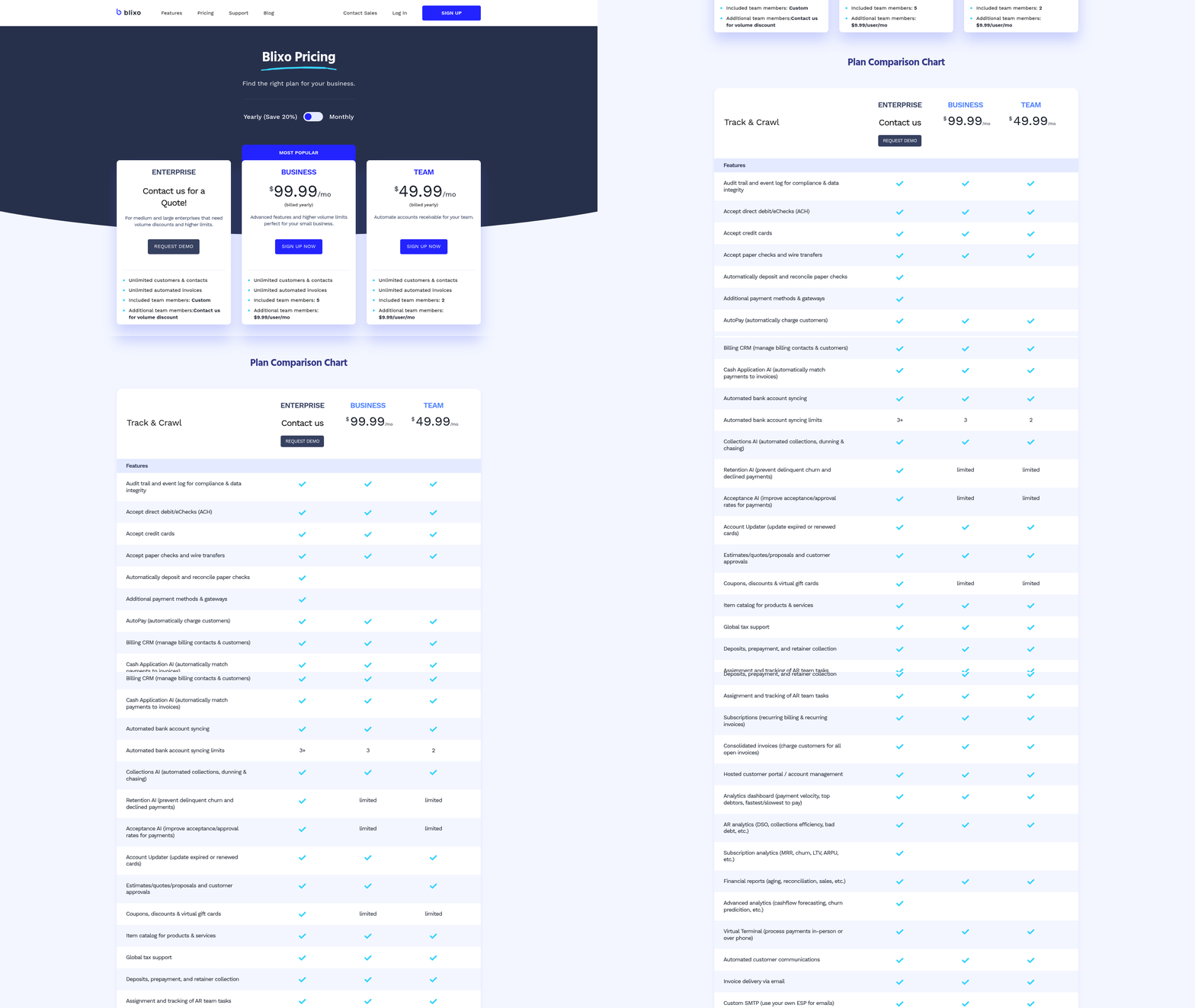
- Request a transparent pricing model to avoid hidden costs. Unlike generic providers, Blixo offers predictable pricing structures.
As mentioned in the Cloud AR Software Features and Functionality section, automation plays a central role in reducing manual effort and accelerating cash application.
What Steps Should Businesses Take Before Implementation?
Preparation is critical to maximize the benefits of Cloud AR software. Begin by mapping your current AR processes to identify pain points, such as manual invoice tracking or slow dispute resolution. A pilot test with a small team or department can reveal how well the software addresses these gaps. For instance, one company improved cash flow by 30% within a quarter after automating invoicing and payment tracking.
Building on concepts from the Implementing Cloud AR Software: Best Practices section, conducting a thorough needs assessment ensures alignment with business goals.
- Conduct a needs assessment: Identify specific goals, such as reducing late payments or improving customer satisfaction.
- Train internal teams: Ensure finance staff understand how to use automation tools like AI-driven payment predictions.
- Plan for data migration: Work with your vendor to transfer historical invoices and customer records securely.
For additional guidance, refer to the SBA’s Checklist for Choosing Business Software to evaluate vendor reliability and support.
How Can Businesses Stay Ahead of Industry Trends?
Cloud AR technology is evolving rapidly, with AI and machine learning driving smarter payment predictions and dispute resolution. Future advancements will prioritize real-time analytics and multi-currency support, enabling businesses to manage global transactions efficiently. For example, AI-driven solutions can now predict payment delays with 90% accuracy, helping teams prioritize high-risk accounts.
- Explore AI-enhanced features like automated dispute resolution, which reduces resolution time by 70%.
- Stay updated on compliance requirements for cross-border payments, as regulations vary by region.
- use vendor resources such as onboarding webinars or customer support to optimize usage.
As highlighted in the Cloud AR Software ROI and Cost Savings section, adopting AI-driven tools can significantly accelerate cash flow and reduce operational costs.
Final Considerations for Long-Term Success
Before finalizing a vendor, request a detailed demo to test how the software handles your unique workflows. Ask about backup systems and data security protocols to ensure compliance with industry standards. By aligning your selection process with clear goals-such as reducing manual tasks by 50% or improving customer satisfaction-your organization can enable measurable ROI.
For deeper insights into FedRAMP-compliant vendors or cloud security best practices, explore Evaluating a FedRAMP Authorized Vendor. Remember, the right Cloud AR software isn’t just a tool-it’s a strategic asset that transforms how your business manages cash flow.
Frequently Asked Questions
1. How does cloud AR software help small businesses reduce costs?
Cloud AR software automates repetitive tasks, eliminating the need for dedicated AR teams in small businesses. It saves 14 weekly hours on administrative work, reducing labor costs and improving cash flow efficiency.
2. What time savings can businesses expect with automation?
Automation cuts manual work hours by 40% and reduces administrative time by 14 hours weekly. This allows teams to focus on strategic tasks instead of manual collections, accelerating payment processing.
3. How does cloud AR software improve cash flow?
By digitizing payments and dispute resolution, businesses see a 30% cash flow boost within three months. Instant payment-matching and real-time dashboards ensure faster collections and reduce delays.
4. What impact does automation have on Days Sales Outstanding (DSO)?
Automation reduces DSO by 20 days, as seen in case studies. Real-time tracking and instant payment-matching prioritize collections, accelerating cash flow and minimizing outstanding balances.
5. How does cloud AR software address invoice delays?
Communication gaps delay 30% of invoices, but automation ensures timely delivery and minimizes errors. Automated reminders and instant payment-matching resolve disputes faster, reducing delays.
6. Can cloud AR software handle multi-currency payments?
Yes, enterprises benefit from global multi-currency management. Cloud AR tools unify payments across regions, streamline currency conversions, and scale workflows for international operations.
7. How does automation compare to manual collections in speed?
Manual collections take 67% longer than automated methods. Cloud AR software accelerates processes through instant payment-matching, reducing collection times and improving overall efficiency.