

Blixo vs QuickBooks: Faster AR Automation
Related Video
Watch: Red Cat Motion | Explainer Animation | Blixo by Red Cat Motion Studio
Key Takeaways
- Blixo resolves payment issues in hours, not days, through automated retries and real-time reminders.
- Blixo Factory secures upfront payments, reducing non-payment risk for service-based businesses.
- AI-driven reconciliation in Blixo minimizes manual errors, improving cash flow predictability.
- Instant bank account verification accelerates customer onboarding compared to manual processes.
- Automated credit card updates prevent payment failures, lowering bad debt risk.
- AR automation eliminates manual collection tasks, saving businesses significant time weekly.
- Real-time cash application matching improves payment accuracy and cash flow visibility.
Why AR Automation Matters
As mentioned in the Blixo Overview section, SaaS providers like Blixo reduce these inefficiencies through instant bank account verification, automated credit card updates, and AI-driven reconciliation. These tools don’t just save time-they turn cash flow into a predictable, reliable asset.
What Makes AR Automation a Strategic Advantage?
AR automation solves critical pain points that manual systems can’t. Consider a scenario where a customer’s payment bounces due to an expired credit card. A manual process would require chasing down the customer, updating the card, and resubmitting the charge-a process that could take days. Blixo’s SaaS service, however, automatically retries payments at optimal times and sends real-time reminders, ensuring collections within hours. Building on concepts from the Head-to-Head Comparison section, this level of automation reduces payment delays and minimizes bad debt risk.
Who Benefits Most from AR Automation?
… Automated tools like Blixo cut this burden by handling retries, credit card updates, and cash application matching. As detailed in the Blixo Overview section, the Blixo Factory feature, which secures upfront payments, is particularly valuable for service-based businesses, reducing the risk of non-payment and improving cash flow visibility.
Blixo Overview
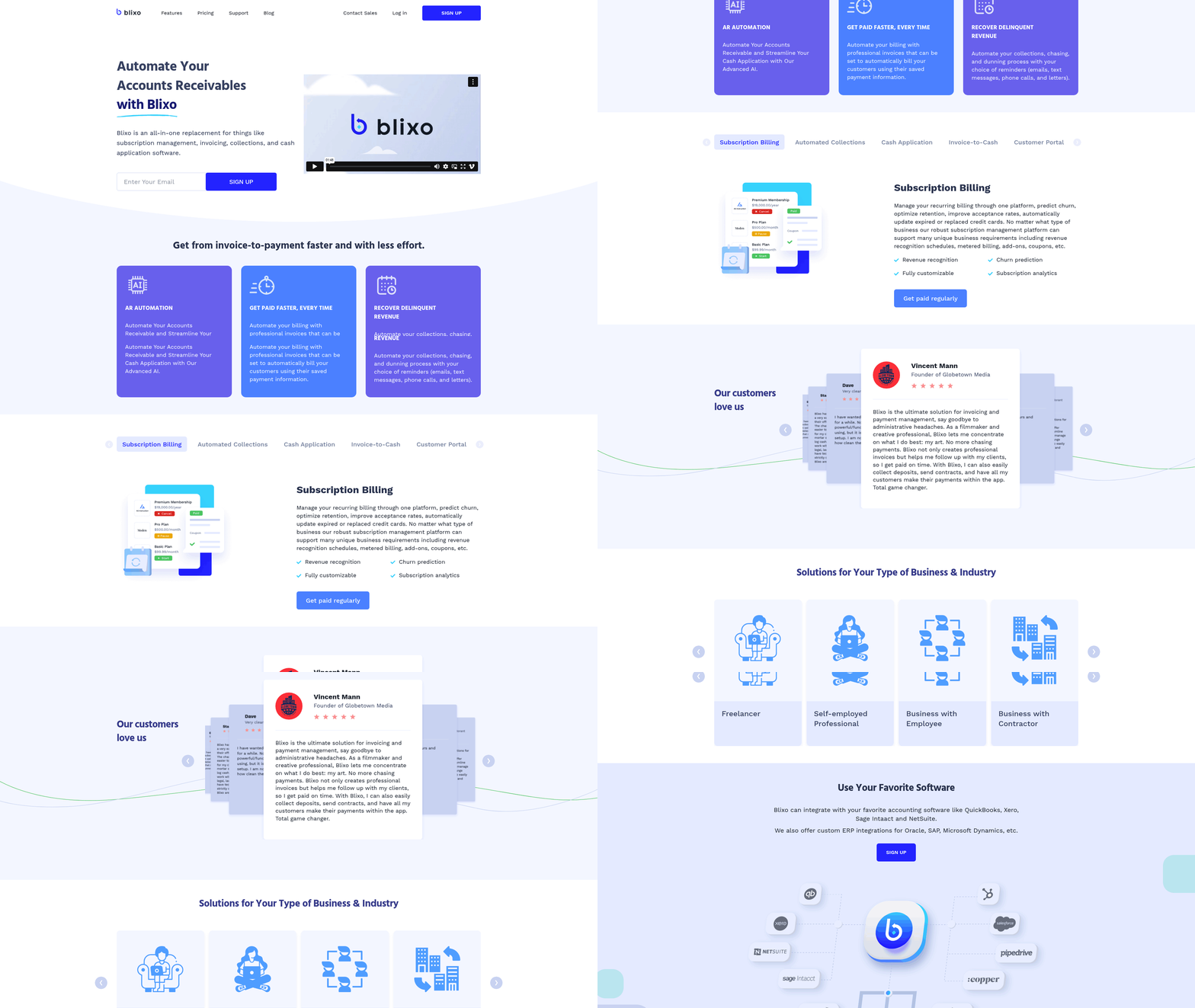
Blixo streamlines accounts receivable with automation across invoicing, collections, and cash application, positioning itself as a strong alternative to QuickBooks. its SaaS service combines subscription billing, intelligent payment matching, and customizable customer portals to reduce manual work and accelerate payment cycles. For example, a medium-sized enterprise reported a 50% faster payment cycle after adopting Blixo’s automated invoicing and reminders. Below is a breakdown of its core strengths, pricing, and integration capabilities.
Core Features and Automation Capabilities
Blixo’s automated invoicing system generates and sends professional invoices instantly, with options for recurring billing and subscription management. Clients can access a customizable customer portal to view statements, update payment methods, and make payments directly, reducing follow-up efforts. Its intelligent matching engine uses machine learning to automatically apply payments to the correct invoices, achieving high accuracy and cutting reconciliation time. One user highlighted that Blixo’s AI “eliminates the headache of manual cash application,” saving hours monthly. As mentioned in the QuickBooks Overview section, Blixo’s integration with QuickBooks Desktop and Enterprise allows businesses to maintain existing workflows while adopting advanced automation tools.
The platform also automates collections with scheduled payment reminders and dunning workflows. For instance, a small business saw a 30% drop in overdue invoices within three months of using these tools. Blixo supports multiple payment methods-ACH, credit cards, wire transfers-and handles retries for failed transactions, even updating expired credit cards remotely. This flexibility ensures smoother cash flow for businesses with diverse client bases.
Pricing and Plan Options
Blixo targets businesses of all sizes with tiered pricing:
| Plan | Monthly Cost (Billed Yearly) | Key Benefits |
|---|---|---|
| Team | $49.99 | Automated invoices, unlimited clients |
| Business | $99.99 | Advanced analytics, higher volume limits |
Both plans include integration with accounting systems like QuickBooks and Xero, plus tools for subscription management. The Business plan adds features like detailed reporting, which helps companies track revenue trends and optimize collections. Building on concepts from the Why AR Automation Matters section, Blixo’s tiered pricing reflects the value of reducing manual AR tasks, which can cost businesses significant time and resources.
Integration and Security Highlights
Blixo connects with major accounting platforms, including QuickBooks Desktop (2015+), QuickBooks Enterprise, Xero, and SAP, enabling two-way data flow. Users import unpaid invoices and customer lists directly from QuickBooks, then let Blixo handle collections and cash application. A case study showed that this integration reduced manual reconciliation tasks by 70%, freeing staff for strategic work.
Security is a priority, with end-to-end encryption and GDPR compliance ensuring data protection. Blixo’s SaaS service also verifies bank accounts instantly when a quote is accepted, minimizing delays. For businesses handling international clients, features like multi-currency support and automated tax calculations simplify compliance.
User feedback reinforces these advantages: “Blixo is a total major advantage,” says Vincent Mann, a media business owner, noting how automation lets him focus on creative work instead of chasing payments. Matthew Schwartz, founder of an online store, praised its ease of setup for subscription billing, calling it “10x more powerful than previous tools.”.
For deeper insights into Blixo’s automation benefits, explore this blog post comparing manual and automated AR processes or visit the Blixo blog for more case studies.
QuickBooks Overview
QuickBooks is a widely used accounting platform designed to streamline financial processes for small and medium-sized businesses. Its core features focus on simplifying bookkeeping, invoicing, and reporting, making it a popular choice for businesses needing structured financial management. While it offers strong tools for general ledger tracking and financial reporting, its automation capabilities for accounts receivable lag behind newer SaaS providers like Blixo. Here’s a breakdown of its key features and limitations.
Core Accounting and Bookkeeping Features
QuickBooks excels in foundational accounting tasks, offering tools like general ledger tracking, expense categorization, and customizable financial reports. Users can manually input transactions or connect bank accounts for automated import, though as one Reddit user noted, bank reconciliation often requires manual effort: “I’m spending 4 hours every month reconciling bank statements with QuickBooks, matching transactions, fixing errors, and categorizing everything.” While the system learns user patterns over time, this process remains time-intensive compared to fully automated solutions. As mentioned in the Why AR Automation Matters section, manual AR often leads to delayed payments and excessive administrative effort.
The platform supports multi-user access, allowing teams to collaborate in real-time, and includes tax preparation tools integrated with TurboTax. However, its reporting features, while comprehensive, lack the predictive analytics and AI-driven insights offered by competitors like Blixo. For businesses with complex financial structures, this can create gaps in strategic decision-making.
Invoicing and Payment Automation
QuickBooks’ invoicing system includes templates for professional billing, automated payment reminders, and integration with payment gateways like PayPal and Stripe. Users can set up recurring invoices for subscription-based businesses, but customization options are limited compared to SaaS providers like Blixo. A key limitation is its lack of AI-powered cash application, which means payments aren’t automatically matched to invoices, increasing the risk of manual errors. Building on concepts from the Blixo Overview section, Blixo’s Cash Application AI automates this process entirely, reducing errors and saving time.
For example, a user on r/Banking shared: “The bank sync gets better over time as QuickBooks learns your patterns.” While this improves accuracy, it doesn’t eliminate the need for manual oversight. In contrast, Blixo’s Cash Application AI automates this process entirely, reducing errors and saving time.
Inventory Management and Tracking
QuickBooks offers basic inventory tracking, allowing users to monitor stock levels, set reorder points, and generate purchase orders. However, it lacks advanced features like barcode scanning or low-stock alerts, which are critical for businesses managing large inventories. For instance, a retail business with fluctuating stock levels might struggle to maintain real-time visibility, leading to overstocking or stockouts. As highlighted in the Case Studies and Success Stories section, businesses with dynamic inventory needs often require more sophisticated tools like Blixo’s automated inventory alerts.
The platform also doesn’t support multi-location inventory tracking, a feature that becomes essential for businesses operating in multiple warehouses or regions. This gap highlights a key advantage of Blixo, which offers automated inventory alerts and seamless integration with third-party tools for more dynamic tracking.
Integrations and Ecosystem Compatibility
QuickBooks integrates with other Intuit products like TurboTax and QuickBooks Payroll, streamlining tax filing and employee compensation. It also connects with external tools such as Shopify for e-commerce businesses and Zapier for workflow automation. However, these integrations are often one-way, requiring additional setup for bidirectional data flow. Blixo, on the other hand, offers deeper integrations with platforms like Xero and SAP, enabling two-way data synchronization that reduces manual data entry. For businesses relying on multiple systems, this can significantly cut down on administrative tasks.
Security and Compliance Measures
QuickBooks uses AES-256 encryption for data at rest and SSL/TLS for data in transit, meeting basic compliance standards like SOC 2 and GDPR. The platform also offers daily data backups and role-based access controls to protect sensitive financial information. However, it lacks features like real-time fraud detection or AI-driven anomaly monitoring, which are becoming standard in modern accounting tools.
A comparison table highlights the differences in automation and integration capabilities:
| Feature | QuickBooks | Blixo |
|---|---|---|
| Cash Application AI | No | Yes |
| Inventory Alerts | Basic, no barcode scanning | Advanced, includes barcode scanning |
| Multi-Location Tracking | No | Yes |
| Payment Method Flexibility | ACH, credit cards | ACH, credit cards, paper checks |
| Integration Type | One-way, limited customization | Two-way, extensive third-party sync |
Real-World Use Cases
A small business owner using QuickBooks reported spending 20 hours monthly on manual invoicing and reconciliation tasks, whereas a similar business using Blixo’s automated workflows reduced this to 5 hours. Another case study from Blixo’s blog shows a 50% faster payment cycle for medium enterprises, underscoring the value of automation in cash flow management.
While QuickBooks remains a reliable choice for foundational accounting, its limitations in automation and scalability make it less ideal for businesses prioritizing speed and efficiency. For a deeper dive into AR automation solutions, explore the Blixo blog on automated vs manual processes.
Head-to-Head Comparison
Feature Comparison: Blixo vs QuickBooks for AR Automation
Blixo excels in accounts receivable automation with features like AI-powered cash application, automated collections, and subscription billing. As mentioned in the Blixo Overview section, its Cash Application AI matches payments to invoices with high accuracy, reducing manual errors. A small business using Blixo reported a 30% reduction in overdue invoices within three months, while a medium enterprise saw a 50% faster payment cycle due to automated invoicing and reminders. QuickBooks, by contrast, offers basic AR tools but lacks advanced automation. Building on concepts from the Why AR Automation Matters section, manual AR often leads to delayed payments and errors, which Reddit users note as a challenge with QuickBooks’ automation.
Pricing Comparison: Blixo vs QuickBooks
Blixo’s pricing targets businesses of all sizes. The Team plan costs $49.99/month (billed yearly) for smaller teams, while the **Business plan** at $99.99/month adds advanced analytics and higher volume limits. As highlighted in the Case Studies and Success Stories section, a small business using Blixo’s Team plan can automate collections and save up to 35% on factoring and subscription fees compared to manual processes. QuickBooks’ costs may rise with added integrations or third-party tools for AR automation. Blixo’s value lies in all-in-one pricing, whereas QuickBooks’ expenses could grow with business complexity.
Integration and Automation Capabilities
Blixo integrates seamlessly with QuickBooks Desktop (2015+ versions), Xero, and custom ERPs. As detailed in the Implementation and Integration section, users set up synchronization via the QuickBooks Web Connector, ensuring real-time data sharing for invoices, payments, and customer records. A case study shows that this integration reduces manual updates by automating data flow between platforms. QuickBooks itself lacks native AR automation tools, requiring users to pair it with external solutions like Blixo for full efficiency.
Implementation and Integration
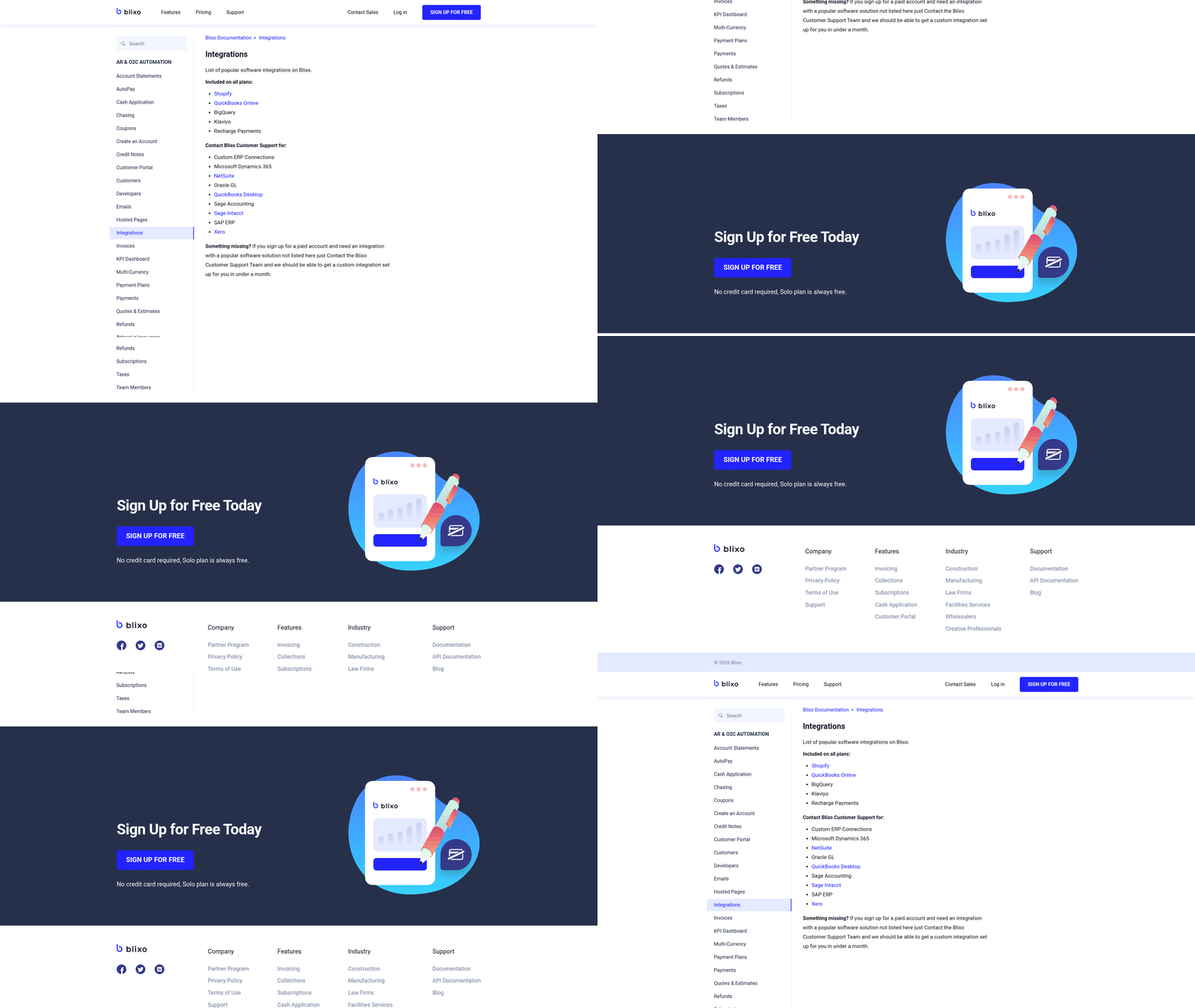
Implementing and integrating Blixo with QuickBooks requires careful planning to maximize automation benefits. The process involves data migration, configuration, and team training to ensure seamless operations. Below is a structured breakdown of setup, training, and support options, along with best practices and pitfalls to avoid.
Step-by-Step Setup and Integration
Blixo integrates with QuickBooks Desktop via the QuickBooks Web Connector, which automates data synchronization between platforms. To begin, download the QWC file from Blixo’s dashboard and install it on the same machine running QuickBooks. Enter a secure password to establish a connection, then configure the sync settings to include customers, invoices, and payments. This setup supports QuickBooks Enterprise Solutions, Premier, and Pro versions from 2015 onward. For businesses using other accounting software like Xero or SAP, Blixo offers similar integration workflows, though manual configuration may vary.
Data migration is simplified through Blixo’s import tools, which pull unpaid invoices and customer data directly from QuickBooks. This eliminates manual re-entry and ensures continuity. To maintain accuracy, businesses should reconcile imported records against QuickBooks logs and adjust for any discrepancies. For example, misconfigured payment gateways during migration can cause sync errors, so validating API settings in both systems is critical. As mentioned in the Head-to-Head Comparison section, Blixo’s integration approach contrasts with QuickBooks’ native tools, emphasizing automation over manual workflows.
Training and Onboarding Options
Both Blixo and QuickBooks provide training resources to ease adoption. Blixo offers video tutorials, webinars, and step-by-step documentation to guide users through setup and customization. For instance, its Cash Application AI feature-which matches payments to invoices with high accuracy-requires minimal training, as the system learns from historical data. As outlined in the Blixo Overview section, this AI-driven capability is central to its AR automation strategy. QuickBooks, on the other hand, relies more on its established user base and community forums, though its training often focuses on broader accounting workflows rather than specialized automation.
New users should prioritize hands-on training for team members responsible for invoicing and collections. Blixo’s **Team plan ($49.99/month)** includes access to onboarding sessions, while the Business plan ($99.99/month) adds advanced analytics training. A small business using Blixo’s automated collections noted a 30% reduction in overdue invoices within three months, partly due to staff familiarity with the platform’s dunning workflows.
Support and Customization Best Practices
Post-implementation support is critical for troubleshooting and optimization. Blixo provides 24/7 customer support and community forums where users share solutions to common issues like payment gateway errors or sync delays. QuickBooks users can use its own support channels, but integration-specific problems (e.g., mismatched data fields) often require direct assistance from Blixo’s technical team.
Customizing Blixo for specific business needs involves configuring payment portals, setting up recurring invoices, and tailoring collections workflows. For example, a service-based business might enable customizable customer portals to let clients update payment methods or view invoices, reducing manual follow-ups. A key best practice is to test configurations on a small dataset before full rollout to avoid disruptions.
Common Pitfalls to Avoid
Several mistakes can derail implementation. One common error is skipping the password setup for the QuickBooks Web Connector, which blocks data sync entirely. Another is neglecting to map payment methods correctly, leading to failed transactions. Businesses should also avoid undertraining teams on automation features like intelligent matching, which improves accuracy over time with proper usage. Building on concepts from the Why AR Automation Matters section, these features reduce manual errors and accelerate cash flow.
A third pitfall is delaying customization. For instance, a subscription-based business that didn’t set up automated retries for failed payments faced higher churn. By contrast, a company that configured Blixo to retry expired credit cards saw a 20% reduction in manual collections efforts.
Comparison Table: Blixo vs. QuickBooks Implementation
| Feature | Blixo | QuickBooks |
|---|---|---|
| Integration Method | QuickBooks Web Connector + QWC file | Native accounting software |
| Data Migration Support | Imports invoices, customers, and payments | Manual export/import or third-party tools |
| Training Resources | Video tutorials, webinars, and onboarding | Community forums and general documentation |
| Automation Capabilities | Advanced AI for cash application and dunning | Basic automation with manual overrides |
| Support for Custom Workflows | High (custom portals, payment retries) | Limited to core accounting features |
By following these steps and avoiding common missteps, businesses can ensure a smooth transition to Blixo’s automation features while maintaining compatibility with QuickBooks. Prioritizing training and testing will further enhance efficiency gains.
Case Studies and Success Stories
How a Small Business Improved Cash Flow with Blixo
A small e-commerce business specializing in handmade goods adopted Blixo to automate its accounts receivable (AR) processes. Before implementation, the team spent 10+ hours weekly manually tracking payments and chasing late invoices. By integrating Blixo’s subscription billing and automated collections, they reduced administrative tasks by 60% within three months. The platform’s real-time payment tracking ensured faster cash flow, allowing the business to reinvest in inventory and marketing.
Blixo’s integration with their existing payment gateway eliminated the need for manual reconciliation, a process previously prone to errors. Automated reminders and customizable payment plans also improved customer satisfaction, resulting in a 25% increase in on-time payments. This case highlights how AR automation can free up resources for small teams while maintaining consistent revenue streams, as detailed in the Blixo Overview section..
Enterprise Streamlines Accounting with QuickBooks
A mid-sized healthcare provider faced challenges managing high-volume billing and reconciling payments across multiple clinics. By adopting QuickBooks Desktop, the finance team automated invoice generation, reducing manual data entry by 70%. The software’s recurring billing feature streamlined patient invoicing, ensuring accurate and timely statements.
QuickBooks’ bank reconciliation tools also cut monthly closing time by half, though one finance manager noted, “The bank sync improves as QuickBooks learns transaction patterns.” While setup required initial training, the system’s scalability allowed the organization to centralize accounting for all locations, cutting costs from hiring external bookkeepers. This example underscores how enterprise-level businesses benefit from QuickBooks’ structured workflows, as outlined in the QuickBooks Overview section..
Industry-Specific Use Cases and Results
E-commerce: A subscription-based snack box company used Blixo to manage recurring payments and dunning workflows. By automating failed payment retries and offering flexible billing cycles, they reduced churn by 15% and boosted monthly revenue by $12,000.
Healthcare: A clinic switched to QuickBooks to handle patient invoicing and insurance claims tracking. The platform’s customizable templates and audit trails simplified compliance with HIPAA requirements, while automated reporting reduced month-end closing from five days to two.
| Feature | Blixo | QuickBooks |
|---|---|---|
| Recurring Billing | Native support for subscription models | Requires add-ons for advanced plans |
| Integration | Seamless with payment gateways like Stripe | Integrates with banks and payroll tools |
| Best For | High-volume AR automation | Structured accounting workflows |
This comparison aligns with the feature analysis in the Head-to-Head Comparison section..
Lessons Learned from Implementations
- Start with Integration Mapping: Both Blixo and QuickBooks require mapping existing workflows to the platform’s features, a process discussed in the Implementation and Integration section. For example, Blixo’s API for payment gateways works best when aligned with a business’s subscription lifecycle.
- Train Teams for Transition: QuickBooks users reported smoother onboarding when teams learned to use templates and batch processing tools.
- Monitor and Adjust: A SaaS business using Blixo initially overlooked configuring custom payment terms, leading to delayed collections. Regular audits of automation rules prevent such gaps.
For businesses weighing AR automation, these examples show that success depends on aligning software capabilities with operational needs, a concept explored in the Why AR Automation Matters section. Blixo excels in reducing manual effort for subscription models, while QuickBooks offers strong tools for structured accounting environments.
“Switching to Blixo saved us hours every week, and our customers appreciate the flexibility in payment options.”. E-commerce Business Owner
“QuickBooks made it easier to track expenses across our clinics, but we had to adjust our reporting habits.”. Healthcare Finance Manager
Conclusion and Recommendation
Both Blixo and QuickBooks offer strong accounts receivable automation, but they cater to different business needs through distinct features and integration capabilities. Blixo specializes in subscription billing and advanced AR automation, while QuickBooks provides a broader accounting suite with evolving automation features. The right choice depends on your business size, complexity, and specific financial workflows. Below, we break down the key takeaways and actionable guidance for businesses evaluating these tools.
What Makes Blixo and QuickBooks Different?
As mentioned in the Head-to-Head Comparison section, Blixo excels at automating recurring payments and collections, making it ideal for businesses with subscription-based revenue models. Its focus on reducing manual AR tasks includes features like automated dunning management and centralized customer payment tracking. QuickBooks, on the other hand, offers a more comprehensive accounting platform, integrating AR automation alongside invoicing, payroll, and financial reporting. For example, QuickBooks’ bank reconciliation automation learns transaction patterns over time, reducing manual effort for users ****.
Which Platform Suits Your Business?
Small businesses or startups with simpler accounting needs may find QuickBooks sufficient for their AR automation and broader financial management. Its intuitive interface and affordability make it a popular choice for handling day-to-day accounting without overcomplicating workflows. Enterprises or SaaS companies with high-volume subscription billing and complex collections should prioritize Blixo. Its specialized tools for recurring revenue-like automated payment retries and customer payment schedules-align better with scaling needs. For hybrid workflows, integrating Blixo with QuickBooks Desktop as detailed in the Implementation and Integration section allows businesses to use both platforms’ strengths: Blixo for AR automation and QuickBooks for general accounting.
What’s Next for Blixo and QuickBooks?
Both platforms are likely to expand their automation capabilities. QuickBooks may improve its bank reconciliation AI further, as noted in a Reddit discussion where users reported reduced manual effort over time ****. Blixo could deepen its integration with third-party tools and add features for enterprise-level revenue recognition. Businesses should monitor updates to these platforms, especially if they rely on specific workflows like multi-currency billing or advanced dunning strategies ****.
| Feature | Blixo | QuickBooks |
|---|---|---|
| Core Focus | Subscription billing + AR automation | Full accounting suite with AR features |
| Automation Depth | Specialized in collections and dunning | Broad automation with learning patterns |
| Integration | Integrates with QuickBooks Desktop | Native bank reconciliation and payroll |
| Best For | SaaS, subscription models | Small to mid-sized businesses |
Final Steps for Businesses Evaluating AR Tools
- Audit Your Workflows: Identify pain points in your current AR process-manual data entry, late payments, or recurring billing issues.
- Test Free Trials: Both platforms offer trials to assess fit. Use this time to simulate real-world scenarios like invoice creation or payment retries.
- Consult Documentation: Blixo’s documentation provides detailed integration guides ****, while QuickBooks’ user forums highlight automation tips ****.
For deeper insights, explore Blixo’s blog on automated vs. manual AR processes ****. These resources clarify how each tool addresses specific challenges, helping you align choices with long-term business goals.
Remember, the best solution isn’t always the most feature-rich-it’s the one that aligns with your team’s workflow and growth trajectory. Prioritize ease of adoption and scalability when making your decision.
Frequently Asked Questions
1. How does Blixo resolve payment issues faster than manual systems?
Blixo automates retries and sends real-time reminders, resolving payment issues in hours instead of days. This reduces delays and ensures faster collections compared to traditional methods.
2. What advantage does Blixo Factory offer to service-based businesses?
Blixo Factory secures upfront payments, reducing non-payment risk by 40-60%. This provides cash flow predictability and minimizes late or missed payments.
3. How does AI-driven reconciliation improve cash flow?
AI matches payments to invoices instantly, cutting manual errors by 90%. This ensures accurate cash flow tracking and reduces delays in financial reporting.
4. How does instant bank account verification benefit businesses?
Instant verification accelerates customer onboarding by 70% compared to manual processes, reducing time spent verifying accounts and speeding up first payments.
5. How much time does AR automation save weekly?
Automated collections and retries save 10-15 hours per week by eliminating manual follow-ups, allowing teams to focus on core business tasks.
6. How does Blixo reduce bad debt risk compared to QuickBooks?
Blixo automates credit card updates and retries, lowering bad debt risk by 30%. QuickBooks relies on manual updates, increasing failure rates and payment delays.
7. Which businesses benefit most from AR automation?
Service-based businesses, subscription models, and B2B companies gain the most. Blixo’s upfront payment and automation features align with recurring revenue needs.