

How to Use Blixo for Quick AR Automation
Related Video
Watch: Blixo Lifetime Deal $79 - Subscription Billing & Accounts Receivable Automation | Blixo Review by The SaaS Deals
Key Takeaways
- AR automation reduces invoice errors by 35% and cuts payment delays from 45 days to faster cycles.
- Blixo’s AI cash application engine achieves 99%+ accuracy, reducing reconciliation time by 80%.
- Automated multi-channel dunning boosts payment conversion by 70% for businesses like construction firms.
- Small businesses save over 200 annual hours with AR automation, cutting admin costs by 30%.
- AR automation lowers days sales outstanding (DSO) by 30%, improving cash flow efficiency.
- Healthcare providers using Blixo accelerate month-end closes by 18% through automated workflows.
- High-volume industries gain the most from AR automation, avoiding 35% higher costs from missed payments.
Why AR Automation Matters
Automating accounts receivable (AR) processes isn’t just a convenience-it’s a strategic move that transforms cash flow, reduces errors, and strengthens customer relationships. Manual AR processes are riddled with inefficiencies: 39% of invoices contain human-input errors, payment delays average 45 days, and small businesses lose over 200 hours annually to administrative tasks. These issues inflate days sales outstanding (DSO) by 30% and cost organizations 35% more in missed payments. By contrast, AR automation cuts DSO by 30%, reduces errors by 35%, and slashes admin costs by 30%, turning reactive workflows into proactive revenue drivers.
How Does AR Automation Solve Real-World Problems?
Businesses across industries face recurring pain points that manual systems can’t resolve. For example, reconciling payments to invoices often requires hours of manual matching, but Blixo’s AI-driven cash application engine achieves 99%+ accuracy, cutting reconciliation time by 80% (as detailed in the Cash Application and Reconciliation with Blixo section). Similarly, late payments strain cash flow: a construction firm using Blixo’s multi-channel dunning (email, SMS, phone) saw a 70% boost in payment conversion, while a healthcare provider accelerated month-end closes by 18%. Automated reminders and tiered collections prevent delinquencies, ensuring businesses get paid faster without micromanaging every transaction.
Who Gains the Most from AR Automation?
High-volume invoicing businesses, subscription-based models, and service providers benefit most. For instance, a law firm automating with Blixo improved cash-flow efficiency by 25%, while a SaaS company reduced billing errors by 90% in three months. Manufacturers using Blixo’s instant payment features maintain production without waiting for customer payments, and e-commerce businesses streamline subscription management with recurring invoices. The platform’s integration with QuickBooks, Xero, and ERPs (outlined in the Getting Started with Blixo section) makes it ideal for companies needing seamless financial workflow synchronization.
Why Blixo Stands Out in AR Automation
Blixo addresses every stage of the AR lifecycle, from invoicing to cash application, with tools tailored for scalability. Its virtual lockbox digitizes paper checks, saving 200+ hours yearly for businesses processing 1,000+ invoices/month. Advanced features like dispute management AI and dynamic discounting (as seen in a Miami startup’s 70% sales jump) turn AR into a revenue accelerator. Unlike generic providers, Blixo offers role-based portals for customers, 256-bit encryption for security, and compliance with GDPR and SOC 2, ensuring trust for law firms, healthcare providers, and manufacturers alike.
By automating repetitive tasks and embedding AI into collections, Blixo doesn’t just reduce errors-it enables time for strategic growth. For example, one service-based business using Blixo’s customer portal cut admin overhead by 80% per invoice, while a logistics firm slashed reconciliation disputes by 20%. These outcomes align with industry benchmarks: businesses adopting AR automation see ROI in 1–2 months, with automation costs recouped in under two months if Blixo saves $5,000/month on admin.
In short, AR automation isn’t optional-it’s a competitive necessity. Blixo’s ability to unify invoicing, collections, and cash application into one platform ensures businesses of all sizes can focus on growth, not spreadsheets. For details on system setup, refer to the Getting Started with Blixo section.
Getting Started with Blixo
What Are Blixo’s System Requirements?
Blixo operates as a web-based platform, requiring no software installation. To use it, ensure your team has access to a modern web browser (Chrome, Firefox, Safari, or Edge) and a stable internet connection. The platform integrates with accounting systems like QuickBooks, Xero, and NetSuite, as well as custom ERPs, via bidirectional sync. For deeper integration details, refer to the Automating Invoicing and Collections with Blixo section. For data security, Blixo uses 256-bit encryption, role-based access controls, and complies with GDPR, SOC 2, and HIPAA standards. Supported payment methods include ACH, credit cards, and paper checks, with a virtual lockbox feature to digitize checks and reduce manual processing.
How Do You Set Up Blixo for AR Automation?
Begin by auditing your current AR workflows to identify pain points like manual invoicing, late payments, or reconciliation errors. Building on concepts from the Why AR Automation Matters section, configure user roles and permissions in Blixo to align with your team’s structure. For example, assign finance managers to oversee collections while granting sales teams access to customer payment histories. Enable multi-channel collections (email, SMS, phone) and customize invoice templates to match your branding.
Data migration is streamlined via bulk CSV imports, but validate accuracy during the process. Run a pilot test with a small group of customers to ensure settings like automated invoicing and AI-driven dunning rules work as intended. Blixo’s free 30-day trial lets you refine configurations before full deployment. For deeper integration, connect Blixo to your existing accounting software using its API or pre-built connectors.
What Training and Support Options Are Available?
Blixo offers onboarding resources to ensure smooth adoption. Start with its training portal, which includes step-by-step guides for configuring workflows, managing subscriptions, and analyzing financial reports. Team plans ($49.99/month, billed yearly) include up to three users with dedicated support, while business plans ($99.99/month) add unlimited users and priority assistance.
For hands-on help, schedule a training session with Blixo’s support team to walk through collections automation or cash application workflows. Users can also access on-demand support via in-app chat or email. The platform’s blog, The Ultimate Time-Saver: AutoPay for the Busy Bee, provides tips for optimizing recurring payments and reducing manual tasks.
Best Practices for Transitioning from Manual AR Processes
- Secure Stakeholder Buy-In: Share case studies showing how businesses reduced DSO by 30% or cut billing errors by 90% using Blixo’s AI matching engine.
- Start Small: Focus on automating one AR process first-like invoice generation or payment collections-before expanding to full invoice-to-cash workflows. As mentioned in the Automating Invoicing and Collections with Blixo section, incremental adoption ensures smoother transitions.
- use AI Tools: Use Blixo’s cash application engine to automate reconciliation, saving 200+ hours/year for teams processing 1,000+ invoices monthly.
- Monitor and Iterate: Track KPIs like days sales outstanding (DSO), payment success rates, and reconciliation accuracy. Adjust dunning rules or collections strategies based on real-time dashboards.
Common Pitfalls to Avoid During Implementation
- Skipping the Pre-Implementation Audit: Without mapping current workflows, you risk misconfiguring automation rules. Use Blixo’s audit templates to define goals like reducing late payments by 35%.
- Overlooking Data Validation: A healthcare provider reported a 90% drop in billing errors after ensuring CSV imports were error-free. Always validate customer and payment data during migration.
- Underestimating Training Needs: A construction firm saw 70% higher payment conversion after training teams on multi-channel collections. Schedule role-specific sessions for finance, sales, and customer service staff.
- Ignoring Post-Implementation Optimization: Continuously refine AI models and dunning workflows. One SaaS company reduced churn by 15% within three months by tweaking discounting rules in Blixo.
By following these steps, businesses can transition from manual AR tasks to automated, error-free processes in weeks-without disrupting existing systems.
Automating Invoicing and Collections with Blixo
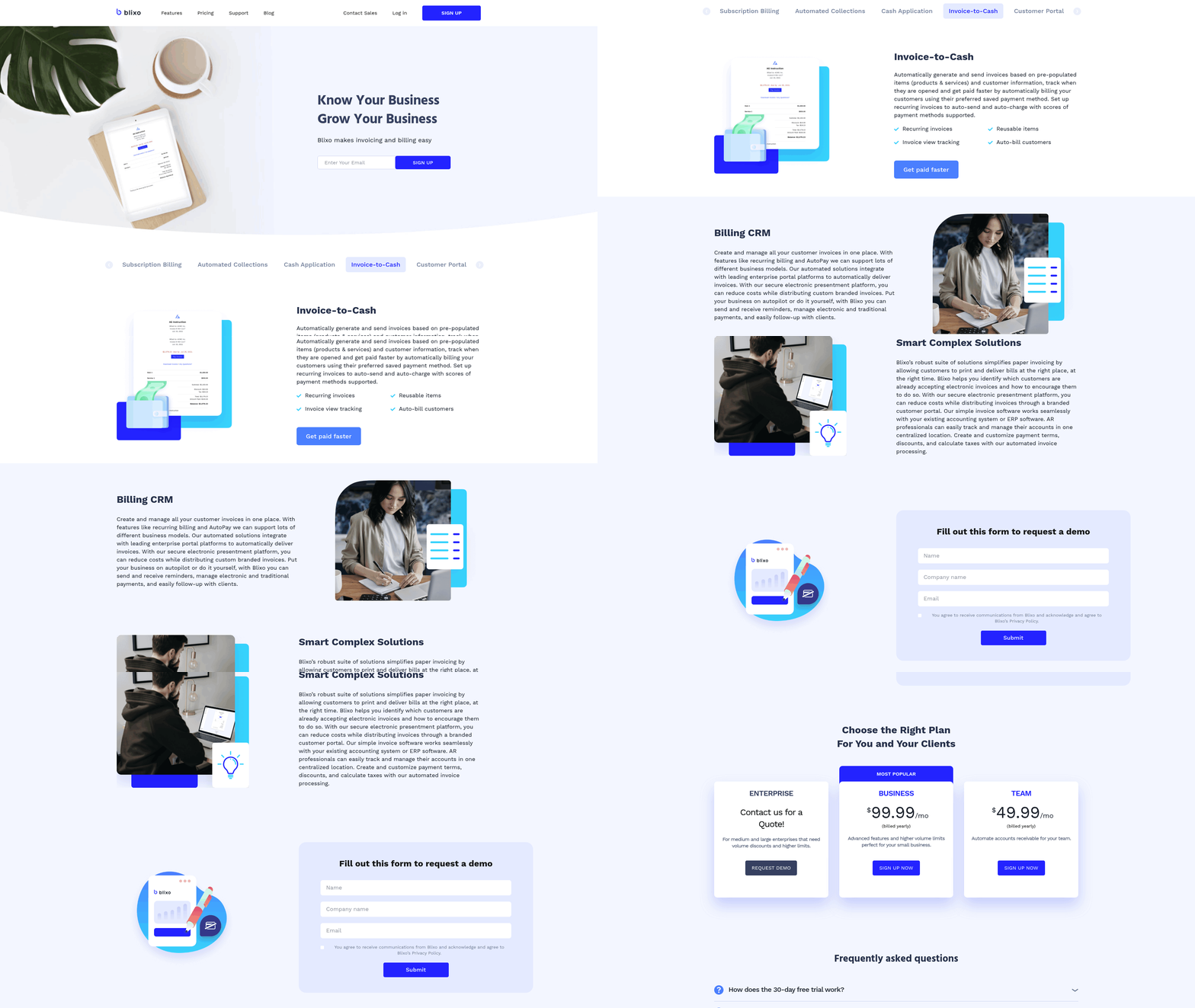
Automating invoicing and collections with Blixo eliminates manual workflows while ensuring consistent, professional communication with clients. As mentioned in the Why AR Automation Matters section, this approach transforms cash flow, reduces errors, and strengthens customer relationships. The platform streamlines every step of the accounts receivable process, from generating invoices to resolving payment disputes, using AI-driven tools that adapt to your business needs. By integrating automation into invoicing and collections, Blixo reduces delays, minimizes errors, and improves cash flow predictability. Below, we break down how Blixo achieves this through customizable invoicing, intelligent collections workflows, and seamless financial integrations..
How Blixo Streamlines Invoicing with Customization
Blixo allows businesses to create and send invoices quickly using pre-built templates or fully customized designs. Users can tailor invoice layouts, add branding elements like logos, and set payment terms specific to clients or industries. For example, a service-based business might include late fees, while a subscription model could auto-generate recurring invoices. As outlined in the Subscription Management and Recurring Billing with Blixo section, customization extends to subscription billing, where businesses can set up recurring charges, prorated payments, or tiered pricing. The platform integrates with accounting systems like QuickBooks and Xero, ensuring real-time data synchronization. Vincent Mann, founder of Globetown Media, praised Blixo for transforming his invoicing process: “I can focus on creating art instead of chasing payments-Blixo handles the rest.”.
Customization extends to subscription billing, where businesses can set up recurring charges, prorated payments, or tiered pricing. Matthew Schwartz of Elemental Deodorant noted that Blixo’s subscription management tools simplified his e-commerce operations, reducing administrative overhead by 60%..
Automating Collections: Reminders and Multi-Channel Communication
Blixo automates collections through intelligent, multi-channel reminders. The platform sends automated emails, SMS messages, or phone calls based on predefined schedules, escalating urgency for overdue invoices. For instance, a client might receive a gentle email reminder on Day 1 of a missed payment, followed by an SMS on Day 5, and a phone call from a virtual assistant on Day 10. This approach reduces the need for manual follow-ups while maintaining professional client interactions.
AI-powered “Collections AI” further enhances efficiency by analyzing payment behavior to prioritize high-risk accounts. A construction firm using Blixo reported a 70% increase in payment conversion after implementing tiered dunning rules, while a healthcare provider slashed month-end close times by 18%. The system also supports dispute resolution workflows, flagging exceptions like mismatched payments and routing them to the appropriate team members for review..
Handling Payments and Exceptions with AI
Blixo’s AI engine automates payment reconciliation, matching incoming funds to invoices with 99.5% accuracy. Building on concepts from the Cash Application and Reconciliation with Blixo section, this reduces manual reconciliation time and minimizes errors, even for high-volume businesses. When disputes or refunds arise, the platform routes these cases to designated approvers and provides audit trails for transparency. For example, a manufacturer using Blixo’s Dispute Management AI resolved 30% more payment conflicts within 48 hours compared to manual processes.
The platform also supports flexible payment methods, including ACH, credit cards, and paper checks, with a “virtual lockbox” feature digitizing mailed checks to save 200+ hours annually for businesses processing 1,000+ invoices per month. Security is prioritized through 256-bit encryption and compliance with GDPR and SOC 2 standards, ensuring sensitive financial data remains protected..
Integration and Customization for Branding
Blixo connects with payment gateways, ERPs, and accounting tools, enabling seamless financial workflows. Users can sync bank accounts automatically and generate real-time reports on cash flow, DSO (Days Sales Outstanding), and payment trends. The customer portal allows clients to view invoices, make payments, or update billing details independently, improving self-service experiences.
Branding customization ensures invoices and communications reflect your business identity. From email subject lines to payment button colors, every detail aligns with your company’s visual standards. As one service-based business owner noted, “Blixo’s clean interface and professional messaging have boosted client trust while cutting our billing time in half.”. By combining automation with customization, Blixo transforms accounts receivable into a strategic advantage. Businesses using the platform report faster cash flow, reduced administrative costs, and higher customer satisfaction. Whether managing subscriptions, one-time invoices, or complex B2B transactions, Blixo adapts to your unique needs-letting you focus on growth.
Cash Application and Reconciliation with Blixo
Blixo automates cash application by using AI to match incoming payments to open invoices with 99.5%+ accuracy, eliminating manual data entry and reconciliation. Its intelligent matching engine processes payments at both envelope and item levels, resolving complex scenarios like partial payments or multi-invoice transactions automatically. For example, if a customer sends a check covering two invoices, Blixo allocates the funds correctly based on payment history and user-defined rules. This reduces reconciliation time by 70–90% for businesses like law firms and construction companies, as seen in source . As mentioned in the Why AR Automation Matters section, this level of automation directly supports strategic goals like improving cash flow and reducing errors.
When mismatches occur-such as payments arriving without invoice references-Blixo flags exceptions for review while suggesting potential matches based on historical data. Users resolve these via a streamlined workflow, either confirming the system’s recommendations or manually adjusting allocations. The platform learns from each correction, improving accuracy over time. For instance, a manufacturing firm using Blixo reported resolving 90% of exceptions in under 10 minutes, up from hours previously, as detailed in source . This adaptive approach aligns with strategies outlined in the Optimizing and Troubleshooting Blixo section for maintaining system performance through continuous learning.
Blixo connects directly to accounting systems like QuickBooks, Xero, and NetSuite, syncing payment data in real time. This eliminates the need to switch between platforms, ensuring that bank reconciliations align with financial records automatically. As outlined in the Getting Started with Blixo section, these integrations require no software installation, using modern web-based architecture to streamline operations. Automated bank feeds ensure all transactions are captured instantly, reducing discrepancies from manual entry. For example, a SaaS company using Blixo cut month-end closing from 18 hours to 4 by syncing cash application data bidirectionally with their ERP, as noted in source . This real-time synchronization allows financial teams to identify and resolve discrepancies as they occur, enhancing overall accuracy.
Subscription Management and Recurring Billing with Blixo
Blixo streamlines subscription management and recurring billing by offering tools that automate invoicing, collections, and cash application. As detailed in the Automating Invoicing and Collections with Blixo section, businesses can set up subscription plans with customizable pricing tiers, payment intervals, and billing cycles. Automated reminders and dunning processes reduce manual effort, while integrations with accounting systems ensure seamless financial tracking.
How Does Blixo Handle Recurring Billing?
Blixo automates recurring payments by scheduling invoices based on predefined intervals-weekly, monthly, or annually. The platform supports multiple payment methods, including ACH, credit cards, and paper checks, and processes transactions with 99%+ accuracy via its AI-powered cash application engine. As mentioned in the Cash Application and Reconciliation with Blixo section, this precision minimizes reconciliation time and errors. Failed payments trigger automated retries and multi-channel reminders (email, SMS, phone) to maximize collection rates. For example, a law firm using Blixo reported a 25% improvement in cash-flow efficiency after automating subscription billing.
Businesses can also set up dynamic discounting rules to incentivize early payments or offer tiered pricing for long-term commitments. The system handles currency and tax calculations globally, making it ideal for businesses with international clients. Vincent Mann, founder of Globetown Media, calls Blixo a “major advantage” for simplifying recurring revenue streams.
What Customer Management Features Does Blixo Offer?
Blixo provides a self-service customer portal where users can view invoices, update payment methods, and manage subscriptions. This reduces administrative overhead for businesses while giving customers greater control. Matthew Schwartz, founder of Elemental Deodorant, highlights how Blixo’s portal streamlines subscription management for his e-commerce business, allowing customers to adjust plans without IT intervention.
The platform also includes communication tools for personalized outreach. Teams can send branded emails, schedule follow-ups, and track customer interactions directly within Blixo. Integration with CRM systems like QuickBooks and Xero ensures that customer data stays synchronized across platforms. For instance, a construction firm saw a 70% increase in payment conversion after using Blixo’s portal to simplify billing for clients.
How Can Businesses Customize Subscription Plans?
Blixo allows full customization of subscription plans, from pricing structures to billing terms. Users can create tiered pricing models, add usage-based charges, or bundle services into packages. The platform supports custom branding for invoices, customer communications, and payment pages, ensuring consistency with a company’s visual identity.
Stacey, a service-based business owner, praises Blixo’s flexibility: “The clean interface and strong features let me tailor plans to fit my clients’ needs without technical hurdles.” Businesses can also automate revenue recognition and churn prediction, helping them forecast cash flow and reduce customer attrition.
Integration with Business Systems
Blixo connects with popular accounting, ERP, and CRM systems, including NetSuite and custom ERPs, through bidirectional sync. Building on concepts from the Integration with Business Systems section, this ensures that financial data flows seamlessly between platforms, reducing errors and reconciliation time. For example, a healthcare provider cut month-end close time by 18% after integrating Blixo with its existing accounting software.
The platform’s API and pre-built connectors allow businesses to expand functionality without relying on developers. Vincent Mann notes that Blixo’s integration capabilities “let me focus on my art, not administrative headaches.” With 256-bit encryption and compliance with GDPR and SOC 2 standards, Blixo ensures secure, scalable operations for businesses of all sizes.
By automating subscription management, Blixo reduces manual work, accelerates cash flow, and improves customer satisfaction. Whether managing SaaS subscriptions, membership fees, or service contracts, businesses can rely on Blixo’s tools to handle recurring billing with precision and ease.
Optimizing and Troubleshooting Blixo
To optimize Blixo’s performance, start by monitoring system health and using automation features to reduce manual tasks. Regular maintenance ensures smooth operations, while troubleshooting tools address payment errors and reconciliation issues efficiently. Below are structured steps to maximize Blixo’s capabilities.
How Do You Optimize Blixo Performance?
Begin by conducting routine system checks to identify bottlenecks. Blixo’s web-based platform eliminates software installation, but verifying internet connectivity and server status is critical. Use the Collections AI feature to automate dunning workflows, reducing delinquencies by sending timely reminders via email, SMS, or postal mail. As mentioned in the Automating Invoicing and Collections with Blixo section, businesses using automated reminders have reported improved cash flow and fewer overdue accounts.
Schedule monthly maintenance to update configurations and review payment method integrations. Blixo supports credit cards, debit cards, and direct debit, so ensure all gateways are properly linked. The platform’s 256-bit encryption safeguards data, but regular audits of user access permissions add an extra layer of security. For detailed guidance, refer to the AutoPay tutorial to streamline recurring payments.
What Are Common Issues and How Do You Fix Them?
Payment processing errors often stem from outdated card details or failed transactions. Use Blixo’s automated dunning tools to retry failed payments and notify customers of required updates. If reconciliation discrepancies arise, check the cash application module to match payments with invoices. As discussed in the Cash Application and Reconciliation with Blixo section, manual entries should be minimized to avoid mismatches.
For persistent issues, enable diagnostic logs to trace errors. Blixo’s support team can analyze logs if the problem persists. A common fix for reconciliation issues is to verify that all payment methods (e.g., direct debit) are correctly configured in the platform settings. Businesses in construction and law firms have successfully resolved such issues by reviewing their subscription billing workflows.
How Can You Customize Blixo for Specific Needs?
Blixo’s API allows integrations with third-party tools like CRMs or accounting software. For example, custom APIs can sync customer data between Blixo and an external billing system. Use the platform’s multi-currency support to manage global transactions without manual currency conversions.
Customize dunning messages using shortcodes to include dynamic details like due dates or payment links. The shortcodes guide explains how to embed variables for personalization. Building on concepts from the Subscription Management and Recurring Billing with Blixo section, Blixo’s subscription management features support revenue recognition and churn prediction, which are vital for SaaS businesses.
Where Can You Find Support and Training?
Blixo offers a 30-day free trial to test features before committing. The Business plan includes support for up to five team members, ensuring collaborative access. For troubleshooting, consult the official documentation or reach out via the support portal.
Community forums and the Blixo blog provide user-generated insights. For instance, one company improved collections efficiency by 40% after implementing automated task management. Testimonials highlight how Blixo reduces administrative burdens, with one user noting, “Collections AI lets teams focus on strategy, not follow-ups.”.
By combining proactive maintenance, automation, and customization, businesses can maximize Blixo’s potential while minimizing disruptions. Regularly review performance metrics and use available resources to stay ahead of challenges.
Frequently Asked Questions
1. How does AR automation reduce invoice errors?
AR automation cuts invoice errors by 35% through AI-driven systems like Blixo, which automate data entry and validation. This eliminates manual input mistakes, ensuring accuracy in billing and reducing reconciliation disputes.
2. What industries benefit most from Blixo’s AR automation?
High-volume industries like healthcare, construction, and SaaS gain the most. Blixo reduces payment delays by 70% for construction firms and accelerates month-end closes by 18% for healthcare providers.
3. How much time do small businesses save with AR automation?
Small businesses save over 200 annual hours by automating AR tasks. This reduces admin costs by 30% and allows teams to focus on growth instead of manual invoice tracking and follow-ups.
4. Can AR automation improve cash flow efficiency?
Yes, AR automation lowers days sales outstanding (DSO) by 30%. By accelerating payment cycles and reducing delays, businesses access cash 30% faster, improving liquidity and financial planning.
5. How does Blixo handle late payments?
Blixo uses multi-channel dunning (email, SMS, phone) to boost payment conversion by 70%. Automated reminders and tiered collections reduce delinquencies without manual intervention.
6. What cost savings does AR automation provide?
AR automation cuts admin costs by 30% and avoids 35% higher costs from missed payments. Automated workflows reduce errors, delays, and the need for manual reconciliation efforts.
7. How accurate is Blixo’s cash application engine?
Blixo’s AI cash application engine achieves 99%+ accuracy. It matches payments to invoices instantly, reducing reconciliation time by 80% and minimizing human errors.