

Accounts Receivable Automation Checklist for Blixo Users
Related Video
Watch: Blixo Lifetime Deal $79 - Subscription Billing & Accounts Receivable Automation | Blixo Review by The SaaS Deals
Key Takeaways
- Manual AR processes cost U.S. businesses $1.3 trillion annually due to preventable errors and inefficiencies.
- Small businesses lose 30% of revenue to inefficient collections, with manual invoices taking up to 45 days to process.
- AR automation reduces administrative costs by 30% and cuts Days Sales Outstanding (DSO) by 30–50% in 6–12 months.
- Blixo’s AI-driven invoicing and machine-learning matching engines resolve 39% of invoice errors caused by manual input.
- Automating AR minimizes payment disputes and delays, improving customer satisfaction and cash flow predictability.
- Businesses can achieve 30–50% faster collections and 30% lower operational costs with structured AR automation workflows.
- Implementing AR automation tools like Blixo reduces human errors by streamlining invoice creation, tracking, and reconciliation.
Why Accounts Receivable Automation Matters
Accounts Receivable (AR) automation is a strategic imperative for businesses aiming to streamline operations, boost cash flow, and reduce administrative burdens. For Blixo users, the benefits extend beyond efficiency-offering measurable improvements in accuracy, customer satisfaction, and financial visibility. Let’s break down why this matters.
What Problems Does Manual AR Create?
Manual AR processes are a ticking time bomb for businesses. They tie up cash, inflate operational costs, and introduce errors that strain relationships with customers. According to industry data, manual AR workflows cost U.S. businesses $1.3 trillion annually due to preventable errors and inefficiencies. For example, 39% of invoices contain human-input errors, leading to disputes and delayed payments. Small businesses, in particular, lose 30% of revenue to inefficient collections, with single invoices taking up to 45 days to process. As mentioned in the Preparing for Accounts Receivable Automation section, addressing these pain points starts with understanding current workflows and aligning automation tools to specific business needs.
How Does AR Automation Solve These Issues?
Automation replaces error-prone human tasks with intelligent workflows, cutting administrative costs by 30% and reducing Days Sales Outstanding (DSO) by 30–50% within 6–12 months. Blixo’s SaaS service exemplifies this through features like AI-driven invoicing and machine-learning matching engines, which resolve 99.5% of payment-to-invoice reconciliations automatically. Building on concepts from the Implementing Accounts Receivable Automation with Blixo section, these tools are configured to auto-generate and deliver invoices, ensuring consistency and speed. One logistics firm, for instance, slashed reconciliation disputes by 20% using Blixo’s intelligent matching, while a law firm improved cash-flow efficiency by 25% after automating invoicing.
What Makes AR Automation a major advantage for High-Volume Businesses?
Businesses processing high invoice volumes or managing recurring payments stand to gain the most. Recurring billing guarantees predictable revenue and reduces churn by 15% for enterprises, as seen in a case study where a subscription-based firm automated proration and payment plans. Similarly, a healthcare provider reduced month-end closing time by 18% through ERP integrations, eliminating data silos. For Blixo users, tools like smart invoicing templates and virtual lockboxes digitize check payments, ensuring all inflows are processed uniformly and reducing DSO by 30% for small businesses.
Who Benefits Most?
While all businesses can benefit, AR automation is especially critical for:
- Subscription-based models: Recurring billing tools cut manual tasks by 70%, accelerating collections.
- High-volume invoice processors: Automated workflows reduce processing time by 75–90%, as seen in a retail firm handling 300+ invoices monthly.
- Customer-centric businesses: Self-service portals increase on-time payments by 25%, boosting satisfaction and reducing follow-up efforts.
Real-World Impact: Blixo in Action
Blixo’s automation delivers tangible results. A Miami startup increased sales conversion by 70% using dynamic discounting and automated reminders, while a manufacturing firm recovered $500,000 in delayed receivables by cutting DSO from 72 to 45 days. These outcomes align with broader industry benchmarks: automation reduces manual errors by 50%, cuts reconciliation time by 70%, and improves first-pass payment accuracy to 98%.
Why Blixo Stands Out
Unlike generic solutions, Blixo merges subscription billing, invoicing, collections, and cash application into a unified platform. Its machine-learning engine improves accuracy by 20% annually, and integrations with QuickBooks, Xero, and ERPs ensure real-time data consistency. As outlined in the Preparing for Accounts Receivable Automation section, selecting tools with strong integration capabilities is critical for seamless operations. As one user noted, “Blixo transformed our AP team from invoice processors to strategic planners.” For businesses aiming to turn AR from a cost center into a growth driver, automation isn’t optional-it’s foundational.
By automating AR, Blixo users enable faster cash access, reduce operational risks, and free finance teams to focus on strategic initiatives. The result? A leaner, more agile business ready to scale.
Preparing for Accounts Receivable Automation
Preparing for accounts receivable automation starts with a clear understanding of your current workflows and goals. This process ensures you select the right tools, configure them effectively, and maximize ROI. Below is a structured checklist to guide Blixo users through the preparation phase.
Assess Your Current AR Processes
Before implementing automation, analyze your existing accounts receivable workflows to identify inefficiencies. Manual processes often lead to avoidable delays and operational friction. Start by mapping your end-to-end AR cycle, including invoicing, payment tracking, and collections.
- Audit invoicing accuracy: 39% of invoices contain human-input errors. Use Blixo’s AI-powered cash application to automatically match payments to invoices with 99.5% accuracy.
- Identify bottlenecks: For example, small businesses lose 30% of revenue from inefficient collections. Look for manual steps like spreadsheet tracking or delayed follow-ups.
- Measure DSO (Days Sales Outstanding): Inefficient processes increase DSO by 30%. As mentioned in the Optimizing and Maintaining Accounts Receivable Automation section, track how long it takes to collect payments and set automation goals.
“Blixo is the ultimate solution for invoicing and payment management-say goodbye to administrative headaches,” says Vincent Mann, founder of Globetown Media.
Select Blixo Features Aligned With Your Needs
Blixo’s SaaS service offers modular tools to address specific pain points. Prioritize features based on your business size, industry, and workflow complexity.
- Smart invoicing: Automate invoice creation with dynamic templates, multi-currency support, and 256-bit encryption. This reduces manual data entry time by 20–30%.
- Recurring billing and dunning: Set up automated reminders and escalation rules. One enterprise SaaS company reduced churn by 15% using Blixo’s subscription analytics.
- Intelligent matching engine: Resolve reconciliation disputes faster. A logistics firm cut disputes by 20% after implementing Blixo’s machine-learning matching.
- ERP integration: Building on concepts from the Implementing Accounts Receivable Automation with Blixo section, sync with QuickBooks or Xero to eliminate data silos. A healthcare provider reduced month-end closing time by 18% using Blixo’s API connectors.
“Blixo is 10x more powerful than what I’ve used before,” says Dave, a small-business owner who automated collections.
Configure Blixo for Optimal Performance
Once you’ve selected features, configure the platform to reflect your business rules. Blixo’s setup includes technical and workflow adjustments.
- Set up payment rules: Define auto-billing preferences, late fees, and discount terms. For example, a Miami startup boosted sales conversion by 70% using dynamic discounting.
- Enable multi-channel communication: Combine email, SMS, and in-platform reminders. Blixo users report a 25% increase in on-time payments with this setup.
- Test workflows in sandbox mode: Building on concepts from the Implementing Accounts Receivable Automation with Blixo section, validate templates, integrations, and exception handling before going live. This prevents errors in real transactions.
For technical guidance, refer to Blixo’s integration documentation.
Train Teams and Monitor Outcomes
Automation succeeds only when teams understand new workflows. Provide hands-on training and establish KPIs to track progress.
- Conduct role-specific training: Finance teams need deep technical knowledge, while sales teams should focus on customer-facing tools like self-service portals.
- Monitor DSO, error rates, and recovery rates: Blixo’s dashboards provide real-time metrics. One law firm improved cash-flow efficiency by 25% within three months.
- Iterate based on feedback: Use Blixo’s analytics to refine rules. For example, adjusting dunning intervals can improve payment recovery by 10–15%.
Real-World ROI Examples
Businesses using Blixo report measurable gains within months. A regional retailer reduced invoice processing time by 22% with smart invoicing, while a logistics company cut reconciliation disputes by 20%. These results align with Blixo’s promise of 30% administrative cost savings and 30% faster collections.
For a deeper look at automation success stories, visit Blixo’s case study blog.
By following this checklist, Blixo users can streamline AR processes, reduce errors, and enable cash flow faster. Start with a thorough assessment, configure tools to match business needs, and train teams to use automation effectively. The result? A strategic advantage that scales with your business.
Implementing Accounts Receivable Automation with Blixo
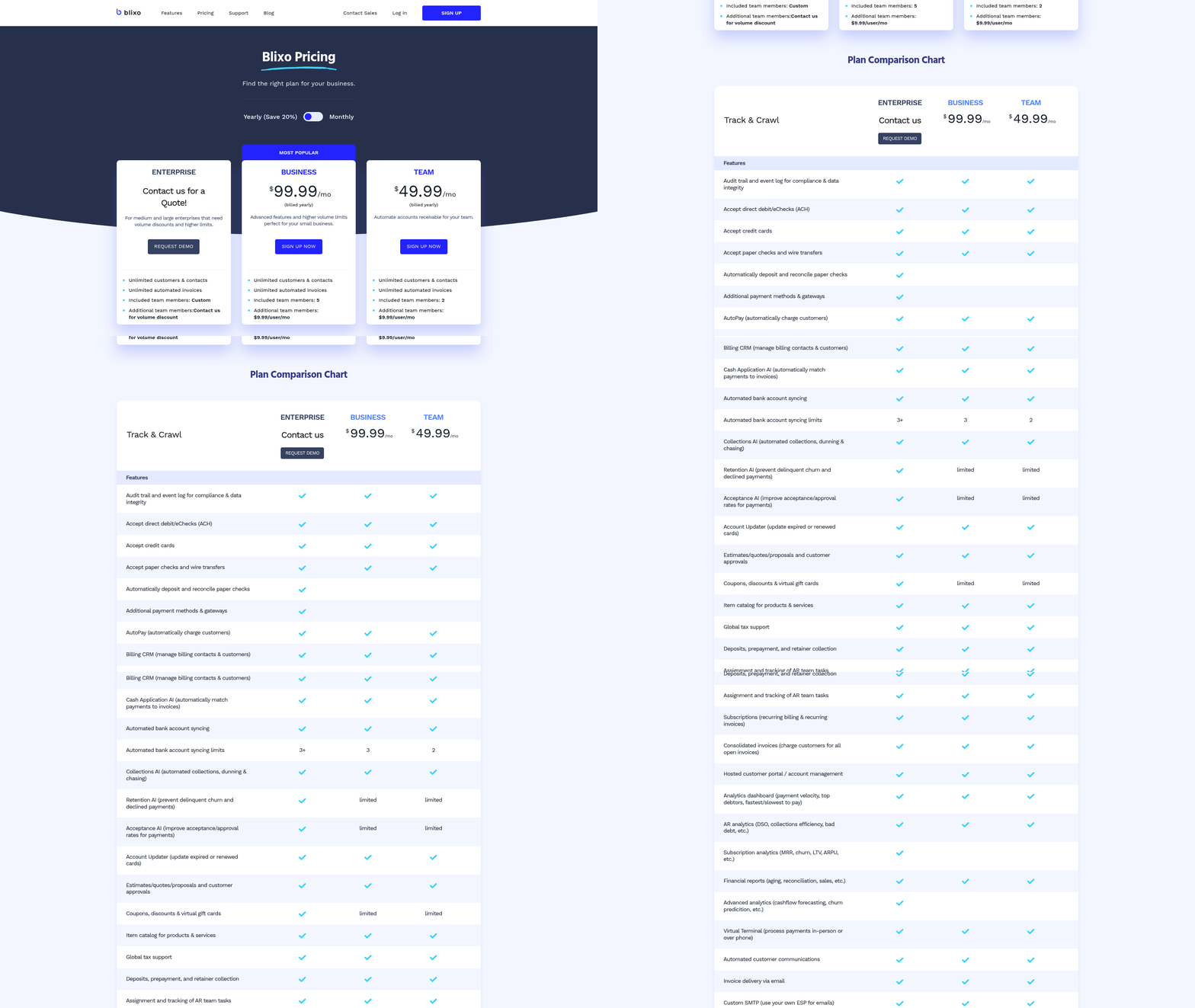
Start by aligning Blixo’s automation features with your business needs. As mentioned in the Preparing for Accounts Receivable Automation section, this foundational step ensures tools are configured effectively to meet organizational goals. Configure smart invoicing to auto-generate and deliver invoices using customizable templates, reducing manual effort. Enable recurring billing for subscription-based workflows to automate payment schedules and proration. For example, a law firm automated retainer invoices with embedded payment links, cutting follow-up time by 50% (Blixo Blog).
- Set up recurring invoice templates Use dynamic fields and multi-currency support to streamline high-volume invoicing.
- Enable multi-payment options Integrate ACH, credit cards, and digital wallets to increase payment flexibility.
- Automate payment reminders Configure personalized dunning rules with email/SMS alerts to reduce late payments.
How Do You Integrate Blixo with Existing Systems?
Seamless integration ensures data consistency and eliminates manual entry. Building on concepts from the Preparing for Accounts Receivable Automation section, connect Blixo to ERP/accounting systems like QuickBooks or SAP via APIs or CSV imports. For instance, a manufacturing firm eliminated double data entry by syncing purchase-order-based invoicing with its ERP.
- Map fields for ERP integration Align invoice, payment, and customer data fields to avoid mismatches.
- Test bidirectional sync Validate that updates in Blixo reflect in your ERP and vice versa.
- Enable security protocols Activate 256-bit encryption and role-based access controls to protect synced data.
How Do You Monitor and Improve Performance?
Track key metrics like Days Sales Outstanding (DSO), payment success rates, and error rates. Building on concepts from the Optimizing and Maintaining Accounts Receivable Automation section, set KPI benchmarks and audit dunning effectiveness to refine workflows iteratively. A mid-sized firm reduced DSO from 45 to 28 days by analyzing Blixo’s real-time dashboards.
- Set KPI benchmarks Aim for a 30% DSO reduction and 50% fewer manual reconciliation errors within 3 months.
- Audit dunning effectiveness Refine reminder frequency and escalation rules based on customer payment behavior.
- Conduct monthly reviews Use Blixo’s analytics to identify bottlenecks and adjust workflows iteratively.
Optimizing and Maintaining Accounts Receivable Automation
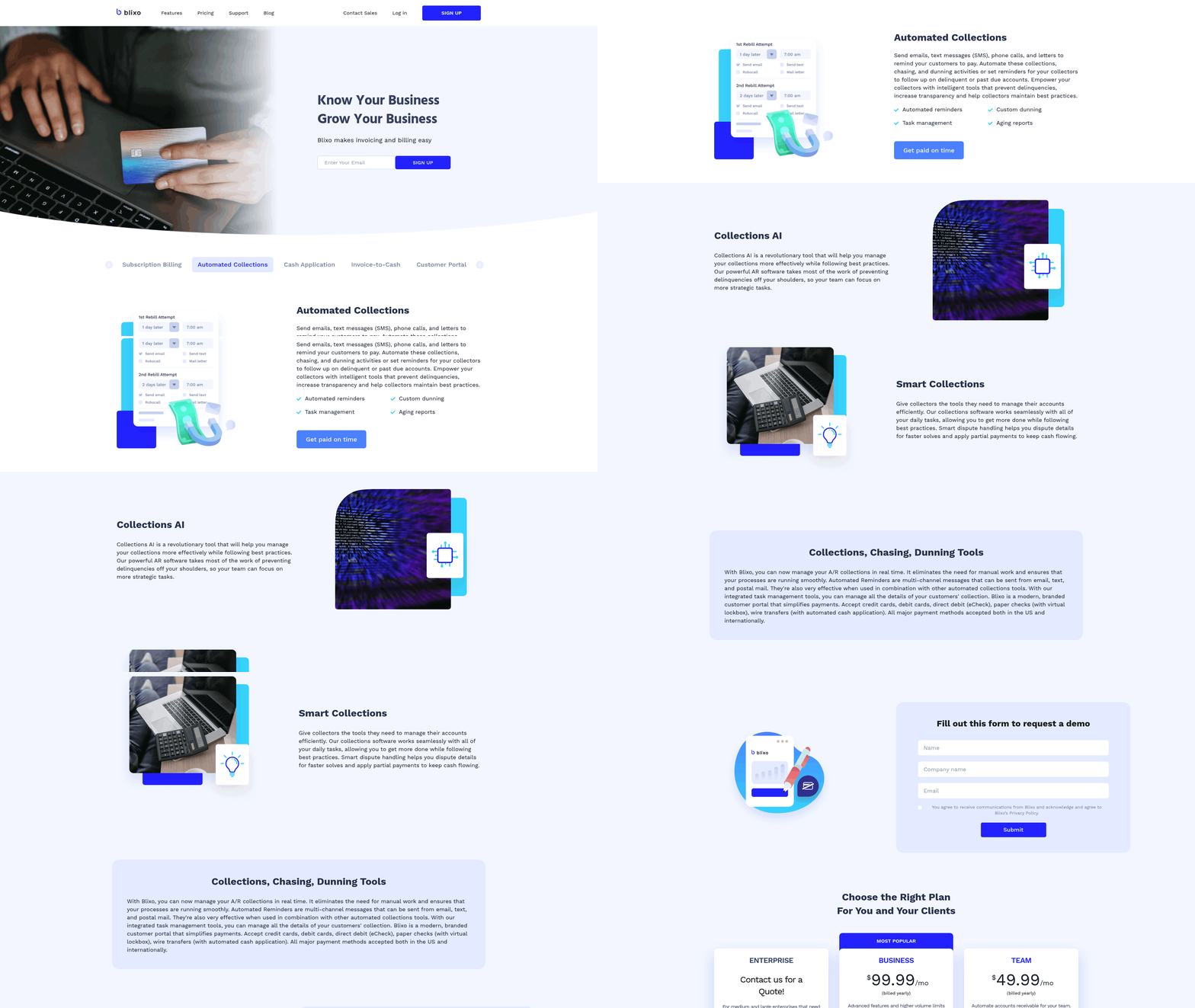
To ensure your AR automation runs smoothly, focus on continuous performance monitoring, proactive issue resolution, and using Blixo’s evolving capabilities. Start by tracking key metrics like DSO and payment processing times to identify bottlenecks. Use Blixo’s real-time dashboards to spot trends and adjust workflows accordingly.
How Can You Monitor AR Automation Performance?
Blixo users should prioritize metrics like Days Sales Outstanding (DSO), payment processing speed, and error rates to gauge automation effectiveness. A DSO reduction of 30% is a common target, achievable by automating invoicing and collections. As mentioned in the Preparing for Accounts Receivable Automation section, understanding baseline workflows is critical to setting measurable goals. For example, a facilities-services firm cut DSO by over 40% using Blixo’s AI-driven cash application.
- Track DSO monthly to ensure it stays below 45 days
- Measure payment processing times to identify delays in reconciliation
- Monitor error rates (aim for <5%) using Blixo’s error logs and AI OCR diagnostics
- Review customer payment behavior via Blixo’s analytics to refine dunning strategies
What Are Common AR Automation Issues and Fixes?
Payment failures, invoice discrepancies, and reconciliation errors are frequent pain points. Building on concepts from the Implementing Accounts Receivable Automation with Blixo section, Blixo’s machine-learning matching engine reduces disputes by 35%, but manual checks are still needed for edge cases.
- Investigate payment failures using Blixo’s transaction logs and resubmit failed payments via the virtual lockbox
- Resolve invoice discrepancies by cross-checking AI OCR data with source documents in the sandbox environment
- Automate reconciliation exceptions with custom rules in Blixo’s matching engine (98% accuracy)
- Enable multi-currency support to prevent errors in international transactions
How Do You Optimize AR Automation for Efficiency?
Refine workflows by iterating on dunning rules, payment methods, and customer communication. A manufacturing company reduced late payments by 28% by automating credit limit adjustments tied to customer histories.
- Configure dunning rules to send tiered reminders (SMS/email) at optimal intervals (e.g., 7, 14, 21 days)
- Expand payment options (ACH, credit cards, virtual checks) to increase on-time payments by 25%
- Use recurring invoice templates to automate 80% of billing for subscription-based clients
- Test customer self-service portals to reduce support requests by 40%
Why Should You Stay Updated on Blixo Features?
Blixo regularly rolls out updates like virtual lockbox enhancements and predictive analytics. As outlined in the Best Practices for Accounts Receivable Automation with Blixo section, recalibrating workflows quarterly ensures alignment with new features. A healthcare provider reduced month-end closing delays by 18% after adopting the latest integration tools.
- Subscribe to Blixo’s release notes to test new features like AI-driven fraud detection
- Recalibrate workflows quarterly to incorporate updates (e.g., dynamic discounting, proration)
- Use sandbox mode to validate changes before deploying them to live processes
What Real-World Examples Inspire Optimization?
A logistics firm slashed invoice disputes by 80% using Blixo’s AI validation, while a regional retailer accelerated processing by 22% with smart invoicing.
“Blixo turned our chaotic billing system into something predictable-our cash flow is more stable than ever.” – Finance Manager, Mid-Sized Enterprise
- Audit high-volume clients first to replicate success stories (e.g., 30% faster collections)
- Benchmark against industry averages (e.g., 30% admin cost savings) to set realistic goals
- Share internal case studies to motivate teams during optimization phases
By aligning monitoring, troubleshooting, and updates with Blixo’s capabilities, businesses can reduce manual effort by 80% per invoice and free finance teams to focus on growth. Start small, iterate often, and use the platform’s analytics to drive continuous improvement.
Best Practices for Accounts Receivable Automation with Blixo
What Steps Ensure Successful AR Automation Implementation?
A phased rollout and user training are key to avoiding pitfalls like low adoption or misconfigured workflows.
- Start with a pilot:
- Focus on high-volume or high-error invoice categories first.
- Test workflows in Blixo’s sandbox environment before full deployment.
- As mentioned in the Preparing for Accounts Receivable Automation section, understanding current workflows is critical before configuring automation.
- Integrate with ERPs/CRMs:
- Map fields in Blixo’s Integration Hub to ensure 100% sync with systems like QuickBooks or SAP.
- A construction company eliminated double data entry by linking Blixo to its ERP.
- Train users:
- Host workshops to familiarize teams with features like the self-service portal or analytics dashboards.
- Use Blixo’s setup wizard to simplify onboarding.
A mid-sized enterprise reduced AR turnover time by 25% within three months by following this structured implementation plan..
How to Monitor and Improve AR Automation Performance?
Continuous monitoring and iteration are essential to sustain gains. Track key metrics like DSO, payment success rate, and error rate using Blixo’s real-time dashboards.
-
Review monthly analytics:
-
Identify trends in late payments or reconciliation disputes.
-
Adjust dunning intervals or payment rules based on customer behavior.
-
Building on concepts from the Optimizing and Maintaining Accounts Receivable Automation section, refining workflows based on analytics ensures long-term efficiency.
-
Iterate workflows:
-
Refine OCR accuracy (target 95%+ recognition) and matching engine thresholds.
-
A healthcare provider cut month-end closing time by 18% after optimizing these settings.
One company achieved a 40% reduction in DSO by iterating on AI-driven collections and refining payment reminders..
What Future-Proof Strategies Should Businesses Adopt?
Staying ahead of industry trends ensures AR automation remains competitive. Blixo supports multi-currency invoicing, virtual lockbox integration, and predictive analytics to future-proof workflows.
-
Adopt AI/ML advancements:
-
Use Blixo’s predictive analytics to forecast cash flow and identify at-risk accounts.
-
As outlined in the Implementing Accounts Receivable Automation with Blixo section, configuring smart invoicing sets the stage for advanced automation.
-
Expand payment options:
-
Integrate emerging methods like crypto or buy-now-pay-later (BNPL) as customer demand grows.
-
Scale with business needs:
-
A media company reduced billing time by 60% by enabling dynamic discounting and automation rules.
By aligning with these trends, businesses can turn AR automation from a cost-saving tool into a strategic growth driver.
Frequently Asked Questions
1. How much do manual AR processes cost U.S. businesses annually?
Manual AR processes cost U.S. businesses $1.3 trillion annually due to preventable errors and inefficiencies. Small businesses lose 30% of revenue to inefficient collections, with invoices taking up to 45 days to process manually.
2. What is the average time to process invoices manually?
Manual invoices take up to 45 days to process, compared to 30–50% faster collections with automation. Blixo’s tools reduce Days Sales Outstanding (DSO) by 30–50% in 6–12 months using AI-driven workflows.
3. How does Blixo reduce invoice errors?
Blixo’s AI-driven invoicing and machine-learning matching engines resolve 39% of invoice errors caused by manual input. This automation handles 99.5% of payment-to-invoice reconciliations automatically, minimizing disputes and delays.
4. What is the typical reduction in Days Sales Outstanding (DSO) with AR automation?
AR automation cuts DSO by 30–50% within 6–12 months. Blixo’s tools streamline invoice creation and reconciliation, reducing payment delays and improving cash flow predictability for businesses of all sizes.
5. How does AR automation affect payment disputes?
AR automation minimizes payment disputes by reducing human errors in invoice creation and matching. Blixo’s system resolves 39% of errors automatically, improving customer satisfaction and reducing administrative costs by 30%.
6. What operational cost savings can businesses expect with automation?
Businesses can achieve 30% lower operational costs and 30–50% faster collections with structured AR automation. Blixo’s tools eliminate 39% of manual errors, cutting administrative work and accelerating reconciliation processes.
7. How does AR automation improve cash flow predictability?
AR automation reduces payment delays and errors, ensuring faster collections and accurate financial tracking. Blixo’s AI-driven system improves cash flow predictability by resolving 99.5% of reconciliations automatically, minimizing disputes and late payments.