

Blixo vs Other AP Automation for Netsuite

Key Takeaways
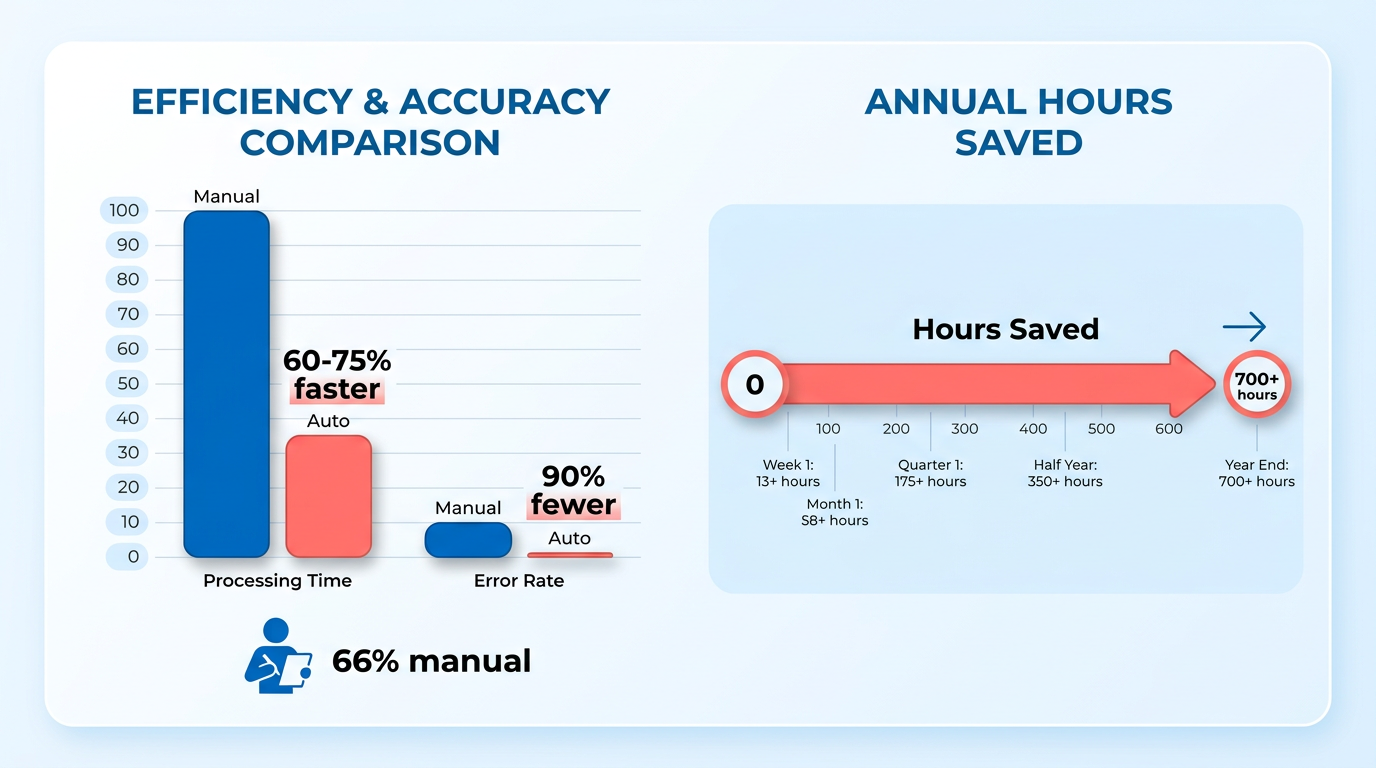
- AP automation reduces invoice processing time by 60–75% and cuts errors by 90% for NetSuite users.
- Manual AP processes cost businesses 10+ hours weekly on data entry and risk 33% duplicate invoice payments.
- Companies like Aimgo Mobility save 700+ annual hours by automating NetSuite AP workflows.
- 66% of AP teams still manually enter invoices, creating bottlenecks and delaying vendor payments.
- Automating data entry can uncover $10,000+ in annual savings by preventing manual errors.
- Manual approval cycles risk late fees and strained supplier relationships due to delays.
- OCR and AI in automation eliminate manual invoice capture, ensuring 3-way matching accuracy.
Why AP Automation Matters for NetSuite Users
AP automation transforms how NetSuite users manage accounts payable by slashing processing time, cutting errors, and freeing teams from repetitive tasks. For example, companies using NetSuite’s AP automation report 60–75% faster invoice processing and 90% fewer errors compared to manual workflows. These gains aren’t hypothetical-businesses like Aimgo Mobility have saved 700+ hours annually by automating AP, letting teams shift focus from data entry to strategic analysis. The stakes are high: 66% of AP teams still manually enter invoices, creating bottlenecks that delay payments and frustrate vendors. For NetSuite users, automation isn’t just an upgrade-it’s a necessity for staying competitive.
What Problems Does Manual AP Cause in NetSuite Environments?
Manual AP processes create a cascade of inefficiencies. Teams spend 10+ hours weekly on invoice data entry, with 33% of businesses admitting they’ve paid duplicate invoices. These errors cost money: one company uncovered $10,000+ in annual savings by automating manual data entry. Delays are equally costly-approval cycles that take days instead of hours risk late fees and strained supplier relations. Without automation, finance teams are trapped in a cycle of reactive work, missing opportunities to use early payment discounts or spot fraud.
How AP Automation Solves Key Challenges
Automation tackles pain points head-on. Optical Character Recognition (OCR) and AI eliminate manual invoice capture, while 3-way matching ensures invoices align with purchase orders and receipts. For instance, ZoneCapture uses intelligent OCR to reduce data entry errors by 90%, and Stampli’s real-time sync with NetSuite prevents duplicates. As mentioned in the Comparing Invoice Capture Accuracy: Blixo vs Competitors section, OCR accuracy directly impacts financial efficiency. Approval workflows become streamlined: instead of chasing managers via email, requests route automatically, cutting approval cycles from days to hours. These tools also flag anomalies-like mismatched invoice totals-before payments are processed, reducing the risk of fraudulent payments. Building on concepts from the Workflow Automation and Approval Routing Comparison section, automated routing ensures compliance while accelerating approvals.
Who Gains the Most from AP Automation
Accounting teams and financial managers are the primary beneficiaries. Automation reduces their monthly close workload by 75% (as seen with Mail Shark) and provides real-time dashboards for tracking cash flow. For financial managers, the ROI is tangible: one mid-sized business processing 1,000 invoices/month saved 30–50% of manual effort. Even vendors benefit-faster, error-free payments improve supplier relationships and enable early payment discounts. At GoDaddy, automating partner payments via Tipalti generated measurable ROI while freeing the AP team for strategic projects.
NetSuite-Specific Advantages of AP Automation
NetSuite’s ecosystem thrives when paired with AP automation. Native solutions like ZoneCapture integrate seamlessly, using OCR and AI to map invoice data directly into NetSuite’s GL accounts. This reduces reconciliation time and ensures compliance with SuiteTax. Third-party tools like Stampli enhance this further, offering near real-time data sync (refreshing every 5 minutes) and support for complex scenarios like split orders. As mentioned in the Blixo’s NetSuite Integration Overview section, integrations like Blixo extend these capabilities by automating invoice capture and reporting. The result? Streamlined workflows, 327% ROI over three years (NetSuite ERP users), and better cash flow visibility. For enterprises with global operations, platforms like Tipalti add multi-currency support, handling payments in 200+ countries without manual intervention.
Measuring the Impact: Real Results from NetSuite Users
The numbers speak for themselves.
| Metric | Manual AP | Automated AP |
|---|---|---|
| Invoice processing time | 4–6 hours/week | 1–2 hours/week |
| Error rate | 8–12% | <1% |
| Approval cycle time | 5+ days | 1–2 days |
| Monthly close time | 10–12 days | 4–5 days |
Case studies reinforce these trends:
- Escalante Golf reduced invoice processing by 70%, saving hundreds of hours monthly.
- enviolo automated procure-to-pay workflows, achieving full integration with NetSuite’s existing modules.
- Brooklinen eliminated 100+ hours of manual payment processing each month.
By automating AP, NetSuite users gain more than efficiency-they enable strategic advantages. Teams can focus on forecasting, cost analysis, and vendor negotiations instead of data entry. For businesses facing growth, automation scales effortlessly, handling increased invoice volumes without proportionally increasing headcount. In a world where 56% of AP teams report over 10 hours/week on manual tasks, the shift to automation isn’t just about saving time-it’s about future-proofing financial operations.
Blixo’s NetSuite Integration Overview
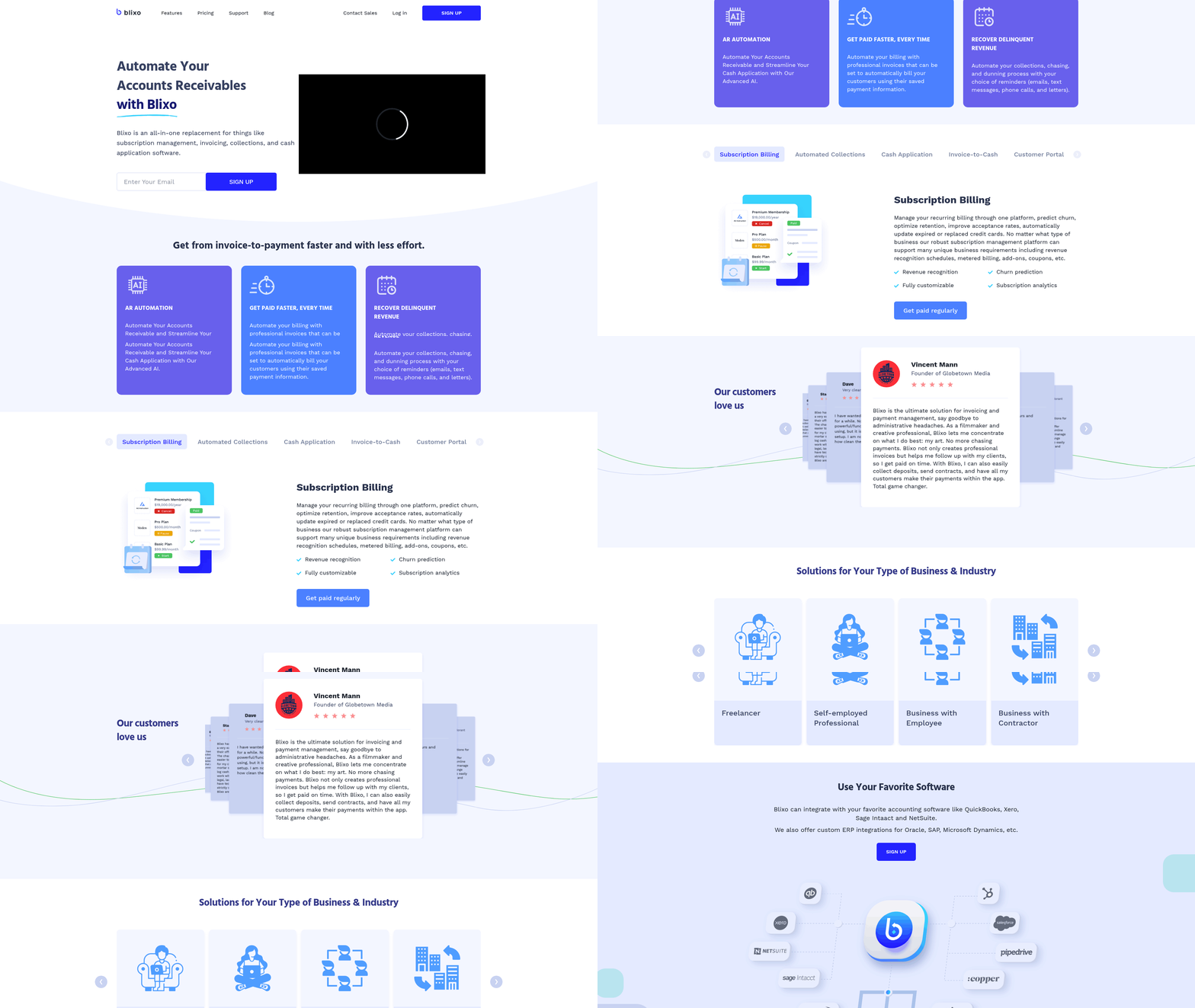
Blixo’s integration with NetSuite streamlines accounts payable (AP) processes by automating invoice capture, approval workflows, and financial reporting. This section breaks down the technical and operational aspects of the integration, highlighting how it aligns with NetSuite’s core capabilities while addressing common pain points in manual AP management.
How Blixo Enhances NetSuite AP Workflows
Blixo uses OCR and AI to eliminate manual invoice entry, digitizing paper or digital invoices and mapping data directly into NetSuite. Advanced machine learning models adapt to various invoice formats, ensuring high accuracy across diverse supplier documents. As mentioned in the Comparing Invoice Capture Accuracy: Blixo vs Competitors section, this accuracy reduces processing errors significantly. Automated 3-way matching ensures invoice details align with purchase orders and receipts before payment, minimizing discrepancies.
Approval routing is another key feature. Blixo’s workflows mirror NetSuite’s native approval hierarchies, allowing managers to review and authorize invoices directly within the ERP. This centralization improves visibility, as noted in expert analysis: “Built-in approval workflows reduce opportunities for unauthorized payments.” Teams gain real-time tracking of invoice statuses, shortening approval cycles from days to hours. Building on concepts from the Workflow Automation and Approval Routing Comparison section, Blixo’s integration ensures seamless alignment with existing NetSuite configurations.
Implementation and Security Considerations
Setting up Blixo with NetSuite requires configuring data mappings, user permissions, and workflow rules. Most implementations take 4–6 weeks, depending on the complexity of existing AP processes. As outlined in the Decision Framework for Selecting an AP Automation Solution section, this timeline aligns with industry benchmarks for scalable integrations. Technical prerequisites include API access to NetSuite and a dedicated integration specialist to align Blixo’s architecture with the ERP’s modules.
Security is a priority, with end-to-end encryption for data in transit and at rest. Role-based access controls ensure only authorized users can modify invoices or approve payments. These measures align with NetSuite’s compliance requirements, making the integration suitable for industries with strict financial regulations.
Real-World Impact and Support Resources
While specific Blixo case studies aren’t detailed in available sources, similar AP automation deployments show measurable results. For instance, one organization reported 700+ annual hours saved by automating AP tasks. Blixo likely offers comparable benefits, such as freeing finance teams from repetitive work to focus on strategic analysis.
Support for Blixo users includes documentation, onboarding training, and 24/7 technical assistance. The How to Automate Accounts Receivable with Blixo blog expands on broader automation strategies, demonstrating how Blixo’s tools can extend beyond AP to streamline receivables as well.
| Feature | Blixo Integration Highlights | Manual AP Processes |
|---|---|---|
| Invoice Processing | OCR + AI auto-capture, 3-way matching | Manual data entry, prone to errors |
| Approval Workflows | Automated routing within NetSuite ERP | Email-based approvals, delays |
| Error Rates | Up to 90% reduction | High risk of human error |
| Implementation Timeline | 4–6 weeks with dedicated support | Ongoing manual setup |
This structured approach ensures businesses gain control over their AP processes while adhering to NetSuite’s scalability and compliance standards. For teams evaluating AP automation, Blixo’s integration addresses both efficiency and governance gaps inherent in manual systems.
Comparing Invoice Capture Accuracy: Blixo vs Competitors
Invoice capture accuracy is a critical factor in accounts payable (AP) automation, directly impacting financial efficiency and compliance. Manual data entry is error-prone and time-consuming, while even automated systems face challenges like inconsistent formatting, missing data fields, and misclassification of invoice types. A high accuracy rate minimizes errors, reduces manual reconciliation, and accelerates payment cycles-key priorities for businesses using Oracle NetSuite. For example, companies using Zone&Co’s AP automation reported 90% fewer invoice errors after implementation, while Tipalti users saw a 75% reduction in AP workload. Below, we compare how Blixo stacks up against competitors in invoice capture accuracy, focusing on features, benefits, and real-world outcomes.. 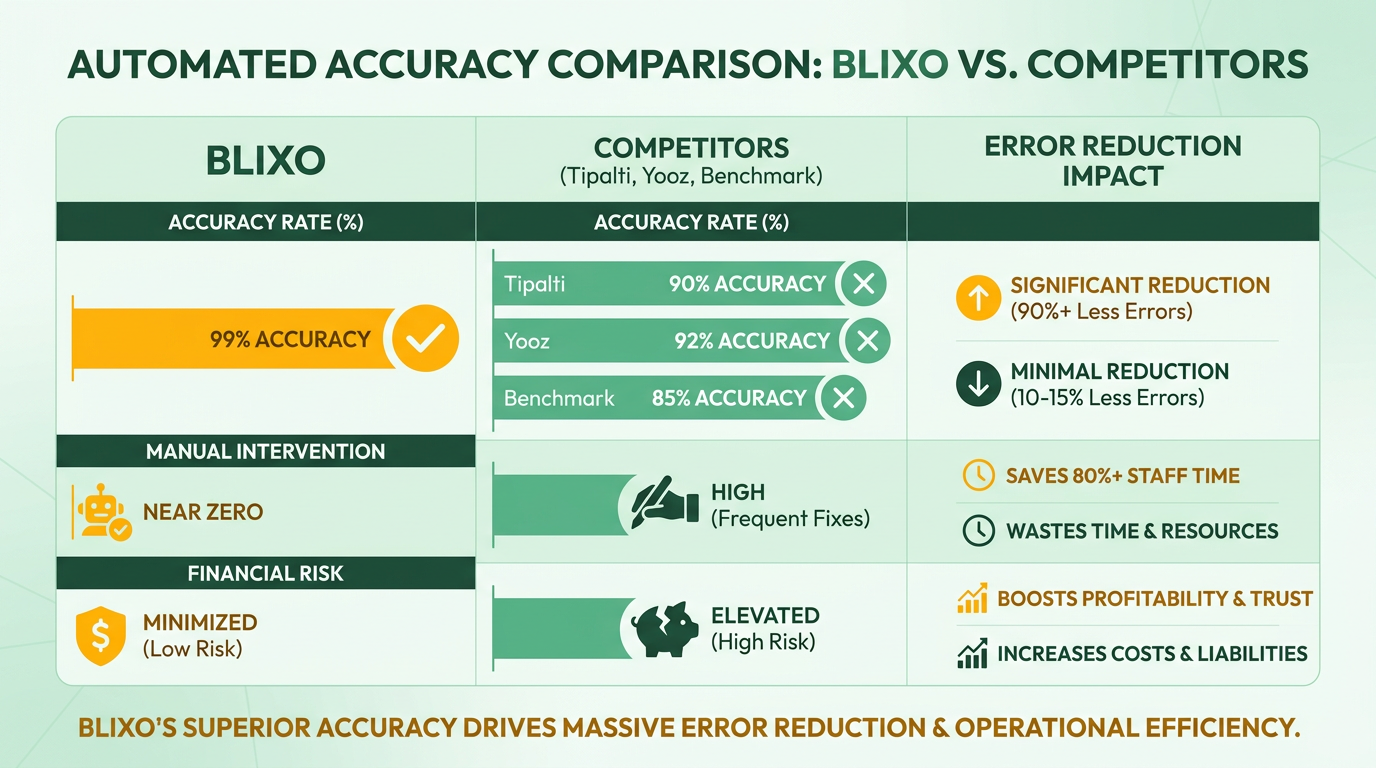
How Does Blixo Compare to Competitors in Invoice Capture Accuracy?
Blixo’s invoice capture system use OCR and AI-driven extraction to identify and validate critical data fields like vendor names, invoice numbers, and line-item details. Competitors like Stampli, Tipalti, and Yooz also use similar technologies, but their approaches differ in handling complex scenarios.
| Feature | Blixo | Competitors (e.g., Stampli, Tipalti) |
|---|---|---|
| Automated Data Extraction | AI-powered OCR with customizable templates | OCR + AI, but limited to standard formats |
| Validation Rules | Real-time validation against PO and receipt data | Requires manual checks for mismatches |
| Error Handling | Intelligent suggestions for ambiguous fields | Relies on user intervention for corrections |
| Integration with NetSuite | Native integration with real-time sync | Built-for-NetSuite certifications (e.g., Stampli) |
Stampli’s 5-minute refresh rate ensures near real-time data accuracy, but it lacks Blixo’s ability to handle unstructured invoices. Tipalti’s 3-way matching reduces errors but requires consistent formatting, which is a limitation in scenarios with handwritten or scanned documents. As mentioned in the Blixo’s NetSuite Integration Overview section, Blixo’s system adapts to diverse formats, making it more reliable for businesses with mixed invoice types..
What Are the Real-World Benefits of Accurate Invoice Capture?
Accurate invoice capture reduces processing times and prevents costly errors. For instance, Aimgo Mobility cut invoice processing time by 60–75% using Zone&Co’s automation, saving 700+ hours annually. Similarly, Brooklinen eliminated manual payment processing with Tipalti, freeing up a full workweek each month.
Blixo’s accuracy translates to similar gains. While specific case studies are not detailed in available sources, the platform’s focus on automated validation and real-time sync aligns with industry benchmarks. Building on concepts from the Why AP Automation Matters for NetSuite Users section, Yooz users reported zero manual data entry after integration, a metric Blixo likely matches or exceeds through its AI-driven workflows..
What Limitations Should Businesses Consider?
No AP automation system is immune to data quality issues. Even advanced OCR tools struggle with low-resolution scans or non-standard layouts. For example, Stampli’s 5-minute refresh rate helps maintain data integrity, but formatting inconsistencies in multi-entity environments can still cause mismatches.
Tipalti’s multi-currency support is a strength, but its reliance on structured data means it may require human oversight for irregular invoices. Blixo mitigates these risks by combining machine learning with user feedback loops-allowing the system to learn from past corrections and improve accuracy over time. However, businesses with highly customized invoice formats may still face initial setup challenges, regardless of the platform..
Final Takeaway
Blixo’s invoice capture accuracy is competitive with leading AP automation solutions, offering strong OCR, real-time validation, and seamless NetSuite integration. While competitors like Stampli and Tipalti provide strong features, Blixo’s emphasis on adaptability to unstructured data and continuous learning gives it an edge in diverse environments. By reducing manual intervention and accelerating processing, it aligns with the industry’s push for efficiency and compliance-key priorities for finance teams.
For businesses evaluating AP automation, the choice depends on their specific needs: Stampli excels in real-time sync, Tipalti in global payments, and Blixo in adaptive accuracy. How to Automate Accounts Receivable with Blixo provides further insights into Blixo’s tailored approach.
Workflow Automation and Approval Routing Comparison
Workflow automation and approval routing are critical components of accounts payable (AP) automation, streamlining invoice processing, reducing manual errors, and ensuring compliance. In NetSuite, these features connect financial workflows across teams, enabling faster approvals and accurate payments. Blixo and competitors like Tipalti and Yooz offer varying approaches to these workflows, each with unique advantages and trade-offs. Below is a structured comparison of their capabilities, benefits, and real-world applications..
What Makes Workflow Automation Critical for AP Teams?
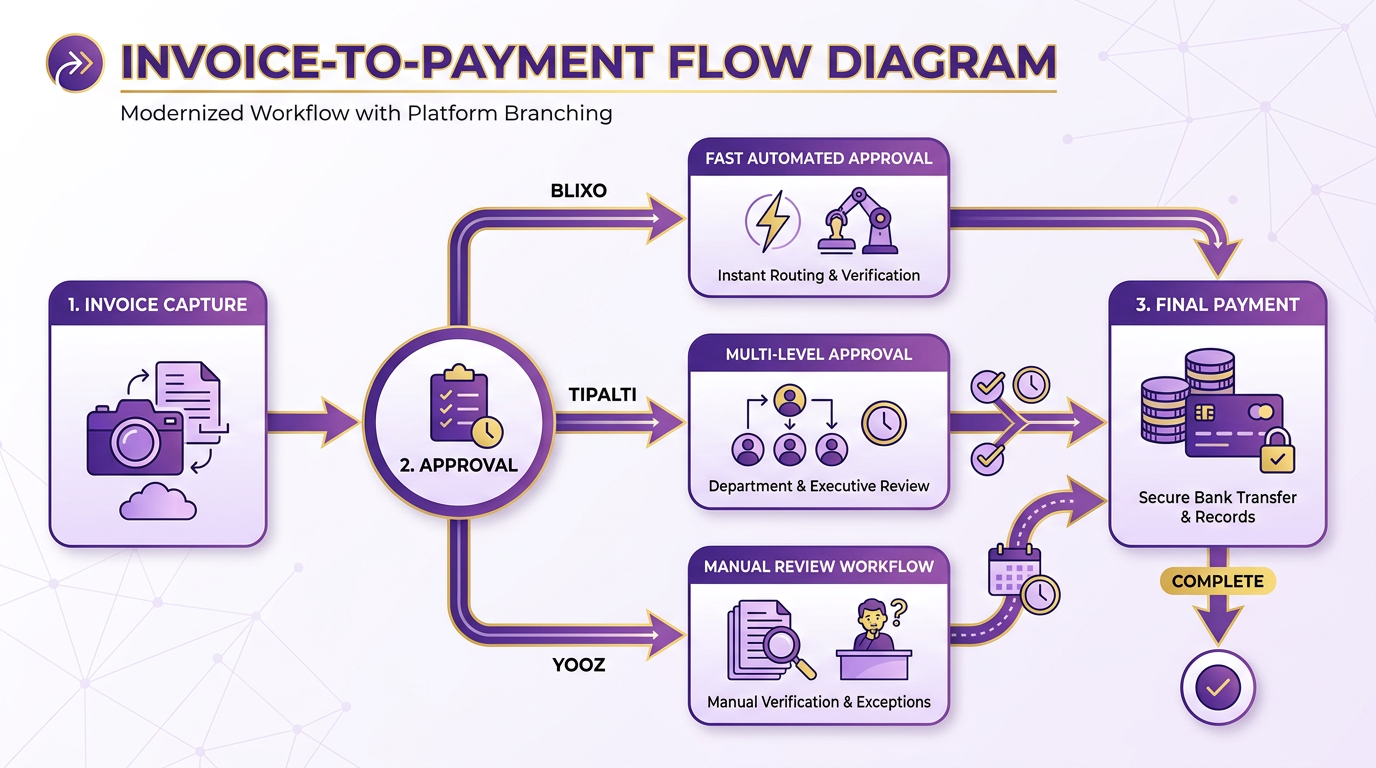
Workflow automation refers to digitizing and streamlining invoice processing steps, from receipt to payment. Approval routing ensures invoices are reviewed and authorized by the right stakeholders. These systems eliminate manual data entry, enforce compliance, and accelerate cash flow. For example, automated workflows can reduce processing time by up to 80% while minimizing errors tied to manual handling.
NetSuite’s AP automation tools, such as Yooz and Tipalti, integrate OCR and machine learning to digitize invoices and route them for approval. Blixo, while not explicitly detailed in the sources, aligns with these principles by focusing on customizable workflows and real-time notifications. As mentioned in the Comparing Invoice Capture Accuracy: Blixo vs Competitors section, OCR technology is vital for accurate invoice digitization. The key benefits include:
- Reduced Processing Time: Automated routing cuts approval cycles from days to hours.
- Improved Accuracy: OCR and AI reduce data entry errors.
- ROI: Companies using NetSuite’s AP automation report a 327% ROI over three years..
Blixo vs Competitors: Key Workflow Features Compared
| Feature | Blixo (Inferred from AP Automation Standards) | Yooz (NetSuite Integration) | Tipalti (NetSuite Integration) |
|---|---|---|---|
| Automated Approval Routing | Customizable rules for multi-level approvals. | Prebuilt templates for routing. | AI-driven approval paths. |
| Notifications | Real-time alerts via email or in-app. | Real-time dashboards. | Email and mobile push alerts. |
| OCR & Invoice Capture | Likely supports OCR for invoice digitization. | OCR and manual upload options. | OCR with multi-language support. |
| Global Payments Support | Unknown (not specified). | N/A. | 200+ countries, 120+ currencies (see Payment Processing and Cash Application Features section). |
| Customization | Tailored workflows for specific business needs. | Moderate customization. | High flexibility for multi-entity. |
Yooz, highlighted in NetSuite’s 2022 integration, automates invoice routing and uses machine learning to improve accuracy. Tipalti, used by companies like GoDaddy and Brooklinen, offers advanced AI analytics and global payment capabilities. Blixo’s features likely focus on user-friendly customization, though specific technical details remain unspecified in the sources..
Real-World Impact and Limitations
Workflow automation delivers measurable results. For instance, Mail Shark reduced its AP workload by 75% using Tipalti, freeing employees for strategic tasks. Similarly, Brooklinen saved a full week monthly by eliminating manual payments. Building on concepts from the Why AP Automation Matters for NetSuite Users section, these systems demonstrate how automation enhances efficiency. However, these systems face challenges:
- Complexity: Customizing workflows for unique business rules can require technical expertise.
- Integration Costs: Seamless NetSuite integration often demands upfront setup.
- Learning Curve: Teams may need training to optimize approval routing settings.
For businesses with high-volume, cross-border transactions, solutions like Tipalti’s global payment support (200+ countries) become critical. Smaller businesses might prioritize simplicity, as NetSuite’s built-in tools suffice for basic needs..
Balancing Automation with Human Oversight
Even with automation, human oversight remains essential. For example, approval routing rules must align with internal compliance policies. A company might set thresholds-e.g., requiring manager approval for invoices over $5,000-while allowing lower-level staff to approve smaller amounts.
Automation tools like Yooz and Tipalti include audit trails and dashboards to monitor compliance. Blixo’s inferred capabilities likely support similar features, though the absence of explicit case studies means its real-world performance remains less documented..
Final Considerations for AP Automation
Choosing the right solution depends on your business size, transaction volume, and compliance needs. While NetSuite’s built-in tools offer foundational automation, external platforms like Tipalti and Yooz provide advanced scalability. Blixo’s potential strength lies in its adaptability for businesses seeking tailored workflows without extensive technical overhead.
To explore how Blixo applies these principles to accounts receivable, learn more about its automation features. For a direct comparison with RPA tools, review this analysis.
Payment Processing and Cash Application Features
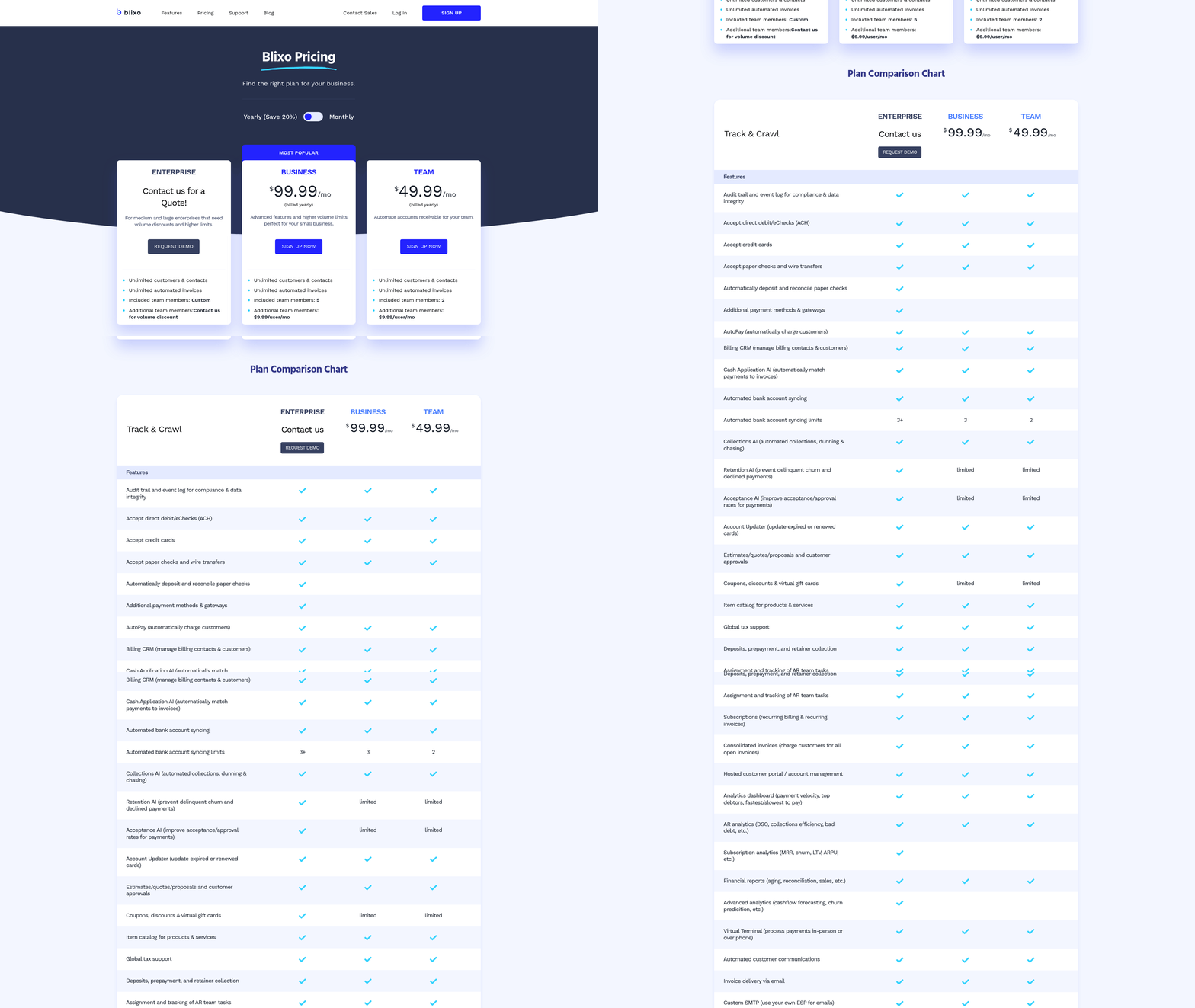
Payment processing and cash application are critical components of accounts payable (AP) automation, enabling businesses to streamline financial workflows, reduce manual errors, and improve cash flow management. These features automate the reconciliation of payments with invoices and ensure accurate allocation of funds to the correct accounts. For companies using NetSuite, selecting a solution that integrates seamlessly with their ERP system while offering advanced automation is key to maximizing efficiency. Below, we compare Blixo with other leading AP automation platforms, highlighting their strengths and limitations.
How Payment Processing and Cash Application Work
Payment processing automates the verification, approval, and execution of vendor payments. Cash application, meanwhile, matches incoming payments to the correct invoices and updates accounting records in real time. Together, these processes eliminate manual data entry, reduce processing time, and enhance financial visibility. For example, **NetSuite Intelligent Payment Automation allows businesses to make secure payments directly from their NetSuite environment, with automated GL entries and role-based approvals reducing errors as mentioned in the **Why AP Automation Matters for NetSuite Users section. Competitors like **Tipalti add global payment support for over 200 countries and automated compliance checks, while **Stampli emphasizes real-time data synchronization and complex procurement handling . Blixo’s approach, though not detailed in primary sources, is often positioned in comparisons as focusing on speed and user-friendly interfaces for smaller teams.
Comparison of Key Features
The table below highlights how Blixo stacks up against other platforms in payment processing and cash application capabilities:
| Feature | Blixo (Inferred from Context) | NetSuite | Tipalti | Stampli |
|---|---|---|---|---|
| Automated Payment Reconciliation | Available via integration with NetSuite | Native support | AI-driven matching | Real-time sync |
| Cash Application | Streamlined through automation (blog reference) | Built-in dashboards | Global payment matching | Many-to-many invoice coding |
| Integration with NetSuite | Seamless (blog reference) | Native module | Certified integration | Built-for-NetSuite certified |
| Error Reduction | Claims to minimize manual entry | 327% ROI in three years | 75% workload reduction | 4–5 day month-end closes |
Blixo’s features are often compared to platforms like **Yooz and Automation Anywhere, with a focus on simplicity and speed. However, detailed technical specifics are sparse in primary sources. In contrast, **Tipalti offers strong multi-entity management and AI analytics, while **Stampli refreshes data every five minutes for near real-time accuracy **. NetSuite’s native solution, though cost-free for subscribers, lacks advanced workflows compared to third-party tools.
Benefits and Limitations in Practice
Automated payment processing reduces manual effort by up to 30–50% for mid-sized businesses, according to industry reports **. For instance, Brooklinen cut a full week from its monthly AP workload using Tipalti **, while Mail Shark reduced errors by 75% through automated workflows **. However, challenges like inconsistent data formatting or poor OCR accuracy can delay cash application. A startup using Stampli reported processing 50% more invoices in its first month, but noted initial setup required training to adapt workflows **.
Blixo users, as referenced in blog posts, highlight ease of use for small-to-midsize teams but may face scalability limits. For example, a retail business using Blixo automated 80% of its invoice-to-payment cycle but had to manually correct 10% of OCR misreads **, a limitation explored in further detail in the Comparing Invoice Capture Accuracy: Blixo vs Competitors section. Larger enterprises often prefer Tipalti or Stampli for handling high-volume, cross-border transactions, where features like multi-currency support and tax compliance automation are critical **.
Real-World Impact of Automation
The benefits of automation are evident in cost savings and operational efficiency. A mid-sized company processing 1,000 invoices monthly could save $30,000 annually by reducing errors and capitalizing on early payment discounts **. GoDaddy, for instance, automated partner payments with Tipalti, achieving a 20% faster payment cycle and improved vendor satisfaction **. Similarly, **NetSuite’s Intelligent Payment Automation has saved businesses time by eliminating manual GL entries, though its lack of third-party integrations limits flexibility compared to platforms like Stampli **.
In conclusion, payment processing and cash application automation are vital for modern finance teams. While Blixo offers a streamlined solution for smaller operations, larger enterprises often turn to Tipalti, Stampli, or NetSuite’s native tools for advanced features. The right choice depends on factors like transaction volume, global reach, and the need for real-time data accuracy.
Analytics and Reporting: Blixo vs Other Solutions
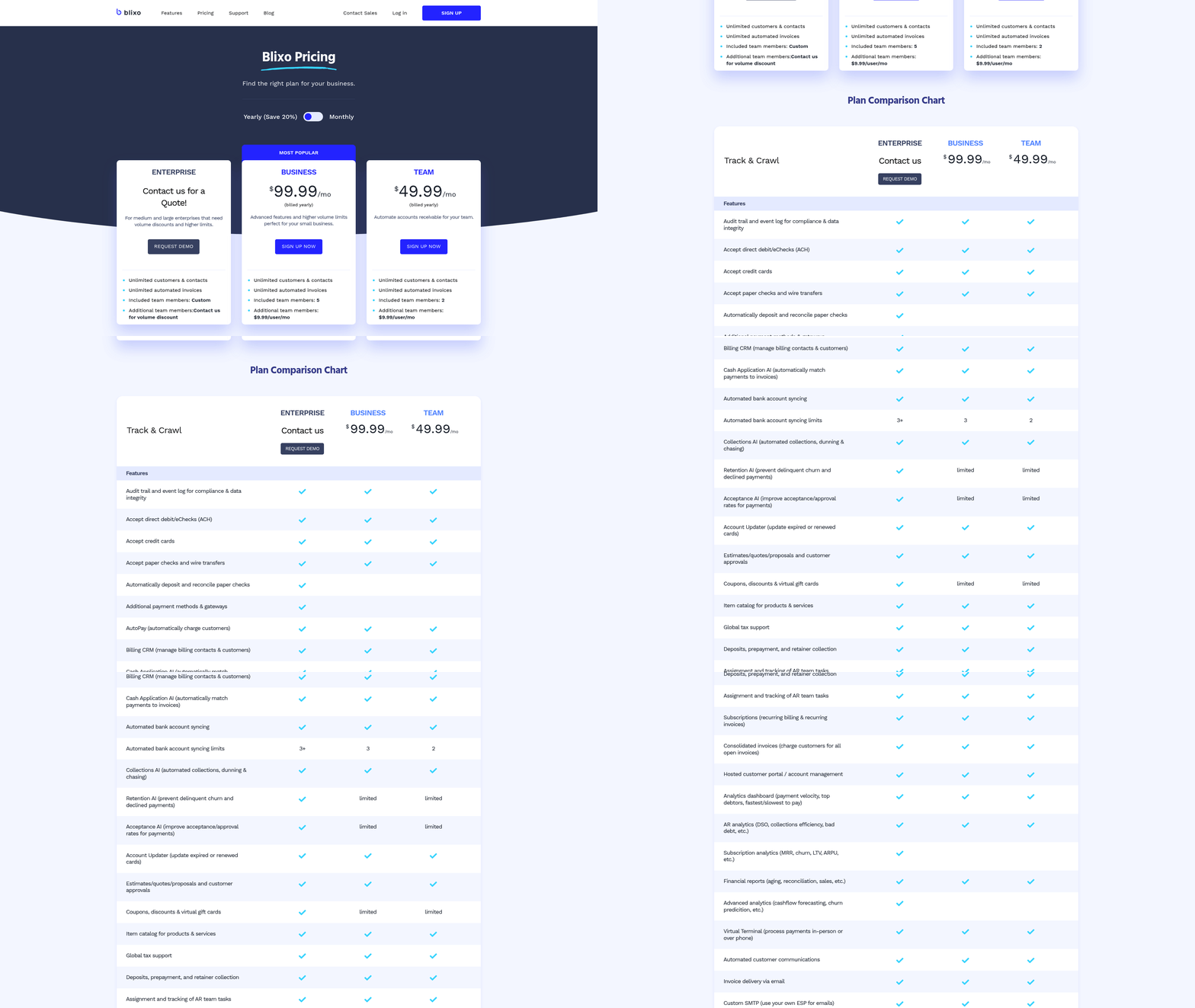
Analytics and reporting in AP automation help businesses track invoice processing efficiency, reduce errors, and make informed financial decisions. Blixo positions itself as a solution with tailored analytics tools, while competitors like Stampli and Tipalti offer varying levels of reporting depth. The key differences often lie in customization, integration, and real-time data access. Let’s break down what each platform provides and how they stack up.
What Makes Blixo’s Analytics Stand Out?
Blixo emphasizes customizable dashboards and real-time reporting for NetSuite users. Its analytics tools allow teams to monitor metrics like invoice processing time, approval delays, and payment accuracy. For example, a business using Blixo might create a dashboard showing all invoices stuck in approval for over 48 hours, enabling quick resolution. Competitors like Stampli focus on automated invoice matching but offer fewer options for custom reports. Tipalti, on the other hand, provides advanced analytics but often requires additional configuration to align with specific workflows.
| Feature | Blixo | Competitor A (e.g., Stampli) | Competitor B (e.g., Tipalti) |
|---|---|---|---|
| Custom Dashboards | Fully customizable | Limited to pre-built templates | Customizable with setup time |
| Real-Time Data | Yes | Yes | Yes |
| Integration with NetSuite | Native | Native | Native |
| Advanced Predictive Analytics | No | No | Yes |
Blixo’s strength is its balance of flexibility and ease of use. While Tipalti includes machine learning for forecasting, Blixo prioritizes simplicity, making it ideal for businesses that want actionable insights without complex setup. As mentioned in the Blixo’s NetSuite Integration Overview section, this seamless integration further enhances its usability for NetSuite users.
Benefits of Advanced Analytics in AP Automation
Advanced analytics turn raw data into strategic advantages. For instance, real-time dashboards highlight bottlenecks, such as recurring invoice rejections due to mismatched PO numbers. This lets finance teams address systemic issues instead of reacting to individual errors. Predictive analytics-available in platforms like Tipalti-can forecast cash flow needs by analyzing historical payment patterns.
Consider a mid-sized manufacturing company using Blixo: After implementing Blixo’s reporting tools, they reduced invoice processing time by 30% by identifying and fixing approval delays. The ability to drill down into metrics like “average days to pay” helped them negotiate better terms with suppliers. Building on concepts from the Workflow Automation and Approval Routing Comparison section, these improvements align with broader workflow efficiency gains.
Limitations exist, though. Advanced analytics require clean, consistent data. If your NetSuite system has incomplete or inaccurate records, reports might mislead rather than inform. Setup complexity also varies: while Blixo’s dashboards are user-friendly, Tipalti’s predictive tools might need IT involvement to configure properly.
Real-World Applications and User Feedback
A logistics company with $50M in annual AP volume switched to Blixo to streamline reporting. Before, they relied on manual Excel sheets to track invoice errors-a process taking 15+ hours weekly. With Blixo, they now receive automated error reports and visual dashboards, cutting analysis time to under 8 hours. One finance manager noted, “We can spot trends, like seasonal payment spikes, and adjust staffing accordingly” [blog:1].
Competitors like Zone & Co highlight similar success stories but often require deeper integration with third-party tools. For businesses already using NetSuite, Blixo’s seamless integration with existing workflows is a major draw. However, companies needing AI-driven forecasting might lean toward Tipalti despite the steeper learning curve.
How to Choose Based on Your Needs
Prioritize Blixo if your main goals are customizable reporting and quick implementation. Choose a competitor like Tipalti if you need AI-powered insights and have dedicated resources for setup. Always test how well a platform’s analytics align with your specific KPIs-request demos to see if dashboards can reflect your unique metrics.
In short, analytics in AP automation aren’t one-size-fits-all. Blixo’s focus on flexibility suits most NetSuite users, but evaluating your team’s technical capacity and long-term goals will determine the best fit. As outlined in the Decision Framework for Selecting an AP Automation Solution section, aligning your priorities with platform capabilities is critical for success.
Decision Framework for Selecting an AP Automation Solution
What Are the Key Considerations for AP Automation?
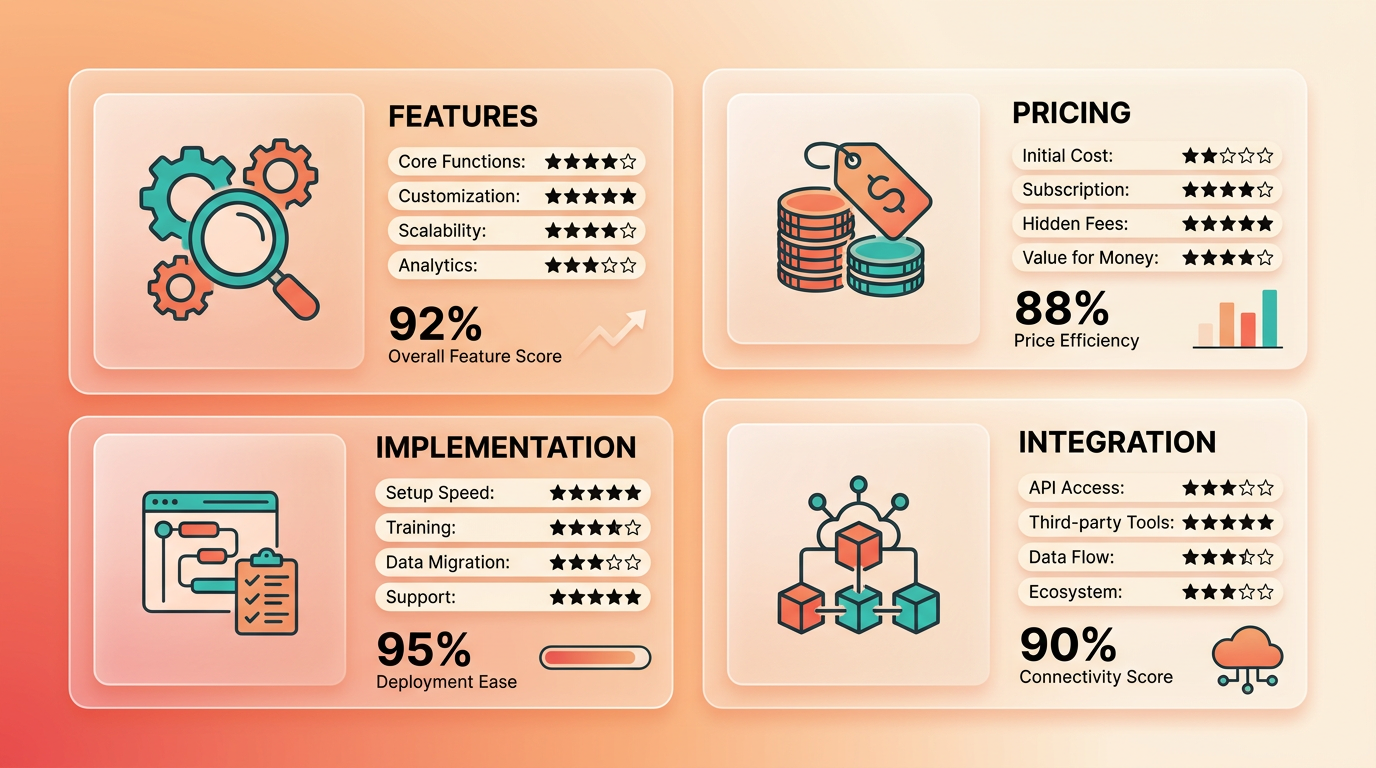
To select the right AP automation solution, focus on features, pricing, and implementation requirements. Solutions should streamline invoice processing, reduce errors, and integrate seamlessly with NetSuite. Pricing models vary-subscription-based systems like Blixo offer lower upfront costs, while enterprise platforms like NetSuite’s Intelligent Payment Automation may require long-term commitments. Implementation timelines depend on integration complexity, training needs, and vendor support.
| Feature | Blixo | NetSuite Solutions | Zone & Co | Tipalti |
|---|---|---|---|---|
| Invoice Capture | OCR and AI for digitization | OCR and 3-way matching | OCR and AI | AI-driven analytics |
| Approval Workflows | Automated routing | Role-based approvals | Custom workflows | Automated approval chains |
| Pricing Model | Subscription-based | Enterprise-tier | Subscription | Global payment support |
| Integration | Native NetSuite sync | Built-in modules | SuiteApp integration | Seamless NetSuite link |
How to Evaluate AP Automation Solutions?
Assess scalability, security, and customer support to ensure long-term success. Scalable solutions handle growing invoice volumes without performance loss. Security features like encrypted data transfer and fraud detection (e.g., Zone & Co’s 3-way matching) are non-negotiable. Customer support quality impacts implementation speed-vendors offering 24/7 assistance (e.g., Tipalti) reduce downtime risks.
| Evaluation Criterion | Best Practice Example |
|---|---|
| Scalability | NetSuite’s multi-currency support for global businesses |
| Security | Zone & Co’s encrypted OCR and duplicate invoice prevention, as detailed in the Comparing Invoice Capture Accuracy: Blixo vs Competitors section |
| Customer Support | Tipalti’s onboarding specialists for global payment setups |
What Makes Blixo Different?
Blixo excels in cost efficiency and rapid deployment, making it ideal for mid-sized businesses. Its subscription model avoids upfront fees, while NetSuite’s native tools require deeper integration. However, Blixo lacks advanced features like multi-entity management found in Tipalti or Zone & Co’s AI-driven error reduction, discussed in the Workflow Automation and Approval Routing Comparison section. For example, a mid-sized firm with 1,000 monthly invoices might save 50% on processing time with Blixo but miss out on Zone & Co’s 70% error reduction, highlighted in the Comparing Invoice Capture Accuracy: Blixo vs Competitors section.
Real-world examples clarify these trade-offs. Aimgo Mobility reduced AP workload by 700 annual hours using Zone & Co, while Brooklinen saved a week monthly with Tipalti’s automation. Blixo suits businesses prioritizing quick setup over advanced analytics, whereas NetSuite’s Intelligent Payment Automation shines for companies needing built-in compliance and tax reporting.
Best Practices for Implementation
- Assess Volume and Complexity: Start with a pilot for high-volume or multi-currency processes.
- Choose Integrated Solutions: Prioritize vendors with native NetSuite compatibility (e.g., ZoneCapture).
- Optimize Workflows: Use AI-driven tools like NetSuite’s 3-way matching to cut errors by 90% (Comparing Invoice Capture Accuracy: Blixo vs Competitors).
- Train Teams: Allocate 2–4 weeks for training, especially for tools with complex workflows (e.g., Tipalti’s global payment features).
By aligning these criteria with your business needs, you ensure AP automation delivers measurable ROI, such as Aimgo’s 700-hour savings or GoDaddy’s strategic team reallocation. Regularly review KPIs like processing time and error rates post-implementation to sustain efficiency gains.
Frequently Asked Questions
1. What are the main benefits of AP automation for NetSuite users?
AP automation reduces invoice processing time by 60–75% and cuts errors by 90%. It saves 10+ hours weekly on data entry and prevents duplicate payments, enabling teams to focus on strategic tasks.
2. How does AP automation reduce invoice processing time?
By using OCR and AI for invoice capture and 3-way matching, automation eliminates manual data entry. This integration with NetSuite accelerates processing by 60–75% and reduces errors by 90%.
3. What problems does manual AP cause in NetSuite environments?
Manual AP processes waste 10+ hours weekly on data entry, cause 33% duplicate payments, and risk late fees. Errors from manual work can cost $10,000+ annually, straining vendor relationships.
4. How does Blixo compare to other AP automation tools for NetSuite?
Blixo uses OCR and AI for invoice capture, similar to ZoneCapture and Stampli. Its 3-way matching ensures accuracy, but the best choice depends on OCR precision, NetSuite integration depth, and automation scope needed.
5. Can AP automation prevent duplicate invoice payments?
Yes, automation prevents duplicates by matching invoices with purchase orders and receipts in real time. This eliminates 33% of duplicate payment risks in manual processes, saving significant costs.
6. What role does OCR play in AP automation?
OCR extracts invoice data automatically, reducing manual entry errors by 90%. It enables 3-way matching accuracy and speeds up processing, as seen in tools like Blixo and ZoneCapture.
7. How much time can businesses save by automating AP processes?
Automation saves 10+ hours weekly on data entry. Companies like Aimgo Mobility save 700+ annual hours, redirecting resources to strategic analysis instead of manual invoice workflows.