

How to Automate Accounts Receivable with Blixo

Key Takeaways
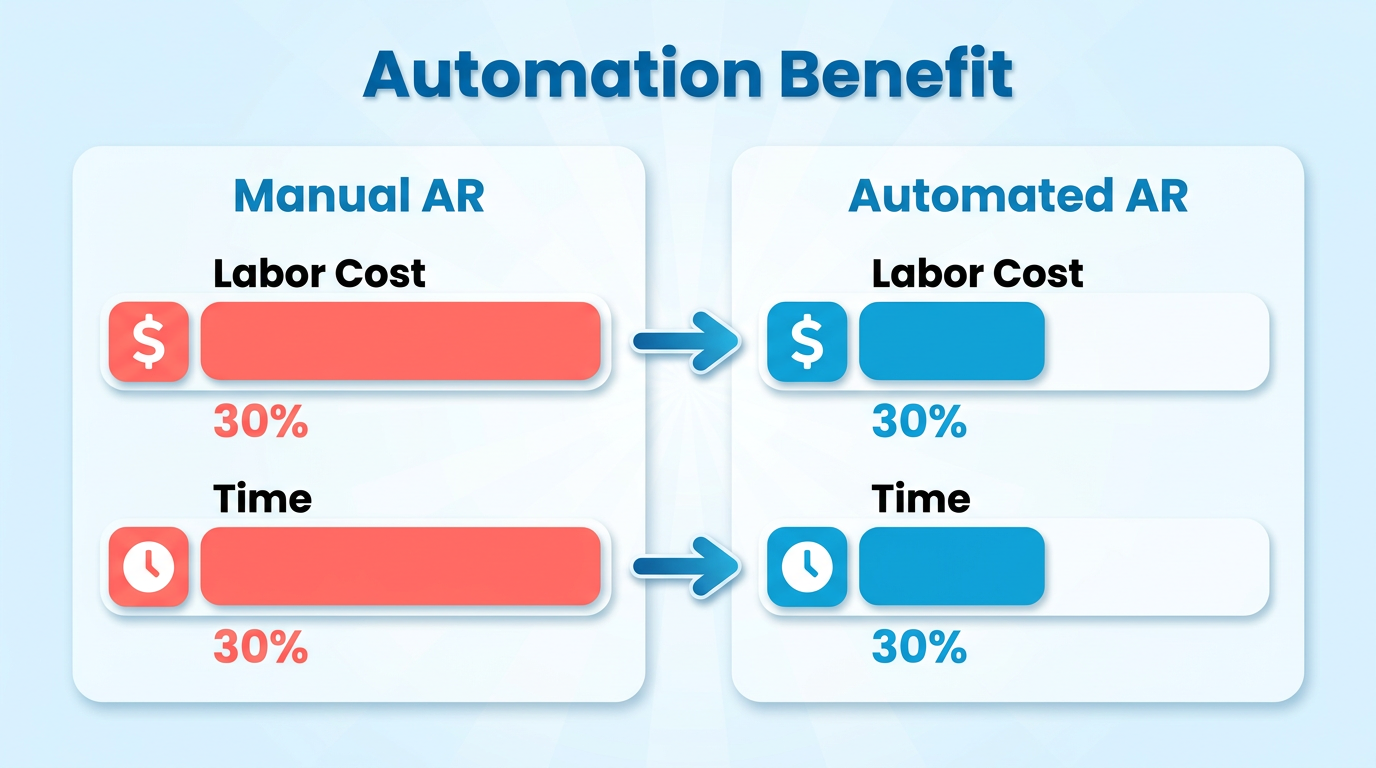
- Automating accounts receivable reduces labor costs by 30% compared to manual processes.
- Blixo helps businesses cut invoicing and collections time by 30% through automation.
- Manual AR processes consume 15–20 hours monthly, slowing productivity and increasing errors.
- Human errors in manual AR cause payment delays and cash flow disruptions for companies.
- AI-powered tools like Blixo streamline workflows and minimize reconciliation discrepancies.
- Automated systems improve cash flow by accelerating payment tracking and collections.
- Businesses save operational costs by shifting focus from administrative tasks to growth.
Related Video
Watch: Blixo Lifetime Deal $79 - Subscription Billing & Accounts Receivable Automation | Blixo Review by The SaaS Deals
Why Automating Accounts Receivable Matters
Automating accounts receivable isn’t just a convenience-it’s a necessity for businesses aiming to thrive in today’s fast-paced economy. Manual AR processes, which often involve hours of data entry, follow-up calls, and error-prone reconciliation, cost companies an average of 30% more in labor and administrative expenses compared to automated systems. For example, a small business using Blixo reported a 30% reduction in time spent on invoicing and collections after automation. These savings translate directly into improved cash flow and operational efficiency, allowing teams to focus on growth rather than administrative tasks. As mentioned in the Understanding Blixo’s Accounts Receivable Automation Capabilities section, these efficiencies are driven by AI-powered tools that streamline workflows and reduce human error..
How Manual AR Processes Drain Productivity and Resources
Manual accounts receivable tasks are slow, error-prone, and costly. On average, businesses spend 15–20 hours per month managing invoices, payments, and collections manually. This includes tracking down late payments, reconciling discrepancies, and manually updating accounting systems. Human errors-such as misapplied payments or missed invoices-can compound these issues, leading to delayed cash flow and strained customer relationships. For instance, law firms using Blixo reduced billing time by 60%, freeing up 10+ hours per week for legal professionals to focus on client work instead of chasing payments. Building on concepts from the Industries That Benefit Most from AR Automation section, this efficiency is particularly transformative for sectors like legal services, where time is a critical resource..
The Financial Risks of Delayed or Lost Payments
Delayed payments disrupt cash flow, which is critical for covering operational costs, hiring, and scaling. A single overdue invoice can ripple through a business, causing bottlenecks in production, missed supplier deadlines, or even liquidity crises. For manufacturers using Blixo, immediate payments ensure uninterrupted production cycles, while automated reminders cut overdue accounts by 50% for mid-sized enterprises. Without automation, businesses face a 20–30% higher risk of late payments, which can erode profit margins over time. As detailed in the Measuring and Improving Accounts Receivable Automation with Blixo section, companies using Blixo’s AI-driven collections have reported measurable improvements in on-time payment rates and cash flow stability..
Key Advantages of Blixo’s Automation
Blixo addresses these challenges by combining AI-powered tools with seamless integration into existing workflows. Its Cash Application AI matches payments to invoices with 99.5% accuracy, eliminating hours of manual reconciliation. Automated reminders via email, SMS, and phone calls reduce late payments by up to 70%, while subscription billing features handle recurring payments, revenue recognition, and churn prediction automatically. For example, a law firm using Blixo increased its payment conversion rate by 70% and boosted customer retention by 30%. Additionally, Blixo’s integration with platforms like QuickBooks and Xero ensures real-time financial visibility, reducing the risk of errors and improving audit readiness..
Industries That Benefit Most from AR Automation
While all businesses gain from automation, certain industries see transformative results. Small businesses with limited accounting teams save 10–15 hours monthly by automating invoicing and collections. Enterprises in manufacturing and legal services benefit from Blixo’s ability to handle complex billing cycles and compliance requirements. For subscription-based models, Blixo’s recurring billing tools reduce churn by 20% through customizable payment plans and proactive dunning. A global e-commerce company using Blixo’s multi-currency support, for instance, expanded into four new markets by streamlining cross-border payments and reducing transaction costs..
Real-World Proof: Case Studies with Measurable Results
Blixo’s impact is backed by real-world success stories. A mid-sized enterprise integrated Blixo’s automated collections and saw 30% faster payment processing and a 40% increase in on-time payments. Another company reduced dunning process time by 50% using AI-driven reminders. Vincent Mann, founder of Globetown Media, calls Blixo a “total major advantage” for its ability to automate invoicing, while Matthew Schwartz credits it with simplifying subscription management for his online store. These outcomes highlight how automation isn’t just about saving time-it’s about creating a scalable, error-free financial infrastructure.
By automating accounts receivable, businesses eliminate the guesswork and inefficiencies of manual processes. Blixo’s tools-designed for speed, accuracy, and scalability-ensure that companies of all sizes can maintain healthy cash flow, reduce administrative burdens, and focus on strategic growth.
Understanding Blixo’s Accounts Receivable Automation Capabilities
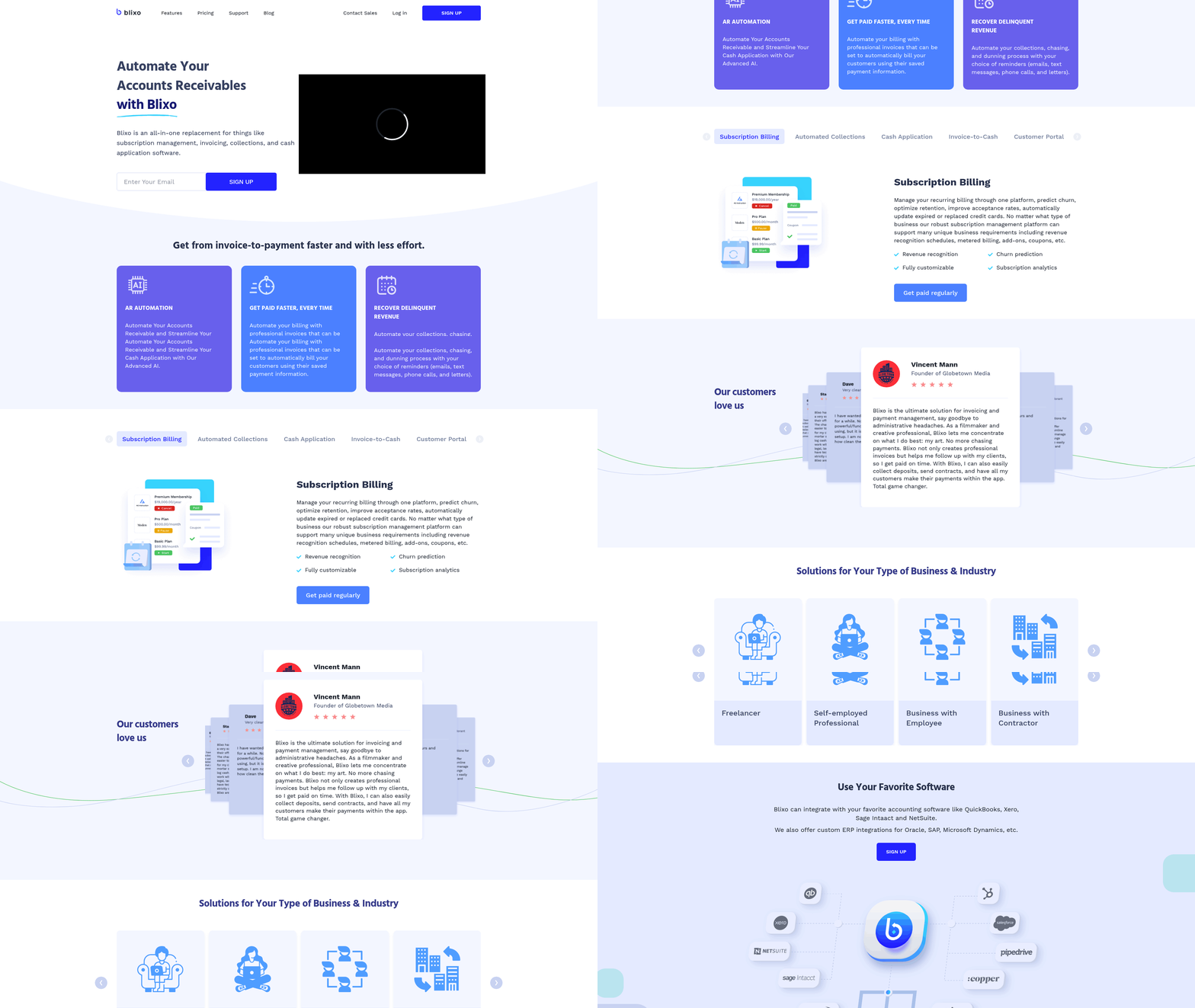
Blixo’s accounts receivable automation platform streamlines invoicing, collections, and cash application through AI-driven tools and seamless integrations. The system reduces manual effort by automating repetitive tasks like invoice generation, payment reminders, and payment matching. Businesses can generate and send invoices automatically using prepopulated customer data, while recurring billing features eliminate the need for manual invoicing cycles. Integration with accounting software like QuickBooks and Xero ensures real-time data synchronization, minimizing errors and improving cash flow visibility, a process detailed in the Implementing Blixo for Accounts Receivable Automation section.
How Does Blixo Simplify Invoicing?
Blixo automates invoice creation and delivery, allowing businesses to focus on growth rather than administrative tasks. Users can set up recurring invoices for subscription-based models, ensuring consistent revenue streams. The platform supports multiple payment methods, including credit cards, ACH, and direct deposits, and provides invoice view tracking to monitor customer engagement. Businesses can customize invoice templates to reflect brand identity and send invoices in multiple languages to cater to international clients. These customization options align with the strategies outlined in the Optimizing and Customizing Blixo for Your Business section. Vincent Mann, founder of Globetown Media, calls Blixo a “total major advantage” for its ability to simplify payment management.
What Features Enhance Automated Collections?
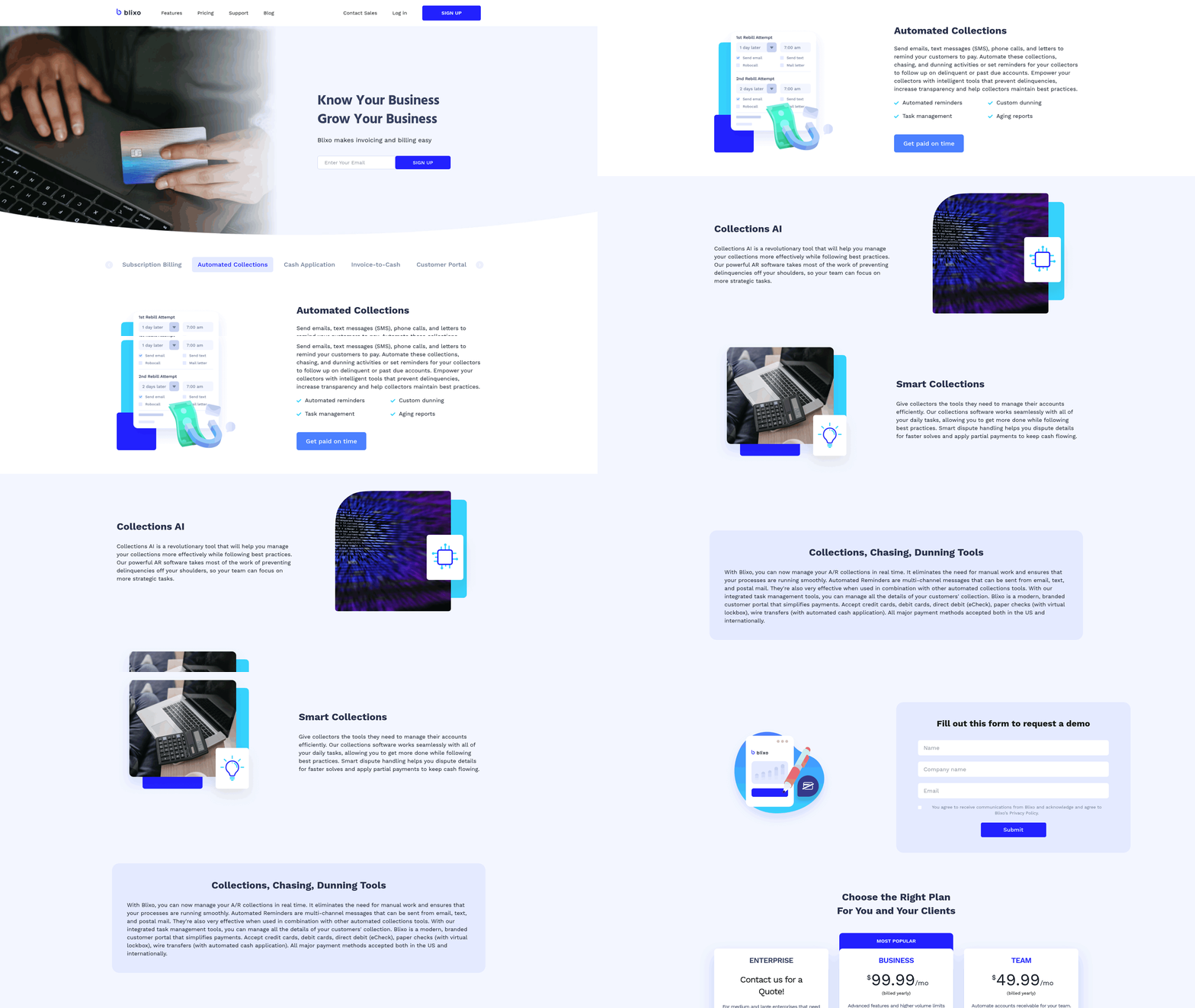
Blixo’s collections tools use AI to send timely reminders via email, SMS, or postal mail, reducing late payments. The system’s Collections AI prioritizes high-risk accounts and suggests optimal chasing strategies, such as adjusting payment terms or offering discounts. A mid-sized business improved collection efficiency by 30% using automated reminders, while a large enterprise reduced overdue accounts by 50%. The platform also includes task management tools for collectors, enabling real-time monitoring of delinquent accounts. These benefits underscore the importance of automation discussed in the Why Automating Accounts Receivable Matters section. Matthew Schwartz, founder of Elemental Deodorant, praises Blixo for simplifying subscription management and ensuring faster payments.
How Does Cash Application Work?
Blixo’s cash application engine uses machine learning to match payments to invoices with high accuracy, reducing manual reconciliation. The system adapts to user edits over time, improving match rates for both envelope-level and item-level transactions. Traditional payments like wire transfers and direct deposits are processed automatically, and unapplied payments are matched against open invoices within seconds. One medium-sized enterprise cut accounts receivable time by 40% after adopting Blixo’s cash application tools. The platform’s integration with banks and ERPs ensures seamless payment processing, while 256-bit encryption safeguards financial data.
Real-World Impact: A Case Study
A law firm with over 500 users automated its billing process using Blixo, reducing billing time by 60% and increasing payment conversion rates by 70%. By using AI-driven dunning tools and automated reminders, the firm improved client retention and cash flow predictability. Another example is a retail business that streamlined multi-location invoicing and reduced reconciliation errors by 45% after implementing Blixo’s subscription billing and reconciliation features. These results highlight how Blixo’s automation reduces administrative burdens and accelerates payment cycles across industries.
By combining smart invoicing, AI-powered collections, and accurate cash application, Blixo transforms accounts receivable processes into efficient, scalable systems. Businesses benefit from reduced errors, faster payments, and enhanced customer satisfaction-making it a strong choice for automating financial workflows.
Implementing Blixo for Accounts Receivable Automation
Implementing Blixo for accounts receivable automation requires a structured approach to maximize efficiency and minimize disruptions. Follow these steps to configure the platform, assign roles, and train your team for seamless adoption..
How Do You Set Up Blixo for AR Automation?
- Create a Free Account: Start by signing up for a free Blixo account without needing a credit card. This allows you to test the platform’s features before scaling.
- Integrate with Existing Systems: Link Blixo to your accounting software (e.g., QuickBooks, SAP) and ERP systems. The platform supports seamless data flow, reducing manual entry errors, as outlined in the Understanding Blixo’s Accounts Receivable Automation Capabilities section.
- Configure Invoicing Rules: Set up recurring invoices, payment terms, and auto-billing preferences. Blixo supports multiple payment methods like ACH, Visa, and Mastercard, ensuring flexibility for customers.
- Enable Security Features: Activate 256-bit encryption and SSL security to protect sensitive financial data, as highlighted in the Optimizing and Customizing Blixo for Your Business section..
What User Roles and Access Levels Exist in Blixo?
Blixo’s role-based access ensures teams collaborate efficiently while maintaining data security:
- Admins: Manage user permissions, configure system settings, and oversee integrations.
- Finance Team Members: Generate invoices, track payments, and access dashboards for real-time cash flow insights.
- Accounts Receivable Clerks: Focus on resolving payment exceptions and managing collections via the automated dunning engine.
This structure prevents unauthorized access while streamlining workflows, as emphasized in the Why Automating Accounts Receivable Matters section..
How Do You Train Your Team on Blixo?
Blixo provides resources to accelerate onboarding:
- Onboarding Documentation: Access step-by-step guides for setup, invoicing, and reconciliation processes.
- Support Channels: Reach out via in-app chat or email for troubleshooting.
- Training Workshops: Schedule sessions to teach teams how to use features like the machine learning-powered cash application tool, which improves match rates over time.
A small business reported a 30% reduction in invoicing time after training staff on Blixo’s auto-billing and tracking features, as noted in the Measuring and Improving Accounts Receivable Automation with Blixo section..
What Does a Real-World Blixo Implementation Look Like?
A medium-sized enterprise automated its accounts receivable process with Blixo, achieving a 40% reduction in time spent on collections. Before implementation, the team spent hours manually matching wire transfers and resolving discrepancies. Post-implementation, Blixo’s reconciliation algorithm automated 85% of payments, while its dunning workflows sent personalized reminders to delinquent customers. The business also use recurring invoicing to reduce administrative overhead for subscription-based clients..
What Are Best Practices for Implementation?
- Test in a Sandbox Environment: Validate configurations with sample data before full deployment.
- Migrate Data in Batches: Gradually transfer historical invoices and customer records to avoid system overload.
- Monitor Performance Metrics: Track key indicators like payment speed and error rates to refine workflows.
For example, a company improved cash flow by 30% after optimizing its payment terms and using Blixo’s analytics to identify slow-paying clients. By following these steps, businesses can transform their accounts receivable processes, reducing manual effort and accelerating revenue cycles with Blixo’s automation features.
Optimizing and Customizing Blixo for Your Business
Blixo’s workflow automation capabilities streamline accounts receivable by reducing manual tasks like invoicing, collections, and payment reconciliation. To optimize these features, start by configuring automated invoice generation. As mentioned in the Understanding Blixo’s Accounts Receivable Automation Capabilities section, the platform allows businesses to set up recurring invoices based on customer agreements, pre-populated with itemized data. This eliminates the need for repetitive data entry, saving time for small teams and large enterprises alike. For example, a business with monthly subscription services can schedule invoices to send automatically on a set date, ensuring consistency and reducing delays.
How Do Workflow Automations Improve Efficiency?
Automated workflows in Blixo handle tasks like sending payment reminders and matching payments to invoices. Collections AI sends reminders via email, SMS, or postal mail based on predefined rules, ensuring customers stay on track without manual follow-ups. Building on concepts from the Implementing Blixo for Accounts Receivable Automation section, businesses with high transaction volumes can reduce the administrative burden by up to 70%. Additionally, Blixo’s cash application AI matches incoming payments to invoices with 99% accuracy, resolving discrepancies faster than manual processes. A medium-sized enterprise reported a 40% reduction in time spent on accounts receivable after implementing these tools.
What Integration Options Does Blixo Offer?
Blixo supports seamless integration with accounting systems like QuickBooks and Xero via API, allowing real-time data synchronization. For businesses using legacy systems, CSV imports provide a flexible alternative to upload customer data, invoices, and payment histories. APIs enable advanced users to build custom workflows, such as linking Blixo to an ERP system for automated bank reconciliations. A small business using CSV imports reduced invoice processing time by 30% by bulk-uploading customer records, while an enterprise integrated Blixo’s API with its payment gateway to enable same-day cash application.
How Can Businesses Customize Blixo for Specific Needs?
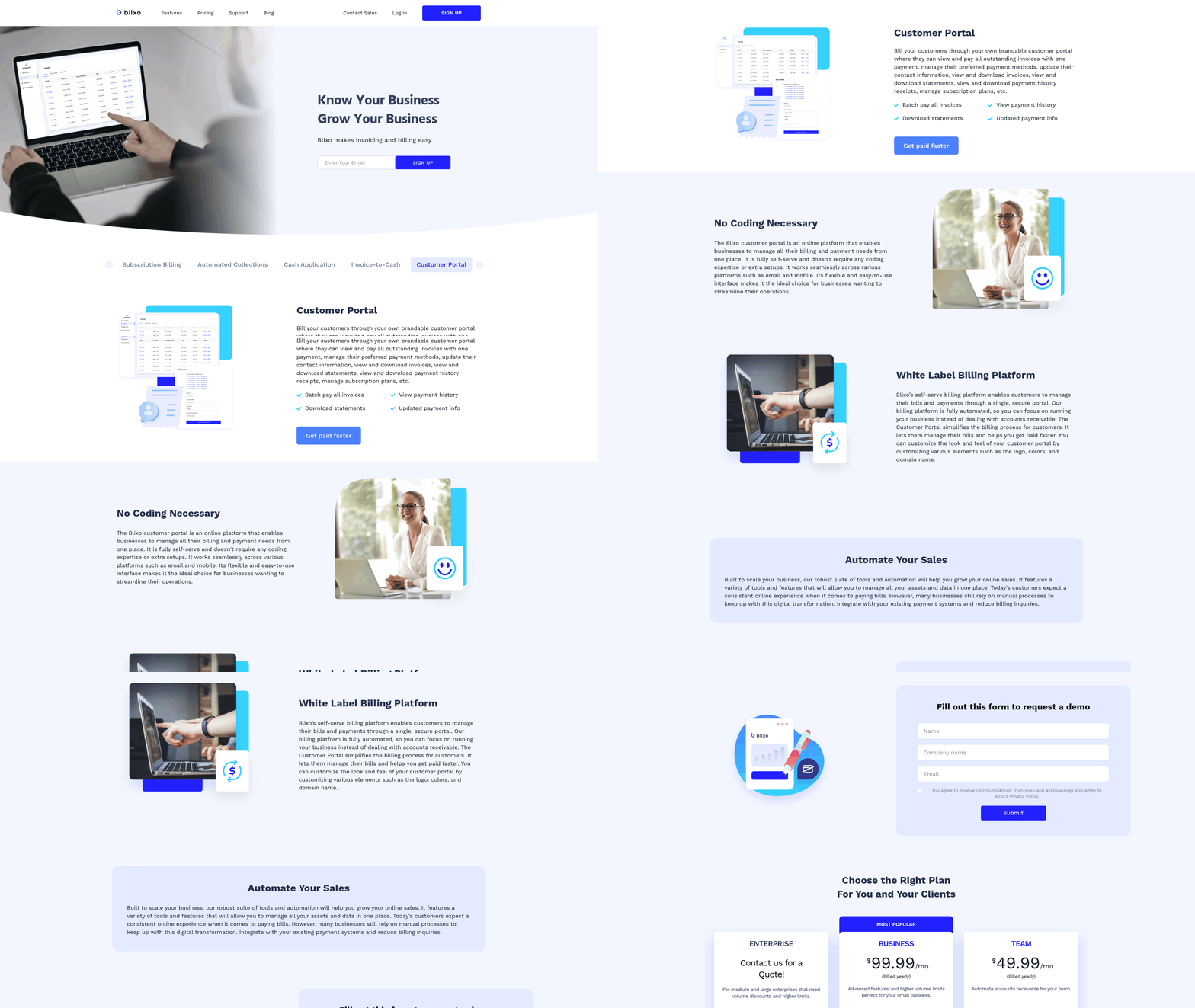
Customization starts with tailoring communication templates. Businesses can brand invoice designs and payment reminder messages to align with their corporate identity, improving customer trust. For example, a legal practice automated late fee calculations and embedded them into invoices, reducing disputes over charges. Another customization involves using advanced analytics to track metrics like Days Sales Outstanding (DSO). Refer to the Measuring and Improving Accounts Receivable Automation with Blixo section for insights on using these metrics to identify slow-paying clients and adjust credit terms, cutting overdue accounts by 50%.
Real-World Case Study: Streamlining Invoicing for a Retail Chain
A retail business with 150+ suppliers struggled with fragmented invoicing processes. By integrating Blixo with its ERP system, the company automated invoice generation and payment tracking. Custom rules were set to flag invoices with missing documentation, preventing errors before submission. The result: a 40% increase in payment speed and a 25% reduction in administrative costs. Collections AI further improved results by prioritizing high-risk accounts, ensuring late payments were addressed proactively.
Best Practices for Optimization
- use Recurring Invoices: Set up templates for regular billing cycles to minimize manual work.
- Monitor Analytics Daily: Use Blixo’s dashboards to spot trends in payment delays or reconciliation issues.
- Train Teams on AI Tools: Collections AI and cash application features require minimal oversight once configured correctly.
- Test Integrations: Before full deployment, verify API connections with accounting software to avoid data sync errors.
By customizing workflows and integrating Blixo with existing tools, businesses can turn accounts receivable into a streamlined, data-driven process. Start with small automations, then expand to complex rules as familiarity grows.
Measuring and Improving Accounts Receivable Automation with Blixo
To measure the effectiveness of Blixo’s accounts receivable automation, focus on metrics like payment match rates, time saved on manual tasks, and improvements in cash flow. As mentioned in the Understanding Blixo’s Accounts Receivable Automation Capabilities section, Blixo’s intelligent matching engine, powered by machine learning, ensures high accuracy in linking payments to invoices, while automated collections reduce delays. These metrics provide clear insights into operational efficiency and financial health.
What Key Metrics Should You Track with Blixo?
Payment Match Rates: Blixo’s matching engine achieves market-leading accuracy at both envelope and item levels. For example, one company reported a 30% reduction in time spent on accounts receivable after implementing Blixo’s cash application solution. High match rates mean fewer manual reconciliations and faster cash flow.
Time Savings: Automating invoicing and collections cuts administrative work significantly. A medium-sized enterprise saw a 40% increase in payment speed after integrating Blixo with its ERP system. Track how much time your team saves on tasks like chasing payments or resolving discrepancies.
Cash Flow Improvements: Faster payments directly impact liquidity. A small business using Blixo noted a 30% rise in cash flow thanks to quicker payment matching. Monitor how automation reduces days sales outstanding (DSO) and accelerates revenue recognition.
How Do Blixo’s Dashboards Help Identify Improvements?
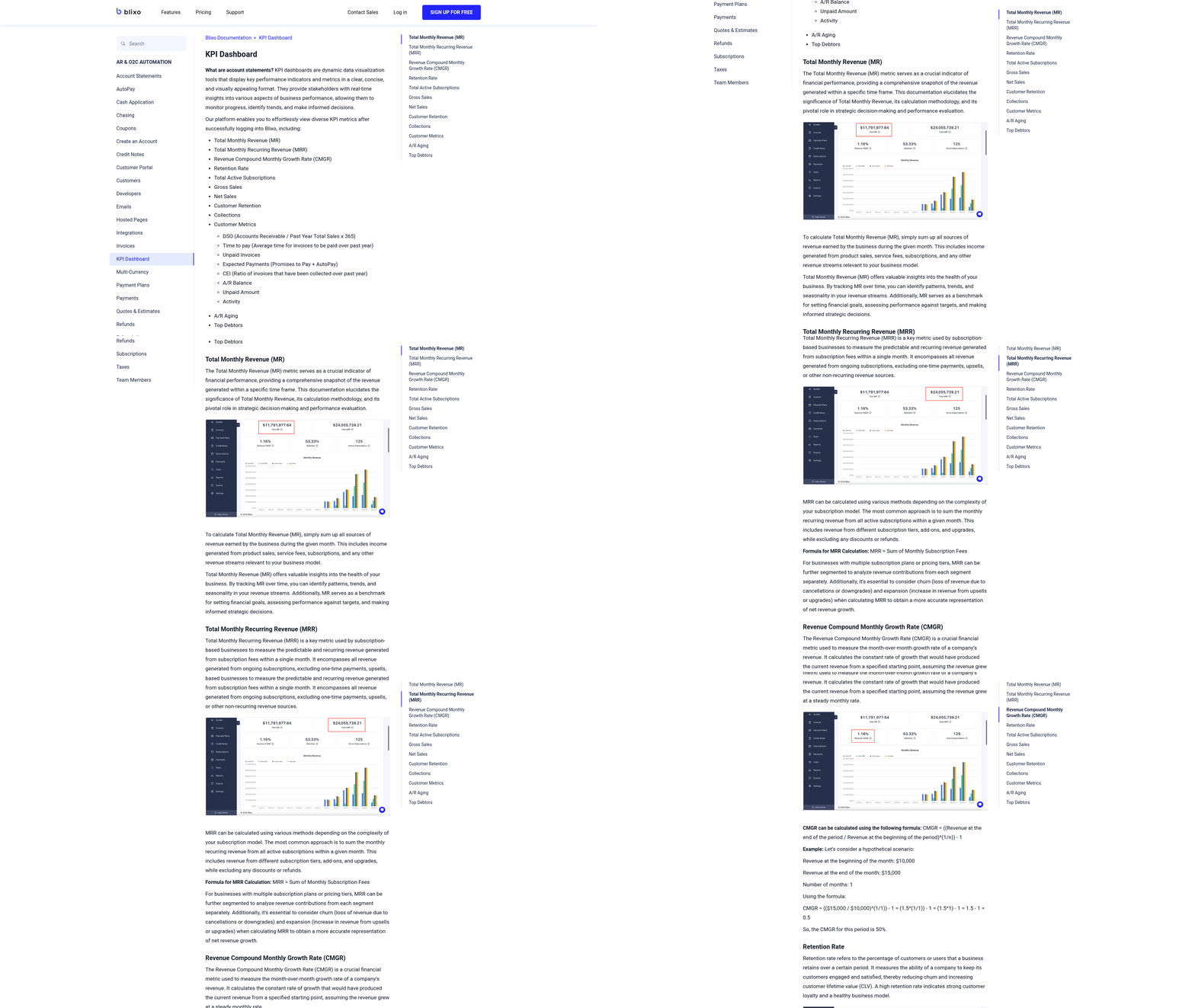
Blixo’s dashboards centralize performance data, offering real-time visibility into accounts receivable health. Building on concepts from the Optimizing and Customizing Blixo for Your Business section, users can track metrics like overdue invoices, payment trends, and reconciliation efficiency. Customizable reports break down data by team, client, or payment method, making it easier to spot bottlenecks.
For instance, Blixo’s dashboard highlights unapplied payments and flags discrepancies automatically. A law firm using the platform reduced billing time by 60% by identifying and resolving recurring invoice errors through these insights. The system also integrates with accounting tools like QuickBooks and Xero, ensuring seamless data flow across platforms.
Can You Use Blixo Analytics to Solve Real Problems?
Yes. Consider a mid-sized business that struggled with late payments. By analyzing Blixo’s collections reports, they discovered that 40% of delays stemmed from missing email reminders. Adjusting their automated dunning workflows-adding SMS follow-ups and optimizing reminder timing-reduced overdue accounts by 30% in three months.
Another example: A subscription-based company used Blixo’s churn prediction tools to identify customers likely to cancel. By offering tailored payment plans based on usage patterns, they cut churn by 18% and improved customer retention.
What Best Practices Maximize Blixo’s AR Automation?
- Review Dashboards Weekly: Regularly check metrics like match rates and DSO to catch issues early.
- use Machine Learning: Blixo’s system improves over time by learning from manual edits. Train it by correcting mismatches promptly.
- Automate Collections Fully: Enable multi-channel reminders (email, SMS, postal mail) to reduce delinquencies. One business saw a 50% drop in overdue accounts using this approach.
- Audit Integrations: Ensure Blixo syncs seamlessly with your accounting software to avoid data silos.
Case Study: A Retail Business Transforms Its AR Process
A retail company using Blixo faced challenges with manual invoicing and slow payments. After implementing Blixo’s automated invoicing and cash application, they reduced billing time by 50%. By analyzing their dashboard, they found that 30% of late payments came from customers who preferred ACH over credit cards. Adjusting payment options and sending targeted follow-ups boosted on-time payments by 25%. Over six months, their cash flow improved by 20%, and the finance team reallocated 15 hours weekly to strategic tasks.
By focusing on actionable metrics and Blixo’s analytics tools, businesses can continuously refine their accounts receivable processes, turning data into tangible financial gains.
Common Challenges and Troubleshooting in Blixo Accounts Receivable Automation
Common challenges in Blixo accounts receivable automation often stem from integration mismatches, payment processing delays, or configuration errors. For example, automatic cash application might fail if incoming payments don’t match invoice details exactly, leading to reconciliation bottlenecks. Automated collections workflows can also trigger false positives, such as sending dunning notices to customers who have already paid. These issues typically arise from incomplete data synchronization or misconfigured rules, as outlined in the Understanding Blixo’s Accounts Receivable Automation Capabilities section. Understanding these patterns helps teams address problems efficiently.
What Are Common Errors in Blixo AR Automation?
One frequent error involves payment mismatches, where Blixo’s system flags a payment as unapplied due to minor discrepancies in amounts or invoice numbers. This often occurs when external payment gateways or bank feeds relay incomplete data. Another issue is failed invoice reconciliations, which may result from delayed bank updates or missing metadata in uploaded files. Additionally, automated collections workflows might misfire if customer payment history isn’t updated in real time. These errors highlight the importance of cross-checking data sources and refining automation rules, as emphasized in the Implementing Blixo for Accounts Receivable Automation section.
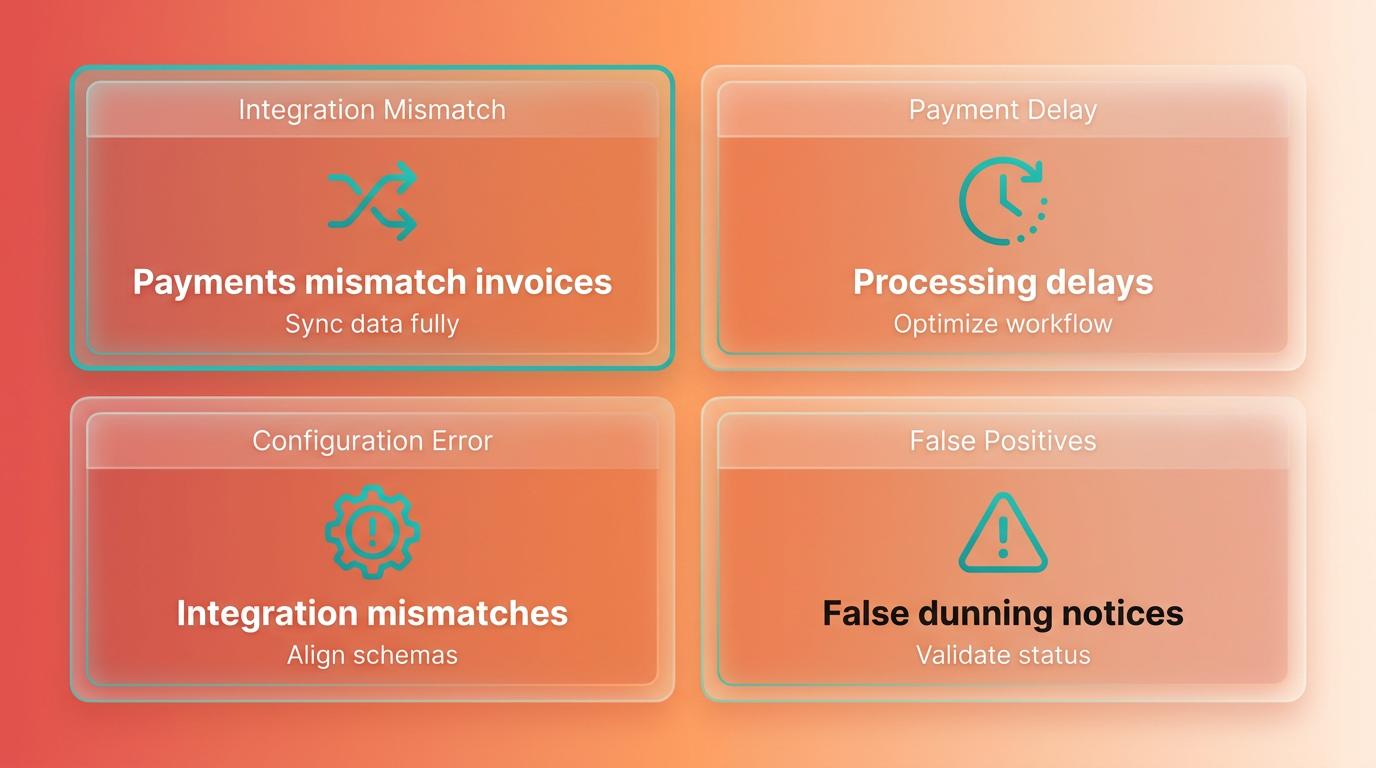
For instance, a mid-sized e-commerce business using Blixo faced recurring errors where payments were marked as “unapplied” due to timing differences between their bank and Blixo’s system. The team resolved this by enabling Blixo’s delayed reconciliation feature, which waits 24 hours for bank confirmations before finalizing transactions. This adjustment reduced false errors by 70% and improved reconciliation accuracy.
How Can You Troubleshoot Blixo AR Issues?
Blixo provides multiple support resources to resolve automation challenges. Start with the Blixo Help Center, which includes tutorials on configuring cash application rules, troubleshooting payment errors, and optimizing collections workflows. For urgent issues, customer support is available via in-app chat or email, with response times averaging under two hours. The Blixo Community Forum also serves as a peer-to-peer resource, where users share solutions for problems like API integration hiccups or invoice formatting errors.
A case study from a manufacturing firm illustrates a structured troubleshooting approach. After noticing delayed payment notifications, the company’s finance team used Blixo’s log viewer to trace the issue to a misconfigured webhook in their payment gateway. By following Blixo’s API documentation and collaborating with their IT department, they corrected the webhook URL and restored real-time updates within 48 hours. This example underscores the value of using Blixo’s diagnostic tools and support network.
What Best Practices Prevent AR Automation Failures?
To minimize errors, adopt these strategies:
- Validate data inputs: Ensure all invoices, payments, and customer records are complete and formatted consistently before uploading.
- Test automation rules: Use Blixo’s sandbox environment, as described in the Optimizing and Customizing Blixo for Your Business section, to simulate workflows and catch logic flaws before deploying changes.
- Monitor alerts regularly: Review daily error reports and adjust rules for recurring issues like partial payments or currency mismatches.
- Train staff: Educate finance teams on Blixo’s error-handling features, such as manual overrides and reconciliation queues.
A legal practice using Blixo for client billing initially struggled with dunning notices being sent to paid accounts. By implementing real-time payment status checks via Blixo’s API and training staff to review flagged cases, they reduced unnecessary communications by 85%. This proactive approach not only improved client relations but also streamlined their collections process.
By combining Blixo’s built-in tools, support resources, and strategic best practices, businesses can manage AR automation challenges effectively. Regular audits, collaboration with support teams, and a focus on data integrity ensure smooth operations and maximize the value of automation.
Frequently Asked Questions
1. How much can automating accounts receivable reduce labor costs?
Automating accounts receivable reduces labor costs by 30% compared to manual processes. Tools like Blixo streamline workflows, cutting invoicing and collections time by 30%, which translates to significant operational savings for businesses.
2. How much time does manual accounts receivable management consume monthly?
Manual AR processes consume 15–20 hours monthly, slowing productivity and increasing errors. Automating these tasks with Blixo reduces time spent by 30%, freeing up hours for strategic growth activities.
3. What are the main errors caused by manual AR processes?
Manual AR processes cause payment delays and cash flow disruptions due to human errors like misapplied payments or missed invoices. These errors compound over time, leading to reconciliation discrepancies and strained customer relationships.
4. How do AI-powered AR tools improve efficiency?
AI-powered tools like Blixo reduce reconciliation discrepancies by 30% and minimize human errors that delay payments. This leads to faster cash flow and fewer disputes