

Blixo AP Automation Checklist for Netsuite

Key Takeaways
- Automate invoice data entry to eliminate transcription errors and reduce processing time by up to 75%.
- Decrease Days Sales Outstanding (DSO) by 20% within six months by accelerating invoice processing.
- Streamline multi-step approvals with dynamic workflows tailored to team structures.
- Centralize invoice tracking for real-time status monitoring, reducing delays in payment cycles.
- Prevent duplicate payments through secure NetSuite integration and synchronized data.
- Improve audit accuracy by automating 3-way invoice matching and early payment discount capture.
- Ensure compliance and reduce month-end close bottlenecks with automated reconciliation processes.
Why Blixo AP Automation Matters for NetSuite
What Challenges Does Blixo Solve for NetSuite Users?
Blixo addresses core inefficiencies in manual accounts payable workflows, such as error-prone data entry, delayed approvals, and fragmented invoice tracking. As mentioned in the Pre-Implementation Readiness Checklist section, proper data mapping ensures these automated processes align with your NetSuite setup, eliminating transcription errors during invoice capture. For instance, businesses processing thousands of invoices monthly often face bottlenecks during month-end closes due to manual reconciliation. Blixo automates invoice capture, approval routing, and payment matching, reducing processing time by up to 75% while minimizing human errors. This ensures compliance and frees finance teams to focus on strategic tasks.
- Automate invoice data entry to eliminate manual transcription errors
- Streamline multi-step approvals with dynamic workflows tailored to your team’s structure
- Centralize invoice tracking to monitor status in real time, reducing delays
How Does Blixo Improve Financial Operations?
Building on concepts from the Implementation and Configuration section, Blixo’s secure integration with NetSuite ensures seamless data synchronization, preventing duplicate payments and improving audit accuracy. Modern businesses using NetSuite often struggle with cash flow visibility and operational costs. AP automation bridges this gap by accelerating invoice processing, which directly impacts Days Sales Outstanding (DSO) and working capital. For example, one company reduced DSO by 20% within six months by automating 3-way invoice matching and early payment discounts.
- Reduce DSO by capturing and processing invoices faster
- Capitalize on discounts with automated early payment reminders
- Minimize late fees by setting payment deadlines in automated workflows
Real-World Impact of Blixo for NetSuite Teams
As highlighted in the Best Practices and Optimization Strategies section, customizing Blixo’s dashboards to your team’s needs further enhances efficiency gains. A finance manager at a logistics firm shared, “Blixo cut our invoice processing time from 8 hours to 90 minutes, letting us close books on time every month.” This aligns with industry findings: 66% of AP teams still rely on manual entry, but automation reduces errors by 90% and speeds up approvals by 60–75%. Blixo’s role-based dashboards and real-time alerts further enhance transparency, ensuring teams stay ahead of deadlines.
- Close books faster with automated reconciliation and reporting
- Reduce error rates by 90% through AI-driven validation
- Enhance vendor relationships with predictable, timely payments
By integrating Blixo with NetSuite, businesses gain a scalable solution that adapts to evolving financial needs while delivering measurable efficiency gains.
Pre-Implementation Readiness Checklist
What Data Mapping Requirements Must You Address?
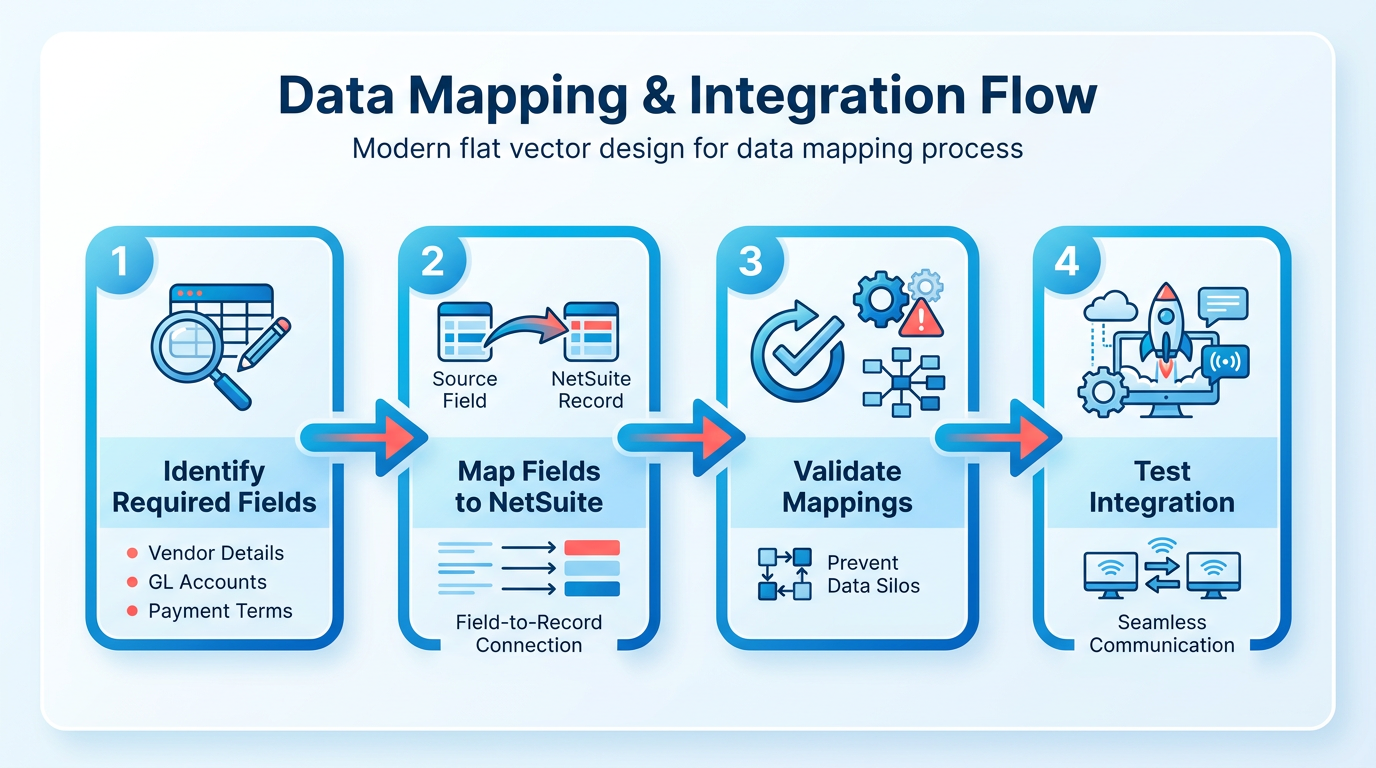
Data mapping ensures seamless communication between NetSuite and Blixo AP Automation. Start by identifying all fields required for invoice processing, including vendor details, GL accounts, and payment terms. Map these fields to corresponding NetSuite records to prevent data silos. As mentioned in the Why Blixo AP Automation Matters for NetSuite section, effective data mapping addresses manual inefficiencies like error-prone data entry and fragmented workflows. For example, ensure vendor codes in NetSuite align with Blixo’s vendor database to avoid duplicates.
- Map invoice fields: Link invoice numbers, dates, and line items between Blixo and NetSuite.
- Define GL account rules: Assign default GL codes in Blixo to match NetSuite’s chart of accounts.
- Validate tax codes: Ensure SuiteTax or custom tax rules in NetSuite sync accurately with Blixo’s tax automation.
- Set up approval hierarchies: Map NetSuite user roles to Blixo’s approval workflows for consistent authorization.
How Should You Configure NetSuite Integration?
Blixo supports multiple integration types, including RESTlets and SuiteTalk. Choose the method that aligns with your existing infrastructure. Building on concepts from the Implementation and Configuration section, secure API access and role-based permissions are foundational to integration success. For real-time data sync, configure RESTlets with token-based authentication to minimize delays. If using SuiteTalk, verify that your NetSuite account has web services enabled.
- Select integration type: RESTlet for lightweight sync or SuiteTalk for complex data workflows.
- Enable API access: Grant Blixo access to NetSuite’s API with restricted permissions for security.
- Schedule sync intervals: Set data refresh rates (e.g., every 5 minutes) to prevent invoice processing gaps.
- Test data flow: Run a sample transaction to confirm bidirectional data integrity between systems.
What User Roles and Permissions Are Required?
Assign roles in NetSuite and Blixo to control access and streamline workflows. Create dedicated users for Blixo in NetSuite with permissions limited to AP functions. In Blixo, define roles like AP Clerk, Approver, and Admin to enforce segregation of duties. As outlined in the Go-Live Readiness and Post-Implementation Monitoring section, regular audits of user permissions are critical to maintaining compliance and security.
- Create dedicated Blixo users: Assign unique NetSuite credentials for Blixo integration.
- Assign permissions: Grant AP Clerk access to invoice entry and Admin access to configuration settings.
- Restrict sensitive actions: Prevent non-admin users from modifying tax rules or payment terms.
- Audit role assignments: Regularly review user permissions to ensure compliance with internal controls.
What Testing and Validation Procedures Should You Follow?
Testing ensures all configurations work as intended before full deployment. Start with small data sets to validate invoice creation, approval routing, and payment scheduling. Use NetSuite’s sandbox environment to simulate errors like duplicate invoices or mismatched POs.
- Test invoice workflows: Submit sample invoices through Blixo and verify they appear in NetSuite.
- Validate approvals: Ensure approvers receive notifications and can reject or approve invoices in real time.
- Check error handling: Simulate invalid data entries to confirm Blixo logs errors and alerts users.
- Perform dry-run reconciliations: Compare Blixo’s processed invoices with NetSuite’s records for accuracy.
What Best Practices Should You Adopt for Data Migration?
Migrate historical data in batches to avoid overwhelming the system. Cleanse data first-remove duplicates, correct formatting issues, and standardize vendor names. Use Blixo’s bulk import tools to upload cleaned data into NetSuite.
- Cleanse data: Remove obsolete vendors and reconcile outstanding invoices before migration.
- Validate migration: Compare post-migration data in Blixo and NetSuite for accuracy.
- Archive old records: Store pre-implementation data securely for audit purposes.
- Train users on migrated data: Ensure teams understand how historical records map to new workflows.
What Common Pitfalls Should You Avoid?
Avoid misconfigured permissions, which can block users from critical tasks. Don’t skip testing validation rules-uncorrected mismaps in GL codes or tax rates may cause compliance issues. Also, resist the urge to rush implementation; phased rollouts reduce disruption.
- Avoid partial testing: Validate all workflows, not just core functions.
- Prevent permission gaps: Regularly audit user access to close security loopholes.
- Don’t ignore data hygiene: Poorly formatted historical data can corrupt automated processes.
- Plan for post-implementation support: Assign a NetSuite-Blixo liaison to resolve issues quickly.
By addressing these areas, you’ll ensure Blixo AP Automation integrates smoothly with NetSuite, reducing manual effort and improving financial accuracy. For deeper insights into data migration strategies, explore this guide on business process automation.
Implementation and Configuration
Your security checklist should cover authentication, rate limiting, and data encryption as a minimum baseline.
- Enable two-factor authentication to protect user accounts from unauthorized access
- Implement rate limiting to prevent brute-force attacks and API abuse
- Use end-to-end encryption for all invoice data during transmission and storage As mentioned in the Pre-Implementation Readiness Checklist section, ensuring data mapping aligns with security requirements is critical before enabling these controls..
How to Configure Invoice Capture and Processing
Blixo’s AI-driven invoice capture reduces manual entry by extracting data from invoices with 95%+ accuracy, improving over time as it learns from your data. Start by setting up OCR-enabled intake for scanned documents and email attachments.
- Set up AI-driven invoice capture to extract data from PDFs, emails, and physical scans This automates data entry and reduces errors compared to manual input. Building on concepts from the Pre-Implementation Readiness Checklist section, ensure all required fields are mapped before configuring OCR intake.
- Configure 3-way matching rules to validate invoices against purchase orders and receipts Ensures compliance and prevents overpayments by cross-checking all documents.
- Assign validation workflows for exceptions (e.g., mismatched data or missing POs) Streamlines manual review for edge cases while maintaining processing speed.
“With Blixo, we processed 20 invoices in 15 minutes. a task that previously took 2 hours.” Eric Dills, Controller, Robinson Lumber.
How to Design Approval Workflows for User Roles
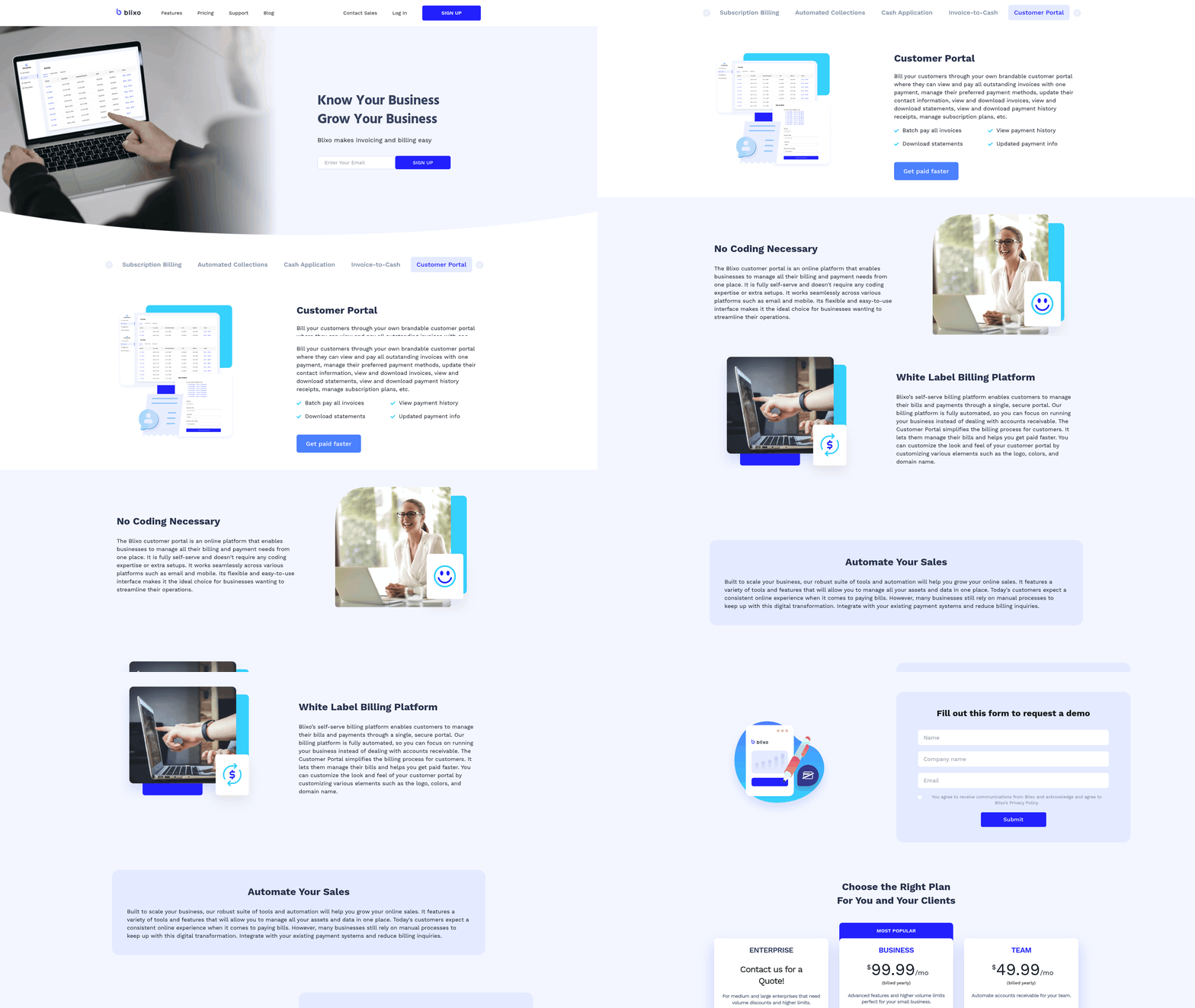
Role-based approval workflows ensure invoices are reviewed by the right stakeholders. Blixo allows custom workflows for multiple user roles without additional licensing.
- Map approval hierarchies to job titles (e.g., manager, finance lead, CFO) Prevents bottlenecks by routing invoices to the correct approvers based on amount or vendor. As highlighted in the Why Blixo AP Automation Matters for NetSuite section, this addresses inefficiencies like delayed approvals in manual workflows.
- Set up multi-entity approval for companies with subsidiaries or global teams Ensures compliance across complex organizational structures.
- Enable mobile access for approvals to reduce delays during off-hours Lets stakeholders review and approve invoices from any device.
“Blixo allows us to decide for ourselves the best and most efficient way to process invoices.” Petri Hangasluoma, CFO, Minimani.
How to Optimize the Intelligent Matching Engine
Blixo’s matching engine uses AI to align payments with invoices, reducing manual cash application work.
- Train the engine with historical payment data to improve accuracy Ensures faster, more precise matches for recurring vendors.
- Set tolerance thresholds for partial matches (e.g., $50 variance) Avoids unnecessary alerts for minor discrepancies.
- Review unmatched payments weekly to resolve exceptions Maintains clean financial records while minimizing manual intervention.
For more on streamlining financial workflows, see the Automation Checklist for Blixo Accounts Receivable.
Go-Live Readiness and Post-Implementation Monitoring
Verify data mapping and integration: Ensure all vendor records, GL accounts, and invoice templates are correctly synced between NetSuite and Blixo, as outlined in the Pre-Implementation Readiness Checklist section.
…
Validate security protocols: Confirm encryption settings, access permissions, and audit trail configurations align with compliance standards, building on concepts from the Implementation and Configuration section.
…
Collect user feedback: Survey AP teams monthly to identify usability gaps or training needs. For advanced customization strategies, refer to the Best Practices and Optimization Strategies section.
Best Practices and Optimization Strategies
Customization for Optimal User Experience. Tailoring Blixo’s customer portal to your team’s workflows ensures faster adoption and reduces training time. Start by personalizing the portal interface to match your organization’s branding and user roles.
- Enable role-based access: Assign specific permissions to users based on their responsibilities (e.g., AP clerks, managers, auditors) to streamline tasks and enhance security. For security best practices, refer to the Implementation and Configuration section.
- Customize dashboards: Configure user-specific dashboards to highlight critical metrics like pending approvals, invoice statuses, or payment deadlines.
- Adjust communication templates: Modify email and notification templates to align with your company’s tone and include relevant details like payment terms or escalation instructions.
Intelligent Matching Engine for Payment Accuracy
Blixo’s AI-driven matching engine minimizes errors and accelerates payment processing by automating invoice validation. Prioritize accuracy to avoid disputes and late fees.
- Enable 3-way matching: Automate cross-verification of invoices against purchase orders and receiving reports to flag discrepancies instantly.
- Train AI models with historical data: Improve matching accuracy by feeding the system past invoices, helping it recognize patterns and reduce manual intervention.
- Set tolerance thresholds: Define acceptable variance limits for invoice amounts to automatically approve low-risk transactions while flagging outliers for review.
Automated Chasing and Dunning for Efficient Collections
Proactive dunning reduces late payments and improves cash flow. Configure workflows to balance firmness with professionalism.
- Schedule automated reminders: Use tiered email reminders for overdue invoices, escalating frequency based on payment delays (e.g., 7 days, 14 days, 30 days).
- Integrate payment portals: Allow vendors to make payments directly through Blixo’s portal, reducing back-and-forth communication.
- Track dunning performance: Monitor metrics like days sales outstanding (DSO) to refine chasing strategies and identify recurring payment issues.
Approval Workflow Configuration for Role-Based Efficiency
Streamline approvals by aligning workflows with your team’s structure. Avoid bottlenecks by defining clear rules and delegation paths.
- Create multi-level hierarchies: Set up sequential or parallel approvals based on invoice amount, department, or vendor type (e.g., high-value invoices require dual approvals). Building on concepts from the Go-Live Readiness and Post-Implementation Monitoring section, validate workflows before full deployment.
- Assign workflow owners: Designate team members to monitor stuck approvals and resolve delays promptly.
- Enable mobile access: Allow managers to approve invoices on-the-go via mobile-friendly interfaces, speeding up decision-making.
Data Analytics and Reporting for Continuous Improvement
Use Blixo’s reporting tools to identify inefficiencies and measure the ROI of automation.
- Generate custom KPI dashboards: Track metrics like invoice processing time, payment accuracy rates, and cost savings to highlight automation benefits.
- Export data for advanced analysis: Use NetSuite’s native reporting tools or third-party BI platforms to create detailed financial insights.
- Audit historical trends: Analyze seasonal or departmental spending patterns to optimize budgeting and vendor negotiations.
Integration with Financial Systems for Seamless Operations
Ensure Blixo syncs with your existing tools to eliminate data silos and redundant work. As mentioned in the Pre-Implementation Readiness Checklist section, data mapping ensures seamless communication between NetSuite and Blixo AP Automation.
- Sync with NetSuite modules: Integrate with purchasing, general ledger, and banking modules for real-time data consistency.
- Connect external payment gateways: Use Blixo’s APIs to link with ACH, wire, or card payment systems for automated vendor payments.
- Automate data imports: Schedule regular imports of vendor lists, bank feeds, or tax rules to reduce manual data entry.
By implementing these strategies, you’ll maximize Blixo’s capabilities while aligning AP processes with your organization’s unique needs. For deeper insights into automating related workflows, explore the Automation Checklist for Blixo Accounts Receivable.
Conclusion and Next Steps
Implementing Blixo AP Automation for NetSuite transforms accounts payable workflows by reducing manual effort, minimizing errors, and accelerating financial processes. To maximize these benefits, businesses must follow a structured implementation plan and use available resources for ongoing optimization. Below is a roadmap to guide your journey.
What Key Benefits Should You Prioritize?
Blixo’s solution delivers cost savings, operational efficiency, and real-time financial visibility. Its core features-like OCR-powered invoice capture, 3-way matching, and automated approval workflows-eliminate manual data entry, which accounts for up to 60% of AP teams’ time. For example, companies using similar automation tools report 90% fewer invoice errors and 60–75% faster processing times. By integrating with NetSuite, Blixo ensures seamless data synchronization, reducing delays and duplicate records. This alignment supports strategic financial management, such as capitalizing on early payment discounts while avoiding late fees.
- Audit your current AP processes to identify bottlenecks, such as manual approvals or reconciliation delays. As mentioned in the Pre-Implementation Readiness Checklist section, this step ensures alignment with data mapping and security requirements.
- Map Blixo’s features to your workflows to ensure functionalities like OCR and 3-way matching address your specific pain points. Building on concepts from the Implementation and Configuration section, this process requires careful alignment with NetSuite modules.
- Train finance teams on automated workflows to reduce reliance on reactive tasks and shift focus toward strategic analysis.
How Do You Optimize Implementation?
A phased rollout ensures smooth adoption and measurable ROI. Begin by configuring Blixo’s invoice capture and routing rules to match your approval hierarchies. For instance, one company reduced month-end close time from 12 days to 4–5 days by automating supplier reconciliations. Next, enable advanced features like multi-currency payments or dynamic workflow edits to scale with business growth. Regularly review performance metrics-such as processing costs and error rates-to refine configurations.
- Start with a pilot by automating a high-volume vendor or department to test accuracy and user adoption. The Go-Live Readiness and Post-Implementation Monitoring section outlines key validation steps for successful pilot execution.
- use Blixo’s customer success team for guidance on customizing workflows and integrating with NetSuite modules.
- Monitor KPIs like days payable outstanding (DPO) and processing time to quantify efficiency gains.
What Support and Resources Are Available?
Blixo provides resources to ensure long-term success, including onboarding guides, 24/7 technical support, and user training modules. For deeper insights, explore the Automation Checklist for Blixo Accounts Receivable to understand how Blixo’s AR tools complement AP automation. Additionally, the Subscription Billing Automation Checklist offers strategies for managing recurring invoices, which is critical for businesses with subscription-based revenue models.
- Access Blixo’s documentation to troubleshoot common issues or learn about advanced features like token-based authentication.
- Engage with Blixo’s community forums to share best practices and learn from other NetSuite users.
- Schedule quarterly reviews with your account manager to align automation strategies with evolving business goals.
What’s Next for Blixo AP Automation?
Blixo continues to enhance its SaaS service with AI-driven analytics and expanded NetSuite compatibility. Future updates may include predictive spending insights or deeper integration with SuiteTax for compliance automation. By staying updated on these developments, businesses can future-proof their financial operations against rising complexity.
Ready to Start Your AP Automation Journey?
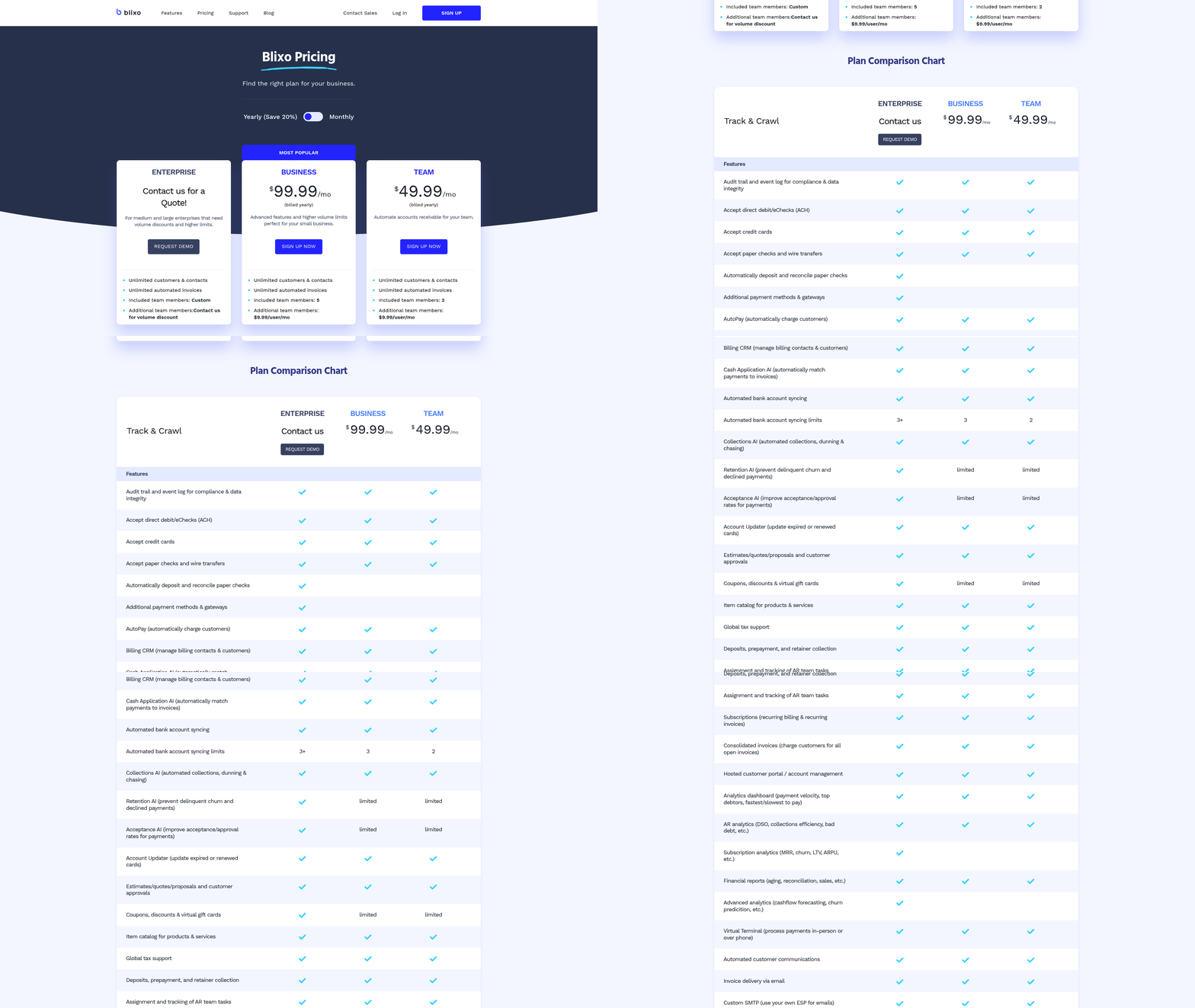
AP automation isn’t just a cost-saving measure-it’s a strategic investment in financial agility. Begin by assessing your current processes and identifying where Blixo’s tools can deliver immediate impact. With its transparent pricing and focus on user-friendly design, Blixo removes the friction often associated with enterprise solutions. Take the first step today: request a demo to see how automation can free your team from manual tasks and enable time for strategic growth.
“Blixo has not only automated most of our manual AP tasks, but it has also reduced the amount of time it takes for my team to process invoices by almost a full FTE.”. User testimonial
By prioritizing automation, your business can join the growing number of organizations achieving 327% ROI over three years while maintaining supplier relationships and financial accuracy. Don’t let outdated processes hold you back-transform your AP operations with Blixo today.
Frequently Asked Questions
1. How does Blixo reduce invoice processing time?
Blixo automates data entry and approvals, cutting processing time by up to 75% by eliminating manual transcription errors and streamlining workflows. This accelerates invoice handling from capture to payment.
2. What impact does Blixo have on Days Sales Outstanding (DSO)?
Blixo reduces DSO by 20% within six months by expediting invoice processing and ensuring timely payments, improving cash flow and working capital efficiency.
3. How does Blixo prevent duplicate payments?
Blixo synchronizes data in real time with NetSuite, cross-referencing invoices and payments to flag duplicates automatically, reducing financial errors and fraud risks.
4. Can Blixo improve audit accuracy?
Yes, Blixo automates 3-way invoice matching and captures early payment discounts, ensuring precise records and compliance during audits.
5. How does Blixo streamline approval workflows?
Blixo creates dynamic, customizable approval routes based on team structures, reducing delays and ensuring invoices follow the correct hierarchy for faster authorization.
6. What benefits does Blixo offer for month-end closes?
Blixo automates reconciliation and invoice tracking, cutting month-end close bottlenecks by up to 50% and providing real-time visibility into pending tasks.
7. Does Blixo support real-time invoice tracking?
Yes, Blixo centralizes invoice status monitoring in NetSuite, allowing teams to track progress and resolve delays instantly, improving payment cycle efficiency.