

Accounts Receivable Automation: 5 Checks Before It Beats a Manual AR Desk

Key Takeaways
- AR automation earns the right to replace a manual desk only after five checks pass: invoice generation, collection workflows, cash application, customer portal, and ERP integration.
- Payment failure rates have risen in some subscription markets, turning declined renewal payments into involuntary churn risk for recurring-revenue businesses.
- Failed SaaS renewal payments require integrated CRM workflows so account managers can intervene before a payment problem becomes permanent customer loss.
- A manual AR desk still beats automation for some enterprise relationships—for example, when ten customers each pay $500,000 annually and relationship timing matters more than dunning cadence.
- Some AR teams treat automating credit applications as a low-risk entry point because it can improve DSO before a full-scale rollout.
The Short Version
In short: accounts receivable automation can take over most manual AR work for SaaS and service businesses, but only if five operational checks pass. If they don’t pass, you’re automating a broken process and calling it progress. The cash flow upside is real. The human touch doesn’t disappear; it moves from routine chasing to relationship exceptions.
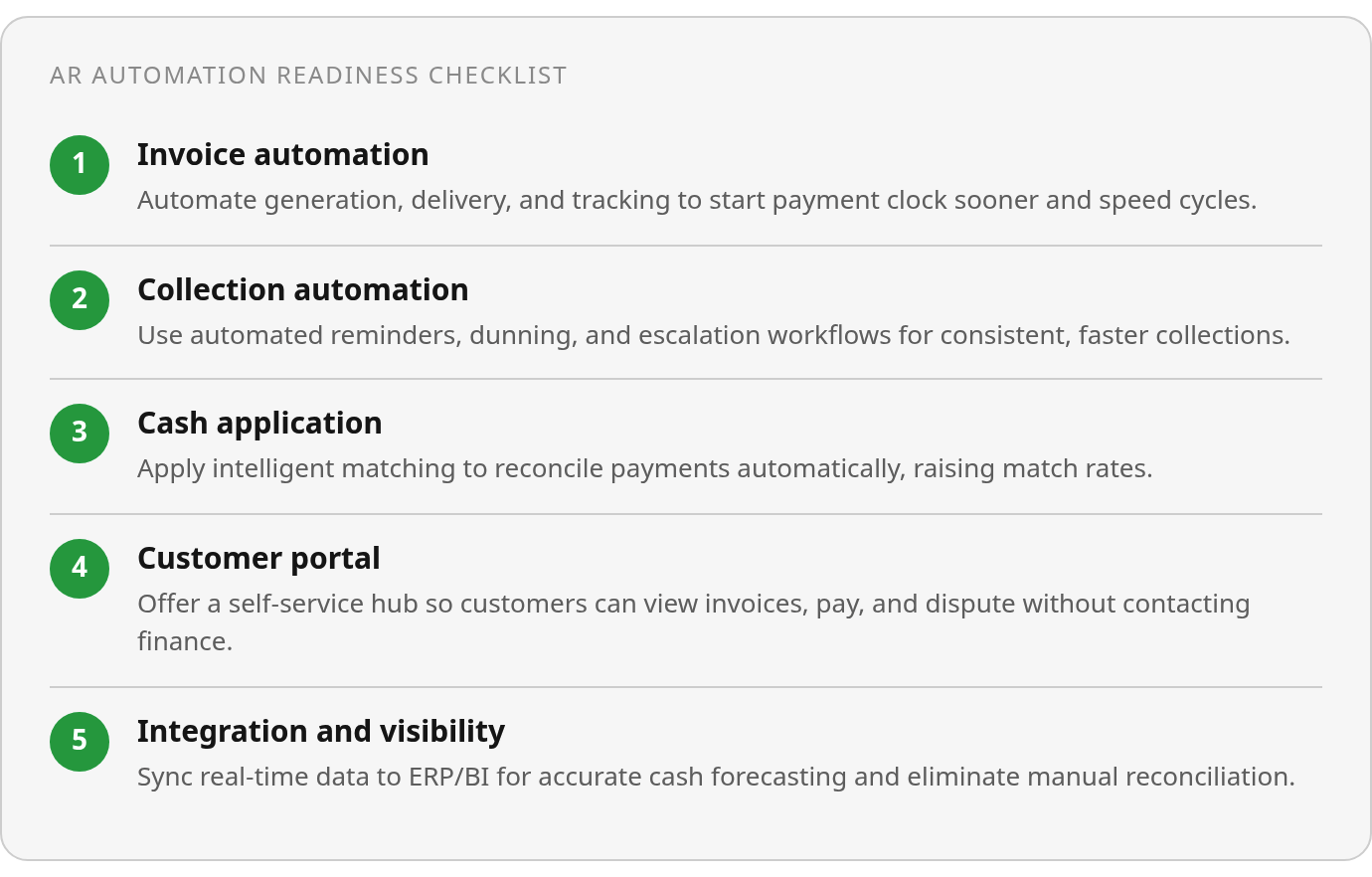
Here’s the compact verdict table before the deeper checklist:
| Check | What It Covers | Expected ROI Lever | Known Limitation |
|---|---|---|---|
| Invoice automation | Generation, delivery, tracking | Faster payment cycles through automated billing and tracking | Highly regulated invoicing (healthcare, government contracts) may still need manual review |
| Collection automation | Reminders, dunning, escalation workflows | Improved process speed through automated follow-up | Complex B2B relationships where timing matters more than cadence |
| Cash application | Payment matching, reconciliation | Can be configured to improve payment match rates on routine remittances | Multi-vendor reconciliation before customer billing (reseller models, usage-based billing with third-party integrations) |
| Self-service portal | Customer payment hub, statement access | Reduces inbound payment inquiries by automating customer access | Customers who prefer phone or paper (brick-and-mortar service businesses) |
| Integration/visibility | Real-time ERP sync, dashboards | Real-time cash forecasting vs. delayed manual reports | Legacy ERP systems without modern APIs may require custom integration work |
Manual still wins for regulated, high-touch accounts
Skip automation if your AR desk handles regulated invoicing that needs manual sign-off at each stage. Healthcare providers billing insurance and government contractors working under FAR compliance often need a human to approve an invoice before release.
Manual also wins when relationship timing beats payment cadence. For example, if you run a SaaS company with ten enterprise customers who each pay $500,000 a year, automated dunning may be the wrong tool. Account managers know when to nudge and when to wait. Complex disputes or emotionally charged customer issues still need a person, not a sequence.
The subscription billing gap most AR content glosses over
For SaaS, failed renewal payments sit in a strange place: they are an AR event and a churn crisis at the same time. A declined card isn’t just a collections issue. It’s a customer success emergency. The test isn’t whether your system sends reminders. It’s whether the system connects billing failures to CRM workflows so account managers can intervene before churn.
Some platforms can be configured to pause collection communications while a human steps in, making the automation relationship-aware rather than just a dunning sequence.
Cost savings are real; data cleanup is the catch
Manual remittance carries labor cost, slow workflow, and operational overhead. Automation removes much of that. But automation also makes bad data obvious, and I’d call that a feature. Inconsistent customer names, missing contact fields, duplicate records all surface quickly. Digitizing credit application forms can speed up payments because you capture the right collection contacts instead of hunting for who to bill.
Incremental or full deployment: pick based on change readiness
There are two conflicting pieces of guidance in the market. Some guidance suggests starting with low-cost workflow moves, such as moving shared processes onto a collaboration platform, before investing in a full system. Some vendors claim modern platforms can deploy in weeks, but that depends heavily on data readiness and existing processes. The resolution depends on organizational readiness, not raw technical capability.
Incremental adoption cuts risk. Automate one piece, measure DSO, then expand. Full deployment can be fast if you have clean data and leadership commitment, but it assumes your team is ready to hand over control. Choose based on change management capacity, not the vendor demo.
Why AR automation moved from back-office project to cash-flow defense
Accounts receivable is the end of order-to-cash. Revenue promised becomes revenue collected. When it works, you invoice quickly, customers pay on time, and cash flow is predictable. When it doesn’t, you spend the week chasing payments, reconciling mismatched remittances, and watching DSO climb while working capital tightens. The manual desk, spreadsheets, phone calls, email chains, worked when volumes were low. As transaction counts grow, that workflow becomes the bottleneck.
External pressure adds urgency. In some markets, payment failures have become more common, and cost-of-living pressure can mean customers miss payments because funds are unavailable when the charge is attempted. For SaaS companies with recurring billing, one failed payment can trigger involuntary churn that wipes out months of acquisition cost. The automation advantage here is defensive cash flow protection. Without automated dunning that retries at sensible times and surfaces at-risk accounts before they become seriously delinquent, you aren’t staying flat. You’re falling behind a deteriorating baseline.
The cash flow gap manual AR creates
Manual AR creates three structural problems.
First, invoice delivery delays. Invoices sitting in draft waiting for human review add days to the cash conversion cycle before the payment clock starts. Automating generation and delivery gets invoices to customers sooner and in formats their AP systems can process without rekeying.
Second, collection timing inconsistency. Manual follow-up depends on individual team members remembering who to call and what tone to use. High-value accounts get multiple touches. Smaller balances slip through until they become uncollectible. Automated collections trigger reminders on consistent schedules and free your team for high-risk or high-value accounts.
Third, cash application bottlenecks. Payments arrive through ACH, wire, check, and card. Manual reconciliation means hours matching remittance data to open invoices. Partial payments, combined invoices, and customer reference errors create exceptions that need investigation. Platforms with intelligent cash application can be configured to match payments and reduce reconciliation time. The time savings help, but working capital visibility matters more. You can’t forecast cash when you only know which invoices are paid after someone manually reconciles the bank feed.
Why SaaS and subscription models face compounding risk
Subscription and usage-based billing turns one failed payment into a sequence: dunning, suspension decisions, churn risk. Automating invoice delivery and collections helps reduce past-due invoices, but for subscription businesses the deeper benefit is churn prevention. Platforms can be configured to retry failed payments when customer accounts are more likely to hold funds, send proactive payment method update requests before cards expire, and route high-value accounts to human intervention before automated suspension. You’re not just collecting faster. You’re preserving lifetime value.
Many payment failures come from avoidable issues: incorrect account details, expired mandates, billing dates that don’t line up with customer cash flow. Receivables automation can be configured to embed verification checks into the payment process. For SaaS companies processing thousands of recurring charges monthly, catching these errors before they fail protects revenue and the customer relationship.
The transition exposes hidden data debt
The surface pitch for AR automation is efficiency: fewer emails, less time on the phone, faster reconciliation. Those gains are real. The deeper value is that automation exposes data quality problems your manual process was quietly absorbing. Outdated customer contacts, inconsistent invoice terms, stale payment method data. Manual workflows compensate through individual knowledge and ad hoc corrections. Automation doesn’t compensate. It surfaces errors immediately.
This creates an implementation paradox. Deploying AR automation often forces foundational data hygiene before go-live. Digitizing intake forms and payment term capture can shorten collection cycles because the team stops hunting for contacts. Automation doesn’t make collection faster by magic. It eliminates the hidden pre-work. For SaaS companies where subscription terms, renewal schedules, and usage-based billing rules live across multiple systems, that debt compounds quickly. Automation forces consolidation and cleanup, which feels like friction during implementation and pays off afterward.
The strategic question isn’t whether AR automation can deliver ROI. The potential DSO improvements and cost savings are often cited by vendors and practitioners. The question is whether your manual process can handle growing transaction volumes and less predictable payment behavior. If you process hundreds of invoices monthly with plans to reach thousands, or failed payment rates are climbing in your customer base, a manual AR desk isn’t just inefficient. It’s a scaling constraint.
Check 4: Customer portal and self-service, not just a login screen
Most AR automation platforms include a customer portal. The question isn’t whether a portal exists. It’s whether customers use it, and whether it reduces the support load that would otherwise land on your finance team.
Portal adoption tells you more than a feature list. When customers log in to download invoices, set up payment plans, or flag disputes, you’ve moved from reactive chasing to something more collaborative. When the portal sits unused and customers still email “Can you resend my invoice?” or call about payment terms, automation hasn’t replaced the manual desk. It just added another login screen to your stack.
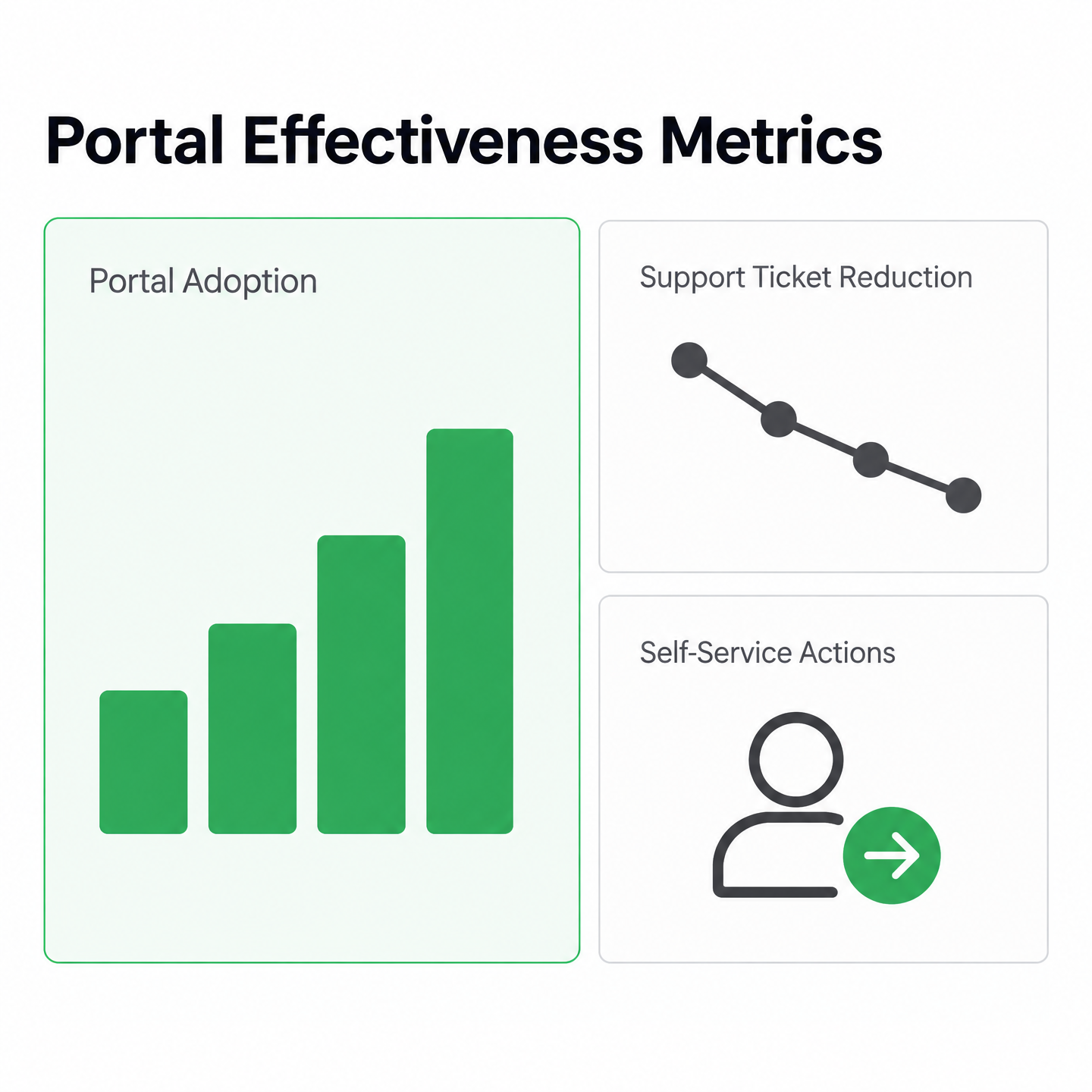
Does the portal actually reduce support tickets?
A portal should cut invoice-status inquiries. If your team still answers “Did you receive my payment?” or “What’s my current balance?” multiple times per day, the portal either lacks what customers need or buries it in the UI. The difference comes down to whether customers can see an invoice PDF without switching between multiple screens.
Track customer-initiated actions. How many customers use the portal to update payment methods, request extensions, or upload proof of payment without contacting you first? If that number stays low well after rollout, the portal isn’t doing its job. For subscription businesses, this matters more. A customer who logs in to delay a payment is signaling financial stress before the card declines. That early warning gives you a chance to offer a payment plan or adjust renewal terms, turning a potential churn event into a retained customer.
What features make a portal worth using
Mobile-responsive design is the baseline. Most customers check invoices on their phone. If the portal doesn’t load cleanly, they’ll default back to email.
Look for these capabilities:
- Real-time invoice and payment history that updates when a payment clears, so customers don’t see stale balances and open unnecessary inquiries
- Self-service payment plan setup that lets customers propose a split-payment schedule without email negotiation
- Dispute submission with file upload, so customers attach proof of payment, signed contracts, or delivery receipts directly
- White-label branding and custom domain, such as billing.yourcompany.com, which reduces login friction and keeps trust under your brand
One easy-to-overlook feature is customer-controlled notifications. If your system sends automated reminders but the customer can’t adjust frequency or turn off specific types through the portal, you risk training them to ignore all communications. Aggressive dunning sequences can push customers to mark emails as spam, which then blocks legitimate service updates.
Security and access control
Portal security determines whether customers trust the system enough to use it. Single sign-on (SSO) and multi-factor authentication (MFA) should be standard, especially if you serve enterprise clients who won’t adopt a portal that bypasses their corporate identity provider. For smaller businesses, basic MFA via SMS or authenticator app is usually enough.
Role-based access matters more than teams expect. A customer with an internal finance team needs permission levels: one user views invoices, another approves payment, a third adjusts terms. If the portal forces everyone into a single admin role, you get either over-permissioned junior staff or bottlenecks that slow approvals. Both defeat the purpose.
Check whether the portal logs all customer actions: invoice downloads, payment method changes, dispute submissions. You need to export those logs for audit and reconciliation. For SaaS companies with subscription billing and renewal workflows, the audit trail matters during disputed charges or involuntary churn investigations. If a customer claims they never received an invoice but the log shows three downloads and a payment plan request, the dispute resolves in seconds.
Check 5: Integration, visibility, and reporting you’ll actually use
An AR automation platform that can’t feed clean receivables data to your other systems isn’t automation. It’s another data silo. The question isn’t whether integrations exist. It’s whether they remove manual reconciliation and give finance real-time visibility across the stack.
Integration depth separates platforms that unify AR from those that add a separate workspace. When AR is configured to pull customer data from CRM, push payment status to ERP, and surface collection metrics in BI without manual exports, fragmentation drops. When your team still copies invoice details between systems or runs weekly exports, the automation hasn’t delivered the single source of truth it promised.
What pre-built integrations should you actually verify?
Marketing pages list dozens of integrations. The practical test is narrower: which systems does your team touch daily, and can the AR platform exchange data with them without middleware or custom development? For most SaaS and service businesses, the core categories are CRM, ERP or accounting, payment processors, and BI tools.
Minimum touchpoints:
- CRM integration that syncs customer records, contacts, and account status bidirectionally
- ERP or accounting connection that posts invoices, payment receipts, and journal entries automatically
- Payment processor integration that captures transaction details, fee breakdowns, and settlement timing
- BI or data warehouse connector that exports AR aging, DSO trends, and collection effectiveness metrics
The gap between “supported integration” and “useful integration” shows up in data latency and field mapping. Some teams report ERP connectors that push invoice summaries only once daily, leaving same-day payments to be reconciled manually. Others find CRM syncs that don’t map custom fields used for renewal forecasting, creating duplicate records. Verify cadence and field mapping in a live demo, not a brochure.
How do you evaluate API depth and data access?
Pre-built connectors handle standard workflows. API access decides whether you can automate edge cases, build custom reporting, or integrate with internal tools. The API’s authentication and data models tell you whether you’re working with a flexible data layer or a black box.
Markers to check:
- REST or GraphQL endpoints with documented authentication and workable rate limits
- Webhook support for real-time events such as invoice sent, payment received, dunning escalation
- Data models that expose line items, payment allocations, customer metadata, and aging buckets, not just invoice totals
- Bulk export options that let you pull historical AR data without hitting per-request rate limits
API depth matters when workflows change. If you move from monthly subscription billing to usage-based, can you programmatically adjust invoice generation rules, or do you need the vendor to build custom logic? If you acquire another company, can you bulk-import AR history and map it to your chart of accounts? API flexibility decides whether the platform grows with you or forces your process to adapt to its limits.
What AR metrics should dashboards actually surface?
A dashboard that shows invoice counts and total outstanding balances isn’t decision-grade reporting. It’s a summary you could pull from your accounting system. Useful dashboards surface collection effectiveness trends, cash flow forecasts, and customer payment behavior.
Baseline KPIs:
- DSO tracked over time with breakdowns by customer segment, invoice size, or payment terms
- AR aging buckets with drill-down into specific invoices and customers
- Collection effectiveness index that measures collected receivables against what became due in the same period
- Cash flow projections based on historical payment patterns and current aging
The reporting gap that kills adoption is granularity. If your dashboard refreshes overnight or aggregates at the account level without invoice detail, your team can’t use it for real-time prioritization. Some finance teams report aging reports that update only weekly, forcing daily raw-data exports. Others find payment trend charts lump all methods together, which can hide faster-clearing payment types that should have been prioritized in dunning.
Does the platform support audit trails and data governance?
If you’re in a regulated industry or preparing for audit, data governance and audit trails decide whether the platform meets compliance or creates new risk. Most platforms log activity. The question is whether those logs are accessible, tamper-proof, and detailed enough to reconstruct who changed what and when.
Features to verify:
- Immutable activity logs that record every invoice edit, payment application, credit memo, and user action with timestamps and user IDs
- Role-based access controls that separate permissions by team
- Data retention policies that define how long records and logs are stored
- Export and backup options that let you pull complete AR datasets without the vendor’s infrastructure
The real test is reconstruction speed. If an auditor asks for two years of a customer’s invoices, payments, and disputes, can you generate that report in minutes? If a payment was applied incorrectly, does the audit log show the user, the original invoice state, and the correction? Or just a summary line that says something changed?
Skip integration overkill if your AR process is straightforward. Five pre-built connectors you actually use beat 50 you don’t. But if your business depends on subscription renewals, usage-based billing, or multi-currency invoicing, integration depth and real-time reporting become the difference between a platform that supports growth and one that forces your finance team back into spreadsheets.
Before you flip the switch: implementation checklist
Moving from spreadsheets and email chains to AR automation isn’t a plug-and-play swap. The vendor might promise same-day go-live, but your data, team habits, and customer expectations need groundwork first. Skipping prep is why implementations stall or underwhelm. Not because the technology failed, but because the foundation wasn’t there.
Your first decision is whether to migrate historical invoice data or start fresh. Many platforms accept bulk imports via CSV or API, but you’ll validate customer records, open balances, and payment terms before uploading. If your current system has inconsistent data, duplicate customer entries, mismatched terms, invoices tied to the wrong account, that chaos transfers directly into the new platform. Clean up duplicates and standardize invoice formats before migration.
SaaS subscription billing makes this trickier. Your automation needs to sync renewal dates, usage tiers, and proration rules from the billing engine before it can generate accurate invoices. Teams can spend weeks reconciling subscription data because billing and accounting weren’t aligned. If usage-based billing depends on API calls or active users, the automation has to pull real-time usage data. Miss that integration, and you’re manually adjusting invoices anyway.
Who owns what during rollout?
Finance owns payment terms, credit policies, and dunning rules. That includes when reminders fire, what tone they use, and when accounts escalate. IT handles ERP integration, API configurations, and custom data mappings. Sales needs visibility into overdue accounts before they affect renewals or upsells. If your sales team learns about a late payment during contract negotiation, automation failed to surface it early.
Legal reviews customer-facing language, especially dunning emails and portal terms. Many B2B businesses experience late payments, so your dunning workflow will touch most customers. Tone matters. An aggressive sequence may accelerate payments. It can also damage high-value accounts that just need flexibility.
Clear ownership keeps the rollout moving. Finance sets the rules, IT builds the pipes, customer service handles exceptions.
Testing before you trust it
Pilot with a subset of customers, not the entire book. Pick a low-risk segment, maybe one product line or accounts under a set dollar threshold. Run automation in parallel with manual process for at least one billing cycle. Watch for mismatched invoice generation, failed payment captures, and reminders firing at wrong intervals. If the platform offers AI-driven payment default predictions, validate them against actual payment behavior before acting.
Automated cash application depends on clean remittance data. If customers send partial payments without invoice numbers, or your lockbox provider’s data format doesn’t match what the platform expects, matching accuracy drops. Test cash application during the pilot. Manually verify an initial batch of posted payments—for example, the first 50—to catch mismatches before they compound.
For SaaS teams, test failed payment handling. If a subscription payment fails, does automation retry on the right schedule? Does it notify the customer success team before the account churns? One missed retry can cost lifetime value, especially when the failure was a temporary card decline. Some platforms excel at dunning but don’t integrate tightly with renewal logic, leaving a gap where churn sneaks through.
What your team needs to know
Change management isn’t optional. Your AR team spent years mastering spreadsheets, phone follow-ups, and email threads. Automation makes much of that obsolete, which can feel threatening. Address job security directly. Frame the shift as moving from manual invoice chasing to strategic account management.
Training should cover exceptions, not just normal workflows. Automation handles routine cases. Your team owns the exceptions that require judgment: disputes, payment plan negotiations, high-value accounts that need personalized outreach. Walk them through the customer portal, dunning settings, and reports. If the platform uses AI to prioritize worklists or auto-upload invoices, show them how those features work. Don’t let it feel like a black box.
Customer communication matters too. If you’re moving from manual invoices to automated delivery, tell customers before the first email arrives. Explain the new portal, payment options, and what to expect from reminders. Automation improves your position relative to worsening payment delays, but only if customers adopt the tools. Friction at the portal, confusing logins, unclear payment instructions, will send them back to email and phone.
What to watch after go-live
Track DSO, past-due rates, and portal adoption weekly for the first quarter. If DSO isn’t dropping or past-dues aren’t shrinking, automation isn’t working. Either the dunning cadence is wrong, payment friction is high, or your team is overriding too many steps. Published AR automation case studies often show DSO reductions and improved cash flow, but those results come from tuning rules, not flipping a switch.
Monitor false positives in AI risk scoring. If the platform flags a customer as high risk and they pay on time, that’s noise. Too many false positives and your team stops trusting the predictions. If a default slips through with no warning, the early detection isn’t calibrated yet. Risk models improve over time, but only if you feed them accurate outcomes.
Portal adoption tells you whether customers engage or bypass the system. If login rates stay low, investigate friction. The login process might be clunky, payment options limited, or the value unclear. Every completed self-service action can reduce inbound calls or emails. Push adoption by embedding portal links in invoices, sending onboarding emails, and training sales to mention it during renewals.
Quick wins you can claim immediately
Start with automated invoice delivery. If you’re still emailing PDFs manually or waiting for batch runs, real-time delivery can cut days off your payment cycle. Configure delivery preferences per customer, email, portal notification, EDI, and let the platform route.
Enable self-service payment plan setup. Customers who can negotiate their own payment schedule without calling AR are more likely to pay than those who have to ask for help. Let customers propose installment terms directly, with AR reviewing and approving without a phone call.
Turn on dunning automation for low-risk accounts first. Keep high-value relationships manual. For the long tail of smaller accounts, automated reminders—for example, at day 5, day 15, and day 30—can drive payments without your team touching them. Adjust tone and timing based on response rates. Initial setup can be relatively quick for simple workflows.
Fix data quality now. Automation surfaces duplicate customer records, mismatched payment terms, orphaned invoices. That visibility is a feature, but only if you use it to clean house. Dedicate the first month to reconciling exceptions, merging duplicates, and standardizing formats. Cleaner data means higher automation success rates.
The bottom line on replacing your manual AR desk
AR automation is ready to replace daily manual AR work when five checks pass: accurate invoice creation, consistent collection logic, reliable cash application, a portal customers will actually use, and integrations finance can trust. When those are in place, the AR desk becomes a control tower instead of a follow-up queue.
Here’s the operating decision. If all five checks pass, move the AR desk from daily operations to strategic oversight. If one or two fail, run a hybrid model: automation for the long tail, manual intervention for high-value or complex accounts. You get most of the cash flow gain without the relationship risk. If three or more checks fail, hold off on full automation. Clean customer data, tighten invoicing accuracy, and establish payment terms first. Don’t automate chaos at scale.
The reality check nobody discusses
Some published materials suggest AR automation improves DSO for companies that adopt it, but macroeconomic headwinds continue to affect payment reliability. Some payment-industry data points to rising ACH return rates for commercial transactions, though figures vary by processor and region. Automation improves your DSO, but it doesn’t lift you into calm water. It keeps you afloat while the baseline deteriorates.
For SaaS companies, that distinction matters. Automated dunning workflows that retry failed payments and notify customers aren’t operational conveniences. They’re defensive infrastructure against an environment where payment reliability is actively worsening. You’re not automating to get faster. You’re automating to avoid falling further behind.
When a hybrid model makes more sense
Full automation works for transactional, high-volume AR. But if you run enterprise SaaS with annual contracts, professional services with milestone billing, or recurring revenue with frequent plan changes, you still need human judgment for exceptions.
Scenarios that break pure automation:
- Custom payment terms negotiated during sales that don’t fit dunning templates
- Disputes over usage-based billing where the customer challenges metered data
- Strategic accounts where a collections call has to acknowledge a broader partnership
The platform you choose determines whether a hybrid model works. Platforms that can be configured to pause automated communications when a team member steps in, without toggling account-level settings or risking doubled reminders, preserve the efficiency gain. Systems that force you to automate everything or nothing create the friction you were trying to eliminate.
The implementation cost you can’t automate away
AR automation vendors quote fast go-live timelines, but actual deployment depends on clean data. If your ERP has multiple customer records for the same entity, inconsistent payment terms, or open balances that don’t reconcile, automation surfaces those problems immediately. The system won’t fix bad data. It will process it faster, which compounds errors.
Change management is the other hidden cost. Your finance team shifts from manual invoice entry and collections calls to monitoring automated workflows, handling exceptions, and analyzing AR performance. Some vendors offer gain-share pricing with no upfront fee and revenue share after documented KPI improvements, but terms vary. Your team still needs to learn the platform, build new processes, and train customers on self-service. Budget for adoption over a few billing cycles, not the shortest go-live timeline a sales deck may quote.
Where Blixo fits
Platforms like Blixo can be configured to connect subscription billing and automated collections into cash application, so teams are not just chasing invoices. When a subscription renewal fails, such a platform can be set to trigger automated dunning with email, text, and reminders while your team handles high-value accounts manually. The integration gap many AR platforms miss is treating collections as standalone. For SaaS companies, receivables and subscription management are the same problem.
If all five checks passed, start with a pilot. Automate a subset of customers—for example, accounts under $10K ARR—and measure DSO impact over a quarter before company-wide rollout. If Check 5 (integration depth) failed but the others passed, prioritize platforms with pre-built connectors to your ERP and CRM rather than custom APIs in-house. If Check 1 or Check 2 failed (invoice accuracy or dunning strategy), fix those workflows manually first. Automation at scale only works when the underlying process is repeatable.
Common Questions
Can I automate just one part of AR without replacing my entire process?
Yes. Start with a contained workflow where the rules are already repeatable, such as invoice delivery, customer intake, or payment-plan routing. The goal is to prove that automation improves one measurable bottleneck before you hand over the full receivables process.
Why do subscription businesses face higher risk from failed payments than traditional invoicing?
Because billing status affects account status. In a subscription model, a payment problem can trigger retries, service interruptions, renewal friction, and customer success intervention, so AR automation has to coordinate with the systems that manage the customer relationship.
When should I stick with manual AR instead of automating?
Use manual AR for exceptions where context matters more than workflow speed: negotiated terms, disputed usage, regulated invoicing, or strategic accounts that require coordinated outreach from finance, sales, and customer success.
What data quality problems will automation expose that manual processes hide?
Expect issues around duplicate customer records, outdated billing contacts, inconsistent terms, missing payment details, and invoices assigned to the wrong account. Manual teams often work around those problems from memory; automation forces them into the open.
How do I know if a customer portal is actually working or just adding another login?
Look for reduced dependency on your AR inbox. A useful portal should make invoice lookup, balance review, payment updates, dispute submission, and extension requests easy enough that customers complete them without calling or emailing your team.
What integration depth actually eliminates manual reconciliation work?
The integrations need to move the right fields at the right time. Prioritize bidirectional CRM sync, automatic ERP posting, payment processor detail capture, and reporting exports that support your actual forecasting and reconciliation cadence.