

Why Cash Application Fails Without Clean Data: A Root Cause Analysis
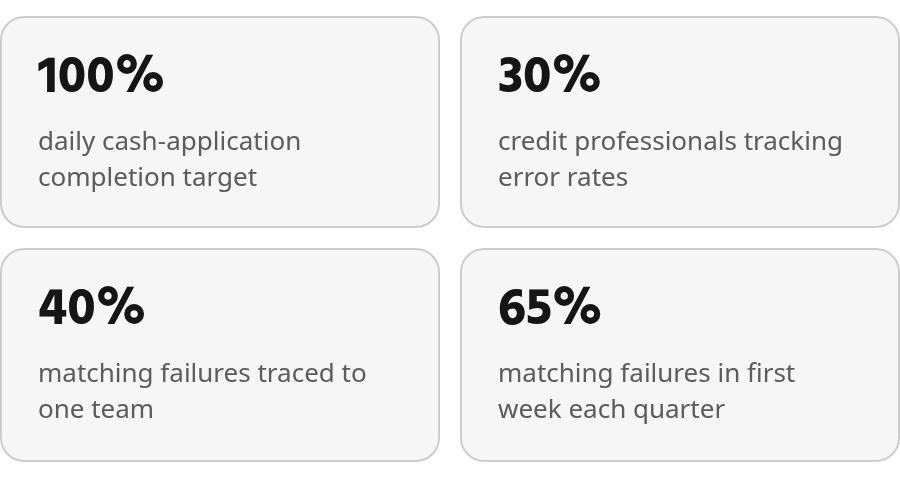
In short: Poor data quality blocks cash-application automation before the automation itself fails. Manual cash application leaves organizations vulnerable to mistakes that affect decision-making and cash-flow visibility. Teams that track daily cash-application completion see unprocessed receipts pile up when data quality slips. Some credit professionals use error rates, invoice timing, and completion KPIs to separate customer delinquency from internal data problems; others pull those metrics on demand. Automated matching tools amplify data-hygiene consequences because algorithms cannot close the loop when payment files contain misspelled names or transposed digits. Companies that see meaningful Days-to-Pay reductions from AR automation usually do so only when underlying invoice numbers, customer identifiers, and remittance formats remain clean.
Why clean data matters for cash application
When cash-application automation stalls, the root cause is almost always data quality. Limited confidence in financial data and cash-flow visibility remains a common challenge.
Poor data quality blocks automation before the automation itself gets a chance to work. Professionals using accounts receivable automation frequently cite data quality as a primary ongoing challenge. You can’t automate accounts receivable reliably if the input data is riddled with inconsistencies, missing fields, or formatting errors. Matching algorithms need clean remittance details and accurate invoice references. When those details are mangled or absent, matches fail, exceptions pile up, and teams revert to manual review.
How dirty data creates downstream cash-application failures
Manual cash application is slow, and it is often error-prone. Manual work leaves organizations vulnerable to mistakes that affect decision-making. When payment data arrives in unstructured formats or with conflicting customer identifiers, even well-intentioned staff make matching errors. Those errors show up as misapplied payments, unapplied balances that linger for weeks, and reconciliation work that consumes hours every cycle.

The cost extends beyond the AR team. Weak cash-flow visibility makes it harder to respond to market changes, and it can push decisions toward stale or inaccurate information. If your cash-application process is bogged down by data-quality rework, you’re flying blind on cash position—and you won’t know it until the monthly close surfaces the gaps.
The symptom pattern: missed matches, delayed application, and manual rework
When data quality degrades, predictable symptoms emerge. First, automated matching confidence drops, pushing more transactions into exception queues. Teams that track daily cash application see unprocessed receipts pile up when data quality slips. Other teams monitor the percentage of balances over 90 days; data issues can masquerade as customer delinquency until someone discovers that invoices were sent to the wrong contact or lacked the reference numbers the customer’s AP system requires.
Internal inefficiencies often look like customer payment delays. Without metrics that separate the two, you risk penalizing good customers for your own processing failures while internal bottlenecks go unaddressed. Sometimes a late payment isn’t about the customer’s cash position; it’s because your invoice didn’t reach the right person or arrived without the contract reference needed for matching. Some credit professionals use error rates, invoice timing, and completion KPIs regularly; others pull them on demand.
Why automation depends on accurate input data
Accounts receivable automation doesn’t eliminate the need for data hygiene—it amplifies the consequences of skipping it. Automated matching tools rely on structured, consistent input: clean invoice numbers, accurate customer identifiers, and correct remittance formats. When incoming payment files contain misspelled company names, transposed digits, or vague reference lines, the system cannot complete the match and a person has to intervene.
Companies that embrace AR automation may see meaningful reductions in Days to Pay, but only when the underlying data is clean. Data quality remains a common implementation challenge, even when automation performs as expected. You can’t skip the data-health check and expect automation to paper over the gaps. Even ERP systems struggle to parse remittance data or match partial payments when the input format doesn’t follow a predictable structure.
The immediate action: run a data-health check before you optimize
Before you invest in better automation or push your team to close faster, audit the quality of the data flowing into your cash-application process. Look for inconsistencies in customer identifiers across invoicing, payment files, and your ERP. Check whether remittance details arrive in a format your system can parse. Track how often payments hit exception queues because of missing or malformed data.
Manual day-to-day work can leave little time for financial planning and analysis. Cleaning up data quality gives your team breathing room to focus on analysis rather than rework. It also restores trust—both in your automation tools and in the cash-flow visibility those tools are supposed to deliver. Nonfinancial data quality creates problems across industries, but cash application puts cash flow and decision-making at risk most directly.
Common data‑quality issues that derail cash application
Data problems appear in several forms, and each one creates a different failure path. Missing fields stop a match immediately, while inconsistent naming or formatting can make valid records appear unrelated. Separating those patterns helps teams target the process that produced them instead of repeatedly correcting transactions downstream.
Missing fields that block payment matching
Even a small percentage of records with NULL or missing values can cascade into operational chaos. Even a small fraction of payment records with NULL values in critical fields can create revenue exposure and matching failures.
When a matching algorithm encounters missing remittance details or a blank invoice reference, it cannot proceed. Manual intervention becomes necessary for every affected payment, and that rework compounds quickly. Teams often cite data quality issues as a primary barrier to successful AR automation implementation—ahead of integration challenges or concerns about the automation’s accuracy.
The distribution problem nobody talks about
Bad data rarely distributes evenly across a customer base. Segment analysis can reveal that a small subset of customers accounts for an outsized share of NULL or malformed records despite representing only a small share of good data. That pattern points toward a particular data-capture process, customer workflow, or internal team.
Without analyzing both failing and passing records, teams often generate unsupported theories—“it’s the New York accounts,” “it’s specific industries,” or “it’s certain venues.” The more useful question is whether those segments are over-represented in failures relative to their presence in good data. Manual root-cause work requires extensive querying across many customer, invoice, and payment segments.
Some teams find that a meaningful share of matching failures traces back to inconsistent naming conventions or customer-reference gaps rather than true collection risk. Each mismatch can add delay while AR staff contact customers for clarification. The finding often redirects attention from customer follow-up to the upstream naming convention or data-capture step that created the exceptions.
Finance teams also report failures involving wrong billing addresses, missing customer references, and format inconsistencies that break parsing logic. These are systematic gaps in the upstream process, not isolated exceptions that downstream automation can reliably absorb.
Diagnosing the failure: a root‑cause analysis framework
When you can’t track down why cash application keeps failing, you end up treating symptoms rather than fixing the underlying cause. One organization may apply the same payment twice because remittance data was corrupted. Another may write off an invoice as uncollectible when the real problem was a missing customer account number that blocked the match. Teams can spend hours correcting individual exceptions without asking what is generating them.
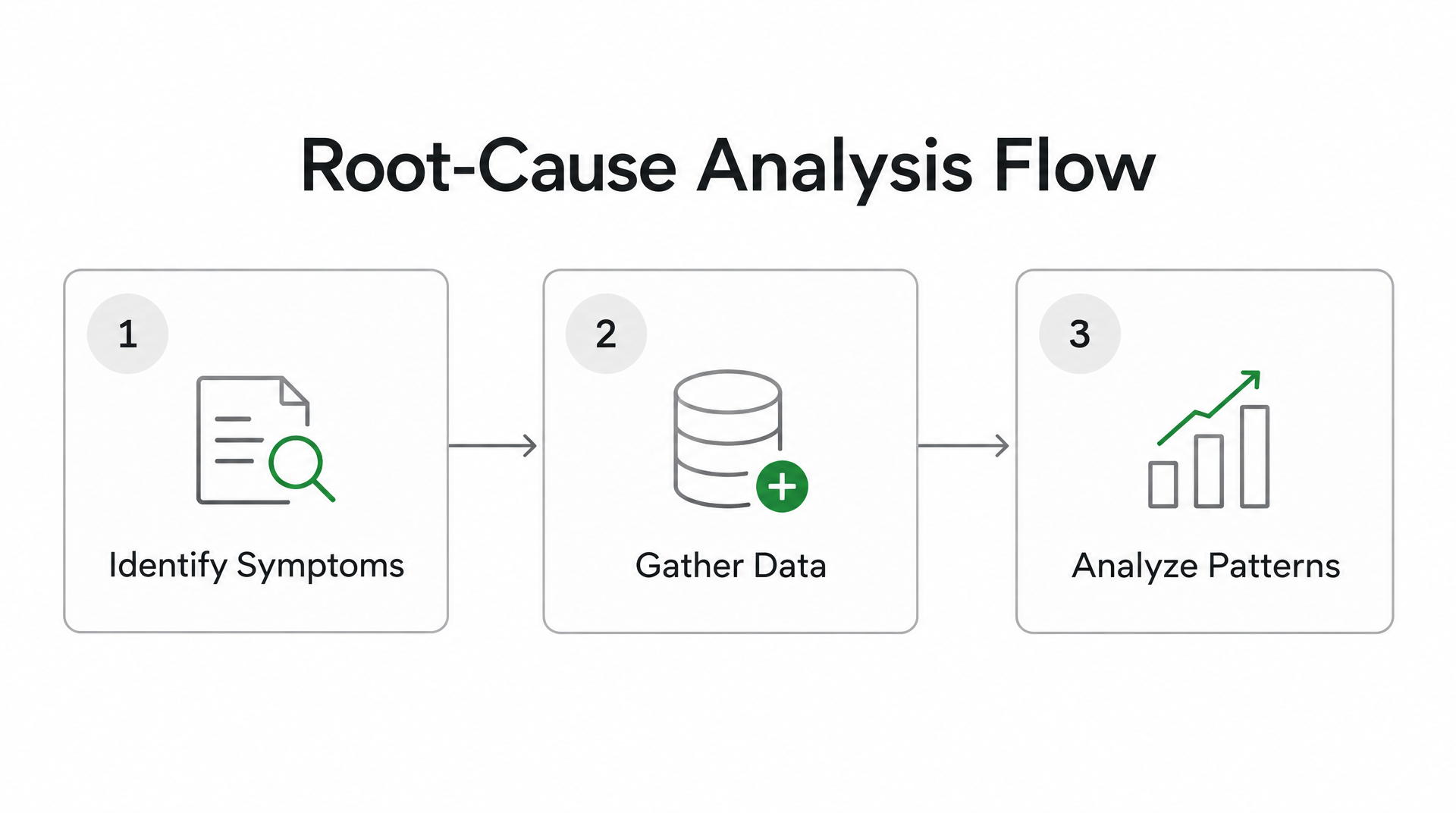
The 5 Whys method—borrowed from lean manufacturing—offers a structured way to move from symptom to cause. Start with the visible failure, such as unmatched payments sitting in a suspense account, and ask “why” until you reach the operational breakdown. A common chain runs from unmatched payments to incomplete remittance details, to an invoice sent to the wrong recipient, to outdated ERP contact records, and finally to the absence of customer-data validation at onboarding. The exercise exposes a governance gap that routine exception handling had hidden.
Scoring impact with operational metrics
Root-cause analysis without measurement is speculation. Quantify error volume, application timeliness, and write-off exposure to show both scale and concentration. Some teams find that a share of write-offs stems from invoice-matching failures caused by inconsistent product codes or missing customer identifiers across systems.
Frequency distribution can reveal whether problems are isolated or systemic. A team may discover that matching failures cluster around high-volume billing periods, when invoicing pressure increases data-entry errors. The pattern may be invisible in monthly reports but clearer in weekly analysis. That insight can shift the response from retraining collections staff to adding validation during invoice generation.
Segmentation shows where bad data clusters. If most failures come from a single venue, customer type, or event type, that points to a likely source before writing cleansing code. Manual analysis of many customer, invoice, and payment attributes can require extensive queries across both failing and passing records. Automated segmentation tools can sample bad and good records, analyze each segment, and rank explanatory factors without sophisticated ML modeling.
A practical data-health checklist
We built a checklist around the questions that expose root causes before they cascade:
- Data source: Where is the failing data originating—customer portal, payment processor, manual entry, or ERP export?
- Affected fields: Which specific columns contain NULL, malformed, or inconsistent values?
- Error volume: How many records are impacted, and what percentage of total transactions does that represent?
- Write-off correlation: What portion of involuntary write-offs traces back to data-quality failures rather than true uncollectibles?
- Application timeliness: Are you applying cash daily or letting it accumulate, and does the delay correlate with data-quality issues?
- Failing segment: Do errors cluster by customer type, payment method, geographic region, or another attribute?
The goal isn’t to generate more reports. It’s to spend less time cleansing data and more time on strategic work. When you identify that lien-right deadlines are being missed because invoice timing isn’t tracked, you’ve found the operational breakdown that no amount of downstream patching will fix. Address it there, and you prevent the rework before it starts.
Trust in financial data remains low. Trust in an organization’s numbers often varies by role and data proximity. Cash-flow visibility can remain weak despite increased technology investment. When your ERP cannot parse remittance data or match partial payments, automation stalls before it starts. Root-cause analysis moves you from firefighting individual exceptions to fixing the processes that generate them.
Fixing the foundations: data cleansing and governance strategies
When matching algorithms encounter NULL customer IDs, duplicate invoice references, or malformed remittance details, automation stops cold. You can’t automate accounts receivable when the input data itself blocks the system from functioning.
Poor data quality creates technical debt that multiplies downstream. One team may cleanse address formatting errors for reports. Another cleanses the same addresses for cash application. A third cleanses them again for collections. Each group solves the identical problem independently because no one fixes it at the source. That duplicated effort drains budget that could support prevention.
Trace failures to their source with the 5 Whys
The corrective action should follow the origin of the error, not the department that happens to discover it. Compare the failing record with a successful one, identify the first point where their paths diverged, and then assign ownership for correcting that input or control.
Manual root-cause investigation becomes expensive when every segment of bad data is analyzed by hand. The work spans customer fields, invoice attributes, and payment details, with extensive queries required to isolate patterns. Establishing a common data dictionary and validation rules gives teams a repeatable way to investigate rather than restarting the analysis for every exception category.
Quantify what manual cleansing actually costs
Track how much time your team spends reconciling exceptions each week. Also examine aged balances that reflect internal failures rather than customer payment problems: invoices sent to the wrong billing contact, contracts missing from the system, or remittance data that did not reach accounts payable. These issues can give customers a reason to withhold payment even when they have funds available.
Calculate the dollar cost of that rework: hours spent matching payments, investigating parsing failures, and chasing missing invoice details. Compare the recurring cost with the cost of fixing the root cause once. Cleansing at the point of use feels contained because each team handles only the subset it needs, but the organization may be funding the same correction multiple times.
Monitor operational health with consistent KPIs
Set objectives that reflect data quality’s effect on cash flow. Track the percentage of daily cash applied without manual intervention and the number of records containing NULL values in critical fields such as customer ID or invoice number. Review contract-processing timeliness as well; if contracts aren’t reviewed promptly, you risk losing lien rights or missing payment deadlines that affect your legal position.
Run a weekly aged-balance report and note which accounts exceed your threshold. For each large past-due balance, document whether the cause is true delinquency or an internal issue. An influx of purchases may have temporarily increased balances, or an invoice may never have reached accounts payable. Separating those cases protects good customer relationships and directs corrective work to the right team.
What to do this week
Audit the quality of the data flowing into your cash-application process. Look for inconsistencies in customer identifiers across invoicing, payment files, and your ERP. Check whether remittance details arrive in a format your system can parse. Track how often payments hit exception queues because of missing or malformed data.
Run a weekly aged-balance report and note which accounts exceed your threshold. For each large past-due balance, document whether the cause is true delinquency or an internal issue—an invoice that never reached accounts payable, a missing contract reference, or a billing contact that changed without updating your system.
Calculate the dollar cost of that rework: hours spent matching payments, investigating parsing failures, and chasing missing invoice details. Compare the recurring cost with the cost of fixing the root cause once.
For teams evaluating cash-application platforms, solutions like Blixo can be configured to support payment matching, reconciliation, invoicing, collections, and customer-portal workflows. The prerequisite remains the same: those workflows only become reliable when customer identifiers, invoice references, and remittance formats are clean enough for the system to process.
Quick Questions, Straight Answers
What should a cash-application data policy define?
A useful policy should specify which customer, invoice, and remittance fields are required; how identifiers are formatted; who owns corrections; and when records are validated. It should also define how exceptions are logged so recurring failures can be traced to their source rather than handled as unrelated one-off problems.
Can data quality improve without replacing an ERP?
Yes. The first response can be governance rather than a platform replacement. Standardize identifiers, add validation at data entry and invoice generation, monitor exception categories, and establish ownership for correcting upstream records. Existing ERP and payment systems can then receive more consistent inputs while the organization evaluates broader technology changes.
How should teams prioritize cash-application data fixes?
Start with failures that delay the greatest amount of cash or affect the largest number of transactions. Then examine concentration by source, field, customer group, and process stage. A small defect affecting a high-volume payment channel may deserve attention before a more visible but isolated error category.
What evidence shows that a data-quality fix worked?
Compare the same operational measures before and after the change: unmatched-payment volume, manual-touch rate, application timeliness, recurring exception types, and write-offs associated with matching failures. The comparison should use a consistent reporting period and distinguish a lasting reduction from a temporary decline caused by lower transaction volume.
Who should own cash-application data quality?
Ownership is usually shared. Finance defines the consequences and monitors outcomes, while sales operations, customer onboarding, billing, IT, and data-governance teams may control the fields or processes that create the records. A named owner for each critical field prevents exceptions from circulating between departments without a corrective action.