

NetSuite vs Blixo AR Module: Which Chases Past-Due Invoices Automatically

Key Takeaways
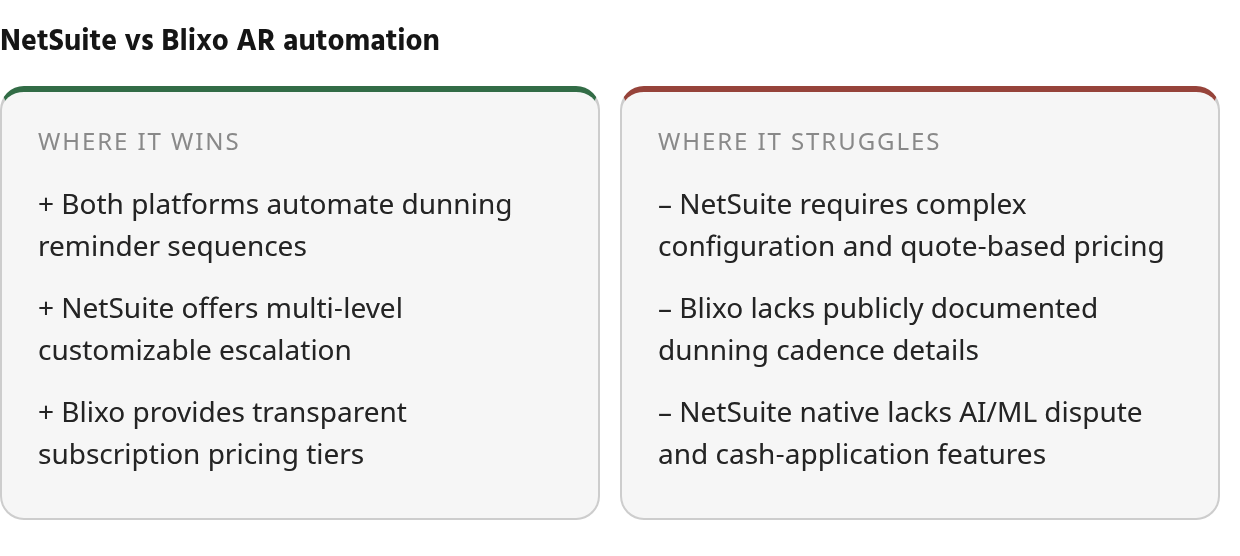
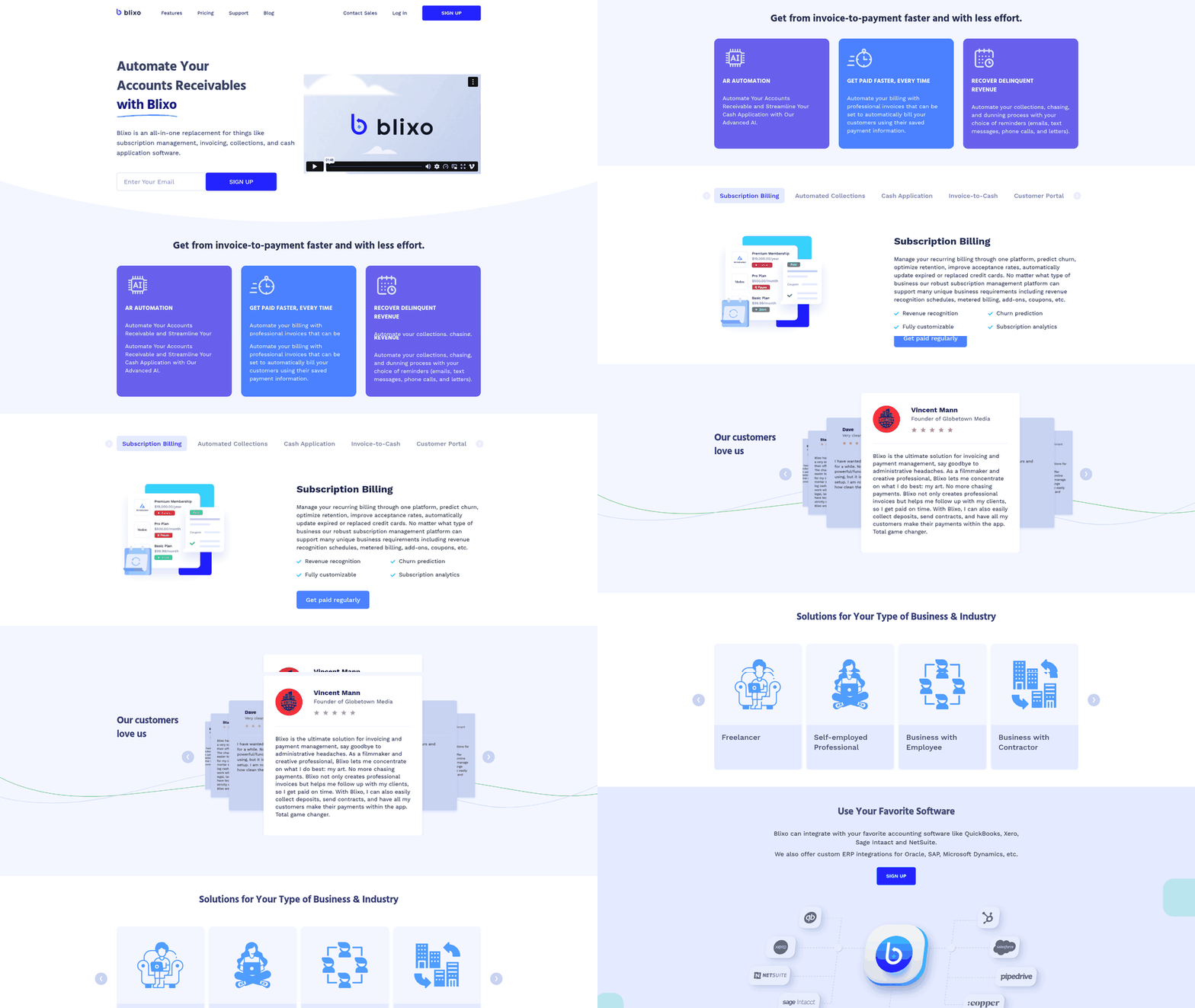
- NetSuite’s Collections Module provides documented multi-level dunning automation with customizable escalation intervals. Public materials for Blixo confirm automated collections and dunning capabilities, though detailed dunning cadence specifications were not found in current research and should be verified in a live demo.
- Organizations implementing automated AR collections often see improved cash flow. Every day of DSO improvement returns cash to operating accounts.
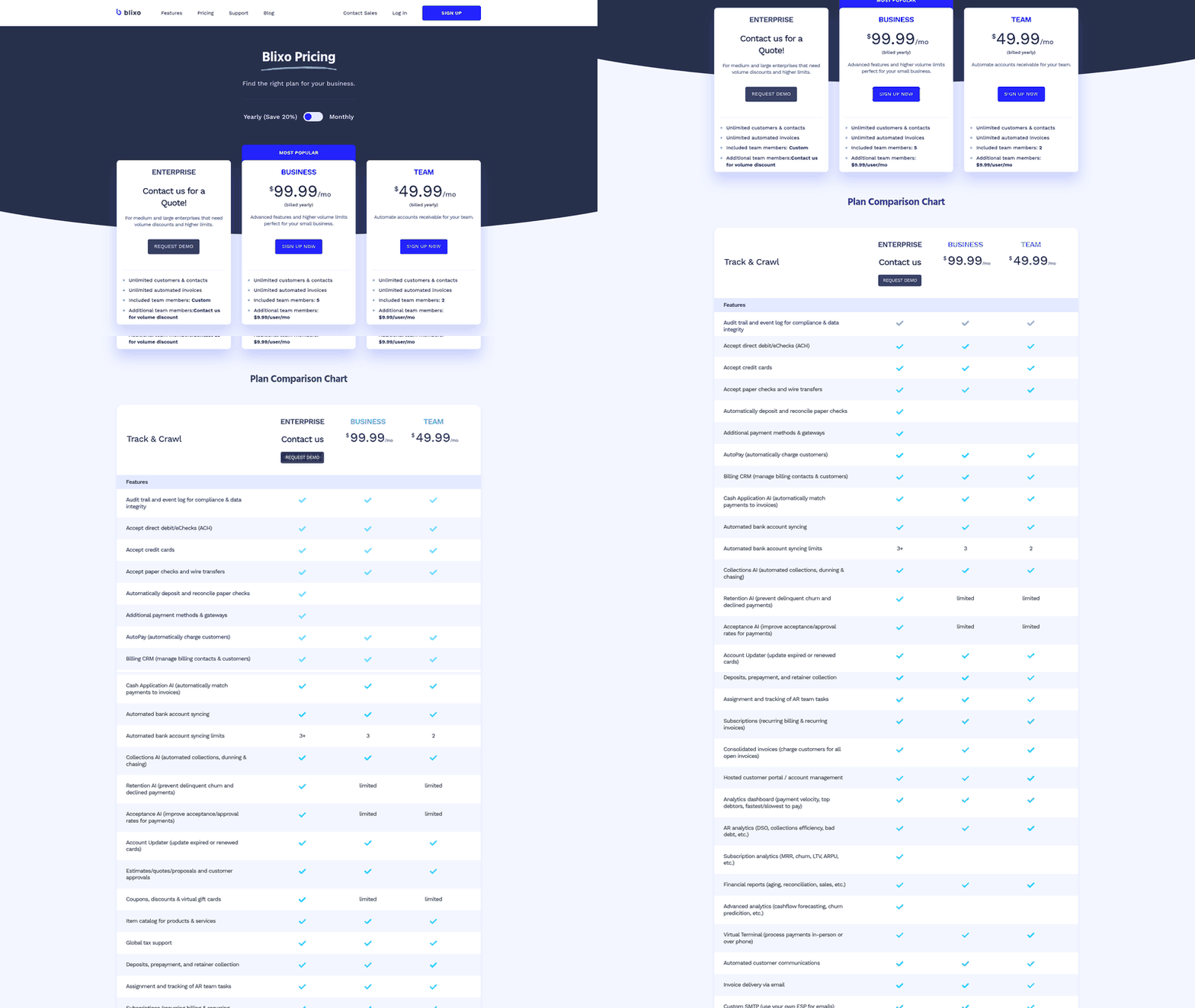
- NetSuite operates on enterprise quote-based pricing requiring configuration for full AR optimization. Blixo publishes self-service tiers, but specific pricing and user limits should be verified before comparison.
- Both platforms automate dunning mechanics, but the intelligence layer—dispute handling, promise-to-pay tracking, and automated cash application—determines which accounts collectors prioritize and how quickly exceptions resolve.
- Manual AR follow-up consumes significant team hours while DSO stays elevated. Automation replaces inconsistent collection timing with rule-based escalation.
- Blixo lists AI-powered collections and cash application capabilities. Independent third-party validation and AI model specifics were not found in current documentation and should be confirmed during evaluation.
The short version
NetSuite offers documented rule-based dunning automation through its Collections Module and Dunning Letters capabilities, with multi-level escalation sequences. Public materials for Blixo confirm automated collections and dunning capabilities, but detailed dunning cadence specifications were not found in current research. NetSuite typically requires configuration work for full AR optimization in complex deployments, while Blixo’s self-service tiers are published and easy to compare before a sales call.
What the Evidence Shows About Automated Past-Due Chasing
| Comparison Point | NetSuite | Blixo AR Module |
|---|---|---|
| Documented dunning automation | Collections Module with multi-level reminder escalation; supports email, multi-language, and multi-currency reminders | Automated collections and chasing confirmed in product documentation; specific dunning sequence details not found in public materials |
| Reminder cadence evidence | Escalating reminder structure with customizable intervals and tone | Public materials do not specify default cadence intervals; should be verified in live demo |
| AI/ML for collections | Native NetSuite dunning is rule-based; Collections Module offers work queues and exception handling; third-party integrations available for advanced automation | AI-powered cash application and collections automation listed in feature set; independent third-party validation not found in current sources |
| Implementation effort | Full AR optimization with workflows can require configuration time for complex NetSuite implementations; Collections Module requires setup and rule definition | Implementation timeline not documented in public materials |
| Pricing visibility | Enterprise quote-based; third-party AR add-ons require separate licensing | Published self-service and custom tiers |
| Payment/integration evidence | Native payment links available; Collections Module tracks payment commitments and invoice issues | Integration and payment method specifics are not fully documented in public materials; verify during demo |
| Customer experience evidence | Collections Module case studies document DSO improvements and increased payment velocity in enterprise deployments | G2 reviews and customer outcomes not found in current research; feature claims should be verified through demo or trial |
| Evidence gaps | Native NetSuite requires Collections Module configuration for prioritized collector workflows and exception handling; some advanced features require third-party integration | Absence of independent case studies or third-party validation in public materials; dunning cadence customization and AI model specifics not documented |
The automation gap isn’t whether dunning exists—NetSuite’s Collections Module reminder engine is well documented. What separates options is how much decision support sits around those reminders: whether disputed invoices are held back from the wrong sequence, whether customer commitments are visible to collectors, and whether incoming payments are matched without manual research. NetSuite achieves much of this through its Collections Module plus optional third-party integrations. Blixo lists AI-powered collections and cash application features. Reviewed documentation suggests both platforms automate the mechanics of sending reminders. The real question is how each platform helps AR teams resolve the exceptions that block cash.
Why Automated Past‑Due Chasing Matters
Late invoices create a simple operational problem: AR teams lose time checking aging reports, writing follow-up emails, and chasing customers inconsistently. When that work stays manual, collection timing depends on who remembered to follow up rather than on a repeatable process. Automating this workflow turns collections into a scheduled, measurable operating rhythm instead of a weekly scramble.
The Financial Case for Automated Collections
Late payments trap working capital. Organizations implementing automated AR collections report meaningful efficiency gains. Reducing DSO through automation frees cash for operations, inventory, or debt reduction.
The math is straightforward. Every day your DSO drops represents cash back in operating accounts. Automated dunning achieves this through consistent timing, escalating urgency, and self-service payment options that let customers act immediately instead of waiting for a human follow-up.
How Automated Sequences Replace Manual Chaos
Manual follow-up relies on someone remembering to check aging reports, drafting individual emails, and tracking responses. Automated sequences eliminate this labor through rule-based escalation: reminders can be scheduled before the due date, shortly after the due date, and again when an account crosses a defined risk threshold.
The difference isn’t just speed—it’s consistency. Every customer receives the same treatment according to the same rules, preventing the “squeaky wheel” problem where only the loudest accounts get attention. Automated reminders increase early payments and improve collection rates by removing the delays inherent in manual processes.
| Metric | Manual Follow-Up | Automated AR |
|---|---|---|
| Weekly Hours Spent | Heavy recurring collector effort | Minimal oversight |
| Average DSO | Elevated when reminders slip | Reduced through consistent follow-up |
| Customer Communication | Inconsistent | Rule-based, every account |
CFOs and AR managers are common buyers, but founders managing AR should consider automation when collection work becomes a recurring weekly burden.
Core Automation Capabilities
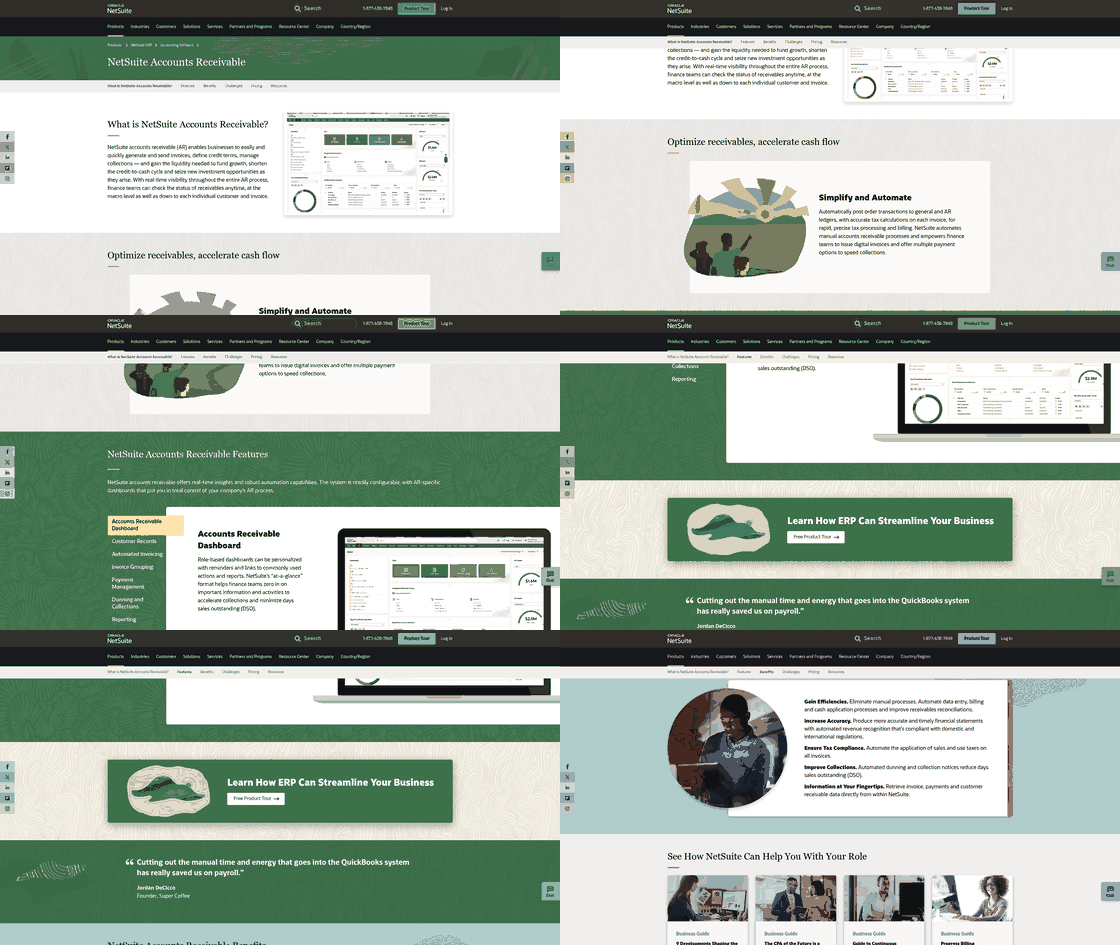
NetSuite handles dunning through its Collections Module paired with the Dunning Letters SuiteApp (Bundle ID 392827), but the evidence shows the native setup solves the scheduling problem, not the intelligence problem. The system can fire escalating reminders on a schedule you define, but collectors still spend significant time triaging which accounts to call first, which invoices are actually disputed, and whether the customer already paid but the cash application team hasn’t matched the remittance yet. Public documentation of automated cash application or ML-driven remittance capture as native NetSuite AR capabilities was not found—those outcomes appear in third-party add-on materials, where vendors report meaningful reductions in manual collection activities.
Blixo automates dunning sequences and surfaces payment status in real time, but detailed workflow logic or cash-application algorithm specs that would demonstrate parity with the enterprise tools NetSuite customers typically layer on were not found in public materials. If your team needs verified cadence documentation or structured tracking of customer payment commitments before committing to a collections platform, request a live demo rather than relying on feature lists. Absence of public evidence isn’t absence of capability, but it does mean the burden of proof shifts to the sales cycle.
What NetSuite Covers and Where Third-Party Tools Fill the Gaps
NetSuite’s Dunning Letters SuiteApp sends reminders before or after invoices come due, calculates taxes automatically, and posts transactions to the general ledger without manual entry. The Payment Link feature adds a “pay now” button to electronic and printed invoices, making one-time payments frictionless. The gap that drives add-on purchases isn’t dunning itself—it’s prioritized collector worklists, dispute management, and automated cash application against messy remittance data. NetSuite’s native toolkit doesn’t surface which low-balance accounts to chase first or automatically match partial payments to open invoices, so finance teams either build custom workflows or buy a specialist AR platform.
The pre-installed dunning workflow scheduler runs on PST timezone, which means East Coast businesses copying the workflow need to manually offset execution times or reminders fire at the wrong hour. Full AR optimization with custom workflows requires configuration time for complex implementations—not because NetSuite lacks the features, but because rule-based dunning without exception handling just sends the wrong emails faster.
| Capability | NetSuite Native | Third-Party AR Add-Ons |
|---|---|---|
| Automated dunning sequences | Yes (Dunning Letters SuiteApp) | Yes, with AI prioritization |
| Payment Link on invoices | Yes | Yes, plus full customer portals |
| Cash application/remittance matching | Manual or custom-built | AI-powered matching engines |
| Collector workflow prioritization | Requires custom saved searches | Built-in risk scoring and aging analysis |
| Dispute/promise-to-pay tracking | Manual or custom fields | Structured workflows with status tracking |
Workflow & Integration Differences
A standard order-to-cash workflow moves through invoice generation, reminder sequencing, dunning escalation, payment acceptance, cash application, and collections follow-up. Accounts receivable automation hits most of these touchpoints—but the evidence shows NetSuite and Blixo automate different parts of the cycle.
NetSuite’s native AR system triggers invoice creation automatically as sales orders fulfill, then routes them through configurable escalation paths. Customers can receive invoices with an embedded payment action, simplifying the payment step without forcing the AR team to send separate instructions. Reminders move from soft nudges to formal collection notices based on aging thresholds you define per customer segment.
What NetSuite leaves manual: collector prioritization, structured follow-up on customer commitments, and machine-learning-driven cash application against messy remittances. Third-party AR tools fill these gaps by using AI to match incoming payments to open invoices automatically, flag high-risk accounts for early intervention, and route disputed invoices away from automated dunning queues. Blixo automates collections and dunning workflows, and its published materials list integrations such as QuickBooks, Xero, Salesforce, and HubSpot. Verify which ERP, CRM, and payment connectors are supported during your evaluation.
| Workflow Stage | NetSuite Native | Third-Party AR Platforms |
|---|---|---|
| Invoice generation | Triggered from fulfilled orders | Sync from ERP or generate standalone |
| Reminder sequencing | Time-based escalation paths | Behavior-triggered campaigns, such as open rate or payment history |
| Payment acceptance | Embedded payment links | Varies by vendor |
| Cash application | Rule-based matching or manual posting | AI-powered matching with automatic reconciliation |
| Dispute handling | Manual triage required | Workflow routing varies by vendor |
NetSuite Configuration Complexity and Timeline Realities
NetSuite configuration is not just a switch you turn on. The pre-installed Dunning WF Scheduler workflows run on PST by default, which creates timing issues for businesses operating in EST or CST zones. You’ll need to copy the workflow and manually adjust execution times by your timezone offset to ensure invoices are evaluated on the correct calendar dates.
Automation results vary by business. Configuration involves mapping dunning procedures to customer segments—VIP accounts get longer grace periods, high-risk accounts get faster escalation—defining multi-level reminder templates, and integrating payment portals. A mid-market distributor might save meaningful collector hours each week by automating reminder delivery and payment matching. A seasonal retail business with concentrated billing periods could reduce DSO through faster escalation during peak collection windows.
Automated dispute resolution can speed recovery by routing exceptions into structured workflows, but those results assume you’ve already configured the underlying processes. Skip automation if your invoice volume is low and customer relationships allow manual follow-up. For growing service businesses chasing dozens of overdue invoices weekly, the setup investment pays back in freed collector capacity and faster cash conversion.
Cost, ROI & Scalability Comparison
NetSuite AR module pricing—whether sold as a standalone license, folded into base ERP, or charged per user—was not disclosed in reviewed documentation. What the evidence does show is labor-effort benchmarks from NetSuite-adjacent AR automation deployments. Those benchmarks tell part of the scalability story even when the invoices stay hidden.
What accounts receivable automation actually costs organizations
The current evidence points to implementation effort and hidden configuration time, not list prices. Workflows typically require implementation work, and organizations report needing dedicated finance staff to configure eligibility rules, escalation frameworks, and timezone workarounds for NetSuite’s scheduler behavior.
Third-party AR automation vendors may use flat subscription fees, transaction-based pricing, or hybrid models. The distinction matters because subscription models can become more economical at scale, while transaction fees can align vendor incentives with collection outcomes but create unpredictable monthly costs during seasonal revenue spikes.
| Cost Area | NetSuite | Standalone / Third-Party AR Platforms |
|---|---|---|
| Module pricing | Not disclosed in reviewed materials | Subscription or transaction-based models |
| Implementation | Configuration-heavy for complex workflows | Hours to weeks depending on ERP integration depth |
| Ongoing maintenance | Requires internal NetSuite admin support | Vendor-managed updates, self-service configuration |
| Hidden effort | Timezone offset copying, eligibility rule setup | Integration testing, payment gateway setup |
ROI benchmarks: where the evidence sits
The pattern you’ll want to validate in your own vendor demos: enterprise-scale DSO reduction and labor-hour savings from automated dunning, faster cash application through ML-driven payment matching, and—for solo founders—time saved from fewer manual follow-ups when customer relationships still matter.
Industry benchmarks suggest AR automation can reduce DSO and manual collection effort, but specific percentages vary by business and should be validated in your own vendor demos. Organizations processing high payment volumes may see strong payback from automated remittance matching, while businesses with credit-card-heavy customer bases may see faster ROI from integrated payment processing that reduces reconciliation delays.
Scalability shows in workload proxies, not system limits
You won’t find “maximum invoice volume” specs in NetSuite documentation, but productivity benchmarks from similar AR automation platforms reveal where automation scales and where it stalls. The signals that matter: hours freed from manual follow-up, collector teams handling higher invoice loads without headcount growth, and payment processing acceleration.
The pattern is consistent across AR automation tools: fastest payback comes when the metric is unambiguous, such as days sales outstanding, and the alternative is purely manual labor. High-volume payment reconciliation benefits most from automated cash application and remittance matching.
Scalability stress can emerge at predictable inflection points: large active-customer counts strain manual dunning workflows, high monthly invoice volume exposes gaps in payment matching logic, and multi-currency operations across multiple time zones reveal scheduler limitations. Organizations hitting those points may need dedicated AR ops headcount or automation that handles exception workflows without escalation—the difference between tools that reduce workload and tools that merely shift it.
When NetSuite AR makes sense—and when the evidence is incomplete
NetSuite’s documented dunning, workflow automation, and multi-currency capabilities make it the stronger choice when AR needs to sit inside a broader ERP and accounting workflow rather than operate as a standalone collections tool. If your finance team already runs order-to-cash, invoicing, and reconciliation in NetSuite, layering AR automation on the same platform avoids data-handoff friction.
Standalone AR platforms make sense when collections velocity matters more than system consolidation—particularly for businesses outgrowing QuickBooks or Xero but not ready for full ERP migration. These tools typically offer faster deployment, lower upfront configuration burden, and purpose-built features like customer self-service portals and SMS payment reminders that would require custom development in NetSuite. The tradeoff is integration complexity: each added system in the finance stack creates another sync point to monitor and another potential source of reconciliation errors.
Frequently Asked Questions
1. If we already use NetSuite for invoicing, should we stick with its native Collections Module or add a third-party AR platform?
Stick with NetSuite when your main priority is keeping invoicing, accounting, collections activity, and reporting inside one ERP environment. Consider a third-party AR platform when your team needs stronger collector prioritization, cleaner exception workflows, or more automation around matching payments to open invoices.
2. Our AR follow-up takes about 8 hours weekly—is that enough to justify automation, or should we wait?
At that level, the decision depends less on the clock and more on pain: missed reminders, recurring late payers, or growing invoice volume are stronger signals than a single weekly time estimate. If manual follow-up is still accurate and relationship-driven, you may be able to wait; if it is already causing cash-flow surprises, evaluate automation before the process breaks.
3. How do I verify Blixo’s AI-powered collections claims when independent validation wasn’t found in public materials?
Use the evaluation process to test the workflow, not just the claim. Ask to see how the system prioritizes accounts, handles a disputed invoice, records a customer payment commitment, and applies an incoming payment against open invoices. If those steps are visible in a demo or trial, you can judge whether the automation fits your AR process.