

When Your ERP Cannot Parse Remittance Data or Match Partial Payments
In short:
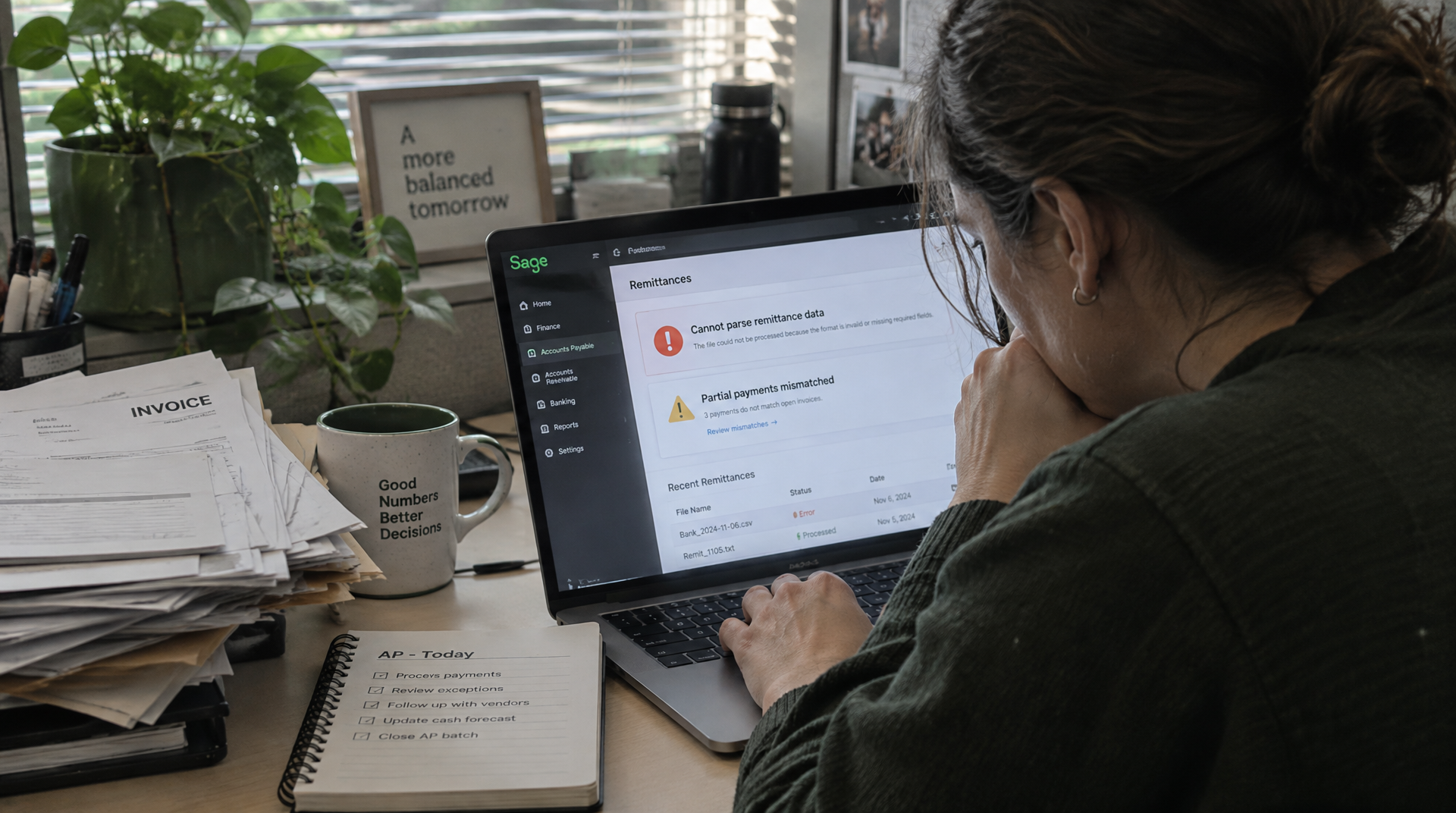
Payment and remittance data arrive through separate channels in the US. AR teams must manually connect bank deposits with explanations. Unmatched payments distort aging reports and inflate DSO, even when customers have paid. Standard ERP matching fails when customers combine invoices into one wire or short-pay by small percentages. Blixo’s matching engine uses machine learning to improve accuracy as teams correct exceptions. The fix is a specialized remittance-parsing layer. It normalizes data from email, EDI, and portals before posting reconciled transactions to your ERP.
Why Unparsed Remittance Data & Partial Payments Matter
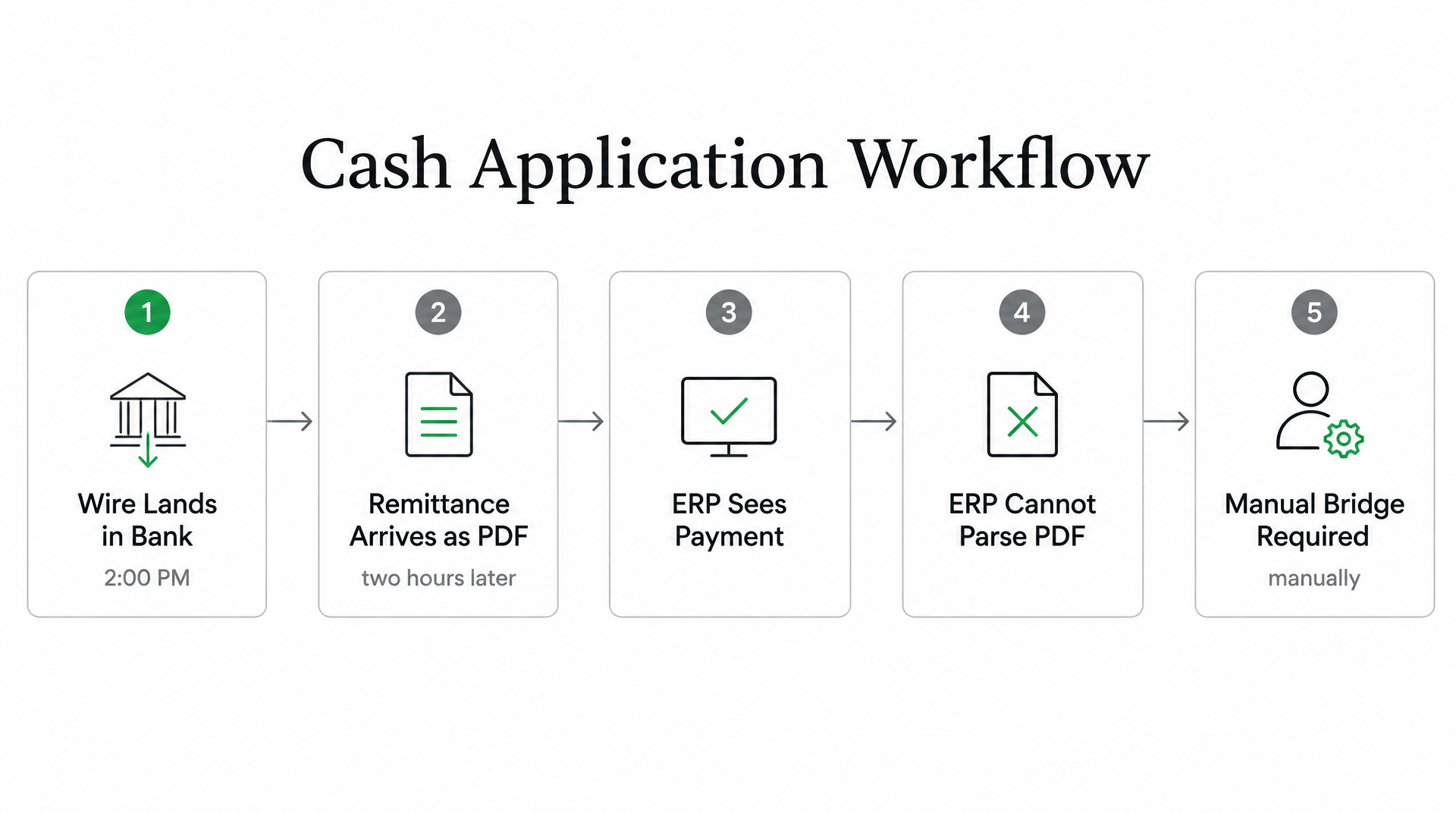
The biggest issue isn’t late remittance. It’s that remittance arrives in formats your ERP can’t read, while customers pay across channels that don’t communicate. A wire lands in your bank account at 2:00 PM. The remittance explaining which invoices it covers shows up later as a PDF attachment. Your accounting system sees the payment. It has no idea what to do with the PDF. Someone on your team bridges that gap manually. That’s where cash application breaks down.
The structural problem is worse in the US because payment rails and remittance channels are separate systems. ACH and wire transfers move money into your bank account. The remittance advice explaining the payment arrives through a different path: email, EDI 820 feed, customer AP portal, or scanned check stub from your lockbox provider. Your ERP sees the deposit but not the explanation. If the bank reference is clean and matches an invoice number exactly, automated matching works. If the customer short-pays one line, combines fifteen invoices into one wire, or references their own PO number instead of your invoice number, the match fails.
The Downstream Cost of Unmatched Payments
Every unmatched payment sits in an unapplied cash queue. Your AR aging report is wrong because paid invoices still show as open. Collections teams waste time chasing customers who already paid. Treasury can’t reconcile the bank balance against the ledger. DSO climbs not because customers are slow, but because your system can’t apply the cash that already landed.
Invalid deductions add another layer. When a customer short-pays an invoice and your team can’t parse the remittance to understand why, that deduction either gets written off or sits unresolved for weeks. Unrecovered deductions erode margins. The revenue is in your bank—it just never makes it to the right invoice.
Processing delays compound the problem. Timing mismatches between payment and remittance create reconciliation windows where cash-flow visibility lags. In subscription or high-velocity businesses, that lag multiplies across hundreds of daily transactions.
Why Accounts Receivable Automation Raises the Bar
Modern automation tools help teams apply cash faster and reduce DSO through AI-driven remittance parsing paired with matching engines that treat partial payments, combined invoices, and bank fees as solvable problems instead of manual queues. Blixo’s intelligent matching engine, for example, delivers high match rates at the envelope and item level from multiple sources, automatically matching payments and balances to invoices with high accuracy. The platform provides an approval workflow, and as your team manually edits cases, the system grows smarter through machine learning.

Organizations processing high volumes of multilingual documents benefit from parsing technology that interprets what a remittance field means, not just where it sits on the page. When a known deduction pattern appears repeatedly, your team shouldn’t have to classify it from scratch every time. The workflow should preserve that treatment and apply it consistently.
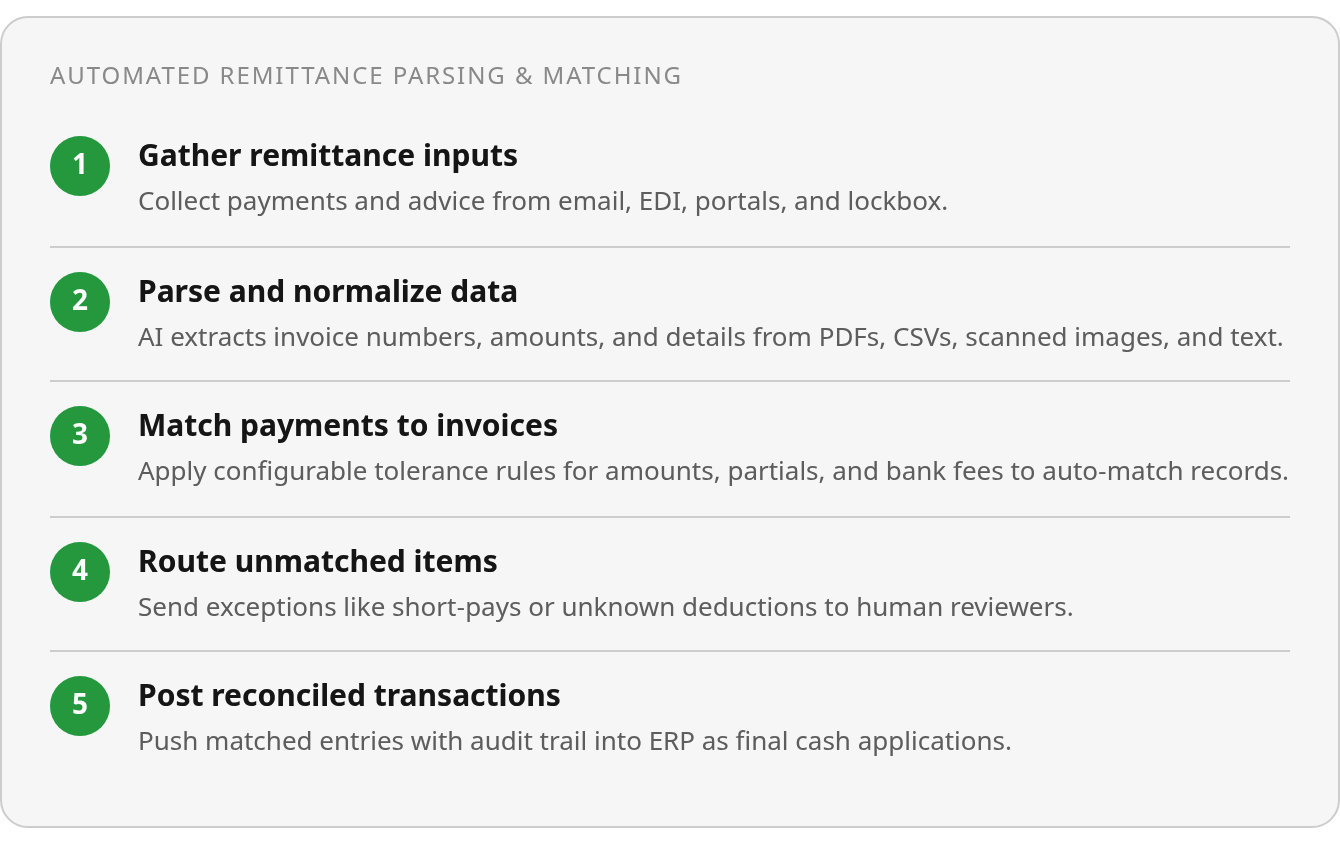
Augment your ERP with a specialized remittance-parsing and matching layer. The ERP holds your invoice ledger and posts the final reconciled transactions. The matching layer sits in front of it. It ingests remittances from email, EDI, bank feeds, and customer portals. It normalizes the data, matches it against open receivables with tolerances for bank charges and partial payments, and routes anything ambiguous to a human reviewer. That architecture keeps your ERP as the system of record while solving the format and channel problem that breaks native cash application.
Why Partial Payments Slip Through Matching Logic
When a customer sends $47,318 to cover 47 invoices across three subsidiaries, your matching logic either handles it line by line or it creates a manual queue. The structural problem is the same in every partial-payment scenario: accounts receivable automation breaks the moment remittance data requires interpretation beyond exact amount and reference matching.
Most matching engines rely on a narrow set of identifiers: invoice number, customer name, exact dollar amount. When remittance arrives in a format the system wasn’t built to parse, or when a customer underpays by 3%, the payment lands in a suspense account and someone on your team bridges the gap manually. That reconciliation gap grows with every new payment channel and customer, because partial payments, split allocations, and deductions all require rules that standard ERP matching can’t express.
Timing and Tolerance Windows Matter
The order in which payment and remittance arrive is a failure point that systems handle inconsistently. Different platforms take different approaches. Some accept remittance over extended periods and match regardless of arrival order. Others require stricter sequencing.
Lookback windows prevent premature exceptions. A wire transfer that hits your bank account on Monday may not deliver its remittance PDF until Wednesday. If your matching engine flags that payment as unmatched on Tuesday, you’re creating work that a 72-hour window would have resolved automatically. The alternative—forcing someone to manually retrieve and apply the remittance three days later—compounds when you’re processing hundreds of payments a month.
Payment discrepancy ranges absorb the rounding differences and foreign-exchange variance that rigid matching treats as failures. When a customer pays $997 against a $1,000 invoice because their bank deducted a $3 wire fee, a system with no tolerance threshold flags it as a $3 shortfall. A configurable range that accepts ±1% auto-applies the payment and records the $3 as a bank charge, matching the original $1,000 without manual intervention.
Split Allocations and Negative Remittances Break Rule-Based Matching
One payment covering multiple invoices is straightforward when the remittance lists every invoice number and amount. It becomes a matching failure when the customer sends a bulk wire with a memo line that reads “March invoices” and you have 22 open March invoices. This split-payment problem amplifies in EDI 820 workflows, where a single remittance file can reference dozens of line items across subsidiaries, but the system can’t parse the file structure because the sender uses a field separator the receiver’s ERP wasn’t configured to expect.
Negative remittances—where a customer claims you owe them money—require out-of-band communication that no matching rule can encode. Unapplied credits, write-offs, and deductions that customers take without prior authorization all create the same manual queue, because the matching logic has no instruction for what to do when the remittance reference is valid but the amount doesn’t match any open invoice.
Partial payments sit in suspense until someone decides whether to apply them against the oldest invoice, hold them until the balance arrives, or escalate them to collections. Systems that allow line-item matching keep the clean portion moving while isolating the unresolved balance for review. That distinction matters when you’re processing thousands of payments, because the backlog grows precisely as payment channels and customer count increase, capping throughput by headcount rather than transaction volume.
Practical Fixes: AI-Enhanced Parsing & Smart Matching
The parsing layer sits between your bank feeds and your ERP. It reads remittance data in formats your system doesn’t support, and it matches that data against open receivables even when the references are incomplete or the amounts don’t line up exactly. Customers may pay across ACH, wire, lockbox, and payment portals while sending remittance advice as PDFs, Excel attachments, emails, or EDI 820 files. Without a translation layer, those inputs remain separate fragments instead of a posting-ready cash application record.
What an AI-Enhanced Parsing Layer Actually Handles
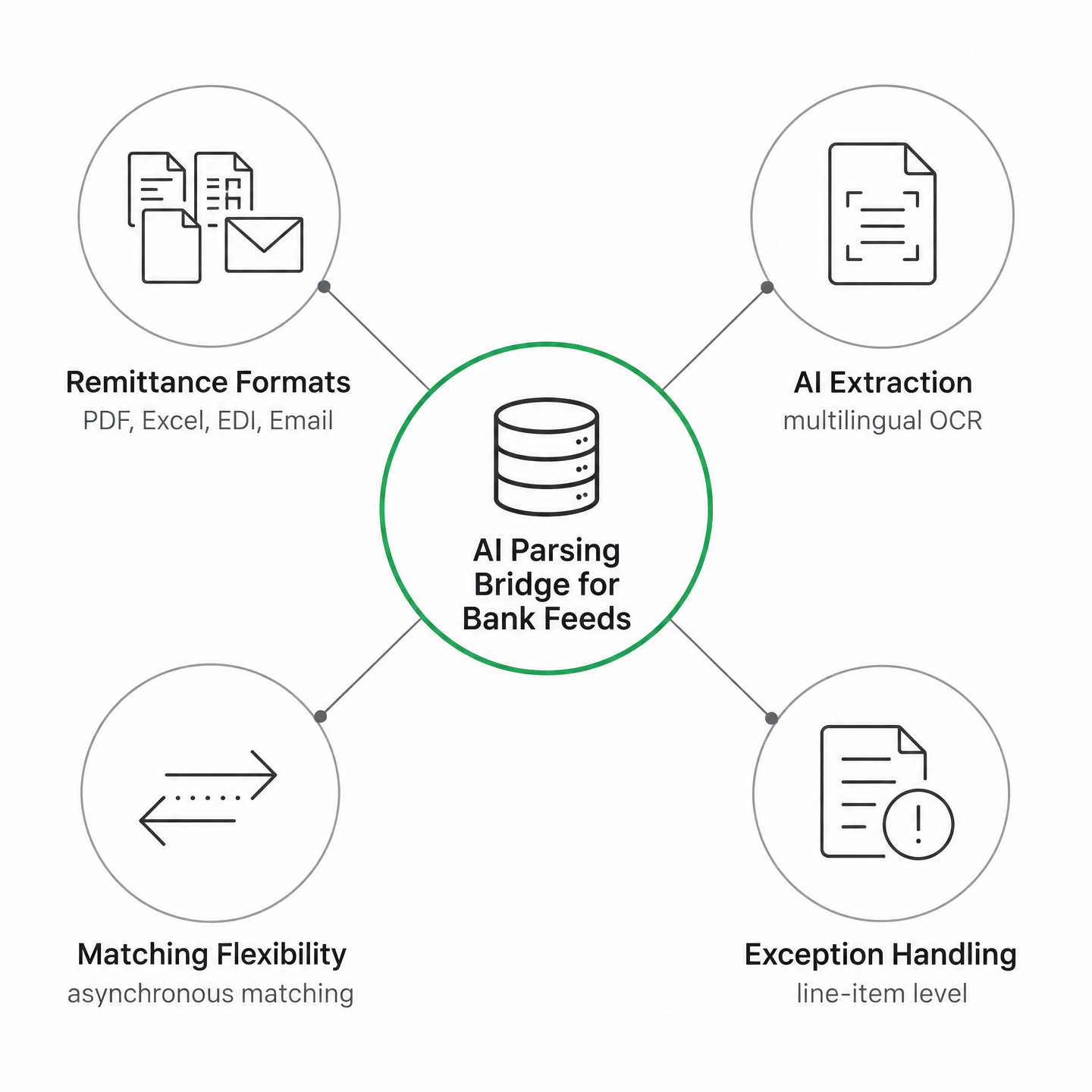
A capable parsing layer supports CSV, Excel, PDF, scanned images, and plain text files. It should handle multilingual documents without manual configuration, so a remittance advised in Mandarin reconciles the same way as one in English. OCR extracts line-item detail from scanned check stubs or photographed invoices. AI extraction reads unstructured email bodies and identifies invoice references buried in payment memos or subject lines, linking them to the payment by sender, subject line patterns, or amount matching even when the customer didn’t include an invoice number.
Arrival order shouldn’t determine whether the workflow succeeds. Some systems require remittance-first to avoid next-day application delays. Better ones support asynchronous matching, using remittance data whether it arrived before, after, or simultaneous with the payment. That flexibility absorbs timing chaos that would otherwise create a manual queue.
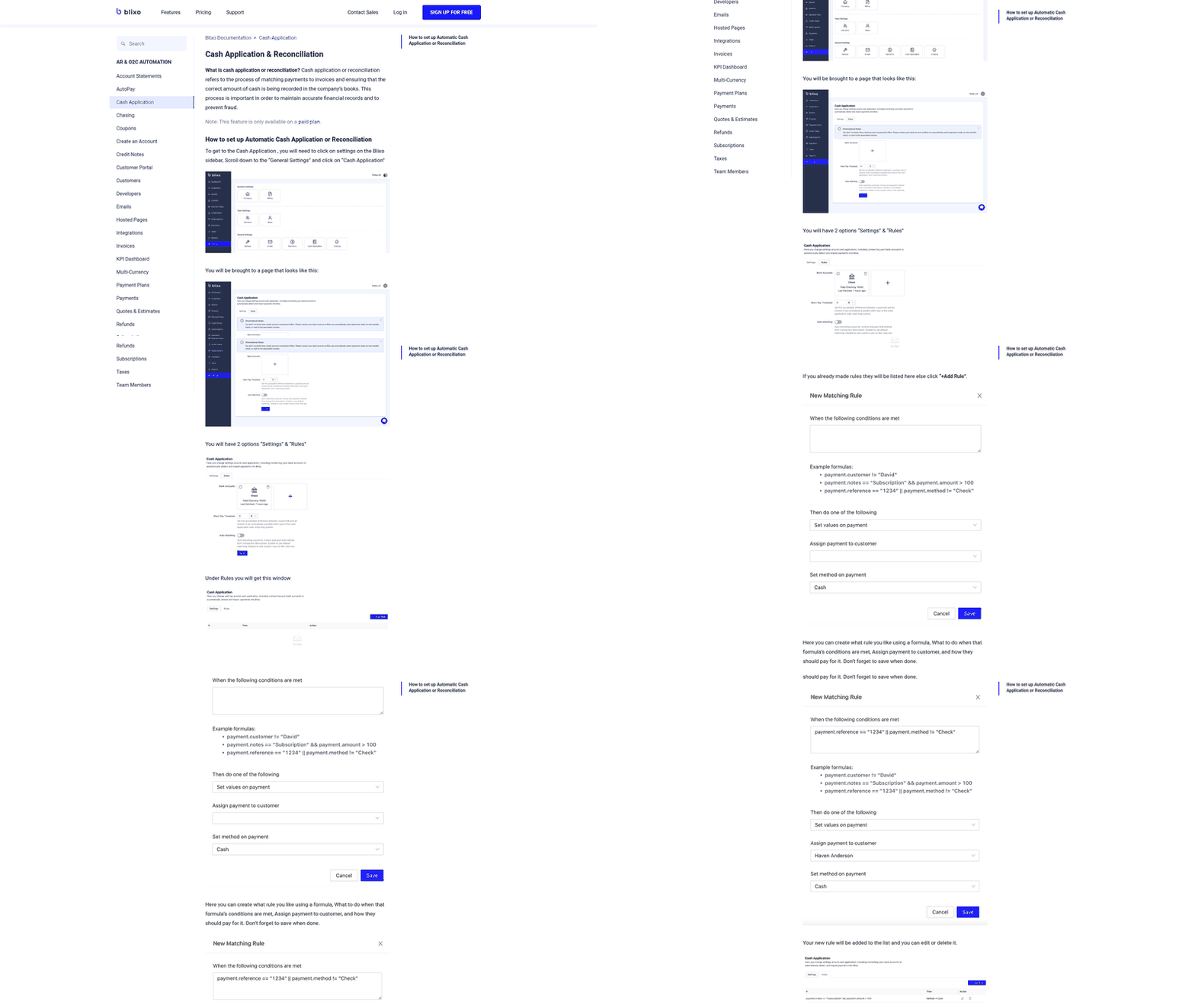
The matching logic itself needs configurability, not just rigid rules. You set the anchor—typically the open invoice or receivable—and the documents that reconcile against it. Where the cleanest identifier is missing, the system should fall back to a second variation: matching on customer name and amount when the invoice number is truncated, with fuzzy matching to resolve entity-name variance so “ABC Corp Ltd” still matches “ABC Corporation Limited.” Configurable tolerance ranges let you absorb rounding differences, foreign-exchange variances, and small deductions rather than flagging every three-cent discrepancy as a failure.
Handling Split Payments, Bank Charges, and Deductions
The real differentiation shows up in how the system handles exceptions. A wire that covers twelve line items across three purchase orders needs automatic distribution keyed to the remittance detail, not a manual allocation spreadsheet your AR team rebuilds each week.
Partial payments, short payments, and underpayments with deductions should match at line-item level. When a customer pays four invoices in one transfer and short-pays one line, only the genuine shortfall gets flagged for review.
Known deductions should become structured rules, not recurring surprises. An item that can’t be matched yet—a payment waiting on a credit note—should be held and re-evaluated when the missing document arrives rather than forced into a suspense account or written off. Line-item evidence and discrepancy explanations need to surface in a single reviewer view, so your team resolves exceptions with the invoice, the line, and the rule that broke, instead of chasing documents across inboxes.
Automation in cash application reduces the time it takes to apply cash from days to hours. When you automate remittance parsing and matching, you catch deduction patterns that would remain hidden in manual spreadsheet workflows, and you surface invalid deductions that can quietly erode revenue without a structured process to identify and recover them. The matching layer becomes a diagnostic tool, not just a data-entry replacement.
The parsed, matched data flows back to your ERP or treasury system through pre-built integrations or API, with the full audit trail attached. The reconciled result can carry a signed record so the receiving system confirms the applied figures weren’t altered after the parsing layer produced them. The system should distinguish between confident matches and those requiring human review rather than maximizing the automation rate. A match that’s wrong damages collections accuracy and customer trust more than a match that waits for confirmation.
Implementation Checklist & Success Metrics
Configure tolerances, define escalation paths, pilot on high-volume customers, validate posting accuracy, then monitor touchless rates and DSO change weekly. Manual queues stay. The goal is faster review, not zero review.
Set Tolerances and Escalation Thresholds
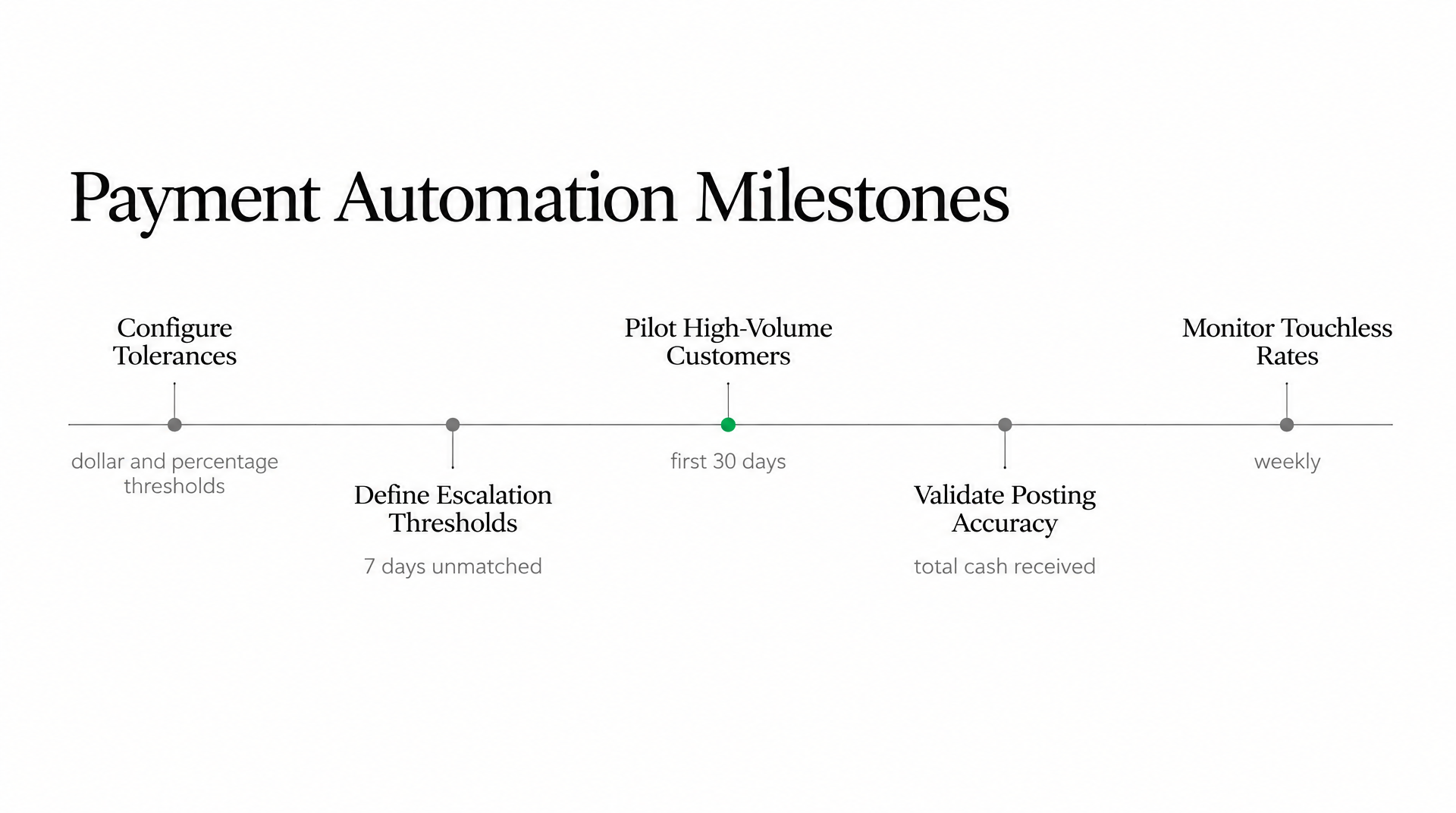
Start by defining the dollar and percentage thresholds that control which payments post automatically and which land in a review queue. Your thresholds depend on your average invoice size and how often customers short-pay.
Deduction thresholds work the same way: payments more than a certain percentage under the invoice amount get flagged for collections review rather than written off silently. Build separate rules for promotional discounts versus disputed charges. Each needs different handling and approval workflows.
Remittance age matters too. Set a time-based escalation: after 7 days unmatched, notify AR; after 14, escalate to collections.
Pilot High-Volume Customers, Validate Output, Define Exception Queues
Run the first 30 days on your ten highest-volume customers. Map their remittance formats—EDI 820, email PDF, Excel—into your parser, configure tolerance rules, and let the system match. Check every auto-applied payment manually during the pilot. Compare what the system posted against what should have posted. Adjust thresholds where the logic was too aggressive or too conservative.
Validation means more than spot-checking matched payments. Confirm total cash received equals posted applications plus write-offs plus bank charges. Test split-payment allocations where one wire covers fifteen invoices. Verify that remittance-before-payment and payment-before-remittance both resolve correctly. Reconcile your exception queue balances back to the ERP’s unapplied cash account daily. Invalid deductions can leak meaningful revenue if you don’t catch them systematically.
Define what belongs in each exception queue. Partial payments under policy? Route to collections for follow-up. Missing remittance after 7 days? Flag for customer outreach. Deductions over a defined threshold? Hold for finance approval. Clearing exceptions quickly is what drives DSO improvement, not just matching clean payments faster.
Measure Touchless Rate, DSO, Deduction Leakage, and Parsing Accuracy
Track touchless posting rate weekly: the percentage of payments that matched and posted without human intervention. Your starting benchmark depends on how consistent your customers’ remittance formats are. If you’re stuck at a low rate, the bottleneck is either tolerance settings or remittance quality, not the matching engine.
Monitor manual-match volume separately. Every payment that lands in the review queue represents time your AR team spends bridging gaps the system couldn’t close. Volume rising? You’re either adding customers with messier remittance or your thresholds are too tight. DSO change is the lagging metric: if touchless rates climb but DSO stays flat, you’re matching faster but not collecting faster.
Deduction leakage is revenue you wrote off that should have been recovered. Pull a monthly report of all write-offs under a defined threshold. Sort by customer. If the same customer short-pays every invoice by a consistent percentage, that’s not a bank fee. It’s an unauthorized discount, and your rules should stop treating it as routine variance. Track parsing accuracy over time: how often the system extracts the correct invoice number and amount from remittance. Measure average resolution time for exception queues. If payments sit unmatched for weeks, your process needs tighter SLAs, not better software.
Change-management communication matters more than most finance teams expect. Explain to AR staff which payments will auto-post, which exceptions still need review, how deductions route to collections, and what the KPIs mean. If your team doesn’t trust the system’s matches, they’ll rekey everything manually and your automation rate stays at zero.
Still Wondering?
What happens when a customer short-pays by a small percentage like 2% or 3% for bank fees?
The answer depends on whether your matching rules recognize the reason for the variance. If the fee is predictable and within policy, it should be coded to the appropriate adjustment account during cash application. If it is unexplained or outside tolerance, it should route to review so the team can decide whether it is a legitimate bank charge, a customer deduction, or an unauthorized discount.
If remittance arrives two days after the wire transfer hits my bank account, will the payment still match automatically?
It can, but only if the cash application workflow is designed to hold unmatched deposits long enough for the supporting advice to arrive. The important implementation choice is not simply speed; it is avoiding unnecessary exception creation when the missing document is likely to appear through email, EDI, a portal export, or a lockbox feed shortly after the money posts.
How do I handle one wire covering fifteen invoices when the customer only references “March invoices” in the memo line?
Treat the memo as a clue, not as sufficient posting evidence. The system should look for supporting remittance detail from the customer’s usual channel and use that detail to allocate the payment. If no invoice-level support exists, the payment belongs in a focused exception queue where AR can request clarification instead of guessing and risking a bad application.