

AR Automation ROI: Calculate Hours Saved When Collections Run Without Phone Calls

The Short Version
Manual collection calls lock AR teams into reactive mode: you chase whoever made it to the top of today’s call queue, not the accounts that matter most. Automation turns customer outreach from post-mortem dunning into continuous communication that starts before invoices go late. Manual follow-up makes cash forecasting a guess; automated workflows create the audit trail phone logs never could. For subscription businesses, catching failed payments before cancellation saves both AR hours and the customer-success time you’d otherwise burn on winback.
Quick Summary
In short: If collection calls eat your AR team’s day, automation cuts manual work while tightening DSO and making cash flow predictable.
Manual collection calling isn’t just slow admin; it’s a dependency on human availability. AR teams fall behind—some by months. The deeper operational issue: communication kicks in only after invoices are already late, so the cash cycle already lost momentum.
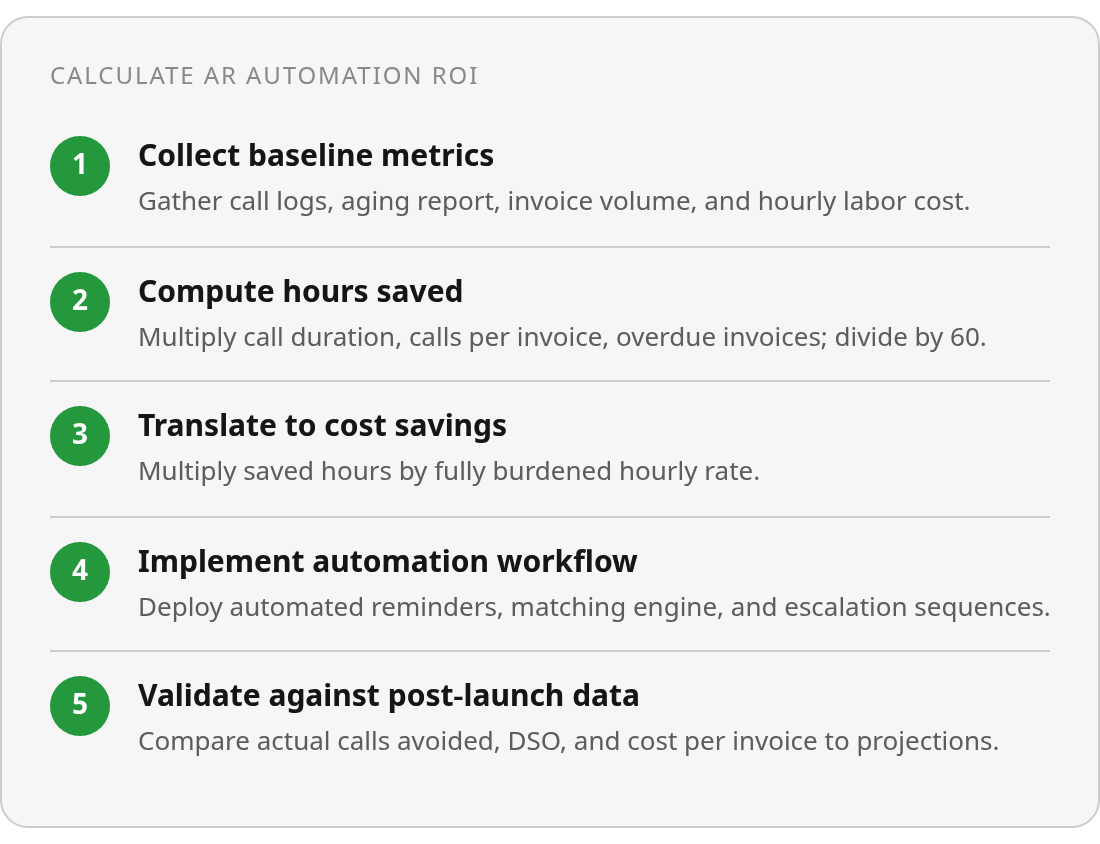
Size the labor savings this way. Pull call logs or time tracking to get average collection-call length, including hold time, voicemail, and data entry. Check your AR aging report for the percentage of invoices that go overdue. Multiply by monthly invoice volume and average collection attempts per overdue invoice, including repeats and escalations. Use your fully burdened hourly cost from payroll, not a salary survey.
| Metric | Your Company Value | Source | Calculation | Result |
|---|---|---|---|---|
| Average call duration (minutes) | [From call logs or dialer data] | Internal time tracking | — | — |
| Calls per overdue invoice | [From collections history] | AR team records | — | — |
| Monthly invoice volume | [From AR aging report] | Accounting system | — | — |
| % invoices that go overdue | [From AR aging report] | Accounting system | — | — |
| Fully burdened hourly cost (AR staff) | [From payroll or finance] | Internal finance data | — | — |
| Projected monthly hours saved | — | — | (Call duration × Calls per invoice × Monthly overdue invoices) ÷ 60 | [Hours] |
| Monthly labor cost saved | — | — | Hours saved × Hourly cost | [Dollar amount] |
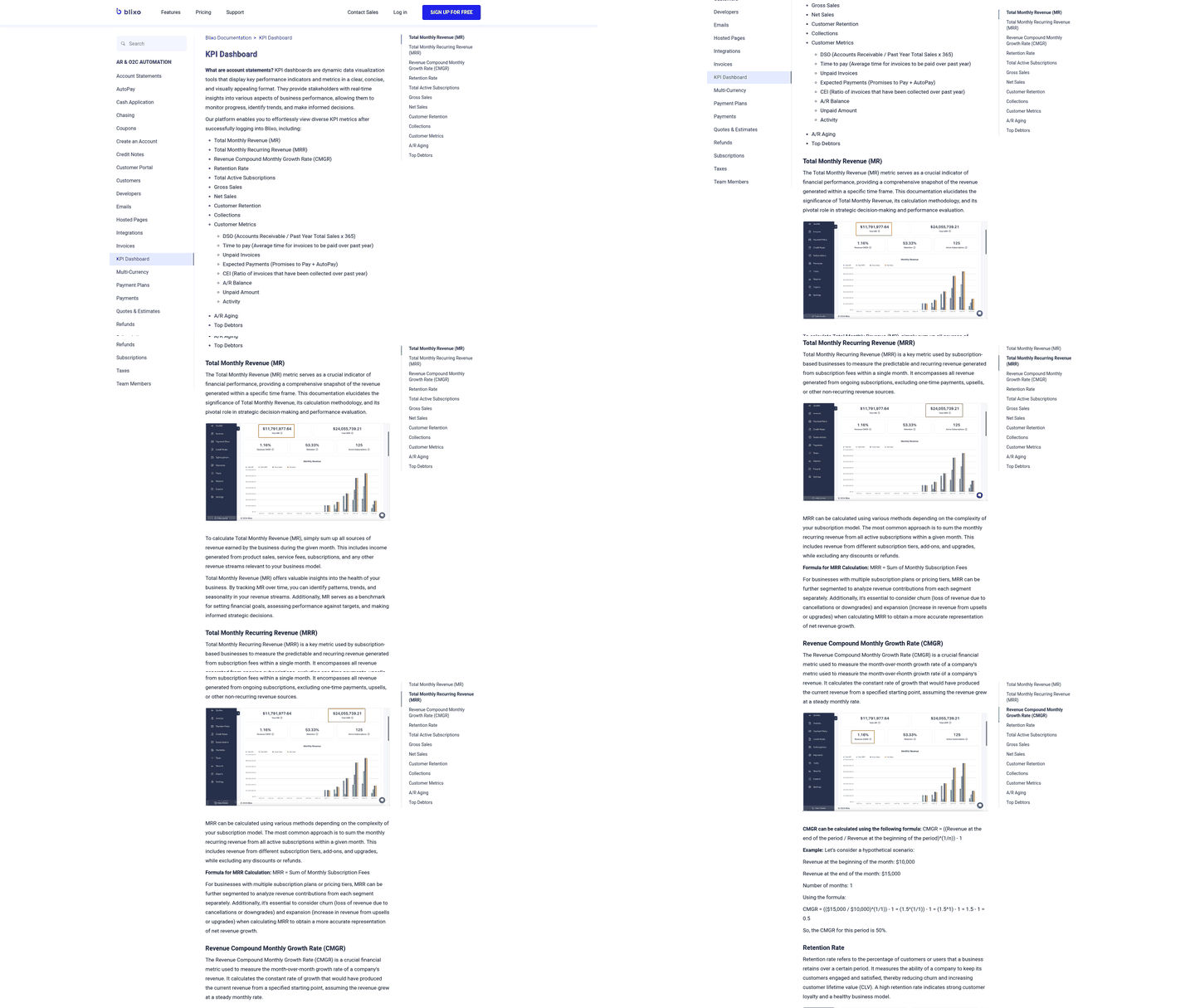
The biggest lever: cutting manual collection time. AR automation can substantially reduce hours spent chasing payments. That time isn’t only labor cost; it changes the receivables rhythm so billing, reminders, payment links, and follow-up happen on schedule instead of waiting for someone to clear the call queue.
For SaaS and services teams, extend the model beyond AR labor. Map where payment failures create downstream work, then include only what you can support with internal data.
Why skipping phone calls changes receivables
Manual calls make performance calendar-dependent. If collectors are busy, out, or focused on high-value accounts, routine follow-up slips—some accounts get careful attention, others wait until aging reports make them impossible to ignore. That’s queue management, not collections strategy.
DSO and cash flow
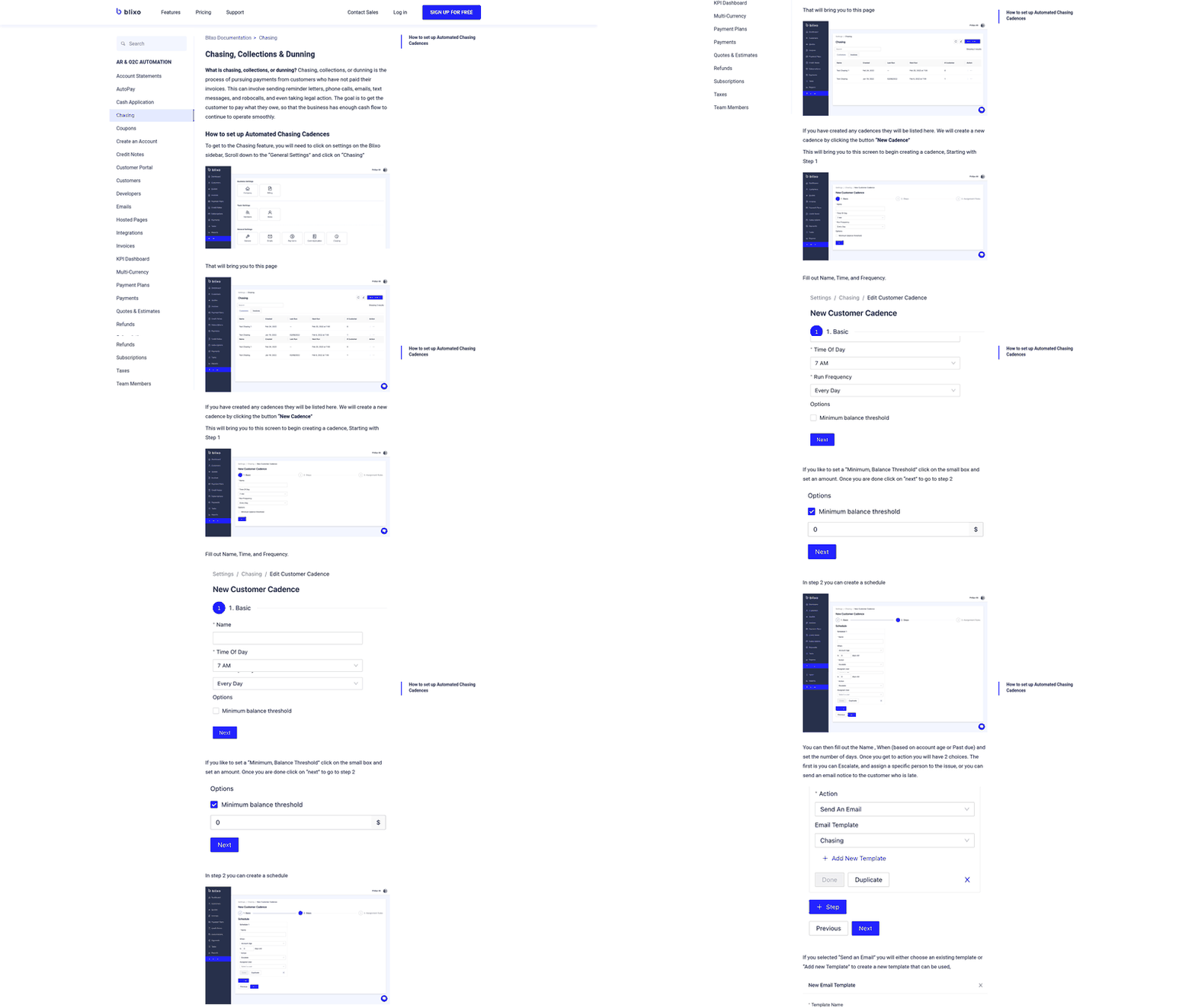
Faster collections make cash forecasting more predictable. When payment cycles depend on individual follow-up habits, your working capital forecast inherits those inconsistencies. Blixo’s automated collections create a standardized record across reminders, responses, payment activity, and escalation steps.
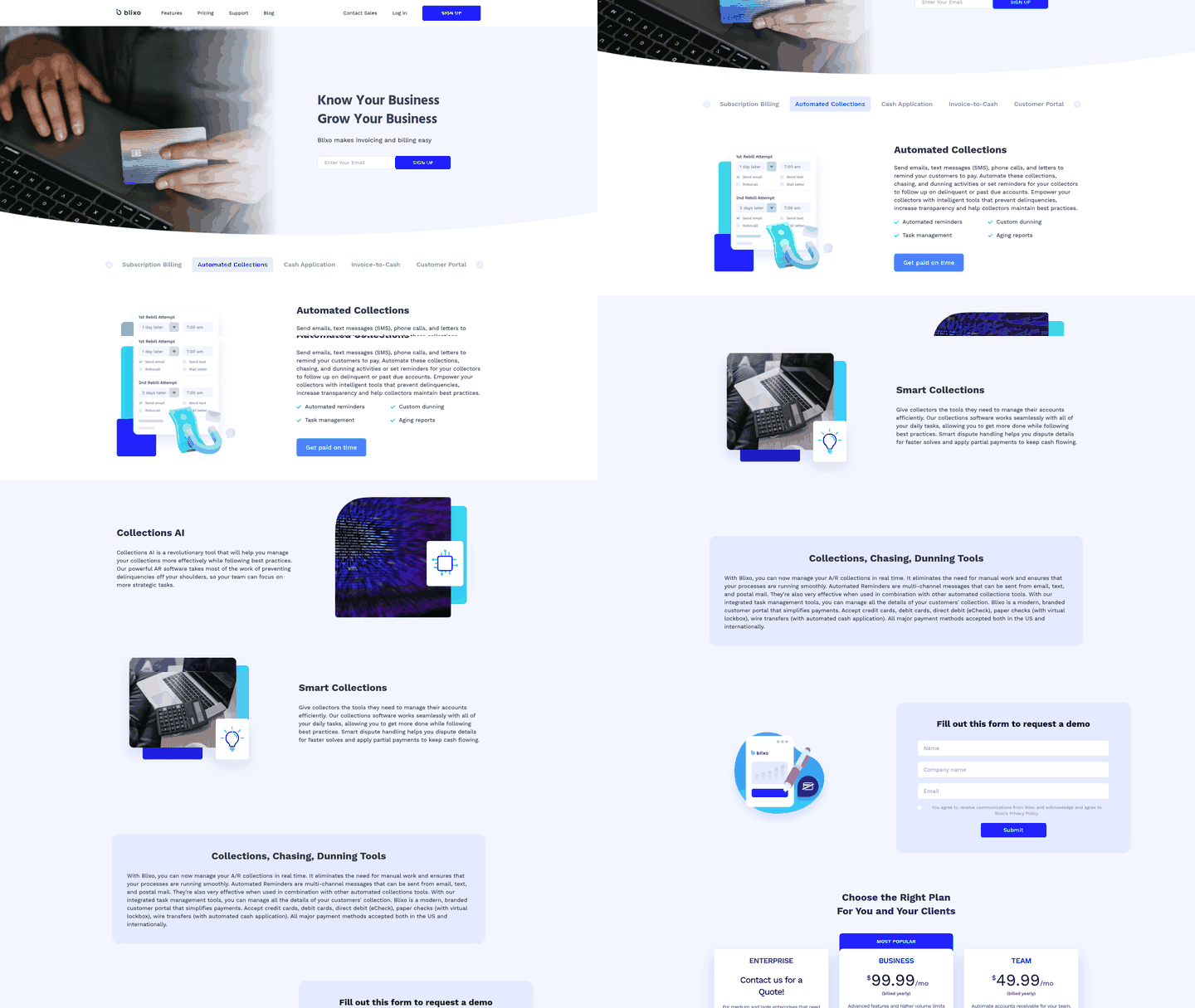
Blixo’s intelligent matching engine and automated reminders accelerate invoice-to-payment. When payments arrive, the system matches and reconciles them without manual work, so routine flow no longer waits on a collector to log outreach and update the aging report.
Customer experience and team retention
Every collection call risks turning routine payment into an interruption. Automated reminders—email, text, phone, or letter—keep payment communication consistent and professional, and they can start before invoices go late. Internally, collection calls chain your team to desks during business hours. Automation handles routine follow-up and lets collectors focus on higher-value work.
Calculating hours saved
Labor savings from AR automation are measurable, repeatable, and often larger than expected. You’re recovering blocks of time your AR team can redirect toward payment-pattern analysis, credit-policy refinement, and relationship work automation can’t handle.
Baseline equation: Hours Saved = Number of avoided collection calls × average minutes per call ÷ 60. If your team makes 200 collection calls monthly at 8 minutes each, that’s roughly 27 hours per month. Automation that eliminates 80% returns 21 hours.
The real number sits higher than call duration suggests. Most collection calls need prep: pulling invoice history, reviewing emails, checking ERP payment status, scanning for disputes. If time tracking or AR logs capture that setup work, factor it in.
Segment by customer type
Not every avoided call saves the same time. A routine 30-day follow-up to a reliable customer takes less effort than a 60-day escalation on disputed line items across multiple invoices. Blanket averages can understate ROI for high-maintenance accounts or overstate it for low-touch relationships.
Segment by payment behavior, invoice value, aging bucket, or product line. Savings skew toward high-effort accounts where your team spends the most time researching context before picking up the phone. Automation also changes which invoices are economically practical to pursue, covering small accounts that used to be too expensive to chase manually.
What the saved hours are worth
Use your fully burdened labor cost, not market averages. Pull current AR salary data, add benefits, payroll taxes, and allocated overhead—office space, software licenses, manager time.
Labor cost avoided and productivity enabled
Multiply hours returned by your burdened rate to get direct labor cost avoided. That’s defensive ROI.
The offensive case is harder to quantify but more valuable. When collectors stop working the phone queue, they shift to payment-pattern analysis, credit-policy refinement, and early intervention. Model this as incremental output: your three-person team now handles the volume you’d need four people to manage, or as earlier intervention that prevents write-offs costing far more than the labor saved.
DSO improvement and working capital release
A few days of DSO reduction releases working capital. If you bill $5 million annually at Net 30 and actual DSO sits at 45 days, you're carrying roughly $616,000 in receivables. Drop DSO to 36 days and you pull $123,000 back into cash—liquidity you can deploy without borrowing or dilution.
Cost per invoice and compounding effect
Manual invoicing and collection requires multiple touches: generating, emailing, following up, taking calls, posting, reconciling. Calculate current cost per invoice from time spent on each step, then model the reduction tied to invoice volume. Savings also include error remediation: automated matching surfaces discrepancies in real time instead of weeks later during month-end close.
Building the CFO-ready business case
Build the case around three separate benefit lines, not one blended efficiency number.
| Benefit category | What to calculate | Formula | Source |
|---|---|---|---|
| Direct labor saved | Avoided collection/admin hours × fully burdened AR rate | Avoided calls × minutes per call / 60 × burdened rate | Call logs, payroll |
| Working capital unlocked | Cash released from DSO reduction | (Annual revenue / 365) × DSO days reduced | AR aging, ERP |
| Retention revenue protected | Failed-payment or involuntary churn prevented | Recurring revenue exposed to failed payments × % churn prevented you can support internally | Dunning/payment failure data |
Start with hours saved and burdened labor rate, layer in DSO, cost per invoice, and productivity gains, then subtract software cost and calculate payback. Model low, base, and high cases rather than claiming revenue uplift without data. If historical bad-debt write-off data exists, include it. Use your own write-off percentage, not an industry average.
Tracking what actually improved
Start with a baseline: average monthly collection calls, hours per call including prep, DSO, cost per invoice, aging-bucket distribution, and percentage of accounts requiring manual follow-up. Measure the same post-launch. The gap is your realized gain—only if you measure the same way both periods.
Metrics that matter for subscription businesses
Track calls avoided, time saved, DSO reduction, cost per invoice, outreach volume, payment predictability, and finance-team productivity.
Payment predictability matters most for SaaS and recurring revenue. Automated dunning sequences and payment links show which customer segments respond to which triggers at what cadence. A concrete failed-payment scenario: a card fails before renewal; automated dunning sends a payment-link reminder while the invoice is current. Payment updates without a collector call or a cancellation notice reaching customer success. Without automation, that failure surfaces only after cancellation: AR spends time chasing, then customer success spends more on winback. The avoided cost includes the collection hour, the winback workload, and the revenue that would have been lost if the customer churned. Include this retention line only when you can tie it to internal payment-failure data.
Don’t assume dashboard definitions match your business case. Some platforms count “reminders sent” without distinguishing first-reminder payers from five-reminder ignored accounts; others count “calls avoided” even when the account paid late. Verify those definitions and track aging-bucket migration to see whether automation is preventing deterioration or actively improving collections.
Measurement mistakes
Most common pitfall: assuming every avoided call produces payment. Some accounts still go unpaid. Once an account passes 90 days, it has likely seen every reminder in your sequence. Move it to a collector-led exception queue or agency escalation; don’t keep it on the same automated cadence. That’s not an automation failure—it’s the boundary where scheduled reminders stop working and judgment takes over.
Another mistake is ignoring unresolved accounts in 30-, 60-, and 90-day buckets. If automation eliminates 200 calls but 40 accounts remain at 60 days, you’ve only deferred part of the workload. Include the hours your team still spends on those accounts or you’ll overstate ROI.
Also, don’t undercount the baseline. Pre-automation calls include account history checks, dispute review, prior promises to pay, and documentation. Excluding those steps understates manual workload. And don’t mix one-time implementation effort with recurring savings; separate setup costs from run-rate costs or you’ll understate payback.
The CFO-focused ROI narrative
Lead with the baseline problem—manual calls consumed X hours monthly at $Y per hour, DSO sat at Z days, cost per invoice was $W. Then describe the change: dunning sequences, payment-link outreach, worklists, and electronic invoicing reduced phone dependency. State hours saved, dollarize with actual labor rate, and show DSO and cash-flow improvement. Present platform cost, payback period, implementation risks, and sensitivity cases.
That structure mirrors how CFOs evaluate capital investments. It’s not enough to say “we saved 20 hours monthly”; connect those hours to faster cash, lower operating cost, and working-capital improvement. Research on AR automation platforms shows meaningful DSO reductions and ROI, though results vary. Organizations with high AR automation report an average DSO reduction of 41%, and one study found 384% average ROI with a 9-month payback. Verify your own performance rather than relying on benchmarks.
Scaling by expanding automation footprint
Scale only what you’ve proven works. Add customer segments to dunning sequences, extend payment-link outreach to long-tail accounts, refine worklists, integrate electronic invoicing, and improve cash-application matching. If automation reduced DSO by 15% for North American customers, European expansion requires its own pilot because payment behavior, dunning tone, and regulation differ by region.
Run sensitivity analysis before you commit
Run low, base, and high cases across call volume, call duration, prep time, labor rate, adoption, and calls avoided. Percentage of calls avoided and labor rate are usually the highest-impact variables. Model fee increases, slower adoption, or lower response rates before expansion. Include implementation timeline and change-management costs; a rollout that took 8 weeks and 120 internal hours won’t automatically scale linearly across regions.
FAQ
1. How do I calculate the actual cost per collection call when my team doesn’t track prep time separately?
Start with average call duration from logs, then observe a small sample of real collection work to capture account review, invoice lookup, notes, and follow-up tasks. Add that measured time to call duration, then multiply by fully burdened hourly cost from payroll.
2. What happens to accounts that ignore automated reminders and still don’t pay after the full dunning sequence?
Move them out of routine automation into an exception workflow. Tag the reason—dispute, financial distress, missing information, or relationship issue—so your team can focus manual effort on the right next step.
3. Can I justify AR automation if my DSO is already below 40 days?
Yes, but the case may rest on operating efficiency. If your team maintains strong payment performance manually, calculate the monthly collection hours required to sustain that result and compare labor value against platform cost. For high-performing teams, automation preserves cash discipline while freeing staff for credit analysis, dispute prevention, and exception handling.
4. Should I measure ROI differently for subscription businesses versus project-based invoicing?
Yes. Subscription businesses should include operational cost from recurring payment failures and customer lifecycle risk. Project-based invoicing should emphasize predictable cash flow, cleaner reconciliation, and fewer manual touches. The same ROI framework applies; the benefit categories carry different weight.