

Sage AR Automation 2026: Cloud Invoice Process Steps That Cut Manual Work by 70%

TL;DR
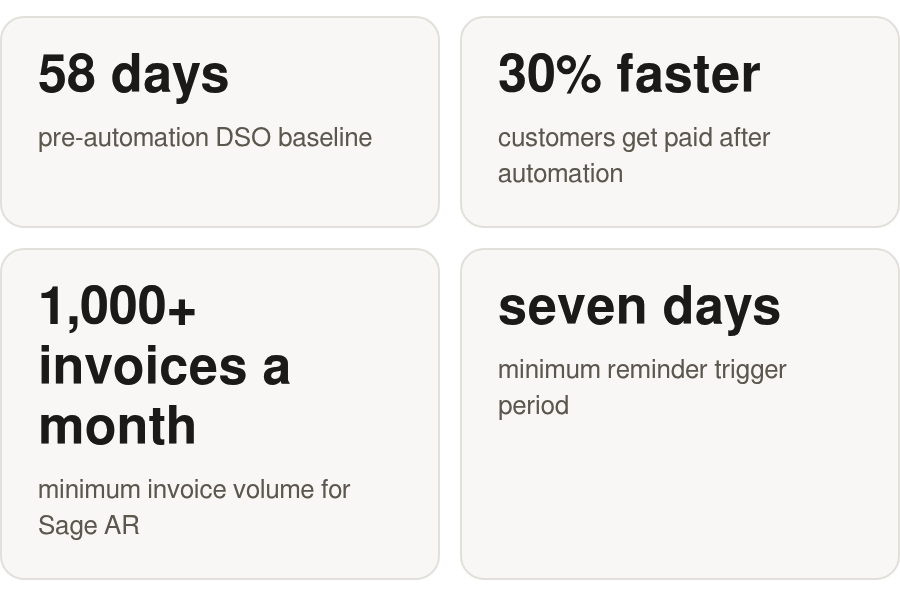
Cloud AR automation pulls the invoice-to-cash process out of five disconnected manual stages and wires them into one flow: generation, delivery, collections, payment, and reconciliation. Sage can cut manual AR effort right up to the moment a payment lands, but post-payment cash application can still eat hours of matching work. DSO baselines vary by business, and vendors may cite faster payment after automation, but results depend on customer behavior and terms. Mid-cycle upgrades, proration, failed-payment retries, and dunning attempts all create payment events that don’t map one-to-one to the original invoice lines. Some Sage releases include electronic payment and reconciliation capabilities, but split payments and proration can still leave manual rework behind. Automating collections speeds up your internal workflow. It does not change how long a buyer sits on a net-30 or net-60 invoice before paying.
Quick Summary
Automating accounts receivable comes down to turning a fragmented invoice-to-cash workflow into one connected system. In 2026, that means invoice creation, customer delivery, reminder logic, payment capture, and reconciliation all pass data forward without anyone rekeying it. You get fewer manual touches, shorter queues, cleaner reporting, and fewer invoices vanishing into spreadsheets.
Scope is the whole game. Platforms like Sage can remove a lot of human effort from invoice creation and collection follow-up by standardizing templates, routing payment links, and giving finance a live view of receivables. But if the automation stops the second a customer pays, the most painful part stays: applying that cash to the right invoice, customer, balance, or line item.
The Manual-vs-Automated Workflow at a Glance
| Invoice-to-cash step | Manual effort | Automated effort | Time saved | Key tech |
|---|---|---|---|---|
| Invoice generation | Keyed by hand per customer | Recurring templates auto-fire | High | Sage Intacct recurring invoices |
| Delivery + tracking | Emailed, no read visibility | Auto-sent, open-tracked | Significant | Cloud AR / e-invoicing |
| Collections + dunning | Manual reminders, spreadsheets | Rule-based multi-channel chases | High | Sage AR Automation |
| Payment capture | Chase, log, deposit | Self-service portal, ACH/card | Moderate | Payment portal / processor |
| Cash application + reconciliation | Match remittances by hand | AI matching, auto-posting | High | Blixo cash-application layer |
Per-invoice cost is where teams miss the business case. Cloud AR tools get sold as enterprise-volume systems, yet SaaS companies feel the pain much earlier, because they issue repeat invoices with lower average values. When the invoice itself is small, every unnecessary human touch is expensive relative to what you’re billing.
Why Cash Application Makes or Breaks Full Automation
The post-payment step is where subscription finance gets messy. SaaS invoices don’t always settle as neat, single-payment events. A customer changes plans, takes a credit, retries a failed payment, or pays part of a balance. Those events have to match correctly before the ledger tells the truth.
Sage can handle recurring invoice generation and electronic payment workflows in many cases. But a subscription-heavy business needs matching logic that can read more than clean invoice-payment pairs. That’s where an intelligent matching engine fits: it can connect payments and balances back to invoices at both the envelope and item level, so exceptions stop bouncing back to finance as manual research. For how these pieces connect, see the guide on integrated invoice-to-cash applications in 2026.
KPIs Worth Watching Before and After
Four metrics tell you whether the shift is working. Each gets more detail later on.
- Days sales outstanding (DSO): watch whether receivables turn faster once the process goes live.
- Collection rate: total collected against total aging, the way your dashboards already report it.
- Reconciliation latency: time between payment received and invoice matched. Automation can push this toward same-day.
- Cost per invoice: track it and watch it fall as manual touches drop.
One caution up front: collection automation improves how your team operates, but changing buyer behavior may still take new terms, incentives, or payment options.
Why Sage AR Automation Matters in 2026
Finance leaders moved AR to the top of the list for one blunt reason. Cash that sits in unpaid invoices is cash you can’t deploy. Tightening the cloud invoice process frees that cash without hiring more people. And the pressure is coming from every direction. Subscription models generate more invoices per customer, B2B buyers expect self-service payment, and finance is being asked for real-time numbers instead of month-end guesses.
The case shows up the moment invoice volume, customer count, and subscription changes start compounding. Manual processing leans on people to notice exceptions, check payment status, send reminders, and keep customer records aligned. A cloud-based invoicing process cuts that dependency by moving repeatable AR work into rules, integrations, and system-generated events.
Why is AR automation a 2026 priority for CFOs?
Manual AR fails in predictable ways. Payments get tracked in spreadsheets, follow-up is inconsistent, and receivables age while working capital tightens. Automating invoice processing with OCR, AI validation, and approval routing gives finance a more reliable view of what’s owed, what’s been sent, and what still needs action.
Those are real operational wins. Invoice processing software that scales with your volume and integrates with your accounting system pays off in steadier customer relationships and fewer late payments. If your team is buried in approval routing, reminder emails, and status checks, automation stops being a convenience and becomes a control layer.
The distinction that matters is workflow speed versus cash strategy. AR automation removes avoidable labor, but payment timing may still hinge on contract terms, customer risk, procurement behavior, and available payment methods. A CFO should weigh both sides separately, not expect one tool to fix both.
What does a Sage-only deployment leave on the table?
This is where SaaS teams get surprised. Invoice and collections automation covers the front half of the cycle. Some Sage releases include electronic payment and reconciliation capabilities, which can help. But the messy part for subscription businesses lives after the payment arrives.
Subscription revenue creates accounting events that look simple to the customer and complicated inside the ledger. A plan change, retry, refund, credit, or currency difference can change how cash should be applied. If the system can’t connect those events back to the right customer balance on its own, finance ends up reviewing exceptions by hand anyway.
A dedicated cash-application layer on top of Sage can close that gap by absorbing subscription-specific payment complexity, so the post-payment step stops eating hours. For the deeper mechanics of tying payment matching into your billing stack, the integrated invoice-to-cash guide above walks through the tradeoffs.
For 2026 planning, put cash application in the original automation scope, not a later cleanup phase.
End‑to‑End Cloud Invoice Process Blueprint
A complete cloud invoice process runs as one connected flow. Order capture feeds subscription billing, billing generates invoices, invoices trigger delivery and collections, payments land, and cash application matches those payments back to open balances before anything hits reporting. The map matters because most SaaS teams wire up the early stages first and only find the reconciliation gap once exception queues start growing.
Follow the data in a straight line. A new deal closes in your CRM. That order becomes a subscription record. The subscription generates an invoice. The invoice goes out, a payment comes back, and the payment gets applied to the right invoice line. Sage Intacct’s AR module can post quotes, sales orders, invoices, adjustments, and payments once and flow them to the general ledger without duplicate entry. Blixo can be configured to run a similar pattern, generating recurring invoices from pre-populated items and customer data, then auto-billing against each customer’s preferred saved payment method.
Where Does a SaaS Platform Plug Into Sage?
The connection lives at the API and data-sync layer, not in a manual export. Blixo integrates with accounting software like QuickBooks, Xero, Sage Intacct, and NetSuite, and offers custom ERP integrations for Oracle, SAP, and Microsoft Dynamics, so invoice, payment, credit memo, and subscription records move directly between systems.
Three objects carry most of the traffic: the invoice and its lines, the payment or remittance event, and the credit memo for refunds and adjustments. A SaaS billing layer sits upstream of these, managing the subscription lifecycle and pushing finished invoices into Sage. The handoff works best when each object carries a stable external ID, so a proration credit or a retried charge lands against the same record on both sides instead of spawning a duplicate. That shared key is what keeps the sync two-way without drift between the billing system and the ledger.
Why Does Cash Application Break for Subscriptions?
Subscription billing introduces reconciliation problems that rarely show up in simple product billing. One customer account can generate credits, retries, adjusted balances, delayed settlements, and payments that arrive in a different sequence than the invoice events that created them. When the accounting system expects a clean pairing, those differences turn into exception handling.
This is the specific complexity that makes automated cash application a core requirement for SaaS. A B2B product company invoicing on standard terms may not hit it often. A SaaS company with recurring activity hits it constantly. An intelligent matching engine can close the gap by matching payments and balances to invoices from multiple sources, with an approval workflow that gets sharper as users correct edge cases.
Does Automation Actually Move the Cash?
Depends which part you mean. Automation moves work through finance faster. It sends invoices sooner, chases consistently, exposes overdue balances, and keeps paid invoices from sitting unmatched.
None of that guarantees every customer pays earlier. To move customer behavior, you need payment terms, portal convenience, discounts, deposits, or other commercial levers. The process layer builds the foundation; the cash strategy decides how much receivables timing actually shifts.
Automated Invoice Generation & Delivery
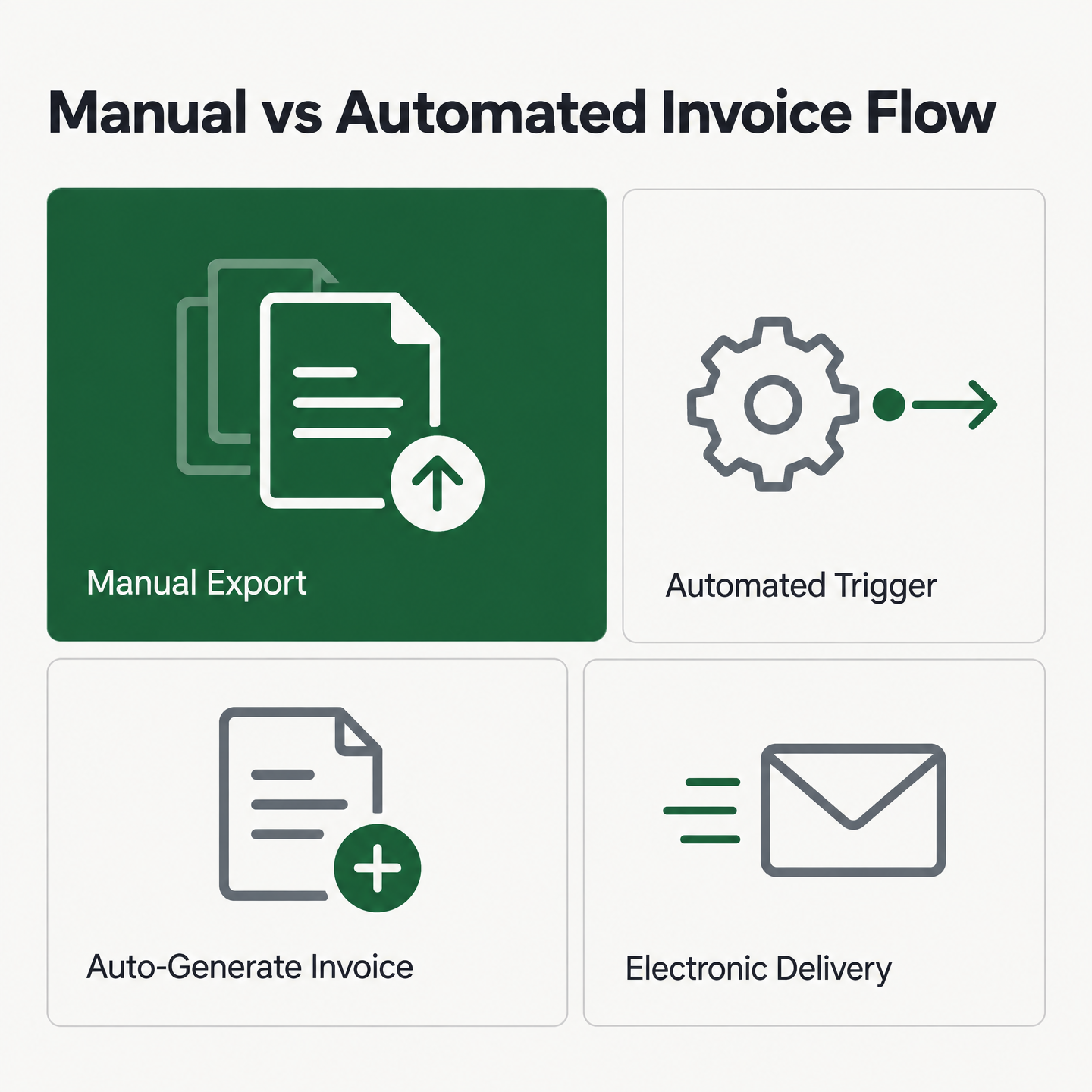
The first automated step in any cloud invoice process is turning a closed deal into a finished, sent invoice without anyone rekeying a line. Sounds simple until you watch how most SaaS teams do it: someone exports the order, opens a template, pastes in line items, checks the currency, and emails a PDF. Every one of those touches is a place for error and delay.
Automating generation collapses that into an event trigger. When a sale closes in your CRM, the subscription record creates the invoice, applies tax, and sends it. That initial invoice can then become a recurring invoice that bills on schedule, so a one-time setup keeps producing billing for the life of the account.
How Do Template Engines Eliminate Manual Data Entry?
A template engine pulls customer, product, and pricing data straight from your system of record. You define the layout once, and every invoice inherits branding, tax logic, and payment terms automatically. Sage Intacct can apply real-time sales tax calculations at generation and post each transaction to your general ledger and AR ledger without a second entry.
Recurring invoices are where this earns its keep for subscription billing. Set the cadence once, and monthly or annual invoices generate on schedule. That kills one of the biggest sources of manual AR volume for SaaS companies: repeat billing you’d otherwise recreate by hand.
The implementation detail to watch is data quality. Templates only work as well as the customer records, product catalog, and tax settings behind them. Feed inconsistent inputs in, and automation just spreads the inconsistency faster. Clean setup is what turns template automation into reliable scale.
What Delivery Methods Actually Get Invoices Paid Faster?
Electronic delivery is the default now, not the exception. Modern platforms can push invoices through a customer portal, magic links, and email, so buyers see what’s due and pay through a self-service portal that syncs back to your ERP. Done this way, finance gets a cleaner view of sent, viewed, disputed, and paid invoices.
Multi-currency and locale handling matter for anyone billing across borders. The system can accept payments in currencies beyond your default and support local languages based on the customer’s country. Time-zone-aware send scheduling helps too: an invoice that lands during a buyer’s business hours is easier to act on than one buried overnight, and automated reminders keep due dates visible without manual follow-up.
Where Does Cash Application Fit In?
Generation and delivery improve the quality of the upstream record. Cash application uses that record after payment arrives. If invoice lines, customer IDs, terms, and balances are structured cleanly at creation, the matching engine has better information to work with later.
That’s why Blixo sits downstream from invoicing but depends on upstream discipline. The matching engine can compare incoming payments and balances against invoice data from multiple sources, then learn from human edits over time. Get generation right and the downstream reconciliation step gets more predictable, less exception-heavy, and easier to automate.
Automated Reminders, Dunning, & Collections
Chasing overdue invoices by hand is where most finance teams quietly lose their week. A mature cloud invoice process fixes that by firing reminders on a schedule, escalating through dunning stages, and routing the stubborn accounts to a human only after the automation has done everything it can. The point is to save your team’s attention for the accounts that actually need judgment.
The payoff shows up in collection consistency. No invoice waits on someone remembering to follow up, and no account gets a wildly different message because a different person happened to own the chase. The limit is just as clear: once payment arrives, the process still has to apply that cash correctly, or the manual work reappears in a different queue.
Reminder Cadences Do the First Pass of the Chase
The foundation is a configurable reminder sequence. In Sage’s setup, a first reminder can fire on a rule such as an open balance past due by a set number of days, then repeat on a defined frequency until the invoice clears. You control the trigger conditions, the email template, and the follow-up interval per account or segment.
For SaaS billing, this matters because your reminder tone should differ by customer tier. A friendly nudge suits a self-serve monthly subscriber. An enterprise account may need a firmer, statement-style notice. Build those variants once and every overdue invoice gets the right message without anyone drafting an email from scratch.
Dunning escalates from there. Sage’s dunning notices can carry levels and track the amount overdue, last-sent date, and invoice count per notice, so an account that ignores level one automatically climbs to a sharper level two. That laddered structure is what turns collections from a person’s to-do list into a system.
The Cost Math Starts Working Long Before Enterprise Invoice Volume
Sage positions its AR product for businesses with meaningful invoice volume, which can make scale feel like a prerequisite. The per-unit math says otherwise. A manual collection call can cost far more in loaded staff time than an automated email that sends itself, and that gap can widen with every invoice you send.
For a SaaS company with frequent subscription billing and modest invoice values, manual chasing can turn uneconomic before the team feels “large.” If finance is already running follow-up out of inboxes or spreadsheets, the trigger for automation is process strain, not a vanity threshold.
Automation Speeds the Chase, Not the Payment Decision
Collection rules make your team faster and more consistent. They don’t, on their own, change a customer’s internal approval process, procurement calendar, or cash constraints. If a buyer is structurally slow to approve invoices, automated dunning may cut staff effort without fully changing receivables timing.
That’s why the handoff after collection matters. Reminders bring attention to the balance; cash application decides whether the payment can close cleanly once it arrives. For SaaS models with credits, upgrades, retries, and adjusted balances, an automated cash-application layer keeps those events from becoming manual exceptions. The integrated invoice-to-cash approach covers how that handoff works in practice.
AI‑Powered Cash Application & Reconciliation
Cash application is the step where a payment lands in your bank and someone has to figure out which open invoice it belongs to. For a product company selling discrete orders, the match is usually clean. For a SaaS business, it rarely is. This is the part of the process where promised labor savings quietly leak away, because unresolved payments still pile up on someone’s desk.
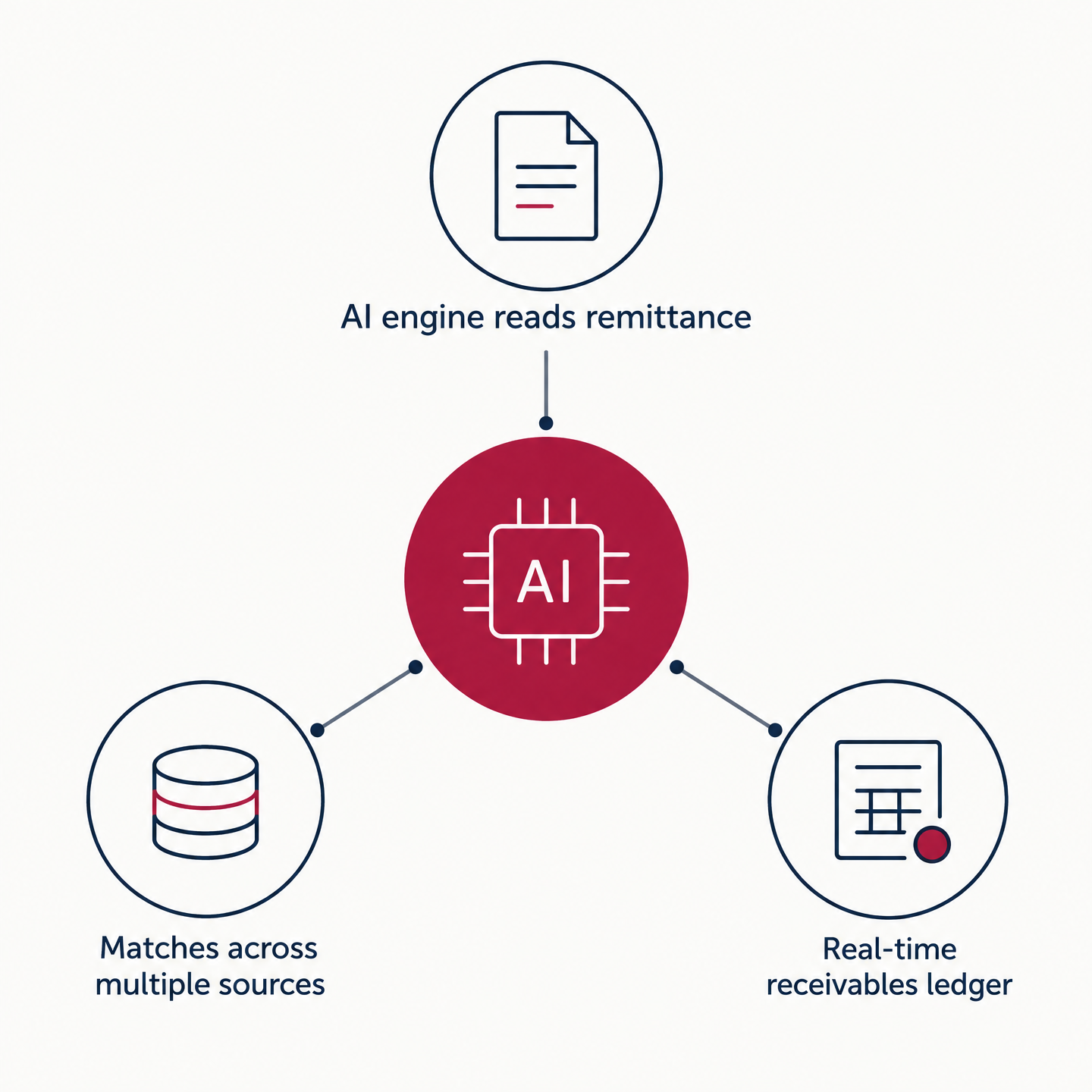
An AI matching engine can read the incoming remittance, compare it against your open receivables, and post the cash without a human touching it. That closes the loop the rest of the automated cloud invoice process tends to leave open: payment comes in, cash gets applied to the right line, and the entry posts to your general ledger in one pass. The harder the match, the more the engine earns its place. Remittances arrive as bank feeds, lockbox files, ACH batches, and card settlements, each formatted differently, and a matching layer that reads across all of them is what keeps the loop closed instead of dumping exceptions back into a queue.
Why Cash Application Has To Be In Scope
AR automation can streamline invoicing and collections, but the last mile is where finance feels the difference between “mostly automated” and truly hands-off. If a payment comes in but doesn’t get applied, the customer can still show as overdue, the aging report stays wrong, and someone still has to investigate.
That’s why automated cash application belongs in scope as a required layer. It can sit on top of the payment flow and handle the reconciliation work basic matching logic was never built to solve. It can deliver match rates at the envelope and item level from multiple sources, and it can improve as users correct matches. When that loop works, the manual residue left behind by earlier automation finally starts to disappear.
SaaS Payments Don’t Map One-To-One To Invoices
Subscription billing breaks the clean match in ways product billing rarely does. A customer may upgrade after an invoice is issued, retry a payment after a failed card, pay a combined balance, or settle in a currency that creates a different received amount. To the customer, the payment feels normal. To finance, it’s a matching problem.
A rules-based system struggles because the exception patterns vary by customer, contract, and timing. An AI engine can learn from corrected matches and start recognizing the shape of recurring exceptions. Each avoided exception saves another spreadsheet investigation, another aging-report discrepancy, another manual journal adjustment.
The cost case is strongest where transaction volume is frequent and invoices aren’t large enough to justify human handling. In a SaaS environment, even small reconciliation tasks get expensive when they repeat across the customer base month after month.
The Reconciliation Loop Feeds Real-Time Reporting
Cash application improves reporting because the ledger reflects what actually happened, not what someone had time to reconcile. When cash gets applied as it clears, finance can trust aging reports, customer balances, and open-receivable views all month long.
That real-time accuracy is the payoff finance teams underrate until they’ve lived without it. Clean reconciliation touches collections, customer support, revenue operations, and close quality. A matched payment isn’t just an accounting task ticked off; it’s the signal every downstream report depends on.
Integrated Subscription Management & Recurring Billing
Every subscription event is a billing event waiting to happen. A new sign-up, a mid-cycle upgrade, a downgrade, a cancellation, a usage spike. Each one changes what the customer owes, and each one has to flow into your invoicing engine without a person editing a spreadsheet. That’s where SaaS billing either stays clean or quietly drifts out of sync with reality.
Sage’s AR module can handle the front half well. It can support recurring invoices natively, which makes it a practical fit for subscription, contract, and repeat billing models. You can define billing schedules, set renewal dates, and let the system regenerate invoices on a fixed cadence without touching each one by hand. So the generate-and-collect side of a recurring cloud invoice process is solved. The complication shows up after the money moves.
Subscription Events Rarely Invoice Cleanly
B2B product companies often deal with a simpler pattern: order, invoice, payment, close. Subscription companies deal with living accounts. A customer can move between plans, take an adjustment, fail a payment, retry later, or carry a balance across cycles. Those changes create accounting noise if the payment layer can’t interpret them.
Sage’s AR engine is strong at producing recurring invoices and handling standard AR activity. What matters for SaaS is whether the surrounding stack can connect each subscription event to the right receivable outcome. Without that connective layer, finance still spends time explaining why a customer balance doesn’t match what the billing system says should have happened.
For subscription revenue, automated cash application is the piece that keeps account changes from turning into reconciliation work. It ties the recurring cycle back to Sage AR and gives finance a cleaner, more current view of what’s actually been settled.
Revenue Recognition Depends on the Match Being Right
Accurate recurring revenue recognition is downstream of accurate cash application. If an adjustment lands on the wrong invoice, or a recovered payment sits unresolved, your recognized revenue is wrong before it ever reaches a report. Manual corrections are slow and risky, especially close to month-end.
The rule we apply: whatever event changes the subscription should also generate the accounting entry and the matching logic in the same pass. Upgrade fires, adjusted invoice generates, payment lands, cash applies to the right line, entry posts. No rekeying between steps.
This is also where an integrated cash-application layer proves out. Sage’s own automation can cover invoicing and collections. A Sage-only deployment that skips subscription-aware matching leaves finance with cleanup around account changes and retries. Close that specific gap with Blixo, which can improve as users edit matches, and the manual load drops. Blixo can become the single source of truth for reconciled, real-time revenue data across the recurring cycle.
One caveat worth stating plainly. If you bill flat, annual, one-invoice-per-customer plans with no mid-cycle changes, most of this complexity doesn’t apply to you. Sage’s recurring invoicing alone may carry you. Subscription-aware matching pays off when customer accounts actually change between cycles.
Implementation Playbook & Measuring Manual-Work Reduction
Most rollouts fail before they start, and it’s rarely the software. The single biggest predictor of whether your cloud invoice process actually cuts manual work is what you do in the first four weeks, long before any automation gets switched on. Get the sequencing wrong and you just accelerate a broken process.
There are two bottlenecks to separate. Sage frames manual approval as the slowest part of processing invoices, since it depends on people rather than systems. A separate view from the automation community points elsewhere: setup assumptions and dirty master data can undermine even a capable tool. Both are true, at different stages. Approval latency is your pre-automation bottleneck. Bad configuration is your post-deployment failure mode. That gives you a clean order of operations.
Why Should Week One Be About Data, Not Features?
Fix the data before you touch a single rule. In our experience, the highest-return work in the discovery-and-audit phase is master-data remediation, not feature configuration.
Three cleanup jobs matter most for a subscription cloud invoice process:
- Customer master deduplication. Merge the duplicate accounts that fracture your matching logic later.
- Payment-term standardization. Reconcile the Net 30s, Net 15s, and one-off contract terms into a clean set.
- Open invoice aging cleanup. Clear the stale, disputed, and partially paid lines so cash application starts from a real baseline.
Treat this as a gate. No automation goes live until the master data passes. This is where Blixo can earn its keep: it can match invoices with high accuracy, and as you manually edit things the system can grow smarter through machine learning. Configured for your business, not just turned on, it starts strong and improves over time.
A rough timeline may look like this: week one is kickoff and the data audit. Weeks two and three cover configuration and CRM sync. Week four runs a pilot on a slice of live invoices before full roll-out. Slow the front end deliberately. You make it back on the tail.
What Belongs on Your KPI Dashboard?
You can’t claim a real reduction without measuring the right thing. The headline metric is manual touches per invoice, tracked from generation through cash application. That last stage is where SaaS teams lose the savings, so weight it heavily.
Track four numbers weekly:
- Manual-touch rate, especially unmatched payments landing on a person’s desk.
- Processing time from invoice sent to cash applied.
- Error and exception rate, the mismatches that need human review.
- Adoption, the share of invoices flowing through automation versus side-channel spreadsheets.
Set the baseline in week one, before changes. Otherwise your improvement is a guess.
Can You Turn Payment Terms Into a Cash Lever?
Blixo’s subscription platform can predict churn and support retention workflows, and paired with early-payment discounts your terms become a decision tree you can automate. For example, if you configured a 1% discount for payment within 10 days on Net 10 terms, you could offer that discount to reliable, low-risk accounts and route riskier accounts to tighter terms and firmer dunning through automated reminders across channels such as email, SMS, phone, and letters.
This is where AR automation can push past internal efficiency. When payment terms, customer risk, and reminder logic work together, finance can influence payment behavior without adding headcount. That’s the change-management story that gets finance and sales aligned: better cash timing, fewer manual chases, and a process both teams can defend.
FAQ
If AR automation does not shorten how long a buyer takes to pay, what actually reduces DSO?
Shortening the actual wait requires commercial levers, not just workflow automation. Teams typically look at shorter payment terms, upfront or milestone billing, incentives for early payment, and self-service payment options that remove friction. AR automation supports those moves by making the process consistent and measurable.
Do I need to hit a specific invoice volume before AR automation pays off?
Not necessarily. The better question is how much human time each invoice consumes across sending, chasing, payment tracking, and reconciliation. SaaS billers with frequent low-value invoices may justify automation earlier because manual handling can cost too much relative to the invoice value.
Why can’t a rules-based system handle subscription cash application the way AI can?
Rules work best when the same condition always produces the same answer. Subscription payments vary by account history, timing, balance status, credits, and settlement details. AI-assisted matching is better suited to recognizing recurring exception patterns and improving from user corrections.
What happens if I run Sage AR automation without a dedicated cash-application layer?
You can still improve invoice generation, delivery, and collections. The risk is that the remaining manual work concentrates after payment, where finance has to research unmatched or partially matched cash. That is why SaaS teams should evaluate reconciliation as part of the original project scope.
Which accounting systems can Blixo connect to alongside Sage?
Blixo integrates with QuickBooks, Xero, Sage Intacct, and NetSuite directly, plus custom ERP integrations for Oracle, SAP, and Microsoft Dynamics. Invoice, payment, credit memo, and subscription records sync between systems at the API and data layer, so records move automatically instead of through manual exports.
How do integrated systems avoid creating duplicate records when a charge is retried or prorated?
A stable external ID on each object is the key. When each invoice, payment, and credit memo carries a shared identifier, a proration credit or retried charge lands against the same record on both sides. That shared key keeps the two-way sync accurate without drift between billing system and ledger.