

How to Compare AR Automation Software Without Reading 18 Vendor Pages

Key Takeaways
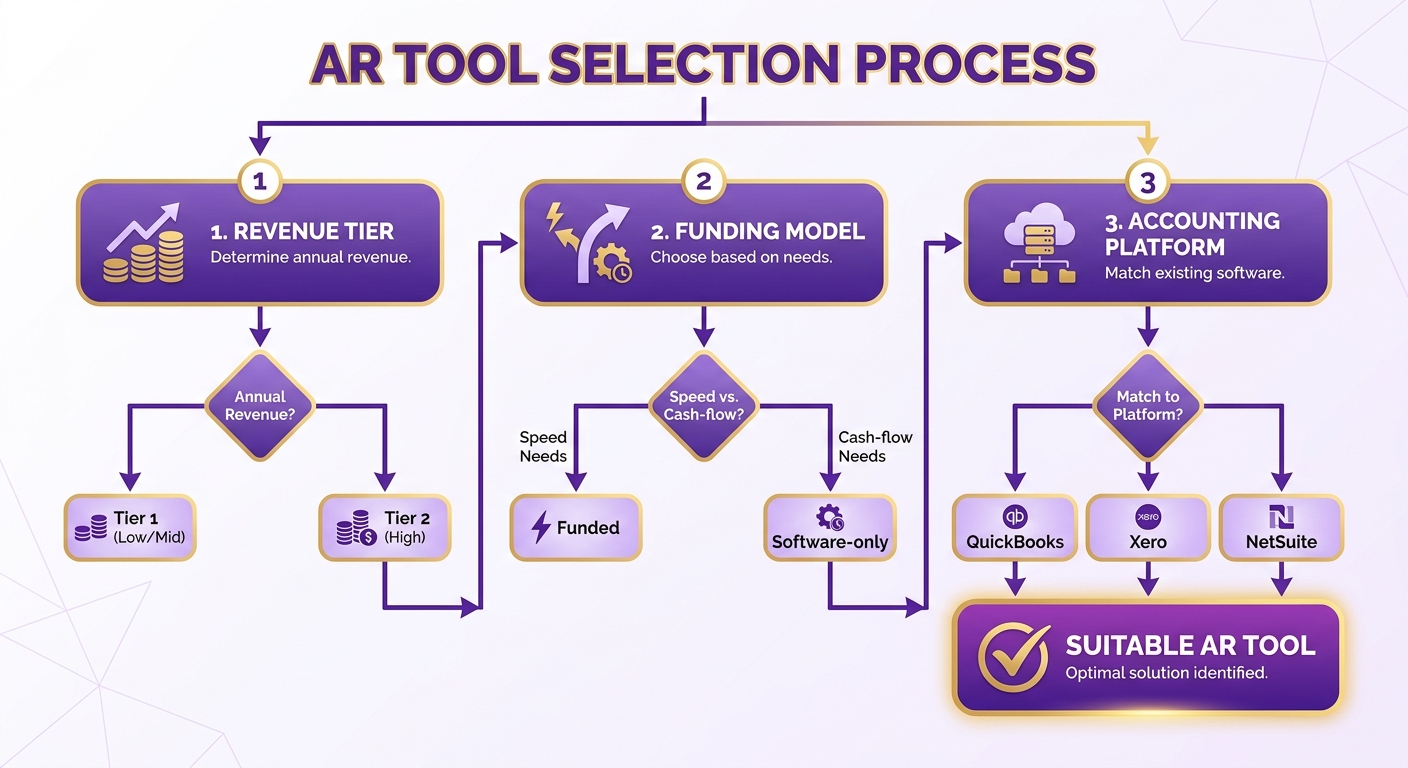
- Three filters—revenue tier, funding model, and accounting platform—remove roughly three-quarters of vendors before feature comparisons.
- The core split is funded versus software-only. Funded models like TreviPay guarantee settlement timing and transfer collection risk.
- Bluevine reports that 91% of businesses improved cash flow after automating receivables.
- Blixo, Zoho Books, Versapay, and Quadient automate invoicing and collections without guaranteeing payment timing.
- Zoho Books has a free plan for businesses under $50,000 in annual revenue, capped at 1,000 invoices yearly.
- TreviPay targets enterprises seeking funded models and predictable settlement.
- The right choice depends on your bottleneck. Software-only tools suit businesses manually chasing payments.
The 30-Second Pre-Filter
You can rule out most AR automation software quickly. Start with your size, collection-risk tolerance, and current technology stack. This narrows the field before you review feature lists.
Most tools target specific business sizes and billing models. Entry-level options serve micro-businesses needing basic invoicing. Enterprise systems support high-volume companies with complex risk-management needs.
Funded vs. software-only: the divide that actually matters
The biggest split is funded versus software-only. A funded model acts as a financial partner. It manages collections and pays you on a fixed schedule. Software-only tools improve internal workflows, while collection risk remains on your balance sheet.
This distinction matters more than most feature checklists. Automation can speed up billing, but software cannot force clients to pay. If uncertainty around outstanding invoices is your main concern, software-only tools may not solve it.
Your bottleneck determines the better fit. Software-only automation reduces manual follow-ups and administrative work. Funded models suit businesses facing cash-flow gaps or credit exposure from large commercial accounts.
Quick Comparison Table
| Tool | Best For | Model | Notable Detail |
|---|---|---|---|
| Blixo | SaaS and agencies replacing legacy AR | Software-only | AI cash application, subscription billing, plans from $49.99/mo |
| Zoho Books | Budget-conscious micro-businesses | Software-only | Free plan for micro-businesses with low invoice volume |
| QuickBooks Payments | Existing QuickBooks users | Software-only | Native invoicing and payment integration |
| BILL | Growing SMBs needing AP and AR together | Software-only | Combined payables and receivables |
| TreviPay | Enterprises wanting guaranteed settlement | Funded | Funded model with risk transfer |
| Versapay / Quadient | Upper mid-market, structured collections | Software-only | Collaboration-focused workflows |
How pricing actually shakes out
Pricing falls into three buckets: free, flat monthly, and quote-based enterprise. Entry tiers suit startups with limited transaction volume. Mid-market platforms offer transparent plans based on users and features. Enterprise systems, especially funded ones, use custom quotes based on transaction volume and risk profile.
Watch for per-user and per-entity fees. Blixo includes three to five team members, depending on the plan. It charges $9.99 for each additional user. This transparency helps with cost planning, while enterprise vendors often require a demo call.
Satisfaction rates matter only when software addresses your friction. Technology does not replace human oversight. It helps finance teams work more precisely. Choose based on your pain points, not feature count.
Why Bother Automating at All
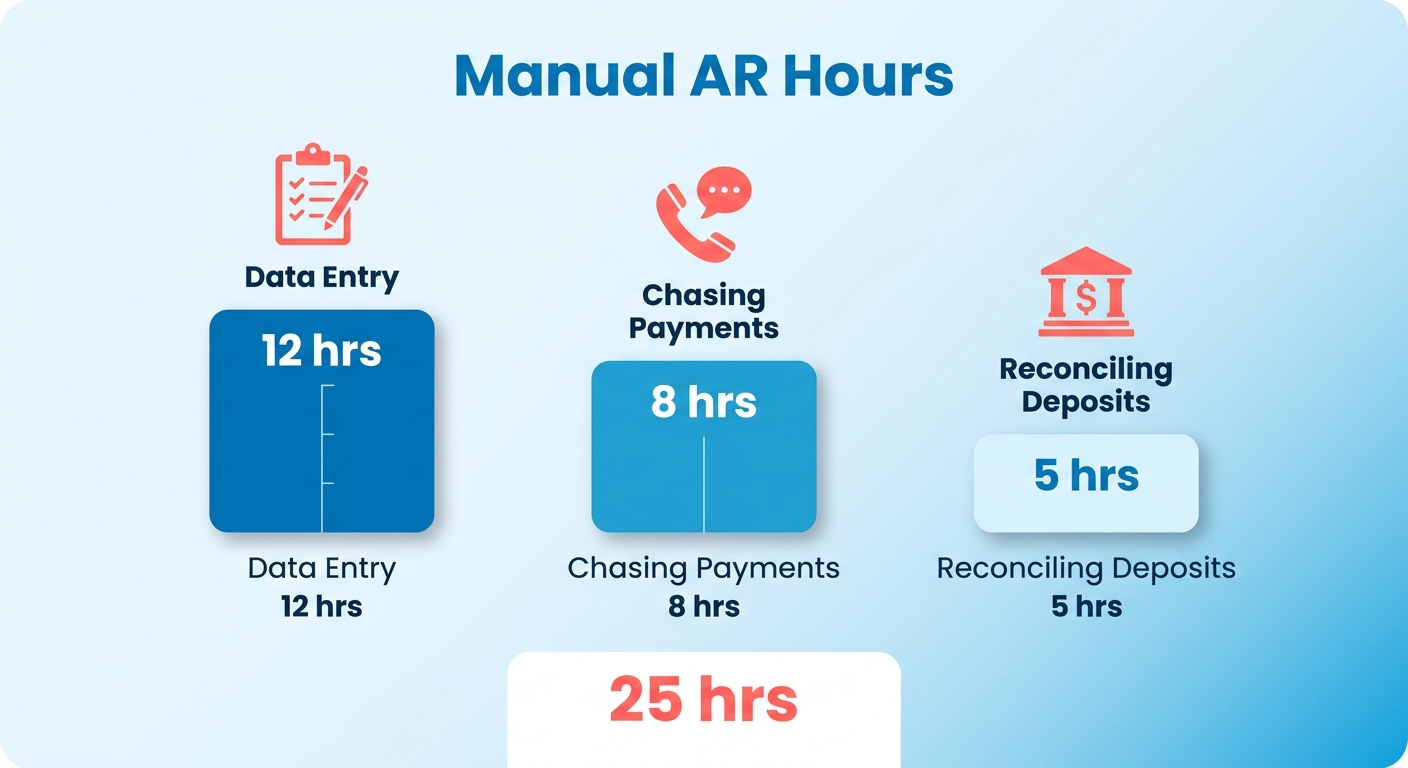
Manual receivables work creates costs that never appear on an invoice. Small businesses spend an average of 25 hours a week on manual AR data entry. That exceeds half a full-time role spent copying numbers, chasing payments, and reconciling deposits.
The case for accounts receivable automation software has two benefits: reclaiming hours and getting paid faster. Those benefits depend on matching the tool to your bottleneck. A platform built for another problem will not improve your results.
Name your bottleneck first
Start with where cash gets stuck. Do not begin with a feature list. The right tool depends on that answer.
AR problems usually fall into three categories:
- Slow invoicing and follow-up: You send invoices late and reminders even later. Automation addresses this problem quickly. Stripe processes 87% of invoices within 24 hours, showing the impact of faster workflows.
- Messy reconciliation: Payments arrive, but matching them to invoices takes substantial time. AI-based cash application handles this matching.
- Unpredictable settlement timing: Invoicing works, but payment timing remains unclear. Software alone may not solve this problem.
The final problem receives less attention on vendor pages.
Does software alone fix cash flow?
Not always. Operational efficiency and financial risk are different issues. Software-only tools streamline billing administration, but they cannot force delinquent clients to pay. A funded model advances funds against outstanding invoices, improving cash-flow stability.
Both models serve valid needs. Software-only platforms send invoices and follow-ups systematically. They work well when clients pay reliably but internal processes are slow. Funded models suit high-risk industries with defaults or long payment terms.
If administrative work is the problem, software-only tools are cheaper and faster to deploy. If credit exposure or payment volatility is the problem, a funded model may justify its premium.
The four factors that actually matter
Focus your comparison on four factors. Other features matter only after these fit.
- Integration: Syncing with your ERP or accounting platform is essential. A fragmented stack creates more manual work.
- Business size fit: Free tiers suit early-stage teams, while enterprises may need funded models. Outgrowing a tool creates another migration.
- Total cost of ownership: Calculate costs over a 3-to-5-year lifecycle. Setup and per-invoice fees can sit below the sticker price.
- Implementation time: SMB tools activate in days. Enterprise rollouts take weeks to months. Teams often underestimate onboarding work.
Automation supports professional judgment but does not replace it. Algorithms handle standard transactions, while complex disputes need human review. Blixo’s cash application uses machine learning to adapt to manual adjustments over time. This tailors the software to accounting practices without removing oversight.
If you’re comparing newer platforms with legacy systems, our breakdown of Blixo vs. traditional receivables automation software explains where each fits.
Feature Comparison
Feature comparisons cover five capability groups: invoicing and recurring billing, payment acceptance, collections workflows, cash application, and reporting. Most tools cover the first three. Cash application and reporting often separate the tiers.
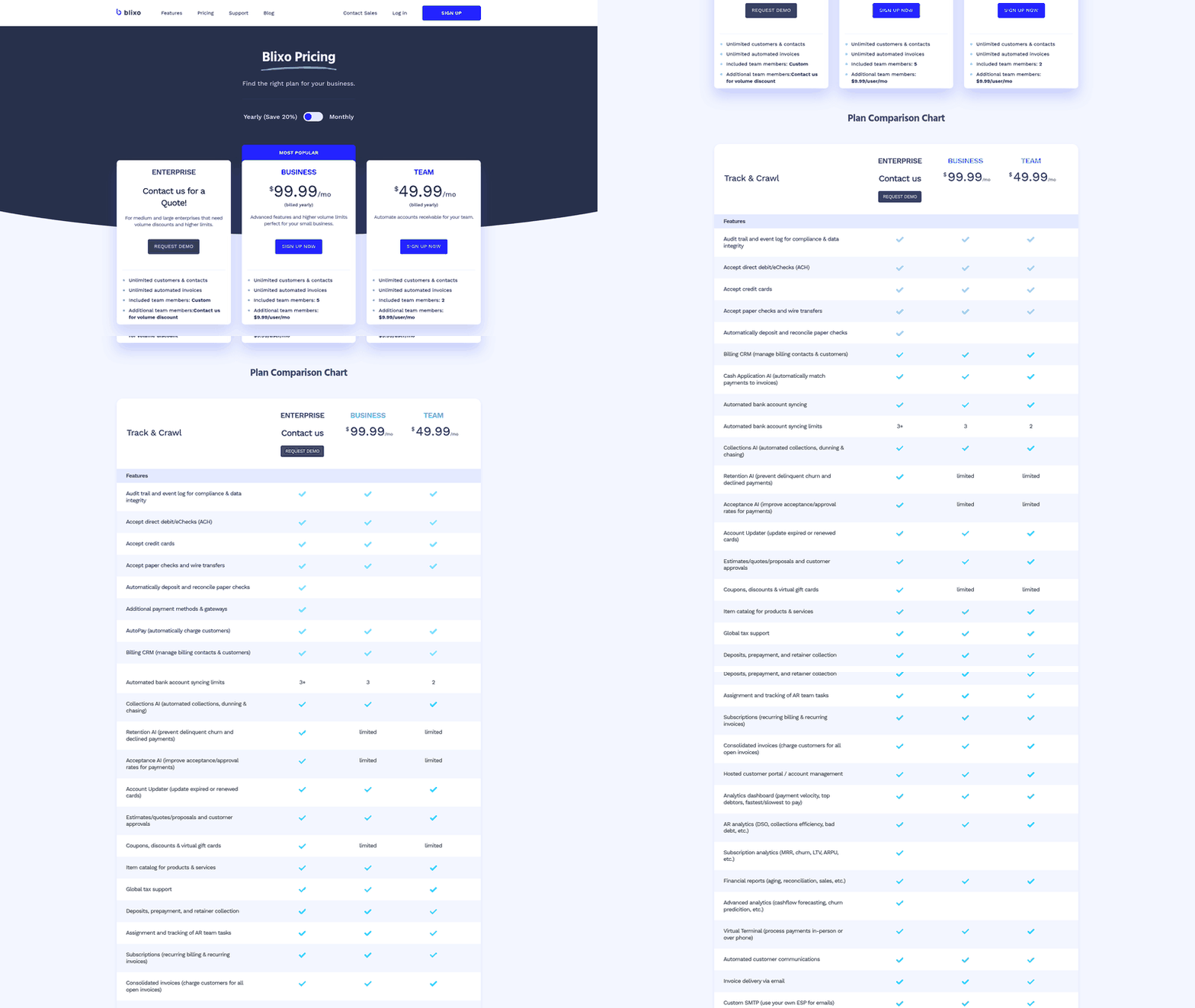
The main difference is how deeply platforms connect with banking and ledger systems. Basic tools send invoices. Advanced tools reconcile payments and predict customer behavior.
What actually separates these tools
Feature depth. Cash application and predictive analytics distinguish full receivables platforms from basic billers.
Nearly every tool automates invoice creation, recurring billing, and payment reminders. The difference appears in cash application and collections intelligence. These features match incoming payments and identify customers likely to pay late.
Look beyond checkmarks and assess performance under load. AI cash application may use exact-amount matching or fuzzy logic. More advanced systems handle partial payments, short-pays, and consolidated remittances. Enterprise funded models manage credit risk and clear approved transactions on set schedules. Billtrust emphasizes scale and multi-channel payment capture. Zoho Books focuses on simple invoicing for smaller businesses.
Match each tool’s strongest capability to your slowest process. Deep cash application will not solve credit exposure. A funded model may be unnecessary for faster reconciliation.
Where Blixo fits
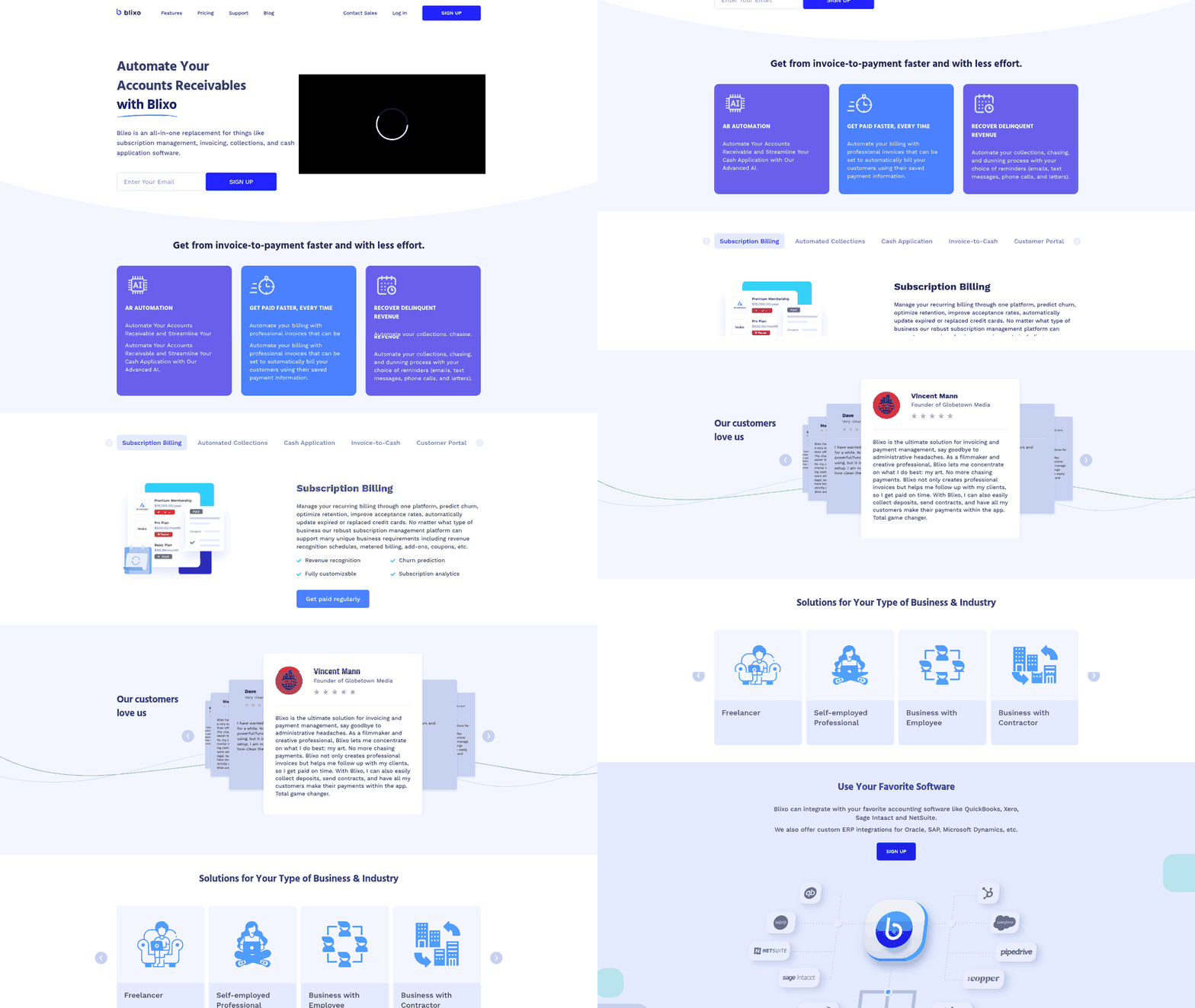
Blixo fits SMB and mid-market teams with recurring or usage-based billing. It provides automated collections and AI cash application without an enterprise contract or funded model.
Its software-only stack includes automated invoicing, dunning workflows, payment acceptance, and reconciliation. The matching engine connects payments and balances to invoices. Machine learning improves matching over time. This suits teams focused on process speed and reconciliation.
Blixo may not address severe cash-flow volatility. When late payments threaten liquidity, a funded model’s guaranteed capital on outstanding invoices provides security that email automation cannot.
Limitations worth weighing
Every tool has a ceiling, usually involving integration or scale. Free and entry tiers may cap invoice volume. Enterprise platforms require weeks or months to implement, compared with days for SMB tools.
Technology also cannot replace relationship management. Disputed charges and custom terms still require personal attention. Blixo combines automated collections with task management. This flags issues for human follow-up.
Success rates depend on matching software to your friction. A billing tool cannot guarantee cash settlement. Blixo’s cash application, automated collections, and real-time analytics accelerate the invoice-to-cash cycle. They provide clean, reconciled data rather than capital advances.
Pros and Cons
Every AR tool trades one strength for another. Evaluate each tool against your bottleneck, then accept its limitations. No tool leads in every category.
Software-only tools generally offer faster setup. Funded models offer more predictable cash flow. Free tiers offer lower costs until businesses outgrow them. Choose the trade-off that fits your revenue tier and risk tolerance.
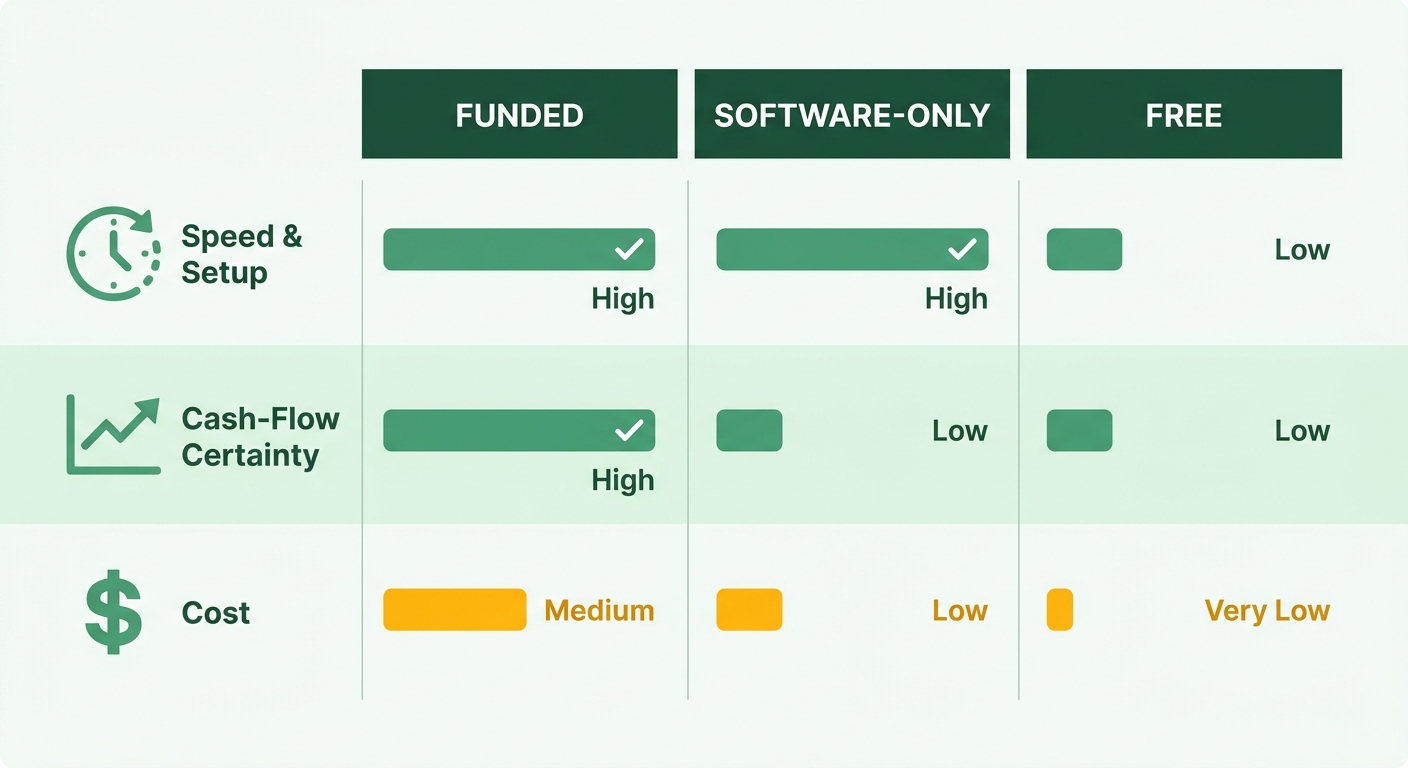
Funded vs. software-only: the real trade-off
Software-only automation improves cash-flow velocity. Funded models improve cash-flow certainty. This distinction explains their different value.
Software-only tools shorten invoice creation and delivery. However, clients still control payment timing. A funded model advances the invoice amount and manages collections. Your cash flow stays steady regardless of individual client payments.
For many growing businesses, software-only tools provide strong ROI by reducing administrative bottlenecks. Organizations with high-value contracts or volatile payment behavior may value the predictability of funded models.
Speed vs. scalability
Setup time and scalability often move in opposite directions. SMB tools activate within days but may cap out early. Enterprise platforms take weeks to months but support complex operations.
The trade-off is clearest at the extremes. Free and entry tiers start quickly, but low invoice ceilings can force migration. Funded and enterprise platforms require longer onboarding but offer higher limits.
Enterprise platforms support massive transaction volumes across complex global networks. They suit multinationals but may overwhelm regional distributors or mid-sized service providers. Medical equipment maker Ambu reported substantial savings and optimized processing rates on its network. Those results require enterprise-level volume to offset onboarding and implementation costs.
Where resource usage cuts both ways
Automation reduces manual labor, but complex financial relationships still need oversight. Matching engines handle standard reconciliations. Partial payments and billing disputes require human review. Approval workflows let teams review anomalies and control the ledger.
Migration creates another long-term cost. Evaluate how software scales over several years. An overly simple tool can create a costly move when your business outgrows it.
Blixo scales from fast SMB setup to a dedicated Enterprise plan. This can reduce the need to migrate during growth. It supports teams seeking quick setup and a brandable customer portal without an enterprise implementation cycle. Enterprise plans add volume discounts and higher limits.
Use Cases and Ideal Users
The right platform should match your operations. A high-volume enterprise has different needs than a boutique service firm. Match core capabilities to your main administrative problem.
Which tool fits your business size
Consider where your pain occurs. Early-stage teams need affordable, fast invoicing. Growing SMBs need accounting integration. Mid-market teams need structured collections. Enterprises need settlement certainty.
A boutique design studio with several clients may need only basic invoicing. Large manufacturers with complex supply chains may need financial partners handling credit underwriting and collections.
Versapay and Quadient A/R (YayPay) sit between these groups. Both suit upper mid-market companies needing collaboration and structured collections.
| Business Profile | Best Fit | Why |
|---|---|---|
| Growing SMB on QuickBooks | QuickBooks Payments | Native invoicing and payment integration |
| Upper mid-market, collections-heavy | Versapay / Quadient A/R | Collaboration and structured workflows |
| Enterprise, settlement risk | TreviPay (funded) | Predictable cash, reduced internal load |
| Recurring/usage billing, SMB–mid | Blixo | Automated dunning, portals, ERP sync |
Who gets the most from software-only automation
Software-only tools suit businesses where administrative delays cause problems. When invoices and follow-ups happen late, workflow automation can provide immediate relief. Removing manual steps can speed up payment cycles.
This profile includes agencies, dev shops, and SaaS companies with recurring or usage-based billing. Their customers may have low default risk. Reconciliation and follow-up remain slow because they are manual.
If clients are creditworthy but slow to pay, software-only tools may offer the best return. Blixo provides automated dunning and self-service portals. Clients can settle without a funded model.
When to pick a funded model instead
A funded model suits businesses that need predictable cash flow. Thin margins, late payroll risk, or large credit lines can justify its additional cost.
The distinction is straightforward. Software-only tools improve billing speed. Funded models guarantee cash-receipt timing. Both improve cash flow, but they address different risks.
A commercial construction subcontractor with irregular project billings may benefit from a funded model. A subscription SaaS startup or marketing agency with monthly retainers may not need one. For predictable billing, Blixo automates dunning, reminders, and cash application. Its branded portal lets clients settle multiple invoices in one transaction.
What I’d Actually Do
Start with three constraints: business size, collection-risk tolerance, and accounting integrations. This quickly narrows the vendor list.
Most tools target a specific size and billing model. A free plan with a low invoice limit does not compete with an enterprise funded model. Once you know your tier and risk tolerance, many options disappear.
Which tool wins for your scenario
The match matters more than the tool. Even advanced platforms fail when they target the wrong problem. Match software to your bottleneck to get measurable ROI.
The scenario table above maps business profiles to suitable tools. Use it as your starting filter.
Funded versus software-only causes frequent buyer confusion. One addresses financial risk, while the other addresses administrative efficiency. Choose software-only for streamlined operations and reduced manual work. Consider funded solutions when eliminating payment delays is essential.
When to skip automation entirely
Skip a dedicated AR platform if monthly invoice volume is tiny. A specialist artisan or freelance developer with a few regular clients may prefer spreadsheets and simple payment links.
Automation removes repetitive administration, not strategic decisions. Billing disputes and valuable relationships still need human judgment. Let automation reduce data entry while your finance team handles those issues.
One last filter before you commit
Calculate total ownership costs over several years. Include implementation, custom integrations, and support fees. A platform that scales can reduce future migration costs.
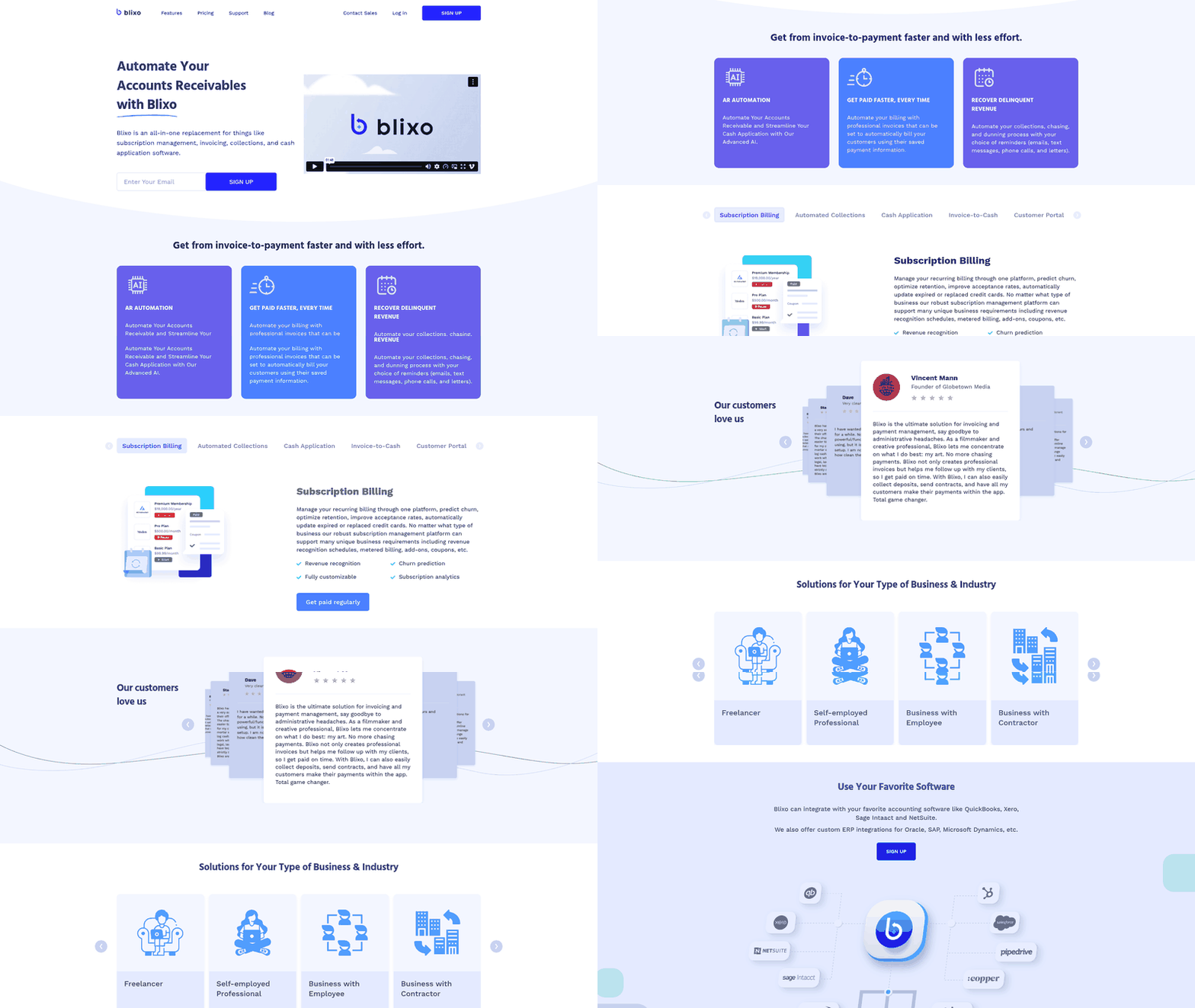
Integration depth matters for teams using an ERP or recurring billing. Blixo integrates with QuickBooks, Xero, Sage Intacct, and NetSuite. It also offers custom ERP integrations for Oracle, SAP, and Microsoft Dynamics. Match the tool to your size, bottleneck, and technology stack. Then you will not need all 18 tabs.
Frequently Asked Questions
1. Can I switch from a software-only tool to a funded model later, or am I locked in?
Yes, you can transition between models. However, migrating financial systems involves operational friction and data reconciliation. The main risk is choosing an entry-level tool that cannot scale with your business. Evaluate future transaction volume to avoid repeated onboarding work.
2. Does AR automation replace my accounts receivable staff?
No. Automation handles repetitive tasks such as reminders and standard payment matching. Your finance team still manages customer relationships, billing discrepancies, and credit decisions. The software gives them more time for these responsibilities.
3. I already use QuickBooks—do I need a separate AR tool?
QuickBooks Payments offers native invoicing and payment integration. It may cover basic needs for growing SMBs. Consider another tool when reconciliation volume or recurring billing creates delays. Any addition should sync with QuickBooks to avoid more manual work.
4. How small is too small to justify AR automation software?
If your business creates a dozen or fewer invoices monthly, dedicated automation may be unnecessary. Simple billing tools or manual tracking may suffice. Once payment tracking and late-account follow-ups consume several business days monthly, automation may justify its cost.
5. If most tools automate invoicing, what actually separates the tiers?
Cash application and collections intelligence separate full receivables platforms from basic billers. Nearly every tool creates invoices and reminders. The real difference is matching payments to invoices and predicting late payments. Match each tool’s strongest capability to your slowest process.
6. My customers pay reliably but late—which model fits me?
A software-only platform is likely the better fit. Your challenge is administrative speed, not financial risk. Automated reminders and self-service payment portals can accelerate cash flow without a funded model.
7. Do general cash-flow improvement statistics apply to any tool I buy?
Industry success rates apply only when software addresses your bottleneck. High-risk clients and unpredictable payment timing require more than standard billing automation. Align the platform with your specific financial problems to achieve meaningful results.