

How an AI bot can automate cash application for small distributors

Key Takeaways
- Once trained, some AI cash-application bots hit 90%+ straight-through matching. The best deployments can reach 96–97% touchless on posted transactions.
- Manual reconciliation can eat 20-plus hours a week per clerk. That leaves AR teams keying invoice numbers instead of chasing overdue accounts.
- DSO reductions have been reported as high as 37%. One documented case saw a five-day drop after automation.
- The real payoff during seasonal spikes is headcount you never had to hire. Distributors absorb surges without pulling in temps.
- Automation can cut manual tasks by up to 70% in some deployments. One manufacturer reported reclaiming roughly 20 hours a week.
- ERP integration is generally moderate in difficulty. Depending on the provider, connector libraries may cover 50-plus ERPs and 110-plus banks.
- Time-to-value can run a few days to a few weeks. Connections to SAP, Oracle, and Dynamics have been reported inside days.
- Package the automation case into an executive summary report for CFO decision-making: peak capacity, DSO movement, and exception trends in one place.
Quick Summary
Seasonal order surges are where an automated cash-application system earns its keep. It handles payment spikes without temporary staff. If you are evaluating one, five questions do most of the work: how fast it goes live, how much staff time it gives back, how much it accelerates working capital, what it connects to, and what the return actually looks like.
For a small distributor deciding whether to modernize AR, manual reconciliation is the bottleneck that never quite goes away. Routine payment matching ties up accounting bandwidth and blurs cash visibility across the business. Intelligent matching software can automate ledger entries, shorten billing cycles, and produce operational wins you can measure. To get the decision made, frame the results in an executive summary report that connects cash application metrics to working capital and headcount planning.
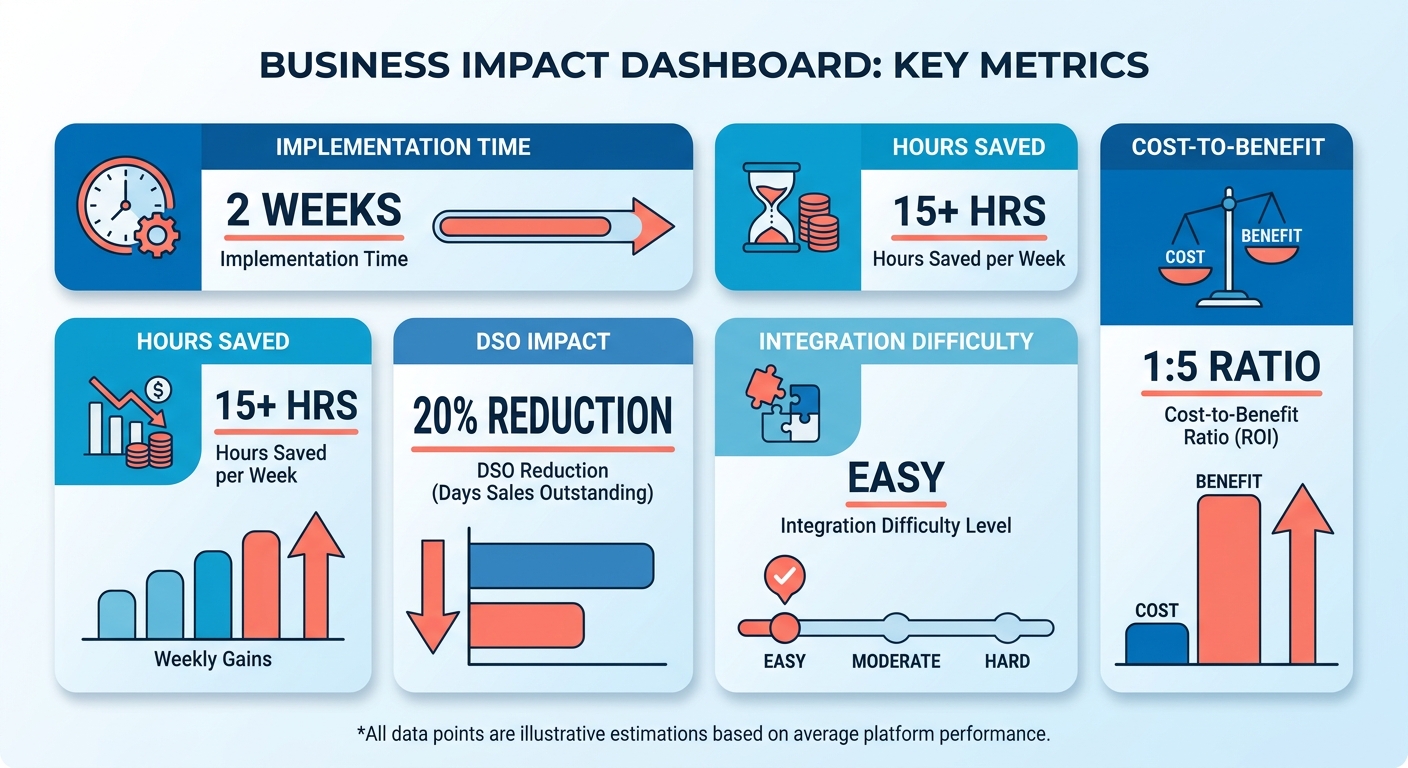
Manual vs. AI-Assisted Cash Application: The Comparison Matrix
| Metric | Manual Cash Application | AI-Bot Assisted |
|---|---|---|
| Time-to-value | N/A (already running) | A few days to a few weeks; ERP connections to SAP, Oracle, and Dynamics have been reported within days |
| Auto-match rate | Human-dependent, error-prone | 90%+ straight-through reported; top deployments cite 96–97% touchless |
| Labor hours/month | 20+ hrs/week per clerk | Up to 70% fewer manual tasks in some deployments; one manufacturer reported ~20 hrs/week reclaimed |
| DSO impact | Baseline | Reported reductions up to 37%; a 5-day drop in one documented case |
| Efficiency gain | Baseline | Reported efficiency gains up to 75% |
| Integration difficulty | N/A | Moderate; some providers cite connectors for 50+ ERPs and 110+ banks |
| Cost-to-benefit | Low upfront, high hidden labor cost | Strong when volume spikes; ROI is headcount avoided, not just per-transaction savings |
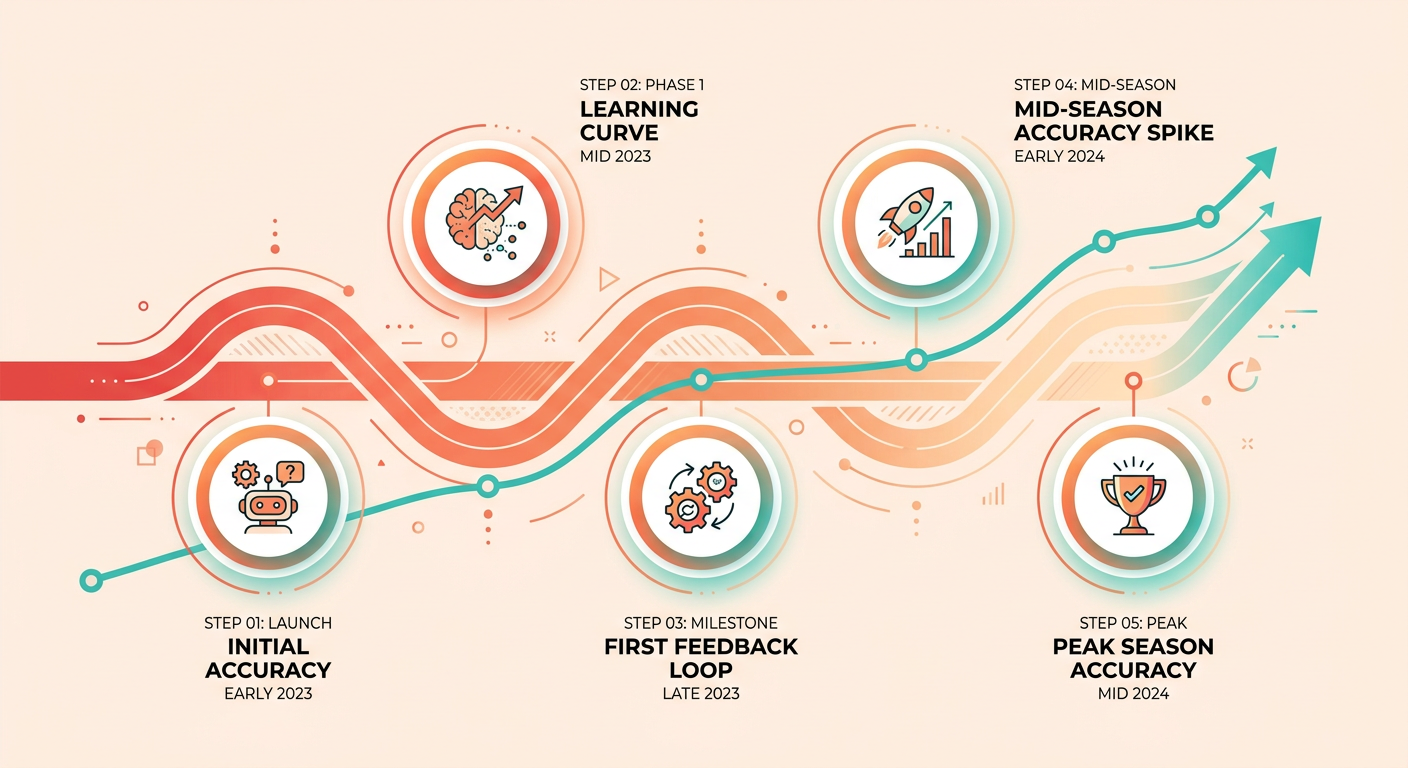
These benchmarks come from mature deployments across distribution and manufacturing. Your first-week auto-match rates will start lower while the algorithm learns your buyers’ habits and their non-standard remittance layouts. FinFloh’s learning curve shows how much improvement can come from structured feedback. Budget for that tuning window so you don’t judge the tool before it has had a chance to warm up.
What’s the Real ROI for a Seasonal Distributor?
The financial case is about scaling, not shaving pennies off each transaction. The software lets you handle a big jump in order volume without growing back-office payroll at the same pace.
Peak season in distribution means a flood of incoming payments across every channel you can think of: direct bank transmissions, detached check stubs, loose email notifications. Natural-language engines can parse that unstructured mess without needing a custom layout for each format, which can let a single AR rep cover far more accounts during a growth stretch.
To make the labor case concrete for CFO decision-making, use your manual cash application volume as the baseline. That gives the executive summary report a defensible per-transaction starting point before you layer in overtime and temp-staffing avoidance.
When invoice volume doubles at peak, manual entry hands you a bad choice: pay overtime or eat the processing delays. Real-time automated posting can absorb the surge, which is why it earns its spot in a lean distribution operation.
Top Three Takeaways
-
Size the software to your peak, not your average. Flat, low-volume operations see longer payback periods. Businesses with hard seasonal peaks can recoup the investment faster by dodging overtime and temp-staffing costs.
-
Plan for the training ramp. Match rates start below the headline benchmarks and climb as the platform records your manual overrides. Set milestones so nobody calls the project a failure in week two.
-
Connectivity is the whole game. An intelligent matching engine only pays off when it is wired tightly into your inventory and accounting records, especially since NetSuite and SAP tend to leave cash application half-finished on their own.
Why AI-Powered Cash Application Matters for Small Distributors
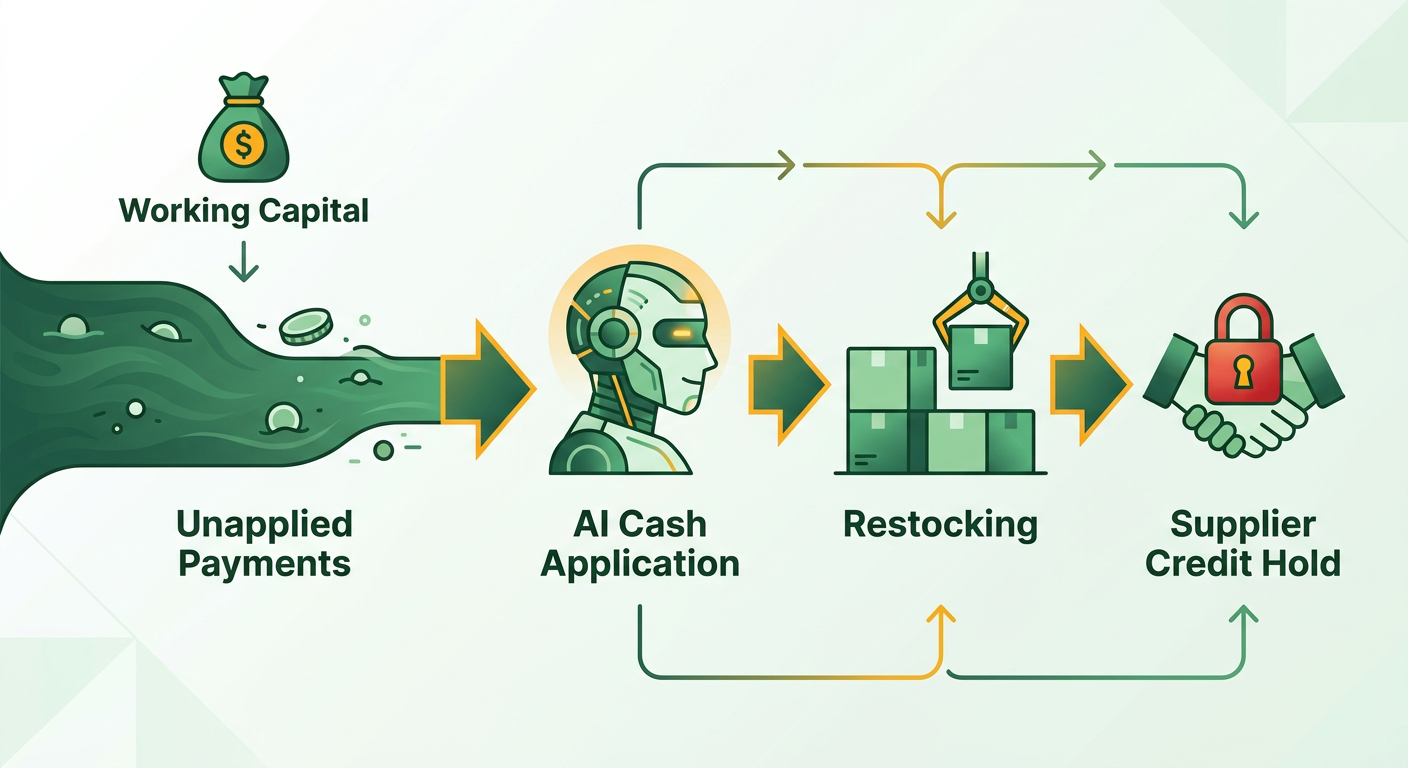
Tight gross margins leave no room for slow reconciliation. Unallocated funds sit there restricting your purchasing power for replenishment inventory. Fast cash application gives leadership clean financial visibility before peak fulfillment kicks off. It also keeps you from slapping unnecessary credit freezes on good buyer accounts and keeps supply lines healthy.
Delayed application creates a liquidity crunch that isn’t real. The cash is there. It just isn’t posted, so you can’t place immediate POs with your manufacturers. Speeding up the application cycle removes that friction and frees working capital exactly when procurement needs it.
Why Do Manual Cash Application Processes Break During Peak Season?
Manual workflows break during order surges because human data entry can’t scale with transaction volume. When staff burn entire shifts re-keying invoice numbers, the work that actually matters gets shoved aside: high-priority collections, credit evaluations, dispute resolution.
Wholesale distribution piles on its own friction: split shipments, partial PO references, freight markups, a different payment format for every customer portal. Add the discrepancies between what you billed and what showed up, and manual reconciliation gets ugly fast.
Hiring temps rarely fixes it. The learning curve on complex billing rules is steep, and temporary staff tend to turn over right as they get good, leaving you exposed during the exact months you can’t afford it.
What Makes AI Better Than Rule-Based Automation Here?
Machine learning beats old-school OCR and rigid logic trees because it reads remittance context and adapts to feedback. Legacy rule engines handle basic one-to-one matches, then choke the moment a document format shifts. Agentic frameworks read context across separate documents, make inference calls, and finish multi-stage reconciliations that would otherwise spawn a human review ticket.
That contextual read is exactly what distributor payments demand: freight deductions, promotional trade allowances, early-payment discounts, remittances that arrive in a separate email. Instead of piling into a backlog, those cases can be interpreted and cleared on their own.
The impact is real. Some advanced engines are reported to automate over 95% of payment matching by reading non-standard documentation and refining their own logic. Bishop Lifting cut its unapplied cash backlog by nearly 80% in the first two months live, clearing invoices that used to sit for days.
But the primary return is still capacity. Edges Electrical quadrupled volume with flat staffing after automating AR.
How Fast Can a Small Distributor Get This Running?
Timelines hinge on how deep the ERP and inventory integration goes. A basic cash-matching config can often go live in under two weeks. Deep integrations that pull in warehouse records and sales order history may generally run four to six weeks.
Cloud-native platforms can connect to standard business systems through pre-built connectors, so you don’t need to pull in engineering resources. If you’re syncing payment posting with automated credit releases, plan for the longer window to keep end-to-end data clean.
For a deeper look at the underlying rails, see what ACH pay means for your order-to-cash automation.
What an AI Bot Actually Does: Core Functions of Automated Cash Application
An automated cash-application system runs five steps in sequence: ingest the data, interpret it, match to invoices, manage exceptions, post to the general ledger. For a growing wholesaler, the biggest value shows up in resolving the non-standard payment files that flood in during busy shipping periods.
Instead of clerks transcribing payment data by hand, the engine can ingest the records, allocate funds against open balances, and route the genuine edge cases to staff. With some industry analyses putting on-time payment at only 13%, automating application can keep admin costs flat even as transaction counts climb.
What Data Can the Bot Actually Ingest?
The ingestion engine can pull payment details from many common channels: PDF invoices, scanned paper checks, electronic lockbox feeds, EDI 820 payment files, ACH settlement records, and raw email bodies. It can extract the metadata without forcing your buyers into a standardized remittance template.
Under the hood, this is Intelligent Document Processing. OCR digitizes image-based checks and PDFs. Natural language processing reads unformatted instructions buried in email text. The software can also normalize messy identifier formats, so it knows “PO-4471” and “4471” point to the same document.
How Does the Bot Match Payments and Handle Exceptions?
Matching can run on probabilistic and fuzzy-logic models that adapt to a customer’s purchasing patterns instead of leaning on strict alphanumeric lookups. The system can read multi-invoice remittances, check discount windows, and reconcile partial receipts against open order lines.
That flexibility is what handles messy billing. When a single bulk payment covers multiple open deliveries, the bot can split and allocate funds across line items, apply deduction logic against your policies, and isolate whatever is left unaccounted. A remittance covering 15-plus invoices can often be split and reconciled quickly.
When it hits something it can’t resolve, it can build an organized exception record. Disputed short-payments can be paired with their source remittance and forwarded to the right credit analyst, so nobody hunts across file servers for the backup.
Does It Post to the Ledger and Keep Audit Logs?
Once a match passes verification and policy checks, platforms can be configured to post transactions straight into your accounting software. Standard connectors can sync journal entries into NetSuite, SAP, or Microsoft Dynamics without intermediate flat-file exports, and can log detailed timestamps for audit compliance.
Accuracy can compound. Every manual correction your staff makes can train the model. If you classify a specific vendor fee or short-pay code once, future transactions from that buyer can be routed by that precedent, which can push straight-through rates up quarter over quarter.
How Does Matching Payment Line Items Back to Orders/Inventory Trigger Credit Releases and Replenishment?
The trigger chain matters most during peak season. In an integrated setup, the sequence can work like this:
-
Match the payment line item to the invoice and the underlying order. The engine reads the remittance, identifies the customer, and ties the payment to the open receivable and related sales order/inventory records.
-
Update the receivable and customer credit status. Once the match clears confidence thresholds, the platform can post the payment and reduce the customer’s open balance in the ERP.
-
Release credit-held orders. If an order was held because of credit exposure, the ERP can be configured to re-evaluate the account after the payment posts. When the paid balance moves the account back within the credit limit, the system can release the hold without a manual override.
-
Feed the inventory planning system. The matched payment can also signal that the order is fulfilled or cleared for replenishment. Inventory systems can be configured to use that signal to release reserved stock, update available-to-sell quantities, or trigger replenishment recommendations for high-velocity peak SKUs.
-
Document the chain for audit. The system can log each step—remittance to invoice, invoice to order, order to credit release, and replenishment signal—so the revenue recognition and fulfillment decisions stay traceable.
Step-by-Step Guide to Deploying an AI Cash-Application Bot for a Small Distributor
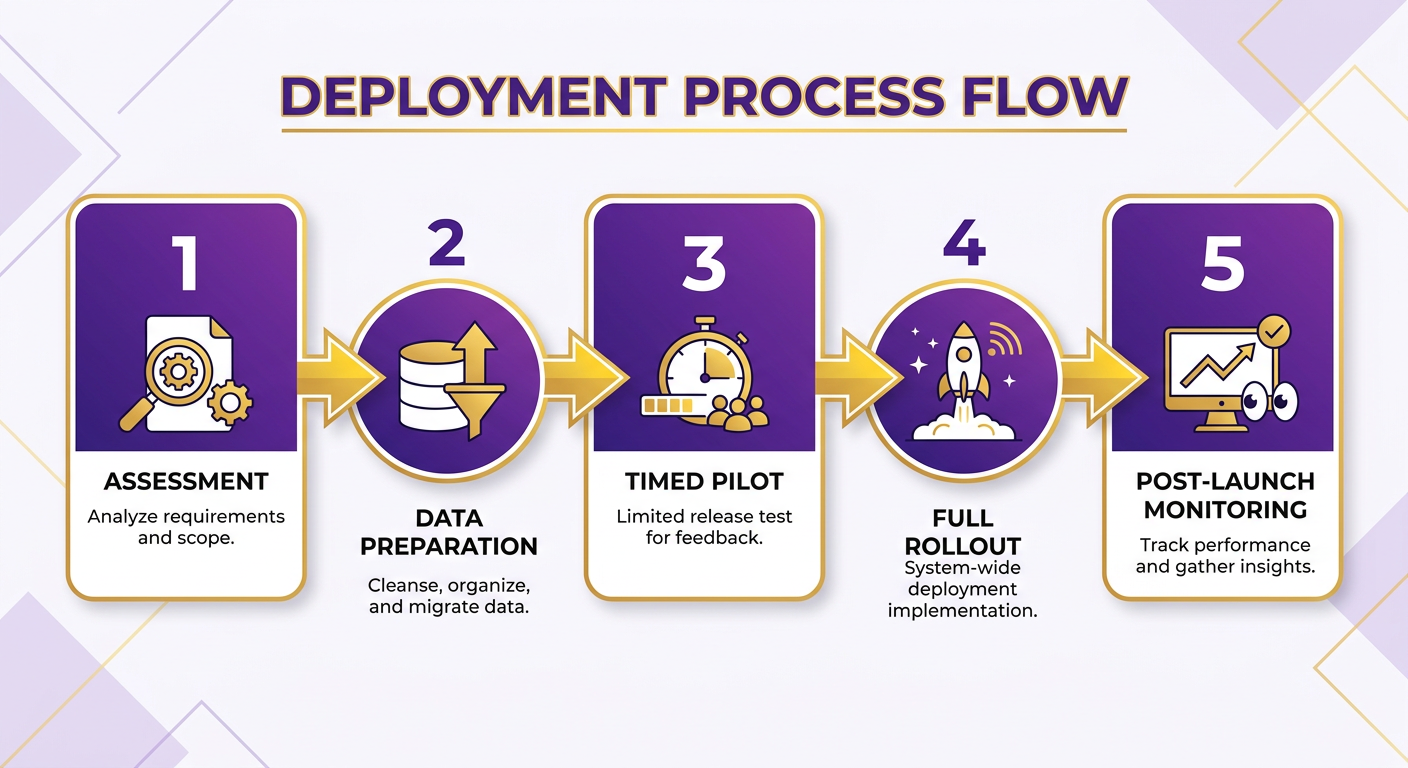
Rolling out an automated cash-application platform moves through five stages: readiness assessment, data prep, a controlled pilot, full rollout, and ongoing tracking. You’ll need clean historical billing data, a dedicated finance lead, and clear baseline metrics.
Before you launch, document where you stand: monthly manual processing hours, weekly exception tallies during peak, target straight-through posting rates. Nailing these down early keeps scope from creeping and keeps configuration focused on the workflows that actually hurt.
How Do You Prepare Your Data Before Feeding the Bot?
Data quality dictates your starting match accuracy, full stop. Before any live transactions, clean the master customer ledger: merge duplicate accounts, standardize entity names, and align open invoices against inventory records so you’re not matching to closed or invalid items.
Categorize your common deduction reason codes too (freight differentials, promotional discounts, damaged-goods allowances) and archive historical unapplied balances. Clean inputs going in mean fewer misclassifications during early training.
Feed it messy history, not pristine test cases. Multi-page remittance advices, scanned check images, email notifications: that is what the model needs to see to be ready for real transaction conditions.
What Should a 30-Day Pilot Measure?
Run a focused 30-day trial on a single high-volume channel, like electronic lockbox or your primary ACH feed. Keep it running in parallel with manual workflows so staff can verify posting accuracy without putting the GL at risk.
Watch four indicators: processing speed per transaction, auto-posting accuracy, exception resolution velocity, and cost per transaction. AI-driven automation can reduce manual work and AP-side expenses in some deployments. Set explicit targets before you expand to the rest of your banking channels.
Pay close attention to how the engine classifies partial payments and matches non-standard remittance formats. A good pilot shows a real drop in manual intervention on routine multi-invoice reconciliations.
How Do You Integrate and Roll Out Without Middleware?
Enterprise automation sometimes drags in a whole middleware stack. Small-to-midsize distributors are often better off with turnkey SaaS integrations. Pre-built connectors can talk straight to your accounting database, so there is no internal infrastructure to babysit.
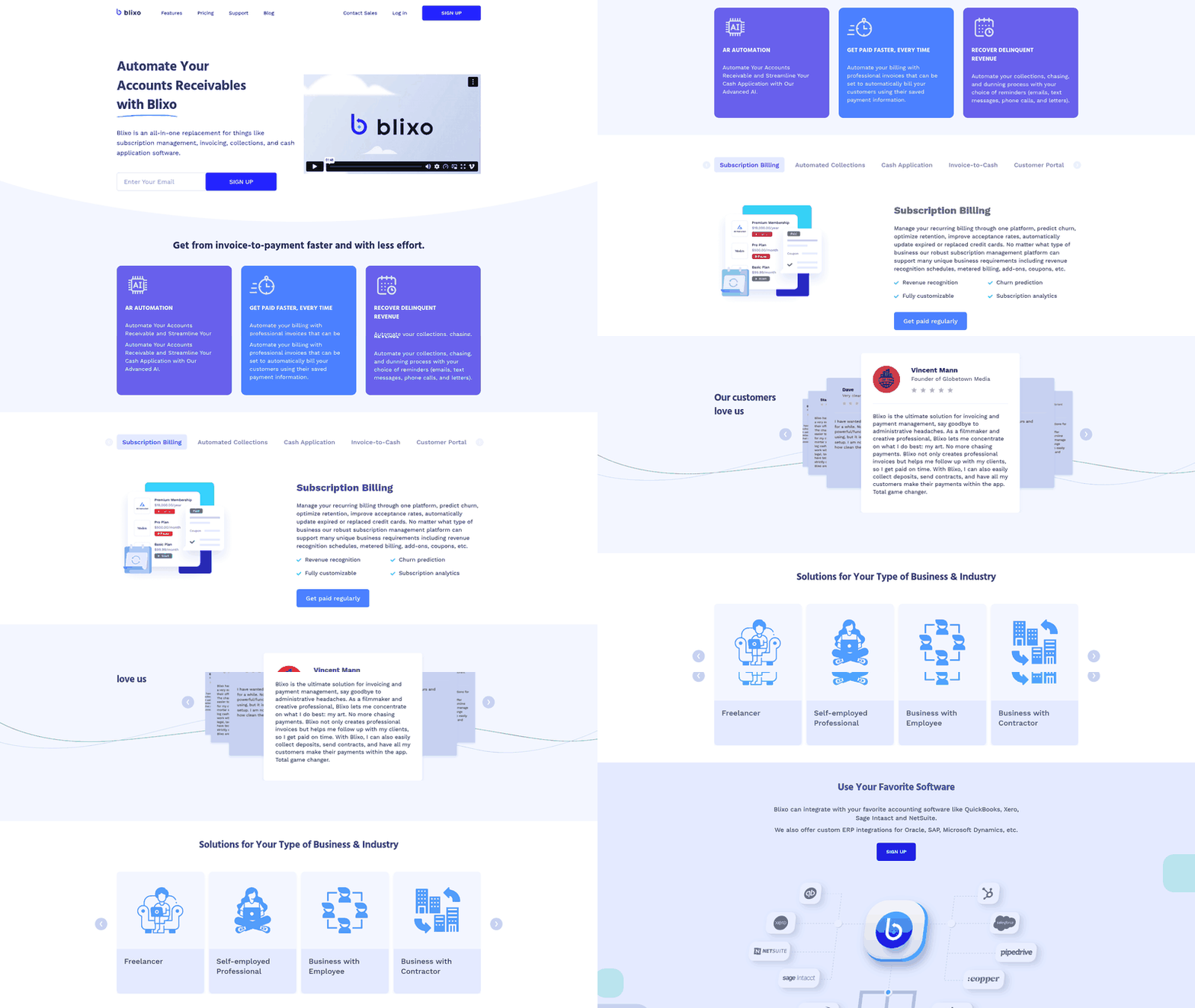
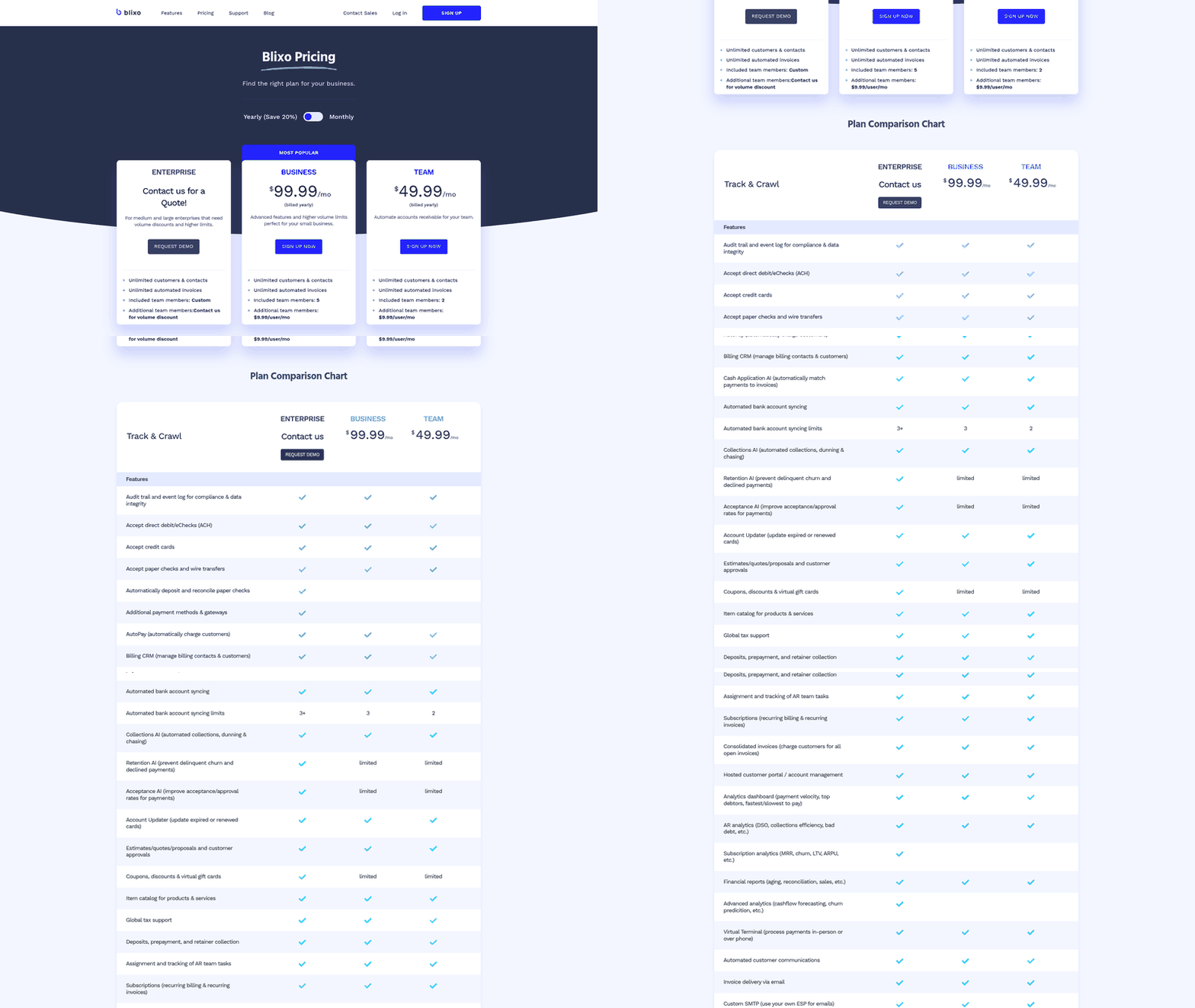
Turnkey tools often ship out-of-the-box connectors for the major mid-market accounting suites and handle data transformation through standard APIs. Blixo, for one, describes bank and ERP integrations alongside its matching engine, plus custom ERP integrations for Oracle, SAP, and Microsoft Dynamics, so lean accounting teams can get full connectivity without custom engineering.
Get your people aligned during the rollout. Bring credit and AR staff into pilot testing so they see the platform as the thing that kills repetitive data entry, freeing them to work customer disputes and manage credit risk.
Boosting Matching Accuracy: How Machine Learning Improves Over Time
The system can get more accurate the longer it runs, because it learns from every correction your team makes. It can start with supervised learning across your historical account records, then keep refining as staff resolve flagged exceptions in the daily review queue.
As it processes recurring transactions, it can build buyer-specific profiles. It learns which accounts bundle multiple store locations into one check, which customers deduct freight automatically, and how specific buyers format their internal PO references. That tuning is what lifts straight-through rates over time.
How Do Confidence Scores and Human Review Work Together?
Every processed transaction can get a confidence score reflecting how likely the match is exact. Anything above your confidence threshold can post straight to the ledger. Anything below drops into an exception queue for a quick manual check.
That queue is the main feedback pipeline for the model. When an operator confirms or adjusts a proposed match, the software can log the decision parameters and update its inference model for the next cycle.
For a small team, a manageable review cadence keeps things smooth: a designated AR specialist works flagged items daily during seasonal surges, weekly the rest of the year. Clean, high-confidence transactions skip manual review entirely.
How Much Does Accuracy Actually Improve?
Matching can get noticeably better as the software chews through varied payment batches. Document recognition engines can refine their extraction routines fast, especially on complex check stubs and unstructured remittance notices. FinFloh’s learning curve illustrates the improvement path when structured feedback is folded back into the model.
As match reliability stabilizes, controllers can safely lower the auto-posting threshold. Teams often start with a strict 95% confidence requirement during onboarding, then ease it toward the mid-80s once the engine proves consistent. That one adjustment can expand the share of touchless transactions considerably.
Because the engine reads semantic meaning rather than fixed coordinates, a buyer switching from paper check stubs to electronic PDF remittances won’t necessarily wreck your established match reliability.
How Often Should a Small Distributor Retrain the Model?
Recalibrate quarterly during normal operations, then shift to monthly ahead of high-volume seasons when new accounts and billing patterns show up. Each retrain can fold recent staff overrides back into the matching weights.
Structured retraining can shrink persistent unallocated balances and cut down untraced write-offs. Rolling learned exceptions into regular updates lets credit leads spend time on customer relationships instead of hunting missing payment references.
Measure whether it is working by comparing exception counts before and after each update. When sales volume doubles while manual review queues stay flat, the learning framework is doing its job.
Seamless Integration: Connecting the AI Bot with Your Existing ERP/Accounting Stack
Solid ERP integration matters for small distributors running NetSuite, QuickBooks Online, Sage, or SAP Business One. The engine has to talk both ways with your chart of accounts without spawning duplicate entries or data conflicts. Modern cloud architectures can pull this off through standard API protocols, with full deployment often landing inside a few weeks.
Confirm the integration supports two-way sync. Matched transactions have to update customer subledgers in real time so your AR aging is accurate and you are not tripping credit holds you didn’t mean to.
Which ERPs Connect to AI Cash-Application Tools?
Current platforms cover broad connectivity across standard business systems, with native connectors for the major ERPs and banking protocols. Pre-built libraries can link straight into Oracle, SAP, and Microsoft Dynamics.
That breadth means small-to-midsize distributors rarely need custom middleware or in-house development. Standard configs can map account fields directly between your banks and your ERP.
Pre-configured SaaS connectors also spare you the maintenance overhead, version-compatibility headaches, and infrastructure costs that can come with custom-engineered data pipelines.
Which Data Fields Need Mapping?
Accurate allocation means mapping the identifiers that matter: invoice numbers, customer account IDs, PO references, gross payment amounts, settlement dates, and remittance line items. Tie those to warehouse shipment records and multi-location orders so they clear correctly.
The ingestion engine can pull data from PDF attachments, EDI transmissions, and raw email text without asking your trading partners to change how they pay.
Complete field mapping is what helps discount allowances, tax lines, and freight charges land in the right GL accounts, which keeps reconciliation errors from surfacing at month-end close.
How Matching Line Items to Order/Inventory Systems Triggers Credit Releases and Replenishment
Seasonal distributors get the most value when payment matching is connected to order and inventory records, not just the AR subledger. The workflow can be configured to run as a chain:
-
Match the remittance back to the invoice and the original order. The engine identifies the payment line item and aligns it with the open receivable, sales order, and related inventory record.
-
Post the payment and update the customer balance. Once the match clears the configured confidence threshold, the platform can write the payment to the ERP and reduce the open receivable.
-
Release credit-held orders automatically. If a high-volume account has an order held for credit exposure, the ERP can be configured to re-check the updated receivable after the payment posts. When the balance moves back within the credit limit, the hold can clear without a credit analyst manually reviewing the account.
-
Send the replenishment signal to inventory systems. With the order line now matched and paid, inventory systems can be configured to release reserved stock or update allocation rules. For peak SKUs, that signal can trigger replenishment recommendations or purchase suggestions based on the cleared demand.
-
Keep an audit trail of the trigger events. The system can log the payment-to-invoice match, the credit decision, the release event, and the inventory update so the full sequence is traceable during month-end and peak-season reviews.
Real-Time vs. Nightly Sync: Which Do You Need?
Sync frequency drives working capital visibility. Real-time posting can apply cash the moment a match confirms. Nightly batch reconciles everything in one end-of-day run.
For seasonal distributors moving heavy order volumes, real-time two-way sync is usually the better fit. Immediate ledger updates mean customer credit limits can reflect recent payments right away, which can stop automated shipping holds on active accounts.
Basic API connections can come together in under two weeks. Complex environments with custom field mapping and automated credit-release logic may typically need four to six weeks. For how standard accounting software handles these workflows, read why NetSuite and SAP leave cash application half-finished.
Measuring Success: ROI, KPIs, and Ongoing Management of the AI Cash-Application Bot
Judging automation success comes down to four metrics: admin labor reclaimed, DSO reduction, avoided research costs on misapplied funds, and peak transaction capacity without adding headcount. Review them monthly and you have a clear read on ROI.
For a small distributor, the primary benchmark is capacity during seasonal surges. When your existing finance team handles a big order expansion without seasonal temps, the platform has done what you bought it for. Package those results into an executive summary report so leadership can see the working-capital and staffing impact without digging through AR transaction logs.
How Do You Calculate the Labor and DSO Savings?
Labor savings: multiply the loaded hourly cost of your AR staff by the hours redirected from manual entry to higher-value work. DSO improvements: calculate the interest value of accelerated cash flow and the working capital freed up for procurement.
Use your manual application volume as the baseline in the executive summary report. From there, show how many of those transactions shift to touchless processing and how many AR hours move to collections or dispute work.
For error avoidance, track historical misapplied payments and the admin time you used to spend auditing, reversing, and re-posting them. Killing those corrections saves real hours during high-volume shipping months.
Model the returns against your actual receivables portfolio, not vendor averages. Freeing working capital through faster application gives you immediate liquidity for inventory replenishment.
What KPIs Belong on the Dashboard?
Track these weekly so you catch drift in the matching engine early:
- Auto-Post Rate: Share of transactions applied with no manual touch; steady performance can signal stable remittance formats.
- Exception Rate: Share routed to staff for review; a sudden spike can be your early warning that a customer changed their remittance template.
- Average Resolution Time: How long staff take to clear flagged exceptions in the queue.
- Account Coverage per FTE: Active customer accounts managed per credit analyst, which shows how far your team can scale.
Watching exception categories (trade discounts, partial shipments, freight chargebacks) lets controllers spot systemic billing problems before they hit customer relationships.
How Often Should You Review Model Health?
Run a full model audit quarterly, plus quick weekly checks during high-volume shipping seasons. The quarterly review confirms the matching algorithms still line up with updated account structures and deduction policies.
Weekly monitoring during peak catches sudden format changes or banking shifts before they cause problems. Keep the reviews on core operational metrics and governance stays efficient.
Pair the software with experienced credit people and you get a resilient back office: the bot handles high-volume matching, your staff focus on the strategic financial work.
Frequently Asked Questions
1. What happens if my auto-match rate stays below 90% after several months?
Persistent low matching rates can indicate underlying master data inconsistencies rather than software limitations. Review customer account records for duplicate entries, verify that deduction reason codes are mapped accurately, and ensure historical open invoices match current ERP balances. Cleaning source data can resolve many matching issues.
2. Can an AI cash-application bot handle one check that pays 15 different invoices?
Yes. Machine learning cash-application engines can automatically parse complex remittance schedules, allocating lump-sum payments across multiple invoice lines. The software can check allowable discount tolerances, allocate partial balances, and flag only genuine discrepancies for manual operator review.
3. Is this worth it if my order volume stays flat and low year-round?
Operations with low, unvarying transaction volumes may experience longer payback timelines. The economic benefit of cash automation is highest for businesses managing variable order volumes, complex billing deductions, or seasonal transaction surges that would otherwise require overtime or additional hiring.
4. What’s the difference between AI matching and OCR-only or rule-based automation?
Traditional OCR and rule-based tools rely on static templates and exact string matching, causing them to fail whenever document formats vary. AI-driven solutions can use natural language processing to extract meaning from varied layouts, improving their accuracy over time by learning from manual operator corrections.
5. How often should I retrain the model, and does it require a data-science team?
Standard maintenance can involve quarterly model updates during normal operation, with an additional calibration run ahead of major sales surges. Cloud-based platforms can execute retraining automatically from staff review-queue decisions, requiring no internal data science or technical development resources.
6. Should I build a custom integration pipeline or use a vendor-managed tool?
Small-to-midsize distributors should generally select vendor-managed SaaS platforms with pre-configured ERP connectors. Custom in-house pipelines can introduce substantial engineering, hosting, and API maintenance overhead, whereas turnkey tools can provide established connectivity and ongoing protocol support out of the box.
7. Should I set up real-time or nightly sync with my ERP?
Real-time bi-directional synchronization is usually the better fit for active distributors. Real-time updates can ensure customer credit limits reflect incoming payments immediately, preventing automated shipping holds on creditworthy accounts and providing accurate cash visibility throughout the business day.