

What ACH Pay Means for Your Order-to-Cash Automation

Key Takeaways
- ACH payments that carry structured remittance data let your cash application engine match payments to open invoices on its own, no manual keying.
- Standard ACH settles in 1-3 business days; same-day ACH clears within one business day. Both undercut card interchange.
- Finance teams running intelligent automation cut manual reconciliation work by up to 40%.
- L’Oréal hit a 96% straight-through cash application rate and shaved $57 million off credit risk after adding AI.
- ACH’s flat per-transaction fee changes the margin math for SaaS companies billing thousands of monthly subscriptions.
- ACH fits recurring B2B and larger invoices. Cards win for one-off, smaller transactions.
- Faster, automated cash application means fresher forecasts and fewer accounts churning out over billing friction.
Quick Summary
ACH pay turns order-to-cash from a manual reconciliation grind into something close to real-time. When the payment carries structured remittance data, your cash application engine matches it to the right invoice automatically. For mid-market SaaS teams on recurring or usage-based billing, that means forecasts that reflect reality and fewer accounts slipping into churn.
Here’s the fast overview before the how-to sections.
What ACH pay costs and how fast it settles
ACH is the low-cost, slower-settling option next to cards. Standard ACH settles in 1-3 business days; same-day ACH clears within one. Fees run well below card interchange, which matters when you’re processing high volumes of recurring invoices.
| Factor | ACH Pay | Card Payments |
|---|---|---|
| Settlement time | 1-3 business days (same-day available) | 1-2 business days |
| Typical fee | Flat, low per-transaction | Percentage of transaction |
| Best for | Recurring B2B, larger invoices | One-off, smaller invoices |
| Reconciliation | Automatable with remittance data | Automatable |
For a SaaS company billing thousands of subscriptions a month, the flat fee alone changes your gross margin math.
What you gain from ACH-powered cash application
The real payoff is killing manual reconciliation. When ACH remittance data flows into a matching engine, payments post to the correct open invoices without a person touching them.
The numbers hold up. Teams using intelligent automation cut manual effort by up to 40%. L’Oréal hit a 96% straight-through cash application rate and lowered credit risk by $57 million after adding AI. Companies using AI in credit and collections improved cash recovery by up to 25%.
Cleaner application also feeds forecasting. Top-quartile companies run a Days Sales Outstanding 27% lower than their peers. Lower DSO means you see your true cash position sooner, which is the whole point for subscription businesses managing renewals.
How hard ACH pay is to implement
The difficulty is integration, not the payment rail. ACH connects with ERP systems like SAP, Oracle, Microsoft Dynamics, and NetSuite, so the heavy lifting is data mapping between your billing system and your bank feed.
| Task | Effort | Difficulty |
|---|---|---|
| Enable ACH as a payment method | Low (days) | Easy |
| Connect bank + remittance feed | Medium (1-2 weeks) | Moderate |
| Automate cash application matching | Medium (2-4 weeks) | Moderate |
| Full ERP reconciliation sync | Higher (weeks) | Advanced |
A unified approach beats stitching together disconnected point solutions. Teams that route invoicing, ACH collection, and cash application through one system tend to see the reconciliation savings fastest.
Skip ACH-first billing if your customers are consumer-facing with tiny, one-off transactions. Cards win there on speed and checkout friction. ACH pays off when you’re billing other businesses on recurring or high-value invoices, which is exactly where mid-market SaaS lives.
The rest walks through setup, matching logic, and how to tie it back to forecasting.
Why ACH pay actually moves the needle
ACH pay hits the primary bottleneck in order-to-cash: cash application. It embeds transaction details in the payment itself, so you remove the guesswork that stalls ledger updates. For growing subscription businesses, that scales cleanly as the customer base expands.
The stakes are real money, not convenience. Freeing up working capital earlier means you fund growth without drawing on a line of credit. Cutting manual touchpoints strips out the labor cost buried in every reconciliation. Fix cash application early and every downstream metric improves.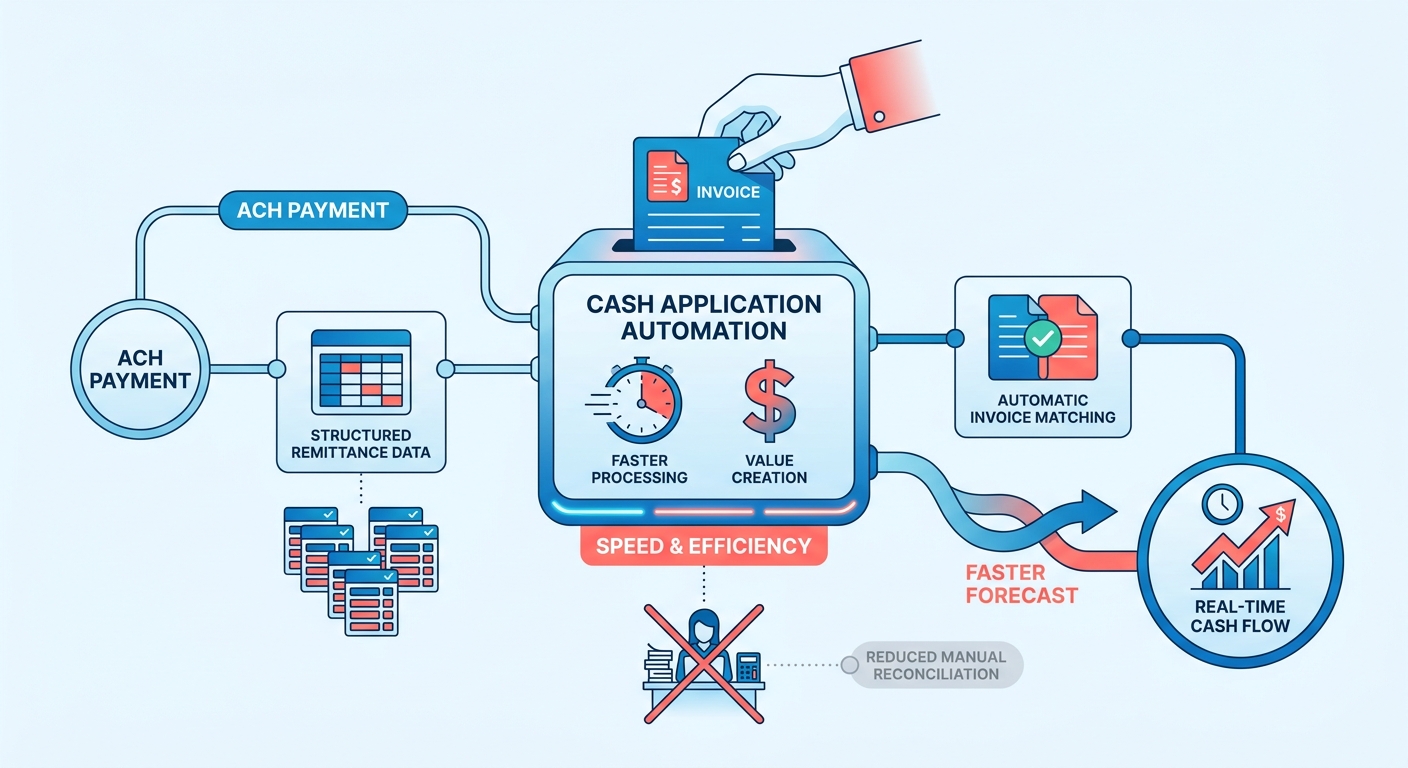
Why cash application is the right place to start
Most O2C delays concentrate in cash application, so automating it first gives you the fastest payback. Manual matching plateaus at the exceptions: partial payments, missing invoice numbers, lumped remittances. ACH pay attacks this by carrying the data your engine needs to match on its own.
Clean, rule-following payments are easy. The value sits in the messy ones, and ACH’s structured remittance shrinks that mess before it reaches a person.
Companies that excel at O2C need manual input for only about 16% of invoices. Bottom-tier performers touch 80%. That gap is where your finance team’s hours disappear.
How this shows up in real numbers
A single unmatched payment can take a collections analyst 15 to 20 minutes to investigate. At high invoice volumes, those minutes stack into full workdays lost each week. Self-reconciling payments erase that queue before it forms.
The pattern holds across finance teams. Structured remittance data can push straight-through matching well past 90%, and fewer exceptions shorten the gap between a payment landing and cash showing up as available. Fewer touchpoints also mean fewer keying errors that trigger downstream disputes.
O2C automation adoption has climbed 233% since the pandemic, and it now ranks as the most automated business process in many implementations. ACH is the ideal foundation for high-volume billing because its cost structure stays sustainable as transaction counts scale.
Who benefits most
Mid-market SaaS companies on recurring or usage-based billing get the biggest lift, because they process high invoice volumes with predictable payment cycles. When cash lands and matches the same day, your forecasts reflect reality instead of last week’s guess.
Misaligned payment records breed administrative errors, like sending collections notices to customers who already paid. Kill the matching delays and you protect the customer relationship from friction it never needed.
Larger enterprises see it too. A high-volume distributor can reallocate several full-time reconciliation roles to real analysis once matching runs on its own. One subscription-focused SaaS company cut its billing cycle time by 30% and improved cash flow after unifying its quote-to-cash flow.
The common thread: reconciliation that used to be manual becomes a background process. You stop chasing payments and start trusting your numbers. For the mechanics of building this into your stack, the order-to-cash automation guide from Billtrust walks through the connected workflow ACH pay slots into.
ACH payment fundamentals
ACH stands for Automated Clearing House, the network that moves money electronically between U.S. bank accounts. Every ACH transaction is either direct deposit (money pushed to an account) or direct payment (money pulled from an account). For SaaS billing, direct payment is the workhorse that pulls recurring invoice amounts from your customers’ accounts.
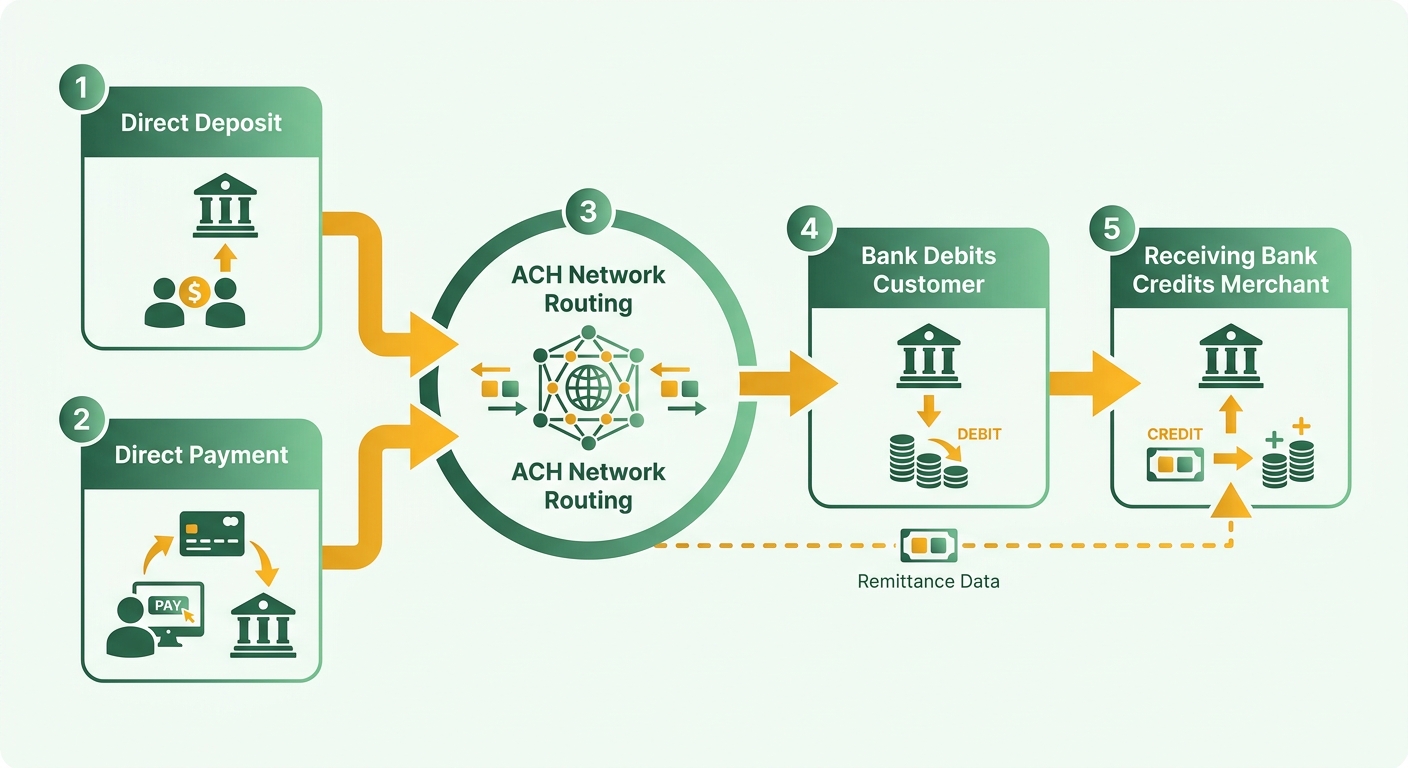
The push-versus-pull distinction matters because it shapes how remittance data flows into your cash application engine.
Direct deposit vs. direct payment
Direct deposit: an ACH credit that pushes funds into a recipient’s account, like payroll or vendor payouts. Direct payment: an ACH debit that pulls funds from a payer’s account, like a subscription charge or invoice collection.
For a SaaS team collecting recurring revenue, direct payment is what you run. You initiate a debit against the customer’s account on the billing date, and the funds land in yours after settlement.
The reconciliation payoff comes from what rides along with that debit. Attach structured remittance details and your matching engine knows which invoice the payment clears without a human guessing.
How ACH transfers actually move
ACH runs on batch processing, not real-time transfers. Your processor collects transactions through the day, bundles them into batches, and submits them at set windows. The network sorts and routes each entry to the receiving bank.
That batching is why the timing works the way it does. Standard entries settle over a few business days; same-day batches clear faster if you hit the submission cutoff.
For forecasting, the predictability of those windows is an asset. You know roughly when a batch of subscription debits will settle, so your forecast reflects incoming cash on a schedule instead of a hunch.
ACH transaction types worth knowing
ACH transactions split by who’s on the receiving end. Consumer transactions cover payments to or from individuals. Business transactions cover corporate-to-corporate payments, which is where mid-market SaaS billing lives.
Each type carries a three-letter Standard Entry Class (SEC) code that tells the network how the payment was authorized. Business payments often use codes built to carry richer remittance data than consumer codes allow.
That remittance capacity is the detail most billing teams overlook. It lets systems resolve open balances programmatically, no manual ledger adjustments. Say a customer pays three overdue invoices in one ACH debit. Without structured remittance codes, your team splits that lump sum by hand. With them, the matching engine allocates each dollar to the right invoice instantly, and your DSO and forecast update the same day.
This is why cash application sits at the heart of a strong order-to-cash process. ACH gives you low-cost, predictable settlement. The structured formats give your automation the data it needs to close the loop without manual work.
Integrating ACH into your payment flow
Integrating ACH comes down to five moves: collect a valid mandate, capture bank details, connect a processor, sync with your ERP, and lock down compliance. Get these right and payments match to invoices without manual work. Here’s the sequence that keeps remittance data clean from mandate to reconciliation.
The ACH mandate, and why it comes first
ACH mandate: the authorization a customer gives you to debit their bank account for recurring invoice amounts. No valid mandate, no legal pull. This is step one because every downstream match depends on an authorized, active debit.
For SaaS billing, capture the mandate at signup or renewal. Store the authorization record alongside the customer profile so your billing system knows which accounts it can debit and for how much.
Tie each mandate to a customer ID the system already recognizes. Link it to the same identifier your invoices use, and matching payments to open balances becomes automatic instead of a lookup you do by hand.
Collecting bank details and connecting a processor
Collect the routing number, account number, and account type, then route them through a processor or your bank to initiate debits. Encrypt these details in transit and at rest. Never store raw bank numbers in a spreadsheet or a CRM note.
Use tokenization to swap stored account numbers for a reference token. Your billing system references the token; the sensitive digits live in the processor’s vault. This shrinks your compliance scope and keeps bank data out of systems that don’t need it.
When you set up processing, confirm the debit carries structured remittance data. That field is what your matching engine reads to reconcile each payment against the right invoice. A payment without it lands in an unapplied cash bucket, and someone has to chase it.
Syncing ACH with your ERP and accounting systems
This is the step that turns ACH into real-time cash application. You need bidirectional syncing between your customer database and your accounting software so invoice status, payment status, and customer records stay aligned.
Integration platforms as a service (iPaaS) handle this syncing across systems. When a debit settles, the confirmation flows back into your ERP and closes the open invoice the same day. Yokohama Tire Corporation used automation to streamline accounts receivable this way, improving cash flow and operational efficiency.
Real-time ledger updates keep your financial reporting matched to actual bank activity. That precision lets finance leaders decide on verified, settled funds instead of stale estimates.
The compliance rules that govern ACH
ACH debits fall under NACHA operating rules plus federal screening requirements. You have to screen customers against OFAC sanctions lists and follow USA PATRIOT Act identity verification before initiating debits. Skip this and one flagged account can freeze your whole payment file.
Build screening into onboarding, not after the fact. Encrypt bank data end to end, restrict who can view mandate records, and keep an audit trail of every authorization. These controls protect both the payment file and the clean remittance data your reconciliation depends on.
Automating cash application with ACH
Automated cash application uses the remittance data riding along with each ACH payment to match funds to open invoices without a person. It moves finance teams from reactive ledger management to continuous reconciliation, so outstanding balances clear promptly and accounts stay in good standing.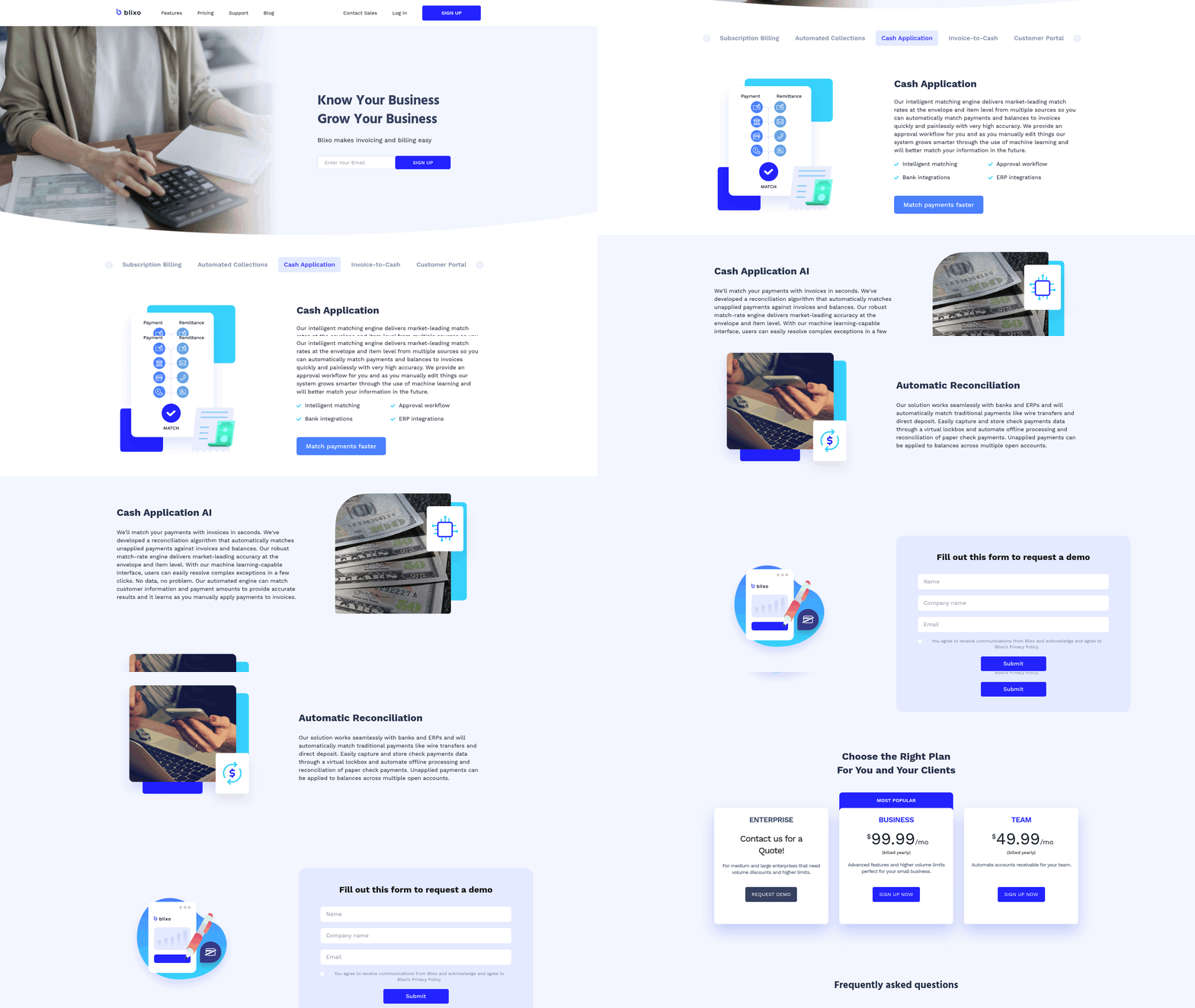
The tech has matured to the point where AI reads and reasons rather than just applying rigid rules. That distinction is where most of the value hides.
How intelligent matching engines work
An intelligent matching engine compares incoming ACH payment data against your open receivables and links them automatically. Machine learning handles the exceptions that break simple rule-based matching: short-payments from disputed line items, unexpected bank fees, and the rest.
Most O2C programs automate the clean payments and then plateau at the exceptions. That plateau is exactly where time, cost, and DSO impact concentrate. The strongest operations invest in an exception-and-reasoning layer that reads unstructured remittance notes and figures out intent.
For usage-based SaaS billing, this matters more than for flat subscriptions. Invoice amounts shift every cycle, so an engine that can reason through a $4,312.88 ACH credit against a slightly different open balance keeps your straight-through rate high.
What automatic reconciliation actually streamlines
Automatic reconciliation closes the loop between payment receipt and ledger update. Once the engine matches an ACH payment, it posts the entry to your ERP and marks the invoice paid without anyone opening a spreadsheet. Continuous data exchange between billing platform and general ledger keeps both systems aligned.
That immediate update cycle sharpens financial visibility. Instead of waiting for the month-end close to verify cash positions, controllers watch settled funds and outstanding receivables in real time.
Less manual keying also drives down transaction errors. When payments apply accurately on the first pass, you skip the headache of correcting misallocated funds later. Teams that cut manual keying typically see application error rates drop below 1%, which keeps collections notices pointed only at genuinely overdue accounts.
The companies that prove it works
A large industrial distributor cut its unapplied-cash backlog from days to hours after deploying an intelligent matching engine, clearing a rolling queue that tied up staff every quarter-end.
The gains extend across finance. A major chemical producer hit zero bad debt for four consecutive years through automated credit management. A large food company now recovers $124 million in invalid deductions annually with automated deductions handling. These trace back to clean, timely application data feeding every downstream decision.
The through-line: match accuracy at the point of payment is where working-capital advantages first take shape, and cash application is where that gap opens.
The concrete benefits
For SaaS finance teams, the payoff lands in three places:
- Less manual effort: matching runs in the background, freeing your team for real analysis. High straight-through rates become the norm once the system handles complex exceptions.
- Better accuracy: precise allocation minimizes ledger discrepancies and prevents erroneous customer outreach.
- Sharper visibility: immediate ledger updates give you a reliable base for cash planning.
Skip heavy automation only if you invoice a handful of customers a month. Below that volume, manual matching keeps pace. Above it, ACH-powered cash application pays for itself fast.
Best practices for ACH in order-to-cash
Best practices here come down to one rule: protect the remittance data at every handoff so your matching engine stays fast and accurate. Tune your outbound payments, recurring collections, and vendor integrations around that, and operations run without administrative drag.
Handling vendor payments and direct deposit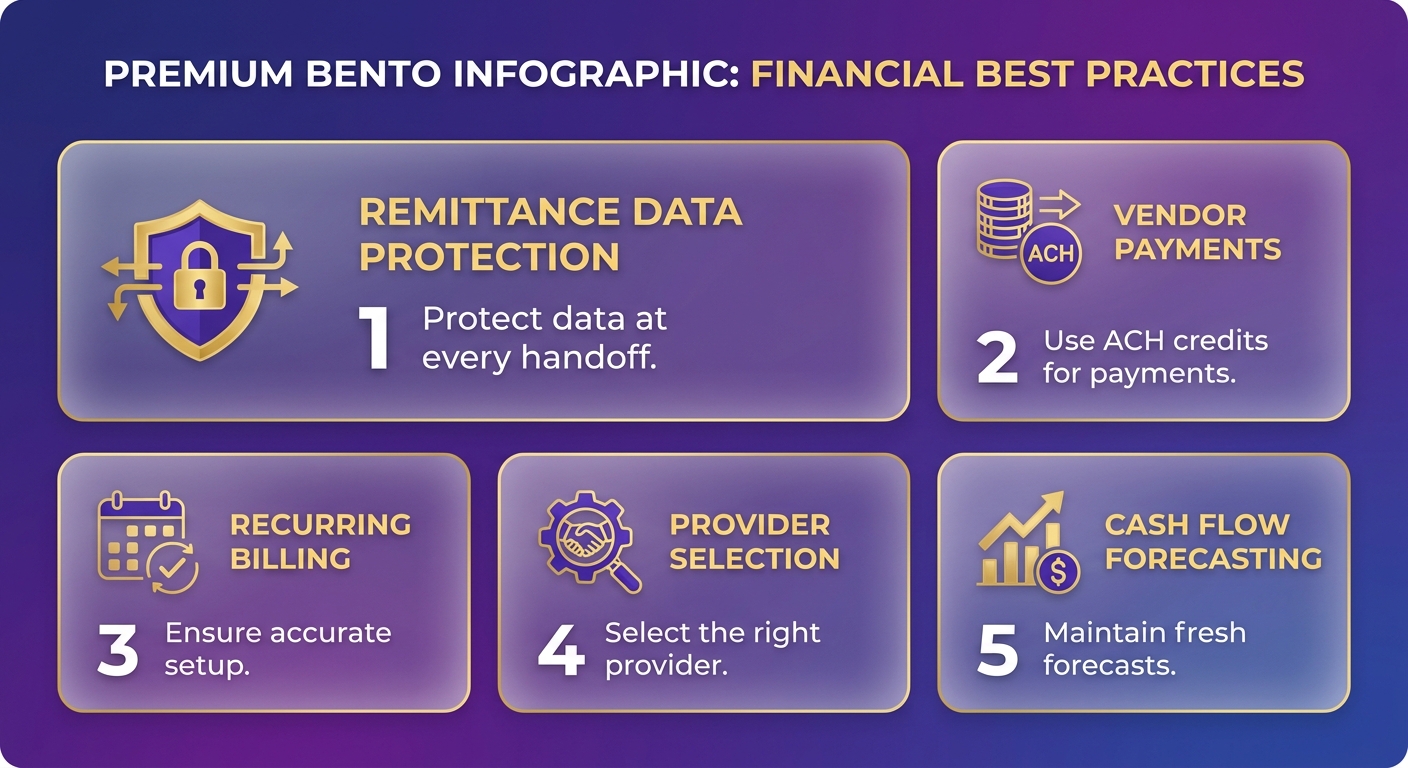
Use ACH credits for outbound vendor and supplier payments to cut transaction costs and keep a clean digital trail. Each payment carries structured data your accounting system syncs back automatically, keeping accounts payable and the general ledger in step without manual work.
For direct deposit to employees and suppliers, ACH pushes funds on a schedule. Same value as the inbound side: fewer errors, less time spent chasing mismatches.
Automating AP this way delivers real savings. A heavy-truck manufacturer applied automated invoicing across its distribution network and cut payment delays and administrative overhead.
Streamlining recurring billing with ACH
Set up ACH debits to pull recurring subscription amounts on a fixed cycle, then let automated invoicing generate the invoice the moment the billing event fires. That closes the gap between order and collection that inflates DSO for subscription businesses.
The mechanics matter most for usage-based billing, where invoice amounts change every cycle and manual matching breaks down fast. A predictable debit schedule also lowers failed-payment rates: ACH returns for insufficient funds typically run under 3%, well below decline rates on expiring or fraud-flagged cards. Fewer failed pulls means fewer dunning cycles and less revenue leaking out through involuntary churn.
Pair each debit with a retry window that respects NACHA reinitiation limits and you recover most soft failures without touching a customer. That combination of predictable timing and automated retries keeps recurring revenue landing on schedule.
What to look for in an ACH provider
Prioritize security, compliance, and clean ERP integration over raw feature counts. Your provider has to sync data cleanly across systems, because one that breaks your remittance flow costs you more than it saves.
Check that it connects to your existing accounting stack without custom rework. A tight link between customer records and the financial ledger is what keeps the books clean. A provider with a clean API and preset payment conditions lets you automate invoicing and reconciliation end to end.
Watch the fee structure. ACH pricing runs low, but the models vary. Confirm whether you pay per transaction, a flat monthly rate, or a blended fee, and model it against your recurring volume. At high subscription volume, even a small per-transaction difference compounds across thousands of invoices.
Finally, judge providers on exception handling. The clean matches automate easily. The cost and DSO impact concentrate in the messy cases, so an engine that reads and reasons through exceptions beats one that only follows rigid rules. Ask for the average time-to-resolution on flagged payments. A queue that clears in hours instead of days is the difference between current books and a reconciliation team still buried in spreadsheets.
Frequently Asked Questions
1. What happens when an ACH payment fails or gets returned?
When an ACH payment fails, the receiving bank sends a return code indicating the reason (such as insufficient funds or a closed account). Under NACHA rules, businesses can reinitiate failed transactions up to two times within 180 days of the original authorization. Automating this retry process based on specific return codes allows you to recover outstanding balances efficiently without manual intervention.
2. Can customers dispute or reverse an ACH debit after it settles?
ACH debits carry reversal rights under NACHA rules, giving business customers a limited window to dispute unauthorized or incorrect charges. Consumer transactions generally allow 60 days for returns, while business codes have tighter timeframes. Maintaining a valid mandate and audit trail for every authorization protects you against illegitimate reversal claims.
3. What is a Standard Entry Class (SEC) code and which one should SaaS billing use?
An SEC code is a three-letter identifier telling the ACH network how a payment was authorized. Business-to-business transactions often use CCD or CTX codes, which carry richer remittance data than consumer codes. CTX supports extensive invoice-level detail, letting your matching engine auto-allocate lump-sum payments across multiple open invoices.
4. How does ACH tokenization actually protect bank account data?
Tokenization replaces stored account and routing numbers with a reference token, keeping sensitive digits inside the processor’s secure vault. Your billing system references only the token, never the raw numbers. This shrinks your compliance scope, removes bank data from CRM notes and spreadsheets, and limits exposure if internal systems are breached.
5. Does ACH work for international customers or only U.S. bank accounts?
ACH operates exclusively between U.S. bank accounts through the Automated Clearing House network. For international customers, you’ll need alternatives like SEPA in Europe, wire transfers, or cross-border payment providers. Mid-market SaaS teams with global clients typically run ACH domestically and route foreign accounts through separate rails within the same billing system.
6. What OFAC and PATRIOT Act requirements apply before initiating ACH debits?
To maintain compliance, businesses must establish robust verification procedures during customer onboarding. This includes verifying bank account ownership and ensuring all transaction parties are cleared against federal watchlists. Implementing strict access controls and data encryption protocols further safeguards sensitive financial information and ensures audit readiness.
7. Should small SaaS companies with few customers bother automating ACH cash application?
For businesses with low transaction volumes, manual ledger updates are often manageable. However, as customer accounts scale and billing structures grow more complex, the administrative burden of manual matching increases exponentially. Automating this workflow becomes highly cost-effective when the labor hours spent resolving payment exceptions begin to impact overall finance team productivity.