

From Invoice to Cash: Breaking Down Silos in Financial Operations

Key Takeaways
- Invoice-to-cash is the path from a finished sale to applied bank funds: invoice out, cash in, reconciled.
- Three stages carry the load: invoice creation, payment collection, and cash application. Each one is a spot where money moves or stalls.
- Manual invoice keying still runs at 86% of SMEs, 73% of mid-sized firms, and 35% of enterprises. Every keystroke seeds a downstream error.
- Around 93% of companies deal with late payments regularly, and that drains working capital right at the collection stage.
- Nobody agrees on where the cycle even begins. Some vendors scope it narrowly; others treat it as cross-functional.
- Run invoice-to-cash as one connected flow, not a relay race between disconnected tools, and you get the strongest results.
- Errors at invoice creation poison everything after. Accurate billing is the foundation, full stop.
What “invoice-to-cash” actually means

The invoice-to-cash cycle is the sequence that turns a completed sale into money in the bank. It starts when you generate an invoice and ends when the cash lands and gets applied to the right account. Managing it well means looking at the whole journey of a transaction, not treating each step as its own island.
Here’s the wrinkle most guides skip. The industry can’t agree on where the cycle begins. Some vendors scope invoice-to-cash narrowly, covering only invoice generation through cash receipt. Others insist it’s a cross-functional workflow spanning sales, operations, finance, and customer teams, one that no single system can own. Both are right, depending on your business model.
What are the stages of the invoice-to-cash cycle?
Three core stages: invoice creation, payment collection, and cash application. Each is a distinct point where money either moves or gets stuck.
Invoice creation. You produce an accurate bill and get it to the customer. When billing details are keyed in by hand, a minor typo turns into a major dispute later, stalling the payment before it ever gets processed.
Payment collection. You follow up on what’s owed and chase overdue balances. Delays here hit liquidity directly, and finance teams burn hours sending reminders instead of doing anything strategic.
Cash application. You match incoming payments to open invoices. AI-driven matching hits over 90% straight-through processing, so your team stops digging through remittance emails by hand.
Why does automation matter here?
Automation goes after the two things that kill cash flow: errors and delays. Automated systems can cut Days Sales Outstanding by up to 30% and lift productivity by as much as 70%. One consulting firm squeezed its customer payment cycle from 45 days to 30 just by automating invoicing and reminders.
The results scale fast. A multinational manufacturer cut DSO by 25% with automated invoicing and AI collections. Coca-Cola bottlers recovered $33.4 million in deductions, dropping resolution time to 34 days against a 90-day industry average.
Here’s the catch. Full automation isn’t always the right call. High-volume repetitive work like cash application and payment reminders warrants complete automation. Judgment-heavy steps like revenue recognition and credit decisions need a human in the loop for audit readiness. Automate the grind, keep eyes on the calls that touch your books.
Where SaaS subscription billing breaks the model
This is the gap the standard playbook ignores. In SaaS subscription billing, there’s no discrete “order” step. The subscription is the recurring order. When a customer upgrades, downgrades, or renews, that single event is both an order change and a billing change at once.
That collapse breaks the tidy invoice-to-cash versus order-to-cash boundary. A proration or renewal doesn’t fit neatly into either bucket. If your billing tool and your collections tool don’t share that context, you’ve built the exact silo the whole cycle is supposed to eliminate.
Notice who the case studies feature: Coca-Cola, Konica Minolta, EY, big manufacturers. The automation ROI evidence comes almost entirely from enterprises. Yet the manual-entry burden sits squarely in the SMB and mid-market, exactly where SaaS subscription companies live. The segment with the most to gain gets the least vendor attention. Unifying subscription billing with the rest of invoice-to-cash is how you close that gap.
Finding the silos in your financial ops
Silos are the invisible walls between the teams and tools that should be moving money together. You see them when sales closes a deal in one system, finance invoices from another, and cash gets applied by hand in a third. You can’t fix what you haven’t named.
For SaaS and subscription businesses, the silo problem starts earlier than most guides admit. It starts in the software categories themselves. Any serious invoice-to-cash solution has to reconcile a split the industry baked into its own tooling, and that split is where subscription revenue quietly leaks.
What siloed operations look like day to day
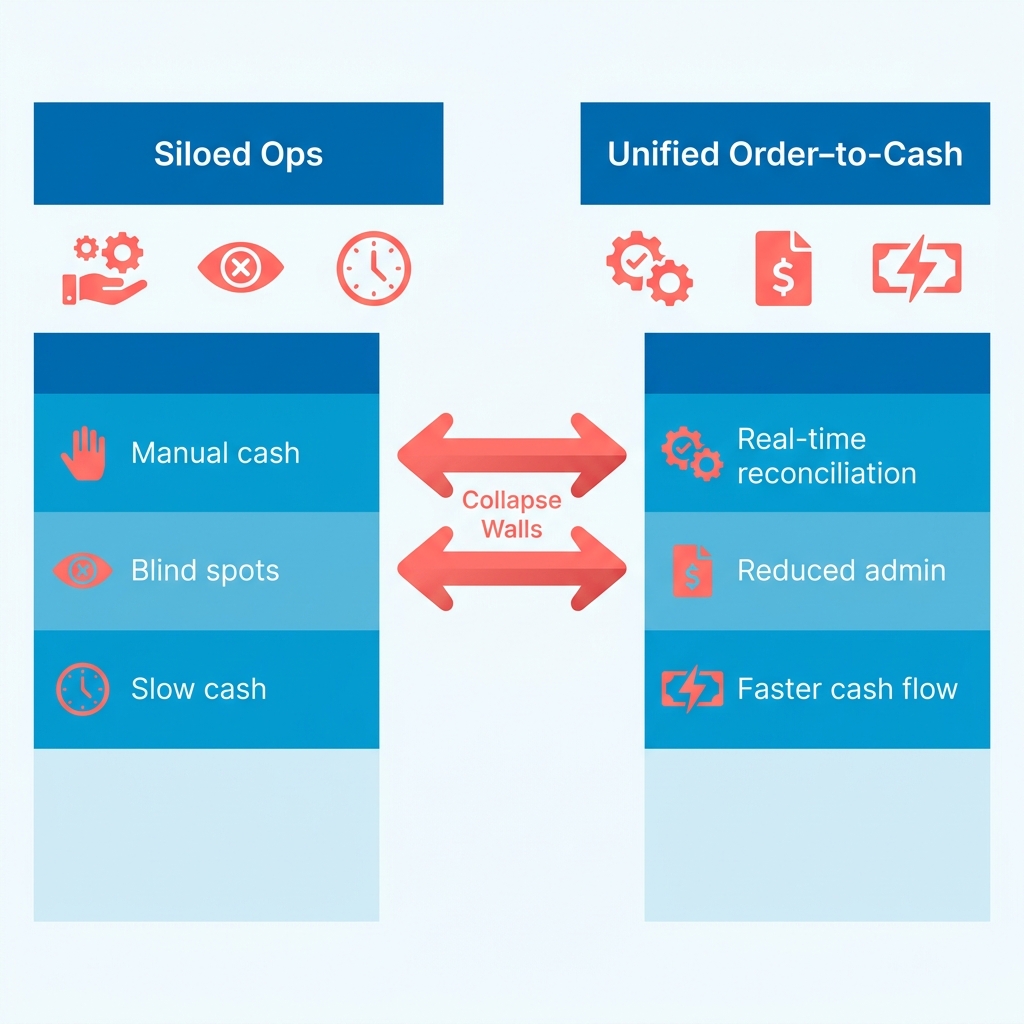
Silos show up as manual work, blind spots, and slow cash. If your team re-keys the same customer data across billing, collections, and the general ledger, that’s a silo. If nobody can answer “how much will we collect this month?” without a spreadsheet, that’s a silo too.
The clearest tell is manual cash application. This is the friction Blixo removes: our matching engine automatically ties payments and balances to invoices from multiple sources with high accuracy, and it gets smarter over time through machine learning. If your team is still matching remittances by hand, you’re carrying a silo automation can lift off your plate.
High Days Sales Outstanding is the financial symptom. Cash that should be in your account sits trapped as receivables, and working capital stalls. Delayed payments and reconciliation backlogs are the downstream cost.
Why the I2C-vs-O2C boundary is itself a silo
Here’s a contradiction worth confronting. When teams strictly separate the invoicing phase from the initial order phase, they build an artificial wall. It forces you to manage customer relationships in fragments, which means misaligned data and slower collections.
Both views institutionalize the very silo this article fights: finance on one side, sales and operations on the other. In a recurring revenue model, drawing a hard line between the contract and the bill is impractical. Every mid-cycle adjustment changes the billing schedule, which means the transaction and the invoice are joined at the hip.
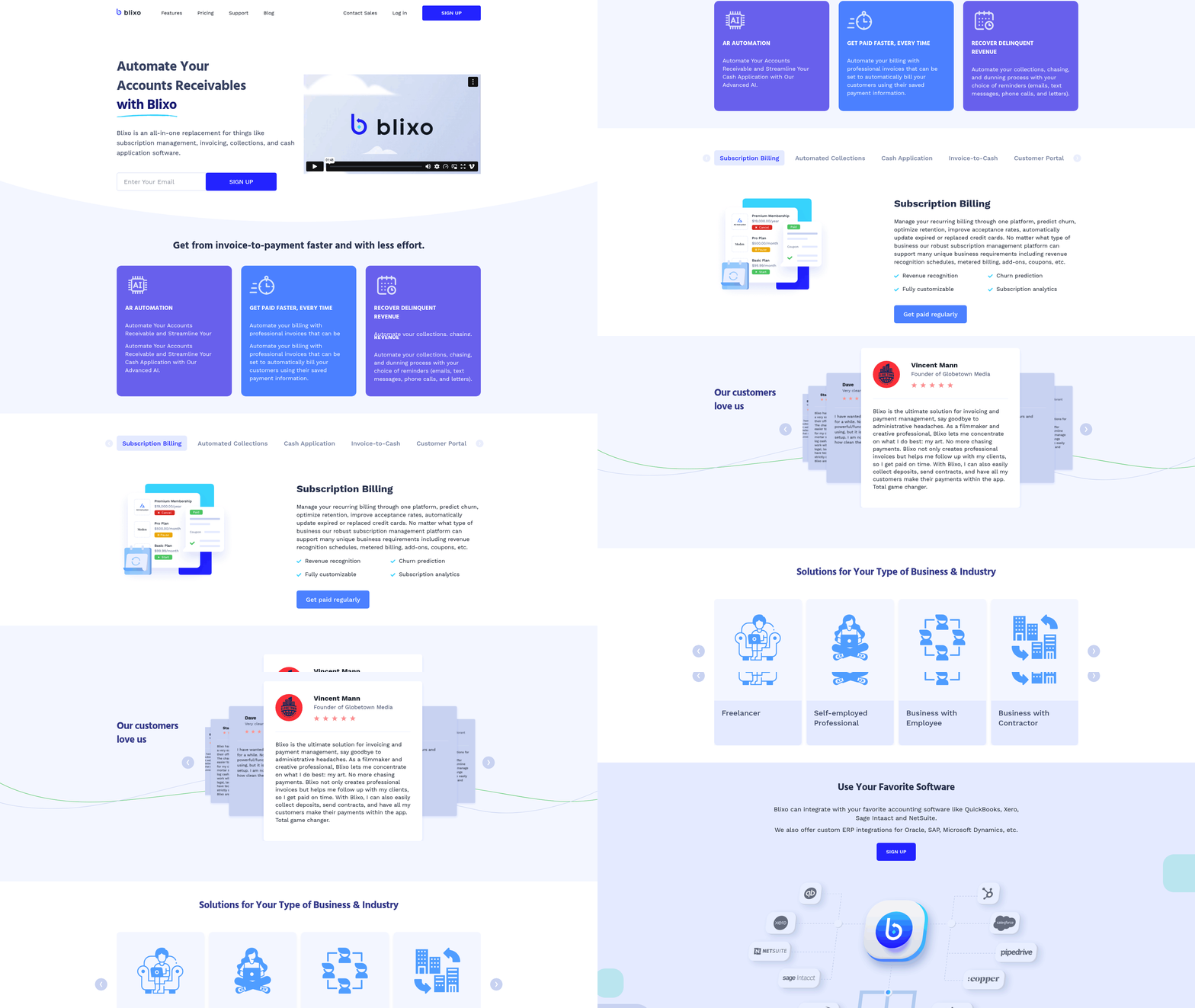
That’s the case for a unified billing-to-cash platform. When the subscription is the recurring order, splitting order from invoice just rebuilds the wall inside your stack. Blixo runs subscription management, invoicing, collections, and cash application in one place instead of separate tools stitched together.
How to spot silos before they cost you cash
Start with process mapping. Draw the full path from a signed subscription to applied cash, and mark every point where data gets re-entered or a human waits on another team. Each handoff is a candidate silo.
The fixes that work are behavioral, not punitive. Blixo automates collections, chasing, and dunning with your choice of reminders: email, text, phone, letters. Follow-ups happen consistently without manual effort. It also generates and sends invoices from pre-populated items and auto-bills customers using saved payment methods.
Put those together and a pattern emerges: most late payment is a communication-and-friction failure, not a solvency problem. For subscription billing, that means dunning workflow design is your highest-use collections investment, not tougher credit terms.
Running order-to-cash as one system
A unified order-to-cash process runs subscription billing, invoicing, collections, and cash application as one connected system instead of separate tools handing work back and forth. For SaaS businesses this matters a lot. When a customer account changes, the change has to show up instantly across every financial touchpoint, or you get billing discrepancies.
Here’s the problem we keep running into. Most invoice-to-cash tooling was built for one-time transactions, so it fumbles the recurring stuff: upgrades, prorations, renewals, usage overages. When your billing engine and your cash application sit in different systems, every plan change becomes a manual reconciliation. Unify them and the recurring order flows into the invoice, then into applied cash.
The five pieces that have to connect
A unified process connects five things: subscription billing, automated invoice delivery, payment collection, cash application, and dunning. The point is that a subscription event triggers each step without anyone re-keying data.
The connective tissue is a shared data model. When all five components read from one customer and contract record, a mid-cycle upgrade updates the billing schedule, regenerates the prorated invoice, and adjusts the next dunning sequence at once. Compare that with stitched-together tools, where a single plan change can spawn three separate tickets across three teams.
Two signals tell you the unification is working: the share of invoices generated without manual edits, and the time between a subscription event and its matching journal entry. Both should trend toward near-instant as the seams disappear.
Automate everything, or just some steps?
Not everything. Automation is great at speed, but certain financial decisions need human oversight. The trick is finding the balance that gives you efficiency without giving up control.
Software vendors tend to push complete automation to max out processing speed. Risk people push back, because over-automation invites compliance problems. Routine payment reminders can safely run on software. Evaluating complex credit terms or handling an unusual dispute needs human judgment.
Where most implementations get stuck
Integration with existing systems is the biggest snag. Bolt an automation layer onto disconnected billing, ERP, and payment tools, and you’ve recreated the silos you were trying to remove.
Scope creep is the quieter killer. Teams try to unify all five components at once, the project stalls under its own weight, and it loses executive backing before it proves anything. Roughly two in three finance transformation projects run over their original timeline for exactly this reason. The fix is sequencing, not ambition.
Change management is the other blocker. Automation shifts finance work from data entry to exception handling, and teams need training to make that switch. A clean bookings policy is the foundation: get your contract and billing rules right first, then automate on top of them.
Start small. Pick one leaky step, unify it end to end, prove the DSO win, then expand. Consolidate onto a single platform and every later automation step draws from the same accurate data source.
Measuring ROI and the KPIs that matter
You can’t improve what you don’t measure, and for subscription businesses the measurement problem is its own animal. Recurring revenue hides its own leaks. A good financial platform doesn’t just automate the cycle; it reports on it in real time, so you can see whether unifying billing and cash application actually moved the numbers.
Start with the right metrics. The whole point of a unified order-to-cash system is turning uncertain receivables into predictable working capital, and a handful of KPIs tell you if it’s working.
Which KPIs prove a unified process is working?
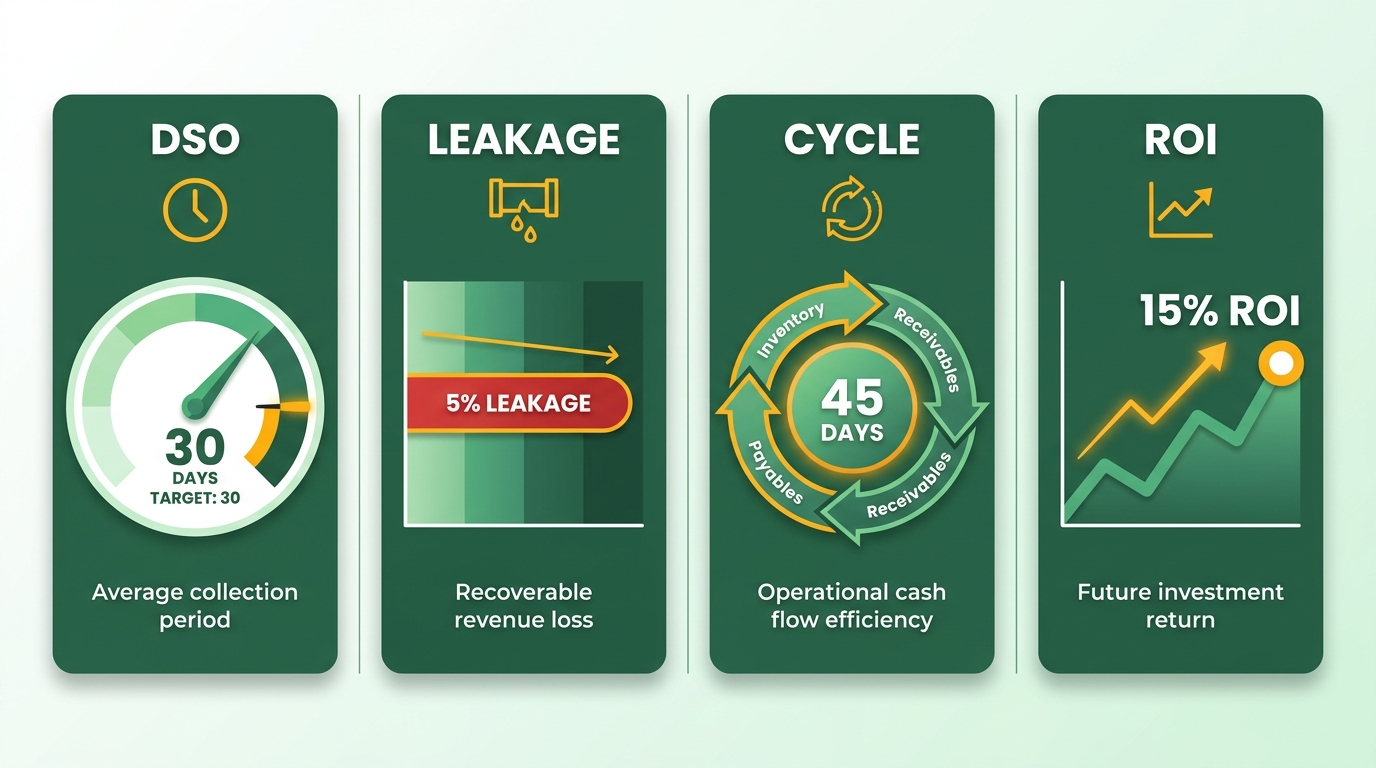
Track four numbers first: Days Sales Outstanding, payment recovery rate, Collection Effectiveness Index, and bad debt rate. These show how fast cash arrives, how much of it you recover, and how much slips away. For SaaS, add churn-adjusted metrics, since a failed renewal is both a collections miss and a retention miss.
DSO is the headline, but track it alongside Best Possible DSO, the figure you’d hit if every customer paid exactly on terms. The gap between the two is your controllable delay, and it’s the number a unified process should shrink quarter over quarter. A CEI above 80 generally signals a healthy collections operation. Below that, cash is leaking somewhere in the handoffs.
The revenue upside is smaller but real. Optimizing the cycle end to end tends to add 1-3% to annual revenue, mostly from recovered invoices and fewer write-offs. For a recurring-revenue business, that percentage compounds every billing cycle, so it matters more than the flat number suggests.
How to measure ROI on a unified process
Compare cost, speed, and recovered cash before and after unification. The clearest wins come from close-cycle time and dispute resolution. One fintech cut its monthly close from six days to four after streamlining order-to-cash. Another useful benchmark: cost per invoice. Manual invoice processing typically runs $15-40 per invoice once labor, errors, and rework are counted; automated processing drops that to a few dollars. Multiply the difference by monthly invoice volume and you’ve got a hard-dollar baseline for ROI.
That contrast points to a real market gap. Enterprises have the resources to build custom integrations; smaller growing businesses get stuck with fragmented tools. Put a unified system in early and a mid-market company can scale without adding admin headcount in lockstep with revenue.
What makes ROI measurement hard
Data quality and integration are the two things that break ROI tracking. If your subscription events live in one system and your cash lands in another, your DSO figure is guesswork. You can’t credit a recovered payment to a process change when the data was never clean to begin with.
Where you draw the automation line complicates the math too. Automate too aggressively and the cost of fixing automated errors can wipe out the efficiency gains, which makes the true return hard to isolate.
A balanced approach aims automation at predictable, high-volume tasks and keeps complex financial adjustments in manual review. That way the numbers you use to calculate ROI reflect genuine efficiency, not hidden rework.
Report on a fixed cadence, monthly at minimum. Review the same KPIs each time so trends surface. A number you check once is a vanity metric. A number you track is a lever.
Frequently Asked Questions
1. What’s the difference between invoice-to-cash and order-to-cash?
Order-to-cash covers the full sequence from a customer’s initial order through applied payment, including sales and fulfillment. Invoice-to-cash is narrower, starting at invoice generation and ending at cash receipt. In subscription models, these two processes overlap significantly because customer lifecycle events—like plan upgrades or downgrades—instantly trigger both contract updates and new billing calculations.
2. What is dunning, and why does it matter for subscription businesses?
Dunning is the structured process of reminding customers about due or overdue payments through scheduled communications. For subscriptions, well-designed dunning workflows recover more revenue than stricter credit terms, since most late payment stems from communication friction, not insolvency. Utilizing multi-channel outreach ensures these reminders reach customers through their preferred contact methods.
3. How is straight-through processing measured in cash application?
Straight-through processing measures the percentage of payments automatically matched to open invoices without human intervention. It’s calculated by dividing auto-matched transactions by total incoming payments. Higher rates mean less manual remittance hunting. Modern financial platforms leverage machine learning to continuously refine matching accuracy based on historical payment patterns.
4. What DSO target should a subscription business aim for?
A subscription business should aim to minimize the variance between its actual collection times and its optimal terms. This variance highlights operational inefficiencies in billing and collections. Additionally, maintaining a high collection efficiency rate indicates that outstanding balances are being recovered promptly, preserving steady cash flow.
5. How should a small finance team begin automating invoice-to-cash?
Begin by identifying the specific touchpoints where billing data is manually transferred between systems. Focus on resolving a single bottleneck first—such as automating payment reminders—to demonstrate immediate value. This phased approach prevents project delays and builds momentum for broader system integration.
6. How do finance roles change after automation is implemented?
With automation handling routine tasks, finance professionals transition into analytical roles focused on optimizing cash flow and resolving complex customer accounts. This shift requires training teams to interpret system data and manage exceptions. To ensure a smooth transition, establish clear operational guidelines before deploying new software.
7. What makes a unified platform better than integrating separate billing and collections tools?
A unified platform operates on a single database, ensuring that any change to a customer’s subscription status instantly updates their billing schedule and collection path. This eliminates the data discrepancies that occur when separate systems attempt to sync. By consolidating these functions, businesses reduce administrative overhead and eliminate the need to maintain complex API integrations.