

ERP Alone Won't Reconcile Payments: Add a Matching Engine

Key Takeaways
- Your ERP stores invoices and ledgers. It cannot match a batched, fee-netted, multi-currency processor payout to the right open invoices.
- A matching engine layered on top of the ERP reconciles recurring payments automatically, so you avoid manual journal entries.
- Data imports alone solve nothing. A fully automated Stripe pipeline can dump every transaction into the “not matched” tab.
- Blixo’s matching engine matches at both the envelope and item level, from multiple sources, with strong match rates.
- The value lives in the matching logic, not the data import.
- The engine gets smarter over time as users edit and correct match results.
- Subscription-SaaS firms with daily recurring charges watch exceptions pile up without matching logic.
Related Video
Watch: How to Use Transaction Reconciliation in Summary Mode (Step-by-Step) by Synder
Quick Summary
The fix for reconciliation that never closes is a matching engine on top of your ERP. Your ERP holds the invoices and the ledger. It does not match a batched, fee-netted, multi-currency processor payout to the right open invoice. That is the gap accounts receivable automation software fills. For subscription-SaaS firms with daily charges, it means the difference between a clean close and growing exceptions.
Data imports alone solve nothing. When a fully automated Stripe pipeline dumps a month of transactions into your books without matching logic, every payment can land in the “not matched” tab. Importing the data was never the problem. The matching logic is where the value lives. Blixo’s matching engine works at the envelope and item level, from multiple sources, and gets smarter through machine learning as you edit.
Here’s the at-a-glance version: what you’re building, how long it takes, and what you need before you start.
What Does This Setup Involve at a Glance?
The goal: connect your payment processors and ERP to a real-time matching engine that reconciles recurring payments automatically, without manual journal entries.
| Item | Detail |
|---|---|
| Outcome | Auto-matched recurring payments; exceptions surfaced, not buried |
| Time to first results | A few hours to connect sources; days to tune matching rules |
| Difficulty | Moderate. Technical setup is light, but fee and batching rules need care |
| Best fit | Subscription and usage-based billing with high transaction volume |
| Skip if | You process a handful of invoices a month by hand. The ERP alone is fine there |
The payoff is real. A good matching engine matches payments and balances to invoices fast, with high accuracy, gives you an approval workflow, and gets smarter over time as it learns from your corrections. Recurring payments clear on their own. The odd items get surfaced instead of buried in a manual pile.
What Do You Need Before You Start?
Three things: your open-invoice data, your processor payout feeds, and a clear rule for how fees get separated. Miss any one and you produce the two failure buckets every reconciliation surfaces.
Worth understanding those buckets upfront. “Missing in the system” means a payment showed up at the processor but never landed in your books. “Missing in the integration” usually means a manual journal entry that lives only in your ledger. Our take: these two gaps map directly to the fee, batching, and currency complexities that break ERP-only reconciliation.
Prerequisites checklist:
- ERP or ledger access. QuickBooks, Xero, NetSuite, or similar, with open invoices exposed
- Processor connections. Stripe or whatever gateways collect your recurring charges
- A fee-handling rule. Logic to split gross payout from processor fees and apply correct GL coding
- A source of truth for recurring plans. So the engine knows what each subscriber owes and when
Get these lined up and the matching engine does the heavy lifting. Skip the fee rule and you’ll rebuild the same exceptions pile the ERP left you with. The steps that follow walk through each piece in order.
Why Recurring Revenue Leaks at Reconciliation
Reconciliation is where recurring revenue quietly leaks. Standard accounting platforms are great at ledger maintenance and fall over the moment you hand them a complex, aggregated settlement file. That’s the gap accounts receivable automation software fills, and it bites hardest for subscription-SaaS firms running high-frequency recurring transactions.
The cost of that gap is measurable. Manual reconciliation runs an error rate near 2.8%, and it drains large enterprises of roughly 2.5% of transaction value in labor and write-offs. A matching engine that reads dates, amounts, and invoice references together pulls those numbers down fast. Error rates drop toward 0.8%, and processing time per transaction roughly halves.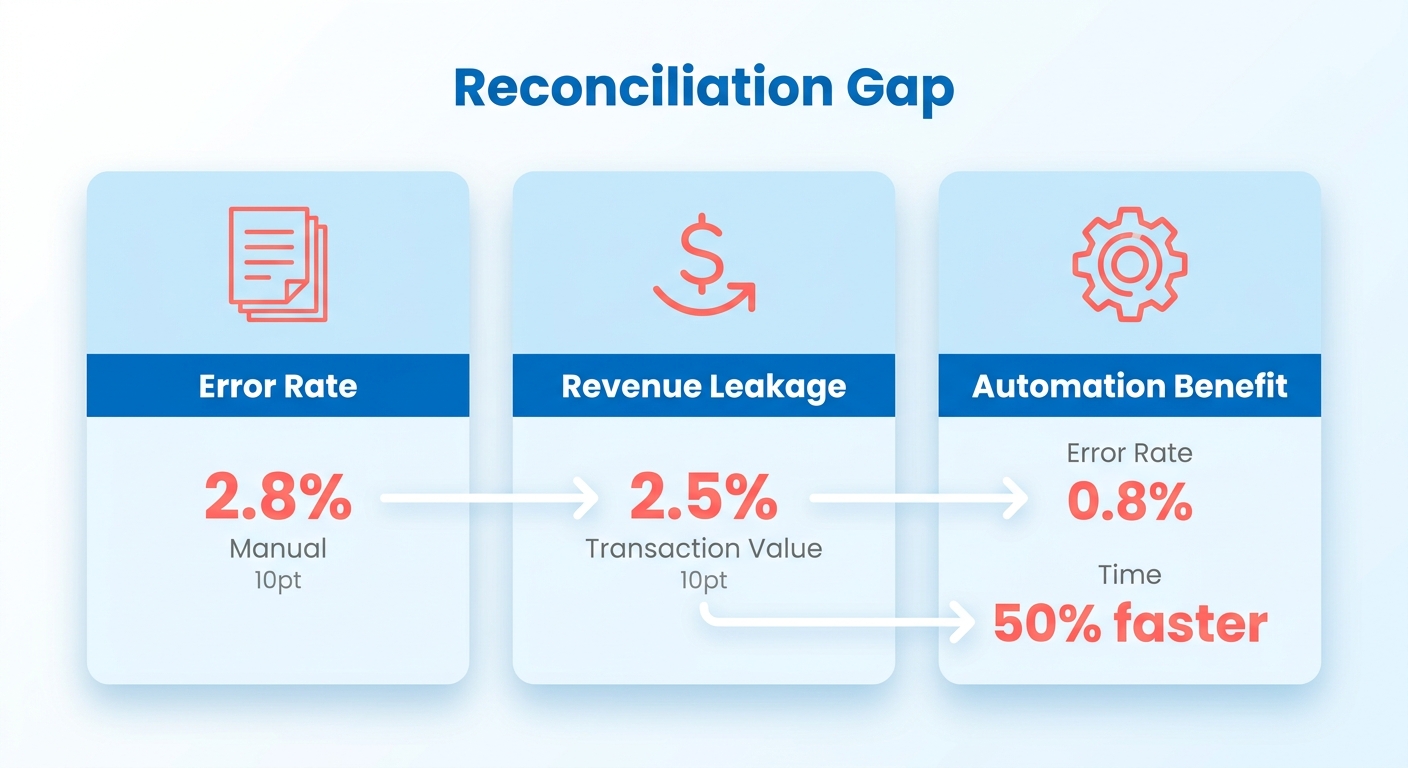
Why isn’t an ERP enough on its own?
An ERP holds your records but has no logic to reconcile them against what a payment processor actually sends. Fees, batching, currency conversion, partial payments. Any one of these breaks naive amount-matching. A dedicated matching layer turns raw imports into applied cash.
Without it, even a direct API integration can create massive backlogs. Raw transaction logs flow into a ledger with no invoice-level mapping, the system cannot resolve the entries, and your finance team sorts through thousands of unapplied payments by hand.
And a word on the migration trap: moving to a modern cloud ERP does not shorten your close by itself. Teams that migrated to a new S/4HANA instance without redesigning reconciliation workflows saw close cycles stay flat. The ERP investment is necessary but inert until you bolt a processor-agnostic matching layer onto it.
What does adding a matching engine actually buy you?
Matching engine: a layer that proposes and applies payment-to-invoice matches using multiple signals, not just amount. It clears routine cash automatically and surfaces the odd items for review instead of hiding them.
The numbers back this up. Intelligent systems cut unresolved discrepancies by 60-80% and lower direct write-offs by around 40%. Over time, the models adapt to your corrections, get better at reading your customers’ payment quirks, and cut manual work with each billing cycle.
How high can auto-match rates realistically go?
Be skeptical of vendor accuracy claims. Rule-based engines plateau around 70-85% on straightforward transactions. That is where deterministic matching hits its ceiling. Probabilistic, ML-driven matching pushes past 90%.
The distinction that matters: accuracy is not coverage. A 99% accuracy figure describes correctness on the payments the engine matched, not the share of payments it matched at all. When you evaluate tools, ask for both, and treat auto-match coverage as the number that predicts your actual exception workload.
Subscription billing adds its own headaches: mid-cycle upgrades, downgrades, prorated charges. Track those across multiple gateways and you need a system that follows the customer lifecycle alongside payment events, so automated approvals only fire when the financial data lines up with the contract terms. At volume, that is not optional anymore.
Prerequisites
Before you bolt a matching engine onto your ERP, three things need to be in place: clean processor connectivity, a data-normalization layer, and defined match rules. Miss any one and the engine has nothing usable to work with. Every transaction stalls, and your team spends the first month troubleshooting setup instead of reconciling.
Establishing a connection is just the baseline. The operational efficiency comes from the rules and processing layers that interpret the data once it arrives. Below is what your team needs ready before the engine can do its job on recurring subscription payments.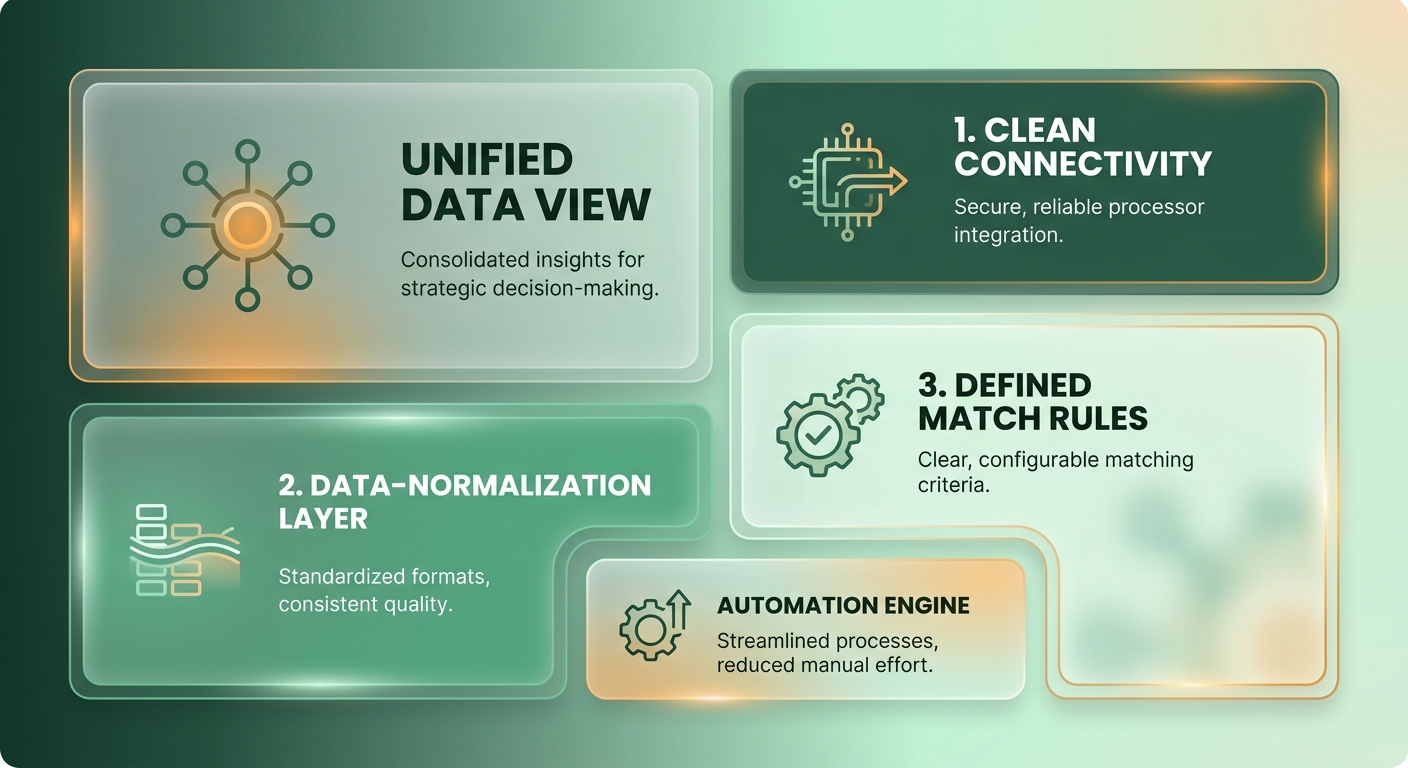
What data connections do you need first?
Prerequisite: A direct processor feed and a live ERP connection, not manual uploads. Direct bank and processor feeds beat file uploads on both accuracy and timeliness. For subscription-SaaS firms, that means a standing Stripe or gateway connection that pulls payouts as they settle, plus write-back access to your ledger.
Direct feeds keep the audit trail intact. A continuous, bi-directional flow updates ledger balances in real time, so cash application happens the moment funds settle instead of waiting for a manual batch run.
Set up both directions before you run anything. One feed pulls processor data in. The other pushes reconciled results back to your books.
Why is a data-normalization layer non-negotiable?
Prerequisite: A normalization step that reads PDFs, spreadsheets, and unstructured remittance references, not just flat files. This is the most under-recognized precondition on the list. Your ERP natively ingests simple .txt and .csv files. Processor payouts and bank statements show up as PDFs, .xlsx, and messy reference strings.
Without a common data schema, the matching engine is essentially blind. Normalization standardizes the disparate fields, varying date formats, truncated customer names, into one structure, so the matching algorithms compare records apples-to-apples.
This is also where fee-netting and multi-currency payouts get untangled into their component charges. No normalization, no clean matches on batched subscription revenue.
How should you define match rules and read the exceptions?
Prerequisite: A rules engine configured for exact, many-to-one, and fuzzy matches, plus a plan for the two exception buckets. Auto-matching does more than one-to-one pairing. A single batched payout maps to many open invoices, so many-to-one logic is essential for recurring billing.
Unmatched transactions generally come from two places: internal ledger discrepancies where manual entries bypass the automated pipeline, or external gateway anomalies where settled funds don’t correspond to any recorded invoice. Spotting these root causes early helps you refine the upstream billing process.
One practical note on tooling: many reconciliation vendors publish no list price at all. Pricing is often quote-based, driven by named users, modules, and data volume, so budget for a scoping conversation, not a checkout page. For teams already handling recurring debits, our guide on streamlining recurring ACH payments covers the upstream side of this setup.
Core Concepts
A matching engine is the translation layer between external payment gateways and your internal ledger. The ERP is the static system of record. The matching engine dynamically pairs incoming cash with outstanding receivables. That reconciliation logic is the heart of any accounts receivable automation software built for recurring revenue.
The distinction matters for how you build. A reconciliation tool focuses entirely on transaction-level accuracy. Close-management software handles task management and checklists. To automate cash application, prioritize the transactional layer and make sure it can write reconciled data directly back to your ledger.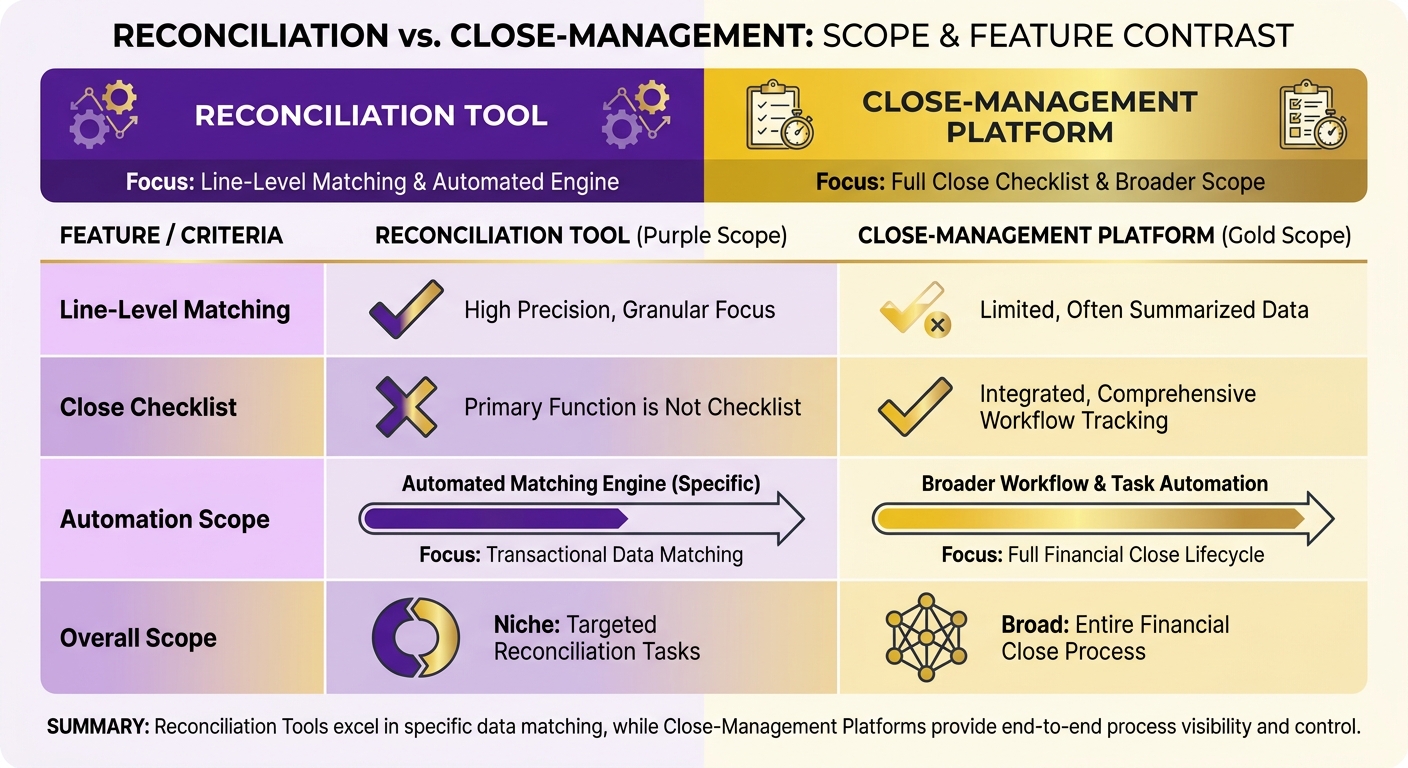
What are the components of a matching engine?
Matching engine architecture has four layers: data ingestion, field normalization, the matching logic itself, and workflow management for exceptions. Each layer has its own failure mode. Ingestion pulls processor and bank data via API. Normalization aligns dates, amounts, and reference fields. The engine proposes matches. Workflow routes what doesn’t match.
Each layer has to work for the automation rates to hold up. If ingestion lags, or normalization cannot parse a complex settlement file, the matching logic downstream is starved of clean data and you’re back to manual reviews.
Rule-based vs probabilistic: which matching method wins?
Rule-based matching applies fixed logic: exact, many-to-one, and fuzzy matches. Probabilistic matching uses machine learning and NLP to read unstructured references and score likely matches. The method sets your ceiling, not your tuning effort.
The mechanics explain the gap. Rule-based logic fails the moment a reference field deviates from its expected format, so every processor that renames or truncates its remittance data spawns a new exception queue. Probabilistic engines read intent from partial or garbled strings, which is why they hold up across payment channels. A mid-market SaaS team that moved a rule-based setup to a probabilistic model cut its monthly exception backlog by roughly half within two billing cycles, mostly by clearing charges with inconsistent gateway descriptors.
For high-growth firms, leaning only on static rules is an ongoing maintenance tax. Add new payment methods or expand into new regions and the variation in transaction metadata quickly outpaces your rule library. A learning-based approach is what holds up long term.
Accuracy is not coverage: read vendor claims carefully
When you evaluate performance, separate precision from volume. A system might boast near-perfect correctness on the small subset of transactions it’s confident enough to match, while leaving the bulk of your ledger untouched and waiting on manual work.
Low coverage means your finance team stays bogged down in manual cash application no matter how accurate the automated portion is. Real relief comes from maximizing the total volume of transactions processed without a human touch.
That’s why modern platforms combine strategies. Deterministic rules for standard transactions, probabilistic models for the edge cases. You get maximum coverage without compromising the integrity of your reporting.
Step-by-Step Implementation
Implementing a matching engine is more than data ingestion. Standing up an API connection to your payment gateway will not solve reconciliation on its own; without structured rules, the incoming data sits unallocated in your accounting system. That’s the gap real accounts receivable automation software is built to close.
Here’s the path we use to get past that empty tab. Three stages: connect and normalize, configure your match rules, then run and triage exceptions.
How do you set up the data feed and normalize fields?
Setup: Pull processor and ERP data through direct API connections, then normalize dates, amounts, currencies, and invoice references into one comparable format before any matching runs.
Automating this stage removes the latency of manual file handling. Once the connection is live, the system parses the raw payload immediately, translating nested JSON structures or bank files into standardized transaction records.
This step catches discrepancies early. Align transaction timestamps and currency codes at the entry point and you head off the usual errors from timezone mismatches or shifting exchange rates before the matching engine even runs.
How do you configure the match rules?
Configuration: Set rules that read dates, amounts, and invoice references together, and separate gross payment amounts from processor fees with correct GL coding before proposing a match.
A credible engine never matches on amount alone. A batched payout of fifty subscription charges will not equal any single invoice, so the rules have to split the batch, net the fees, and match each line to its open invoice. Configure fee handling and partial payments explicitly. These are the recurring-billing cases that trip up deterministic setups.
Setting thresholds is a balance between automation and risk. A small variance allowance clears minor foreign exchange or timing gaps, but the system has to stay strict enough to flag genuine payment shortfalls for manual review.
How do you execute and triage exceptions?
Execution: Run the engine on real data, auto-clear the confident matches, and route the rest to a review queue that shows why each one failed rather than hiding it.
Good automation clears the routine matches and makes the unusual ones easier to investigate. It should never conceal exceptions. Test with real-world exception patterns before you trust the output, because that is where currency and batching edge cases surface.
The goal of this workflow is continuous ledger sync. Once an exception is resolved, the system updates the corresponding records right away, so your financial statements reflect real-time cash positions without manual journal entries at month-end.
Best Practices
To hit top automation rates, look at the technology underneath your reconciliation. The architecture of your matching system dictates its long-term performance, especially on the high-volume, multi-currency transactions typical of modern subscription businesses.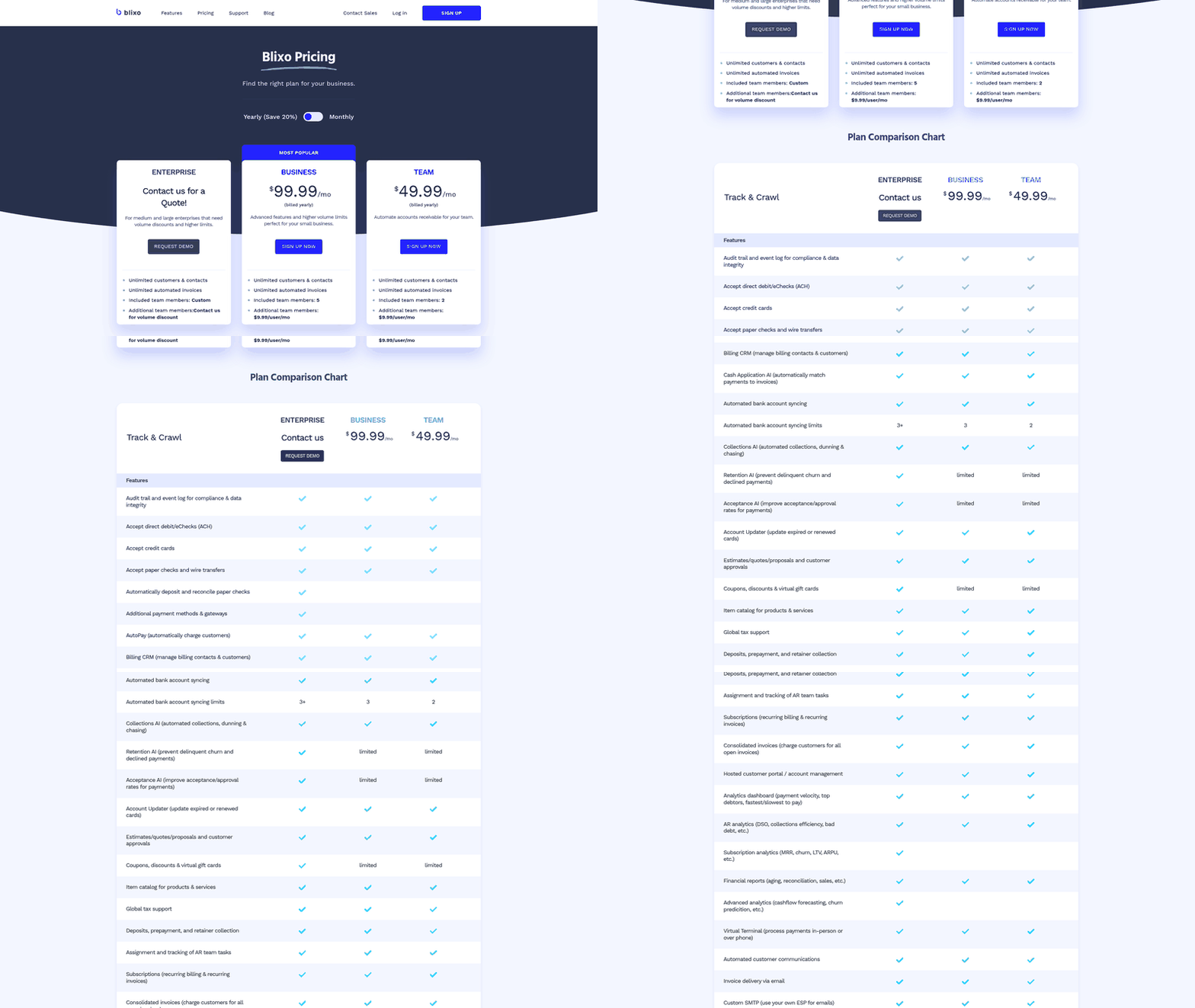
A common mistake: assuming all matching engines work the same way. Basic systems rely on rigid, exact-match rules. Advanced platforms use natural language processing to interpret messy remittance data, which cuts the manual workload for your finance team.
How Do You Push Past the Match-Rate Ceiling?
Best practice: Layer probabilistic matching on top of your rules so ambiguous payments get resolved instead of dumped into exceptions. Rule-based logic handles the clean cases. Machine learning and NLP catch the messy references, partial payments, and vendor-name variations that break deterministic matches.
Prioritize the layering order by exception cost, not volume. A short-pay on a large invoice ties up more working capital than a dozen clean small charges, so route high-value ambiguous items to the probabilistic layer first. Teams that sequence this way often clear aged items 30-45 days faster, and older items are harder to resolve, so shrinking that age directly protects recurring revenue.
If you’re processing high volumes of bank transfers, cleaning up the upstream collection matters just as much. Tightening up recurring ACH payments cuts the volume of failed or mismatched transactions entering your system in the first place.
What Are the Common Pitfalls?
Pitfall: Workflows that obscure financial discrepancies. Automation should streamline reconciliation, but it cannot cost you visibility or auditability.
Work the root causes of your unmatched transactions systematically. Recurring errors often come from systemic timing differences between your billing platform and your bank, not isolated transaction failures.
Keep every state visible: imported, matched, approved, reconciled. If the tool clears the routine matches but buries the odd ones, you’ve traded a labor problem for an audit problem.
When Should You Skip This?
Skip a dedicated matching engine if you clear under a few hundred transactions a month and your ERP’s native bank-rec rules already close cleanly. The setup and tuning overhead is not worth it at that volume.
Once you’re running thousands of recurring charges across processors and currencies, the math flips hard. A single reconciler who can review 200 exceptions a day becomes the bottleneck the moment exception volume crosses that line, and headcount does not scale as cheaply as compute. Past a few thousand transactions a month, a matching engine stops being optional.
Troubleshooting
Most reconciliation issues trace back to predictable data mismatches. When a batch fails to clear automatically, the cause is usually a structural discrepancy between your internal ledger and the external payment gateway, not a system failure.
Effective troubleshooting means isolating the data ingestion phase from the matching phase. Once you’ve confirmed the raw transaction data made it into the system, you can focus entirely on the rules that govern how those transactions are paired.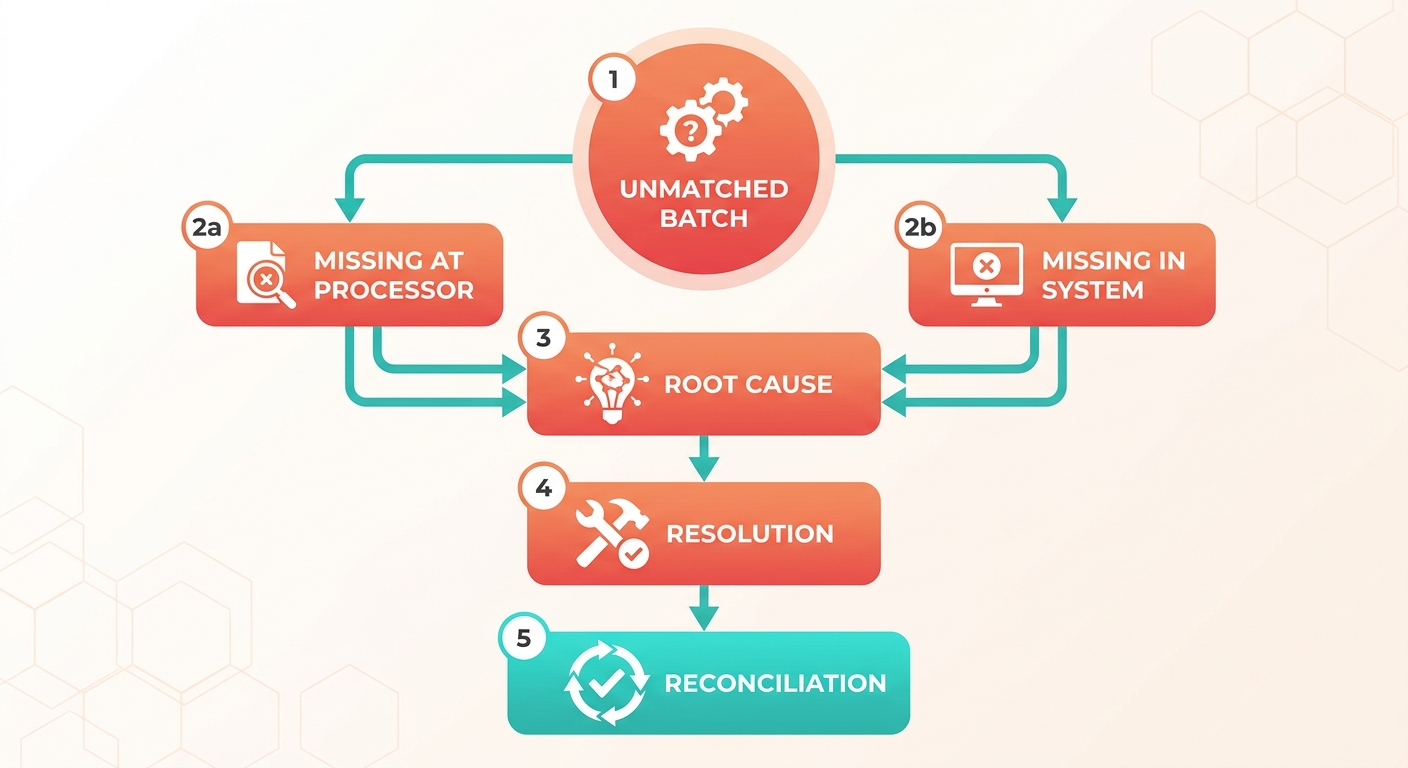
Why does a fully automated pipeline return no matches?
A successful data connection does not guarantee successful reconciliation. Even with a continuous, automated feed from your payment gateway, transactions stay unallocated if the system lacks the logic to pair them with open invoices.
Data mobility is not data reconciliation. You get real efficiency only when you put intelligent rules in place that can interpret and apply the data correctly.
If you see this, check your date range and field normalization first. A batched, fee-netted payout will never match an invoice amount until the engine reads the fees and the batch structure. Fix normalization before you touch a single match rule.
How do you triage “missing” exceptions?
Categorize your unmatched transactions before you try to resolve them. Group them by whether the discrepancy starts on the gateway side (an unrecorded payment) or inside your accounting software (an unapplied balance).
That grouping surfaces systemic process issues. Discrepancies originating internally often point to manual workarounds or offline sales. Gateway-side discrepancies typically flag unresolved processing fees or currency conversion issues.
Work the manual-entry bucket first. Those are your fastest wins, because the fix is a rule, not a data problem. Then go after the processor-side gaps, where fee-netting and currency conversion hide the real match.
What if exceptions keep piling up after tuning?
A persistently high volume of unmatched transactions says your current rules are too rigid for your transaction mix. Moving to a system that can interpret unstructured data and adapt to historical patterns is often the only way to break through that plateau.
Clearing exceptions throughout the month heads off the end-of-quarter bottleneck. Address discrepancies as they happen and you keep an accurate, real-time view of cash flow and a faster close.
Next steps: First, make sure your system is parsing multi-currency transactions and processing fees correctly. Next, clear internal manual-entry errors before you tackle complex gateway discrepancies. If manual reviews stay high, look at a platform that supports advanced, probabilistic matching.
Frequently Asked Questions
1. Can I connect multiple payment processors to one matching engine, or do I need a separate setup per processor?
Yes, a modern matching engine is designed to consolidate data from multiple payment gateways, bank feeds, and ERP systems simultaneously. This centralized approach is essential for businesses operating across various regions and currencies, as it allows you to apply consistent reconciliation rules across all your payment channels.
2. What’s the difference between a matching engine and a close-management platform?
A matching engine focuses specifically on the transactional level, pairing individual payments with their corresponding invoices and updating your ledger. In contrast, a close-management platform is a workflow tool used to track the overall progress of your month-end checklist. While both are valuable, only a matching engine automates the actual cash application process.
3. How do I set tolerance thresholds so multi-currency rounding differences don’t clog my exception queue?
To prevent minor exchange rate fluctuations from generating exceptions, establish a multi-tiered tolerance rule. For example, you can allow a small, fixed variance for foreign currency transactions while maintaining strict matching requirements for your primary operating currency. This balances automation with financial control.
4. If a payment shows on my processor but never appears in my books, what does that mean?
This scenario typically indicates an integration gap or an unrecorded transaction. It often occurs when payment gateway fees or batching structures prevent the transaction from syncing correctly with your accounting software. Resolving this requires verifying your gateway sync settings and ensuring all settlement data is being imported.
5. Does migrating to a modern cloud ERP shorten my close cycle on its own?
No, upgrading your ERP software rarely solves reconciliation bottlenecks on its own. Without dedicated matching logic to handle complex payment data, finance teams migrating to new ERP platforms often find that their month-end close times remain unchanged because the manual cash application workload persists.
6. A vendor advertises 99% accuracy. Should that number drive my buying decision?
Not necessarily. High accuracy figures can be misleading if they only apply to a small fraction of your total transaction volume. When evaluating vendors, always ask for the automation coverage rate, the percentage of all incoming transactions that the system can successfully reconcile without human intervention.
7. How does a matching engine improve over time after initial setup?
Advanced matching engines use machine learning models that analyze how your team resolves exceptions. By learning from these manual corrections, the system refines its algorithms over time, gradually increasing its automation rates and reducing the number of recurring discrepancies you have to review.