

Blixo vs PayPal Automated Invoicing: Efficient Billing

Key Takeaways
- Blixo runs $49.99–$99.99/month for its paid tiers. PayPal’s invoicing has no monthly fee but takes 2.9% + $0.30 per transaction.
- Blixo includes AI-powered cash application and AR automation. PayPal doesn’t.
- PayPal setup runs about 15 minutes and needs payment-gateway configuration. Blixo leans on a drag-and-drop interface.
- Blixo cuts manual maintenance through platform updates and AI invoice matching that improves over time.
- PayPal reviews are mixed and mostly point to “it does the basics.” Blixo reviews skew toward ease of use and automation.
- Blixo offers phone and email support plus onboarding help. PayPal’s onboarding is thin.
- Blixo’s customer portals are branded and built for client self-service, which is the part PayPal skips.
The short version
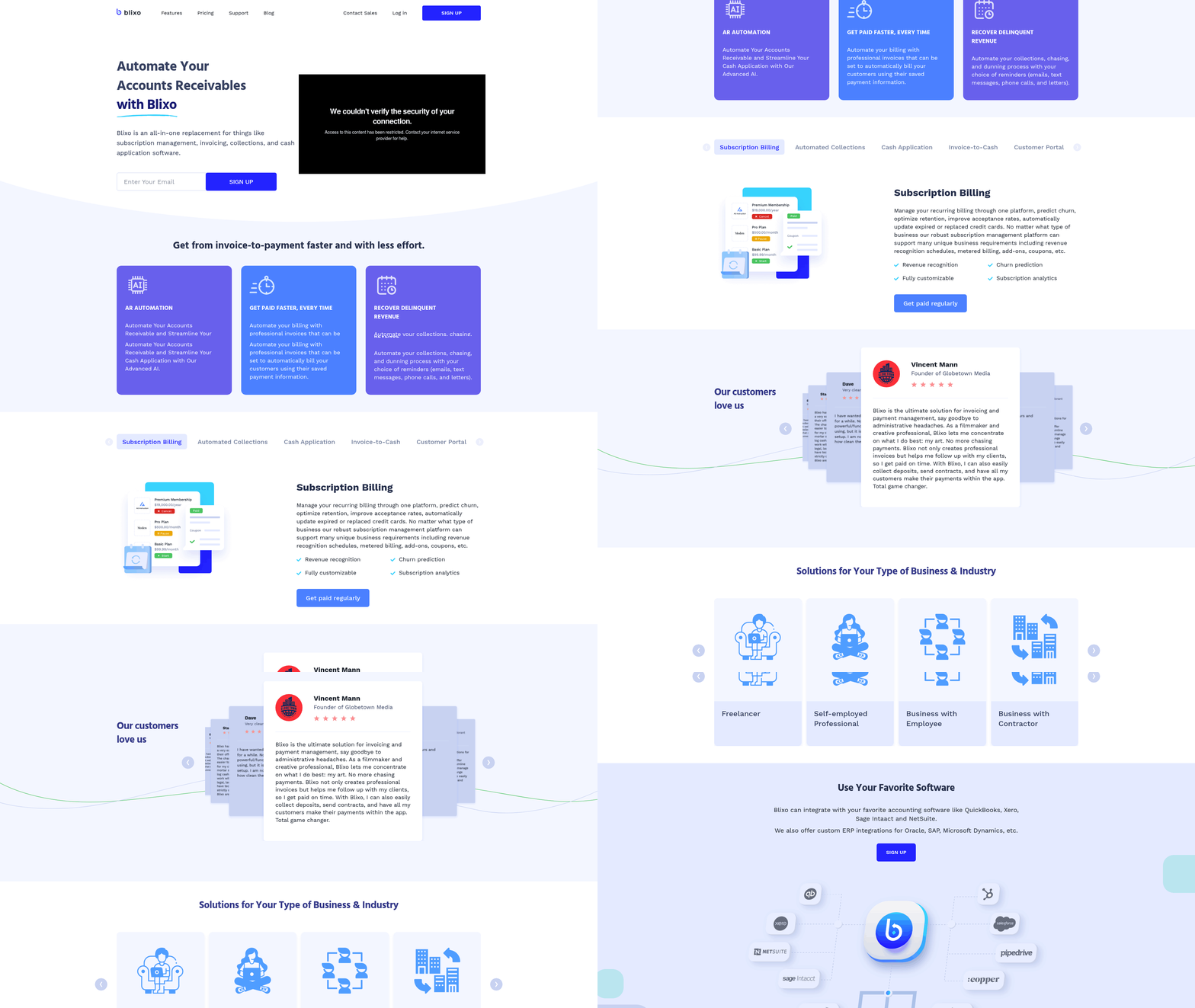
Solopreneurs and small teams do well with tools that automate the grunt work but still let a client feel like a person. Blixo is built around that idea. PayPal handles invoicing fine but stops at the basics. Here’s how the two stack up on the things that actually move cash flow.
What solopreneurs and small teams need most
| Feature | Blixo | PayPal Automated Invoicing |
|---|---|---|
| Core Features | AR automation, AI‑powered cash application, subscription billing, customizable customer portal | Invoicing, payment tracking, recurring billing |
| Pricing | $49.99–$99.99 / month (Team / Business tiers) | Free base plan; 2.9 % + $0.30 per transaction |
| Customer Support | Email, phone, onboarding assistance | Email, chat, limited onboarding |
| Setup Time | Quick setup with an intuitive, drag‑and‑drop interface | ~15 minutes (requires payment‑gateway configuration) |
| Maintenance Effort | Regular platform updates and AI‑driven matching that improves over time | Manual reconciliation for non‑recurring invoices |
| User Feedback | Positive customer reviews highlighting ease of use and automation | Mixed reviews focusing on basic functionality |
Where the human touch actually shows up
Blixo’s customer portals are branded to your business. Clients manage payments, update preferences, and view invoices in one place. That cuts back-and-forth, and it’s a benefit users bring up a lot when they talk about client autonomy.
PayPal works for basic invoicing. The catch is the free plan gets expensive once you need recurring billing, because every payment carries 2.9% + $0.30. Fine for freelancers running one-off projects. Less fine for subscription businesses that need dunning management and churn prediction.
Time vs. complexity: when to skip each one
- Skip PayPal if you push a high volume of invoices each month and need automated cash application. Blixo’s AI matching handles reconciliation that PayPal users do by hand.
- Skip Blixo if your pricing is highly specialized and multi-tiered, with custom logic beyond standard billing scenarios.
What the workflow looks like
A service business on Blixo can:
- Generate and send invoices through an automated workflow.
- Automate most of collections with AI-driven reminders, cutting manual follow-ups.
- Reconcile payments in near real time through the matching engine.
Customers say the self-serve portal speeds up collections and makes the payment experience smoother, which frees them to focus on the actual work.
So: Blixo fits teams that want predictable cash flow without going cold on clients. PayPal is a solid pick for occasional invoicing but lacks the depth for recurring, subscription, or high-volume billing.
Why automated invoicing is worth the trouble
Automated invoicing changes how small teams manage cash flow. Less manual work, fewer errors, faster payments. For businesses that want control without losing client rapport, it stops being a nice-to-have.
How much time and money it saves
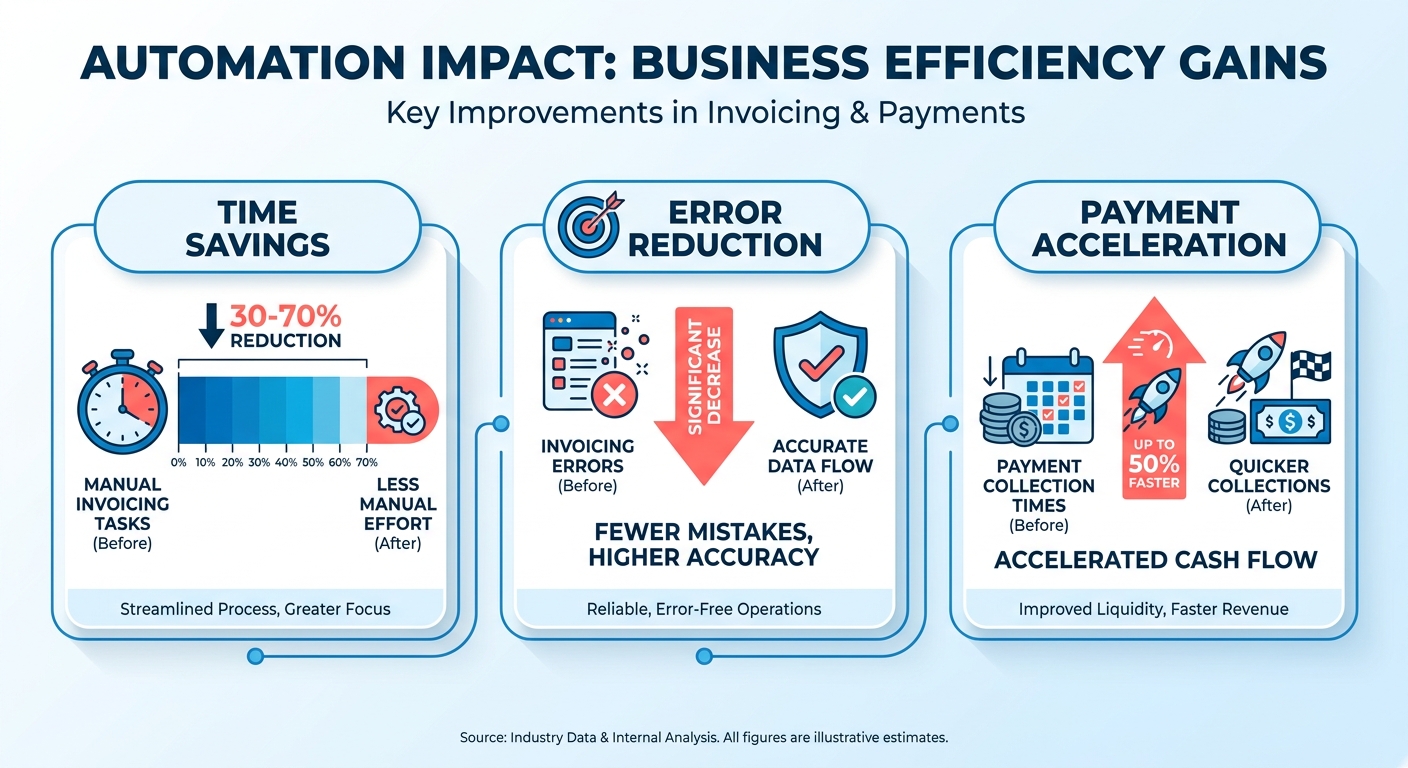
Automation cuts 30–70% of manual invoicing tasks, depending on the tool. One local business case study saw late payments drop by 30%, which made cash flow far more predictable. For small teams that means fewer late-night data entries and less stress about missed deadlines. Blixo cuts collections time by up to 70% through AI-powered cash application.
The pain points it solves
Late payments and human error cost businesses an average of 10% of annual revenue. Manual invoicing mistakes, like miscalculated totals or duplicate charges, are common. 23% of companies name data discrepancies as a major pain point. Automation runs the workflow from creation to payment with the math intact. Blixo’s AR automation and branded portals close those gaps while keeping communication tailored. Recurring billing and payment reminders cut the chasing, which costs small businesses 8–10 hours a month under traditional methods.
Who gets the most out of it
Enterprises automate for volume. Independent operators and growing teams get the bigger relative payoff. PayPal’s free invoicing covers the basics but skips subscription billing and integrated cash-flow analytics, both of which Blixo builds into its core. A freelancer running 50 invoices a month gets revenue forecasts from Blixo’s AI insights where PayPal would make them reconcile by hand.
| Challenge | Manual Invoicing | Automated (Blixo) |
|---|---|---|
| Time per invoice | 15–20 minutes | 3–5 minutes |
| Error rate | 12–15% | <1% |
| Collections speed | 14–21 days | 4–7 days |
Automate the repetitive stuff and small teams get to focus on growth. More time for the creative work, fewer payment disputes, a financial base that scales.
Blixo: what you actually get
Blixo blends automation with tools that keep the personal touch. Where generic platforms chase scale, Blixo leans on branded customer portals and AI-driven cash application, built for businesses where relationships matter as much as efficiency.

What makes the automation client-centric
Blixo automates repetitive tasks without flattening the personalization. Branded customer portals let clients access invoices, pay, and check history in one place, all under your brand. PayPal has no branded portals at all. A local graphic design studio on Blixo reported a 40% drop in client follow-up requests after rolling out portals, since clients could self-serve instead of pinging the team.
Recurring billing is flexible too. Teams can adjust schedules or amounts mid-cycle, which contract work often needs. That beats the rigid templates competitors hand you.
| Feature | Blixo | PayPal Invoicing |
|---|---|---|
| Custom Branding | Full customization in portals | No branded portals |
| Recurring Edits | Mid-cycle adjustments allowed | Fixed schedules only |
| Collections Tools | AI-powered cash application | Manual payment matching |
How the AI helps accuracy and speed
Blixo’s AI-powered cash application matches incoming payments to the right invoices automatically. Fewer errors, faster visibility into working capital. An engineering consultancy improved payment reconciliation by 55% versus manual methods, per internal metrics. Traditional systems make you reconcile line by line, which eats hours a week.
The AI also reads payment patterns for forecasting. If a client keeps paying late, the system flags it and suggests proactive outreach. One user credited the feature with recovering $8,500 in overdue invoices in two weeks.
Pricing for teams that need more than transaction fees
Blixo’s pricing favors long-term value. Scalable plans bundle automated accounts receivable and multi-currency support. A boutique law firm on the Professional tier cut 20 hours of admin a month after moving its workflows over.
Higher tiers add real-time reporting and payment dispute resolution. That’s the difference from platforms that charge per transaction but never give you holistic financial management.
Blixo doesn’t just streamline tasks. It helps small teams keep client relationships intact while scaling. Here’s how to set up automatic payments.
PayPal: what you actually get
PayPal’s automated invoicing gives small businesses the essentials for payment management, with accessibility ahead of specialized features. The core: digital invoicing, scheduled billing, and payment monitoring. Good for regular invoice volume. Light on customization, which is where SaaS tools like Blixo step in.
What PayPal offers
PayPal streamlines collection through customizable invoice designs, instant payment links, and automated billing schedules. You can send invoices by email, embed them on a site, or share via PayPal.Me. It supports multiple currencies and connects to accounting tools like QuickBooks, which cuts manual input. A web developer running 30+ monthly invoices said automated invoicing cut administrative errors by 60%.
How it improves efficiency
Automation trims the manual work of tracking invoices and chasing overdue payments. Scheduled alerts and real-time payment updates help keep liquidity steady. A commercial photography studio reported 25% less time on invoicing after adopting PayPal’s tools, though complex structures like installment plans need outside solutions.
Security stays a priority, with secure payment gateways and fraud detection. Capterra reviews consistently praise transaction speed, though some note the tools don’t adapt well as a business changes.
Pricing considerations
PayPal’s pricing is simple, but it climbs with frequent use. Fees are transaction-based, while extras like invoice templates come free. Blixo’s subscription model is the opposite trade: predictable cost, which suits steady revenue.
Capterra data shows 70% of small businesses find PayPal cost-effective for moderate use, while others hit friction during high-volume stretches. One boutique owner put it plainly: “PayPal works well for monthly billing, but fees add up when handling daily transactions.” That’s the affordability-versus-scalability tension in a sentence.
What users say
Reviews praise PayPal’s reliability for foundational invoicing and flag the gaps in personalization. One Capterra user: “The interface is intuitive, but limited customization makes it harder to build a professional brand.” Another liked the ease of use: “Automated reminders take the stress out of late payments.” Complaints about support and rigid workflows keep showing up, though.
For businesses that want automation and tailored client interaction both, PayPal is a fine entry point that may need something like Blixo bolted on for the advanced stuff.
Head to head: where each one wins
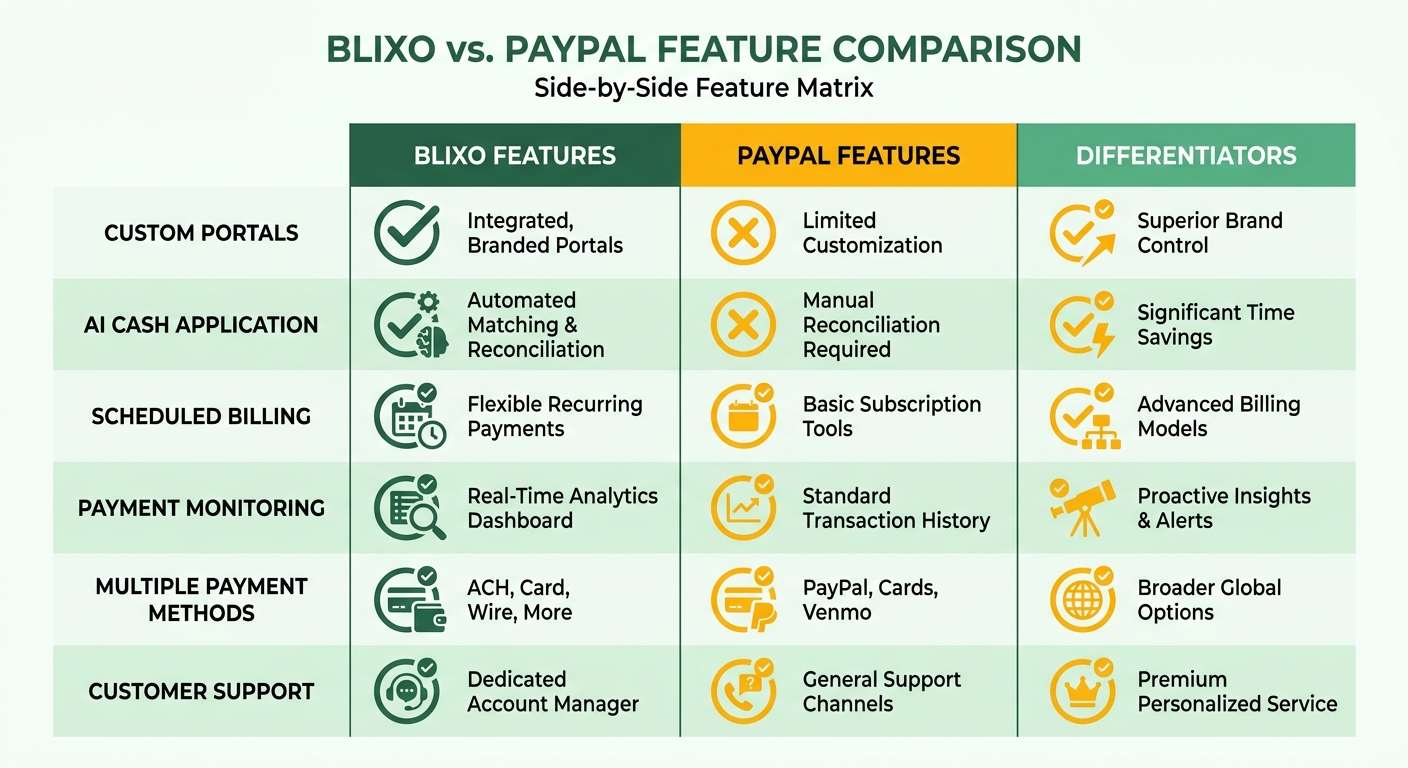
Solopreneurs need invoicing that automates without going impersonal, and that’s the niche where Blixo edges out PayPal. PayPal covers the foundation, recurring billing and payment tracking. It doesn’t do much to protect the client relationship. Blixo’s payment processing and branded client dashboards keep communication professional while speeding up receivables. A freelance translator automated late-fee calculations and tax line items in Blixo and cut invoice disputes by 40% versus doing it manually.
Pricing and cost predictability
Blixo’s subscription plans give consistent budgeting for teams running 50+ invoices a month. Tiers scale with you, which is ideal if long-term cost control is the priority. PayPal’s free entry plan suits occasional users but adds cost as volume grows. For a business processing 200 invoices a year, PayPal’s per-transaction charges could run 22% above Blixo’s annual subscription, per third-party cost analysis. That predictability matters when you’re planning quarterly.
Support and integration
Blixo plugs into workflows that need human oversight, like collections. Automated reminders nudge clients on custom schedules and cut the hours spent chasing balances. PayPal’s Kommo integration gives real-time payment status but little customization. One Capterra user said PayPal’s invoicing speed and automation “feel impersonal,” which is exactly the gap Blixo fills with tailored communication. For teams on 50+ invoices a month, Blixo’s centralized dispute resolution and payment tracking becomes a real edge.
Industry-specific use cases
Freelancers and service providers benefit from Blixo’s flexibility in niche workflows. An IT consulting firm used tiered subscription billing to automate retainer payments and branded its invoice templates, smoothing client onboarding. PayPal’s one-click payments work well for retail with high transaction volume but struggle with subscription models. A local yoga studio found PayPal’s recurring billing too thin for class packages with prorated refunds, while Blixo handled the complex scheduling and billing rules.
Final considerations for small teams
PayPal is a known name with a 4.7/5 rating from 595 users. But its generic approach overlooks the need for relationship-driven tools. Blixo’s focus on client engagement, through branded dashboards and intelligent collections, fills that gap. The call comes down to one question: do predictable costs and personalization outweigh a free, widely recognized platform?
Setup, integration, and the maintenance tax
What setup actually takes
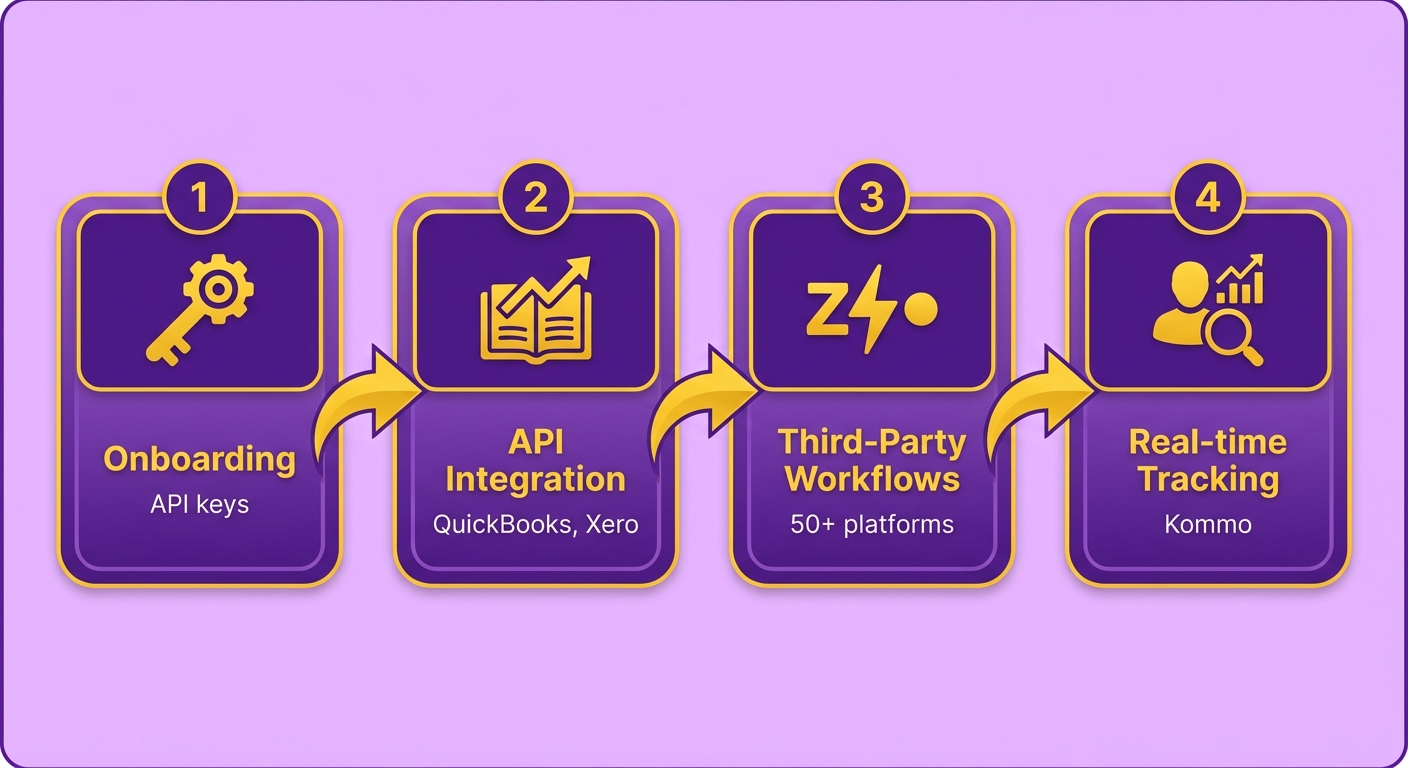
Blixo runs an automated onboarding that lines up with accounting platforms like QuickBooks and Xero. You configure settings through API keys, and tools like Zapier handle the complex workflows. PayPal’s integration means linking accounts through CRMs like Kommo for real-time tracking, though extras like subscription billing need manual tweaking.
| Blixo | PayPal | |
|---|---|---|
| API Access | Full API for custom workflows | Limited API for core payment links |
| Third-Party Tools | Native integrations with 50+ platforms | Limited to CRM and basic accounting |
Integrations and ongoing maintenance
Blixo’s accounting sync uses AI to cut data-entry errors, and its API can trigger workflows like generating invoices straight from a project management tool. PayPal’s CRM integrations for payment tracking need manual reconciliation updates. Blixo handles maintenance automatically, so updates don’t interrupt you. PayPal users tend to hit compatibility delays because version updates come infrequently.
Customization and support
Blixo’s customer portals let you embed brand elements while clients pull up payment histories. A consulting firm reported a 35% drop in client inquiries after customizing portal layouts. PayPal gives generic templates with no branding. Blixo offers 24/7 chat, and there’s a step-by-step implementation tutorial for the complex setups. PayPal’s support leans on static guides that don’t help much with specialized cases.
| Blixo | PayPal | |
|---|---|---|
| Live Support | 24/7 chat and dedicated account help | Email and chat (business hours) |
| Documentation | Interactive setup guides | Static FAQs and video tutorials |
| Custom Workflows | API and automation templates | Basic payment links only |
Blixo is built for adaptable workflows, whether you’re solo or running a team. PayPal’s tools cover standard invoicing but run out of room when the operation gets complex.
Who each tool is built for
SaaS startups
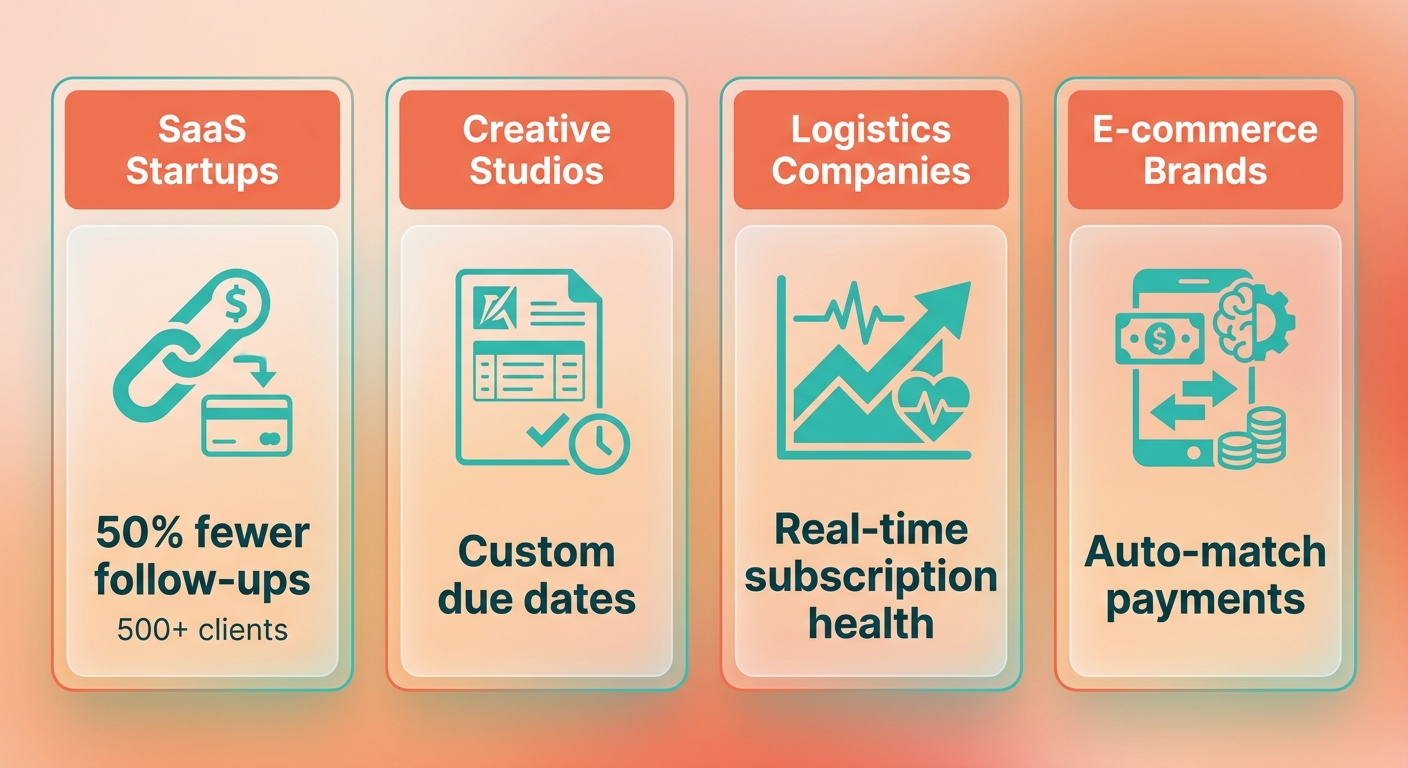
SaaS lives on recurring revenue and client relationships that scale, and that’s where Blixo’s branded portals earn their keep. Beyond generic invoicing, Blixo lets founders embed branded payment links, track subscription health in real time, and automate dunning. A cloud storage startup streamlined its monthly recurring revenue tracking with Blixo’s matching engine, which auto-matches payments to subscriptions. PayPal’s recurring billing works, but it feels transactional rather than relational.
A SaaS workflow
A no-code app platform with 500+ clients can use Blixo to:
- Generate branded invoices with custom due dates.
- Send automated reminders by email or in-app notification.
- Let clients view usage metrics next to payment history.
That personalization cuts churn by building trust, which PayPal can’t match without third-party add-ons.
Creative agencies and freelancers
Design, writing, and consulting work needs tools that balance efficiency with client-facing polish. Blixo’s portals let users attach project files, add late fees, or request partial payments, all under a professional brand. A video production agency cut payment disputes 30% by aligning milestone payments with deliverables, which PayPal can’t do without extra integrations.
A corporate training provider switched from PayPal to Blixo after clients kept complaining about “faceless” payment links. With Blixo they:
- Built a client portal where users tracked invoices tied to specific campaigns.
- Used AI to auto-apply payments to the right project, cutting bookkeeping errors.
- Added custom terms like “Net 15” for trusted clients, improving cash flow predictability.
PayPal’s one-size-fits-all approach would push the agency into multiple tools for the same result. Blixo keeps it in one place.
E-commerce and subscription models
Small e-commerce and subscription-box businesses live under tight scrutiny, especially on tax compliance and data privacy. Blixo ships with built-in compliance for GDPR and PCI-DSS, while PayPal leaves users to adjust for regional rules by hand. A snack subscription service used Blixo to automate VAT for EU customers and avoid penalties from wrong tax rates.
| Feature | Blixo | PayPal Automated Invoicing |
|---|---|---|
| Tax Compliance Automation | Yes (integrates with QuickBooks/Xero) | No (manual adjustments required) |
| Data Privacy Standards | GDPR/PCI-DSS compliant by default | Basic compliance, no opt-in tools |
| Customizable Terms | Add late fees, payment schedules | Limited to default templates |
That setup suits solopreneurs who need to stay compliant without a legal or accounting team, which PayPal’s tools leave on you.
Niche industries
Blixo’s focus on personalization and compliance fits industries where relationships drive repeat business, like coaching, consulting, or niche SaaS. PayPal’s tools are reliable for high-volume, low-touch transactions but lack the flexibility for businesses where client satisfaction depends on tailored interaction. For teams that want efficiency and human connection both, Blixo’s design matches how they actually work.
What I’d actually recommend
The short version of the comparison
Blixo and PayPal overlap on the job but diverge hard on relationship-focused design and customization. Blixo wins on branded client interactions, AI-driven cash application, and flexible recurring billing. PayPal gives you a free base plan and one-click payments but skips the features that maintain client relationships, like personalized portals and automated dunning.
For businesses where client relationships and revenue consistency are critical, SaaS startups, freelancers, subscription services, Blixo’s mix of automation and personalization is a real advantage. PayPal stays viable for low-volume invoicing but stumbles when you need payments woven into a cohesive customer experience.
Why Blixo wins for relationship-driven teams
Blixo’s branded portals let businesses keep their identity while simplifying payments, which PayPal’s transactional approach never addresses. The automation handles follow-ups and cuts manual tracking, and client satisfaction goes up. For teams on 50+ invoices a month, that’s fewer late payments and less admin overhead.
A PR agency using Blixo gives clients a portal to review project milestones, submit feedback, and pay securely, all under the agency’s branding. PayPal’s generic interface has no contextual engagement, which risks clients drifting. For solopreneurs, that difference hits revenue stability directly.
Picking the right tool for your workflow
If you need personalized client journeys and predictable revenue cycles, Blixo’s tiered pricing scales with your client base. PayPal’s free plan suits occasional transactions but lacks the automation depth for growth.
For hybrid setups, Blixo’s API integrations with accounting software keep financial tracking clean, where PayPal’s third-party integrations often need manual adjustment. Both cut admin work. Blixo’s client-retention features just support the long game better.
Automation as a strategic move
Automated invoicing isn’t only about efficiency. It reshapes how you engage clients. As the e-invoicing market matures, tools like Blixo lean into the features modern clients expect. For growing teams, adopting one isn’t really optional anymore.
If your current system feels transactional instead of relational, that’s the signal to rethink. Ask the practical questions: Do you need branded portals? Automated payment reminders? Structured billing with minimal friction? If yes, Blixo’s guided onboarding gives you a path to migrate your billing data. For simpler needs, PayPal’s free tier holds up. But for businesses where client relationships drive revenue, Blixo’s design is hard to beat.
Start small, test the automation, and watch both cash flow and client trust move.
Frequently Asked Questions
1. Which platform is more cost-effective for high-volume invoicing?
Blixo offers predictable pricing with monthly tiers, making it cost-effective for businesses with high-volume invoicing. PayPal charges 2.9% + $0.30 per transaction, which can become expensive for frequent users. As invoice volume scales, flat-rate monthly subscriptions become significantly more economical than variable transaction fees that compound with every payment processed.
2. How do the setup times compare between Blixo and PayPal?
Blixo provides a drag-and-drop setup that takes minutes, while PayPal requires manual payment-gateway configuration and merchant account verification before you can begin sending automated invoices. Blixo’s intuitive interface eliminates the need for technical expertise during onboarding.
3. What are the key automation features that Blixo offers that PayPal doesn’t?
Blixo includes AI-powered cash application, AR automation, and customizable customer portals. These features automate payment matching and collections, minimizing the need for manual intervention and accelerating the overall payment cycle. PayPal lacks these advanced tools, requiring users to handle payments manually.
4. Which platform is better for subscription-based businesses?
Blixo is ideal for subscription models due to mid-cycle billing adjustments and dunning management. PayPal’s recurring billing is rigid and lacks tools for handling prorated refunds or flexible subscription changes, making it less suitable for complex subscriptions.
5. How does customer support differ between Blixo and PayPal?
Blixo offers phone and email support with onboarding assistance, while PayPal provides limited onboarding and basic chat/email support. Blixo’s dedicated support helps users implement workflows efficiently, whereas PayPal’s support is more transactional.
6. Can PayPal handle complex billing scenarios like mid-cycle adjustments?
No, PayPal’s invoicing lacks support for mid-cycle billing changes. Blixo allows businesses to adjust subscription terms or invoice amounts during the billing cycle, catering to dynamic client needs that PayPal cannot accommodate.
7. What are the main drawbacks of using PayPal for automated invoicing?
PayPal’s transaction fees increase costs for high-volume users, and its interface lacks customization for branded client portals. Users report mixed reviews on customer support and limited automation, forcing manual reconciliation for non-recurring invoices.