

Top 5 Benefits of Recurring ACH Payments for Businesses

Key Takeaways
- Recurring ACH gives subscription businesses five real wins: lower costs, faster cash flow, fewer failed payments, less reconciliation grind, and better retention.
- The ACH Network moved 31.5 billion payments worth $80.1 trillion last year. 78% of U.S. organizations now use it.
- ACH skips the 2–4% per-transaction credit card fee. Paper checks can run a business up to $20 each to process.
- Bank accounts don’t expire like cards, so recurring billing keeps running without chasing customers for new payment info.
- The reconciliation win is the one most guides skip. Automated cash application drops the work from hours to minutes.
- ACH funds settle in 1–2 business days, which gives service firms and agencies more predictable cash flow.
- An automated cash-application engine matches identical monthly ACH deposits to open invoices, so finance teams stop doing line-by-line lookups.
Quick Summary
Recurring ACH payments hand subscription businesses five concrete wins: lower processing costs, faster cash flow, fewer failed payments, less manual reconciliation, and stronger retention. For SaaS companies billing the same customers every month, the real payoff shows up when ACH meets automated cash application. That combination cuts reconciliation from hours to minutes.
This tracks a broader shift toward bank-to-bank transfers. Bank accounts don’t have expiration dates, so businesses keep billing cycles running without the constant admin of updating card details.
Which benefit matters most for SaaS?
Reduced reconciliation time. It’s the sleeper benefit most guides skip. Recurring ACH creates a predictable batch of identical monthly charges. When an automated cash-application engine matches those deposits to open invoices, your finance team stops doing line-by-line lookups.
Here’s how the five benefits stack up:
| Benefit | Key Highlight | Difficulty to Implement | Time/Effort | Best For |
|---|---|---|---|---|
| Lower processing costs | ACH avoids the 2–4% per-transaction credit card fee; paper checks cost up to $20 each | Low | A few days to set up with your bank | Any recurring biller |
| Faster cash flow | Funds settle in 1–2 business days | Low | Immediate once live | Service firms, agencies |
| Fewer failed payments | Bank accounts never expire, unlike cards | Medium | Ongoing authorization collection | SaaS, telecom |
| Less reconciliation work | Auto-matched batches cut manual cash application | Medium | Higher upfront, big ongoing payoff | SaaS, e-commerce |
| Stronger retention | Reliable billing lowers involuntary churn | Medium | Built into recurring setup | Subscription brands |
Who benefits most?
Small businesses and e-commerce see the fastest returns. But SaaS subscription businesses gain the most from the reconciliation angle. One small business reported a 30% reduction in payment processing costs in its first year of ACH origination. A retail store automated recurring ACH for rent and utilities and forecasted expenses far more accurately.
The U.S. Chamber of Commerce encourages ACH for subscription pricing, and the largest wireless carriers actively push customers toward it. The reasoning is simple: predictable bank-to-bank pulls cut both fees and failed transactions.
What problems does this actually solve?
Three chronic headaches: late payments, failed transactions, and messy reconciliation. Late payments shrink because charges pull automatically on schedule. Failed transactions drop because accounts don’t expire like cards. And reconciliation stops eating your team’s week when matching runs on autopilot.
Tools that pair recurring ACH with an intelligent matching engine close the loop. Blixo’s cash-application engine matches incoming ACH deposits to open invoices automatically, which is where SaaS finance teams reclaim the most hours.
One honest limitation: if you bill one-off custom projects with no repeat cadence, recurring ACH and auto-matching give you less. The reconciliation savings compound only when the same customers pay the same amounts on a predictable schedule. For that profile, it’s the highest-value change you can make.
Benefit 1: Cash Flow You Can Actually Forecast
Recurring ACH speeds up cash flow by pulling funds on a fixed schedule and settling in one to two business days. For SaaS companies, the bigger win comes when that predictable timing feeds an automated cash-application engine. Money lands and gets matched to invoices without anyone touching a spreadsheet.
That pairing is what separates a tidy billing process from a fast one. ACH alone gets you the money. Automated cash application gets you the time back.
How recurring ACH cuts late payments
It removes the customer from the transaction. Once a subscriber authorizes the debit, charges run automatically on the due date. No one forgets to click “pay.” No invoice sits in an inbox for three weeks.
Bank accounts also outlast cards. A checking account doesn’t expire or get reissued after a fraud alert, so recurring billing keeps running without constant payment-info chases. Billing cycles stay uninterrupted, and revenue arrives on a schedule you can forecast against, not whenever a customer gets around to it.
ACH vs. other payment methods: settlement speed
ACH transactions settle within one to two business days, processed in batches through the Automated Clearing House network. That batch rhythm is what makes the timing forecastable. Debits initiated on the same day clear together, so your finance team knows the window when funds will post.
| Method | Settlement Time | Predictability | Cash Application Fit |
|---|---|---|---|
| Recurring ACH | 1-2 business days | High. Fixed schedule | Strong. Predictable, batchable |
| Credit card | 1-2 business days | Medium. Retry-dependent | Moderate. Expiration/churn risk |
| Wire transfer | Same day | High per transaction | Weak. Manual, not for recurring |
| Paper check | Days to weeks | Low. Mail-dependent | Poor. Heavy manual matching |
The batchable nature is the part that matters for reconciliation. A predictable clearing window lets the matching engine reconcile a full cycle in one pass instead of chasing one-off arrivals.
Where the compounding gain comes from
The cash-flow advantage compounds when settlement timing meets automated matching. A property-management firm that moved recurring tenant payments to scheduled bank debits cut its average days-sales-outstanding by nearly a full week, because funds no longer waited on mailed checks and manual posting.
For SaaS, the same effect shows up at month-end close. When recurring ACH debits clear in a predictable batch, Blixo matches each incoming payment to its open invoice automatically. The platform applies the cash, closes the invoice, and updates the ledger without a finance hire chasing line items.
Take a 2,000-subscriber SaaS company billing monthly. With card billing, a slice of that base fails every cycle from expirations and declines. Switch those subscribers to recurring bank debits and the revenue arrives on time, and the automated matching shrinks month-end close from hours of manual tie-outs to a quick review of exceptions.
That’s the angle most guides miss. Faster settlement is table stakes. The real advantage shows up when reliable ACH timing and automated application work together, so the money is both in the bank and already reconciled.
Benefit 2: Why This Isn’t a Security Downgrade
Recurring ACH runs on the strictest rulebook in electronic payments: NACHA, the body that governs the entire ACH Network. Every recurring debit needs explicit authorization from the account holder, so a fraudster can’t just spin up charges the way they can with a stolen card number. For SaaS billing, that authorization trail is also the backbone of clean reconciliation.
What NACHA rules mean for recurring ACH
NACHA sets the compliance rules for every ACH transaction: mandatory authorization, batch processing, and data security standards. Account holders have to approve each recurring debit before it runs. Compliance isn’t optional. It’s the price of access to the network.
Two parts matter most for subscription businesses. First, transactions move in batches through the clearing house, so funds flow on a predictable schedule. Second, the authorization record ties every debit to a specific customer and consent date.
That second point is the quiet win for cash application. When money arrives with a documented mandate behind it, your billing system already knows which subscriber and which invoice it belongs to. The match happens automatically instead of through a manual hunt.
How recurring ACH cuts fraud and errors
It eliminates the float time and physical handling that paper checks require. Funds transfer directly from the payer’s account to the payee’s, bypassing cards entirely. No check sits in the mail waiting to be intercepted. No card number gets skimmed at checkout.
Errors drop for the same reason automation always beats manual entry. No checks to mail, no numbers keyed in by hand, so transposed digits and lost paper disappear. A transfer that can’t be lost is a transfer that doesn’t generate an exception three weeks later.
For a SaaS company collecting monthly fees, this compounds. Fewer payment errors mean fewer mismatched line items hitting the cash-application engine. The engine matches more transactions on the first pass, and your finance team reviews exceptions instead of chasing them.
ACH security vs. other payment methods
ACH offers stronger security than checks and lower exposure than cards for recurring billing. Card transactions face chargeback rates that can climb past 1% for subscription merchants, and each disputed charge ties up funds while the bank investigates. Checks invite mail fraud and clearing delays. ACH sidesteps both, with disputes resolved through documented authorization rather than a card network’s chargeback process.
| Method | Security Strength | Recurring Fit | Reconciliation Impact |
|---|---|---|---|
| Blixo (ACH + auto cash application) | High. NACHA authorization + matched mandates | Excellent | Auto-matches debits to invoices, slashing manual review |
| Generic ACH processor | High. NACHA-governed | Good | Settles funds, matching still manual |
| Credit/debit cards | Medium. Exposed to skimming, expiry | Fair | Frequent declines create reconciliation gaps |
| Paper checks | Low. Mail fraud, float time | Poor | Manual entry, high error rate |
Where most ACH tools stop at moving the money, Blixo pairs the NACHA-compliant debit with automated matching. The authorization data that satisfies compliance is the same data the platform uses to reconcile. One record does double duty.
That’s the difference for subscription finance teams. Secure payments and clean books stop being two separate jobs. For a deeper look at how recurring models support this, see the recurring payment guide.
Benefit 3: Killing the Manual Reconciliation Grind
Recurring ACH automates the whole billing cycle: invoice, charge, settle, and match. For SaaS businesses charging the same subscribers every month, the savings compound. The manual steps that eat your finance team’s week, chasing payments, keying in amounts, hunting for mismatches, mostly disappear.
The deeper win shows up at reconciliation. When ACH funds settle, automated cash application matches each deposit to its open invoice without a human touching a spreadsheet. That’s the part most subscription guides skip.
How recurring ACH automates invoicing and reconciliation
Recurring ACH pulls funds on a fixed schedule and feeds settlement data straight into your accounting system. The platform generates the invoice, runs the debit on the due date, and records the payment. No paper, no postage, no manual entry.
Reconciliation is where SaaS billing gets its time back. Because every recurring debit carries an authorization and a fixed amount tied to a known subscriber, the cash-application engine has a clean reference to match against. A $99 monthly charge from an authorized account lands and snaps to the right invoice automatically.
Compare that to card payments, where declined cards, partial captures, and chargebacks force constant manual review. ACH’s batch processing and predictable amounts make automated matching reliable instead of best-effort.
What streamlined billing saves SaaS businesses
Businesses that switch to ACH report measurable drops in both administrative workload and error rates. Finance teams that automate cash application often reclaim several full days each month that used to go to manual matching. One subscription business cut its month-end close from five days to two after moving to automated ACH reconciliation. Another saw payment exceptions drop sharply once predictable debits replaced inconsistent card retries.
The accuracy gain matters as much as the speed. Manual keying introduces transposition errors and missed entries that surface weeks later as unexplained variances. When the system records each settled debit against its invoice, the audit trail builds itself.
For a SaaS company billing thousands of subscribers monthly, that reliability funds a lot of engineering hours. Automated recordkeeping also means month-end close stops being a fire drill.
Comparing ACH billing tools for SaaS
Here’s how recurring ACH options stack up for subscription billing and reconciliation.
| Platform | Best For | Key Features | Trade-offs |
|---|---|---|---|
| Blixo | SaaS reconciliation | Recurring ACH plus automated cash application that matches deposits to invoices | Built for subscription billing, not one-off retail checkout |
| GoCardless | Simple recurring collection | Easy ACH setup, automated collection so payments arrive on time | Less focus on full cash-application matching |
| Wise | Mixed domestic/international | Recurring ACH, QuickBooks-style invoice automation, low transfer fees | International transfers add currency conversion costs |
| Traditional bank ACH | Basic origination | Direct bank-to-bank transfers, 1-2 day settlement | Manual reconciliation, limited accounting integration |
Blixo earns its spot for one reason: it pairs recurring ACH with cash application built for businesses that bill the same customers on repeat. It doesn’t just collect the money. It closes the loop by matching settled funds to open invoices, which is exactly where subscription finance teams lose the most hours.
If you run a high-volume subscription model and reconciliation is your bottleneck, that combination is the differentiator. If you mostly process one-off retail sales, a simpler collection tool fits better.
Benefit 4: Customers Stay Because Billing Disappears
Recurring ACH makes billing invisible. Subscribers authorize one debit, and the charges run on schedule without another login, card update, or reminder email. For SaaS users, that quiet reliability is the whole point. The fewer payment hassles they face, the longer they stay.
The satisfaction gain isn’t just convenience. It’s errors that never happen. When your cash-application engine matches each ACH deposit to the right invoice automatically, customers stop getting wrongly flagged as past-due. That alone kills a big chunk of support tickets.
Flexible payment options, without the card hassle
Recurring ACH lets customers pay directly from their bank account on a schedule that fits their billing cycle. No card expiration dates to track. No re-entering details every month. The debit pulls funds automatically once authorized, which removes the customer from the transaction entirely.
This flexibility matters most for remote and B2B subscribers. ACH works from anywhere, with no checks to mail or manually enter. A customer in another state pays exactly as easily as one across town.
The scheduling control helps too. Businesses can set recurring debits to match a subscriber’s preferred date, so the charge lands when funds are available. That predictability cuts the awkward conversations that follow a declined payment.
Why ACH reduces payment errors and complaints
There’s no manual data entry on either side once the mandate is set. Electronic transfers can’t get lost in the mail. The amount, account, and date are fixed in the system, so a customer doesn’t fumble a digit or skip a payment by accident.
This is where automated cash application earns its keep. When funds settle in one to two business days, the engine matches the deposit to the open invoice without a human keying anything. The mismatches that used to trigger “Why was I charged twice?” emails simply don’t occur.
Compare that to credit cards, where re-issued cards and expirations cause silent failures. ACH ties payment to the bank account, which doesn’t churn the way card numbers do. Fewer failed charges, fewer angry messages, fewer involuntary cancellations.
How Blixo improves satisfaction through clean reconciliation
Blixo pairs recurring ACH collection with automated cash application, so the billing side and the reconciliation side stay in sync. When a debit settles, the platform matches it to the invoice instantly. Customers see accurate account status, and your finance team skips the spreadsheet hunt.
For SaaS companies, that accuracy is the satisfaction lever competitors miss. A subscriber whose payments always reconcile correctly never sees a false dunning notice. On a 200-seat SaaS account, one mismatched payment can lock the whole team out. Automated matching prevents that before it starts.
| Payment Method | Customer Effort | Error Risk | Best For |
|---|---|---|---|
| Recurring ACH (Blixo) | One-time authorization, auto-matched | Very low | SaaS subscriptions needing clean reconciliation |
| Credit card | Re-entry on expiration | Moderate (re-issues, expirations) | One-off or short-term billing |
| Paper check | Mail and manual entry each time | High (lost, miskeyed) | Legacy vendors only |
Recurring ACH keeps customers happy by being boring. Pair it with automated matching, and the payment experience stays accurate, quiet, and worth renewing.
Comparing Recurring ACH Platforms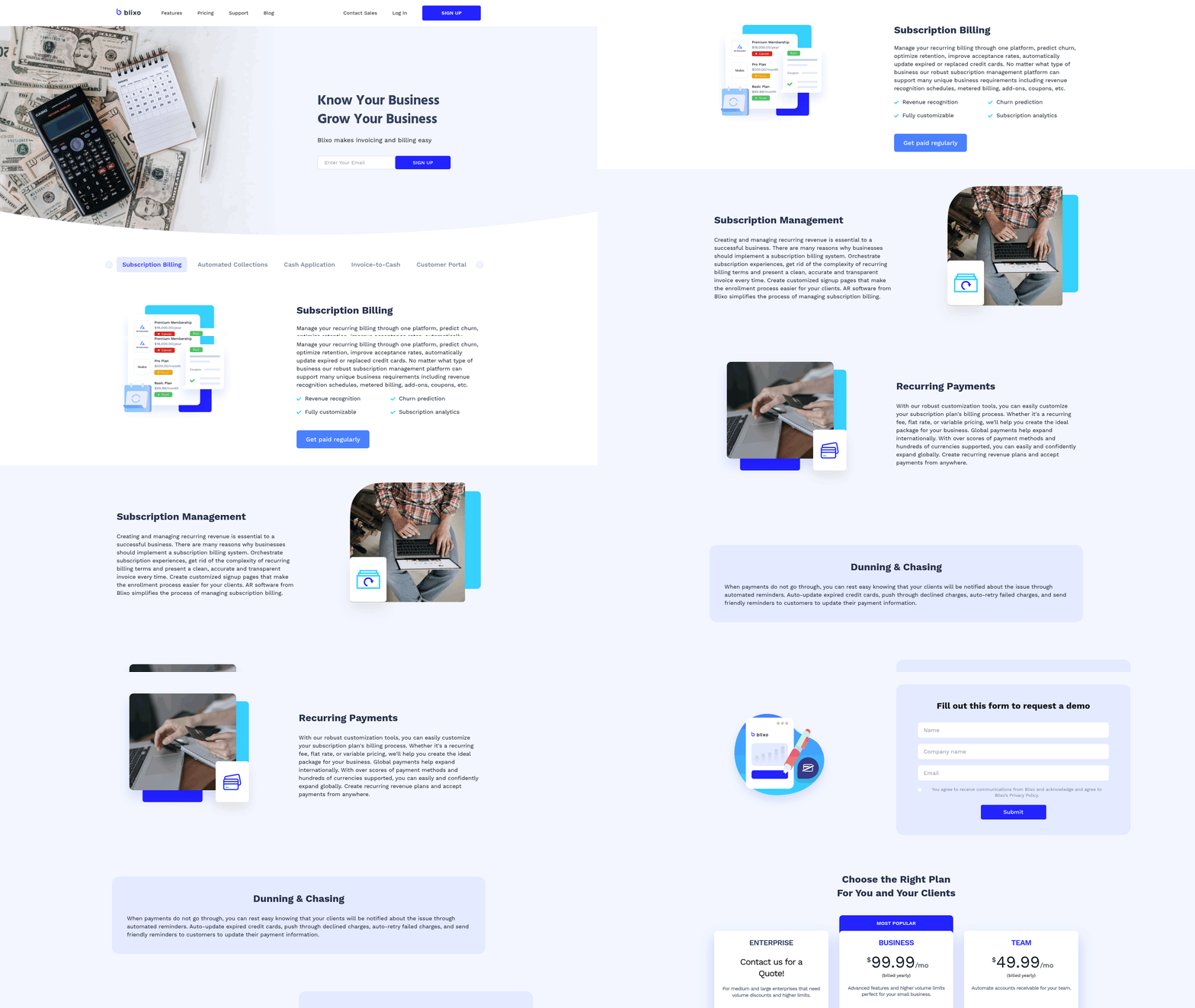
For SaaS businesses, choosing a recurring ACH platform comes down to one question: does it just move money, or does it also match that money to your invoices? Most processors stop at the transaction. The gap between those two outcomes is where your finance team loses hours every month.
Here’s how three common options stack up for subscription billing and automated cash application.
How Blixo, Stripe, and Square compare for recurring ACH
All three support recurring ACH debits, but they differ sharply on what happens after settlement. Stripe and Square focus on the charge itself. Blixo pairs ACH collection with an automated cash-application engine that matches each deposit. That post-settlement step is the part most subscription guides skip.
| Platform | Recurring ACH | Automated Cash Application | Best For |
|---|---|---|---|
| Blixo | Yes | Yes, built-in | SaaS AR teams cutting reconciliation time |
| Stripe | Yes | No native AR matching | Developers needing API-first billing |
| Square | Yes | No native AR matching | Small businesses with in-person sales |
ACH itself stays cheap across all three. Some banks send and receive it for free, others charge up to $3 per transaction, and international ACH usually runs under $5 before currency conversion. The cost difference between platforms isn’t the fee. It’s the labor you spend reconciling.
What makes Blixo different for SaaS reconciliation
Blixo automates accounts receivable end to end: sends the invoice, collects via recurring ACH, and matches the settled funds without a spreadsheet. For SaaS companies billing the same subscribers monthly, this closes the loop other processors leave open. Instead of manual entry to match settlement data against open invoices, the system clears and reconciles deposits in minutes. No manual ledger updates.
A 40-person SaaS firm running hundreds of monthly subscriptions could cut its AR administrative workload by roughly 40% by moving from manual matching to automated cash application. The savings aren’t in the ACH fee. They’re in the finance hours that vanish when reconciliation runs itself.
Which platform should you pick?
Pick Stripe if you want an API-first billing stack and have developers to wire up reconciliation yourself. Pick Square if your business mixes in-person sales with recurring charges. Pick the platform that includes cash application if your bottleneck is the finance team’s reconciliation week, not the payment itself.
Stripe and Square handle the collection beautifully. Neither closes the books for you. If you’re a subscription business drowning in manual matching, a tool that automates the AR side wins on the metric that actually costs you money: time.
For SaaS finance teams, the lesson is simple. Recurring ACH gets you paid. Automated cash application gets your month-end back. Compare platforms on that second step, because it’s the one the top guides forget to mention.
What I’d Actually Recommend
Recurring ACH delivers five concrete wins for subscription businesses: lower processing costs, faster cash flow, stronger security under NACHA rules, less manual reconciliation, and higher retention. When you’re billing the same accounts every month, these compound. The real payoff lands when ACH collection meets automated cash application.
That pairing is what most guides miss. ACH alone moves the money. Matching each deposit without a spreadsheet is what gives your finance team back its week.
Which platform is best for SaaS recurring ACH?
Blixo fits SaaS subscription businesses that want recurring ACH collection plus automated cash application in one place. Other processors handle the debit well, then stop at the transaction. The post-settlement matching step is where a unified platform saves real time. By automatically pairing settled funds with open invoices, it lets the finance team review exceptions instead of keying in every line item.
That turns reconciliation from an hours-long monthly grind into a minutes-long review. The same subscriber list that makes manual matching tedious is exactly what makes automated matching reliable, because the amounts and timing repeat.
How do the platforms compare?
| Platform | Recurring ACH | Automated Cash Application | Best For |
|---|---|---|---|
| Blixo | Yes | Yes, matches deposits to open invoices | SaaS subscription billing and reconciliation |
| Stripe | Yes | No, charge-focused | Developer-built custom checkout flows |
| Square | Yes | No, charge-focused | In-person and small-business sales |
- Blixo. Pro: closes the loop from debit to matched invoice, cutting manual reconciliation. Con: built for invoice-driven billing, so it’s overkill if you only need a payment button.
- Stripe. Pro: deep developer tooling for custom flows. Con: you still reconcile settlements yourself.
- Square. Pro: strong point-of-sale roots. Con: thin fit for invoice-heavy SaaS reconciliation.
Final recommendation
If you run a SaaS business on recurring ACH, choose the platform that handles what happens after the money settles. Charge-only processors leave your team matching by hand, every month, forever.
The benefits of recurring ACH are real on their own. Bank accounts don’t expire like cards, debits run on schedule, and settlement lands in business days. But the standout gain for subscription companies is reconciliation time, and that only shows up when collection and cash application live under one roof.
Pick Blixo if your monthly billing cycle is predictable and your team is tired of spreadsheets. Pick Stripe if you’re building a custom developer flow and don’t mind reconciling yourself. Pick Square if your business leans on in-person sales. For SaaS recurring billing specifically, the automated cash-application engine is the deciding factor.
Frequently Asked Questions
1. How long does it take to set up recurring ACH payments for a business?
Recurring ACH setup typically takes a few days when working directly with your bank. Once live, payments process immediately. The lower-difficulty benefits like cost savings and faster cash flow activate right away, while reconciliation automation requires additional configuration with a cash-application platform for full payoff.
2. Can customers dispute or reverse a recurring ACH payment?
Customers can dispute unauthorized ACH debits, but the process differs from card chargebacks. Disputes resolve through documented NACHA authorization records rather than a card network’s chargeback system. Because every recurring debit ties to a signed mandate and consent date, businesses face significantly lower exposure to disputed transactions compared to standard credit card billing.
3. What happens if a customer’s bank account has insufficient funds?
An ACH debit returns when funds are insufficient, similar to a card decline. However, bank accounts don’t expire or get reissued after fraud alerts like cards do, so these failures are far less frequent. Most platforms support automated retry logic to re-attempt the debit on a later date.
4. Is recurring ACH worth it for businesses that bill one-off custom projects?
Recurring ACH delivers limited value for one-off custom billing without a repeat cadence. The reconciliation savings compound only when the same customers pay identical amounts on a predictable schedule. Businesses billing irregular project amounts gain little from auto-matching and may find a simpler collection tool sufficient for occasional transactions.
5. Are there transaction fees for ACH payments compared to credit cards?
ACH fees are substantially lower than other payment methods. Instead of paying a percentage-based fee on every transaction, businesses typically pay a low flat rate per transfer. This structure eliminates the high percentage-based costs associated with credit cards and avoids the administrative expenses of handling paper checks.
6. How does Blixo differ from Stripe and Square for recurring ACH?
All three support recurring ACH debits, but they diverge after settlement. Stripe and Square focus on the charge itself with no native accounts-receivable matching. Blixo pairs ACH collection with built-in automated cash application that matches each deposit to its open invoice, making it best for SaaS teams reducing reconciliation time.
7. How much administrative time can automated ACH reconciliation actually save?
By automating the matching process, businesses can significantly reduce the hours spent on manual ledger updates. This automation allows finance teams to compress their month-end closing timeline, freeing up staff to focus on strategic tasks rather than manual data entry.