

Blixo for Xero Users: How Finance Teams Cut Manual Invoicing in 30 Days
Blixo for Xero Users: How Finance Teams Cut Manual Subscription Billing

Key Takeaways
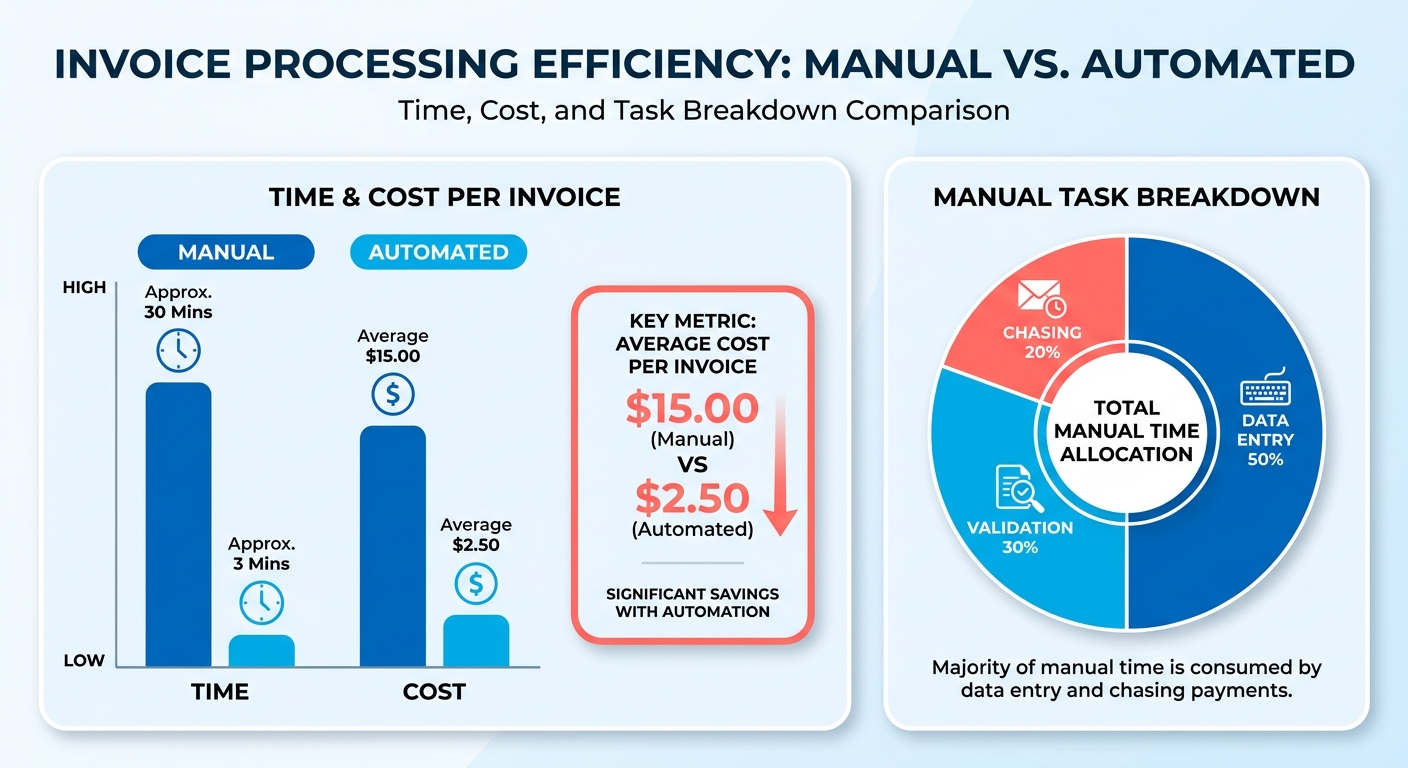
- Manual invoice processing costs over $3 per invoice once you include errors.
- 66% of businesses spend more than five days monthly on invoice work.
- Finance teams with 100 subscriptions spend half their time on billing tasks.
- Subscription businesses often need dedicated staff at around 500 subscriptions.
- SaaS companies need billing that scales without adding headcount.
Why Manual Invoice Processing in Xero Breaks Down
Finance teams hit the same wall: manual invoice processing eats time. For SaaS subscription companies, recurring billing must scale without new hires. Manual workflows stop working once you pass a few dozen subscriptions.
As transaction volume climbs, the administrative work scales linearly. Instead of strategy, your team spends its week on billing cycles. For a subscription business adding customers weekly, administrative burden tracks customer count. Your finance department becomes the thing slowing you down.
How Subscription Models Expose the Limits
The bottleneck scales with customer count in ways that catch teams off guard. Senior finance staff shift from planning to routine billing. They generate invoices, track payment status, send reminders, and update records when payments arrive late. Eventually, you need dedicated admin hires to keep billing running.
The problem isn’t complexity. It’s repetition at scale. Each renewal requires the same steps: pull customer data, create the invoice, send it, track whether payment came through, and follow up if it didn’t. Subscription businesses face this cycle monthly for every customer. One finance director called it “building the same LEGO tower 300 times a month, then tearing it down and starting over.”
Errors accumulate alongside workload. Manual data entry means mistakes: wrong amounts, outdated payment methods, and invoices sent to old addresses. Each mistake triggers its own crisis of back-and-forth emails, payment delays, and customer frustration. Teams can spend hours weekly correcting errors that automation prevents.
The Revenue Impact You Don’t See
Direct admin costs are visible. The hidden cost shows up in delayed cash flow and churn from billing friction. When invoices go out late or contain errors, payments arrive late. When customers get confusing or incorrect invoices, some cancel rather than sort it out.
Most businesses wait 90 to 180 days after exhausting collections before writing off bad debt. That means three to six months carrying receivables that will never convert. Manual tracking makes it harder to spot payment issues early, when intervention works. By the time you notice a customer hasn’t paid in 60 days, the window for a quick reminder has closed.
The automation gap also prevents AP and AR teams from focusing on value-add work. When your team spends days each month on repetitive invoice tasks, they can’t spend that time analyzing payment patterns, improving collection strategies, or building relationships with high-value customers.
When Manual Makes Sense
Skip automation if you invoice fewer than 10 customers monthly with highly variable terms each time. The setup overhead isn’t worth it at that volume. Manual processing also makes sense when each invoice requires significant custom negotiation or approval: government contracts, enterprise deals with milestone billing, or project work where scope changes mid-engagement. Those need human judgment at every step.
What Automating Invoice Processing Actually Changes
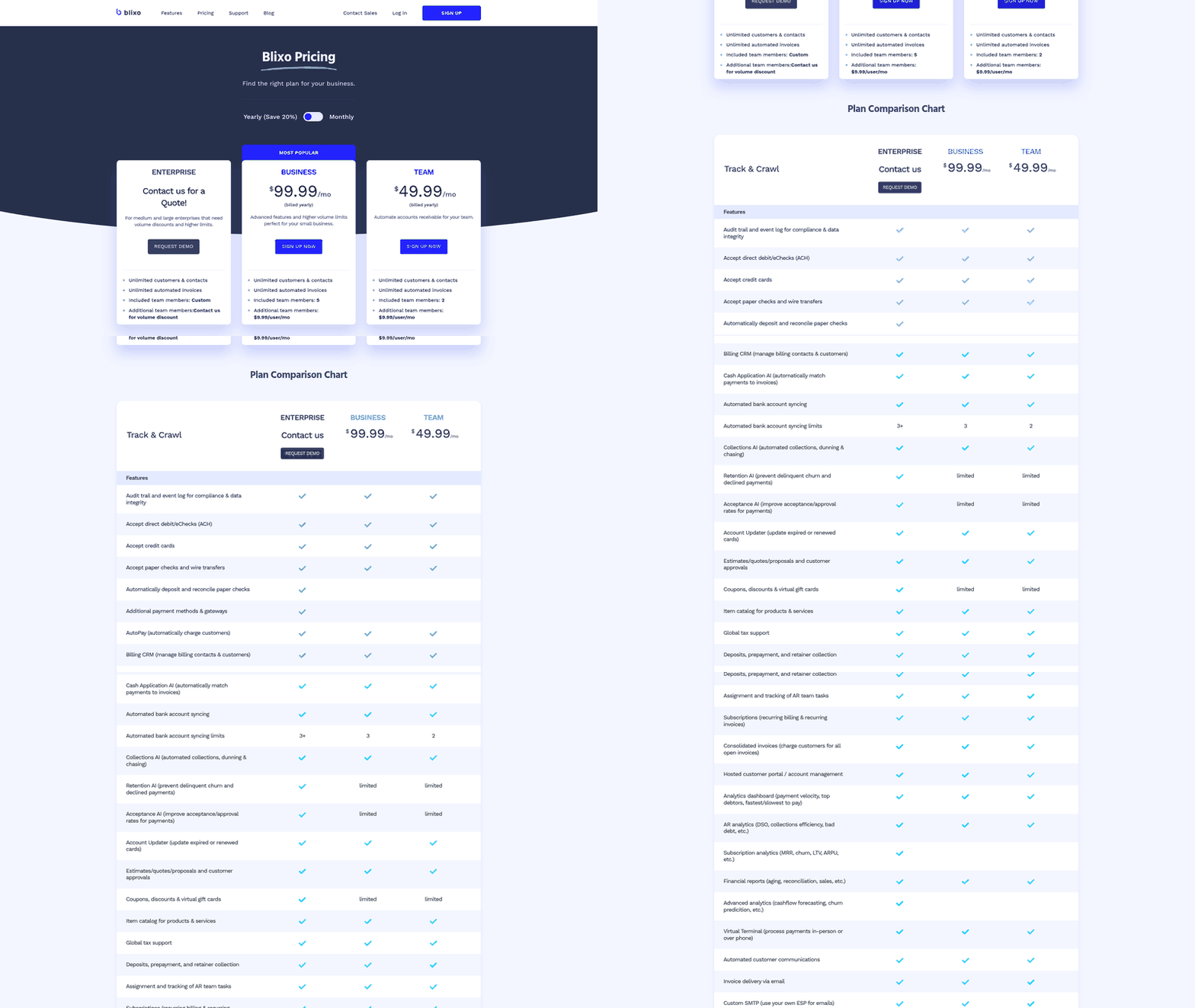
Automation delivers three concrete wins: faster payment recovery, fewer manual errors, and clearer cash flow visibility. For SaaS subscription companies running recurring billing through Xero, those wins compound with every customer you add. The recurring-billing tools cut the manual work that grows with your subscriber count.
A structured accounts receivable process captures cash flow gains, but automation makes that process cheap enough to run at scale. You get the collections discipline without hiring someone for every hundred subscriptions.
Payment Recovery Gets Faster
Automation shortens the gap between issuing an invoice and getting paid. It handles reminders, tracking, and status updates without human effort. Collections problems often start with sloppy record-keeping, not slow customers.
A U.S. Government Accountability Office report found that 31 out of 97 lenders failed to consistently document key borrower qualifications. That led directly to collection problems. The same pattern hits subscription billing. When renewal data lives in scattered spreadsheets, you lose the paper trail you need to chase a late payment.
Timing is where automation earns its keep. Research on payment behavior shows that a reminder sent within 7 days of a due date recovers far more than one sent weeks later. By then, the invoice has slipped down the customer’s priority list. Automated tracking flags a missed renewal immediately, so follow-up goes out while the charge is fresh. The money you recover by catching lapses early usually dwarfs the software cost.
Daily Operations Get Cleaner
Automation removes repetitive data entry and approval routing. Systems can auto-populate customer details, route invoices for approval, pay invoices meeting set criteria, and reconcile transactions against your accounting software. Human errors in data entry drop close to zero.
Blixo’s intelligent matching engine learns as you work. As you manually edit a match, the system grows smarter through machine learning and better matches your information in the future. This shift allows the finance department to move from administrative tasks to strategic financial analysis.
That’s the real payoff for a growing SaaS company. Your finance people stop keying in renewal amounts and start working on pricing, forecasting, and dunning strategy. Teams reclaim entire days each month once the busywork moves off their plate.
Who Gets the Biggest Return
SaaS subscription companies with recurring or usage-based billing get the biggest return, followed by any service business invoicing on a repeating cycle. Manual workflows create a growth ceiling. Every new subscriber adds processing time, so scaling revenue means scaling headcount in lockstep.
Small businesses feel this fastest because they lack a large finance team to absorb the load. Enterprise billing teams benefit too, since customizable rules let them tailor invoice templates, payment terms, and approval thresholds to how they actually operate.
A self-service customer portal rounds it out. Give customers on-demand access to statements and payments, and you cut inbound “where’s my invoice” tickets while getting paid sooner. For a deeper look at what to prioritize, check essential features for accounts receivable software.
How the Xero Integration Actually Works
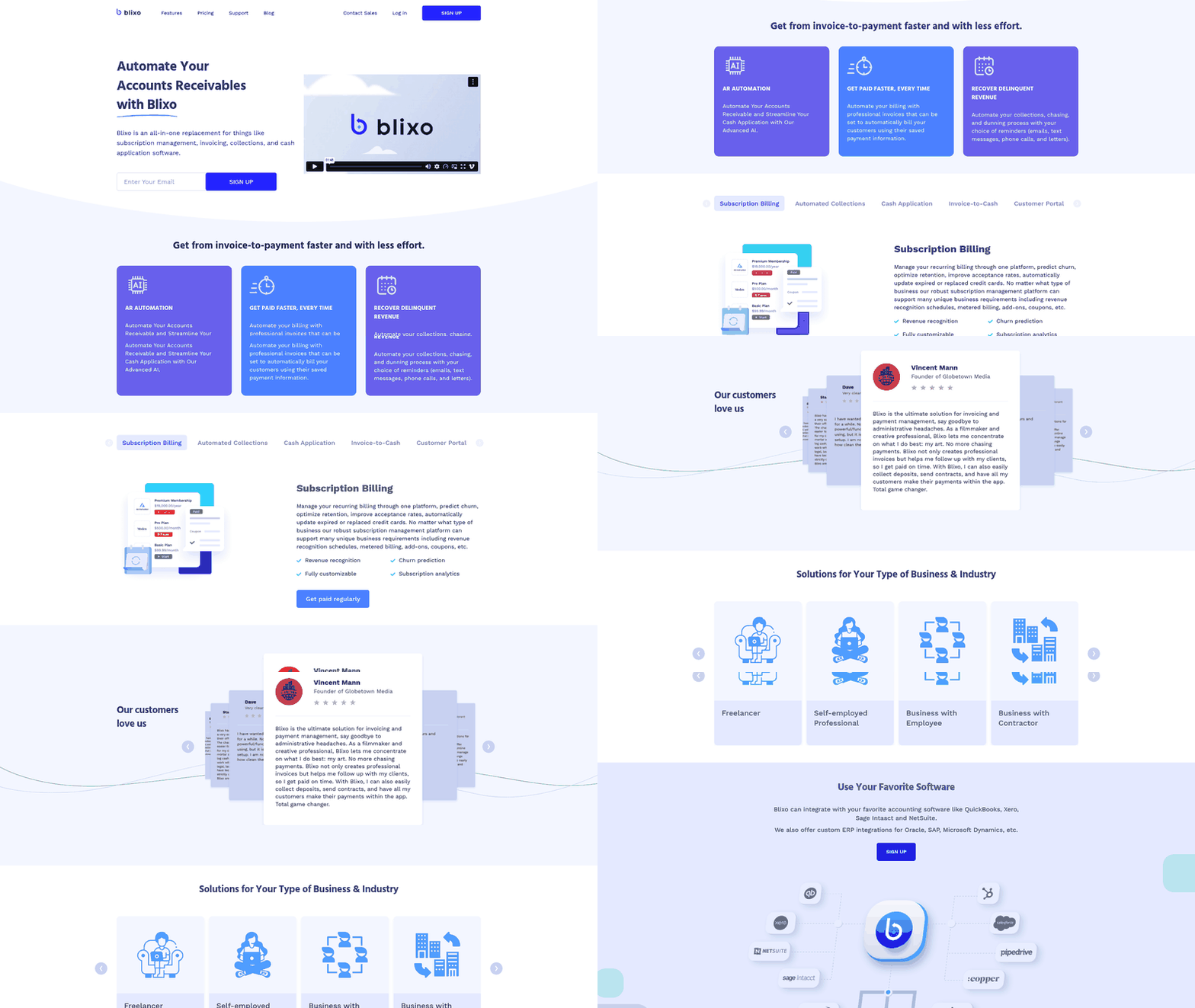
The Xero integration solves a specific problem: SaaS subscription businesses needed recurring billing to flow into Xero without manual transfer work. When you connect your Xero account through Blixo, you’re linking two systems designed to work together. One handles subscription logic and payment automation. The other keeps your books accurate.
You authorize the connection, which means Blixo never sees your Xero credentials directly. The integration determines where funds land when the sync runs.
Data Sync Mechanics
Every time a subscription renews, we generate the invoice and push it to Xero automatically. The sync happens in near real-time, usually within minutes of the transaction. The invoice appears in Xero with all line items, customer details, and tax calculations filled in. No manual entry.
Payment reconciliation happens automatically. When a customer pays through the system, we record the payment in Xero and match it to the correct invoice. Automatic matching uses transaction IDs to ensure accuracy. You don’t manually reconcile payments at month-end because the ledger is already current.
What the Integration Supports
The integration works with Blixo’s accounting software integrations, which include QuickBooks, Xero, Sage Intacct and NetSuite. We also offer custom ERP integrations for Oracle, SAP, Microsoft Dynamics, and others. Your books can reflect your internal reporting structure without forcing you into a generic setup.
Security and Compliance
Financial data moves between systems over encrypted connections. You can revoke access anytime from your Xero settings.
For compliance, the integration logs every sync event. You can see exactly when an invoice was created in Xero, when a payment was recorded, and which user triggered the action if it was manual. That audit trail matters for financial reviews and year-end reporting. The logs live in both systems, giving you redundancy to trace transactions.
30-Day Implementation Roadmap
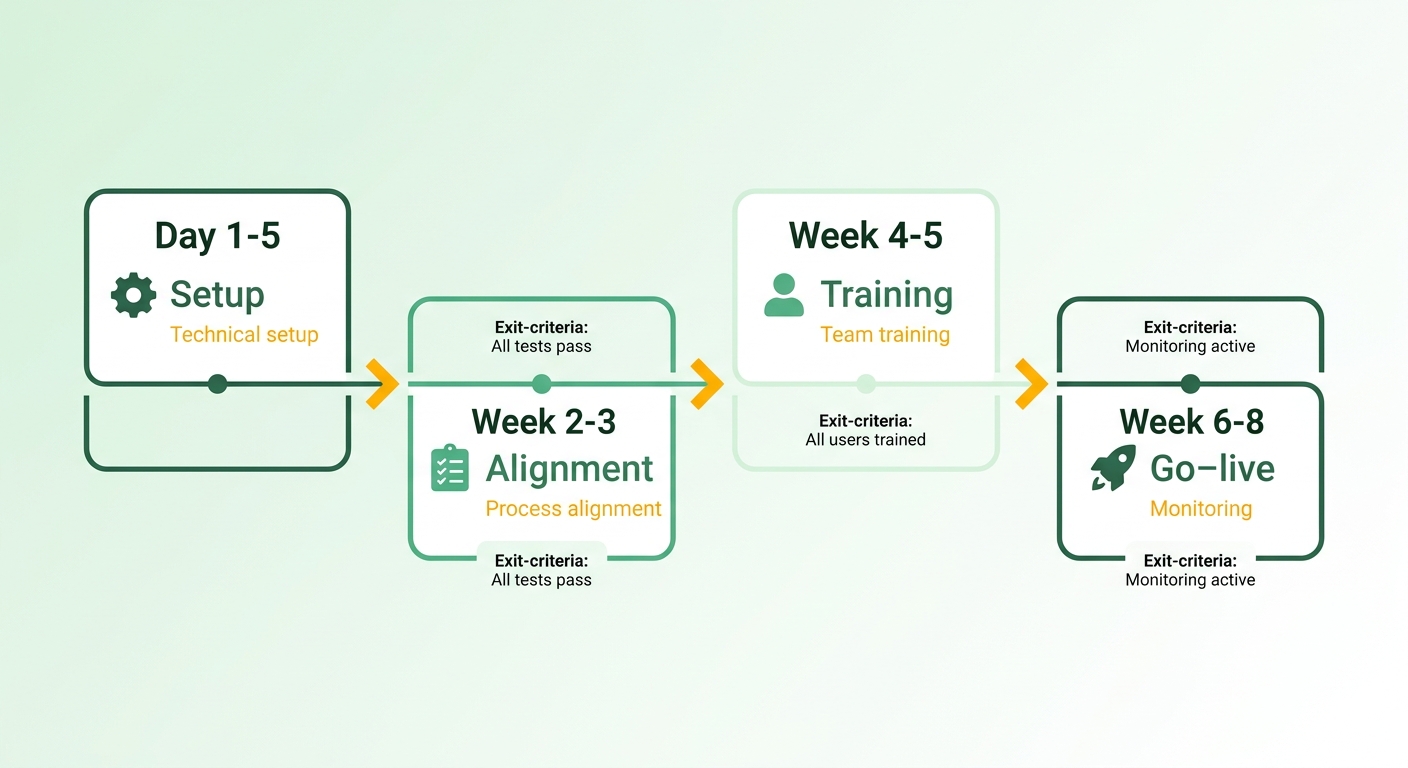
We structure onboarding around 30 days because the pattern for moving from manual Xero invoicing to automated subscription billing is consistent. Technical setup takes a few days, but the real work is process alignment and team confidence-building. You’re not flipping a switch on day one. You’re building the new workflow in stages while your existing process stays intact as backup.
The roadmap breaks into four phases: connection and configuration, parallel-run testing, team training, and full cutover with monitoring. Each phase has specific exit criteria before you move forward. For subscription businesses processing dozens or hundreds of renewals monthly, rushing any phase means debugging live billing issues instead of catching them in test mode.
Days 1-5: Connect Your Shop Site to Xero
Authorize the integration first. It takes about ten minutes if your Xero organization admin is available. The connection is established securely via standard API protocols to link the two platforms. Once connected, map your chart of accounts so revenue from subscription renewals lands in the correct Xero accounts. Most teams map recurring revenue to a dedicated income account separate from one-time sales, which makes month-end reconciliation cleaner.
Next, configure invoice templates and payment terms. Blixo lets you build invoices from reusable, pre-populated items for your products and services. Set up the layout once and generate consistent invoices from there. The integration respects your existing numbering sequence, so new subscription invoices appear in Xero with sequential numbers matching your current pattern. Set the sync frequency. Most teams choose near real-time, with syncs within minutes of invoice creation, rather than daily batches, because faster sync means faster payment confirmation.
The last setup task is tax mapping. If you collect sales tax or VAT, tell the system which Xero tax codes apply to which customer locations. This matters for multi-jurisdiction billing: a US-based SaaS selling to EU customers needs different tax treatment per country. Skip this and your Xero books will show incorrect tax liability.
Days 6-15: Run Parallel Tests Before Going Live
Parallel testing means generating invoices through the system while still running your manual Xero workflow. You’re comparing outputs side by side to catch discrepancies before real customer dollars move. Start with a small cohort. Pick five to ten subscriptions renewing in this window and process them through both paths. Check that invoice amounts match, tax calculations align, and customer details transfer correctly.
Three common issues surface here. First, rounding differences when prorated billing is involved. The system and Xero’s manual calculation sometimes differ by a penny due to rounding order. You’ll need to decide which rounding rule wins. Second, customer name mismatches when a contact exists in both systems with slight variations. ABC Corp vs. ABC Corporation. The integration won’t auto-merge; you’ll map duplicates manually. Third, payment allocation errors when customers pay invoices out of sequence. Test how partial payments apply and confirm the integration updates both systems correctly.
By day fifteen, you should have processed at least twenty test renewals with zero discrepancies. If you’re still finding errors, extend the parallel phase rather than cutting over. A clean test period saves you from issuing duplicate invoices or missing revenue in your books.
Days 16-25: Train Your Team
Your finance team needs to understand what the integration does and what it doesn’t touch. Walk them through the invoice lifecycle: how a subscription renewal triggers invoice creation, how payment confirmations sync back to Xero, and how failed payments generate follow-up tasks. Most customers spend one hour on a live walkthrough, then another hour on Q&A the next day after the team has tried the system.
Document the exception workflows too. What happens when a customer disputes a charge? When you issue a mid-cycle refund? When a subscription pauses? These edge cases won’t flow through automation the same way standard renewals do, and your team needs a clear protocol. Blixo’s task management tools help collectors follow up on delinquent or past-due accounts, but you’ll define the protocol to match your existing policies.
The biggest mindset shift is moving from invoice-by-invoice vigilance to batch monitoring. Instead of manually creating each invoice and verifying it lands in Xero, your team will review daily sync logs that summarize what processed and flag anything that didn’t. That’s a different muscle: less data entry, more exception triage. Give your team a week to adjust before you rely on them to catch issues independently.
Days 26-30: Cut Over and Monitor the First Full Cycle
On day twenty-six, stop creating subscription invoices manually. All renewals from this point forward generate through the integration. For the first seventy-two hours, check the sync logs twice daily, morning and end of day. You’re watching for any subscription that renewed but didn’t appear in Xero, any payment that hit your gateway but didn’t mark the Xero invoice paid, and any tax calculation that looks wrong.
The first full billing cycle, usually the first of the month for monthly subscriptions, is your real validation checkpoint. Does the system handle volume correctly and process two hundred renewals in an hour without queuing delays? Does Xero’s API rate limit cause sync failures when dozens of invoices hit at once? These are infrastructure questions you can’t answer in low-volume testing.
By day thirty, you should have a post-implementation scorecard: total invoices processed, sync success rate, time saved compared to manual processing, and any outstanding issues. If your sync success rate is below 98%, dig into the root cause before declaring the project complete. Most issues at this stage trace back to incomplete customer data, such as missing tax IDs or outdated payment methods, rather than integration bugs. Still, you need to confirm that.
Keep your manual workflow documented and accessible for another month. You’re not going back to it, but if a critical bug surfaces, you need the ability to process a handful of invoices the old way while troubleshooting. That safety net costs nothing and buys confidence during the transition window.
What Finance Teams Report After Automating
Finance teams that move renewal billing off manual Xero entry see two consistent results: faster payment cycles and steadier cash flow. That pattern shows up repeatedly in businesses that swap manual invoicing for automated systems, and it holds especially well for subscription operators whose renewal volume climbs monthly. Browse the customer stories and you’ll notice the same theme: the repetitive work that used to eat a finance person’s week gets handed to software.
The connection is straightforward. When invoices generate and send themselves on the renewal date, and reminders fire without anyone touching a keyboard, your team stops being the bottleneck. That’s how a subscription business adds customers without adding headcount to chase them.
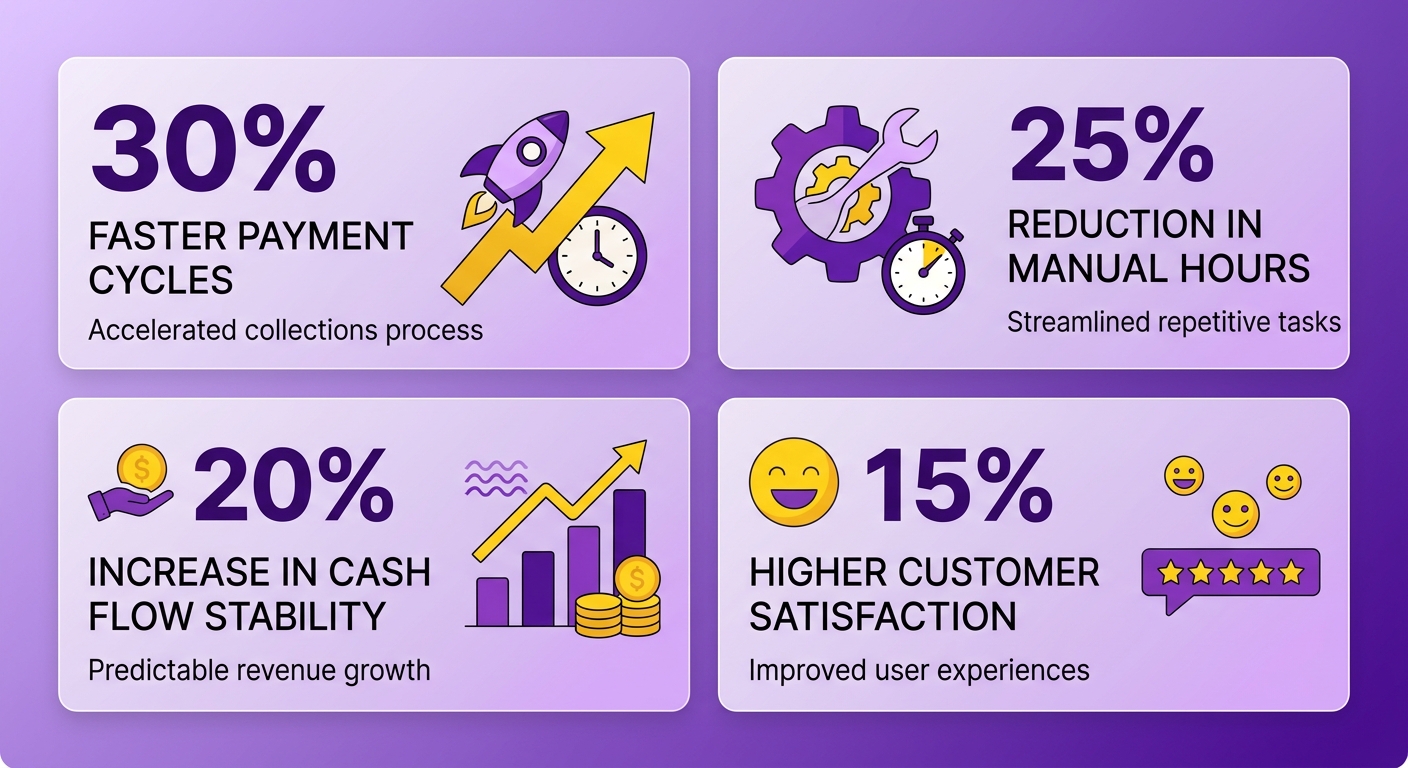
Results Finance Teams See
Faster payment cycles: invoices go out the moment a subscription renews, so the clock on collection starts sooner. Automated reminders then close the gap between issuing an invoice and getting paid, which is where most cash flow improvement comes from.
Fewer manual errors follow close behind. When renewal invoices pull from saved customer and item data instead of hand-keyed entry, the mismatches that trigger payment disputes drop off. Clean invoices get paid faster because there’s nothing to query.
The third result is visibility. Once renewals sync into Xero automatically, your books reflect real revenue in near real-time. No more waiting for month-end to find out where you stand.
What Subscription Operators Say
Real users describe the same shift from manual grind to hands-off billing. Two reviews stand out for subscription-heavy businesses:
“I have a few use cases to manage subscriptions/monthly payments and Blixo does it well. Set up was pretty easy and intuitive.” - Duy
“I’ve been using Blixo to manage subscriptions for my organic deodorant brand’s online store. My customers can easily manage their subscriptions, view past orders, change billing intervals, and update payment info easily through the customer portal.” - Matthew Schwartz
Notice what both point to: setup speed and letting customers self-serve. Self-service billing cuts inbound support work, another slice of manual load that scales with your subscriber base.
Getting the Same Results
Start with a parallel run before full cutover. Keep your existing Xero process live while automated renewals run alongside it, so you can compare invoice for invoice before you trust the new flow.
Standardize your subscription products first. Reusable items and consistent billing intervals make automated invoices reliable. Messy product data breaks sync. Get that clean early.
Then let dunning do the chasing. Automated reminders and retries on failed cards recover revenue that manual follow-up misses, and they reduce churn from expired payment methods slipping through. When prioritizing what to set up first, Blixo’s automatic credit card updater and custom dunning are the features that matter most for recurring billing.
Frequently Asked Questions
What volume of subscriptions justifies automation?
Around 25-50 active subscriptions is where manual processing starts consuming noticeable time. At 100+ subscriptions, you’re dedicating significant staff hours to billing tasks that automation handles. The exact threshold depends on your billing complexity and finance team size.
How long does implementation typically take?
Most teams complete technical setup in under a week. The 30-day roadmap includes parallel testing and team training to ensure confidence before full cutover. Simple subscription models can go live faster. Complex billing structures may need more testing time.
Can we maintain our existing Xero workflows?
Yes. The integration adds automation for recurring billing while leaving your existing Xero processes intact. You control which invoices flow through automation and which remain manual. Many teams automate standard subscriptions but manually handle custom contracts.
What happens if the sync fails?
The integration logs every sync event and flags failures immediately. Most sync failures trace to incomplete customer data or API rate limits during high-volume periods. Failed syncs can be retried automatically or manually, and your data remains safe in both systems.
How does automated dunning work?
Automated dunning sends payment reminders on a schedule you define. When a card fails, the system retries payment based on your retry logic and sends reminders to customers. You set the timing, tone, and escalation path. Most teams see significant recovery from automated retry logic alone.
Can customers manage their own subscriptions?
Yes. The customer portal lets subscribers view invoices, update payment methods, change billing intervals, and access past orders. Self-service reduces support tickets and gets payment method updates faster, which cuts involuntary churn from expired cards.
What payment methods does the integration support?
The integration supports standard payment methods including credit cards, ACH, and wire transfers. Payment processing depends on your payment gateway. Blixo integrates with major gateways and syncs payment confirmations back to Xero automatically.
How do refunds and credits work?
Refunds and credits process through the system and sync to Xero. You can issue full or partial refunds, apply credits to future invoices, or process manual adjustments. The integration maintains the audit trail in both systems.
References
[1] U.S. Government Accountability Office - Troubled Asset Relief Program: Further Actions Needed to Fully and Equitably Implement Foreclosure Mitigation Programs