

Blixo Cloud Based Accounts Receivable Software Guide

Key Takeaways
- Mid-sized companies lose up to $4 million monthly due to manual accounts receivable errors and late payments.
- Blixo’s AI-powered cash application reduces processing time by 81% and minimizes reconciliation errors.
- 50% of U.S. B2B invoices are paid late, but Blixo’s automation improves 90% of customer payments to timely.
- 77% of AR teams struggle with reconciliation delays, which Blixo addresses through automated workflows.
- A construction company achieved 90% timely payments after adopting Blixo’s digital invoicing and reminders.
- Blixo’s self-service portals cut administrative overhead by enabling customers to manage payments independently.
- Recurring billing errors dropped 30% for a manufacturing company using Blixo’s subscription management tools.
Why Blixo Matters
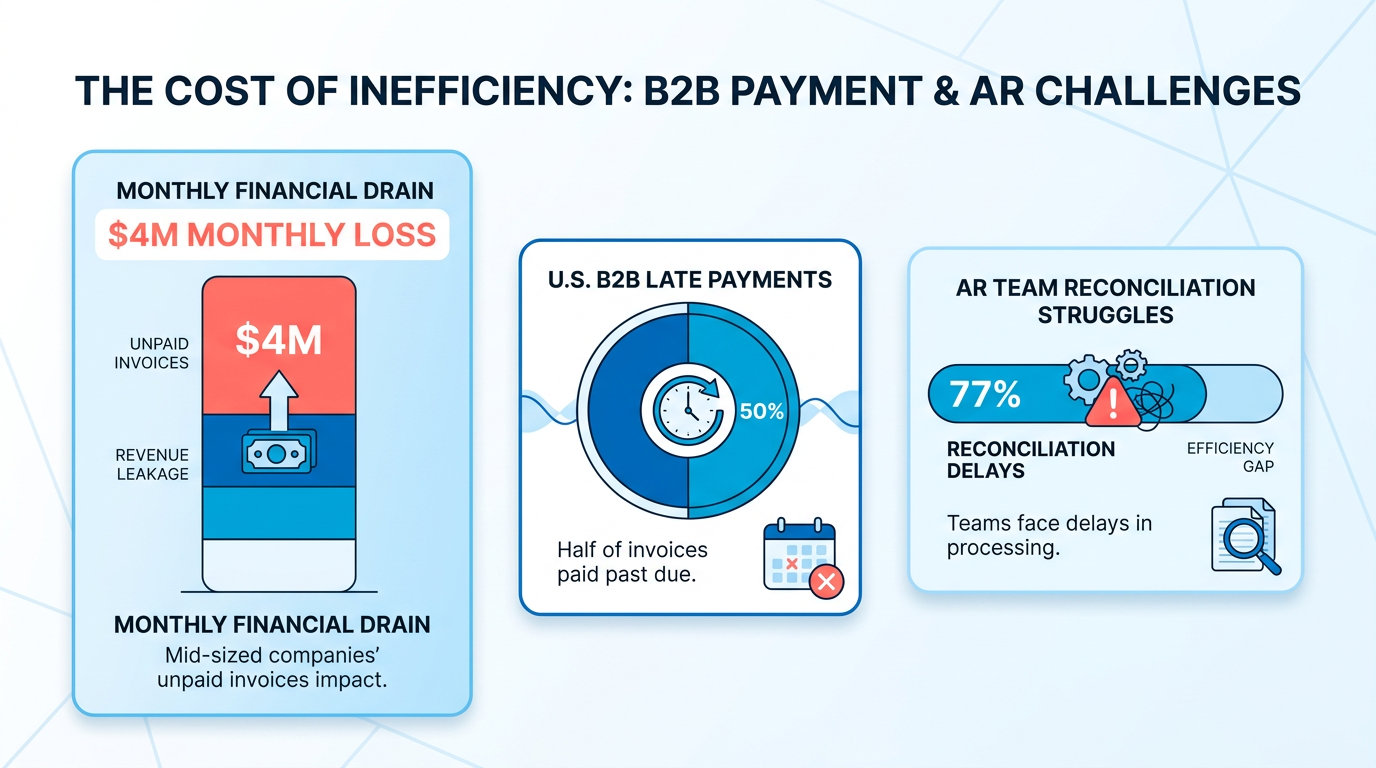
Businesses that rely on manual accounts receivable (AR) processes face staggering financial risks. Industry data shows mid-sized companies can lose up to $4 million monthly due to unpaid invoices and delayed collections, while 50% of U.S. B2B invoices are paid late, disrupting cash flow. Manual errors and fragmented workflows compound these issues, with 77% of AR teams struggling with reconciliation delays and incorrect cash application. For example, one manufacturing company reduced billing errors by 30% after adopting Blixo’s automation tools, proving how critical modernization is for financial stability.
Blixo’s cloud-based platform directly addresses the pain points of outdated AR systems through automation and AI-driven insights. Its AI-powered cash application eliminates the need for manual reconciliation, slashing processing time by 81% and reducing errors. As mentioned in the Blixo Features and Services section, the platform also streamlines subscription management and recurring billing, ensuring consistent revenue streams for businesses with subscription-based models. For instance, a construction company improved 90% of customer payments to timely by switching to Blixo’s digital invoicing and automated reminders. Unlike traditional software that requires manual intervention, Blixo’s self-service portals and real-time fraud detection empower customers to manage payments independently, cutting administrative overhead.
Blixo is particularly transformative for companies with recurring billing, subscription services, or complex order-to-cash workflows. Building on concepts from the Primary Use Cases for Blixo section, businesses in SaaS, e-commerce, and B2B sectors benefit from features like multi-currency support, customizable dunning cadences, and real-time AR analytics. A subscription-based service increased customer retention by 25% using Blixo’s user-friendly portal, while another provider reduced weekly AR management time from 5 hours to 1 hour. Even non-subscription businesses gain value-RPC, a client mentioned in Blixo’s case studies, cut past-due invoices by 70% after implementing automated collections.
Generic AR software and spreadsheets fail to adapt to modern business needs, often lacking integration with ERPs, CRMs, or AI-driven automation. Blixo’s cloud-based architecture and API-first design ensure seamless compatibility with existing systems, avoiding the siloed data common in legacy tools. As highlighted in the Reducing Operational Costs with Blixo section, its automated invoicing and payment tracking reduce manual effort by 80%, compared to systems that require hours of data entry. Unlike outdated solutions, Blixo’s real-time analytics dashboard provides actionable insights into DSO, aging reports, and cash flow trends, enabling proactive financial decisions. One finance team reported 89% faster AR reporting after switching to Blixo, turning data that once took weeks to compile into instant visibility.
By addressing inefficiencies head-on, Blixo helps businesses reduce costs, accelerate cash flow, and focus on growth-making it a vital tool for companies managing today’s fast-paced financial market.
“The platform’s intuitive design made training faster than expected.” – Accounts Payable Manager
For more insights on optimizing AR workflows, explore Blixo’s Cloud Based Invoice Processing Checklist or Automate Cloud Based Invoice Processing.
Blixo Features and Services
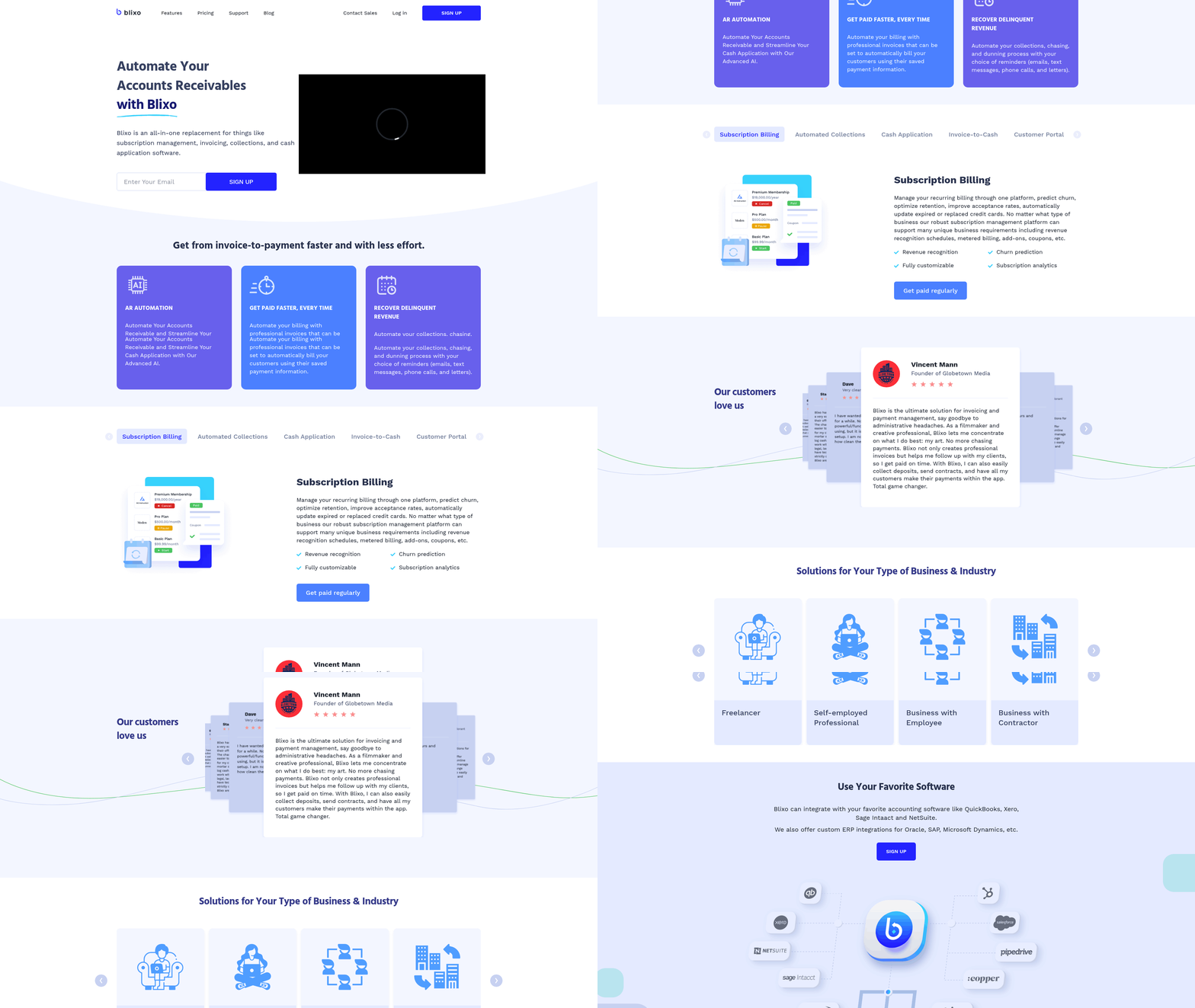
Blixo’s accounts receivable automation streamlines invoicing, collections, and cash flow management to reduce manual work and accelerate payment cycles. By automating repetitive tasks like invoice generation and payment reminders, businesses can focus on growth while ensuring timely collections. For instance, a retail business cut invoice processing time by 40% using Blixo’s automated workflows, enabling faster access to working capital.
How Does Blixo Automate Invoicing and Collections?
Blixo generates and sends invoices automatically based on predefined rules, eliminating manual data entry. Its AI-driven cash application matches payments to invoices in real time, reducing reconciliation errors. For businesses with subscription models, customizable dunning workflows send payment reminders and resubmit failed transactions. This ensures minimal revenue loss from missed or delayed payments.
A key advantage is the integration of multi-currency support, allowing companies to invoice and collect in the customer’s preferred currency. This reduces friction and improves conversion rates. Additionally, role-based access controls let finance teams manage permissions for different users, ensuring sensitive data remains secure.
“The platform’s intuitive design made training faster than expected,” notes an Accounts Payable Manager using Blixo’s tools.
What Subscription Management Features Does Blixo Offer?
Blixo simplifies recurring billing and subscription tracking, making it ideal for B2B SaaS and subscription-based businesses. It automates recurring invoice generation, tracks payment history, and provides analytics on customer churn and revenue trends. A subscription-based service reported a 25% increase in customer retention after implementing Blixo’s customer portal, which lets users self-manage subscriptions and payment methods. As mentioned in the Customer Invoicing and Dispute Management via Blixo section, this self-service approach also reduces disputes by enabling customers to resolve issues independently.
The platform also supports tiered pricing models, discounts, and prorated billing for flexible revenue structures. For example, a manufacturing company reduced billing errors by 30% using Blixo’s automated subscription workflows. Real-time reporting on DSO (Days Sales Outstanding) and AR aging helps teams monitor cash flow health without manual intervention. Building on concepts from the Real-Time Accounts Receivable Reporting with Blixo section, these analytics provide actionable insights for improving financial performance.
How Does Blixo Handle Cash Application and Reconciliation?
Blixo’s cash application process automatically matches incoming payments to the correct invoices, reducing the need for manual reconciliation. This feature is powered by AI that learns from past transactions to improve accuracy over time. A business using Blixo’s tools eliminated 200+ monthly calls to customers by implementing a self-service payment portal, saving 8–10 hours per month. As discussed in the Reducing Operational Costs with Blixo section, such automation cuts processing costs by up to 76% for companies with high transaction volumes.
The reconciliation process is further streamlined with real-time revenue data and audit trails. Teams can view reconciled transactions in a single dashboard, ensuring financial accuracy. For companies with high transaction volumes, this automation speeds up tasks by 81%, according to industry benchmarks.
What Security and Compliance Features Are Built Into Blixo?
Security is a core focus, with end-to-end encryption for all data in transit and at rest. Role-based access controls ensure only authorized users can view or edit sensitive financial information. Audit logs track all system activity, providing a clear trail for compliance audits.
Blixo also employs real-time fraud detection to flag suspicious transactions, reducing the risk of payment fraud. These measures align with global compliance standards, making the platform suitable for businesses handling international transactions.
What Customization Options Exist for Customer Portals?
Blixo’s customer portal is fully customizable, allowing businesses to brand the interface with their company logo and color scheme. Customers can view invoices, make payments, update payment methods, and access support resources without involving finance teams. This self-service approach reduces administrative overhead and improves customer satisfaction.
For instance, a company using Blixo’s portal reported that customers spent 50% less time resolving billing issues, thanks to easy access to payment history and subscription details. The platform also supports multilingual support, catering to global customer bases.
By combining automation with user-friendly tools, Blixo addresses common pain points in accounts receivable management while ensuring scalability for growing businesses.
Primary Use Cases for Blixo

Blixo’s cloud-based accounts receivable software addresses critical pain points across diverse industries, offering tailored solutions for service businesses, e-commerce brands, and other sectors. Its automation capabilities streamline invoicing, collections, and reporting, reducing manual effort while improving cash flow. Below, we explore how Blixo caters to specific industries, supported by real-world outcomes and comparisons to alternative approaches.
How Do Service Businesses Benefit from Blixo?
Service businesses-such as consulting firms, IT support providers, and creative agencies-often struggle with fragmented invoicing processes and delayed payments. Blixo automates recurring billing, customizable payment reminders, and real-time tracking, ensuring consistent revenue streams. For example, one company reduced manual invoicing tasks by 70% after implementing Blixo, allowing teams to focus on client deliverables rather than administrative work.
Pain Points Addressed:
- Manual invoicing errors: Blixo’s templates and automation eliminate human errors in billing.
- Slow collections: Automated dunning workflows accelerate payment reminders, cutting average days sales outstanding (DSO).
- Scalability challenges: As service businesses grow, Blixo integrates with CRMs and ERPs to handle increased transaction volumes.
A real-world example involves a mid-sized IT consulting firm that previously spent 10+ hours weekly on AR management. After adopting Blixo, this process was condensed to 2 hours, with payment receipt times improving by 50%. Unlike generic providers, Blixo’s focus on branded buyer servicing ensures clients maintain a professional touch in customer interactions. As mentioned in the Reducing Operational Costs with Blixo section, such efficiencies directly correlate with minimizing labor-intensive AR workflows..
Why Is Blixo Ideal for E-Commerce Brands?
E-commerce businesses, especially those with high transaction volumes or international customers, face unique challenges like multi-currency invoicing and fraud risk. Blixo’s AI-driven credit underwriting and multi-currency support simplify global operations. For instance, one e-commerce brand automated 80% of its credit decisions, reducing processing time from days to seconds.
Key Advantages:
- Automated fraud detection: Reduces bad debt by analyzing payment patterns.
- Multi-channel support: Syncs with platforms like Shopify, WooCommerce, and Amazon, centralizing AR data.
- Real-time reporting: Tracks DSO and AR aging to identify bottlenecks.
A case study from an online apparel retailer highlights Blixo’s impact: Weekly AR reporting, which once took 5 hours, was streamlined to 1 hour, with collections improving by 30%. Compared to alternative solutions, Blixo’s event-based data flows ensure seamless integration with existing e-commerce tools, avoiding the need for costly system overhauls. Building on concepts from the Blixo Features and Services section, this integration capability underscores Blixo’s commitment to minimizing operational friction..
What Future Trends Will Blixo Support?
As industries evolve, Blixo positions itself to address emerging needs through innovation. For service businesses, AI-driven forecasting could predict payment delays, while for e-commerce brands, expanded blockchain support may simplify cross-border transactions.
Growth Opportunities:
- AI and machine learning: Enhanced credit scoring models will reduce default rates.
- Scalability: Blixo’s API-first design allows businesses to adapt to growth without switching platforms.
- Sustainability focus: Automated workflows reduce paper waste, aligning with green business goals.
One enterprise using Blixo reported a 40% reduction in dispute resolution time by using its omnichannel communication tools. As B2B SaaS adoption rises, Blixo’s ability to integrate with modern tech stacks ensures it remains a future-proof solution. As discussed in the Why Blixo Matters section, these advancements directly address inefficiencies in traditional AR processes, reinforcing Blixo’s role in mitigating financial risks..
Final Considerations
Blixo’s strength lies in its adaptability across industries. While service businesses benefit from streamlined workflows and e-commerce brands gain global payment agility, both sectors achieve measurable ROI through automation. To explore Blixo’s capabilities firsthand, review its cloud-based invoice processing checklist or learn how to automate your AR processes.
By addressing specific challenges with targeted features, Blixo outperforms generic solutions that lack industry-specific customization. As automation becomes a cornerstone of financial operations, businesses using Blixo position themselves for long-term efficiency and growth.
Automating Billing Processes with Blixo
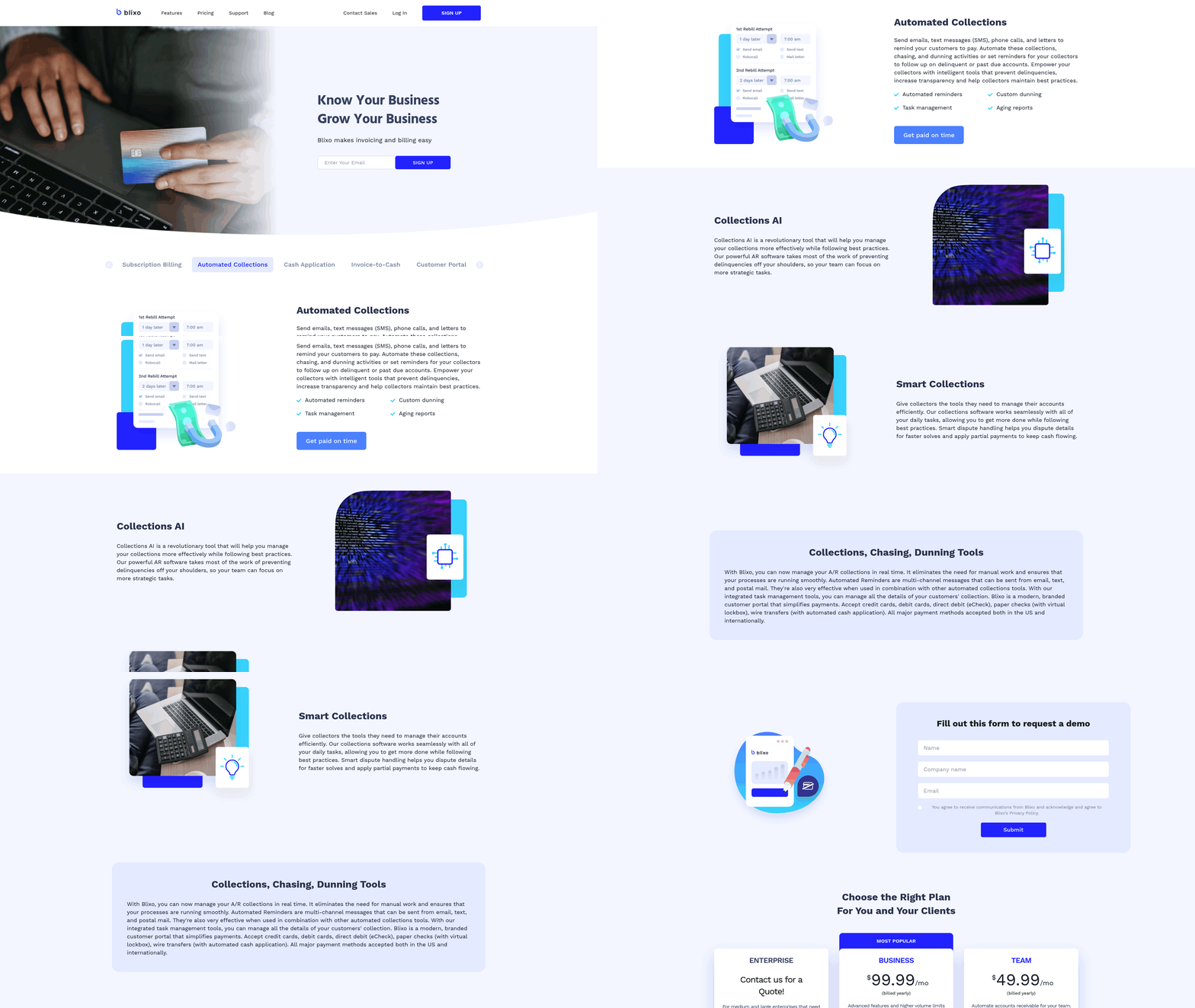
Blixo’s cloud-based accounts receivable software streamlines billing processes by automating invoicing, collections, and cash application. This system reduces manual effort, minimizes errors, and accelerates cash flow-critical for businesses managing subscription models or recurring payments. Below, we break down how Blixo’s automation works and the benefits it delivers.
How Does Blixo Automate Invoicing?
Blixo generates and sends invoices automatically based on pre-set schedules and customizable templates. Users design branded invoice layouts once, then let the software handle recurring billing cycles. For example, a SaaS company can schedule monthly invoices for subscribers, with Blixo applying discounts, taxes, or prorated charges dynamically.
The platform supports multi-currency transactions and integrates with ERPs or CRMs to pull customer data directly into invoices. This eliminates manual data entry, cutting billing errors by up to 30% for users like a manufacturing firm that reduced mistakes after adopting Blixo. Automated invoicing also ensures timely delivery-invoices go out the moment a purchase is confirmed-reducing delays that slow cash flow.
For businesses with complex billing needs, Blixo allows conditional logic. A company might set rules to trigger invoices only after project milestones are met or to adjust rates based on usage thresholds. These workflows adapt to your business model without requiring custom coding. As mentioned in the Real-Time Accounts Receivable Reporting with Blixo section, the system’s dashboards provide visibility into billing activity, further enhancing control over financial operations.
How Does Blixo Streamline Collections?
Blixo automates payment reminders and tracks receivables in real time, reducing late payments. Instead of manually chasing overdue invoices, the system sends email or SMS reminders at configurable intervals. A construction company, for instance, improved timely payments from 60% to 90% by switching to digital reminders and self-service portals where customers could pay instantly.
The platform also flags high-risk accounts using predictive analytics. If a customer consistently pays late, Blixo alerts finance teams to adjust credit terms or deploy stricter follow-ups. As noted in the Why Blixo Matters section, this proactive approach helps businesses avoid the $4 million monthly losses mid-sized companies often face due to unpaid invoices.
For customers with multiple open invoices, Blixo consolidates their obligations into a single view. This clarity reduces disputes and speeds up reconciliation. A subscription-based service reported a 25% increase in customer retention after simplifying payment tracking through Blixo’s interface.
How Does Blixo Handle Cash Application?
Blixo matches incoming payments to invoices automatically, eliminating manual reconciliation. When a payment arrives, the system identifies which invoice it applies to, updates balances, and logs the transaction. This AI-driven process reduces the 77% of AR teams that struggle with reconciliation errors, as one finance manager noted: “The platform’s intuitive design made training faster than expected.”
Real-time dashboards show cash flow status at a glance. Users can filter by customer, payment method, or invoice date to track collections progress. For international transactions, Blixo applies exchange rates automatically and generates audit trails for compliance.
A retail business using Blixo reduced weekly AR management time from 5 hours to 1 hour by automating cash application. The software also reconciles partial payments, splitting funds across multiple invoices when necessary-a task that previously required hours of manual work.
What Benefits Does Blixo Deliver Compared to Manual Processes?
Blixo transforms billing from a reactive task to a strategic function. Manual invoicing and collections demand 80% of a finance team’s time, according to industry data, but Blixo cuts this workload by automating 76% of processing costs. For example, a mid-sized firm slashed billing errors by 30% and freed 10+ hours weekly for staff to focus on growth initiatives.
Traditional AR software often requires rigid workflows or lacks integration with subscription models. Blixo, however, combines invoicing, payments, and analytics into one platform. Building on concepts from the Blixo Features and Services section, the software’s design prioritizes subscription billing nuances, such as prorated charges and usage-based invoicing.
The result? Faster cash flow, stronger customer relationships, and fewer disputes. Businesses using Blixo’s automated reporting tools reduced the time spent resolving payment discrepancies by 40%, while maintaining 95% accuracy in financial statements. By automating repetitive tasks, Blixo lets businesses scale without proportional increases in administrative overhead.
For deeper insights into cloud-based invoicing strategies, explore Blixo’s guide to invoice processing.
Real-Time Accounts Receivable Reporting with Blixo
Blixo’s real-time accounts receivable reporting transforms how businesses track and manage cash flow by offering dynamic dashboards, actionable analytics, and customizable reports tailored to financial workflows. Unlike traditional methods that rely on delayed batch processing, Blixo updates data continuously, giving teams immediate visibility into receivables. This ensures finance leaders can monitor performance, identify risks, and make informed decisions without waiting for end-of-day or weekly summaries, a limitation as highlighted in the Why Blixo Matters section.
What Makes Blixo’s Reporting and Analytics Stand Out?
Blixo’s SaaS service combines real-time dashboards with customizable analytics to deliver a unified view of accounts receivable. Users can track metrics like total outstanding invoices, days sales outstanding (DSO), and payment trends at a glance. The system’s drag-and-drop interface allows teams to build personalized dashboards, integrating data from multiple departments or business units. For example, a finance manager might create a dashboard focused on aging invoices while a sales team prioritizes cash flow forecasts, as described in the Blixo Features and Services section.
Real-time updates mean every payment, invoice, or adjustment is reflected instantly. This eliminates guesswork when assessing liquidity or forecasting revenue. Blixo’s analytics also support drill-down capabilities, letting users explore specific accounts or transactions to uncover root causes of delays or inefficiencies.
What Types of Reports Does Blixo Generate?
The platform automates the creation of critical reports, including accounts receivable aging reports and cash flow forecasts. Aging reports categorize invoices by payment status (e.g., 0–30 days, 31–60 days overdue) to highlight accounts needing follow-up. Cash flow forecasts predict incoming payments based on historical trends and scheduled transactions, helping businesses plan expenses and investments.
For instance, one company using Blixo reduced its DSO by 25% by identifying slow-paying clients and adjusting credit terms. Another use cash flow forecasts to avoid shortfalls during a seasonal downturn. These reports are exportable in formats like PDF or Excel, streamlining compliance and stakeholder reporting.
How Do Real-Time Insights Drive Better Decisions?
Immediate access to accurate data empowers teams to act proactively. If a client’s payment falls into the 90+ days overdue category, Blixo alerts stakeholders to initiate collections. Similarly, cash flow forecasts can flag potential gaps weeks in advance, allowing businesses to secure financing or adjust spending.
A real-time dashboard might show a spike in late payments due to a processing error, prompting a quick fix. Without such visibility, these issues might go unnoticed until they impact cash reserves. Blixo’s system reduces manual effort by automating data aggregation, freeing finance teams to focus on strategy rather than spreadsheet maintenance, as outlined in the Primary Use Cases for Blixo section.
What Are the Benefits of Real-Time Reporting?
The primary advantage is reduced risk. Traditional reporting methods often rely on outdated data, increasing the chance of misinformed decisions. With Blixo, teams avoid surprises by spotting trends as they emerge. For example, a sudden drop in on-time payments could signal broader financial stress in a client base, prompting early intervention.
Improved visibility also strengthens customer relationships. By tracking payment patterns in real time, businesses can offer tailored support, such as flexible payment plans for clients facing temporary delays. This proactive approach boosts satisfaction and reduces disputes.
Why Blixo Outperforms Traditional Methods
Traditional accounts receivable reporting depends on manual data entry and periodic updates, which delay insights by days or weeks. Blixo’s automated system eliminates these lags, ensuring data accuracy and immediacy. For instance, while older systems might require exporting data to a spreadsheet for analysis, Blixo’s analytics tools process and visualize data on the fly.
This shift from reactive to proactive management is particularly valuable for growing companies. A business scaling rapidly can use Blixo’s real-time dashboards to monitor the financial health of new clients or markets without overburdening its finance team.
Real-World Applications and Next Steps
To see how Blixo streamlines invoice processing, review the Cloud Based Invoice Processing Checklist for Blixo. This guide breaks down steps to optimize workflows using Blixo’s automation features. For deeper insights into cloud-based financial tools, explore What is Cloud Computing? to understand the infrastructure supporting Blixo’s real-time capabilities.
By embedding real-time reporting into daily operations, Blixo helps businesses turn receivables data into a strategic asset-reducing risk, improving cash flow, and supporting growth with confidence.
Customer Invoicing and Dispute Management via Blixo
Blixo’s customer invoicing and dispute management tools streamline accounts receivable workflows while enhancing customer experiences. By combining automation, self-service features, and centralized tracking, the platform reduces administrative burdens and accelerates cash flow. Below, we break down how Blixo addresses these needs.
How Does Blixo Streamline Customer Invoicing?
As mentioned in the Automating Billing Processes with Blixo section, Blixo automates invoice creation and delivery, ensuring consistency and speed. Users can design customizable templates with brand-specific branding, logos, and payment terms, eliminating the need for manual formatting. Invoices are delivered automatically via email or integrated directly into customer portals, reducing delays. For example, a recurring subscription invoice for a SaaS company is generated on schedule, with late fees applied automatically if payments are missed.
The platform also integrates with existing systems like ERPs and CRMs, ensuring data syncs in real time. This minimizes errors from manual data entry and allows teams to focus on strategic tasks. For businesses with high-volume invoicing needs, Blixo’s automation scales effortlessly, handling thousands of invoices without compromising accuracy.
What Features Support Dispute Management in Blixo?
Disputes are managed through a structured process that prioritizes transparency. When a customer raises a dispute, automated notifications alert the relevant team members, providing details like invoice number, disputed amount, and the customer’s reasoning. The system tracks each dispute’s progress, from initial submission to resolution, with timestamps and status updates visible to both teams and customers.
For example, if a customer disputes an overcharged invoice, the finance team reviews the case within the platform, attaches supporting documentation, and communicates resolution steps directly through Blixo. This reduces back-and-forth emails and ensures disputes are resolved faster. By centralizing communication, Blixo minimizes misunderstandings and keeps all parties informed. Building on concepts from the Reducing Operational Costs with Blixo section, the platform reduces manual effort and errors that often arise in traditional dispute resolution workflows.
How Does Blixo’s Customer Portal Improve Self-Service?
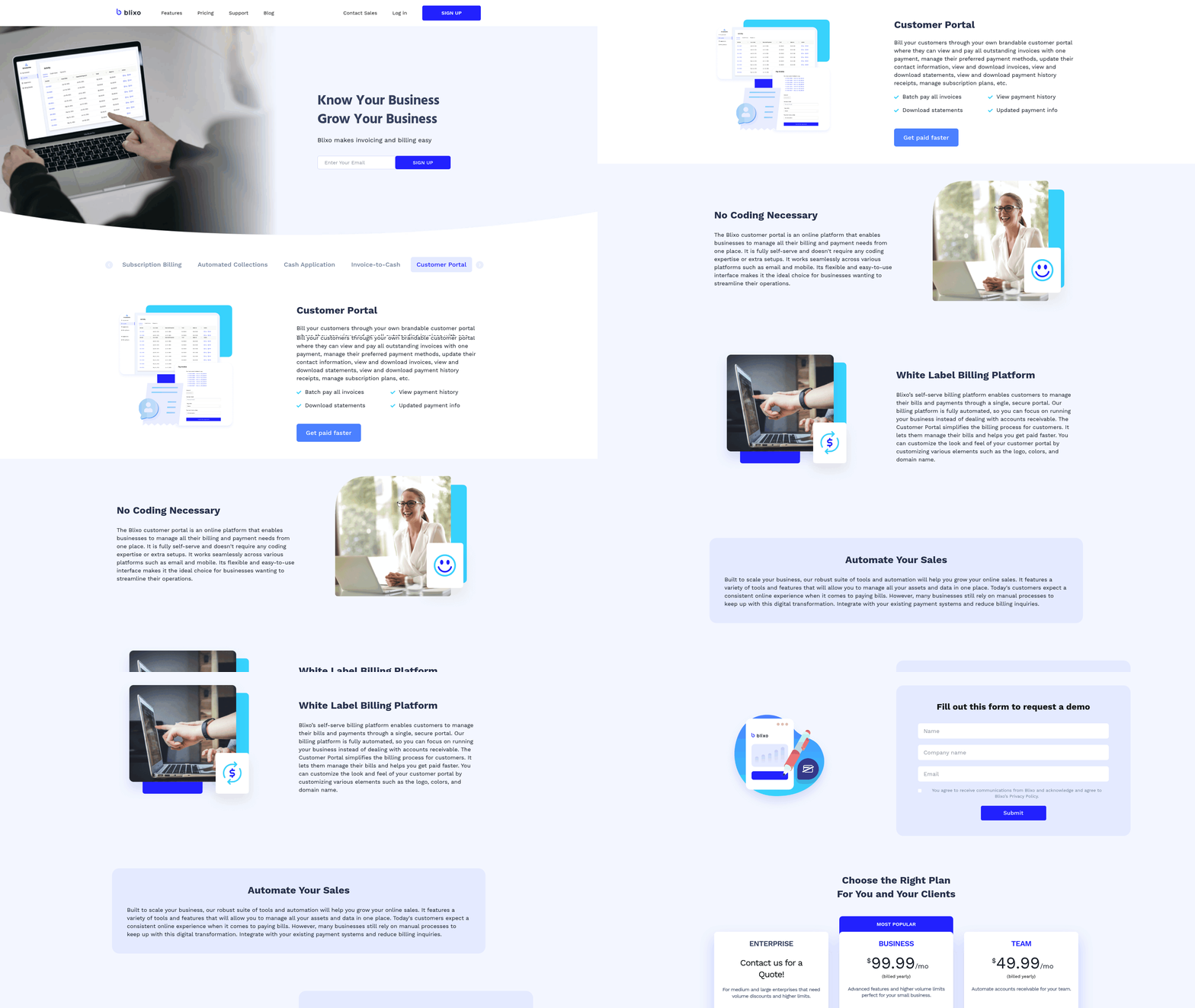
Blixo’s custom customer portal acts as a hub for users to manage their accounts independently. Customers can view invoice history, make payments, and track reconciliation status without contacting support. The portal’s self-service dashboard includes filters for sorting invoices by date, status, or amount, empowering users to resolve minor issues-like payment confirmations or missing receipts-on their own.
For businesses, this reduces the volume of repetitive inquiries. A customer service team using Blixo might see a 30% drop in calls about invoice details after implementing the portal. Additionally, the platform supports branded buyer servicing, allowing companies to maintain a consistent brand presence while offering a seamless experience.
What Are the Benefits of Blixo’s Approach?
By automating invoicing and dispute workflows, Blixo reduces manual tasks by up to 50% for finance teams, according to internal benchmarks. Faster invoice delivery and dispute resolution improve customer satisfaction, as clients appreciate transparency and efficiency. For instance, a mid-sized business using Blixo reported a 40% reduction in days sales outstanding (DSO) after adopting the platform. As highlighted in the Real-Time Accounts Receivable Reporting with Blixo section, this approach leads to improved DSO metrics and better visibility into cash flow health.
Compared to traditional methods-like paper invoices or fragmented email communication-Blixo’s centralized system minimizes errors and delays. Legacy systems often require teams to juggle multiple tools for invoicing, tracking disputes, and updating records, leading to inefficiencies. Blixo consolidates these functions into one interface, ensuring data consistency and faster decision-making.
Why Choose Blixo Over Traditional Solutions?
Traditional invoicing methods rely heavily on manual processes, increasing the risk of human error and slowing cash flow. Dispute resolution in such systems is often reactive, with teams scrambling to address issues after they arise. Blixo, however, anticipates common pain points through automation. For example, its proactive notifications for upcoming payments or late fees help prevent disputes before they escalate.
Also, Blixo’s self-service portal reduces reliance on customer support, a stark contrast to older models where every query required agent intervention. This shift not only lowers operational costs but also enhances the customer experience by providing 24/7 access to critical information.
For businesses looking to modernize their accounts receivable processes, Blixo offers a scalable solution that balances automation with personalized service. To dive deeper into cloud-based invoice processing strategies, explore Blixo’s checklist for cloud-based invoice processing.
Reducing Operational Costs with Blixo
What Operational Costs Can Blixo Eliminate?
Traditional accounts receivable processes are riddled with hidden expenses. Manual invoicing demands significant labor-finance teams spend hours creating, sending, and reconciling invoices. Paper-based workflows add material costs, while delayed collections result in lost interest income and increased bad debt risk. As mentioned in the Why Blixo Matters section, industry data shows that mid-sized companies can lose up to $4 million monthly due to unpaid invoices and late payments.
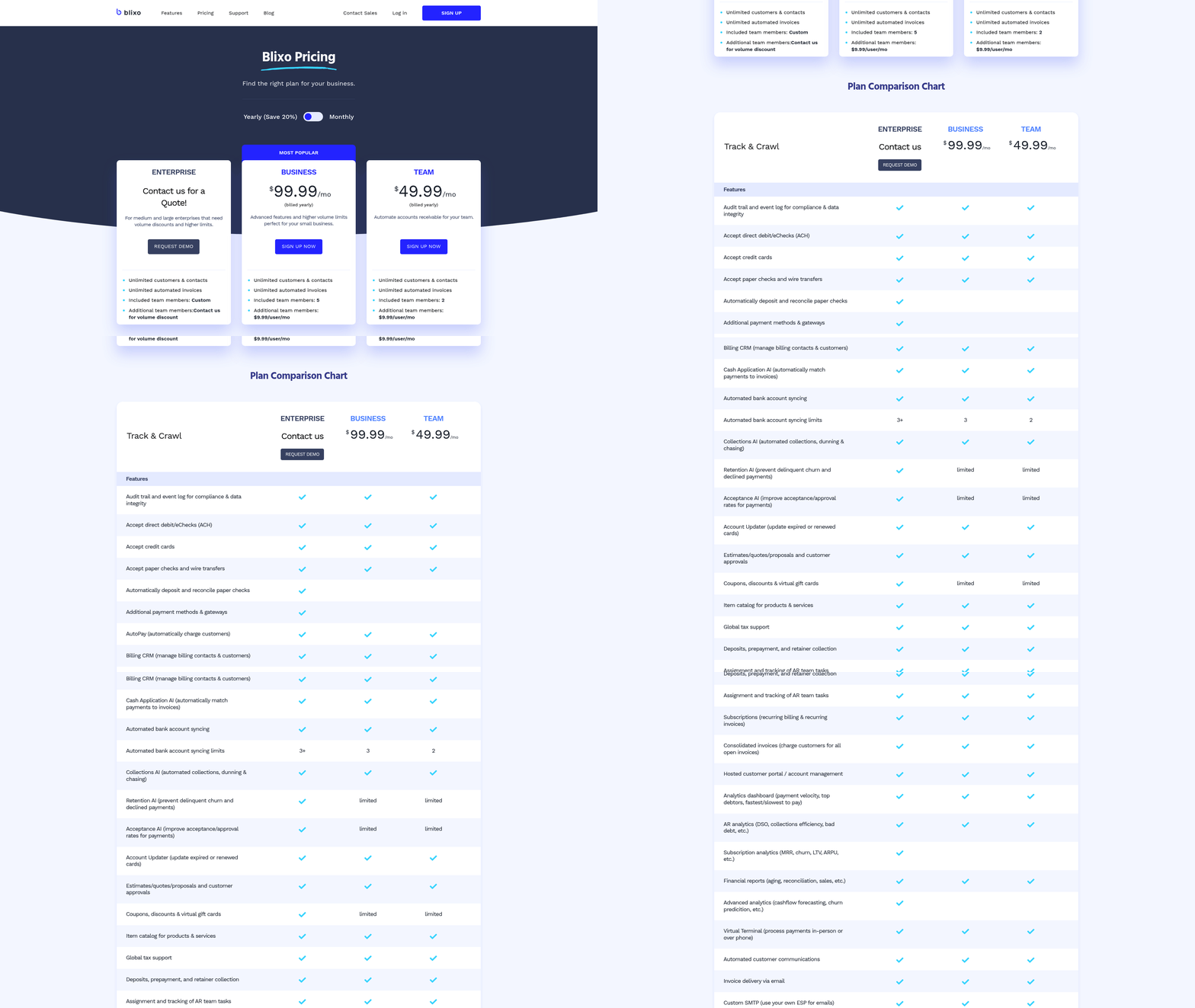
Blixo addresses these pain points by eliminating the need for physical paperwork and reducing human intervention. Its cloud-based platform automates end-to-end workflows, from invoice generation to cash application, slashing time spent on repetitive tasks. By centralizing data and minimizing errors, Blixo also reduces reconciliation costs, which often account for 20–30% of AR teams’ time.
How Does Blixo Automate Manual Processes?
Automation is at the core of Blixo’s design. The platform automates invoicing by generating and sending bills instantly based on predefined rules, ensuring accuracy and timeliness. For collections, Blixo uses AI-driven payment reminders and dunning workflows, which adapt to customer behavior to recover overdue payments faster. Source highlights a case study where a manufacturing company reduced billing errors by 30% through these tools.
Cash application-a process where payments are matched to invoices-also becomes fully automated. Blixo’s AI reconciles payments in real time, eliminating the need for manual matching and reducing processing time by up to 76% (source ). Additionally, self-service portals let customers view invoices, make payments, and update subscriptions, cutting down on support calls. Building on concepts from the Customer Invoicing and Dispute Management via Blixo section, this automation enables finance teams to save over 40 hours monthly, redirecting resources to strategic activities (source ).
What ROI Can Businesses Expect?
The return on investment from Blixo is measurable and rapid. Source reports that automation can reduce processing costs by 76% and speed up tasks by 81%, directly improving profit margins. For example, a subscription-based service increased customer retention by 25% using Blixo’s customer portal (source ), demonstrating how efficiency gains translate to revenue growth.
Beyond cost savings, Blixo accelerates cash flow. By shortening the days sales outstanding (DSO), businesses gain access to working capital faster. Source states that Blixo’s automation improves conversion rates and average order sizes, creating a dual benefit of higher revenue and lower operational drag.
Why Blixo Stands Out in the Market
Unlike generic accounts receivable providers, Blixo combines automation with a focus on predictable outcomes. Its transparent pricing model avoids hidden fees, and its integration with ERPs and CRMs ensures minimal disruption during adoption. As discussed in the Real-Time Accounts Receivable Reporting with Blixo section, many solutions prioritize feature checklists over measurable results, but Blixo emphasizes metrics like reduced manual effort and improved liquidity.
For instance, while some platforms require separate tools for invoicing and collections, Blixo offers an all-in-one solution (source ). This reduces the need for multiple licenses and training. Additionally, Blixo’s real-time analytics dashboard (source ) gives finance teams instant visibility into AR performance, a feature often lacking in fragmented systems.
Ready to Cut Costs and Boost Efficiency?
By automating labor-intensive tasks, Blixo transforms accounts receivable from a cost center into a growth driver. Businesses using the platform report faster payments, fewer errors, and significant time savings. For a deeper dive into how Blixo streamlines cloud-based invoice processing, explore this guide or learn how to automate workflows. The result? Lower operational costs and a stronger competitive edge.
Implementation Guide for Blixo
Implementing Blixo’s cloud-based accounts receivable software requires a structured approach to ensure seamless integration into your financial workflows. The process unfolds in three core phases: preparation, execution, and onboarding. Each stage involves specific tasks, from configuring system settings to migrating historical data. Below, we break down the implementation journey into actionable steps, challenges to watch for, and strategies to maximize adoption.
What Are the Key Steps in the Implementation Process?
The implementation process begins with preparation, followed by configuration, and concludes with testing. Here’s a detailed breakdown:
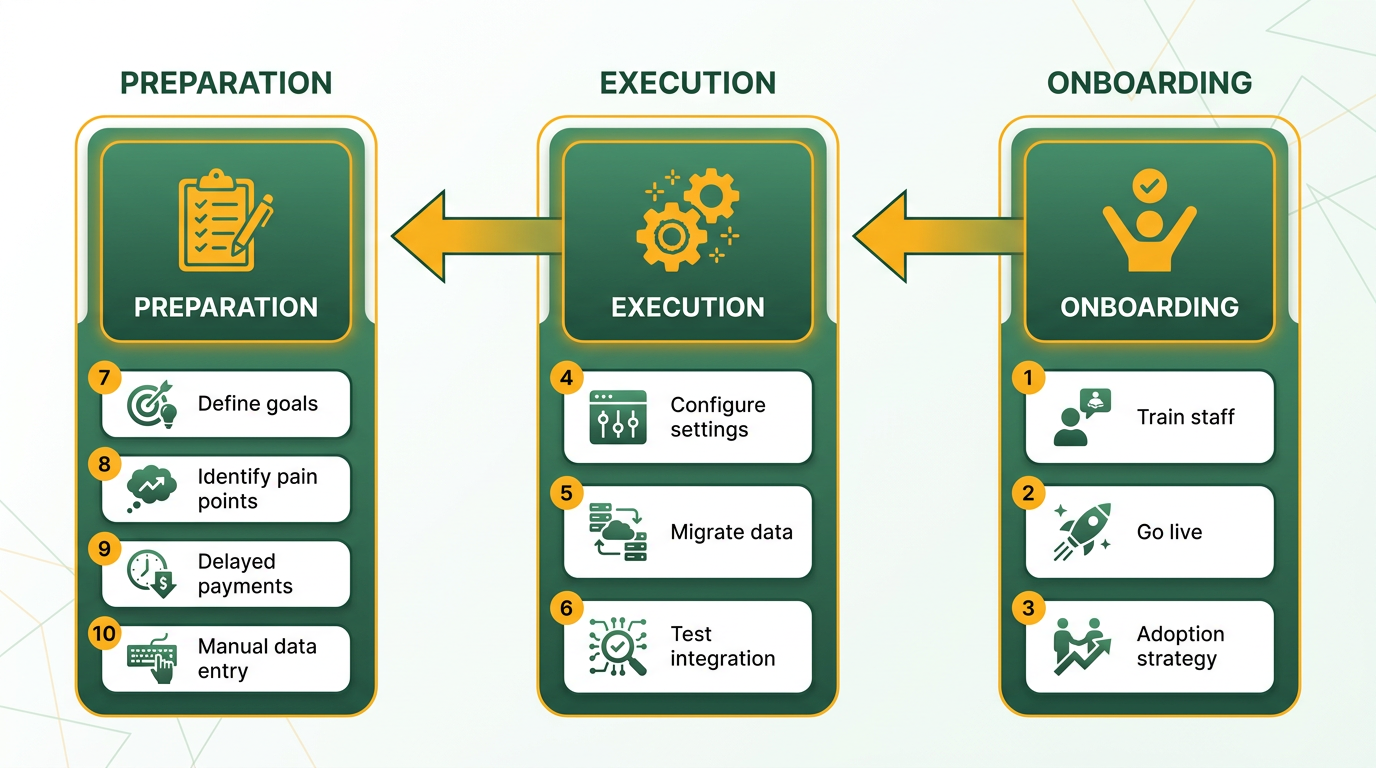
- Preparation
- Define goals: Identify pain points in your current AR process, such as delayed payments or manual data entry. As mentioned in the Why Blixo Matters section, inefficient AR processes can lead to significant financial losses, making goal alignment critical.
- Assign roles: Designate an admin to oversee setup, a finance team to validate data, and IT support for technical integration.
- Review system requirements: Ensure your network and existing financial systems meet Blixo’s compatibility standards.
- Setup and Configuration.
- Create user accounts: Assign permissions based on job roles (e.g., accounts payable clerks, managers).
- Configure workflows: Customize approval processes for invoices and payment terms. Building on concepts from the Blixo Features and Services section, these workflows automate repetitive tasks like invoice generation and collections.
- Integrate with existing tools: Connect Blixo to your ERP or accounting software using APIs or pre-built connectors.
- Testing and Go-Live.
- Validate data: Run test transactions to confirm accuracy in invoice generation and payment tracking.
- Train users: Host live demos or provide video guides to familiarize teams with the interface.
- Launch: Migrate live data and monitor performance for the first 30 days.
For a deeper dive into invoice automation, read this checklist from Blixo’s blog..
What Data Needs Migration, and How?
Blixo supports migration of customer data, invoice records, and payment history. The process includes:
| Data Type | Source | Format | Validation Steps |
|---|---|---|---|
| Customer Information | CRM or Excel sheets | CSV, Excel | Check for duplicates and missing fields |
| Invoice Records | Accounting software | PDF, XML, or CSV | Verify line-item accuracy |
| Payment History | Bank statements | CSV or API export | Match dates and amounts with logs |
Tip: Cleanse data before migration. For example, standardize customer names like “Acme Corp” instead of “Acme Corporation” to avoid discrepancies..
What Challenges Might Arise During Implementation?
While Blixo simplifies most steps, three common hurdles require proactive planning:
-
Data Integration Delays. Legacy systems may lack APIs, requiring manual mapping. To resolve this, Blixo offers guided templates for CSV imports.
-
User Resistance. Employees accustomed to spreadsheets might resist switching. Address this with hands-on training and highlight time-saving features like auto-generated payment reminders.
-
Inconsistent Data Formats. Mismatched date formats (e.g., “MM/DD/YYYY” vs. “DD/MM/YYYY”) can cause errors. Use Blixo’s data validation tools to flag inconsistencies automatically.
To learn how to automate invoice processing, explore this tutorial..
How Can You Ensure a Smooth Onboarding?
Onboarding involves training, support, and continuous feedback. Blixo provides:
-
Training Options:
-
Live webinars: Walkthroughs for admins and power users.
-
Self-paced modules: Video tutorials for day-to-day tasks.
-
Custom workshops: Tailored sessions for complex workflows.
-
Support Channels:
-
24/7 chat for urgent issues.
-
Email support for non-urgent queries.
-
A knowledge base with FAQs and step-by-step guides.
-
Feedback Loops: Schedule check-ins after 30 and 90 days to address unresolved questions and refine configurations.
“The live demos helped our team adopt Blixo quickly. We reduced invoice processing time by 40% in two weeks.” – Finance Manager.
What Best Practices Should You Follow?
To maximize Blixo’s value:
- Assign a dedicated project lead to coordinate between teams.
- Communicate early: Share timelines and benefits with stakeholders to build buy-in.
- Test thoroughly: Simulate scenarios like late payments or partial invoices before going live.
- use analytics: Use Blixo’s dashboards to track metrics like DSO (Days Sales Outstanding) post-implementation, as highlighted in the Real-Time Accounts Receivable Reporting with Blixo section.
By following these steps, teams can transition to Blixo with minimal disruption, enable efficiencies in accounts receivable management.
Benefits of Using Blixo for Your Business
Blixo’s cloud-based accounts receivable software accelerates payment processes and reduces manual effort, directly improving cash flow. By automating invoicing, payment reminders, and cash application, businesses can shorten the time between invoice issuance and receipt of funds. A retail business using Blixo’s real-time payment tracking reduced average days sales outstanding (DSO) by 18%, enabling quicker access to working capital for operational needs. This speed ensures businesses access working capital faster, enabling strategic investments and growth. As mentioned in the Why Blixo Matters section, inefficient AR processes cost businesses millions annually, making Blixo’s automation a critical solution for financial stability.
Automation also reduces administrative workload by up to 80% for mid-sized companies, as highlighted in Blixo’s case studies. Tasks like tracking late payments, reconciling discrepancies, and managing collections shift from manual processes to AI-driven workflows. One logistics firm cut reconciliation time by 40% using Blixo’s automated matching tools, showcasing how automation minimizes delays and errors that disrupt cash flow.
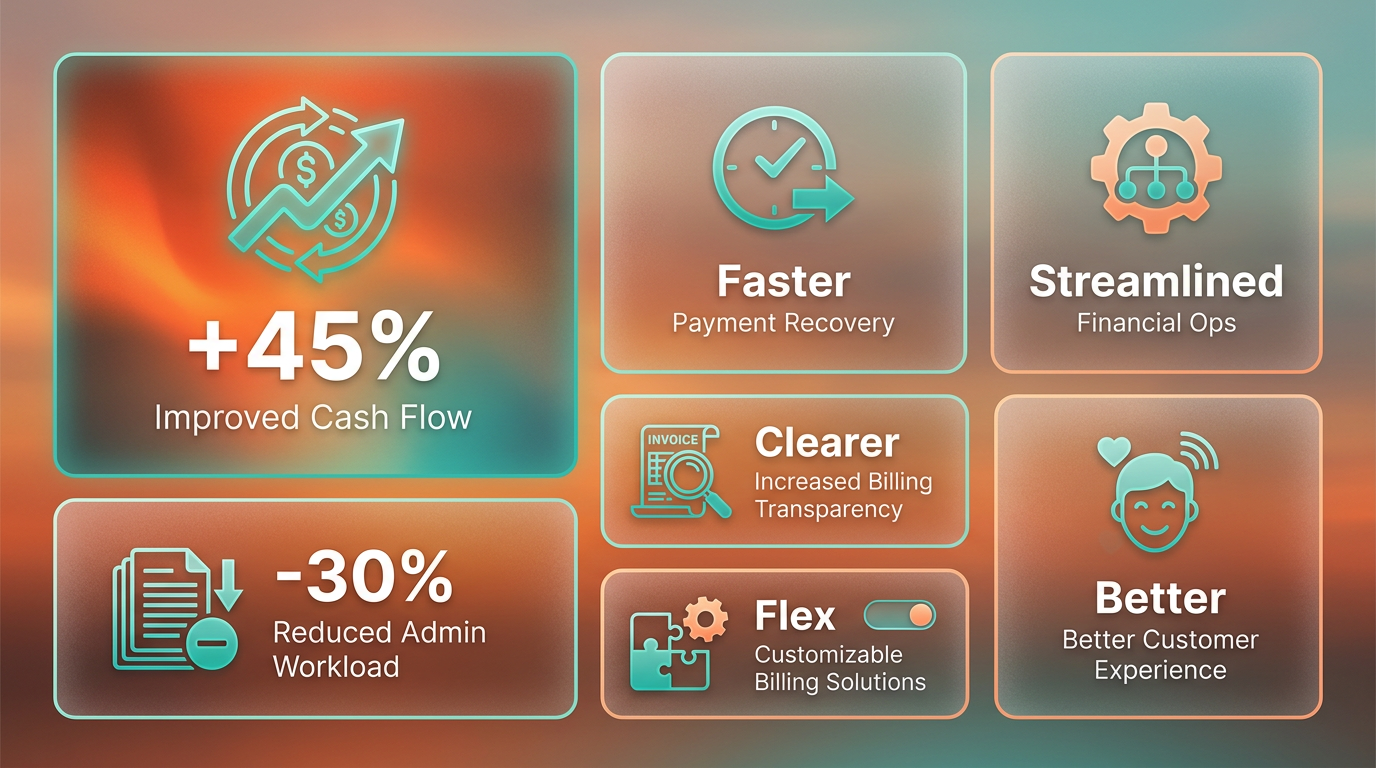
The platform’s analytics dashboard provides real-time insights into accounts receivable metrics, helping businesses identify trends and optimize pricing strategies. For instance, a healthcare provider used Blixo’s data to adjust billing cycles, achieving a 10% rise in on-time payments. Building on concepts from the Real-Time Accounts Receivable Reporting with Blixo section, these analytics empower businesses to make data-driven decisions that enhance financial performance.
Blixo is ideal for service businesses, e-commerce brands, and companies with subscription models. Service providers benefit from automated invoicing and payment tracking, which streamline billing for project-based work. E-commerce businesses use Blixo’s multi-currency support and self-service portals to manage international transactions efficiently.
Blixo delivers measurable ROI through cost savings and revenue growth. Automated processes cut administrative labor costs by 76%, as manual tasks like invoice reconciliation and late payment follow-ups are eliminated. For example, a logistics company saved 12–15 hours monthly by implementing Blixo’s self-service payment portal, redirecting staff hours to core business activities. Building on concepts from the Reducing Operational Costs with Blixo section, these savings compound over time, offering long-term financial benefits.
Unlike generic accounts receivable solutions, Blixo combines automation with actionable analytics and user-friendly design. Its all-in-one platform replaces fragmented tools for invoicing, collections, and subscription management, reducing integration complexity. Features like AI-driven cash application and role-based access controls ensure security and efficiency, which many alternative solutions lack. By addressing both operational efficiency and strategic growth, Blixo transforms accounts receivable from a reactive task to a proactive revenue driver.
Frequently Asked Questions
1. How does Blixo reduce accounts receivable processing time?
Blixo’s AI-powered cash application cuts processing time by 81% by automating reconciliation and reducing manual errors, streamlining workflows for faster invoice resolution and cash application.
2. What impact does Blixo have on late payments?
Blixo improves 90% of customer payments to timely by automating reminders and digital invoicing, addressing the 50% of U.S. B2B invoices that are paid late.
3. Which industries benefit most from Blixo’s features?
SaaS, e-commerce, construction, and B2B sectors gain the most from Blixo’s tools, such as a construction company achieving 90% timely payments through automated workflows.
4. How does Blixo address reconciliation delays?
Blixo automates reconciliation workflows, resolving 77% of AR teams’ delays by eliminating manual tasks and ensuring accurate cash application with real-time updates.
5. Can Blixo reduce recurring billing errors?
Yes, Blixo’s subscription management tools cut recurring billing errors by 30%, ensuring consistent revenue for businesses with subscription-based models.
6. How do self-service portals lower administrative costs?
Blixo’s self-service portals enable customers to manage payments independently, reducing administrative overhead by minimizing manual interventions for AR teams.
7. What financial risks does Blixo mitigate for mid-sized companies?
Blixo prevents up to $4 million monthly losses from manual AR errors and late payments by automating processes and improving cash flow predictability.