

9 Cash Application Questions to Ask Before Buying AR Software

In short:
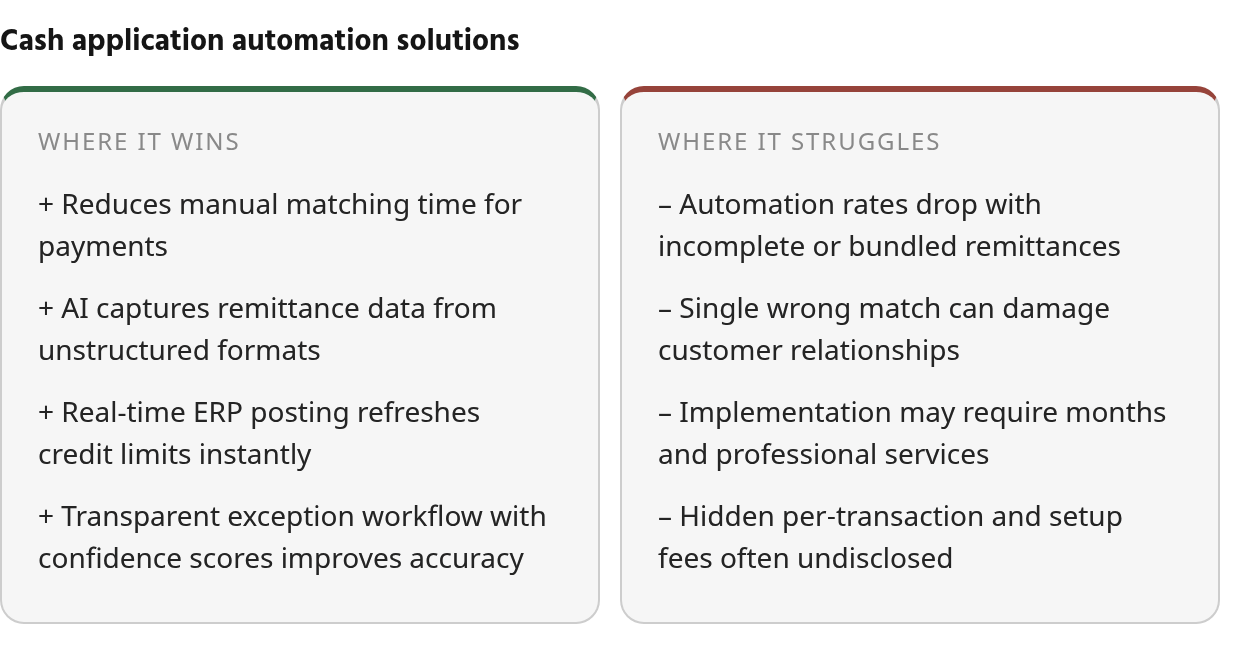
- Vendors claim 90–98% automation rates, but those figures often fail when remittance details are incomplete or customers bundle multiple invoices.
- A single incorrect payment match that triggers a false collection call can damage customer relationships more than delayed manual posting.
- Implementation timelines range from finance-team configuration in weeks to enterprise rollouts requiring months of professional services and ERP customization.
- Hidden costs include per-transaction fees, lockbox pass-throughs, AI-processing charges, and template setup fees that vendors rarely disclose upfront.
- Exception-handling transparency matters more than peak automation percentages because ambiguous payments reveal which systems protect accuracy versus inflate match-rate statistics.
The Short Version
The table below compares the most-cited cash-application vendors. Where public documentation lacks implementation timelines or pricing structures, we’ve marked those cells as validation questions rather than filling gaps with guesses.
| Vendor | Automation / Match-Rate Claim | Exception Handling | Integration / Collections Fit | Implementation Effort | Cost Model / Hidden Fees to Validate | Vendor Proof Points | Fit Rating |
|---|---|---|---|---|---|---|---|
| Serrala | Public materials describe up to 98% automation and AI-assisted manual resolution; validate on your remittance data | Validate whether unmatched payments get historical-pattern recommendations with confidence scores | Validate ERP coverage and whether posting is native or connector-based | Implementation timelines vary by ERP and remittance complexity; template-driven architecture may require manual configuration for new remittance formats | Validate per-transaction fees and template setup costs | Validate documented customer outcomes and review-platform ratings directly | Best for SAP enterprises with complex global payment flows |
| HighRadius | Public materials describe straight-through cash posting capabilities and O2C platform leadership | Validate whether policy-driven rules can remediate common exceptions automatically | Validate ERP connections and whether collections shares the same platform | Validate rollout timeline and professional-services scope | Validate pass-through fees and transaction-volume tiers | Validate review-platform ratings and case studies directly | Best for high-volume global enterprises managing complex AR at scale |
| Upflow | Public materials describe auto-match capabilities and time-reduction claims | Auto-applies only when payment maps cleanly; holds back ambiguous matches and surfaces them for team confirmation | Real-time sync with accounting adjustments and sync-failure alerts; same platform handles collections | Validate configuration effort and whether IT involvement is required | Validate per-user or per-transaction pricing | Mid-market focus; built for teams wanting cash app connected directly to collections workflows | Best for mid-sized B2B teams prioritizing accuracy over volume |
| Esker | Public materials describe touchless allocation and faster remittance processing | Explainable AI matching suggestions with human-in-the-loop validation; guided workspace for complex allocations | SAP, Oracle, NetSuite; fits within broader O2C suite | Validate professional-services scope for document-heavy remittance tools | Validate AI-processing fees and professional-services costs for complex formats | Validate review-platform ratings and case-study outcomes directly | Best for organizations with document-heavy remittance (PDFs, emails, EDI) requiring AI capture |
| Cashbook | Public materials describe automation capabilities for cash application | Validate rules for discounts, deductions, short payments, and multi-currency scenarios | Validate ERP integration coverage and whether bank reconciliation and deductions management are included | Validate implementation timeline and configuration effort | Validate transaction-volume pricing and module bundling | Limited to finance and receivables management; no broader O2C suite | Best for organizations seeking specialist cash-application automation without full AR-suite complexity |
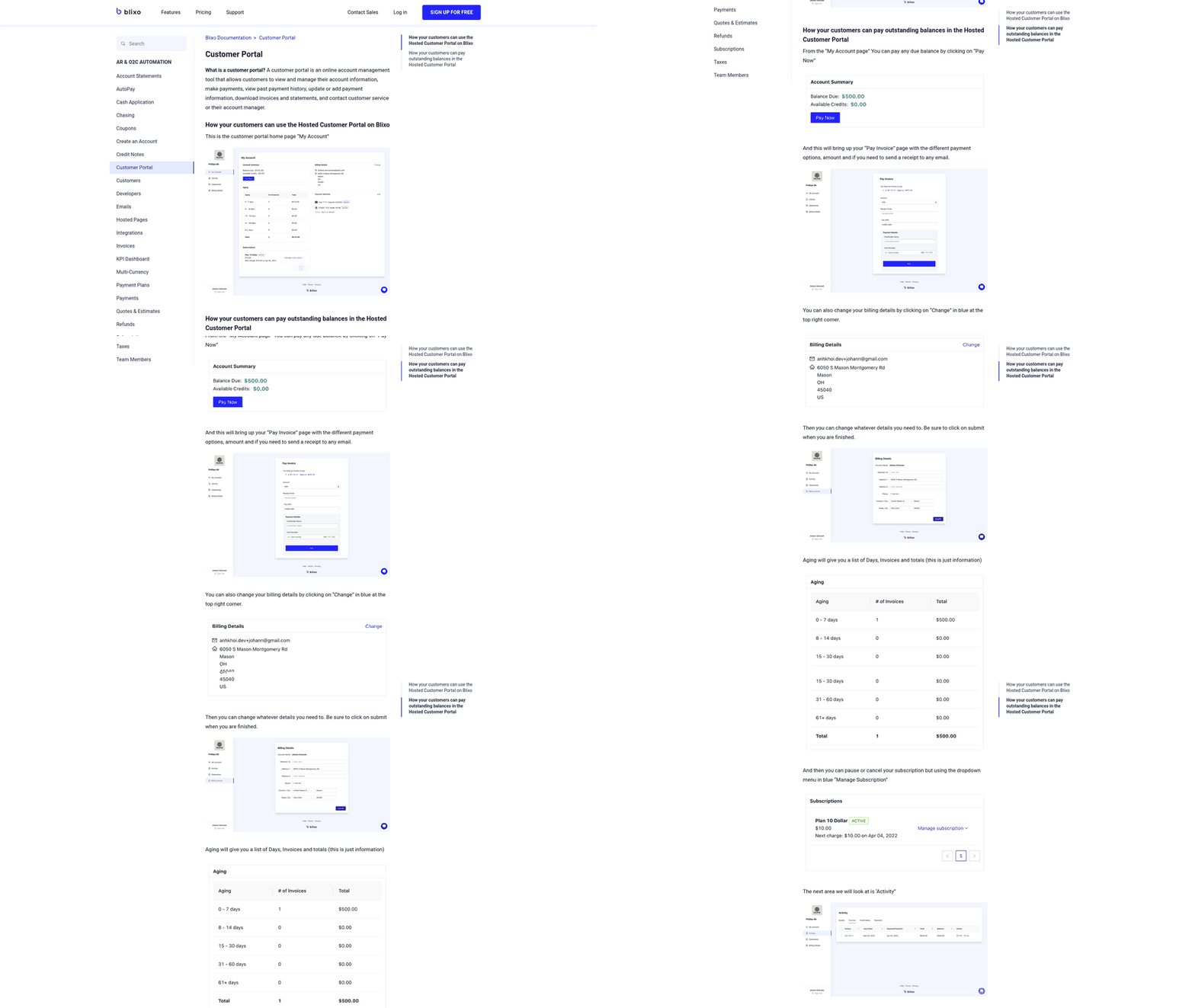
| Blixo | Public materials describe envelope- and item-level matching with machine learning that learns from manual edits; validate claimed match rates on your own remittance data | Rule-based cash-application configuration; approval workflow that grows smarter through machine learning as users manually apply payments to invoices | Validate which ERP and payment integrations are included and which require custom work | User documentation suggests finance-team setup via settings interface | Validate subscription pricing, user limits, and included integrations | Reviewed documentation describes automatic matching of traditional payments like wire transfers and direct deposit, virtual lockbox for check payments, unapplied payments applied to balances across multiple open accounts | Best for small to mid-sized teams seeking combined invoicing, collections, and cash-application automation in one SaaS service |
Key takeaways from public materials: High automation claims appear consistently across vendors, but the vendors differ in how they handle payments that don’t auto-match. For subscription or recurring-billing businesses, chasing a customer who already paid is more damaging than a delayed posting, so test match accuracy, exception transparency, prorations, upgrades/downgrades, and false-dunning risk before signing. For transaction-heavy enterprises where delayed posting blocks credit lines and revenue recognition, speed and volume dominate. Validate review-platform ratings and analyst recognition directly, and run a pilot with your own remittance formats—lockbox files, email PDFs, wire-transfer references, customer portals—before committing to a multi-year contract.
Why Cash Application Matters
When payments sit unmatched for even a day, you’re not just delaying accounting entries. You’re blocking customer credit lines, creating false collection targets, and erasing the cash-flow visibility finance teams need to forecast working capital. Manual payment operations mean analysts spend hours each week sorting remittance emails, cross-referencing bank files, and hunting for invoice numbers buried in PDF attachments. That manual cycle doesn’t just cost time—it costs trust. When your collections team calls a customer who already paid because the payment hasn’t posted yet, you’ve just signaled that your finance operation can’t track its own receivables.
What breaks in manual cash application
Most matching errors start at remittance capture. Customers send payment details through emails, EDI files, lockbox scans, and AP portals. Each format requires different parsing logic. When remittance data is incomplete—missing invoice numbers, combining multiple invoices in one wire transfer, or referencing a PO number instead of your billing ID—analysts burn time manually investigating account history to figure out which open invoices the payment should cover. Partial payments and deductions add another layer: a customer pays 70% of an invoice and takes a discount you didn’t approve, and now someone has to decide whether to apply the partial amount, chase the shortfall, or code the deduction for dispute review before posting anything.
The downstream impact shows up in three places. Unapplied cash accumulates in suspense accounts, inflating your balance sheet and making month-end close a reconciliation nightmare. Days Sales Outstanding climbs because payments that landed yesterday still show as outstanding today, skewing your AR aging and making cash-flow forecasts unreliable. And customer satisfaction drops when collectors chase paid invoices.
How AI-driven automation changes the math
Modern cash application software uses machine learning and OCR to capture remittance data from any format, match payments to invoices without exact reference numbers, and handle exceptions like short pays or multi-invoice allocations automatically. The operational gain isn’t just speed—it’s accuracy under complexity. AI-driven matching can reconcile a payment even when the remittance is missing by analyzing historical customer behavior and payment patterns, which rule-based systems can’t do.
The quality of automation depends on how the system handles uncertainty. Platforms that assign confidence scores to each match—and route low-confidence cases to human review—prevent misapplied payments from corrupting your AR data. When a large payment could apply to several different invoices, flagging it for analyst review beats guessing wrong and spending days unwinding the mistake. The platforms that handle exceptions transparently—showing confidence scores, suggesting matches with clear reasoning, and keeping humans in the loop for edge cases—protect data integrity while maintaining speed.
Match Rate & Accuracy
When a vendor tells you their system auto-matches 95% of payments, your first question should be: 95% of what? Claimed match rates can count every payment the system touched, including ones where a human still confirmed the match. Others measure only perfect auto-applications with zero review. The calculation method can shift the number significantly, and most vendors won’t volunteer which definition they’re using until you ask directly.
Ask how the match rate is actually calculated
If the vendor can’t process a sample file during the demo, the number they’re quoting isn’t anchored to your reality. Does the percentage include payments flagged for review that an analyst confirmed in three seconds, or only payments the system posted with no human interaction? Does it exclude partial payments, multi-invoice wires, and missing remittance—the exceptions that eat most of your team’s time?
Watch for vendors who report match rates by payment count versus dollar volume. A system that auto-matches 85% of payments by count might only handle 60% of your receivables by value if it struggles with large, complex remittances. Ask for both metrics and test them against your actual payment distribution.
Verify performance on your payment complexity
Multi-invoice payments, partial pays, and decoupled remittance separate systems that handle clean data from systems that handle real receivables. That outcome only matters if your customers send bulk remittances. If most of your payments are one check per invoice, you don’t need that capability and shouldn’t pay for it.
Test the demo with edge cases your team sees weekly: a wire covering six invoices with a small shortage and no explanation, an ACH payment arriving after the expected date with a PDF remittance buried in a forwarded email chain, or a check with a handwritten note referencing an invoice number that doesn’t exist in your ERP. Systems built on rigid matching rules flag these as exceptions and route them to your team. AI-driven remittance capture and pattern-based matching can close some of these gaps by analyzing historical behavior, but the technology still breaks when remittance data is genuinely incomplete or contradictory. Ask whether the system shows confidence scores for ambiguous matches and whether you can set thresholds that determine when it auto-applies versus when it suggests a match for review.
Confirm exception handling doesn’t just mean “flag it”
When a payment doesn’t map cleanly to an open invoice, does the platform surface the most likely candidates and explain why it’s suggesting each one, or does it tell your analyst to start hunting? If the system recommends applying a payment to two open invoices but won’t show you why it ignored another plausible invoice, you can’t trust the recommendation and you can’t improve the rules over time.
Explainable AI suggestions with audit trails let your team validate decisions quickly and flag patterns the system misses. The improvement comes not from perfect automation, but from better-organized suggestions that eliminate the search phase: customer history, prior remittance behavior, open balances, discount terms, and deduction codes all appear in one workflow instead of forcing analysts to move between bank files, ERP screens, and old emails.
Multi-currency and multi-entity scenarios expose another common gap. If you bill customers from multiple legal entities and accept payments in several currencies, the matching engine needs to handle cross-entity allocations and currency conversions without manual lookup tables. Test this in the demo with real examples. Most vendors claim support, but implementation often requires custom configuration work that extends your go-live timeline.
Automation & Workflow Integration
Which systems will your cash application tool actually connect to?
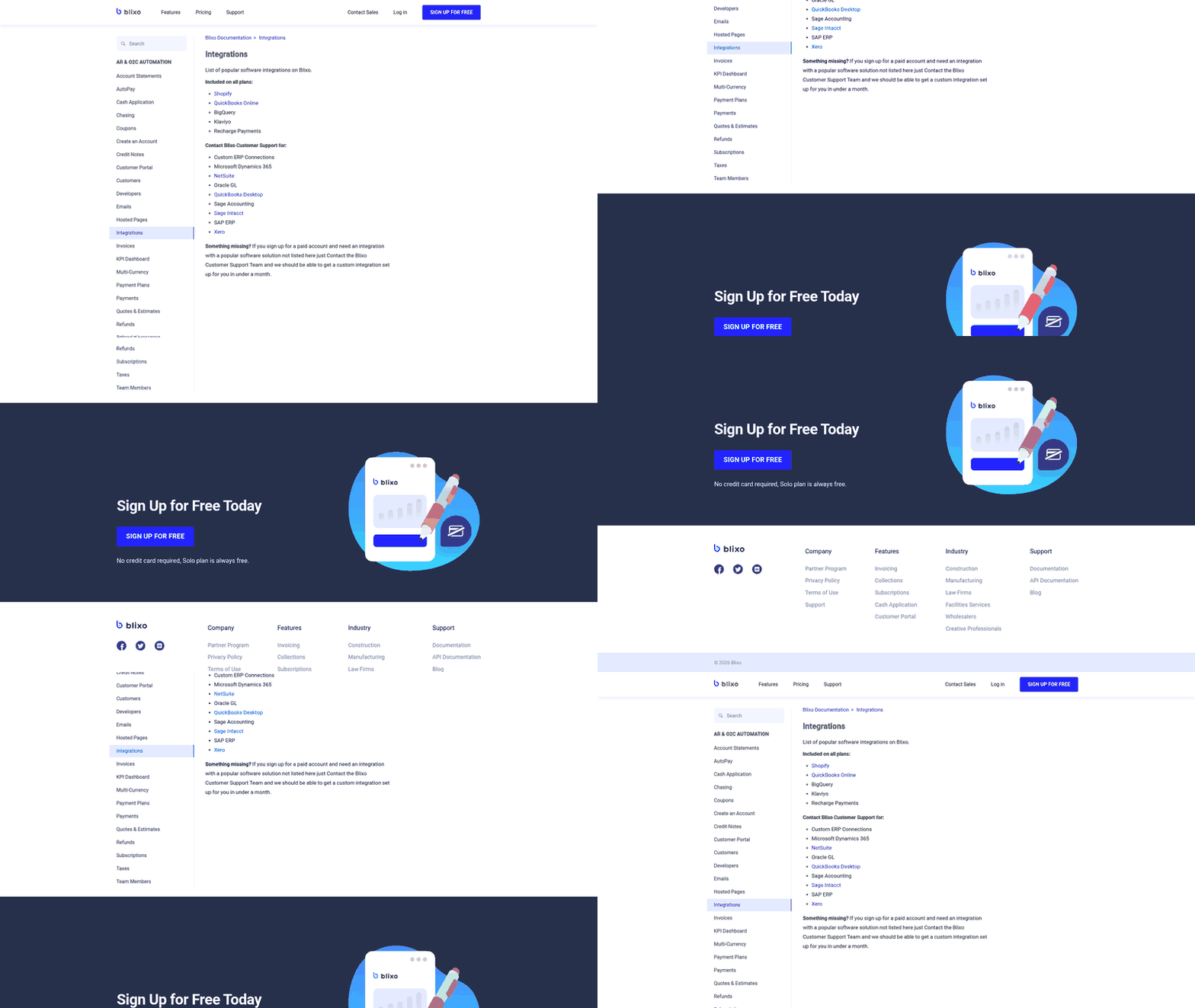
Before you demo a cash application platform, list every system that touches incoming payments: your ERP, bank portals, lockbox providers, payment gateways, email inboxes where remittances land, customer portals, and any collections or dunning tools your team relies on. Pre-built connectors matter more than a vendor’s claim of “open API support.” If the platform doesn’t already integrate with NetSuite, SAP, or Dynamics, you’re looking at custom development work that delays go-live. Some vendors connect to a broad range of ERP systems out of the box, which removes implementation friction for multi-entity enterprises running different accounting platforms across regions. Some specialist tools offer broad ERP coverage; some enterprise platforms emphasize depth within specific ERP environments.
Ask whether real-time sync is available or whether the integration relies on batch uploads. Real-time posting means balance changes, credit availability, and collection status move together instead of waiting for a scheduled file exchange. If the vendor can’t confirm immediate write-back for your specific ERP, flag that as a demo requirement. Batch sync preserves one of the operational delays you’re trying to remove.
Verify how the platform captures remittances from scattered sources. Customers send payment details through structured files, scanned documents, bank reference fields, and A/P portals. A tool that only reads one clean input format will leave your team manually keying in everything else. Ask specifically how the platform captures unstructured remittance formats, because emailed Excel files or scanned check stubs often carry a meaningful share of payment volume.
Confirm whether cash application updates flow directly into your collections workflows. If reconciliation status doesn’t feed into dunning rules or aging reports, your collectors still operate on stale data. Tools built on a unified Order-to-Cash platform—where cash application, collections, and deductions share the same database—prevent the disconnect between what’s posted and what’s actionable.
Cost, Implementation & Vendor Longevity
Ask what the TCO calculator didn’t include
When a vendor shows you an ROI projection, the calculation typically starts after go-live. What it skips is the ramp-up window—the period between contract signature and the day your team stops touching spreadsheets. For tools requiring extended template configuration and professional services, you’re carrying both the old manual cost and the new license fee during implementation.
Separate platform licensing from implementation services in the proposal. Licensing models vary—some charge per transaction, others per user or entity—but the onboarding line item is where budget overruns hide. Accounts receivable automation tools built for document-heavy remittance environments often require professional services to train OCR models and configure exception workflows. If your customers send remittance data through multiple formats, expect longer setup than a team processing standardized ACH advices. Time reductions for complex remittances usually follow configuration cycles where every remittance template was mapped and tested.
Implementation speed signals architectural philosophy. Finance-team configuration with no IT project means you’re working with a tool designed for operational users, not systems integrators. Enterprise ERP rollouts often reflect deeper coupling and more governance requirements. Ask whether the platform writes back to your ERP automatically or requires middleware, and whether your team can adjust matching rules without opening a support ticket.
Confirm the vendor will still be answering calls
Vendor stability matters more in cash application than in adjacent finance software because payment matching sits on the critical path to revenue recognition. Long operating histories and broad customer bases carry lower continuity risk than funded startups with short runways. Third-party review platforms reflect live customer deployments, but ratings measure satisfaction among current users, not financial resilience. Analyst recognition can signal sustained R&D investment and broad enterprise deployment, but validate it directly.
Data infrastructure scale serves as a proxy for platform maturity. Providers that process high transaction volumes across millions of invoices and buyers demonstrate the dataset depth that trains AI matching engines. Platforms with numerous native ERP integrations already in production indicate fewer “we’ll build that connector” promises during the sales cycle. Ask about product-roadmap cadence—how often the vendor ships major releases, whether new features require re-implementation, and how quickly security patches deploy. If they won’t share a release calendar or change-log access, that’s a transparency gap.
Contract terms deserve the same scrutiny you’d apply to any SaaS procurement: length, renewal auto-escalation clauses, price-increase caps, and data-export rights at termination. Some vendors lock pricing for three years; others index annual increases to CPI or reserve the right to reprice at renewal. The exit clause defines whether you can extract your historical remittance data and matching rules in a portable format or whether switching providers means rebuilding that logic from scratch.
What to test before you buy
Before you commit to accounts receivable automation, run the vendor’s claims through a structured proof session using your own remittance files and payment history. Finance teams often sign contracts based on vendor-provided demo scenarios, only to find that their actual data—payments with missing invoice numbers, customers who bundle many invoices into one wire transfer, or remittance details buried in forwarded email chains—reveals gaps the demo never showed.
What you should test in a live demo
Import a sample batch of your actual remittance data: bank files, lockbox reports, customer emails with PDF attachments, and any payment portal exports your team currently processes. Let the platform propose matches without manual intervention, then inspect the confidence scores or rationale the system displays for each proposed allocation. Walk through the exceptions queue—payments the tool flagged for review—and measure how long it takes your analyst to confirm or correct each one. Post the batch to your ERP or subledger, then verify that the collections dashboard or aging report reflects the updated payment status. Testing with your own data will reveal patterns that vendor demos typically skip: payments that reference purchase order numbers instead of invoice numbers, customers who write in account nicknames, or remittance fields left blank. Capture live metrics during the session: automated match rate, time from payment receipt to posting, exception rate, and how the tool handles partial payments, overpayments, short pays with deductions, and one payment covering multiple invoices across entities or currencies.
Proof-of-concept checklist
Use the nine questions above as the scorecard. For each vendor, require at least one real example from your last 90 days of payment data, including partial payments, overpayments, short pays, one payment covering 40+ invoices, missing invoice references, foreign currency, multi-entity customers, and duplicate remittance data. Ask for sandbox access or a proof-of-concept period before contract signature.
Questions People Ask
If a vendor claims 95% automation but my team still spends hours on exceptions, what should I actually measure during the proof-of-concept?
Measure total time from payment receipt to clean posting. Break that into auto-applied payments, payments requiring confirmation, and payments needing full investigation. That view tells you whether the software reduces workload across the entire queue instead of optimizing only the cleanest payments.
What happens when my customer pays fifty invoices with one wire transfer and the remittance field only lists the first invoice number?
The platform should show whether it can infer the allocation from customer history, open balances, payment habits, and prior remittance patterns. In the proof session, look for two things: whether the system suggests a ranked allocation instead of dumping the item into an unresolved queue, and whether the rationale is clear enough for an analyst to approve or correct quickly.
Should I prioritize a cash application tool that integrates with my collections platform or pick best-of-breed for each function?
Prioritize the operating outcome: collectors need current payment status before they act. A unified Order-to-Cash platform can provide that by design, while best-of-breed tools can still work if the integration updates aging, credit, and dunning logic without manual exports or delayed file transfers.
How do I separate actual implementation costs from the vendor’s ROI projection?
Ask for a proposal that itemizes license fees, implementation services, template configuration, integration work, training, support tiers, and any usage-based charges. Then model the ramp-up period separately, because that is when you may still be paying for manual work while the new system is being configured and tested.