

Stripe Billing Handles Charges. Blixo Handles Dunning, Collections, and Cash Application.

Key Takeaways
- Failed payments drive 20% to 40% of total subscription churn, and most of that is involuntary. Cards expire silently and nobody notices until service cuts off.
- The cash-application gap opens when collections chases overdue money while a separate process tries to match received money to the right open invoices.
- Failed payments cost the global economy over $118 billion in 2020, and 80% of high-failure businesses reported losing customers over it.
- Stripe Billing handles the charge. It does not reconcile which payments landed, which failed, and which invoices they apply to.
- One global enterprise cut unapplied cash by 70% after pairing touchless cash application with predictive collections.
- SaaS businesses running high recurring volume on Stripe get the most out of automated dunning and reconciliation.
- Unapplied cash piles up and Days Sales Outstanding climbs whenever collections and cash application stay manual.
Why failed payments quietly bleed revenue
When a subscription payment fails, the mess starts right away. The customer usually has no idea their card lapsed. Service gets interrupted, someone opens a ticket, and now your team is fixing billing details and trying to make sure the recovered money actually lands in the ledger correctly.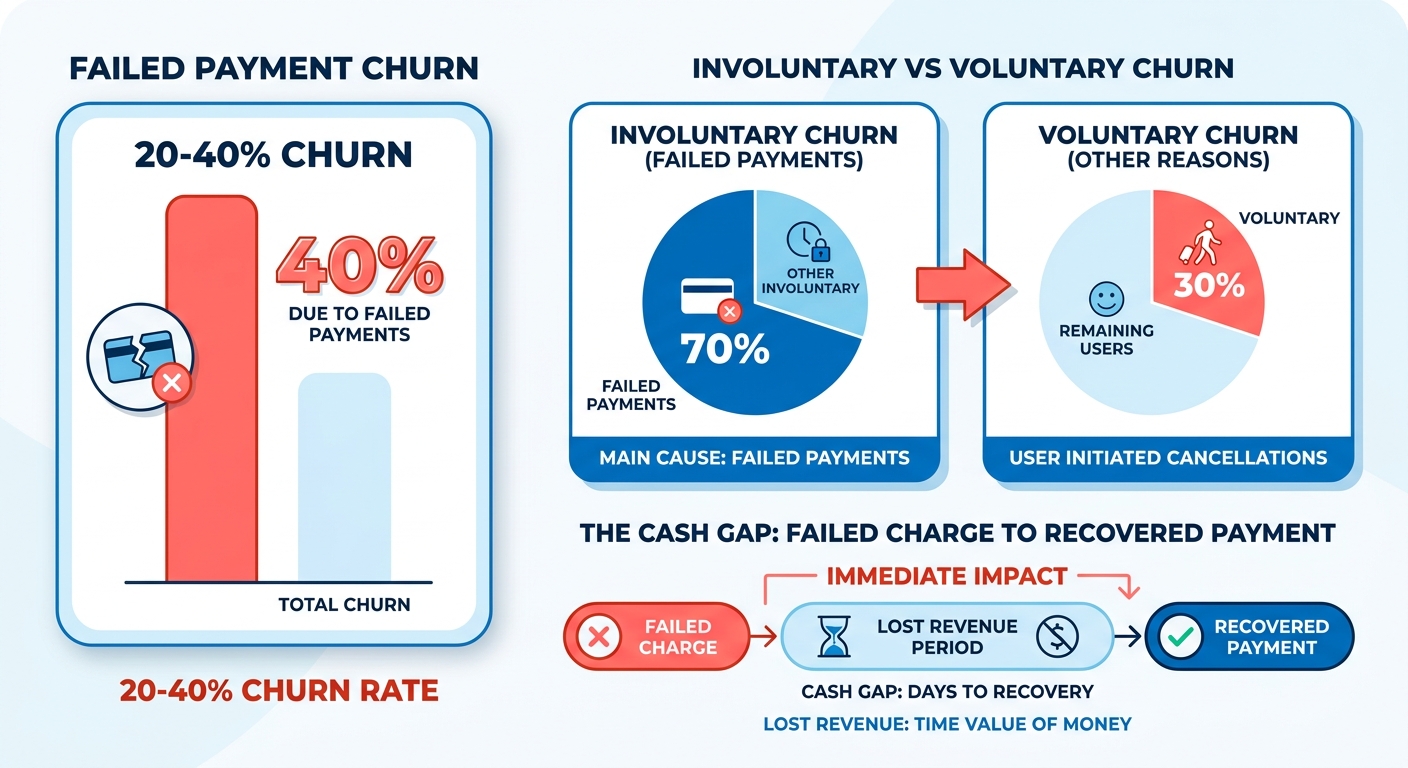
The real cost isn’t the missed transaction
The lost charge is the small part. The expensive part is the manual recovery. When finance has to check bank statements against billing records by hand, a gap opens between what collections thinks happened and what the accounting ledger says. That lag kills your real-time view of cash. You can’t forecast well, and you can’t tell which accounts are actually delinquent versus just unreconciled.
Who actually needs this
High-volume subscription models feel this first. More transactions means more exceptions, roughly in proportion.
Say your billing system fires 5,000 charges a month. A few hundred fail. Retries recover some. Partial payments trickle in. Now someone matches each one to an invoice by hand. That’s the work Blixo automates. It handles dunning, collections, and real-time cash application in one flow: retries the failed charges, chases overdue balances, and reconciles recovered payments back to invoices automatically. Recovery and ledger update happen together instead of in two disconnected steps.
Stripe Billing vs. Blixo, at a glance
Stripe Billing is great at charging cards and running subscriptions. Blixo picks up where the charge ends and automates the recovery and reconciliation on top.
| Capability | Stripe Billing | Blixo |
|---|---|---|
| Recurring charge processing | Strong, native | Works alongside Stripe |
| Automated dunning retries | Basic smart retries | Advanced, configurable |
| Collections workflows | Limited | Purpose-built |
| Real-time cash application | Manual/basic | Automated core feature |
| DSO reduction focus | Indirect | Direct |
| Setup effort | Low (charges only) | Moderate (full AR flow) |
| Integration difficulty | Easy | Easy to moderate |
Stripe gets you charging fast with almost no setup. It also leaves manual reconciliation on your plate. Blixo asks for a bit more setup to connect your full accounts-receivable flow, and that pays back in recovered revenue and lower DSO.
The difference is automation. Automated reminders, retries across stored payment methods, and touchless matching remove the repetitive work that ties up finance teams. For a growing SaaS business that means fewer write-offs, faster cash, and cleaner books without hiring for it.
What Stripe Billing actually does at charge time
Stripe handles the charge well. It creates invoices, attempts the charge, retries failures, and sends notifications. What it doesn’t do is close the loop between money that arrives and the invoices it belongs to. That gap is where cash gets stuck.
The front half of the payment lifecycle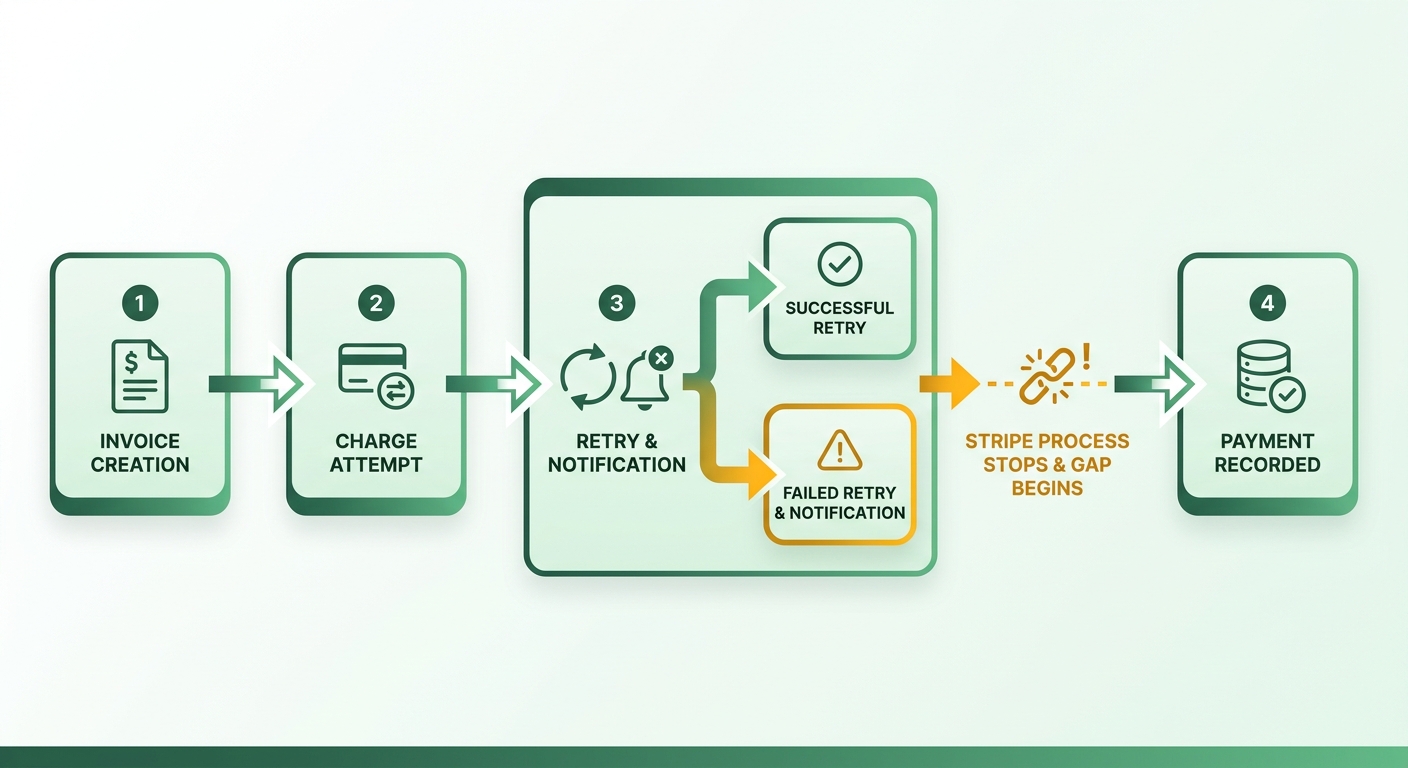
Stripe runs automatic collection on subscription invoices. It charges the saved payment method, retries failures, and emails customers when something breaks. For most SaaS businesses billing on card, that covers the first half of the lifecycle.
The retry engine is the standout. Smart Retries uses machine learning to time each attempt based on customer behavior and past success patterns. The default is 8 attempts within 2 weeks. Because the timing adapts to when a given card is most likely to clear, you avoid the wasted retries a fixed schedule produces.
You also get control over the tail end. Invoices can be marked uncollectible once they cross 30, 60, or 90 days overdue. Reminders and failed-payment notifications are fully customizable. All of this works cleanly if you bill entirely through Stripe.
Where the cash-application gap opens up
Stripe reconciles the payments it processes. It can’t match money that lands anywhere else. The moment a customer pays by ACH, wire, or check into your bank, Stripe has no view of it. Your team matches those by hand.
That matters more than it sounds. Roughly 50% of invoices issued by US businesses go overdue, and chasing them pulls staff off real work. When remittance shows up without a clean invoice number, someone opens a spreadsheet and starts guessing which open invoice it clears.
Stripe fits companies paying exclusively through Stripe. It has no support for reconciling across banks, processors, and other billing systems. Finance teams processing more than a few hundred payments a month hit this wall fast. Every unmatched payment inflates DSO and keeps AR out of date.
How Blixo closes what Stripe leaves open
Blixo picks up exactly where Stripe’s charge handling stops. It automates real-time reconciliation, matching incoming money to open invoices across channels so AR stays current instead of drifting all month.
The split is clean. Stripe processes and retries the charge. Blixo handles dunning follow-up, collections, and cash application after the money moves. Run both together and you cover the full path from charge attempt to reconciled cash.
| Capability | Stripe Billing | Blixo |
|---|---|---|
| Card charge processing | Yes | Uses Stripe |
| Smart Retries on failed cards | Yes | |
| Match card payments Stripe processed | Yes | Yes |
| Reconcile ACH, wire, and check payments | No | Yes |
| Real-time cash application across channels | No | Yes |
| Dunning and collections workflows | Basic reminders | Yes |
Stripe is strong at charging cards and retrying the ones that fail. It leaves non-Stripe money to your team. If you take payment on more than one rail, pairing Stripe for charges with a dedicated reconciliation layer cuts manual matching and pulls DSO down.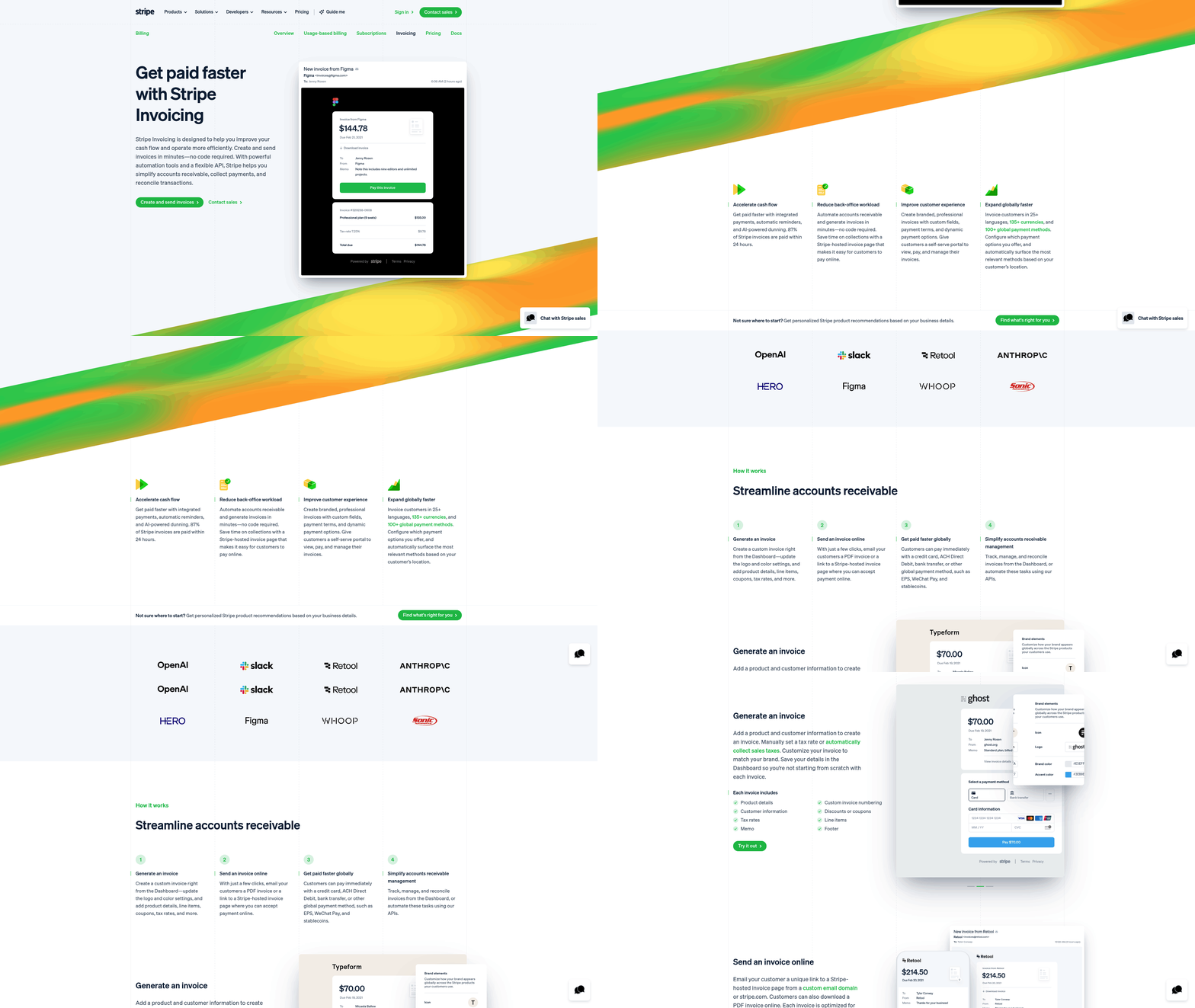
How Blixo’s dunning workflow actually works
Blixo closes the loop Stripe leaves open. Stripe attempts the charge and stops. Blixo runs dunning as a full workflow that connects each recovered payment back to the invoice it belongs to. Finance stops reconciling by hand and starts watching cash apply itself in real time.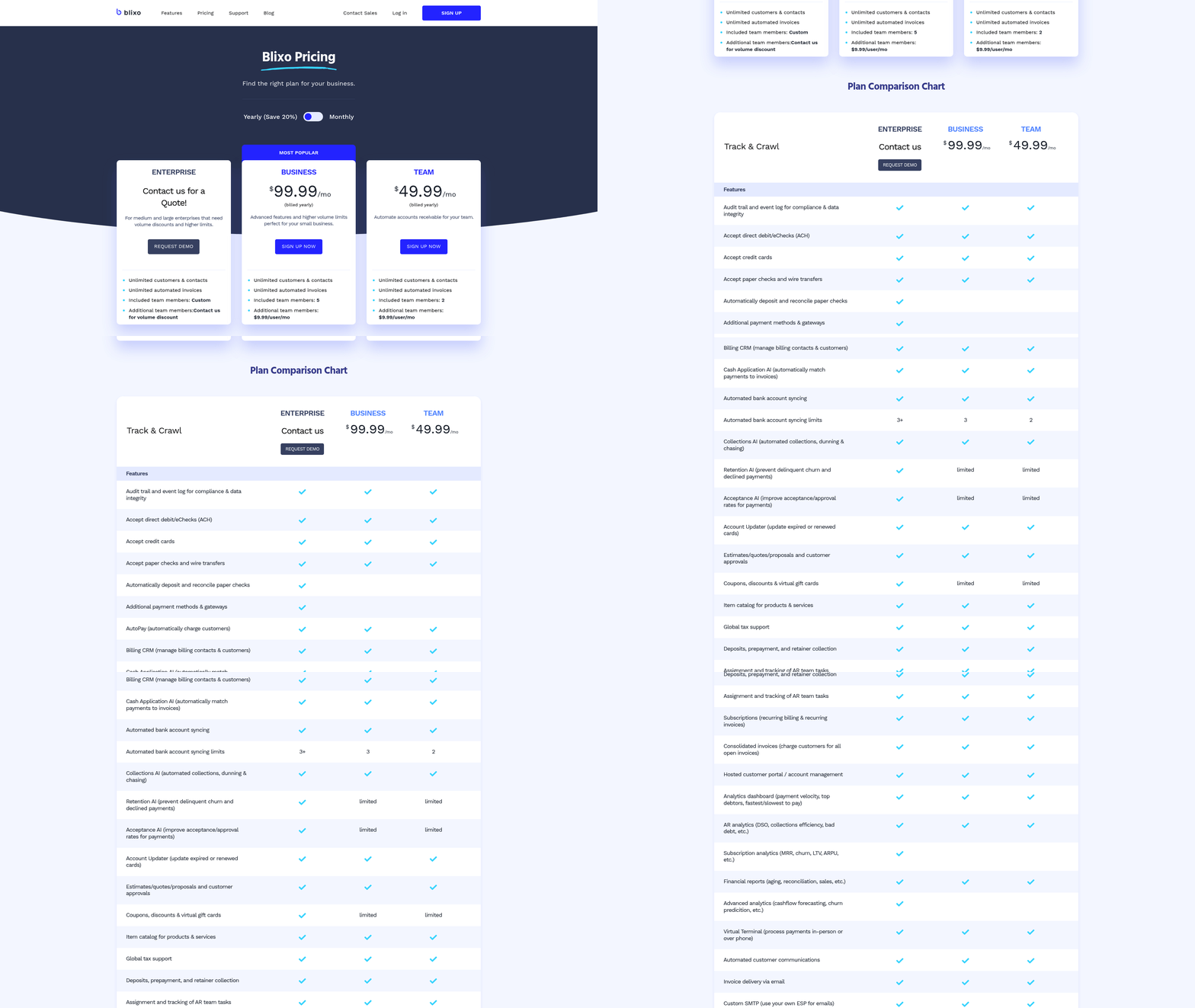
Three moving parts
Automated dunning is a structured sequence of reminders and retries that escalates from gentle nudges to firmer follow-ups until an overdue invoice clears.
It runs on three components. First, automated reminders go out by email, SMS, or in-app when a payment fails. Second, retry logic re-attempts the charge, including against different stored payment methods. Third, the part Stripe skips: cash application matches the recovered money to the right open invoice the moment it lands.
Segmentation drives all of it. Customers get grouped by payment history and behavior, so a first-time card decline gets a softer touch than a chronically late account. Pre-dunning sits at the front. SaaS companies that message customers before a subscription lapses cut involuntary churn by catching expiring cards early.
What separates this from Stripe’s built-in dunning
The gap is cash application. Stripe recovers the payment but leaves your team to figure out which invoice it settled. Blixo automates that reconciliation, and that’s what actually pulls DSO down.
| Capability | Stripe Billing | Blixo |
|---|---|---|
| Automated retry on failed charge | Yes | Yes |
| Multi-channel reminders | Email, SMS, in-app | |
| Retry across stored payment methods | Limited | Yes |
| Customer segmentation by behavior | Basic | Yes |
| Real-time cash application to invoices | No | Yes |
| DSO reduction focus | No | Yes |
Stripe’s engine is strong at charging. It stops short of telling finance where the money went. That unresolved matching is exactly why DSO climbs. Blixo treats recovery and reconciliation as one process, not two disconnected jobs.
Collections: what happens after the retry fails
Not every overdue account clears on a retry. Collections handles what dunning can’t. Dunning nudges a failed charge. Collections manages the harder accounts that need prioritized, tracked follow-up.
A collector dashboard shows the real-time status of every open account and flags which ones need attention first. That replaces the spreadsheet-and-memory approach most teams limp along with. Manual collections is slow, easy to drop, and hard to scale. A structured process handles rising invoice volume without letting debts slip into write-offs.
The payoff is timing. The average B2B invoice takes roughly 30 days past terms to collect, and every day money sits unapplied inflates DSO and clouds your cash forecast. A process that recovers payments and applies the cash instantly protects revenue on both ends: you keep the customer, and your books close faster.
The logistics angle is easy to miss. A subscription box service hits card declines during a seasonal renewal cycle. Retries recover some, but the support team has to coordinate with warehouse logistics to hold shipments for unpaid accounts. Automate the status updates across systems and the business stops inventory from shipping before payment clears, protecting physical margins without manual babysitting.
Preventing unpaid invoices, and recovering the ones that slip
Managing outstanding balances takes two tracks at once. Proactive measures cut the odds of late payment. But you still need clear protocols for recovering funds once an invoice slips past due, and they have to work without torching the customer relationship.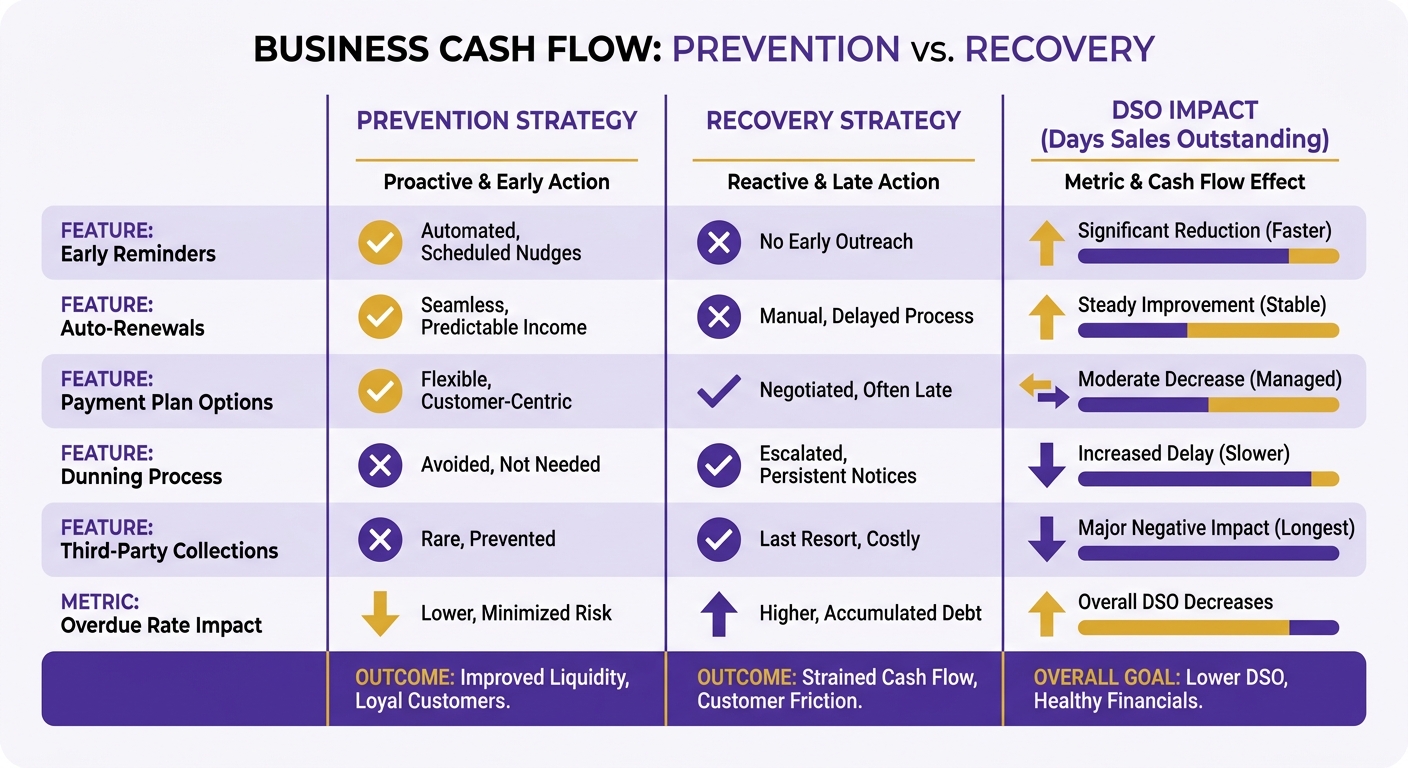
Stopping late payments before they start
Prevention starts with clear terms and early communication. State payment terms plainly on every invoice, send reminders before the due date, and give customers an easy path to update a failed payment method. A self-service billing portal lets clients update card details securely on their own time. That cuts the load on support and reduces friction before the billing cycle runs. Automated invoicing tools track status and fire reminders, which handles the front end well. Matching the eventual payments is still a separate problem.
Collections vs. cash application
Collections is chasing overdue payments and engaging customers to recover what they owe. Cash application is matching received payments to the right open invoices. Collections drives recovery. Cash application drives accuracy. You need both.
The distinction matters for DSO. Collections pulls money in faster, which lowers Days Sales Outstanding directly. But if that money sits as unapplied cash because nobody reconciled it, your AR aging stays wrong and your DSO stays high anyway.
Take a wholesale distributor getting bulk wire transfers from retail partners. A partner sends one consolidated payment covering multiple store locations and partial shipments. Now a finance clerk cross-references the remittance advice against several open accounts by hand. That delays the ledger update and messes with credit limit calculations for those partners.
Closing the recovery loop
Blixo pairs automated collections with real-time cash application, so recovered payments post to the right invoice the moment they clear. Stripe attempts the charge and stops. Blixo picks up from there, reconciling each payment against open balances with no spreadsheet involved.
| Task | Manual Process | Blixo Automated |
|---|---|---|
| Overdue reminders | Sent by hand, easy to miss | Triggered automatically |
| Matching payments to invoices | Line-by-line in spreadsheets | Reconciled in real time |
| Unapplied cash tracking | Discovered at month-end | Flagged as it happens |
| DSO impact | Inflated by posting delays | Reduced by touchless posting |
Manual collections eats hours your finance team could spend elsewhere. Reconciling by hand adds lag, and lag is exactly what keeps DSO high. Automating the match removes the delay.
Skip manual reconciliation once you’re past a handful of subscription invoices a month. The cash-application gap grows with volume, and no amount of spreadsheet discipline scales the way automated posting does.
Automating cash application on top of Stripe
Cash application is where money that arrives gets matched to the invoice. Stripe charges the card and records the payment. Matching that payment back to an open balance, especially when the numbers don’t line up cleanly, is a separate job. Blixo automates it in real time.
Why Stripe leaves a gap here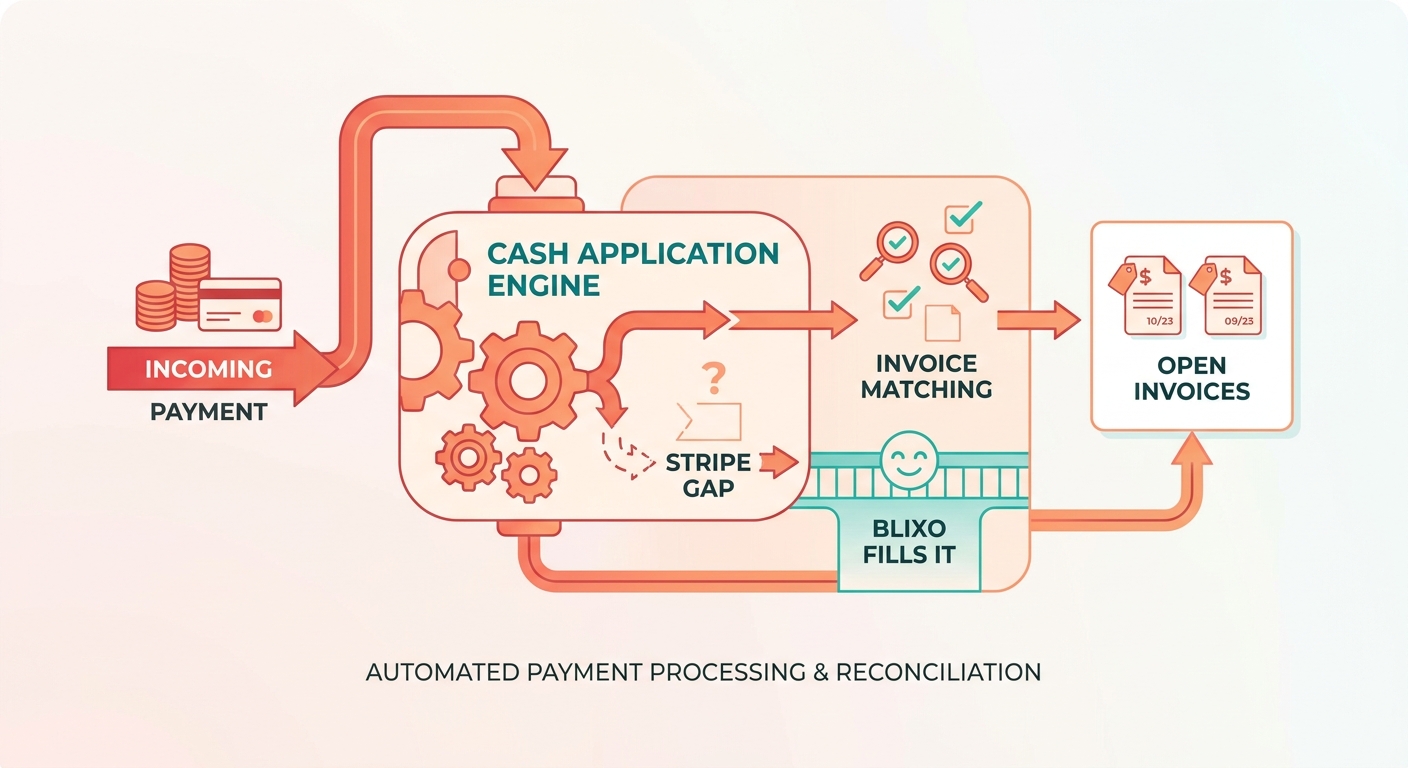
In AR, how payments post decides whether your ledger is accurate. Stripe applies payments in full to specific invoices. It won’t natively split a single transaction across multiple open balances without someone stepping in. And when an invoice gets reopened in Stripe, automatic collection is off by default, so you have to reactivate it manually. For teams with complex accounts, these small quirks demand constant oversight to keep billing clean.
How the matching runs
It runs cash application continuously instead of in a monthly batch. Each incoming Stripe payment gets matched to its open invoice as it arrives, so AR and cash balances stay current without a month-end reconciliation sprint.
The matching handles the messy real-world cases. Partial payments, overpayments, and payments that need to spread across multiple invoices get sorted without someone eyeballing a spreadsheet. Because dunning and application live in the same workflow, a recovered payment applies itself the moment it clears.
That continuity is the point. Stripe recovers the charge. Blixo posts it back to the balance and updates the invoice status, so nobody double-chases a customer who already paid.
Automated vs. manual cash application
| Aspect | Manual Process | Automated Cash Application |
|---|---|---|
| Timing | Batched, often month-end | Continuous, real-time |
| Partial payments | Matched by hand | Sorted automatically |
| Multi-invoice payments | Spreadsheet reconciliation | Applied across balances |
| Reopened invoices | Reminders off by default | Reminders stay active |
| DSO impact | Inflated by lag | Reduced by faster posting |
| Error risk | High with volume | Low, exception-flagged |
The manual column is what most SaaS teams live with today. Someone exports Stripe payouts, opens the AR ledger, and matches line by line. At a few hundred payments a month, that’s hours of work and a growing pile of unapplied cash.
Automation flips it. Studies of finance teams show manual matching eats a large chunk of an AR clerk’s week, with some organizations spending well over ten hours a week on reconciliation alone. Touchless application reclaims those hours and keeps the ledger current, so the balance reflects reality instead of lagging a week behind your bank.
Where the savings actually show up
Lower DSO and less manual reconciliation. When payments post as they arrive, your aging report tells the truth and your team stops burning hours matching money to invoices. Exceptions still surface, but as flagged items instead of things hiding in a spreadsheet.
For SaaS businesses already on Stripe, this fills the exact gap Stripe leaves open. Stripe handles the charge. Real-time cash application handles what happens after the money lands.
Running Stripe and Blixo together end to end
Wire these two together and you get one pipeline for the whole payment lifecycle. Stripe executes the transaction. The integration makes sure the resulting financial data matches your accounting records automatically. You keep your preferred payment gateway and drop the manual reconciliation steps that normally follow a successful charge.
Why pair them instead of picking one
Stripe alone leaves a reconciliation gap. It applies payments in full to invoices, not partially, and it turns off automatic collection when an invoice gets reopened. So finance ends up cleaning the edges by hand.
Blixo fills those edges. When Stripe collects, the payment posts to the right open balance automatically. When a charge fails, dunning fires across email, SMS, phone, and mail until the invoice clears. The matching engine handles the messy remittances Stripe can’t, and it gets smarter each time your team makes a manual correction.
The payoff is in your DSO. Touchless cash application clears unapplied cash as it lands, and predictive collections keeps invoices from aging out. Payments reconcile the moment they arrive instead of sitting in a queue for someone to match by hand. That’s the exact gap the integration targets.
How to wire it up
Connect Stripe as your payment processor, then let cash application run continuously against incoming payments. The order we recommend:
- Link Stripe. Keep Stripe Billing on core transaction execution: invoice generation, card authorization, native retry schedules.
- Turn on Cash Application AI. The matching engine pulls payments from Stripe and your bank feeds, then posts them to open invoices at the item level.
- Configure Collections AI. Set your dunning cadence and channels so recovered payments reconcile the moment they land.
- Add your accounting stack. Sync with QuickBooks, Xero, NetSuite, or Sage so reconciled revenue flows to your books without re-keying.
Stripe alone vs. Stripe + Blixo
| Capability | Stripe Only | Stripe + Blixo |
|---|---|---|
| Card charging & retries | Yes | Yes (Stripe) |
| Partial payment matching | No (full only) | Yes, item-level |
| Real-time cash application | Manual | Automatic AI matching |
| Multi-channel dunning | Email, SMS, phone, mail | |
| Reconciliation to ERP | Limited | QuickBooks, Xero, NetSuite, SAP |
| Unapplied cash tracking | Dashboard/API | Continuous, auto-cleared |
Stripe alone is fine if you process a few payments a month and never touch external reconciliation. Once you cross a few hundred payments across banks and processors, manual matching stops scaling. That’s where the integration earns its keep.
Who should make the move
SaaS teams with recurring or usage-based billing get the most out of this pairing. If you’re watching invoices stay open long after the cash landed, the cash-application gap is inflating your DSO.
Blixo starts at $49.99/mo** on the Team plan and **$99.99/mo on Business, both with unlimited automated invoices. If getting paid still eats your team’s week, keep Stripe for charges and let Blixo handle everything after. Start here.
Frequently Asked Questions
1. Does Blixo replace Stripe Billing or work alongside it?
Blixo operates as an extension of your existing setup. Stripe remains the primary engine for processing card transactions and managing subscription states. Blixo connects to this data to automate the subsequent accounts receivable tasks, ensuring that payment recovery efforts and ledger updates occur in sync without disrupting your gateway configuration.
2. Can Blixo reconcile payments made outside of Stripe, like ACH, wire, or check?
Yes. The platform monitors connected bank feeds and external payment processors to identify incoming funds. When a bank transfer or physical check is cleared, the system matches the transaction details against outstanding invoices, allowing you to manage non-card payments alongside your Stripe transactions.
3. How does Blixo handle partial payments and payments spanning multiple invoices?
The matching engine analyzes remittance data to allocate funds across multiple outstanding balances. If a customer pays an incorrect amount or consolidates several invoices into one transfer, the system applies the cash to the corresponding line items based on your business rules, flagging any unresolved discrepancies for review.
4. What accounting systems does Blixo integrate with?
The platform maintains native integrations with major ERP and accounting platforms, including QuickBooks, Xero, NetSuite, and Sage. Once connected, payment status updates and reconciled invoices are synchronized automatically, keeping your general ledger aligned with your billing system.
5. At what payment volume does automating cash application make sense?
Businesses typically see the greatest return on automation when manual reconciliation begins to delay month-end closing. If your finance team spends several hours each week exporting transaction logs, matching bank deposits, or manually updating invoice statuses, automating the process will free up administrative capacity.
6. What is pre-dunning and how does it reduce churn?
Pre-dunning is a proactive communication strategy targeting accounts with upcoming card expiration dates. By alerting customers to update their billing profiles before a scheduled transaction is attempted, you avoid the service disruptions and failed payment cycles that lead to involuntary subscription cancellations.
7. How much does Blixo cost?
Pricing is structured tier-by-tier to accommodate different business sizes, beginning with the Team tier at $49.99 monthly and the Business tier at $99.99 monthly. Both options support unlimited automated invoicing and provide access to the core dunning, collections, and reconciliation features.