

Upflow Collections Automation Integration: AI-Driven Dunning for Mid-Market Businesses

Key Takeaways
- A significant share of B2B invoices are paid late, and much of that delay traces back to human error and follow-up that happens whenever someone remembers.
- Manual cash application and invoice chasing consume a meaningful share of AR team time, which parks working capital in receivables instead of putting it to work.
- Businesses that follow up consistently on overdue invoices tend to get paid faster than teams that chase inconsistently.
- Many businesses leave some overdue invoices unchased every month, and many have quietly accepted late payment as normal.
- Teams running AR automation are often more likely to be paid within two weeks than teams still collecting by hand.
- AI-driven dunning isn’t just scheduled reminders. It can be configured to decide which accounts need a firm sequence instead of blasting the same nudge at everyone.
- Real accounts receivable integration means the collection engine and the invoicing platform share one source of truth, not two systems duct-taped together.
Why collections automation is a cash-flow decision, not an IT project
Mid-market finance teams lose real money to slow collections, and most of that loss is self-inflicted. When follow-up is uneven and cash application happens by hand, working capital sits stuck in receivables. That drag slows reinvestment and caps how fast you can grow.
This is where accounts receivable integration stops being an IT checkbox. AI-driven dunning only works when it plugs into the data that tells it who to chase, how hard, and in what tone. The biggest gains show up when the collection engine and the invoicing platform are genuinely unified, so live data drives every automated action.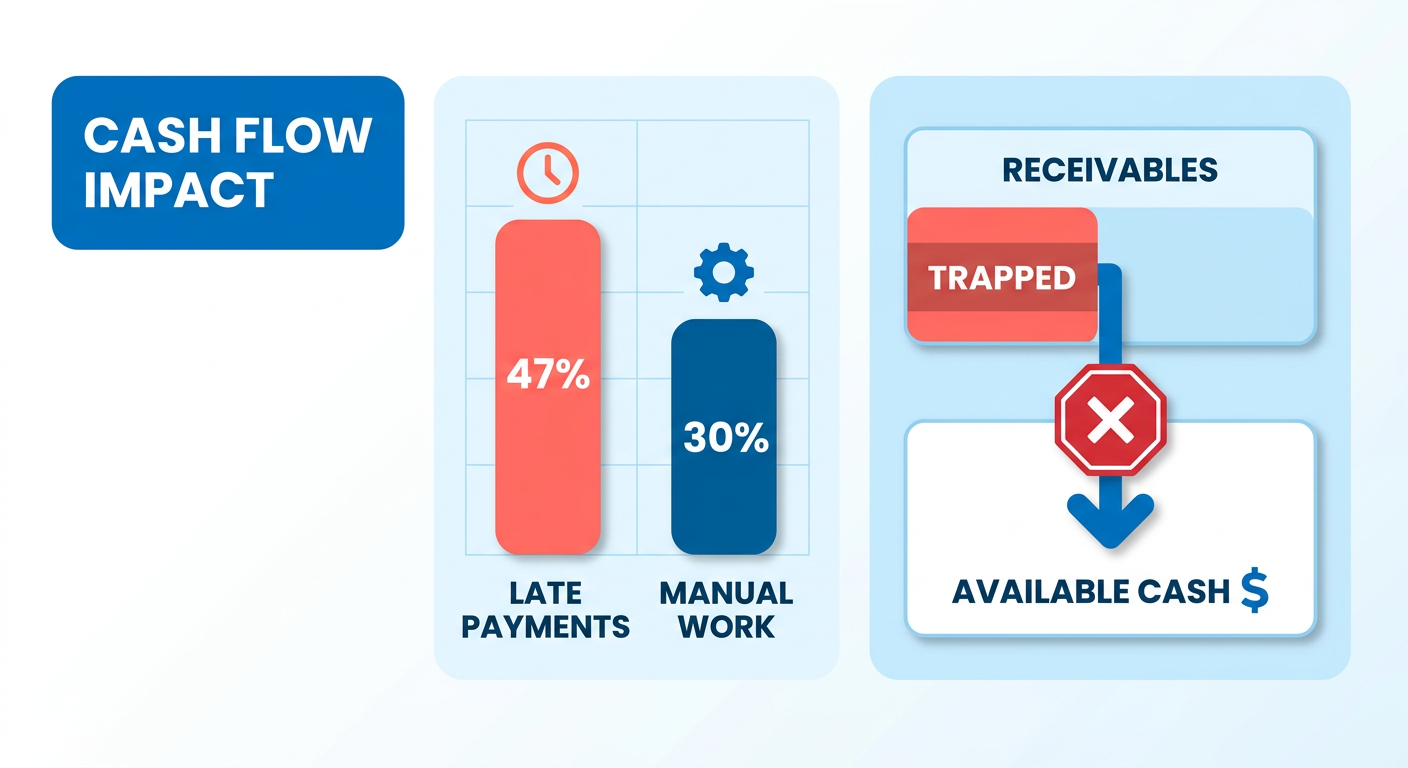
Why manual collections quietly drain mid-market cash
Manual follow-up is a direct hit to liquidity. It’s slow, uneven, and it skips accounts the moment people get busy. Without a structured process, teams chase the largest balances and let smaller accounts age forever.
The math is unforgiving. The problem isn’t effort. It’s consistency at volume, and that’s exactly what a manual team can’t sustain. When follow-ups come and go, customers learn fast that your payment terms are soft suggestions.
What separates AI dunning from generic automation
Generic automation runs on rigid, calendar-based rules. An intelligent dunning system can be configured to adjust outreach based on how a customer actually pays, matching channel and urgency to that specific profile.
But here’s the contradiction worth naming. The prioritization gap isn’t a workflow flaw, it’s a data problem. AI can only rank accounts well when cash application is already clean and integrated. High touchless cash application match rates give the dunning engine reliable signal. Dirty data makes AI prioritize garbage, confidently.
So the sequencing rule is blunt: get process consistency and cash-application integration working first, then let AI add prediction on top. Lead with AI before the plumbing is solid and you get decisions that are confident and wrong. This is the reconciliation step recurring-payment tools tend to fumble. Blixo’s matching engine handles automatic cash application and reconciliation, so the data is clean before dunning ever fires.
Why subscription SaaS gets the most out of this
For subscription businesses, the best dunning outcome isn’t one-time debt recovery. It’s converting chronic late-payers into autopay and steadying recurring cash. Blixo’s AutoPay charges automatically when an invoice is generated, across ACH, direct debit, and credit cards, then retries failed payments on your schedule and prompts customers to update their details.
That reframes dunning as churn reduction, not collections. Close the loop between invoicing, cash application, and behavior-tailored outreach, and you recover revenue without torching customer relationships. Multi-channel reminders across email, text, and postal mail keep follow-up consistent so overdue balances don’t pile up.
The case holds for CFOs, AR managers, and revenue ops alike. Lower DSO, fewer admin hours, and predictable recurring cash all trace back to one thing: your collection engine has to speak the same language as your billing system.
Mapping the integration: ERP, accounting, and Blixo
Wiring a collection engine into your stack isn’t a single connector. It’s three data flows that have to stay in sync: invoices going out, payment status coming back, and customer context feeding the dunning logic. Get all three right and accounts receivable integration earns its keep. Get one wrong and your AI starts prioritizing on stale data.
Here’s the sequence, and the order matters. Consistent automation and clean cash application come first. AI prioritization comes last. A reliable baseline of clean data gives any predictive model something solid to stand on.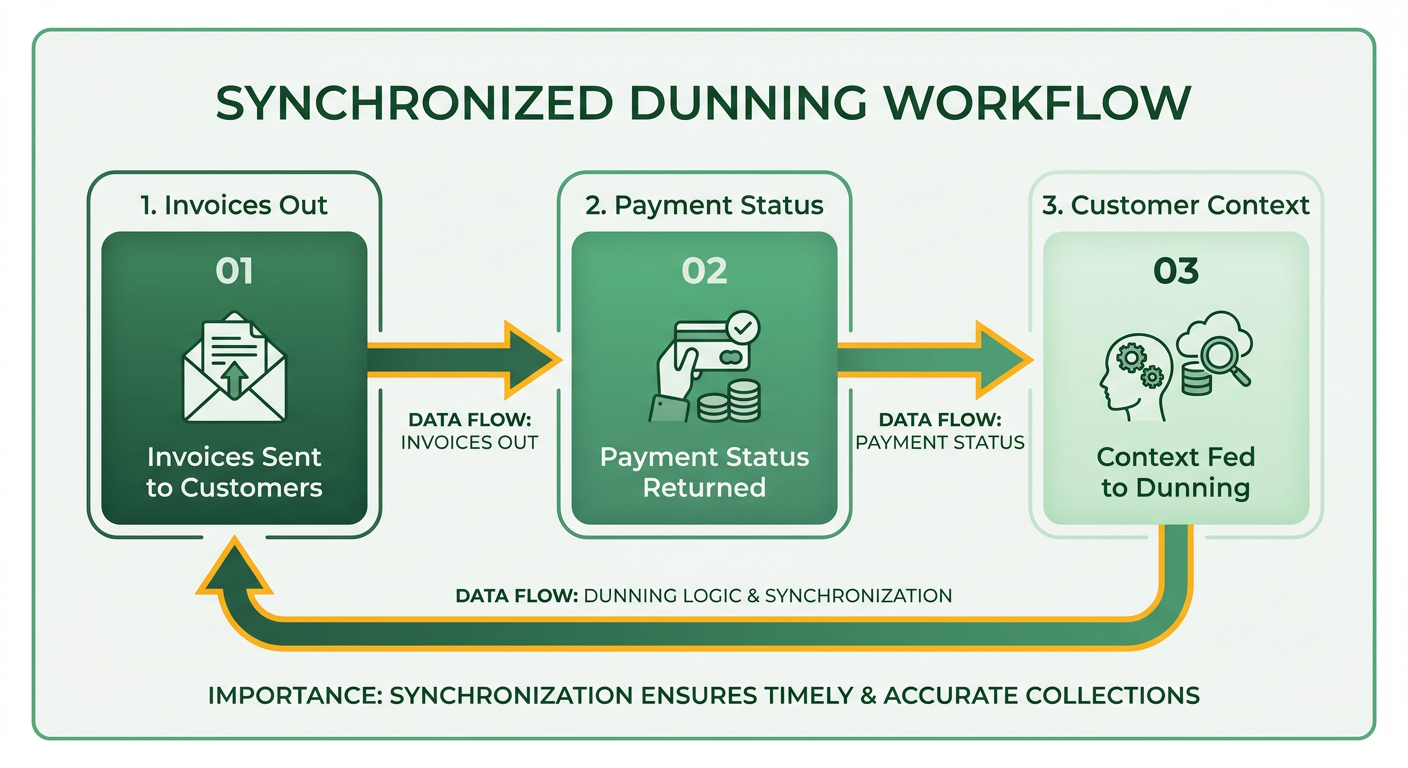
How data moves between Upflow, your ERP, and Blixo
The direction of sync is the whole game. Invoices and customer records flow from your accounting or invoicing system into the collection engine. Payment status and reconciliation data flow back. When both directions run in near real time, dunning reflects reality instead of yesterday’s snapshot.
Blixo connects natively with QuickBooks Online, Shopify, BigQuery, Klaviyo, and Recharge Payments on all plans, with NetSuite, Xero, Sage Intacct, SAP ERP, and custom ERP connections available through Blixo Customer Support. That native depth matters. For NetSuite specifically, make the vendor prove the integration against your actual configuration, not a demo sandbox.
For subscription SaaS, your invoicing and billing APIs carry the heaviest load. You’re pushing invoice creation events, pulling payment status updates, and syncing customer portal activity. That last stream is what keeps dunning personal instead of robotic.
Where the real work goes: the cash-application loop
Close the cash-application loop before you turn on AI dunning. This is the step most guides skip, and it’s where the utility actually lives. Automatic cash application and reconciliation mean fewer invoices stuck in “who paid this?” limbo, and your ledger stays accurate without someone babysitting it.
Now, the common complaint. Critics argue automated systems lack the nuance for complex customer relationships. But when the system is fed by integrated behavioral data, it can be configured to distinguish between a temporarily delayed payment and a chronic risk.
The gap those critics describe is a symptom of poor data flow, not bad workflow design. When payment matching lags, the dunning engine works in a vacuum. Fix the lag and your outreach always reflects the current account status.
For teams still fighting reconciliation inside their billing tool, a unified ledger gives you a single source of truth for real-time revenue before you architect the sync.
What breaks, and how to handle sync failures
Two failure modes dominate: duplicate invoices and status mismatches. Both come from bi-directional sync with no clear source of truth. Pick one system as authoritative for each field, and let the other side follow.
Duplicate invoices show up when both systems create records for the same transaction. Fix it with a unique external ID on every invoice, matched on sync. Status mismatches happen when a payment posts in one system before the other catches up. A short retry window plus a reconciliation check clears most of these on their own.
Build error alerts that flag mismatches to a human, not to a black-hole log. The point of AI dunning isn’t to remove people. It’s to hand your team the exceptions worth their attention.
For subscription SaaS, the payoff is specific. Smoothing this out helps move customers toward automated payment methods, which steadies recurring cash and pulls churn down at the same time.
Designing dunning workflows that fit mid-market reality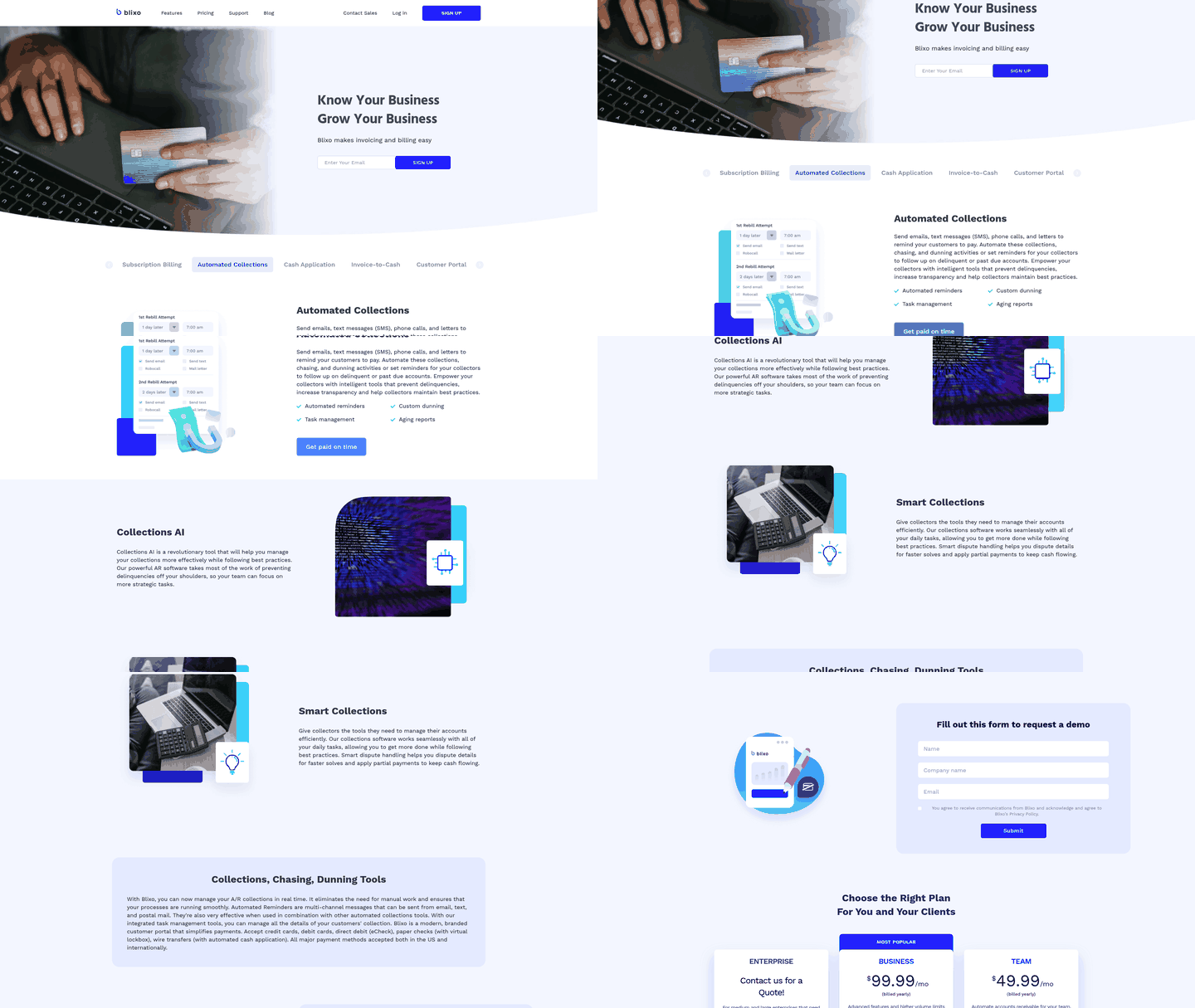
Send the same flat sequence to every late-payer and you burn cash chasing accounts that would have paid anyway while losing the ones that actually needed a nudge. The workflow isn’t the problem. The problem is treating a large strategic account the same way you treat a first-time trial user whose card expired.
The highest gains come when mid-market teams segment dunning tracks by payment history, account value, and churn risk before writing a single template. That segmentation feeds straight into the accounts receivable integration between your dunning engine and your ERP, so the AI knows who gets a soft reminder, who gets a phone call, and who gets escalated to a senior rep. Without that data flow, you’re automating guesswork.
Mapping payment behavior to dunning cadence
Start with how the customer pays, not how old the invoice is. Flag accounts that historically pay late and route them into an early-reminder track that starts before the due date. Accounts with clean history stay in the standard sequence beginning later. The logic is simple: if someone always pays late, remind them early. If they always pay on time, don’t annoy them.
Many dunning platforms default to a single cadence with a reminder, an escalation, and a final notice. That works for low-variance portfolios. For subscription SaaS with high lifetime value and volatile payment cycles, you may need several parallel tracks running at once: one for reliable payers, one for the historically late, and one for accounts flagged as churn risks by your payment processor. The AI layer can be configured to decide which track each customer enters from integrated payment data, not manual tagging.
Watch invoice size relative to the customer’s typical spend, too. An invoice far above their average deserves a different workflow than the usual monthly bill. Automate that split, and a larger invoice can trigger a “we noticed this is bigger than usual, want to split it?” message instead of a generic reminder. Blixo’s automatic partial-payment handling keeps cash moving while you sort out the balance.
What a three-tier workflow looks like in practice
Tier 1 (low-risk, reliable payers): An automated email, a second email with a payment link, and a phone call if it’s still open. Tone stays neutral. These accounts make up most of your AR book and rarely need escalation. Automating this tier frees your team for the accounts that actually need a human.
Tier 2 (late-but-consistent payers): A friendly pre-due reminder, an automated email, a phone call, and escalation to a senior collector. Tone shifts from “just a heads-up” to “we need to resolve this.” Automate the routine follow-ups and your collectors are free to make the call themselves and negotiate terms on the spot.
Tier 3 (high-risk or disputed invoices): A phone call from a named rep, a follow-up email referencing the call, and escalation to finance leadership. Automated emails are secondary. These accounts usually have something underneath, disputed line items, budget approval delays, contract confusion, that no template will solve. Skip automation and route straight to human resolution.
The sequencing matters less than the channel mix. Email-only workflows tend to plateau, which is why multi-channel outreach earns its place. SMS reminders can lift response in B2B when mobile numbers are on file. Phone calls stay the highest-conversion touchpoint, but they don’t scale. The integration decision is which accounts get a call and which stay in the automated queue, and that depends on real-time payment data flowing from your ERP into the dunning engine.
When to introduce AI-driven prioritization
Only after you’ve cleared your cash-application backlog. If your system runs on delayed payment matching, any automated prioritization is built on sand. Finance teams that deploy advanced dunning on top of a multi-week cash-application lag end up in awkward spots, escalating customers who already paid.
The right sequence: fix cash application first, get match rates high, then layer in AI to predict which accounts are heading overdue based on past behavior. Reconcile payments automatically and your dunning system finally has accurate data to work with. The DSO gains come from integration depth, not the AI itself.
AI earns its keep when it can be configured to adjust tone and timing on the fly. If a customer opens several reminder emails but never clicks the payment link, the system can escalate to a phone call. If they consistently pay within 48 hours of the first reminder, it can push future reminders later. That takes reading email engagement data and payment behavior in real time, another integration point most teams overlook.
The legal and compliance guardrails
For U.S.-based teams, the Fair Debt Collection Practices Act (FDCPA) applies to third-party collectors, not to businesses collecting their own debts. But harassment clauses in state law can bite if your automated sequence fires too many emails in a short window. Keep total contact under one touchpoint per week unless the customer asks for more.
Document your escalation triggers. If the workflow jumps from “friendly reminder” to “legal escalation,” make sure that jump is defensible. False escalations usually come from integration gaps, when a customer requests a payment plan or disputes a line item and that context never reaches the dunning engine. Blixo’s smart dispute handling and integrated task management keep those details attached to the account, so the workflow escalates on accurate information.
For subscription businesses, dunning should prioritize autopay conversion over one-time recovery. When an invoice goes overdue, the next best outcome isn’t a manual payment, it’s enrolling the customer in autopay so the problem doesn’t come back. A direct path to automated payment methods inside your dunning emails helps close that loop, so future cycles process without manual intervention.
The workflow isn’t a static rulebook. It’s a feedback system that adjusts based on what your accounts receivable integration tells it about who paid, who didn’t, and why.
Personalizing outreach: templates, portals, and AI recommendations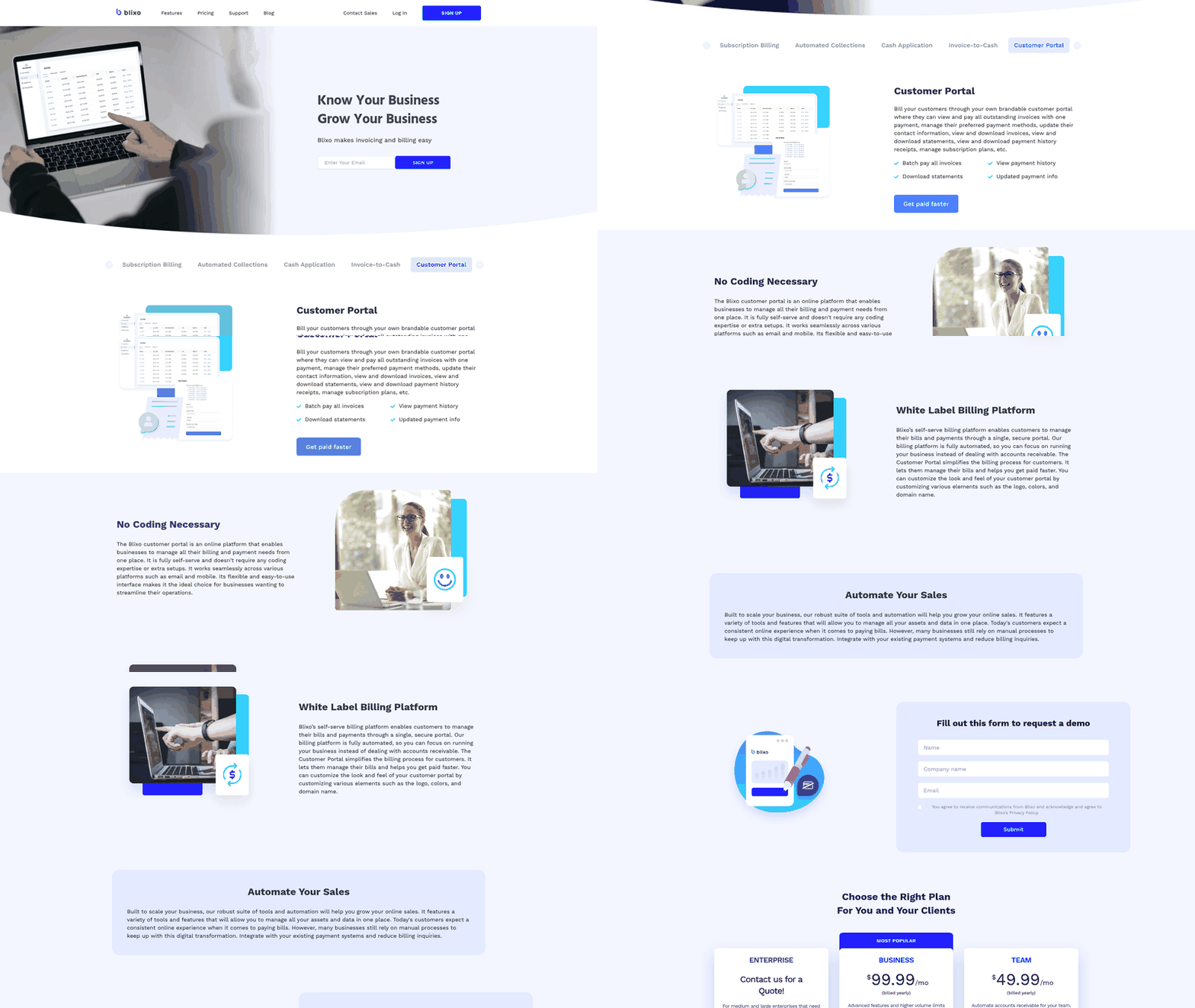
Personalized dunning beats generic reminders because it matches tone and channel to how each customer actually behaves. The engine behind that sits on top of your accounts receivable integration, pulling live payment history and account context so every message reflects reality, not a static list.
Settle the sequencing debate first. Some vendors sell AI as the front door to collections. Skip that. Consistent automation and clean cash application come before AI adds any value. Without that operational foundation, personalization algorithms are working from bad context.
Building dynamic templates that still feel human
Start with template variables and conditional logic tied to your integrated data. A good dunning template pulls invoice number, amount, days overdue, and account name automatically, then branches on payment history. A first-time late-payer gets a soft “did this slip through?” nudge. A repeat offender gets firmer language and a clear next step.
The gains are real. Teams that move to automated templates kill the manual copy-paste loop entirely, routing follow-ups from synced customer records instead of spreadsheet exports. That volume is only manageable because the templates draw from integrated account data rather than per-message customization.
Two rules while you write copy. Protect brand voice; the message should sound like your company, not a debt collector. And keep required compliance language intact even inside a warm template. You can be friendly and still meet your obligations.
What a self-service payment portal adds
A self-service portal lets customers view invoices, set up payment plans, and dispute charges without emailing your team. That matters because the fastest way to recover a late invoice is to remove every step between “I should pay this” and “done.”
For subscription SaaS, the highest-value portal action is the autopay switch. Surface autopay enrollment directly in the payment flow and conversion lifts without rep follow-up. Move a customer to automatic billing and you resolve future friction for good.
Dispute handling in the portal feeds the data loop, too. When a customer flags a charge instead of going silent, your AI can be configured to treat this as a dispute risk, not a churn risk, and adjust the next message accordingly.
When AI should recommend tone and offers
AI recommendations work best after the cash-application loop is closed. The engine reads payment behavior, invoice amounts, and communication patterns to flag at-risk accounts, then suggests the right tone, channel, and offer per segment.
As Alexandre Antoine, Finance Director at Upflow, put it: AI can make that volume manageable. That’s the whole distinction from generic automation. Tailoring outreach from integrated data lets teams scale without losing the personal touch.
But some accounts need a softer tone, a phone call, or a conversation with someone senior. Pure automation misses that. The approach that works: let the AI recommend, let a human approve the high-value calls, and keep the strategic accounts off full autopilot.
Measuring success: KPIs, ROI, and the optimization loop
You can’t optimize what you don’t measure, and the numbers that prove your accounts receivable integration paid off are narrower than most dashboards suggest. Four metrics carry the weight: days sales outstanding (DSO), collection rate, admin hours saved, and cost-to-collect. Track them before you flip the switch, then again each quarter.
The order matters here too. Cash application comes first. AI prioritization is the final layer, since predictive models need highly accurate historical records to produce reliable recommendations.
Which KPIs actually prove the integration worked
DSO is the headline number. The pattern shows up fast once automation replaces manual follow-up. Some companies have cut DSO sharply and reduced AR balances after automation. Others have trimmed outstanding receivables and shaved days off DSO within months.
Collection rate comes next. Watch what share of overdue invoices get paid, and how fast, once systematic sequences replace ad-hoc email chasing. The companies making that switch see the largest DSO gains.
Then track admin-hour reduction. Automating collections can cut manual AR workloads substantially, and automated cash application can improve match rates. Fewer hours on reconciliation is the clearest signal your team got its time back.
How to calculate ROI on AI-driven dunning
ROI here is simple subtraction. Add up the value your integration recovers, subtract what it costs to run, divide by that cost. Recovered value comes from three buckets: freed working capital from lower DSO, labor hours no longer spent chasing, and invoices that would have aged into write-offs.
Here’s a framework you can run this quarter:
- Working capital freed: multiply your DSO reduction (in days) by average daily sales.
- Labor saved: multiply hours reclaimed by fully loaded hourly cost.
- Recovery lift: the extra dollars collected from segmented, behavior-tailored sequences.
The biggest line item is usually the one teams forget to count. When cash application closes the loop automatically, your AI prioritizes on live data instead of stale balances. That spares you from chasing accounts that already settled up.
What a quarterly optimization loop looks like
Run a review every quarter that feeds performance data back into the model. AI-driven dunning learns from what actually got paid, so retraining on last quarter’s outcomes sharpens who gets a soft reminder versus a phone call.
Keep the human tier in that loop. The strongest tools segment by customer risk and value, so strategic accounts still get appropriate follow-up.
Volume is exactly where AI earns its keep. But certain accounts still need a softer tone, a phone call, or a conversation with someone senior. Route high-value and high-relationship accounts to a human, let the model handle the rest, and measure both tracks separately. That split is where the “human touch” stops being nostalgia and starts being an ROI multiplier.
One caveat: skip the retraining ritual if your invoice volume is low. Under a few hundred accounts, the model has too little signal to learn from, and a well-tuned rule-based sequence will serve you better than a hungry algorithm.
Frequently Asked Questions
1. Does AI-driven dunning replace my AR team entirely?
No. AI-driven dunning handles high-volume routine follow-ups but keeps humans in the loop for exceptions. Instead of replacing staff, it automates repetitive tasks so your team can focus on resolving complex disputes, negotiating payment plans, and managing high-value strategic relationships.
2. What happens if I turn on AI prioritization before fixing cash application?
If you prioritize outreach before resolving cash application backlogs, you risk sending urgent payment demands to customers who have already paid. This creates unnecessary friction and damages customer relationships. Ensuring your payment matching is up to date is a prerequisite for any automated prioritization.
3. Which integrations require Blixo Customer Support versus working on all plans?
While standard platforms connect out of the box, enterprise-grade systems and custom ERP setups are handled directly by our support team to ensure proper mapping. This hands-on approach is particularly important for complex ERP environments where custom fields and unique workflows must be preserved during the sync.
4. How often can I send dunning reminders without legal risk?
To remain compliant with state-level regulations and protect your brand reputation, it is best practice to space out automated reminders. A weekly cadence is generally safe, whereas daily messages can trigger legal issues under local consumer protection laws, even when collecting first-party debt.
5. How do I handle an invoice much larger than a customer’s usual bill?
Large, atypical invoices should be routed to a specialized workflow that offers flexible payment options or direct human outreach. Offering installment plans or partial payment options early in the sequence helps secure a portion of the outstanding cash while you work to resolve the remaining balance.
6. What causes duplicate invoices and status mismatches during sync?
These issues occur when data flows in both directions without a designated system of record. Establishing clear rules for which platform owns specific data fields, combined with automated reconciliation checks, prevents conflicting records and ensures both systems stay aligned.
7. For subscription businesses, why prioritize autopay over one-time payment recovery?
Securing a one-time payment solves an immediate cash flow issue, but transitioning the customer to automatic billing prevents future delinquency. By making automated payment enrollment the primary call to action in your outreach, you secure long-term revenue predictability and reduce the administrative burden of future collections.