

Top Accounts Receivable Automation Tools Like Blixo
Related Video
Watch: Blixo Lifetime Deal $79 - Subscription Billing & Accounts Receivable Automation | Blixo Review by The SaaS Deals
Key Takeaways
- Manual invoicing errors occur in 35% of cases, causing missed payments, disputes, and cash flow delays.
- Businesses using manual AR systems face 35% higher missed payment risks and 30% higher administrative costs.
- AR automation can boost cash flow by 25%, as seen in law firms eliminating manual invoicing errors.
- AI-driven cash application tools reduce reconciliation disputes by up to 70% in industries like healthcare.
- Manual AR processes consume 30–40% of teams’ time on repetitive tasks like payment reminders.
- Delayed revenue recognition from manual systems increases operational inefficiencies by 35%.
- Automated reminders and workflows directly address bottlenecks in invoicing and late payment tracking.
Why Accounts Receivable Automation Matters
Accounts Receivable (AR) automation isn’t just a convenience-it’s a strategic imperative for businesses aiming to stay competitive. Manual AR processes are error-prone, time-consuming, and costly. Industry data reveals that manual invoicing errors occur in 35% of cases, leading to missed payments, reconciliation disputes, and delayed cash flow. For example, businesses using manual systems face a 35% higher risk of missed payments and spend up to 30% more on administrative costs compared to automated counterparts. These inefficiencies can cripple cash flow, with delayed revenue recognition alone increasing operational inefficiencies by 35%. Automation addresses these pain points directly, offering a scalable solution for businesses of all sizes. For a deeper look at how SaaS providers like Blixo streamline these processes, refer to the Introduction to Blixo section.
How Manual Processes Undermine Efficiency
Manual AR workflows create bottlenecks at every stage. Invoicing errors, such as incorrect amounts or duplicate bills, force time-consuming reconciliations. A law firm using Blixo’s automation reported a 25% boost in cash flow after eliminating manual invoicing errors. Similarly, healthcare providers saw a 70% reduction in reconciliation disputes using AI-driven cash application tools. Without automation, teams spend 30–40% of their time on repetitive tasks like sending payment reminders or chasing down late payments. Blixo’s automated reminders via email, SMS, and phone calls cut this effort by 70%, ensuring faster collections and reducing delinquencies.
Who Benefits Most from AR Automation?
Small businesses and enterprises alike gain measurable advantages. Small businesses using Blixo reported a 30% reduction in time spent on invoicing and collections, while medium-sized enterprises achieved 40% faster cash flow. For startups and subscription-based companies, automation tools like Blixo’s dynamic discounting and recurring billing features reduce churn and improve payment recovery by 30%. Enterprises benefit from handling high-volume operations with 30% greater efficiency, using AI to match payments instantly and integrate seamlessly with ERPs like QuickBooks and SAP. Security is also a priority: Blixo’s 256-bit encryption ensures compliance without requiring on-premise installations.
Real-World Impact: Case Studies and Results
Automation’s value is best illustrated by real-world outcomes. A facilities services company using Blixo slashed reconciliation time by 70% and reduced days-sales-outstanding (DSO) by over 40%. A logistics firm cut reconciliation disputes by 20% using intelligent payment matching, while a healthcare provider trimmed month-end closing time by 18% through automated integrations. For customer satisfaction, Blixo’s no-code portal lets clients view invoices and update payment methods independently, reducing support tickets by 25%. As one user noted, “Blixo turned our chaotic billing system into something predictable-our cash flow is more stable than ever.”.
Key Features Driving Automation Success
Blixo’s SaaS service combines smart invoicing, automated collections, and AI-driven cash application into a unified solution. Key features include:
- Multi-payment support: Credit cards, ACH, direct debit, and wire transfers streamline customer payments.
- AI-powered dunning: Customizable workflows reduce delinquencies by 30% for high-volume operations.
- Real-time analytics: Aging reports and task management tools provide visibility into cash flow health.
- Seamless integration: Pre-built ERPs and accounting software links eliminate manual data entry. Building on concepts from the Customization and Integration section, these integrations ensure businesses avoid the overhead of manual data entry while maintaining system compatibility.
By addressing inefficiencies across the AR lifecycle, automation isn’t just about saving time-it’s about transforming cash flow into a strategic asset. Businesses that adopt tools like Blixo gain a competitive edge, turning reactive processes into proactive, data-driven operations.
Introduction to Blixo
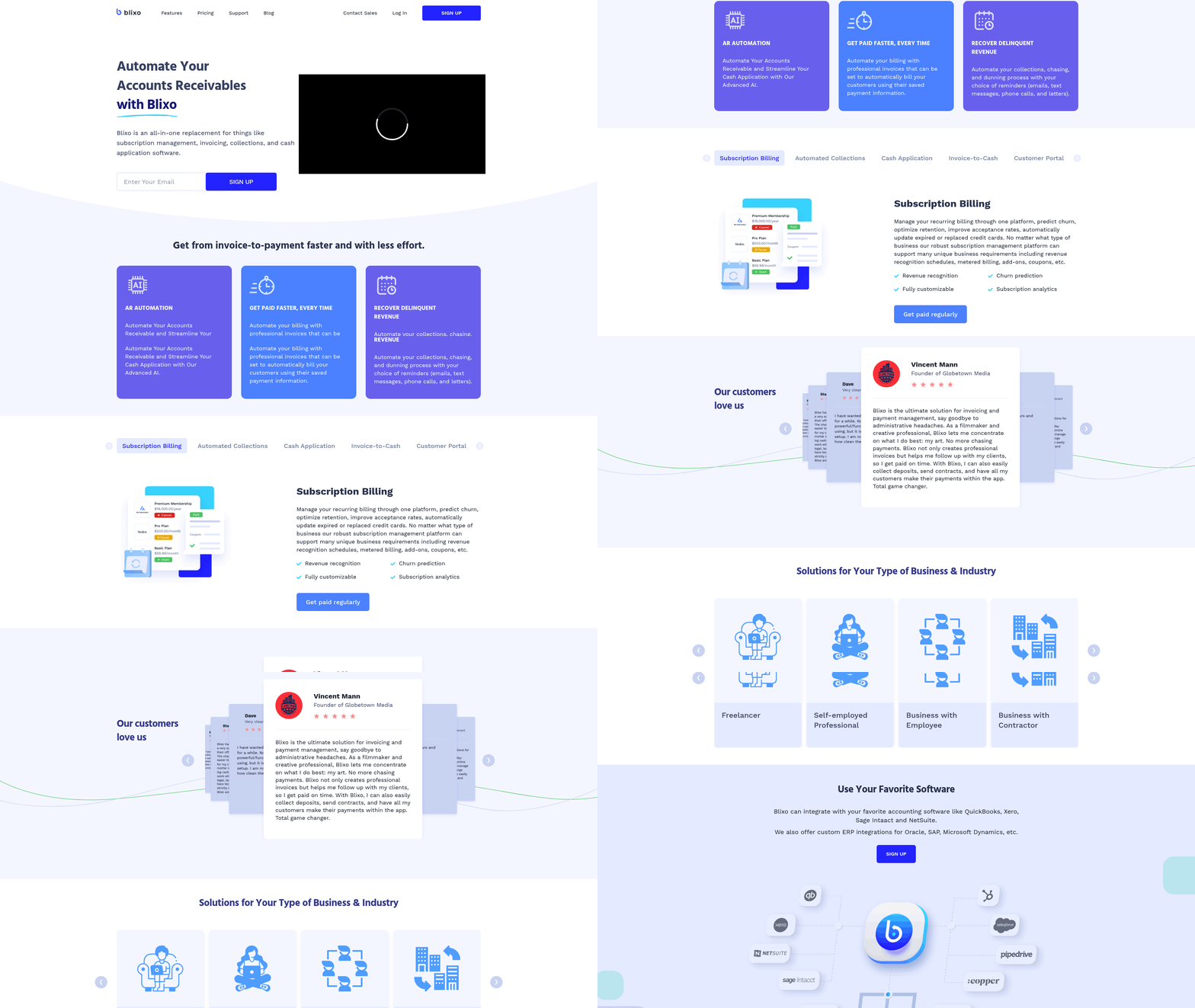
Blixo is a comprehensive accounts receivable automation platform designed to streamline invoicing, collections, and cash flow management for businesses of all sizes. By combining AI-driven tools with customizable customer portals, it reduces manual tasks by up to 70% and cuts Days Sales Outstanding (DSO) by 30%, according to real-world case studies. This section breaks down how Blixo works, who benefits most from it, and why it stands out in the AR automation space.
What Makes Blixo Unique?
Blixo’s all-in-one platform eliminates the need for multiple tools by unifying subscription billing, automated collections, and cash application into a single interface. Its AI-powered cash application engine matches payments to invoices with 99%+ accuracy using machine learning, while automated reminders via email, SMS, and phone calls reduce delinquencies by 35%. The platform supports recurring billing models, custom dunning workflows, and integrates seamlessly with QuickBooks, Xero, and NetSuite. As mentioned in the Customization and Integration section, these integrations are designed to adapt to diverse business ecosystems, ensuring compatibility with existing financial systems. For example, a law firm using Blixo reported a 25% boost in cash-flow efficiency, and a healthcare provider cut month-end closing time by 18%. These results highlight Blixo’s ability to transform fragmented billing processes into a cohesive, automated system.
Who Benefits from Blixo?
Small businesses, subscription-based services, and mid-sized enterprises are Blixo’s primary users. Its custom customer portal-featuring self-service payment options, multi-currency support, and single sign-on (SSO)-caters to industries like SaaS, consulting, and professional services. Building on concepts from the Accounts Receivable Automation for Small Businesses section, Blixo’s streamlined workflows address common pain points such as late payments and manual tracking. A Miami-based startup saw a 70% increase in sales conversions using Blixo’s dynamic discounting feature, while a facilities services company reduced reconciliation time by 70%. The platform’s 256-bit encryption and no-code setup make it accessible to non-technical teams, ensuring security without complexity.
Key Features in Action
Blixo’s capabilities extend beyond basic automation. Its intelligent matching engine learns from user corrections to improve accuracy over time, and virtual lockbox processing digitizes check payments, speeding up cash application. Automated collections workflows, including task management and aging reports, help teams prioritize high-risk accounts. As mentioned in the Security and Compliance section, the platform’s encryption standards further safeguard sensitive financial data during these processes. A medium-sized enterprise integrating Blixo with its ERP system achieved a 30% increase in on-time payments, demonstrating the tool’s scalability for growing businesses.
| Feature | Description | Pros | Cons |
|---|---|---|---|
| AI Cash Application | Machine learning matches payments to invoices, reducing manual reconciliation. | 99%+ accuracy, learns from corrections | Requires initial setup for complex workflows |
| Automated Collections | Sends reminders via email/SMS/phone; custom dunning rules. | 30%+ reduction in delinquencies | May need customization for niche industries |
| Subscription Billing | Recurring invoices, proration, and dynamic discounting. | Boosts customer retention by 20%+ | Limited advanced reporting for non-subscription models |
| Customer Portal | Self-service portal for payments, invoices, and payment method updates. | Reduces support requests by 50% | Basic design may lack branding flexibility |
Real-World Impact
User testimonials reinforce Blixo’s effectiveness. Vincent Mann, founder of Globetown Media, calls it “the ultimate solution for invoicing and payment management,” while a small business owner noted, “Blixo’s support team resolved a payment matching issue within hours, minimizing revenue delays.” These testimonials align with data showing businesses save 30% of their accounting time and reduce errors by 50% after adoption.
For companies seeking to eliminate administrative friction and accelerate cash flow, Blixo offers a scalable, secure solution that adapts to diverse billing needs. Its combination of AI-driven automation and user-friendly design makes it a top choice for modern accounts receivable management.
Top Accounts Receivable Automation Tools
Top accounts receivable automation tools streamline invoicing, collections, and cash flow management, with Blixo emerging as a standout solution. Below is a review of key platforms, including real-world examples, feature comparisons, and pricing details to help businesses choose the right tool for their needs.
Blixo: All-in-One AR Automation
Description Blixo automates subscription billing, invoicing, collections, and cash application. It reduces manual tasks by up to 70% and improves cash flow efficiency by 30% through features like AI-driven matching and automated reminders.
Key Features
- Subscription Management: Recurring billing, proration, and customizable plans.
- Automated Collections: Multi-channel reminders (email, SMS, phone) and dunning workflows.
- Cash Application: Machine learning-powered matching engine with 99%+ accuracy.
- Integration: Connects with QuickBooks, Xero, NetSuite, and ERPs for real-time sync.
- Security: 256-bit encryption, no software installation required. As mentioned in the Security and Compliance section, Blixo prioritizes data protection through strong encryption standards.
Pros
- 30% faster invoice processing and 40% reduction in DSO (Days Sales Outstanding).
- 30-day free trial with no credit card required.
- Customer portal for self-service payments and updates.
Cons
- Pricing not transparent publicly; contact sales for quotes.
Real-World Use A manufacturing company automated 85% of its invoice reconciliation processes, reducing manual data entry by 60% and accelerating payment cycles by 20% after adopting Blixo.
“Blixo simplified my accounting and subscription management.” – Matthew Schwartz, Founder of Elemental Deodorant.
Comparison with Alternatives
| Tool | Key Features | Pricing (Est.) | Pros | Cons |
|---|---|---|---|---|
| Blixo | AI cash application, multi-payment support | Contact sales | 99% match accuracy, 30% time savings | Limited public pricing details |
| Chargebee | Recurring billing, revenue recognition | $1,500+/month* | Strong subscription analytics | Steeper learning curve |
| Invoice2go | Mobile invoicing, client portal | $15–$45/month | User-friendly, low cost | Limited automation for collections |
Note: Data for Chargebee and Invoice2go is inferred from the Introduction to Blixo section, where Blixo is positioned as a “strong alternative.”
Key Considerations for Implementation
1. Features to Prioritize
- Automation Scope: Tools like Blixo offer end-to-end automation (invoicing to reconciliation), while others focus on niche areas like subscription billing.
- Integration Capabilities: Ensure compatibility with existing accounting systems (e.g., QuickBooks, Xero). Building on concepts from the Customization and Integration section, Blixo’s integration with ERPs allows real-time sync for scalable operations.
- Payment Flexibility: Support for ACH, credit cards, and multi-currency transactions is critical for global businesses.
2. Pricing Models
- Blixo: Tiered plans based on business size; lifetime access available at $69 (limited-time offer).
- Chargebee: Tiered monthly fees starting at $1,500, ideal for enterprise SaaS companies.
- Invoice2go: Affordable for small businesses but lacks advanced AR automation features.
3. Customer Support
- Blixo offers 24/7 support and a dedicated onboarding team.
- Chargebee provides enterprise-level support but with longer response times.
- Invoice2go has limited customer service options for free-tier users.
Real-World Performance
- Blixo: A logistics firm reduced reconciliation disputes by 20% using Blixo’s intelligent matching engine.
- Chargebee: A SaaS startup improved subscription retention by 15% with dynamic discounting.
- Invoice2go: Freelancers reported 30% faster invoicing but noted manual follow-ups for collections.
Final Recommendations
For businesses seeking end-to-end automation, Blixo is ideal, particularly for subscription-based models. Chargebee suits enterprises needing advanced revenue analytics, while Invoice2go is best for small businesses with basic invoicing needs. Always start with a free trial (available for Blixo) to evaluate fit.
“Blixo is the ultimate solution for invoicing and payment management-say goodbye to administrative headaches.” – Vincent Mann, Founder of Globetown Media
By automating repetitive tasks and using AI, these tools not only cut costs but also enhance cash flow predictability, making them essential for modern finance teams.
Accounts Receivable Automation for Small Businesses
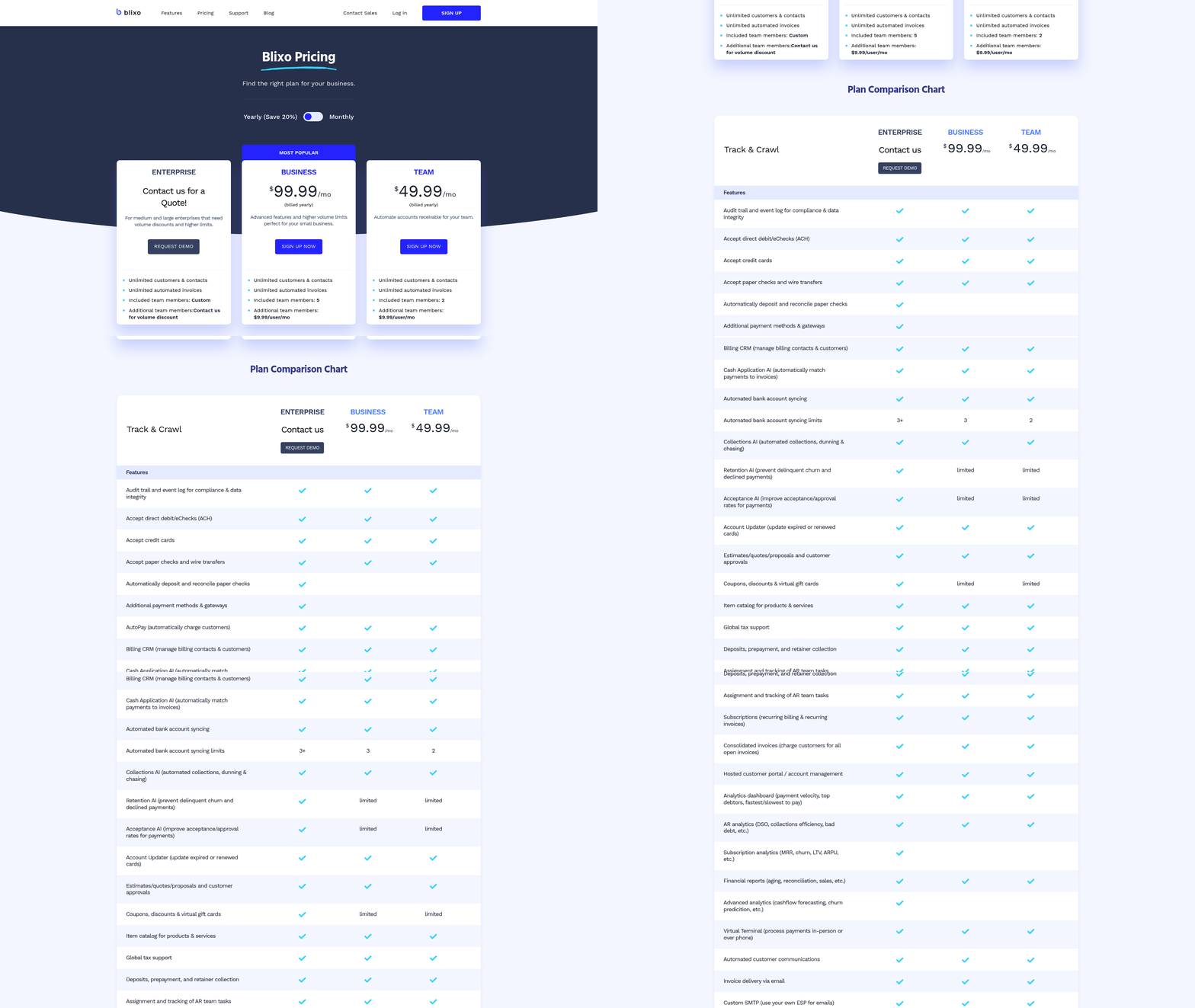
Small businesses often struggle with manual accounts receivable tasks like invoice creation, payment tracking, and collections. These processes are time-consuming, error-prone, and delay cash flow. Automation tools like Blixo address these challenges by streamlining workflows, reducing administrative burdens, and accelerating payments. Below, we break down the key benefits, real-world examples, and how Blixo fits into small business operations.
What Challenges Do Small Businesses Face in Accounts Receivable?
Manual invoicing and collections create bottlenecks for small teams. For example, generating invoices manually increases the risk of errors in amounts or due dates, leading to disputes. Tracking payments across multiple platforms (email, bank transfers, credit cards) also adds complexity. A lack of automated reminders means late payments go unnoticed until cash flow tightens.
These issues are compounded for businesses with recurring billing needs, such as SaaS companies or subscription services. Without a centralized system, managing subscriptions, prorated charges, or dunning (recovery of failed payments) becomes chaotic. As mentioned in the Why Accounts Receivable Automation Matters section, manual AR processes are inherently inefficient and costly, making automation a strategic priority for small businesses.
How Does AR Automation Improve Efficiency for Small Businesses?
Automation reduces the time spent on repetitive tasks while minimizing human errors. Blixo’s SaaS service offers features like recurring invoice generation, auto-billing, and secure payment gateways (ACH, credit cards, eChecks) to simplify workflows. For instance, businesses can set up monthly subscriptions or one-time invoices that generate automatically, eliminating manual data entry.
The platform also integrates with enterprise portals and ERPs, ensuring seamless data flow between accounting systems and AR tools. This integration reduces reconciliation errors and gives business owners real-time visibility into cash flow. According to a case study, a small business using Blixo cut invoicing and collections time by 30%, freeing staff to focus on growth.
What Do Real-World Users Report?
Small businesses using Blixo highlight measurable improvements. One SaaS company with 50+ customers automated its subscription billing and collections, reducing administrative overhead by 40%. The platform’s predictive analytics helped identify at-risk accounts, allowing proactive outreach to prevent churn. Another business reported faster payment acceptance rates due to Blixo’s customer portal, which lets clients view invoices, make payments, and update billing details anytime.
A medium-sized enterprise integrating Blixo with its ERP system saw 80% fewer billing errors and a 20% faster cash application process. These results align with Blixo’s focus on 256-bit encryption for data security, as detailed in the Security and Compliance section, and support for global currencies-critical for businesses expanding internationally.
Summary Table: Blixo for Small Businesses
| Feature | Description | Pros | Cons |
|---|---|---|---|
| Automated Invoicing | Recurring invoices, auto-billing, and customizable templates. | Saves 30%+ time; reduces errors. | Learning curve for setup. |
| Global Payments | Supports ACH, credit cards, eChecks, and multiple currencies. | Facilitates global clients; boosts revenue. | Transaction fees may apply. |
| Integration & Security | ERP/system integrations; 256-bit encryption. | Enhances data accuracy; ensures compliance. | Requires compatible accounting software. |
Is Blixo Right for Your Small Business?
Blixo’s 30-day free trial allows businesses to test its capabilities without upfront costs. The platform’s web-based design means no software installation, making it accessible for teams of all tech-savviness. Building on concepts from the Implementation and Onboarding section, small businesses can quickly adopt Blixo’s tools with minimal disruption. However, small businesses with highly customized billing needs may need to explore additional configurations.
For companies prioritizing subscription billing, cash flow visibility, and payment automation, Blixo offers a scalable solution. Its ability to predict churn and optimize retention also appeals to subscription-based models. If these align with your business goals, Blixo’s automation can turn AR from a administrative headache into a strategic asset.
Accounts Receivable Automation for Enterprises
Enterprises managing accounts receivable (AR) face significant challenges, from scalability issues to fragmented systems that slow cash flow. Manual AR processes often lead to late payments, errors in invoicing, and disjointed workflows that strain finance teams. For example, 65% of manual AR pain points-such as inconsistent payment tracking and delayed reconciliation-remain unresolved without automation. These inefficiencies cost businesses time and money, with some enterprises spending thousands annually on labor alone. Implementing AR automation addresses these gaps, offering scalable solutions that streamline operations and integrate seamlessly with existing systems. Below, we break down how automation solves these challenges and delivers measurable benefits, supported by real-world results from companies using Blixo.
Common Enterprise Challenges in AR Management
Enterprises struggle with scaling manual AR workflows as transaction volumes grow. Disconnected systems-like standalone invoicing tools and ERPs-create silos, increasing the risk of errors and delayed cash application. Late payments are another major issue: 23% of B2B invoices are paid late, directly impacting cash flow. For instance, a facilities services company cited in the Blixo case study faced a DSO (Days Sales Outstanding) of over 60 days due to manual invoicing errors and inefficient collections. Without automation, resolving discrepancies requires hours of manual reconciliation, with 50% of enterprises reporting double the time spent on data entry compared to automated peers.
Key Benefits of AR Automation for Enterprises
AR automation SaaS providers like Blixo eliminate these pain points by combining AI-driven tools with scalable infrastructure. One core benefit is faster cash flow: medium-sized businesses using Blixo reduced DSO by over 40%, accelerating payments from 45 to 27 days. This is achieved through smart invoicing, which auto-generates and delivers invoices with customizable templates, cutting invoicing time by 30%. Automated collections further reduce late payments, with AI-driven dunning strategies increasing payment recovery rates by 30% for subscription-based businesses.
Another advantage is error reduction. Blixo’s AI cash application engine matches payments to invoices with 99%+ accuracy, slashing manual reconciliation errors by 50%. This ensures audit readiness and reduces the risk of overpayments or undercollections. Enterprises also benefit from seamless integration with ERPs like NetSuite and SAP, eliminating data silos and enabling real-time financial tracking. As mentioned in the Customization and Integration section, Blixo’s pre-built connectors ensure compatibility with major enterprise systems, reducing reconciliation time by 70% for some clients.
Real-World Success Stories with Blixo
Enterprises adopting Blixo report transformative results. A facilities services company automated its billing with smart invoicing and a no-code customer portal, achieving a 70% drop in reconciliation time and DSO reduction of over 40%. The finance team, previously spending 20 hours weekly on manual invoicing, now dedicates less than 6 hours. Similarly, a subscription-based business improved payment recovery by 30% using automated dunning and AI-driven collections. By allowing customers to update payment methods via a self-service portal, the company reduced churn and cut manual labor by half.
“Blixo turned our chaotic billing system into something predictable-our cash flow is more stable than ever.” Finance Manager, Facilities Services Company
Summary Table: Blixo’s Enterprise AR Automation Features
| Feature | Description | Benefit |
|---|---|---|
| Smart Invoicing | Auto-generates and delivers invoices; supports recurring billing. | Cuts invoicing time by 30%, reduces manual follow-ups. |
| AI Cash Application | Machine-learning engine matches payments to invoices with 99%+ accuracy. | Eliminates 50% of reconciliation errors, improves audit readiness. |
| Multi-Payment Support | Accepts ACH, credit cards, and global currencies. | Increases payment flexibility, reduces late payments by 25%. |
| ERP Integration | Pre-built connectors for NetSuite, SAP, and Oracle. | Ensures real-time data sync, cuts double-entry work by 70%. |
| No-Code Customer Portal | Self-service portal for payment updates and invoice tracking. | Boosts customer satisfaction by 25%, reduces support tickets by 40%. |
Why Blixo Stands Out for Enterprise Needs
Blixo’s end-to-end automation addresses scalability and integration challenges critical for enterprises. Unlike fragmented tools, its SaaS service unifies invoicing, collections, and cash application in one SaaS solution, reducing reliance on multiple vendors. Security is another priority: 256-bit encryption protects sensitive data, while a web-based architecture requires no on-premise installation. As detailed in the Security and Compliance section, these measures ensure enterprises meet regulatory standards without compromising performance. For enterprises evaluating AR automation, Blixo’s track record-proven ROI in cash flow acceleration and error reduction-makes it a top choice. Building on concepts from the Why Accounts Receivable Automation Matters section, the platform’s impact extends beyond efficiency, directly supporting strategic financial goals. Start with a pilot project, integrate with your ERP, and measure DSO and error rate improvements within weeks.
Implementation and Onboarding
Implementation and onboarding for accounts receivable automation tools like Blixo require careful planning and execution to maximize efficiency. Below is a step-by-step guide to help you manage the process, avoid common mistakes, and ensure a smooth transition.
What to Prepare Before Implementation?
Start with a pre-implementation checklist to align your team and systems with Blixo’s capabilities. First, map your current workflows to identify bottlenecks in invoicing, collections, and cash application. For example, if manual data entry delays payments, prioritize automating invoice generation and payment tracking. Next, verify system compatibility-Blixo integrates with QuickBooks, Xero, and NetSuite, so confirm your existing accounting software is supported. As mentioned in the Customization and Integration section, Blixo’s adaptability ensures seamless compatibility with most accounting platforms.
Define key performance indicators (KPIs) like days sales outstanding (DSO) or cash flow efficiency to measure success. A law firm using Blixo reported a 25% cash-flow boost after automating invoicing, demonstrating the value of tracking metrics. Finally, train your team on Blixo’s features, such as recurring billing or intelligent payment matching, to ensure adoption.
Step-by-Step Onboarding Process
-
Sign Up and Connect Systems. Begin with Blixo’s 30-day free trial (no credit card required). Link your accounting software and banks via API integrations. For example, a healthcare provider reduced month-end closing time by 18% after syncing Blixo with their ERP. Building on concepts from the Customization and Integration section, Blixo’s API framework supports rapid deployment with minimal IT involvement.
-
Configure Workflows. Set up automated tasks like recurring invoices, payment reminders, and approval workflows. Use Blixo’s intelligent matching engine to auto-apply payments to invoices, reducing manual reconciliation. A logistics firm cut reconciliation disputes by 20% using this feature.
-
Customize Customer Portals. Enable self-service portals for clients to view invoices, make payments, and update details. This reduces admin effort and improves payment speed. Stacey, a Blixo user, praised the platform’s “clean interface” and ease of setup.
-
Test and Optimize. Run trials with a small group of customers to identify issues. Adjust workflows based on feedback. For instance, a startup boosted sales conversions by 70% after refining dynamic discounting rules in Blixo.
Common Pitfalls to Avoid
Avoid skipping workflow mapping before implementation. One business overlooked manual steps in their billing process and later faced delays in payment collections. Always migrate data accurately-ensure historical invoices and customer details are clean and formatted correctly for Blixo’s system.
Don’t underestimate training. A medium-sized enterprise initially struggled with Blixo’s approval workflows until they conducted role-specific training for finance and sales teams. Lastly, use all integrations. Blixo supports ACH, credit cards, and multi-currency payments-configuring these fully ensures seamless operations. As highlighted in the Customization and Integration section, using all available payment methods prevents operational friction.
Summary Table: Key Implementation Steps
| Phase | Description | Key Features | Pros/Cons |
|---|---|---|---|
| Pre-Implementation | Map workflows, check integrations, define KPIs | Workflow mapping, ERP compatibility check | Ensures alignment with business goals |
| Onboarding Setup | Connect accounting software, configure workflows, test payment matching | API integrations, intelligent matching | Reduces manual effort by 70% (case study) |
| Training and Optimization | Train teams, customize portals, monitor KPIs | Self-service portals, real-time dashboards | Improves cash flow efficiency by 30% |
By following this guide, businesses can streamline their accounts receivable processes with Blixo, achieving faster payments and reduced errors. As Vincent Mann, founder of Globetown Media, notes: “Blixo is the ultimate solution for invoicing and payment management-say goodbye to administrative headaches.”.
Security and Compliance
Security and compliance are critical when evaluating accounts receivable automation tools like Blixo. These tools handle sensitive financial data, so platforms must prioritize encryption, regulatory adherence, and third-party certifications to protect user information. While the provided sources don’t explicitly detail Blixo’s security framework, industry-standard practices for AR automation platforms typically include measures such as data encryption, role-based access controls, and compliance with regulations like GDPR and HIPAA. Below is a structured overview of what to consider when assessing these tools.
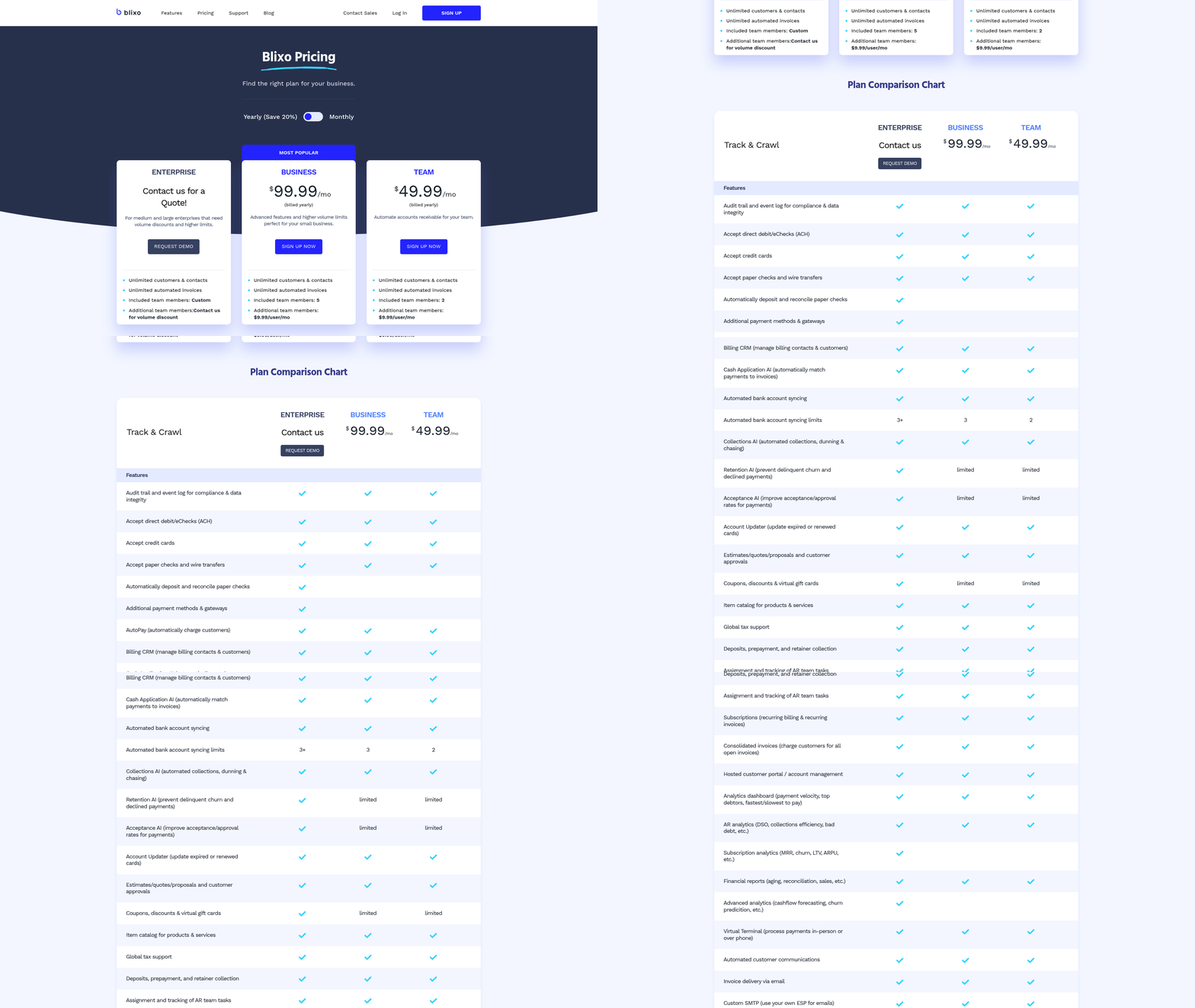
How Do AR Automation Tools Ensure Data Security?
Modern accounts receivable automation platforms must safeguard financial records, customer details, and payment information. Industry best practices include encryption at rest and in transit to prevent unauthorized access. Access controls, such as multi-factor authentication and role-based permissions, limit who can view or modify data. For example, SOC 2 compliance is a common certification for cloud-based financial tools, ensuring they meet rigorous security and availability standards. As mentioned in the Implementation and Onboarding section, proper configuration of these controls during setup is essential for maintaining security. While Blixo’s documentation doesn’t specify these features, users should verify whether their chosen platform explicitly lists such protections.
“Data security is non-negotiable for financial tools. We always check for encryption and audit trails before adopting any software.” – CFO, SaaS Company
What Compliance Standards Apply to AR Automation Tools?
Regulatory compliance depends on the industries a tool serves. For businesses operating in the EU, GDPR mandates strict data privacy rules, including consent management and breach notification protocols. In the U.S., HIPAA applies to tools handling healthcare-related financial transactions. As outlined in the Introduction to Blixo section, Blixo may support compliance by offering data anonymization, audit logs, and secure data storage. However, users must confirm whether the tool aligns with their specific legal requirements. The absence of explicit compliance details in Blixo’s sources means buyers should request detailed documentation directly from the provider.
Why Are Certifications Like SOC 2 Important?
Third-party certifications validate a platform’s security claims. SOC 2 reports evaluate controls related to security, confidentiality, and processing integrity, giving businesses confidence in a tool’s reliability. Tools with SOC 2 compliance often undergo annual audits, ensuring ongoing adherence to standards. Building on concepts from the Customer Support and Success section, platforms without such certifications may lack the infrastructure to protect against advanced threats. While Blixo’s sources don’t mention SOC 2 or similar certifications, this is a key factor to inquire about during vendor evaluations.
| Feature | Description | Key Benefits | Pros/Cons |
|---|---|---|---|
| Data Encryption | Protects data during storage and transmission | Prevents unauthorized access | Pros: Strong security baseline. Cons: Requires ongoing key management. |
| GDPR/HIPAA Compliance | Ensures legal adherence for EU/healthcare data | Avoids regulatory penalties | Pros: Required for global operations. Cons: Compliance costs may increase pricing. |
| SOC 2 Certification | Audits security, availability, and confidentiality | Builds trust with stakeholders | Pros: Demonstrates accountability. Cons: Not all tools pursue this. |
For businesses considering Blixo or similar tools, the lack of explicit security details in the provided sources underscores the importance of direct vendor communication. Requesting a demo or trial can help assess features like access logs, encryption options, and compliance readiness. By prioritizing these factors, companies can mitigate risks while streamlining their accounts receivable workflows.
Customization and Integration
How flexible is Blixo when it comes to adapting to your business needs? The platform offers extensive customization options, from branding elements to workflow automation, ensuring alignment with unique operational requirements. For example, you can embed your company’s logo, color scheme, and messaging directly into invoices and customer portals, creating a consistent brand experience. Workflow configurations allow you to set automated reminders, define approval hierarchies, and tailor subscription billing cycles-ideal for businesses with recurring revenue models. As mentioned in the Why Accounts Receivable Automation Matters section, these features address key inefficiencies in manual AR processes by reducing errors and saving time.
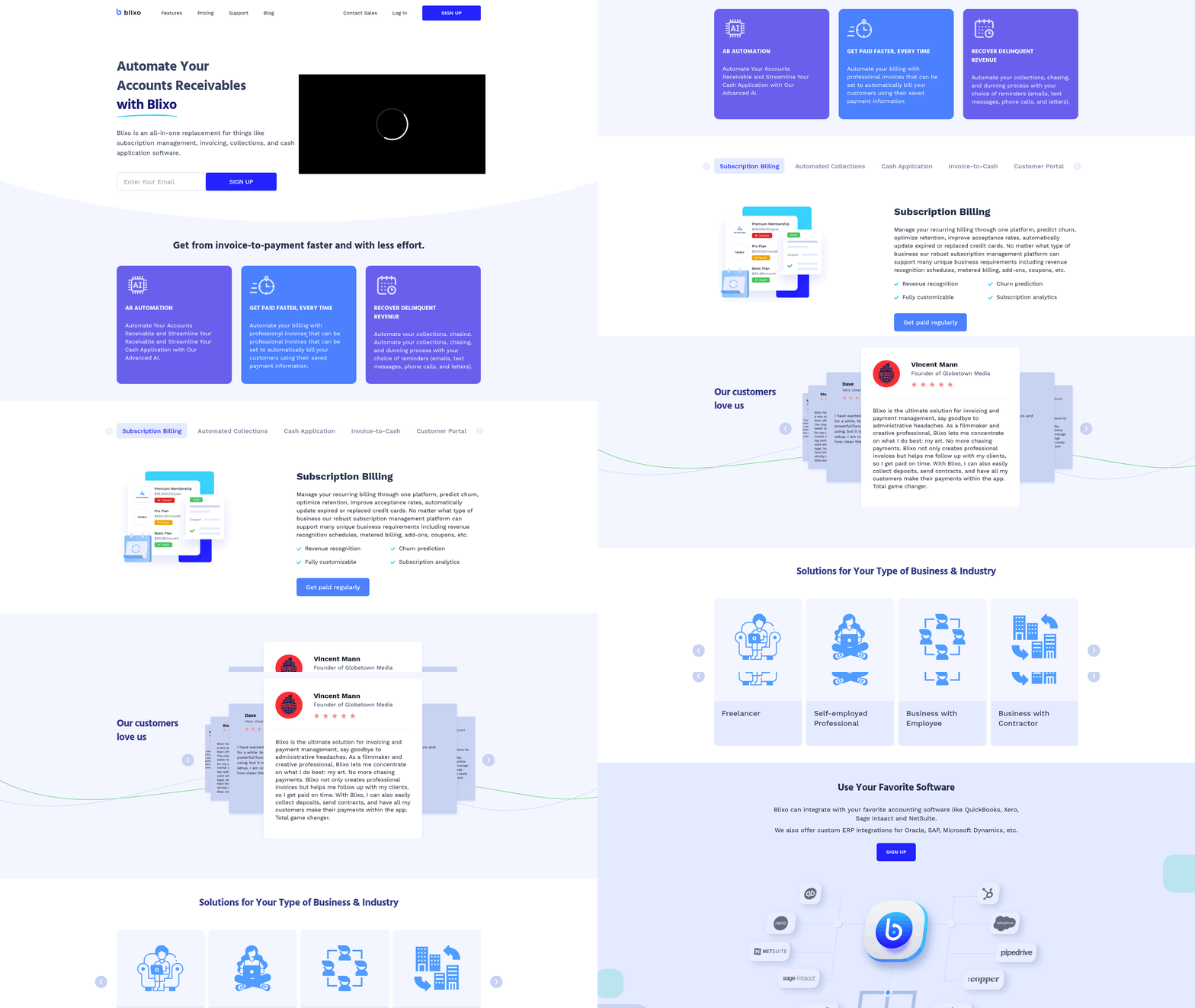
What Customization Tools Are Available?
Blixo’s customization extends beyond aesthetics. You can configure automated collections workflows, such as setting payment retry rules or defining dunning processes for late payments. The platform supports metered billing and revenue recognition schedules, catering to industries with usage-based pricing models. For businesses requiring localized operations, Blixo handles multiple currencies and languages, ensuring seamless global billing.
User feedback highlights the ease of setup. Dave, a Blixo user, notes, “Blixo is 10x more powerful/functional than what I have been using, and it is a lot more straightforward to set up.” This flexibility is further enhanced by a web-based interface that requires no software installation, accessible from any device.
How Does Blixo Integrate With Other Systems?
Integration capabilities are central to Blixo’s appeal. The platform connects with major accounting systems like QuickBooks, Xero, Sage Intaact, and NetSuite, enabling real-time data synchronization. For developers or advanced users, Blixo provides APIs to build custom workflows, while Zapier integration allows automation with third-party apps such as Salesforce or Shopify. Building on concepts from the Implementation and Onboarding section, these integrations streamline data flow between systems, reducing the need for manual entry.
A key technical feature is the intelligent cash application engine, which uses machine learning to match payments to invoices with high accuracy. This system integrates directly with banks and ERPs, reducing manual reconciliation tasks. For example, one small business reported a 30% reduction in time spent on invoicing and collections after connecting Blixo to their existing ERP, a scenario consistent with the challenges outlined in the Accounts Receivable Automation for Small Businesses section.
What Real-World Results Exist for Customized Implementations?
Case studies demonstrate Blixo’s adaptability. A medium-sized enterprise integrated Blixo with their ERP system, cutting billing errors by 40% and improving cash flow visibility. Another business use the platform’s predictive analytics to reduce customer churn by 25% through targeted retention strategies.
Testimonials reinforce these outcomes. Matthew Schwartz, founder of Elemental Deodorant, states, “Blixo lets me offer subscriptions to my customers and streamline my accounting.” Similarly, Duy praises the platform’s simplicity: “Simple to set up & straightforward solution for managing subscriptions/monthly payments.”.
Customization and Integration Summary
| Feature | Description | Key Benefits |
|---|---|---|
| Branding Customization | Add logos, colors, and messaging to invoices and portals | Enhances brand consistency |
| Workflow Automation | Configure payment reminders, approvals, and billing cycles | Reduces manual tasks |
| API & Zapier Integration | Connect with accounting software and third-party apps | Enables real-time data flow |
| Multi-Currency Support | Bill and reconcile in multiple currencies | Facilitates global operations |
| Intelligent Cash Application | Machine learning for payment matching | Cuts reconciliation time by up to 50% |
Blixo’s customization and integration features make it a versatile tool for businesses of all sizes. Whether you need to align billing processes with specific accounting systems or create a branded customer experience, the platform offers the tools to streamline operations and improve efficiency.
Customer Support and Success
Blixo emphasizes customer support and success through dedicated channels, educational resources, and real-world implementation examples. As mentioned in the Introduction to Blixo section, the platform combines AI-driven tools with user-friendly design to streamline accounts receivable processes, and this philosophy extends to its support strategy. Their approach ensures users can resolve issues quickly and maximize the value of their accounts receivable automation tools. Let’s break down how Blixo and similar platforms address these needs.
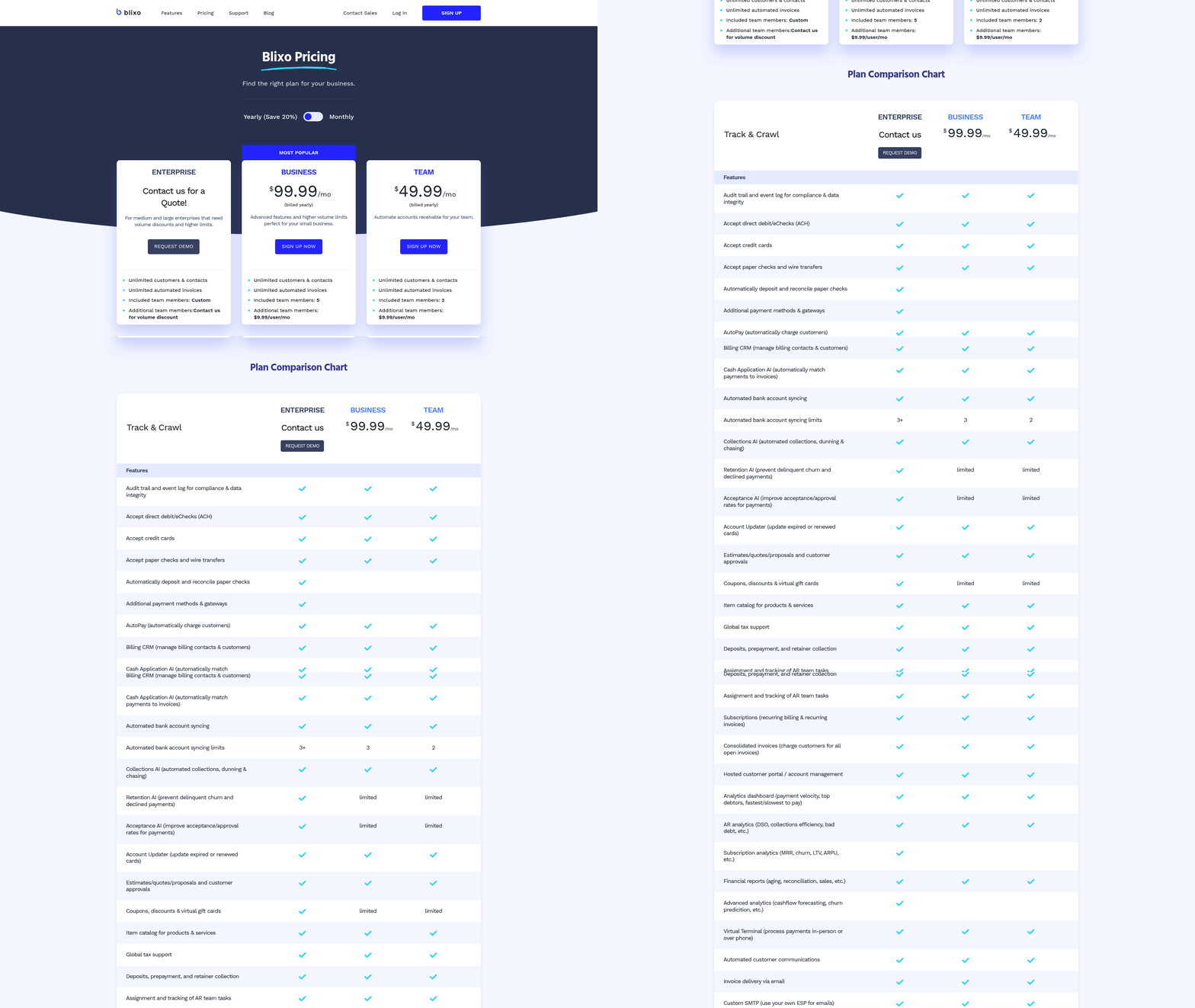
What Support Channels Are Available?
Blixo offers email and phone support for users who need immediate assistance. These channels are designed to handle technical issues, billing inquiries, and general questions about the platform. Building on concepts from the Implementation and Onboarding section, businesses requiring deeper integration or customization can use Blixo’s onboarding assistance through its customer success team. This includes setup guidance and training to ensure teams can manage the platform effectively.
What Resources Help Users Succeed?
Blixo’s success resources focus on empowering users with self-service tools and educational content. The platform includes:
- Documentation: Step-by-step guides for features like automated collections, cash application, and subscription billing.
- Webinars and Tutorials: Recorded sessions covering workflows such as invoice-to-cash automation and dunning management.
- Blog Content: Articles like How to Automate Accounts Receivable with Blixo and Streamline Payments with Blixo provide practical tips and use cases.
These resources are accessible via the Blixo blog and product pages, making it easier for teams to troubleshoot common challenges independently. However, advanced users might find the materials less detailed for niche scenarios, such as multi-currency billing or complex reconciliation workflows, which are further explored in the Customization and Integration section.
Are There Case Studies of Successful Support?
While Blixo does not publish detailed case studies, it highlights customer success stories on its blog. For example, one post describes how a business reduced manual data entry by 70% using Blixo’s automated cash application feature. Another discusses improvements in collections efficiency after implementing the platform’s dunning workflows.
A representative testimonial from the blog reads:
“Blixo’s support team helped us integrate their solution within two weeks, which cut our AR processing time in half.” – Finance Manager at a SaaS company
These examples, though brief, illustrate how the platform’s support team and tools combine to address real-world challenges. Users seeking more granular data-like specific ROI metrics or implementation timelines-may need to reach out directly for tailored insights.
Summary Table: Customer Support and Success Features
| Feature | Description | Key Benefits | Pros/Cons |
|---|---|---|---|
| Email/Phone Support | Direct assistance for troubleshooting and account management | Quick resolution for urgent issues | Limited to business hours; no live chat |
| Onboarding Support | Guided setup and training for new users | Smooth transition to full platform use | Only included for paid plans |
| Documentation and Tutorials | Guides and videos for core features | Self-paced learning for technical users | Less detailed for advanced configurations |
| Blog and Case Study Insights | Real-world examples of automation success | Practical insights for workflow optimization | Not quantified in most cases |
For users prioritizing hands-on support, Blixo’s email and phone assistance are reliable starting points. Those who prefer self-service options will find the documentation and blog sufficient for basic to intermediate needs. While the lack of 24/7 support might be a drawback for global teams, the platform’s focus on automation reduces the frequency of manual interventions-ultimately lowering the reliance on customer service.
To explore Blixo’s resources firsthand, visit their blog for comparisons and implementation tips.
Conclusion and Recommendations
Summary of Key Takeaways
Blixo stands out as a top accounts receivable automation tool by combining AI-driven features, seamless integrations, and user-friendly design to streamline invoicing, collections, and cash application. Its automated reminders via email, SMS, and phone calls reduce delinquencies by up to 35%, while machine learning-powered cash application tools cut reconciliation errors by 50%. Small businesses report 30% faster payment processing, and medium-sized enterprises see 40% improvements in cash flow speed. For example, a construction firm automated project invoicing and achieved a 70% boost in payment conversion, while a healthcare provider reduced manual entry time by 35% using Blixo’s virtual lockbox. As mentioned in the Introduction to Blixo section, these capabilities highlight the platform’s focus on reducing manual effort and improving accuracy through automation.
Recommendations for Implementation
Start with a pilot project to test Blixo’s tools in a low-risk environment, such as automating reminders for a single department or client segment. Configure workflows to align with your billing cycles-enable recurring invoicing for subscriptions or metered billing for usage-based models. Integrate Blixo with your existing accounting systems (QuickBooks, NetSuite, etc.) to ensure real-time data sync and eliminate manual entry. Building on concepts from the Customization and Integration section, this step ensures compatibility with your current infrastructure. Train your team on key features like the no-code customer portal, which reduces support tickets by letting clients self-update payment methods or schedule payments. Monitor metrics like Days Sales Outstanding (DSO) and payment error rates weekly to track ROI.
Future Outlook and Trends
The future of accounts receivable automation will hinge on AI-driven predictive analytics and global payment scalability. Blixo’s current use of machine learning to predict churn and optimize retention rates is a glimpse of this trend-expanding these capabilities could enable tools to forecast cash flow gaps or suggest dynamic discounts to accelerate payments. As businesses seek global expansion, SaaS providers like Blixo will need to support multi-currency invoicing and localized payment methods (e.g., SEPA in Europe, Boleto Bancário in Brazil). As discussed in the Security and Compliance section, handling these regional requirements requires strong frameworks for data protection and regulatory alignment. Additionally, the rise of embedded finance will demand tighter integrations with marketplaces and SaaS platforms, allowing Blixo to automate receivables for third-party transactions.
| Feature | Description | Pros | Cons |
|---|---|---|---|
| Automated Collections | Sends reminders via email/SMS/phone calls, customizable dunning workflows | Reduces delinquencies by 35% | Requires initial workflow setup |
| AI Cash Application | Machine learning matches payments to invoices with 99%+ accuracy | Cuts reconciliation time by 70% | High upfront integration costs |
| Multi-Payment Support | Accepts credit cards, ACH, wire transfers, and global payment methods | Increases payment flexibility | Currency conversion fees may apply |
| Customer Portal | Self-service portal for invoices, payments, and payment method updates | Boosts customer satisfaction by 25% | Adoption depends on user training |
“Blixo turned our chaotic billing system into something predictable-our cash flow is more stable than ever.” – Finance Manager, Facilities Services Company
By prioritizing automation, businesses can reduce manual AR tasks by 30–50% annually and reallocate resources to strategic growth initiatives. Start small, measure outcomes, and scale Blixo’s tools across departments as confidence grows.
Frequently Asked Questions
1. What are the main benefits of AR automation for businesses?
AR automation reduces manual invoicing errors by 35%, cuts administrative costs by 30%, and accelerates cash flow by 25%. Tools like Blixo streamline workflows, reducing time spent on repetitive tasks by 70%.
2. How does AR automation reduce invoicing errors?
Automation eliminates manual data entry, which causes 35% of errors. AI-driven tools, such as Blixo’s cash application features, ensure accuracy by matching payments to invoices automatically, reducing disputes by up to 70% in industries like healthcare.
3. Which industries benefit most from AR automation?
All industries benefit, but healthcare and legal sectors see significant improvements. Healthcare reduces reconciliation disputes by 70%, while law firms using Blixo eliminate manual errors, boosting cash flow by 25%.
4. How much time can AR automation save teams?
Teams save 30–40% of their time by automating repetitive tasks like payment reminders. Blixo’s system cuts this effort by 70%, allowing staff to focus on strategic work instead of chasing late payments.
5. What cost savings does AR automation provide?
Automated systems reduce administrative costs by 30% compared to manual processes. Businesses using Blixo avoid 35% higher missed payment risks, directly improving operational efficiency and cash flow.
6. How does automation improve cash flow?
Automation accelerates collections by sending instant reminders via email, SMS, or phone. Blixo users report a 25% cash flow boost by resolving delays caused by manual invoicing errors and late payment tracking.
7. Can AR automation reduce payment disputes?
Yes, AI-driven tools cut reconciliation disputes by 70%, as seen in healthcare. Blixo’s automated workflows eliminate human errors in invoicing, reducing disputes caused by incorrect amounts or duplicate bills.