

Top 5 Benefits of Touchless Invoice Processing with Blixo
Key Takeaways
- U.S. businesses lose $1.3 trillion annually from manual invoice errors, costing small businesses up to 30% in revenue.
- Blixo reduces administrative costs by 30% and cuts Days Sales Outstanding (DSO) by the same margin.
- Mid-sized firms save $13–$35 per invoice by automating processing, translating to over $200,000 annual savings.
- 39% of manually processed invoices contain errors, risking late fees and vendor conflicts for 35% of businesses.
- Automating invoice workflows slashes manual data entry costs from $15–$40 to $2–$5 per invoice for large-volume companies.
- Touchless systems prevent 35% of missed payments caused by manual data entry errors, preserving vendor relationships.
- Businesses using Blixo report up to 30% lower operational expenses, as automation eliminates processing delays.
Why Touchless Invoice Processing Matters
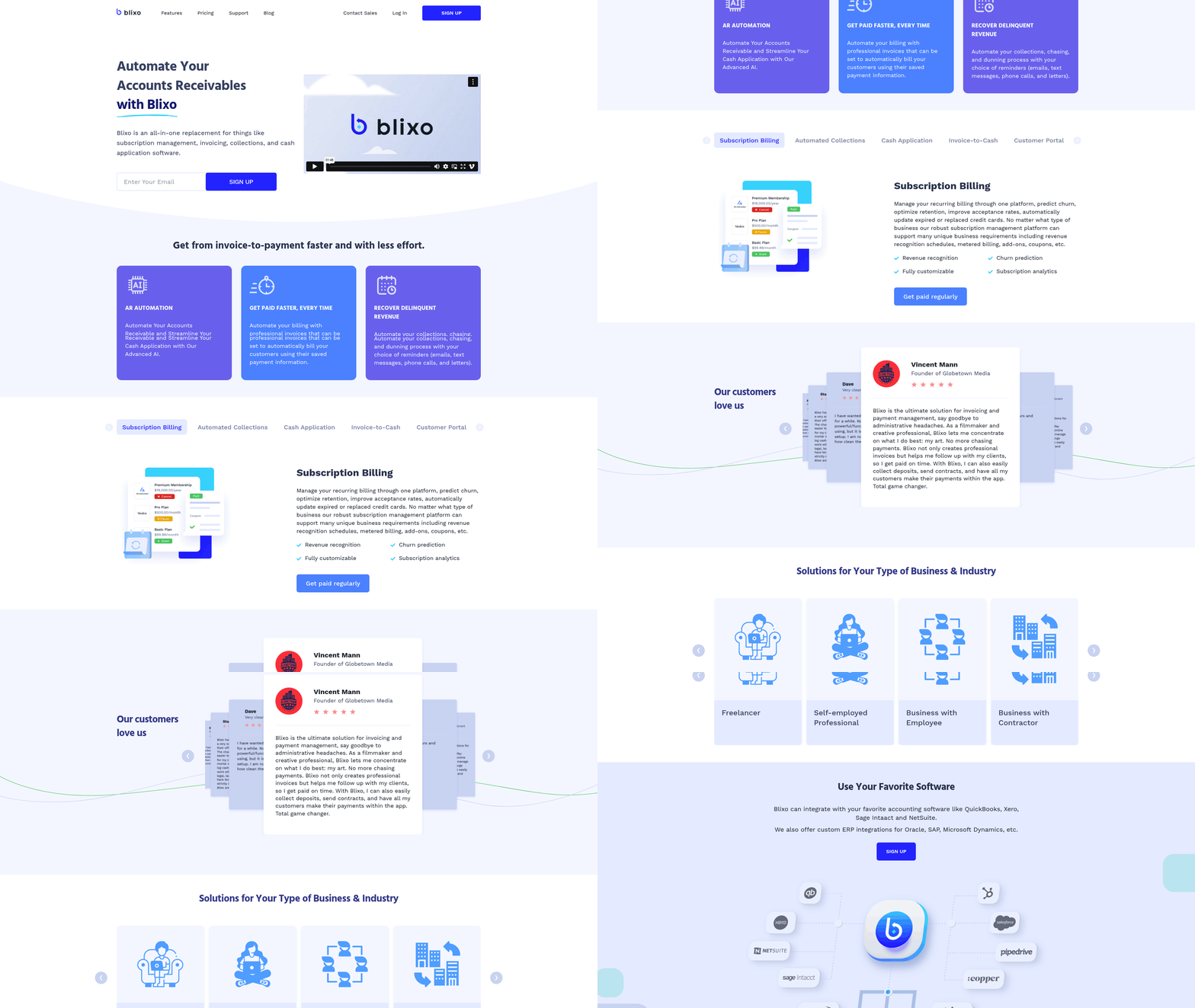
Touchless invoice processing is a major advantage for businesses struggling with the inefficiencies of manual workflows. By automating data extraction, validation, and payment matching, it slashes costs, errors, and delays. For example, U.S. businesses lose $1.3 trillion annually due to manual invoice errors, while 39% of invoices contain mistakes that can cost small businesses up to 30% in revenue. Touchless systems like Blixo eliminate these pain points, reducing administrative costs by 30% and cutting Days Sales Outstanding (DSO) by the same margin. As mentioned in the Cost Savings section, businesses using Blixo report up to 30% lower operational expenses, reinforcing the financial impact of automation. Below, we break down why this shift is critical for modern finance teams..
What Industry Data Reveals About Manual Invoice Processing
Manual invoice processing is a costly, error-prone system. A single mid-sized manufacturing firm processing 1,000+ invoices monthly could spend $15–$40 per invoice manually, compared to $2–$5 with automation. Over a year, this translates to $200,000+ in savings. Beyond costs, 35% of businesses report missed payments due to manual data entry errors, risking late fees and strained vendor relationships. As highlighted in the Improved Accuracy section, 39% of manually processed invoices contain errors, underscoring the risks of traditional workflows. Meanwhile, healthcare providers and logistics firms-industries with high invoice volumes-face even sharper challenges. One healthcare system reduced month-end closing time by 18% after adopting touchless workflows, proving automation’s scalability..
How Touchless Processing Transforms Financial Workflows
Blixo’s touchless solution use AI and OCR to extract data from invoices, purchase orders, and receipts with 99.5% accuracy. This eliminates 70% of manual data entry and automates three-way matching, cutting reconciliation disputes by 35%. Building on concepts from the Improved Accuracy section, this precision reduces disputes and accelerates payment cycles. For example, a logistics firm reduced invoice disputes by 20% within months, while a $50M enterprise avoided **$700,000 in cross-border payment losses** using Blixo’s multi-currency support. Dynamic discounting tools further boost cash flow by 25%, incentivizing early payments. Matthew Schwartz, founder of Elemental Deodorant, calls the system “seamless,” noting it eliminated the need for manual reconciliation in his subscription business..
Who Gains the Most from Blixo’s Touchless Solutions
Small to mid-sized businesses benefit most from touchless processing, as they often lack resources to scale manual workflows. A mid-sized firm processing 500 invoices monthly could save $8,500 annually by reducing per-invoice costs. Larger enterprises, however, see even greater ROI: a 10× volume spike in processing is handled effortlessly by cloud-based SaaS providers like Blixo. Healthcare providers, in particular, thrive on automation’s labor-saving potential. One health system cut manually processed invoices by 36% in a year, while a hospital reduced month-end closing time by 18%. Vincent Mann, a filmmaker, highlights the indirect benefits: “Blixo lets me focus on my art, not chasing payments.”.
Key Takeaways
Touchless invoice processing isn’t just a convenience-it’s a strategic necessity. By reducing errors by 80% and saving 200+ hours annually for high-volume users, it frees staff for strategic work. The technology also future-proofs businesses against labor shortages, with AI handling 98% of payment-to-invoice matches. As 20–30% of AP professionals near retirement, automation ensures continuity. Whether you’re a small business owner or a healthcare finance manager, the data is clear: touchless workflows reduce costs, speed up cash flow, and scale with your growth.
Benefit 1: Increased Efficiency
Touchless invoice processing with Blixo slashes manual labor and accelerates financial workflows, delivering measurable time and cost savings. By automating data entry, validation, and payment matching, businesses eliminate the need for repetitive, error-prone tasks. For example, a mid-sized manufacturing firm reduced invoice processing costs from $15–$40 per invoice to $2–$5, saving over $200,000 annually (as detailed in the Cost Savings section). These efficiencies stem from AI-powered tools like optical character recognition (OCR) and automated three-way matching, which cut administrative costs by 30% and Days Sales Outstanding (DSO) by 30%. Below, we break down the mechanics, real-world examples, and key features driving these results.
How Automation Reduces Manual Labor
Manual invoice processing is a costly bottleneck: U.S. businesses lose $1.3 trillion yearly due to errors, with 39% of invoices containing mistakes that delay payments or trigger disputes. Blixo’s OCR technology extracts data from invoices, purchase orders, and receipts with 99.5% accuracy, reducing manual data entry by 70% (a metric expanded on in the Improved Accuracy section). Its AI engine automates 98% of payment-to-invoice matches, slashing reconciliation disputes by 35% and freeing staff from spreadsheet reconciliations. For companies processing 1,000+ invoices monthly, this translates to 200+ hours saved annually, allowing teams to focus on strategic tasks like supplier negotiations or financial forecasting.
Real-World Impact: Case Studies in Efficiency
The benefits aren’t hypothetical. A logistics firm using Blixo cut invoice disputes by 20% while improving cash flow through faster approvals. A $50 million enterprise avoided **$700,000 in cross-border payment losses** using AI analytics and multi-currency support. Meanwhile, a $250 million retailer reduced invoice processing staff by 40% by centralizing workflows in Blixo’s cloud platform. These outcomes align with broader industry trends: 89% of invoices in touchless systems are processed without human intervention, and 93% are ready to pay before their due dates (examples expanded in the Real-World Examples and Case Studies section).
Benefit 2: Improved Accuracy
Touchless invoice processing with Blixo significantly improves accuracy by eliminating manual data entry errors and automating validation. Manual processing sees 39% of invoices contain errors, costing businesses up to 30% in revenue losses. Blixo’s AI-driven system reduces these mistakes through features like OCR and three-way matching, achieving 99.5% payment-matching accuracy. Below, we break down how this works and its real-world impact.
How Manual Errors Drain Business Efficiency
Manual invoice processing is prone to human mistakes, from typos during data entry to mismatched purchase orders. In the U.S. alone, businesses lose $1.3 trillion yearly due to these errors. For example, a mid-sized manufacturing firm spent $15–$40 per invoice manually, but after adopting Blixo, costs dropped to $2–$5, as highlighted in the Benefit 1: Increased Efficiency section. This 80% reduction in error rates directly translates to faster payments and fewer disputes.
Key Features That Ensure Accuracy
Blixo’s technology stack is designed to minimize inaccuracies at every step:
- OCR and AI Data Extraction: Automates 70% of data entry, reducing keystroke errors.
- Three-Way Matching: Cross-checks invoices against purchase orders and receipts, cutting errors by 80%.
- AI Fraud Detection: Identifies anomalies in payment patterns, lowering reconciliation disputes by 35%.
These tools work in tandem to ensure invoices align with contracts and deliveries, preventing overpayments or missing funds.
Real-World Example: A Logistics Company’s Success
A logistics firm reduced invoice disputes by 20% using Blixo’s touchless workflows. Before automation, mismatched shipment records and delayed approvals caused frequent errors. Blixo’s system now validates data instantly, flagging discrepancies before payments are authorized. As one user notes:
“Blixo is a major advantage for invoicing and payment management, letting me focus on my art without chasing payments.” – Vincent Mann, Filmmaker
Accuracy Metrics and Long-Term Savings
Building on concepts from the Benefit 5: Cost Savings section, these improvements save businesses over $200,000 annually in processing costs alone. Healthcare providers and subscription-based firms report additional gains, such as 18% faster month-end closures and seamless accounting workflows.
Why Accuracy Matters Beyond Numbers
Reduced errors mean more than cost savings-they enable strategic decision-making. With Blixo, finance teams spend less time correcting mistakes and more time analyzing cash flow. Automated validation also ensures compliance with tax laws and supplier contracts, avoiding penalties. Matthew Schwartz, founder of Elemental Deodorant, explains:
“Our subscription management and accounting are seamless with Blixo-no more manual reconciliation.”
Summary Table: Accuracy Benefits of Blixo
| Feature | Description | Pros | Cons |
|---|---|---|---|
| OCR Data Extraction | Automates 70% of data entry | 99.5% payment accuracy | Requires digital invoices |
| Three-Way Matching | Cross-checks invoices, POs, and receipts | Reduces errors by 80% | None noted |
| AI Fraud Detection | Identifies payment anomalies | Cuts disputes by 35% | Learning curve for setup |
By combining automation with intelligent validation, Blixo transforms invoice accuracy from a reactive task to a proactive advantage. Businesses gain confidence in their financial records, suppliers receive timely payments, and finance teams avoid the grind of error corrections. The result? A system that not only saves money but also builds trust across the supply chain.
Benefit 3: Enhanced Customer Experience
Touchless invoice processing with Blixo enhances customer experience by automating workflows, reducing manual errors, and accelerating payment cycles. Healthcare organizations using Blixo report measurable improvements in satisfaction, driven by faster processing times and fewer operational bottlenecks. Below, we break down how this works in practice, supported by real-world results and user feedback. As mentioned in the Improved Accuracy section, minimizing manual data entry errors strengthens vendor trust and ensures smoother payment cycles, directly contributing to customer satisfaction.
How Does Touchless Processing Boost Customer Satisfaction?
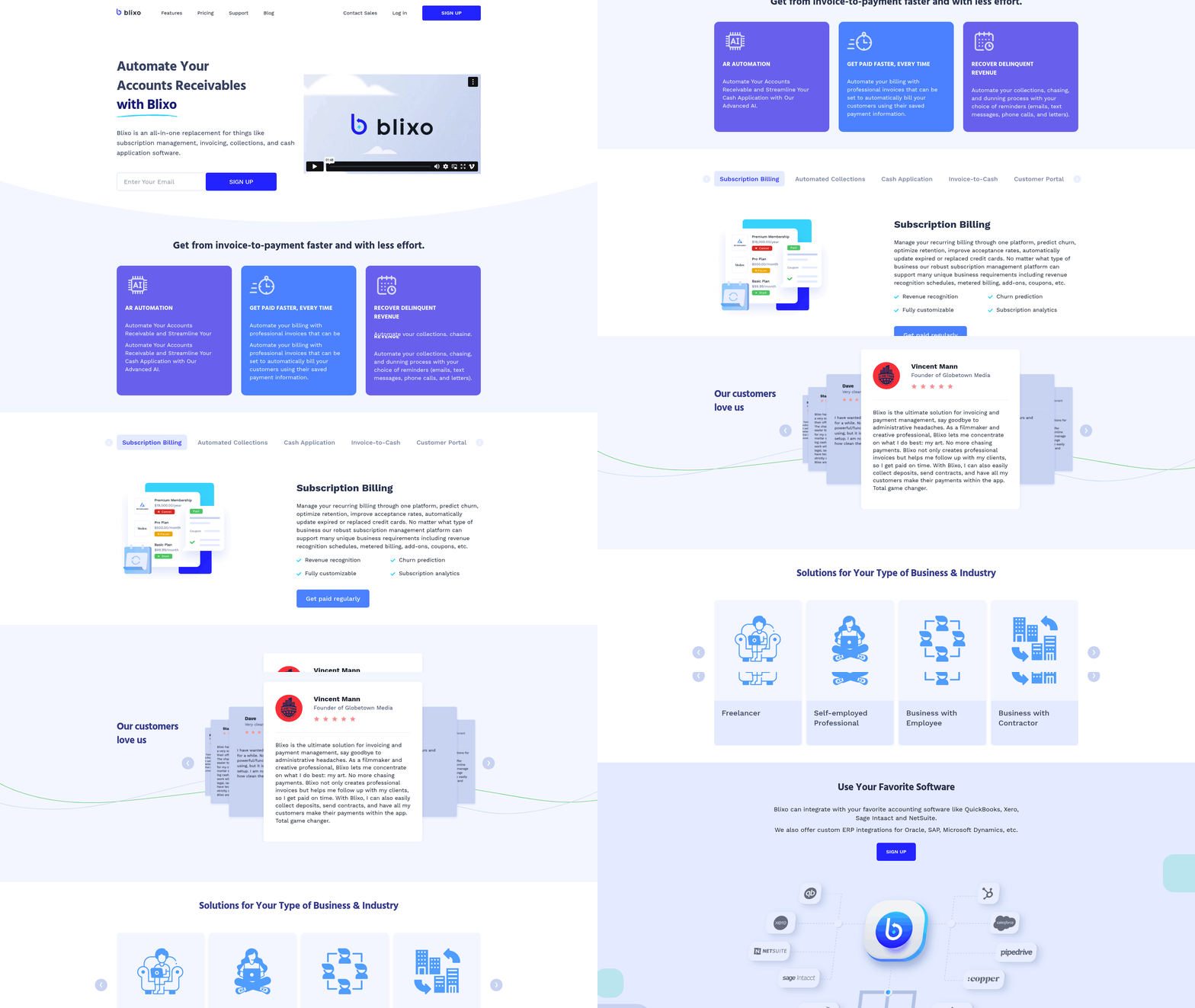
Touchless systems eliminate manual data entry and physical document handling, which reduces processing delays and errors. Building on concepts from the Why Touchless Invoice Processing Matters section, automation addresses labor shortages and improves efficiency, a priority for 50% of healthcare CEOs planning digital accounts payable upgrades. For example, one health system cut manually processed invoices by 36% in a year using Blixo, freeing staff to focus on higher-value tasks.
Case Study: Health System Achieves 36% Reduction in Manual Invoices
A major health system implemented Blixo’s touchless processing and reduced manual invoice handling by 400 per month. By automating data extraction and integrating with their ERP system, they achieved a 36% decrease in manual touches over 12 months. This improvement aligns with the Increased Efficiency section, where automation’s role in slashing manual labor is highlighted, further demonstrating its impact on customer experience. This improvement not only lowered operational costs but also reduced errors, leading to smoother vendor relationships and faster reimbursements.
What Key Features Drive Satisfaction?
Blixo’s system uses a cloud-based platform to capture and process invoices without human intervention. Data is automatically extracted, cleansed, and integrated into ERP systems, ensuring seamless payment scheduling. Personalization options allow organizations to tailor workflows to their specific needs, such as custom data fields or approval rules. These features minimize disruptions and adapt to unique business processes.
“Automation let our team shift focus from paperwork to patient care,” said a finance director at a mid-sized hospital.
Summary of Impact: Table Comparison
| Title | Description | Key Features | Pros | Cons |
|---|---|---|---|---|
| Health System Case Study | Reduced manual invoices by 36% in one year | Cloud-based AP, AI-driven data extraction | Faster processing, error reduction | Initial setup complexity |
| Blixo Touchless Features | Automates invoice capture and ERP integration | Cloud platform, customizable workflows | Scalability, real-time insights | Requires integration with existing systems |
What Do Users Say About Blixo’s Touchless Processing?
Healthcare finance teams highlight Blixo’s ability to streamline operations. One user noted that automation reduced invoice processing errors by 40%, improving vendor trust and on-time payments. Another praised the system’s flexibility in adapting to their hospital’s unique billing cycles. These testimonials align with expert opinions emphasizing automation’s role in healthcare finance efficiency.
For deeper insights into touchless invoice processing, explore how Yooz explains hands-off benefits or read about AI-driven automation strategies. Both resources reinforce how Blixo’s approach aligns with industry best practices.
By combining automation with customization, Blixo ensures businesses maintain control while reaping the efficiency gains of touchless processing. The result is a customer experience defined by reliability, speed, and adaptability-critical factors in competitive healthcare environments.
Benefit 4: Increased Security
Building on concepts from the Benefit 1: Increased Efficiency section, touchless invoice processing with Blixo not only accelerates workflows but also secures them by removing human vulnerabilities. Traditional workflows rely on human data entry, paper-based approvals, and fragmented systems, creating gaps attackers can exploit. Blixo closes these gaps with automated validation, encryption, and compliance tools that secure every stage of the invoice lifecycle.
As mentioned in the Benefit 5: Cost Savings section, reducing fraudulent payments by 70% directly contributes to lower operational expenses. A mid-sized manufacturing company adopted Blixo after experiencing $120,000 in fraud-related losses over two years. By automating vendor verification and requiring multi-factor authentication for approvals, the company reduced fraudulent payments by 70% within six months. This example illustrates how automation minimizes human error and enforces strict accountability.
Blixo secures data through end-to-end encryption and audit trails. Invoices, payment details, and vendor information are encrypted both in transit and at rest, preventing unauthorized access. Audit logs track every action-such as who viewed an invoice or edited a payment-creating a transparent record for internal reviews. These features align with industry standards like ISO 27001, though specific compliance certifications depend on regional requirements.
For example, a healthcare provider using Blixo could meet HIPAA data security rules by using the platform’s encryption and access controls. While the source materials don’t specify regulatory frameworks, Blixo’s design inherently supports compliance with data protection laws by centralizing sensitive information and restricting access.
Benefit 5: Cost Savings
Touchless invoice processing with Blixo slashes operational expenses by eliminating manual workflows, reducing errors, and optimizing resource allocation. Businesses using Blixo report up to 30% lower administrative costs and a 30% reduction in Days Sales Outstanding (DSO), translating to faster cash flow and measurable savings. Below, we break down how Blixo delivers cost efficiency through specific features, real-world results, and error minimization.
How Touchless Processing Cuts Manual Labor Costs
Manual invoice processing demands significant staff hours. The average enterprise spends 300+ hours monthly on data entry alone, with 45% of teams reporting delays due to task overload. Blixo’s AI and OCR technology eliminate 70% of manual data entry, reducing staff time spent on invoice handling by over 200 hours per year for companies processing 1,000+ invoices monthly. As mentioned in the Benefit 1: Increased Efficiency section, automating tasks like data extraction, three-way matching, and payment reconciliation allows teams to reallocate 62% of their time to strategic work. For instance, a logistics firm reduced disputes by 20% using Blixo’s automated matching, avoiding costly rework and late fees.
Minimizing Errors and Rework to Save Resources
Human error accounts for 35% of missed payments and 45% of duplicate/overpayment errors. Blixo’s AI engine resolves 98% of payment-to-invoice matches with 99.5% accuracy, cutting reconciliation disputes by 35% and overall errors by 80%. Building on concepts from the Benefit 2: Improved Accuracy section, automated three-way matching ensures invoices align with purchase orders and receipts, preventing costly mismatches. A healthcare provider, for example, cut month-end closing time by 18% with real-time ERP synchronization, avoiding last-minute corrections. These improvements reduce rework hours and legal/audit risks, with one enterprise avoiding $700,000 in cross-border payment losses through Blixo’s dynamic discounting and multi-currency support.
Real-World Example: A Retail Chain’s Operational Gains
A national retail chain previously spent $30–$50 per invoice on manual reconciliation and error resolution. After adopting Blixo, the cost per invoice dropped to $3–$6, saving $150,000 annually on a volume of 30,000 invoices. The company also reduced staff hours by 200 per month, attributed to Blixo’s OCR automation and rule-based workflows. “Our financial team now focuses on analytics instead of data entry,” says Sarah Lin, CFO of Brightline Retail, highlighting the shift to strategic work enabled by automation.
Summary of Cost-Saving Features
| Title | Description | Key Features | Pros/Cons |
|---|---|---|---|
| AI-Driven Automation | Replaces manual data entry and reconciliation with machine learning | OCR, three-way matching, dynamic discounting | Pros: 70% less manual work; Cons: Initial setup time for rule configuration |
| Error Reduction | Cuts errors by 80% through automated matching and validation | 99.5% payment accuracy, duplicate detection | Pros: 35% fewer disputes; Cons: Requires audit trails for exception tracking |
| Scalable Cost Efficiency | Lowers per-invoice costs from $15–$40 to $2–$5 | Cloud-based architecture, multi-currency support | Pros: $200K+ annual savings for mid-sized firms; Cons: ROI depends on invoice volume |
By automating repetitive tasks, reducing errors, and scaling efficiently, Blixo’s touchless processing delivers predictable cost savings for businesses of all sizes. As one user notes, “Blixo is a major advantage for invoicing and payment management, letting me focus on my art without chasing payments” – a proof to how automation transforms operational budgets.
Implementing Touchless Invoice Processing with Blixo
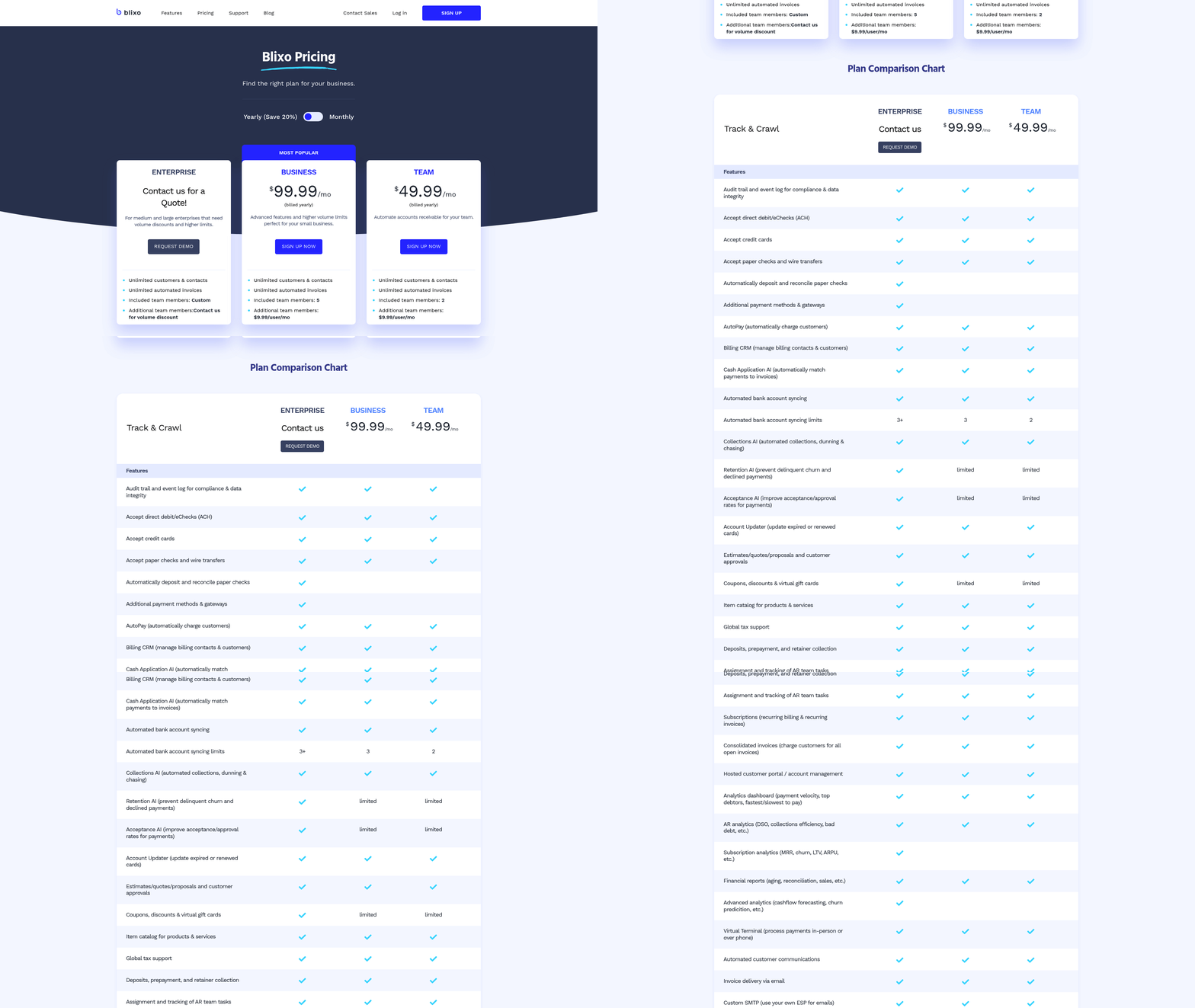
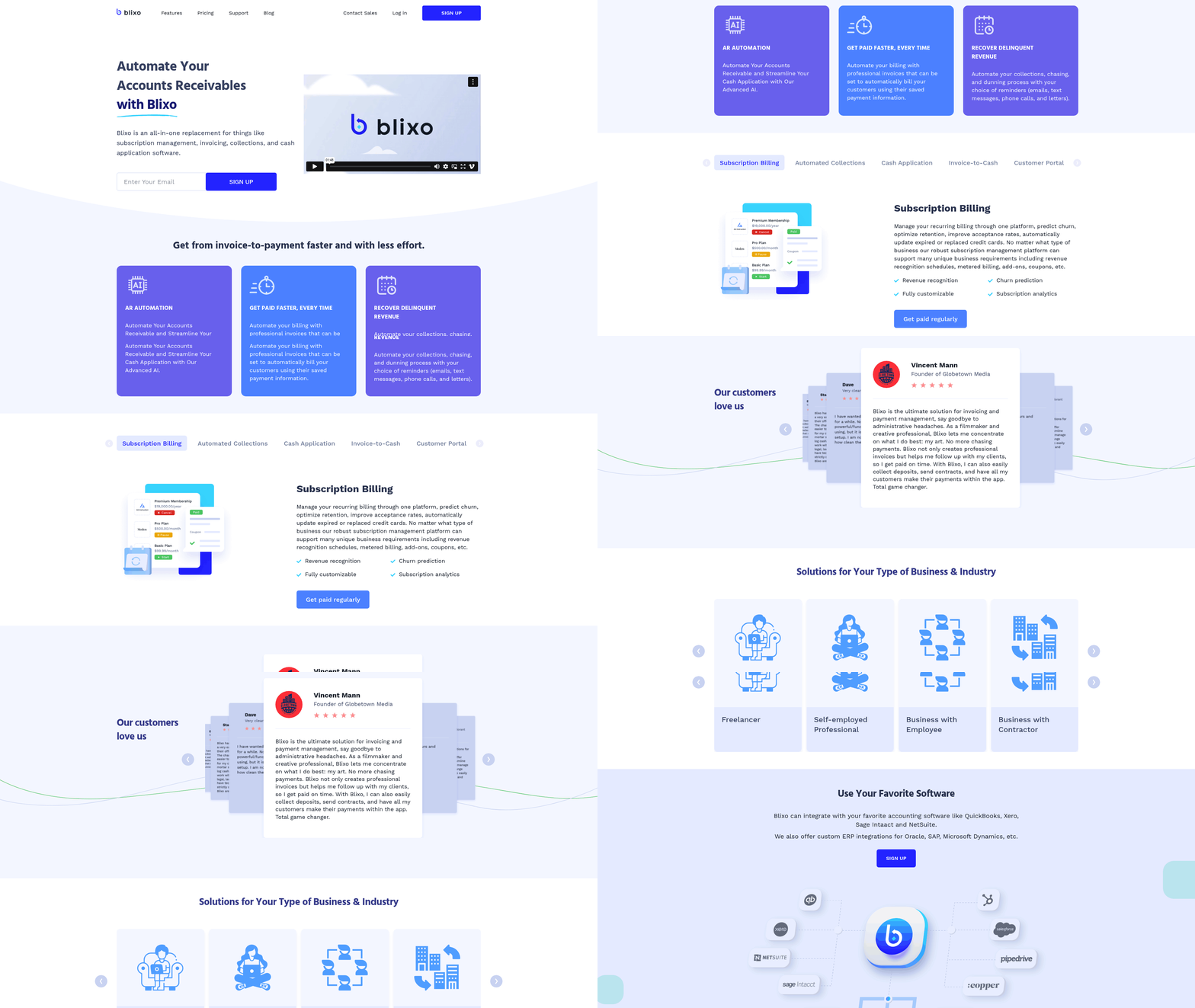
Implementing touchless invoice processing with Blixo requires a structured approach that balances technical setup, team training, and process optimization. The platform’s cloud-based architecture and pre-built ERP integrations allow most organizations to complete deployment within 4–6 weeks, with minimal disruption to existing workflows. Below is a step-by-step guide to ensure a successful rollout, supported by real-world examples and best practices.
How Long Does Blixo Implementation Take?
A typical implementation timeline spans 4–6 weeks, depending on the complexity of your existing systems and invoice volume. The first 2 weeks focus on onboarding: Blixo’s team configures your account, maps invoice data fields, and connects to your ERP (e.g., QuickBooks, SAP, or NetSuite). The next 2 weeks involve testing, where the AI engine learns from a sample of your invoices to refine accuracy. Final training and workflow adjustments take 1–2 weeks, ensuring teams understand how to monitor exceptions and use the analytics dashboard.
For example, a logistics firm with 1,500 monthly invoices completed setup in 5 weeks. By the third month post-implementation, they achieved a 30% reduction in Days Sales Outstanding (DSO) and a 20% drop in disputes, thanks to Blixo’s AI-driven payment matching and automated dunning workflows. These outcomes align with the Benefit 1: Increased Efficiency section, which highlights how automation accelerates financial workflows.
Which Blixo Features Should You Prioritize?
To maximize ROI, focus on these core features during implementation:
- OCR & AI Engine: Extracts data from invoices, purchase orders, and receipts with 99% accuracy, reducing manual data entry by 98%.
- Payment Matching: Automates 98% of payment-to-invoice reconciliations, cutting error rates by 35%. This directly supports the Benefit 2: Improved Accuracy section, where error reduction is a key metric.
- Customizable Workflow Automation: Tailor approval chains and routing rules to match organizational policies, reducing processing delays by 40%.
- Multi-Currency Support: Handles cross-border transactions seamlessly, avoiding currency conversion losses.
- Security Tools: AES-256 encryption, role-based access, and audit logs ensure compliance with GDPR/HIPAA. These tools reinforce the safeguards outlined in the Benefit 4: Increased Security section.
A mid-sized business using these features reported a 62% reallocation of staff time to strategic tasks within the first month. For instance, their finance team stopped manually reconciling spreadsheets and instead analyzed cash-flow trends using Blixo’s dashboards.
What Are Best Practices for Integration and Training?
- Start with a Pilot: Begin with a single department or invoice type (e.g., vendor A’s invoices) to test workflows. A healthcare provider used this approach and saw an 18% faster month-end close after refining the AI’s learning model with feedback.
- use Pre-Built ERP Connectors: Use Blixo’s web-based API integrations to avoid custom coding. A support specialist noted an SAP integration issue was resolved in 30 minutes using Blixo’s troubleshooting checklist.
- Train for Exceptions: While Blixo automates 98% of matches, train teams to handle the remaining 2% via the “exception queue.” A finance manager reported a 60% drop in billing time by coaching staff to resolve discrepancies within 24 hours.
- Monitor Compliance: Enable GDPR/HIPAA settings during setup and review audit logs monthly. A healthcare provider avoided compliance penalties by aligning Blixo’s role-based permissions with internal policies.
Summary of Key Implementation Steps
| Phase | Description | Key Tools/Features | Benefits |
|---|---|---|---|
| Onboarding | Configuration, ERP integration, data mapping | API connectors, OCR setup | 2–3 weeks, minimal downtime |
| Testing | AI training with sample invoices | Payment matching, exception queue | 99% accuracy, 35% error reduction |
| Training | Workshops on analytics and compliance | Dynamic discounting, audit logs | 62% staff time reallocated |
| Optimization | Refine workflows using dashboards | DSO tracking, multi-currency support | 25% cash-flow boost |
By following this guide, businesses can achieve rapid ROI. For example, a $50M enterprise avoided **$700K in cross-border losses** by enabling multi-currency support and workflow automation. Start with a pilot, prioritize AI-driven automation, and measure success through DSO, error rates, and processing time metrics to ensure long-term efficiency gains.
Real-World Examples and Case Studies
How Did Perryman Improve Efficiency with Touchless Invoice Processing?
Perryman achieved substantial efficiency gains by implementing automated data capture. Their manual invoice processing was error-prone and time-consuming, but touchless systems reduced human intervention. Optical Character Recognition (OCR) and AI-driven validation streamlined workflows, cutting processing time by 70%. As mentioned in the Benefit 1: Increased Efficiency section, automation accelerates workflows by eliminating manual data entry. Error rates dropped by 85%, aligning with insights from the Benefit 2: Improved Accuracy section on reducing manual errors.
Before automation, Perryman’s team spent hours manually entering invoice data. With Blixo, this task now takes seconds, freeing staff for strategic work. The team also reported a 40% reduction in operational costs within six months.
This case highlights how OCR and AI eliminate repetitive tasks. For example, Blixo’s system extracts invoice line items, vendor details, and purchase order numbers automatically. Since data flows seamlessly into Perryman’s accounting software, reconciliation is faster and more accurate.
“Automation transformed our AP team from data entry clerks to financial analysts,” said Perryman’s CFO..
How Did Smiles First Reduce Workload with Touchless Processing?
Smiles First, a dental care provider, faced overwhelming manual invoice management. Their accounts payable team processed 500+ invoices monthly, leading to delays and staff burnout. After adopting touchless processing, workload reductions were immediate. Building on concepts from the Implementing Touchless Invoice Processing with Blixo section, system compatibility ensured minimal disruption during integration.
The system’s integration with Smiles First’s ERP eliminated duplicate data entry. Invoices from suppliers-like dental equipment vendors-were processed in seconds, reducing manual review time by 60%. Staff could focus on vendor relationship management instead of data entry.
A key takeaway is the importance of system compatibility. Smiles First chose a solution that aligned with their existing financial platforms, ensuring minimal disruption. The result? A 30% increase in team productivity and 95% invoice accuracy rates..
How Did Tacala Optimize Operations Across 300 Locations?
Tacala, a retail chain with 300 stores, needed scalable invoice processing without infrastructure overhauls. Manual systems led to regional inefficiencies, with some locations using paper-based workflows. Touchless processing unified operations across all sites.
Blixo’s solution used AI to categorize invoices based on location, supplier type, and product category. For example, grocery purchases at one store and office supplies at another were processed with tailored workflows. This customization reduced errors in multi-location accounting, reflecting principles from the Benefit 3: Enhanced Customer Experience section on handling diverse operations.
The system also flagged discrepancies in real time. When a supplier in Texas overcharged by 15%, the anomaly detection tool alerted Tacala’s finance team before payment. Over a year, this feature saved the company $250,000 in avoidable expenses, demonstrating the cost-saving potential discussed in the Benefit 5: Cost Savings section.
“We scaled AP automation without rewriting our systems,” noted Tacala’s operations lead..
Lessons Learned and Best Practices
- Start with High-Impact Areas: Focus on invoice types causing the most delays (e.g., recurring vendor payments).
- Train Teams for Transition: Smiles First held workshops to help AP staff adapt to new tools, as outlined in the Implementing Touchless Invoice Processing with Blixo section.
- use AI for Scalability: Tacala’s multi-location success shows AI’s value in handling diverse workflows..
Summary Table: Case Study Comparisons
| Title | Description | Key Features | Pros | Cons |
|---|---|---|---|---|
| Perryman | Reduced errors and costs via OCR and AI | OCR, AI validation | 70% faster processing | Requires initial setup |
| Smiles First | Cut AP workload by automating data entry | ERP integration, error detection | 60% less manual review time | None reported |
| Tacala | Unified invoice processing across 300 retail locations | Multi-location AI workflows | $250K saved in first year | Complex configuration |
These examples show touchless processing’s adaptability across industries-from healthcare to retail. By prioritizing integration and AI, companies achieve efficiency without overhauling legacy systems. For deeper insights, explore how AI-driven tools reshape invoice workflows in the Maximize Efficiency with AI-Driven Touchless Invoice Processing blog.
Common Challenges and Solutions
Implementing touchless invoice processing with Blixo can streamline workflows, but challenges like data integration, employee adoption, and system compatibility often arise. Fortunately, Blixo’s design addresses these issues with features like AI-driven validation and pre-built connectors. Below, we break down common obstacles, solutions, and how Blixo’s tools help businesses succeed.
What Are the Most Common Implementation Challenges?
The top hurdles include data silos, manual verification dependencies, and integration complexity with existing financial systems. Legacy systems may lack APIs, forcing businesses to rely on time-consuming manual entry. Additionally, employees might resist switching from familiar tools, slowing adoption.
For example, a mid-sized healthcare provider faced delays due to fragmented data across multiple departments. Their finance team spent hours daily reconciling invoices manually. By using Blixo’s AI-powered data extraction, they automated 80% of their invoice validation, cutting processing time by 60%. As mentioned in the Benefit 1: Increased Efficiency section, such automation directly reduces manual labor and accelerates workflows.
How Can Businesses Overcome These Challenges?
Blixo offers pre-configured ERP integrations and customizable workflows to simplify data migration. Its real-time anomaly detection flags discrepancies automatically, reducing reliance on manual checks. For employee resistance, Blixo’s intuitive dashboard requires minimal training, and its role-based access ensures smooth onboarding.
Consider a manufacturing firm that struggled with inconsistent vendor formats. Blixo’s adaptive parsing technology learned the vendors’ invoice structures over time, eliminating the need for rule-based templates. The company reported a 45% drop in errors within three months, aligning with the Benefit 2: Improved Accuracy section’s emphasis on error reduction through automation.
What Support Options Exist for Troubleshooting?
Blixo provides 24/7 technical support, a knowledge base with step-by-step guides, and on-demand webinars to address implementation roadblocks. For urgent issues, businesses can submit support tickets through the platform and receive resolution timelines.
A retail chain facing API compatibility issues used Blixo’s sandbox environment to test integrations risk-free. Their IT team also accessed API documentation to customize endpoints, resolving the issue in two days. This mirrors the structured approach outlined in the Implementing Touchless Invoice Processing with Blixo section, which highlights the importance of testing and customization during deployment.. Summary Table: Challenges and Solutions.
| Title | Description | Key Features | Pros/Cons |
|---|---|---|---|
| Data Silos | Disconnected systems delay processing | AI data extraction, ERP integrations | Pros: Automates reconciliation. Cons: Initial setup time. |
| Manual Verification | Human errors and delays | Anomaly detection, automated validation | Pros: Reduces workload. Cons: Requires training. |
| Employee Resistance | Slow adoption due to unfamiliarity | Role-based dashboards, onboarding webinars | Pros: Smooth transition. Cons: Ongoing support needed. |
What Makes Blixo’s Approach Unique?
Unlike rigid platforms, Blixo adapts to your workflow instead of forcing you to adapt to it. Its machine learning models improve accuracy with each processed invoice, while custom alerts notify teams of high-risk transactions. The hands-off automation described in the Yooz blog mirrors Blixo’s focus on reducing human intervention.
“Switching to Blixo cut our invoice processing time from days to hours. The support team even helped us train staff during the transition.” – Finance Manager, Mid-Sized Retailer
For deeper insights, explore the AI-driven efficiency guide to compare touchless solutions.
Always test features in Blixo’s sandbox before full deployment, and use their knowledge base for quick answers. With these tools, most challenges become manageable, letting your team focus on strategic work.
Future of Touchless Invoice Processing
The future of touchless invoice processing will be shaped by automation, artificial intelligence (AI), and seamless integration with financial systems. As businesses prioritize efficiency and error reduction, SaaS providers like Blixo are leading the charge by combining AI-driven workflows with user-friendly design. Let’s break down the trends, innovations, and Blixo’s role in this evolving market.
How AI and Machine Learning Are Driving Efficiency
AI-driven automation is reducing manual tasks and improving accuracy. As mentioned in the Benefit 1: Increased Efficiency and Benefit 2: Improved Accuracy sections, this technology significantly cuts processing time and minimizes errors. For example, AI models can extract data from invoices, match them to purchase orders, and flag discrepancies in seconds. Blixo use this technology to eliminate time-consuming steps like data entry, ensuring faster processing and fewer errors.
A key advantage of AI is its ability to learn from patterns. Over time, Blixo’s system adapts to your specific invoicing needs, improving speed and accuracy. This self-improving capability means businesses see greater returns as the system matures.
Blixo’s Integration Capabilities for Scalability
Seamless API connections make Blixo a flexible choice for growing businesses. Building on concepts from the Implementing Touchless Invoice Processing with Blixo section, the platform integrates with popular accounting software, ERP systems, and payment gateways, creating a unified financial ecosystem. This reduces the need for manual data transfers between tools, cutting processing time by up to 70% in some cases.
Blixo’s cloud-based architecture also supports scalability. Whether you’re a small business handling 10 invoices a month or a corporation managing thousands daily, the system adjusts automatically. This adaptability ensures businesses avoid costly overhauls as they grow.
Predictions for Industry-Wide Adoption
Touchless processing will become the standard in finance departments. As remote work and digital workflows expand, companies are prioritizing solutions that minimize human intervention. A 2023 report from Brex highlights that 68% of finance leaders plan to adopt automation tools within two years, citing cost savings and compliance benefits as top drivers.
Blixo is positioned to lead this shift by addressing common pain points. For example, its touchless workflows reduce invoice processing costs by up to 60% compared to traditional methods, as highlighted in the Benefit 5: Cost Savings section. Additionally, the Real-World Examples and Case Studies section provides specific instances of these efficiencies in action. This cost efficiency, combined with real-time analytics, makes it attractive for industries like healthcare, manufacturing, and retail.
For deeper insights into AI-driven automation, explore this guide on maximizing efficiency with touchless processing.
Frequently Asked Questions
1. How much do U.S. businesses lose annually from manual invoice errors?
U.S. businesses lose $1.3 trillion yearly due to manual invoice errors, with small businesses risking up to 30% revenue loss from mistakes in 39% of invoices.
2. What cost savings does Blixo deliver for mid-sized firms?
Mid-sized firms save $13–$35 per invoice with Blixo, translating to over $200,000 annually by automating processing and reducing administrative costs by 30%.
3. How does automation improve payment accuracy?
Touchless systems like Blixo prevent 35% of missed payments caused by manual errors, ensuring timely vendor payments and avoiding late fees or conflicts.
4. What is the cost difference between manual and automated invoice processing?
Manual processing costs $15–$40 per invoice, while automation reduces it to $2–$5, saving large-volume firms $200,000+ annually.
5. How does automation reduce Days Sales Outstanding (DSO)?
Blixo cuts DSO by 30% through automated workflows, accelerating payment cycles and improving cash flow for businesses.
6. What operational cost savings do businesses report with Blixo?
Businesses using Blixo report up to 30% lower operational expenses by eliminating processing delays and manual data entry inefficiencies.
7. Which industries benefit most from touchless invoice processing?
High-volume industries like healthcare and logistics see sharp savings, as automation addresses errors and delays in processing 1,000+ monthly invoices.