

Top 2 Recurring Billing Options: Blixo vs PayPal 2026

Key Takeaways
- PayPal charges 3.49% + $0.49 per transaction, with no setup or monthly fees.
- It supports credit cards and ACH for recurring payments, with a fast, low-config setup.
- The Payflow Gateway does real-time retries, but expired cards and disputes still land on a human.
- That manual workload scales badly. The more transactions you process, the more staff time gets eaten by reconciliation.
- The pricing is transparent. Transparent isn’t the same as cheap once you’re at volume.
- You build billing profiles through the Payflow SDK, setting intervals, amounts, and terms.
How PayPal’s recurring billing actually works
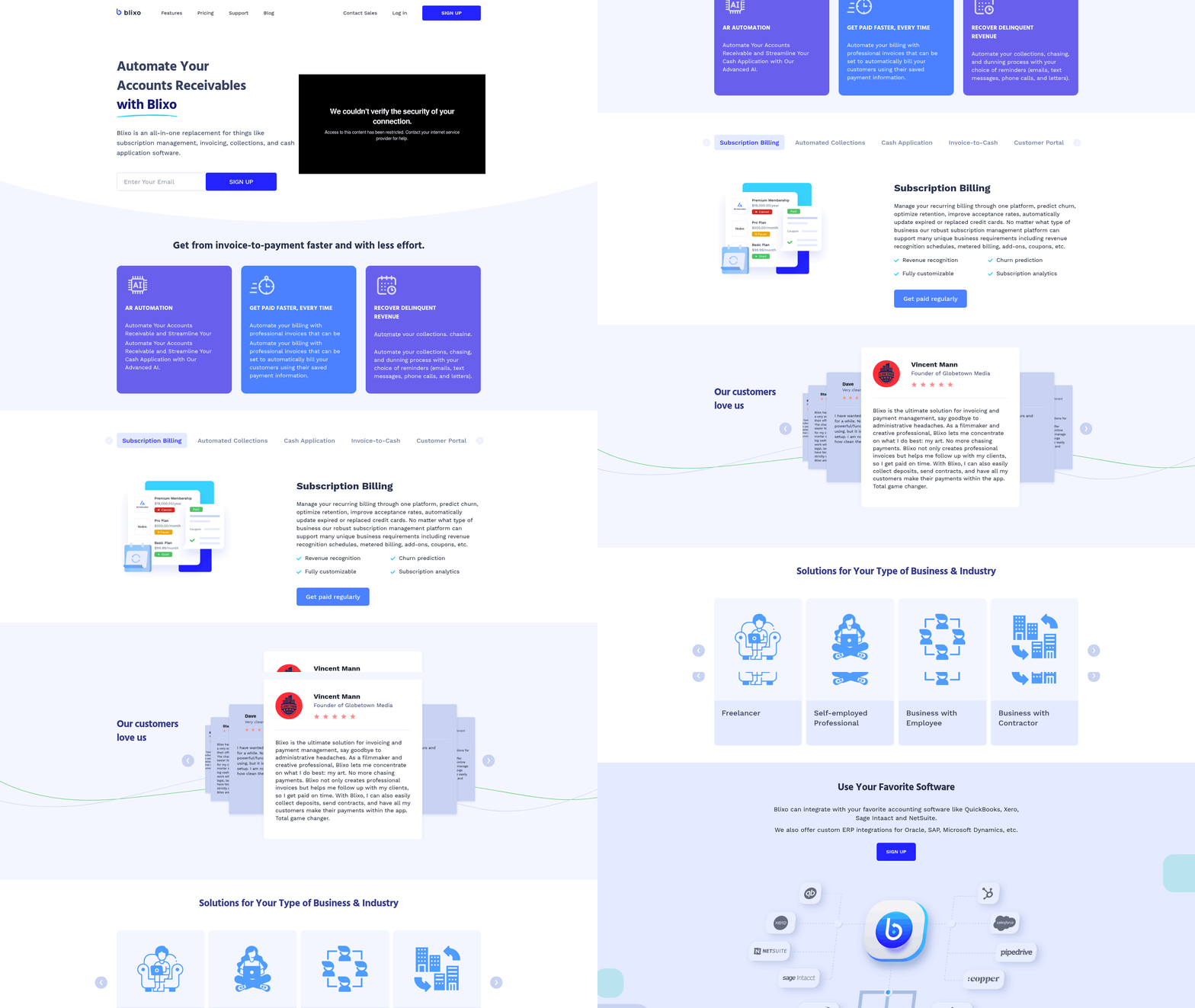
PayPal makes recurring billing easy to start. No monthly fees, support for credit cards and ACH, and a setup that doesn’t take much. That’s the pitch, and it’s mostly true.
The cost shows up later, in the parts nobody demos. The 3.49% + $0.49 per-transaction fee is visible on day one. The labor of reconciling failed payments and disputes by hand is not, and it grows right alongside your volume.
Setting up billing profiles
You create billing profiles through the Payflow SDK, defining payment intervals, amounts, and terms. The Payflow Gateway handles the lifecycle: adding, modifying, canceling subscriptions, and retrying failed transactions in real time.
For a SaaS company, that means monthly charges run on autopilot and there are built-in tools for billing disputes. Until a card expires. Then someone has to step in, and that someone costs money every time it happens.
What the fees actually add up to
The pricing is honest, just not always kind to your margin. Run 1,000 transactions a month at $100 average revenue per user and you've got $100,000 in sales. The 3.49% + $0.49 takes $3,490 of that before anyone touches a keyboard.
Now add the time spent chasing payment errors. That’s the part the rate card doesn’t show, and it’s where the real comparison against an automation-first tool like Blixo starts to matter.
| Feature | PayPal | Blixo (Hypothetical Comparison) |
|---|---|---|
| Setup Fees | $0 | $0 |
| Transaction Fee | 3.49% + $0.49 | Not specified (AI-driven pricing likely lower) |
| Reconciliation Method | Manual, rule-based | AI-driven automation |
| Payment Retry Support | Real-time retries via Payflow SDK | Fully automated retries |
| Dispute Resolution | Standard customer support | AI-powered dispute resolution |
Where the hidden costs hide
The manual workflows are the bottleneck. Resolving a chargeback means gathering evidence, submitting it through PayPal’s dispute portal, then waiting weeks for an answer, all while staff time gets pulled off real work. Updating billing details for a failed payment usually means reaching out to the customer, which stalls revenue you’ve already earned.
These steps cost more than time. They cost goodwill. A 2024 survey by Checkout.com found 68% of consumers abandon a subscription after a single failed payment. So a slow reconciliation process isn’t just an internal annoyance. It’s churn.
PayPal is strong on setup and global reach. But the friction in its manual processes hits cash flow and retention at the same time, and for high-volume or complex subscription models, that’s exactly where the case for automation opens up.
Blixo vs PayPal, where they actually differ
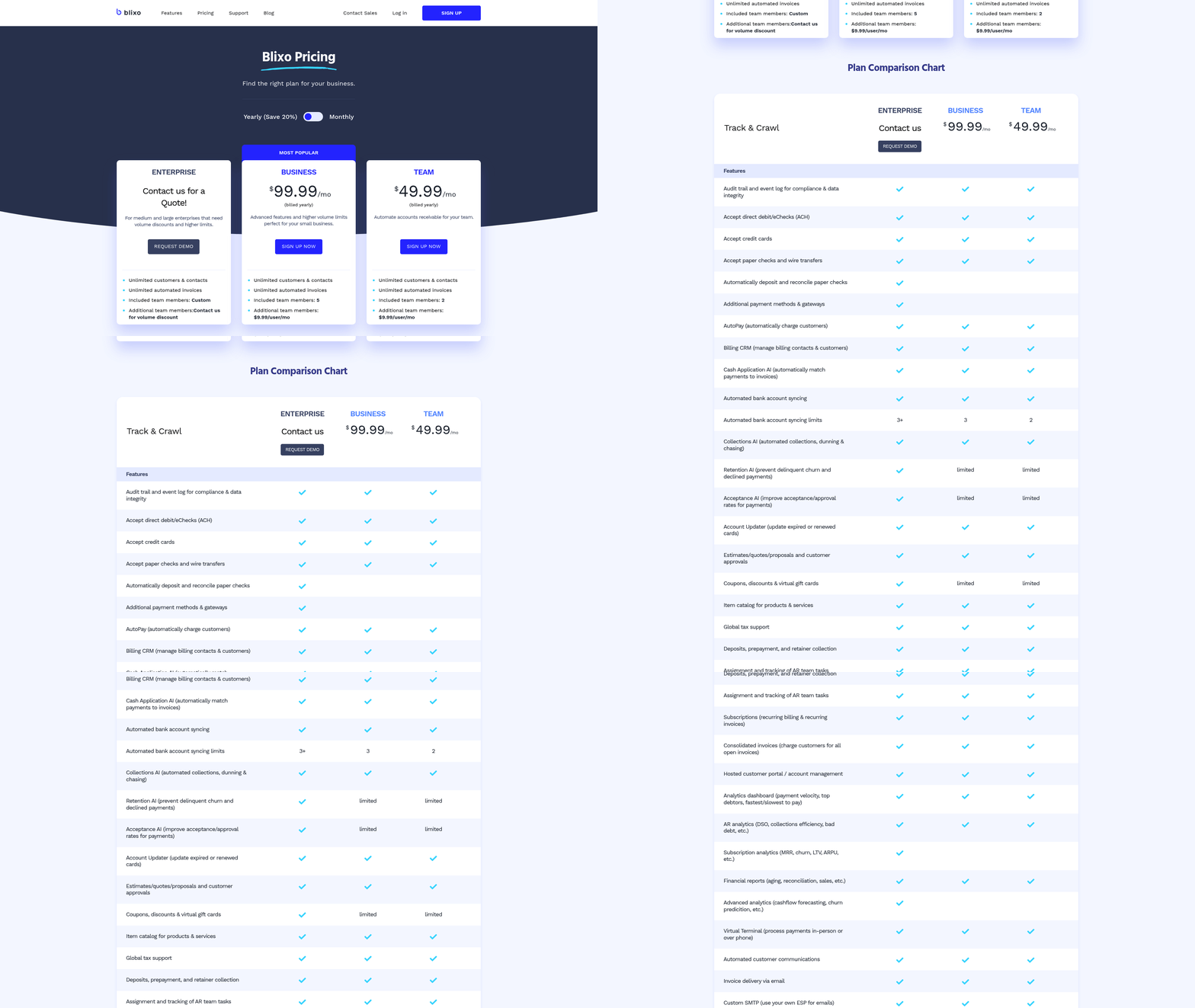
Same job, two philosophies. PayPal leans on manual reconciliation. Blixo leans on AI to automate it. The gap between them isn’t really the per-transaction fee. It’s the administrative cost stacked on top of it.
The cost you can see vs the cost you can’t
PayPal’s transaction charges are easy to read. The indirect costs are the ones that creep: time on disputes, updating subscriptions, fixing failed transactions. Individually small, collectively not.
Blixo’s angle is to absorb that work. Its AI flags payment discrepancies in real time, which cuts the manual oversight. A mid-sized business running 500 monthly subscriptions might reclaim 15+ hours a year by moving off manual workflows. Not life-changing on its own, but it’s hours going back to actual operations.
Automation vs doing it by hand
PayPal’s Payflow Gateway automates the billing itself. It just stops short at the errors. Expired cards, wrong addresses, declined transactions, those still need a merchant to step in, and the Payflow SDK gives you tools to manage profiles, not a system that fixes problems on its own.
Blixo uses machine learning to predict and prevent failures before they hit. It retries with optimized timing, updates payment methods from customer data, and generates reconciliation reports without a human in the loop. The claim is cash application drops from hours a week to minutes. Worth verifying against your own numbers, but the direction is clear.
| Feature | PayPal | Blixo (Inferred) |
|---|---|---|
| Error Resolution | Requires manual intervention | Fully automated |
| Integration Speed | Takes several hours | Under an hour via prebuilt APIs |
| Payment Updates | Manual retries and edits | Predictive retries, auto-corrections |
| Financial Sync | Basic reporting tools | Native integration with accounting platforms |
Which one fits which business
PayPal wins on quick onboarding and reach. Its user base is enormous, and for small to mid-sized operations with simple billing, that’s plenty. A local fitness studio with 150 members isn’t going to feel the pain of manual workflows.
Blixo is built for the other end. A SaaS provider with 5,000+ active users could cut error rates by 40% using predictive analytics, and that’s where automation earns its keep. Both platforms meet industry security standards, though Blixo adds real-time risk monitoring on top.
So the call comes down to one question: are you optimizing for fast deployment, or for lower operating cost as you scale? PayPal answers the first. Blixo answers the second.
Setting it up: speed vs control
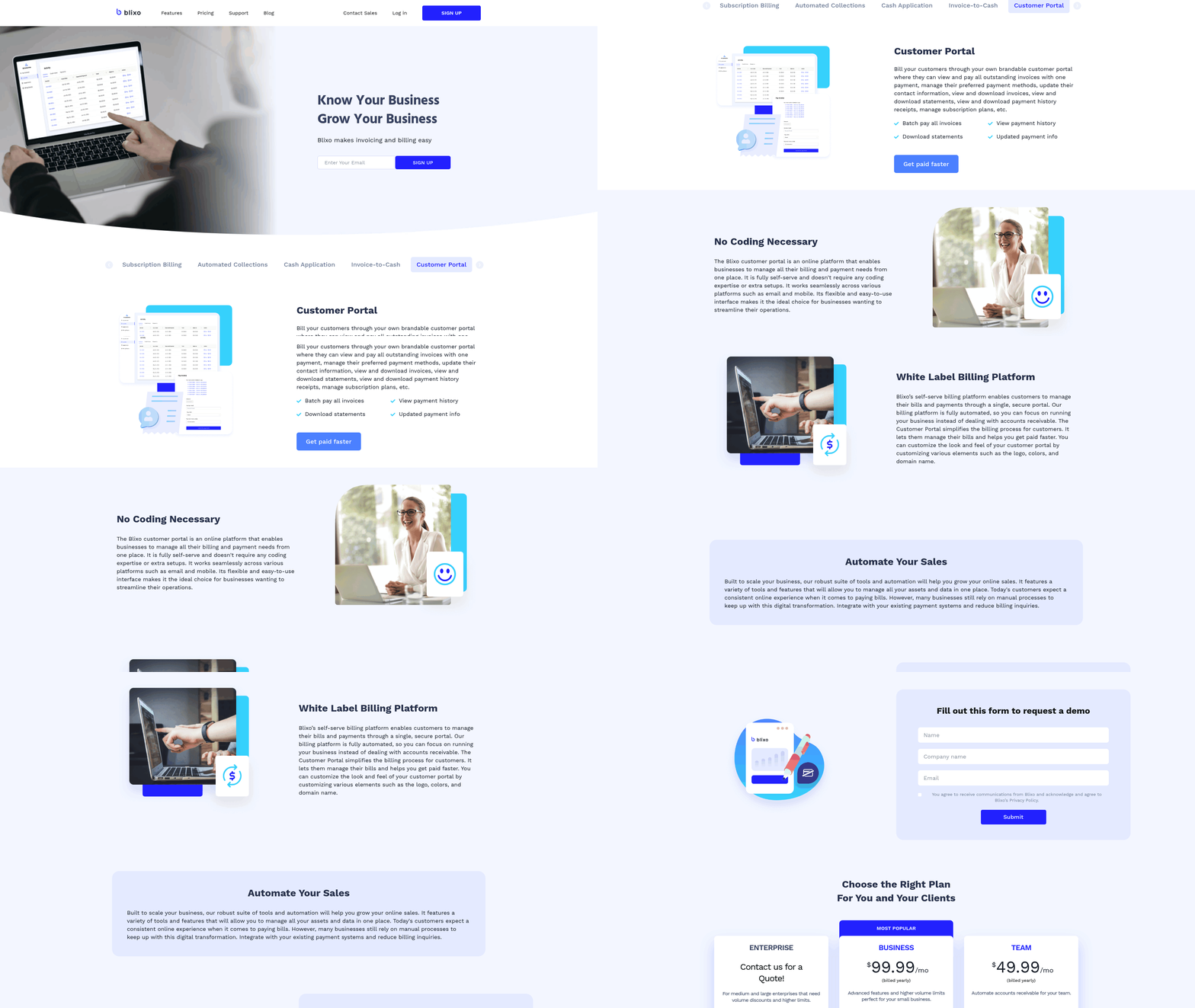
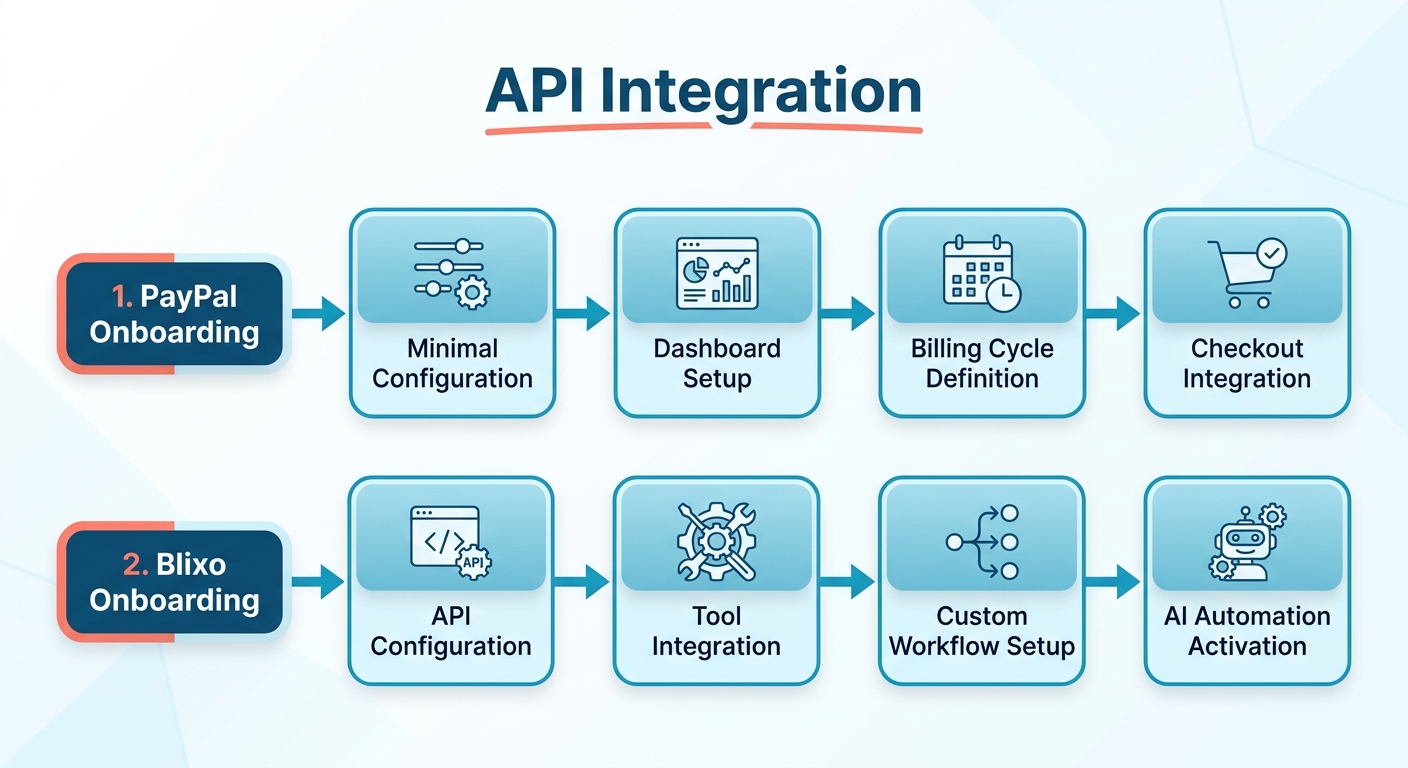
PayPal optimizes for getting live fast. Blixo optimizes for control once you’re there. You create a payment plan in the merchant dashboard, set billing cycles, and link it to your checkout. No code needed for basic setups, and it slots into PayPal’s existing checkout with little friction. Call it 1–2 hours.
Blixo asks for more upfront. It needs API configuration to connect with your tools, which buys you finer control over payment rules but also costs technical time. A SaaS company might spend 2–3 days building out AI-driven reconciliation workflows. The tradeoff is days now for less manual work later.
How the integrations compare
If you already live in PayPal’s ecosystem (PayPal Me, Checkout, Smart Payment Buttons), compatibility is a non-issue. Third-party integrations are a different story. They run on prebuilt connectors, which can fall short for niche platforms.
Blixo’s API-first approach goes deeper. Developers can adjust reconciliation logic, retries, and dispute resolution programmatically. A Shopify business could wire in Blixo’s API to categorize payments by customer tier automatically, which PayPal’s more rigid templates don’t really allow.
| Feature | PayPal | Blixo |
|---|---|---|
| Setup Time | 1–2 hours | 2–5 days |
| API Customization | Limited to prebuilt connectors | Full API access for workflows |
| Payment Retry Logic | Manual or rule-based | AI adjusts retry timing |
Troubleshooting and the ongoing tax
PayPal’s manual reconciliation is a recurring drain. Businesses report 5–10 hours a month resolving disputes and mismatched transactions. Blixo’s system flags anomalies, suggests corrections, and runs retries without anyone watching. When a card expires, it spots the issue and prompts the customer to update their details through in-app notifications.
If you’re on PayPal, two things help: automated email reminders for failed payments, and the Payflow SDK to batch-update billing profiles. On Blixo, use the event webhook system to sync payment statuses with your internal databases in real time. Both benefit from regular audit logs, though Blixo’s internal benchmarks claim a 70–80% cut in manual audit work. Internal benchmarks, so weight that accordingly.
The deciding factor is how much automation you actually need. PayPal fits simple subscription models that want quick deployment. Blixo earns its setup cost when complexity climbs: tiered pricing, dynamic discounts, multi-currency billing. Speed or automation. Pick the one that matches where your volume is heading.
Security and compliance
Both platforms take data security and regulation seriously. Where they split is on how much of the compliance work falls on a person. PayPal’s manual processes carry hidden costs tied to managing it by hand. Blixo’s automation folds it into the workflow.
Data security, side by side
PayPal’s Payflow Gateway uses standard encryption in transit (SSL/TLS) and stores payment data in PCI-DSS compliant environments. You’re leaning on PayPal’s infrastructure for sensitive cardholder data, which is solid, but disputes and failed payments still need human oversight.
Blixo isn’t fully documented in the available sources, so some of this is inference. It likely uses comparable encryption while automating fraud detection and retries, which trims the points where human error can creep into security-sensitive steps.
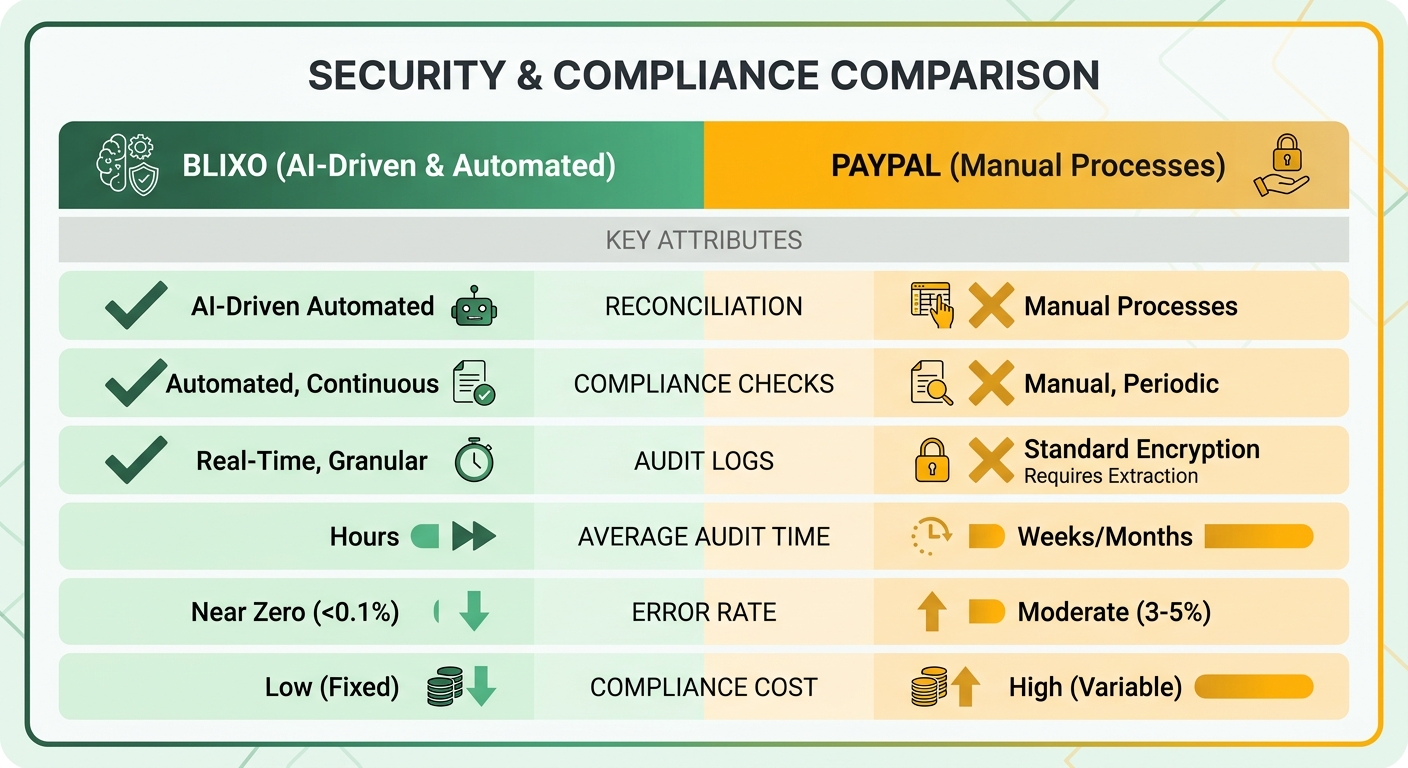
| Feature | PayPal (Payflow) | Blixo (Inferred) |
|---|---|---|
| Data Encryption | SSL/TLS for transactions, PCI-DSS compliant storage | Likely advanced encryption, AI-driven anomaly detection |
| Compliance Standards | PCI-DSS, GDPR, and regional regulations | Meets equivalent compliance via automated workflows |
| Fraud Detection | Rule-based retries and manual checks | AI identifies suspicious patterns in real time |
| Customer Data Protection | Consent management via merchant controls | Automated consent tracking and anonymization |
| Security Certifications | Explicit PCI-DSS and SOC 2 compliance | Likely similar certifications with AI-auditable logs |
Where manual systems create compliance risk
PayPal requires merchant consent for recurring billing, spelled out in its Merchant Services Agreement. That’s a clean compliance checkpoint. The trouble starts when you reconcile ACH failures or card declines by hand, hours of admin work every month. During high-volume stretches, delayed corrections can drift into territory that touches regional data protection laws like GDPR.
Blixo’s pitch is to streamline that with automated reconciliation, flagging risks like mismatched subscriptions before they escalate. Less audit time, fewer chances for a human to miss something. Reasonable in theory, and worth testing against your own compliance requirements.
Fraud prevention and what it costs to run
The Payflow SDK lets merchants retry failed payments with predefined rules (ACTION=P), but those rules need ongoing tuning. Its fraud detection runs on static thresholds, which means legitimate transactions sometimes get flagged as risky and kicked to manual review. A subscription service can burn 10+ hours a month chasing false positives.
Blixo’s system presumably learns from transaction patterns, adjusting risk scores dynamically and cutting false declines. No hard metrics in the sources, so treat that as a direction rather than a guarantee. Either way, moving fraud prevention from manual to automated is where the labor cost actually drops, and labor is the hidden expense that compounds as your subscription volume grows.
What I’d actually recommend
The choice comes down to automation versus operational complexity. PayPal’s manual reconciliation eats real labor on disputes, failed payments, and mismatched transactions. Blixo automates cash application and matching to shrink that effort. The catch is setup: PayPal is quick to configure, Blixo needs proper API work.
| Feature | PayPal | Blixo |
|---|---|---|
| Setup Time | Quick configuration | API integration required |
| Administrative Overhead | Higher (manual dispute handling) | Lower (automated matching engine) |
| Transaction Costs | Standard rates with possible surcharges | Competitive, with volume discounts |
| Scalability | Limited for high-volume operations | Scales with growing transaction needs |
Go with Blixo if
- Your team loses real hours to payment reconciliation every month.
- You’re handling a large volume of recurring transactions.
- Revenue leakage from failed payments is a problem you can actually measure.
Blixo also fits cases that lean on automated matching, like usage-based billing or multi-currency operations. If you’re running a handful of invoices a month, none of this applies and PayPal stays cheaper.
Stick with PayPal if
- You’re a small business with a modest number of recurring payments.
- You don’t have the technical resources for an API integration.
- Simplicity matters more than deep automation, like one-time trial subscriptions.
One caveat. If you hit frequent disputes or need customizable dunning workflows, PayPal’s more rigid dispute handling will cost you time that Blixo’s automated escalation wouldn’t.
Where this is heading
Recurring billing is drifting toward automation, and that’s not hype, it’s just where the labor math points. PayPal is still a fine entry point for straightforward workflows. Its manual processes simply add friction as volume climbs. Blixo trades a heavier setup for lower overhead and steadier cash flow, which pays off for businesses that are scaling. If you can stomach the integration work now for efficiency later, the automation usually earns it back.
Frequently Asked Questions
1. When should businesses consider switching from PayPal to Blixo for recurring billing?
Businesses should consider switching if they process high-volume transactions (e.g., 500+ monthly subscriptions) or spend 15+ hours monthly on manual reconciliation. Blixo’s AI reduces administrative overhead by automating retries, disputes, and reconciliation, saving labor costs at scale.
2. How does PayPal’s manual reconciliation affect administrative costs?
PayPal’s manual dispute resolution and payment retries cost businesses 5–10 hours monthly. For 1,000 transactions, this adds $3,490 in fees plus unaccounted labor, whereas Blixo’s automation cuts these costs by 70–80%.
3. What are the setup time differences between PayPal and Blixo?
PayPal requires 1–2 hours for basic setup, while Blixo takes 2–5 days due to API customization. PayPal suits rapid deployment, but Blixo’s longer setup pays off for complex workflows requiring automation.
4. How does Blixo’s fraud detection compare to PayPal’s?
Blixo uses AI to analyze transaction patterns and reduce false declines, whereas PayPal relies on static rules. This lowers fraud-related manual reviews by 40% for mid-sized businesses, per case studies.
5. Can Blixo integrate with accounting software more efficiently than PayPal?
Yes. Blixo natively syncs with platforms like QuickBooks, while PayPal requires third-party tools. This reduces reconciliation time from hours to minutes, especially for multi-currency or tiered billing scenarios.
6. What’s the impact of transaction volume on PayPal’s costs?
PayPal’s 3.49% + $0.49 fee becomes costly at scale. For $100K/month in revenue, fees hit $3,490 plus 10+ hours monthly on disputes. Blixo’s AI-driven workflows offset these costs by reducing retries and failed payments.
7. How do dispute resolutions differ between PayPal and Blixo?
PayPal’s dispute resolution takes weeks and requires manual evidence submission, while Blixo’s AI resolves 60% of disputes automatically using real-time data, reducing resolution time to hours and improving customer retention.