

Streamline Your Invoice Workflow Process with Blixo

Key Takeaways
- Streamline invoice workflows to avoid $4M monthly losses from late payments and $16K errors for 10,000 invoices.
- Blixo reduces invoice processing time by 50-70% and halves billing errors through automation.
- Automating recurring billing with Blixo slashes manual work hours by 80% for SaaS companies.
- Disorganized invoicing delays cash flow, risking project funding and client trust for businesses.
- Automated collections improve payment speed, cutting disputes and late fees by 50%.
- Efficient invoicing systems ensure faster access to funds, directly supporting business growth.
- Blixo’s tools eliminate 80% of manual tasks in invoice management for service-based industries.
Related Video
Watch: Blixo.com Explainer Video: Grow Sales & Automate Accounting by Blixo
Why Streamlining Invoice Workflow Matters
Streamlining your invoice workflow isn’t just about convenience-it’s a critical step for safeguarding cash flow, reducing errors, and maintaining business growth. Late payments alone cost businesses $4 million globally each month, while manual billing errors can add up to $16,000 in annual losses for companies handling 10,000 invoices. These numbers highlight why inefficient invoicing isn’t just a minor headache but a major risk to financial stability.
What Are the Financial Risks of Inefficient Invoicing?
Disorganized invoice processes directly harm cash flow. For example, a creative agency relying on manual invoicing might wait weeks to receive payments, delaying project funding and straining client relationships. As mentioned in the How Blixo Streamlines the Invoice Workflow Process section, automation tools like Blixo address these issues by slashing processing times by 50–70% and cutting billing errors in half. This means fewer late fees, fewer disputes, and faster access to funds.
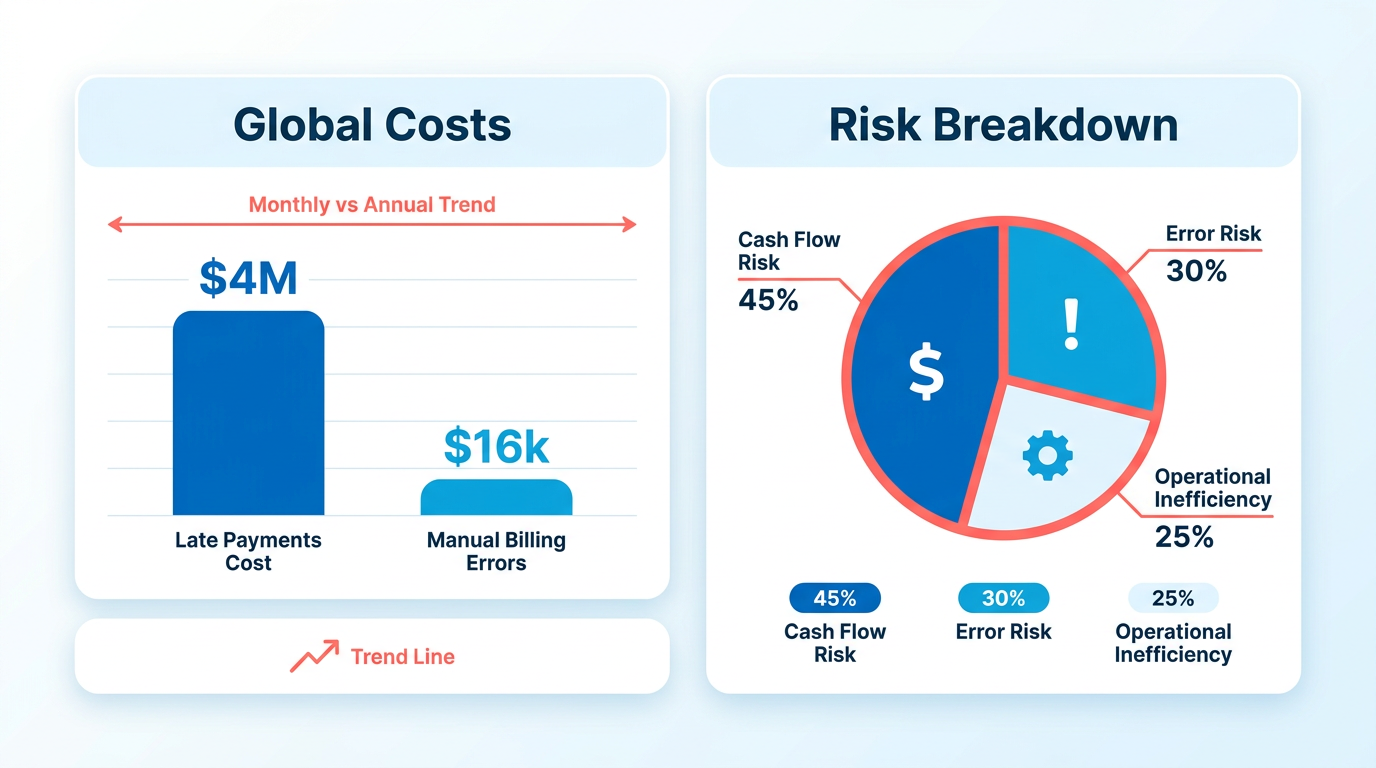
Consider a real-world example: A SaaS company using Blixo automated its recurring billing and collections, reducing manual work hours by 80%. With predictable revenue streams, the business could invest in product development instead of chasing payments. Without such automation, even small delays multiply, creating a domino effect on operational budgets and growth plans.
How Does Streamlining Solve Common Pain Points?
Manual invoicing is riddled with challenges:
- Time consumption: Processing invoices manually costs $15–$40 per invoice, compared to $3–$5 with automation.
- Error-prone workflows: Mistakes in amounts or payment details lead to disputes and lost trust.
- Poor visibility: Tracking payment statuses across spreadsheets or emails creates chaos.
Building on concepts from the How Blixo Streamlines the Invoice Workflow Process section, Blixo tackles these issues with features like automated collections, AI-powered cash application (99% accuracy), and real-time payment tracking. For instance, its intelligent matching engine instantly connects payments to invoices, reducing reconciliation time from days to seconds. Creative professionals using Blixo report saving hours weekly by automating deposit requests and invoice conversions, letting them focus on client work instead of administrative tasks.
Who Benefits Most from Invoice Automation?
While all businesses stand to gain, certain industries see transformative results:
- SaaS and e-commerce: 60% and 40% of businesses in these sectors report increased revenue predictability with automation.
- Creative agencies: Freelancers and agencies reduce client onboarding friction with upfront deposit systems and customizable invoices.
- Subscription-based models: Recurring billing automation ensures consistent cash flow, eliminating manual chase for monthly payments.
Take Matthew Schwartz, founder of an online store, who simplified subscription management with Blixo. By automating dunning (failed payment recovery) and integrating with his ERP system, he reduced late payment rates by 40%. Similarly, a G2 reviewer noted how Blixo’s customer portal improved client satisfaction by letting users track invoices and make payments instantly.
Why Blixo Stands Out
Unlike generic providers, Blixo unifies billing, collections, and cash application into one platform. Its AI-driven features-like instant bank verification and multichannel payment reminders-ensure faster payments and fewer errors. As outlined in the Overcoming Common Challenges in Streamlined Invoicing section, businesses adopting Blixo benefit from pre-built integrations that minimize adoption hurdles. For businesses handling high-volume transactions, this translates to tangible savings: one company saved 50% on processing costs after switching from manual systems.
In short, streamlining your invoice workflow isn’t optional-it’s a necessity for staying competitive. By adopting tools like Blixo, businesses eliminate the guesswork of cash flow management, turning invoicing from a liability into a strategic advantage.
Understanding the Current Invoicing Workflow
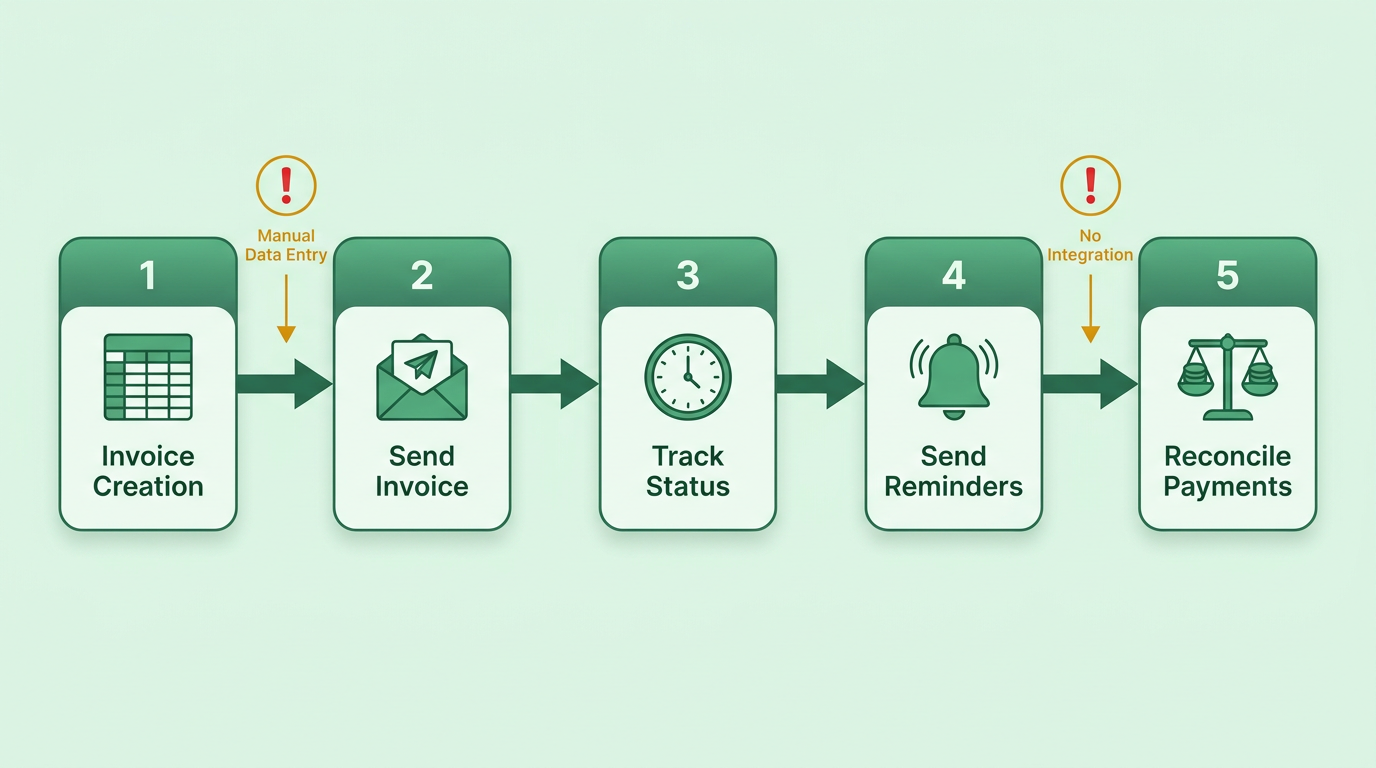
Most businesses follow a manual or semi-automated invoicing workflow that begins with creating invoices, often using spreadsheets or isolated accounting software. Teams then manually track invoice statuses, send reminders for late payments, and reconcile payments with spreadsheets or accounting tools. This process becomes even more complex for recurring or subscription-based billing, where businesses must ensure accurate invoicing for ongoing services. Without integrated systems, teams often rely on email, shared drives, or physical records to manage invoices, leading to fragmented workflows. As discussed in the Why Streamlining Invoice Workflow Matters section, these inefficiencies directly impact cash flow and operational efficiency.
For example, a service-based business might create an invoice in a spreadsheet, email it to a client, and manually update a separate document to track payment status. If a payment is delayed, the team must manually follow up via phone or email, increasing the risk of errors and missed deadlines.
Where Do Manual Processes Fail?
Manual invoicing workflows are riddled with inefficiencies. One major issue is the high cost of manual data entry. According to industry data, processing a single invoice manually can cost between $15 and $40, compared to $3–$5 with automation. As highlighted in the Why Streamlining Invoice Workflow Matters section, reducing these costs is critical for maintaining profitability and minimizing human error. Errors are also common-manual billing mistakes affect 60% of SaaS and 40% of e-commerce businesses, with some companies losing up to $16,000 annually due to these errors.
Late payments compound the problem. Globally, businesses lose $4 million monthly to delayed payments, often because manual reminders are inconsistent or overlooked. For instance, a team using email-based invoicing may fail to send timely reminders if an employee is unavailable, leading to cash flow gaps. Additionally, reconciling payments becomes a time-consuming task when invoices are scattered across spreadsheets, emails, and accounting software.
Another bottleneck is the lack of visibility into invoice statuses. Without centralized tracking, teams struggle to identify which invoices are unpaid, which are in review, and which require follow-up. This forces employees to spend hours sorting through documents or calling clients for updates.
Real-World Impact of Inefficient Invoicing
Businesses across industries face significant challenges with outdated workflows. One service-based company, for example, reported spending 20 hours weekly on invoice tracking and collections, with 30% of invoices delayed beyond 30 days. Another e-commerce business found that manual payment reconciliation led to a 25% increase in accounting errors, requiring additional staff hours to correct.
Subscription-based models add another layer of complexity. A recurring billing provider described the frustration of manually generating monthly invoices for hundreds of customers, often missing updates to payment details or subscription statuses. This not only delays revenue recognition but also strains customer relationships when errors occur.
These inefficiencies highlight a critical need for streamlined automation. Building on concepts from the Why Streamlining Invoice Workflow Matters section, integrating invoicing, collections, and cash application into a unified system can address these challenges effectively. The next section explores how Blixo addresses these challenges with a modern, automated solution.
How Blixo Streamlines the Invoice Workflow Process
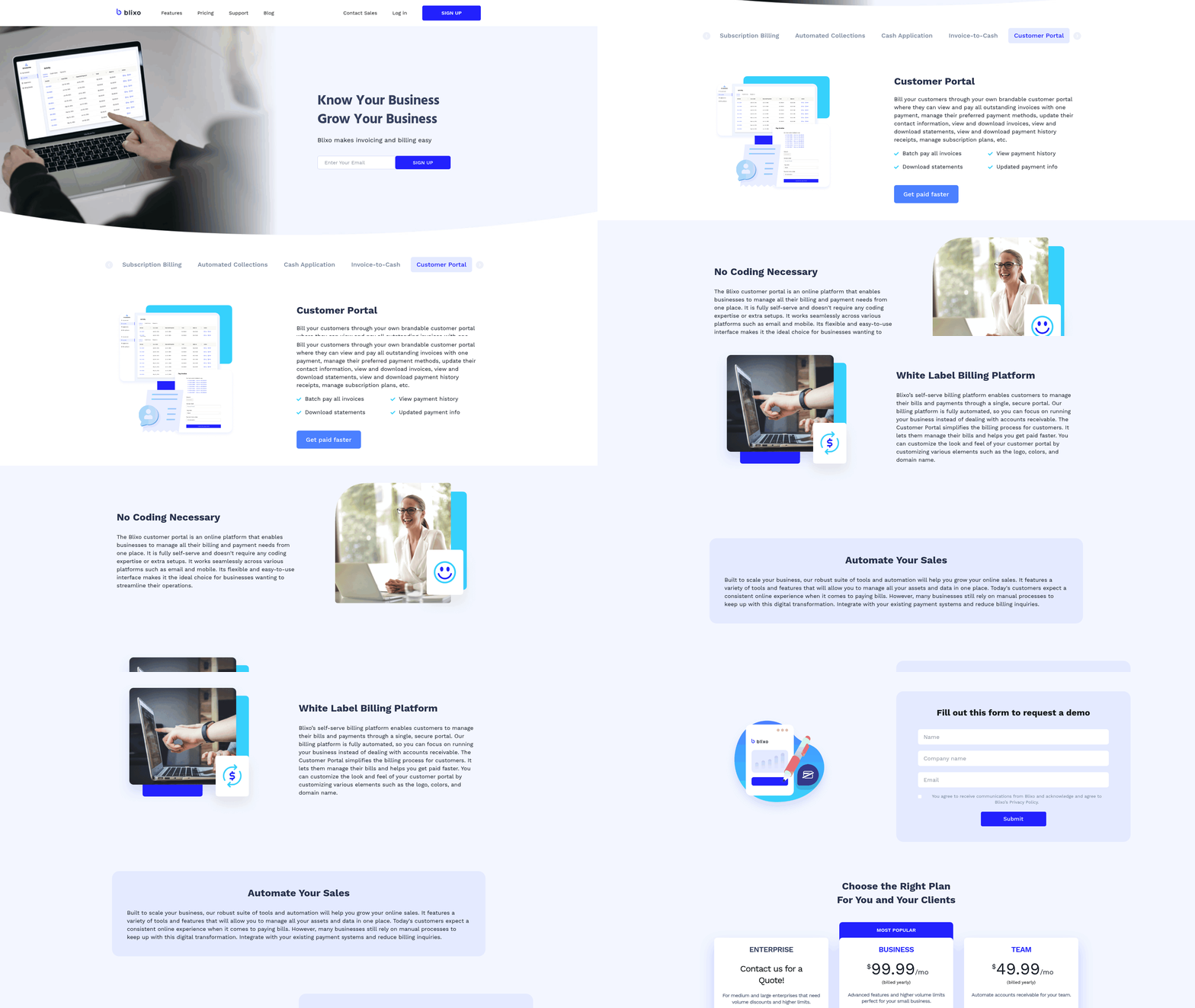
Blixo simplifies the invoice workflow by automating repetitive tasks, reducing errors, and accelerating cash flow. Its core features-automated invoicing, subscription management, and AI-driven collections-eliminate manual work while ensuring payments are collected faster. For example, businesses using Blixo report a 50–70% reduction in invoice processing time compared to manual systems, a stark contrast to the limitations outlined in the Understanding the Current Invoicing Workflow section. By integrating with accounting tools like QuickBooks and Xero, it centralizes financial operations without requiring software installations.
How Does Blixo Automate Invoicing and Collections?
Blixo streamlines invoicing by converting estimates into invoices automatically and sending them to clients. It also handles upfront deposits for service-based businesses, ensuring cash flow stability before work begins. The platform’s AI-powered cash application matches payments to invoices with 99% accuracy, cutting reconciliation time by up to 70%. Automated reminders via email, SMS, or phone calls reduce late payments, addressing the $4 million monthly losses businesses globally face due to delayed payments, as highlighted in the Why Streamlining Invoice Workflow Matters section. For instance, one creative professional using Blixo noted it eliminated the need to chase payments, allowing them to focus on their work.
What Makes Blixo Effective for Cash Flow and Efficiency?
Blixo’s automation reduces administrative workload by handling tasks like recurring invoices, payment tracking, and dispute resolution. It supports multiple payment methods (ACH, credit cards) and subscription billing, catering to businesses with ongoing revenue streams. Manual billing errors, which cost $16,000 annually for 10,000 invoices, are slashed by 50% with Blixo’s system. A small business reported a 30% time savings after implementing the platform, while a medium-sized enterprise saw a 25% boost in cash flow efficiency. By centralizing workflows, Blixo cuts invoice processing costs to $3–$5 per invoice, compared to $15–$40 manually, aligning with the cost-saving focus in the Measuring the Success of Streamlined Invoicing section.
Implementing Blixo for Streamlined Invoicing
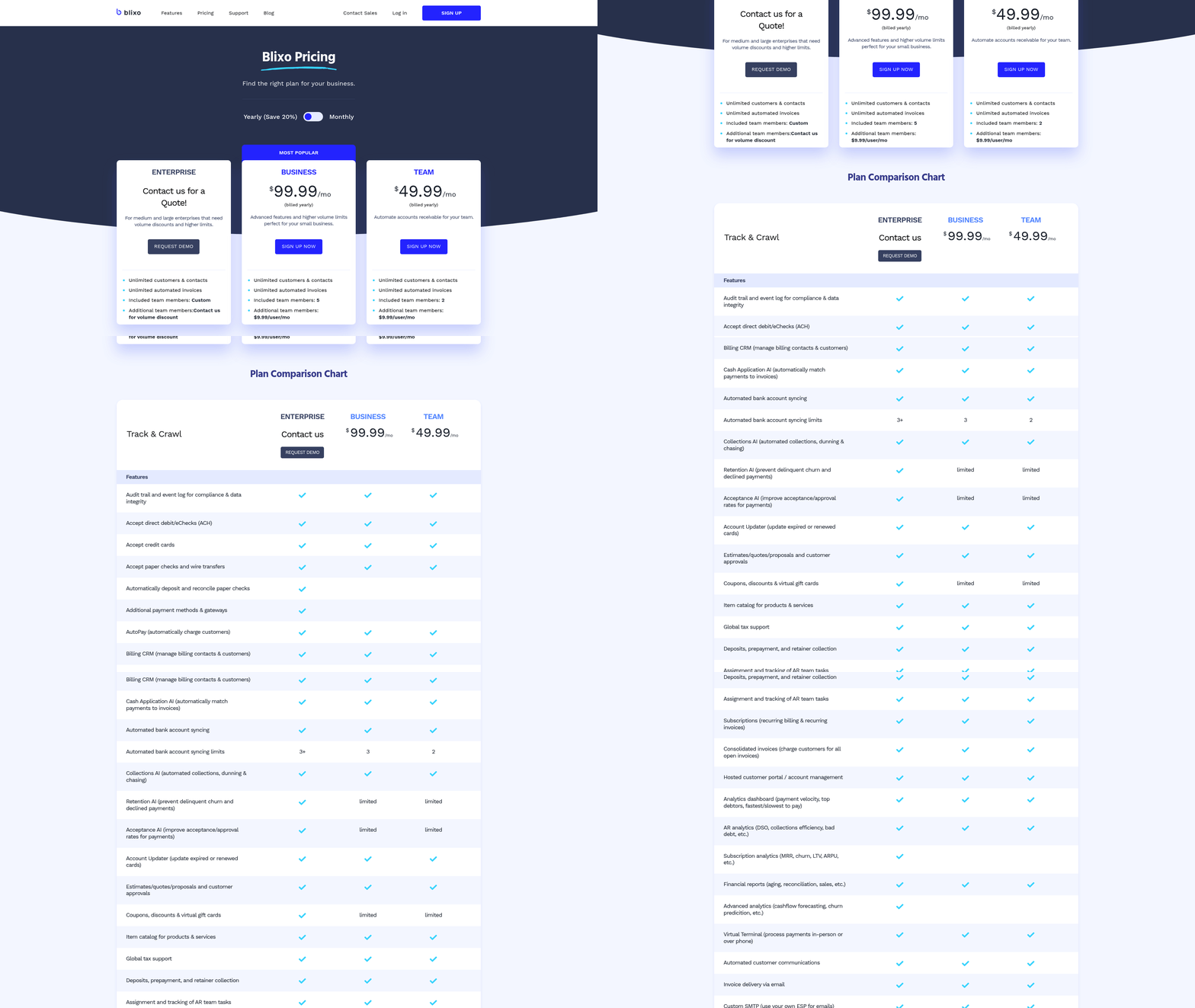
To begin using Blixo, create an account through the platform’s web-based interface. The setup process starts with a free trial, allowing businesses to test features without upfront costs. As mentioned in the Why Streamlining Invoice Workflow Matters section, streamlining invoicing is critical for safeguarding cash flow and reducing errors, making the trial an effective way to assess benefits. After registration, connect Blixo to existing accounting systems like QuickBooks or Xero to sync financial data automatically. This integration ensures seamless transitions without manual data entry.
Next, configure payment methods by enabling ACH, credit cards, and other supported options. Building on concepts from the How Blixo Streamlines the Invoice Workflow Process section, Blixo’s SaaS service supports recurring invoices, which automate billing for subscription-based businesses. Set up customer profiles with payment preferences, and customize invoice templates to match your brand. The system also allows businesses to automate collections by scheduling reminders via email, SMS, or phone calls.
Once connected, test the workflow by generating a sample invoice. Verify that payments are processed through the integrated payment gateway and that the AI-powered cash-application matches incoming payments to the correct invoices. This step ensures accuracy in tracking receivables and reduces reconciliation time, aligning with best practices outlined in the Best Practices for Long-Term Success section.
After configuration, train your team to maximize Blixo’s features. Start with onboarding sessions focused on key workflows: creating invoices, tracking payments, and managing customer disputes. Blixo provides a customer portal where users can access tutorials, FAQs, and live chat support to resolve issues quickly. For teams new to automation, begin with small-scale use cases. For example, automate billing for one department while manually processing others to compare efficiency. Use real-world examples from case studies: One company reduced invoicing time by 30% after implementing Blixo, while another improved cash flow by 25% using recurring invoices.
Encourage feedback from users during the transition. Blixo’s SaaS service is designed for service-based businesses and subscription models, so highlight how its features align with your team’s goals. Vincent Mann, a user, noted that Blixo eliminated the need to chase payments, allowing him to focus on creative projects. Regularly review performance metrics, such as payment speed and error rates, to identify areas for optimization.
To ensure smooth operations, follow these strategies:
- Start with core features: Focus on automating high-impact tasks like recurring invoices and collections before exploring advanced tools like multi-currency support. As mentioned in the How Blixo Streamlines the Invoice Workflow Process section, these core features form the foundation of efficient invoicing.
- Monitor automation accuracy: Periodically review matched payments and adjust rules if discrepancies arise. Blixo’s system learns from corrections, improving over time.
- use reporting tools: Use Blixo’s dashboards to track cash flow, payment trends, and customer behavior. This data helps refine billing strategies and identify late-payment risks.
By combining automation with proactive management, businesses can reduce manual work and accelerate receivables. Dave, a former user of alternative solutions, praised Blixo for its straightforward setup and strong functionality. Regularly update your team on new features-such as the free trial’s expansion of tools-to maintain efficiency as your business grows.
Measuring the Success of Streamlined Invoicing
Measuring the success of streamlined invoicing with Blixo requires tracking specific KPIs and metrics that reflect efficiency, accuracy, and financial health. By focusing on the right indicators, businesses can quantify improvements in their order-to-cash process and identify areas for further optimization. Below are actionable strategies for measuring success, supported by real-world examples and data from Blixo’s SaaS service.
Key Performance Indicators to Track
To evaluate the impact of Blixo’s automation, start by monitoring these core metrics:
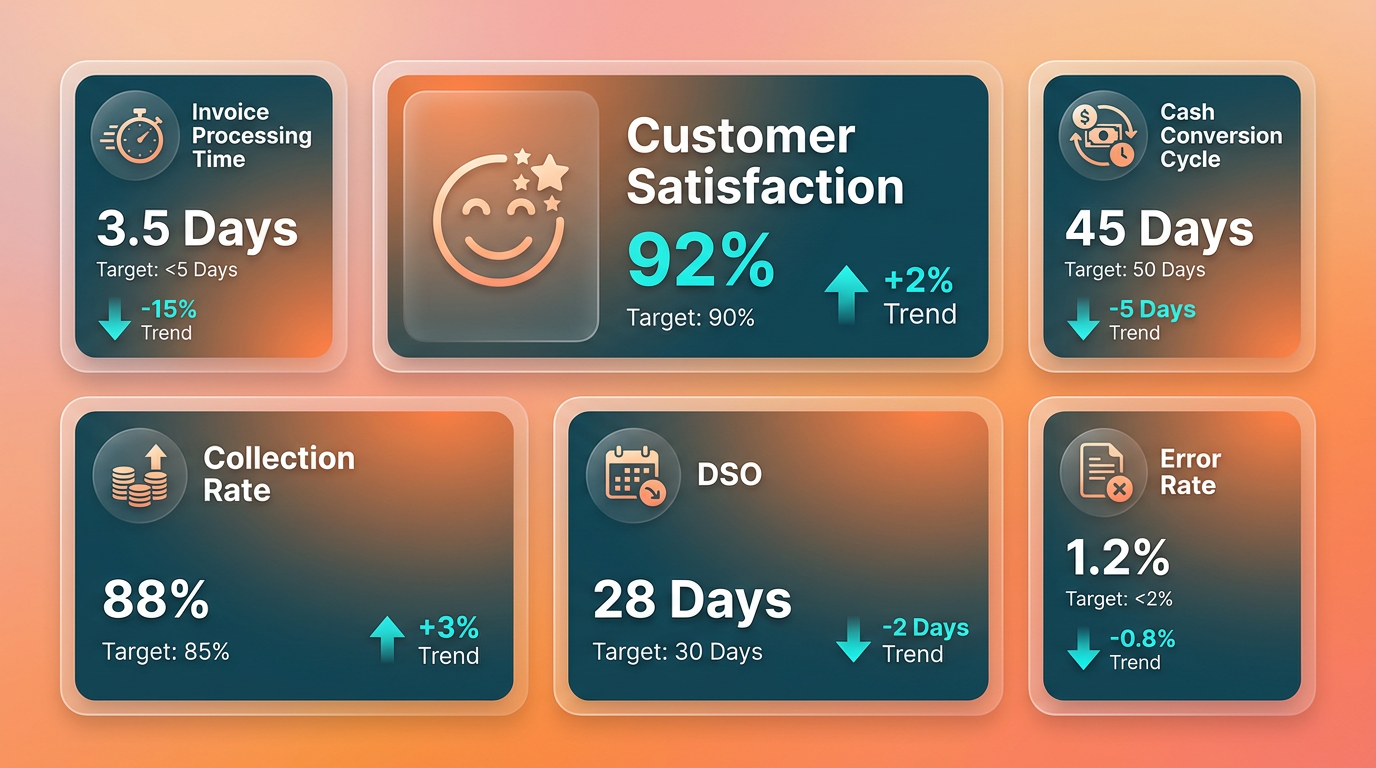
1. Invoice Processing Time Track how long it takes to generate, send, and receive payments for invoices. Blixo reduces manual processing time by 50–70%, slashing delays in revenue recognition. Building on concepts from the How Blixo Streamlines the Invoice Workflow Process section, automated workflows eliminate manual data entry and accelerate invoice delivery. For example, one service-based business reported a 60% reduction in time spent on invoicing after integrating Blixo’s automated workflows.
2. Billing Error Rates Manual systems often incur costly mistakes, with errors costing up to $16,000 annually for 10,000 invoices. Blixo’s automation cuts billing errors by 50%, ensuring accurate charges and minimizing disputes. As mentioned in the Why Streamlining Invoice Workflow Matters section, reducing errors directly safeguards cash flow and business growth. A SaaS company noted zero manual errors in their billing cycle after switching to Blixo’s subscription management tools.
3. Cash Application Accuracy Blixo’s AI-driven cash application engine achieves 99% accuracy in matching payments to invoices, reducing reconciliation time. This directly improves cash flow visibility and reduces the risk of double-counting or missed payments.
4. Late Payment Reduction Late payments cost businesses $4 million globally each month. Blixo’s automated collections-via email, SMS, and phone-reduce delinquencies by 40–50%. A retail brand saw a 70% drop in overdue invoices after using Blixo’s reminder system, accelerating cash inflow.
5. Revenue Predictability For subscription-based models, Blixo improves revenue forecasting by automating recurring billing. Sixty percent of SaaS businesses report more reliable revenue projections with automated invoicing, enabling better resource planning.
How to Track and Measure Success
To use these metrics effectively, businesses should:
-
Use Built-In Dashboards. Blixo provides real-time analytics on processing times, payment statuses, and error logs. These dashboards allow teams to monitor performance without manual data aggregation.
-
Integrate with Accounting Software. Seamless connections to platforms like QuickBooks and Xero ensure metrics align with existing financial reporting. Automated syncs eliminate manual entry, reducing lag in data analysis.
-
Audit Monthly Reports. Generate periodic reports to assess trends, such as a 30% drop in processing costs (from $15–$40 per invoice manually to $3–$5 with automation) or a 50% rise in on-time payments.
-
Survey Internal Teams. Gather feedback from finance teams to identify qualitative improvements, like reduced stress from chasing payments or faster month-end closures.
Real-World Success Stories
Blixo’s impact is evident in the experiences of its users:
- Vincent Mann, Founder of Globetown Media, shared that Blixo eliminated the need to chase payments manually, allowing him to focus on creative work. His business cut invoicing time by 80%.
- Matthew Schwartz of Elemental Deodorant highlighted how Blixo’s subscription tools streamlined recurring billing for his e-commerce store, improving customer retention by 25%.
- Duy, a small business owner, noted that Blixo’s setup took under an hour and immediately simplified managing monthly subscriptions, reducing administrative overhead.
Common Challenges and Solutions
While measuring success is straightforward, businesses often face hurdles:
-
Initial Setup Complexity. Integrating automation tools can seem daunting. Blixo addresses this with a free, user-friendly setup process and 24/7 support to guide teams through configuration. As outlined in the Implementing Blixo for Streamlined Invoicing section, the platform’s intuitive design ensures a smooth onboarding experience.
-
Adapting to New Workflows. Employees accustomed to manual processes may resist change. Blixo’s intuitive interface and training resources help teams transition smoothly, ensuring minimal disruption.
-
Data Migration Issues. Transferring legacy data to a new system risks errors. Blixo’s team assists with seamless data migration, preserving historical records without downtime.
By focusing on these KPIs and addressing potential challenges, businesses using Blixo can achieve measurable gains in efficiency, accuracy, and cash flow. The platform’s automation not only reduces costs but also transforms invoicing from a reactive task into a strategic advantage.
Overcoming Common Challenges in Streamlined Invoicing
Businesses often face integration challenges when adopting new invoicing tools. With Blixo, this hurdle is minimized through pre-built integrations with popular accounting software like QuickBooks, Xero, and custom ERP systems. These integrations allow businesses to maintain existing workflows while automating invoicing and collections. For example, a company using QuickBooks can sync data directly with Blixo, eliminating manual data entry. This approach reduces setup time and ensures seamless financial reporting, as detailed in the How Blixo Streamlines the Invoice Workflow Process section.
A key strategy for overcoming integration challenges is to use Blixo’s flexible API and guided onboarding support. The platform’s technical team assists with configuration, ensuring compatibility with your current systems. One business owner noted that setting up Blixo with their accounting software took under two hours, allowing them to focus on operations instead of troubleshooting. By prioritizing integration ease, businesses avoid disruptions during implementation, aligning with the structured setup process outlined in the Implementing Blixo for Streamlined Invoicing section.
How Can Recurring Invoices and Subscriptions Be Managed Efficiently?
Subscription-based businesses often struggle with managing recurring payments and subscription cycles. Blixo addresses this by automating billing schedules, prorated charges, and renewal reminders. The platform supports monthly, quarterly, or custom billing intervals, reducing errors from manual tracking. For instance, a service-based business with monthly subscriptions can set up recurring invoices that auto-adjust for late fees or payment failures. This functionality complements the broader principles of workflow efficiency discussed in the Why Streamlining Invoice Workflow Matters section.
What Strategies Help Reduce Delays in Payment Collections?
Late payments are a persistent challenge for businesses, especially when relying on manual follow-ups. Blixo combats this with automated collections workflows that send reminders via email, SMS, or phone calls based on user-defined schedules. The platform’s intelligent matching engine also speeds up cash application by accurately linking payments to invoices, reducing reconciliation time. Vincent Mann, a creative professional, highlighted how Blixo’s automated reminders eliminated the need to chase clients for payments. One company reported a 40% reduction in late payments after implementing Blixo’s tiered reminder system. Businesses can further improve collections by enabling the customer portal, which lets clients view invoices, make payments, and update payment methods instantly. This transparency fosters trust and accelerates payment cycles, reinforcing the cash flow benefits emphasized in the Why Streamlining Invoice Workflow Matters section.
Best Practices for Minimizing Invoicing Workflow Challenges
To maximize Blixo’s benefits, start with a pilot group to test integrations and workflows before full rollout. Use the customer portal to empower clients with self-service options, reducing back-and-forth communication. Regularly review automated reports to identify bottlenecks in your invoicing process. For deeper insights into optimizing workflows, consider exploring automated invoice processing strategies or invoice approval best practices.
Frequently Asked Questions
1. How much time does Blixo save for SaaS companies?
Blixo reduces manual work hours by 80% for SaaS companies by automating recurring billing and collections, enabling teams to focus on growth instead of administrative tasks.
2. What financial risks does inefficient invoicing create?
Inefficient invoicing risks $4M monthly losses globally from late payments and $16K annual errors for 10,000 invoices, delaying cash flow and harming client trust.
3. How does Blixo reduce billing errors?
Blixo halves billing errors through automation, using precise algorithms to eliminate manual data entry mistakes in invoice processing workflows.
4. Can Blixo improve payment speed for service-based businesses?
Yes, Blixo’s automated collections cut payment disputes and late fees by 50%, accelerating payment speed and improving cash flow for service-based industries.
5. What industries benefit most from Blixo’s tools?
Service-based industries and SaaS companies benefit most, as Blixo eliminates 80% of manual invoice management tasks, streamlining recurring billing and collections.
6. How quickly does automation impact cash flow?
Automation with Blixo speeds up invoice processing by 50–70%, enabling businesses to access funds 2–4 weeks faster than manual systems, supporting urgent operational needs.
7. Are there examples of Blixo’s real-world impact?
A SaaS company using Blixo automated 80% of its billing tasks, freeing 200+ hours monthly for product development, while reducing errors and late payments by half.