

Streamline Payments with Automated Accounts Receivable Processing

Key Takeaways
- Automation reduces Days Sales Outstanding (DSO) by 85%, accelerating cash flow and liquidity.
- Manual AR processes cost up to $29.83 per invoice in processing expenses and delay payments by weeks or months.
- 87% of businesses with automation report faster AR processing speeds compared to manual systems.
- Manual AR systems cause late payments, disputes, and errors, increasing operational friction.
- A 2023 study links AR automation to an 85% reduction in DSO, improving liquidity and efficiency.
- Automating AR can save hours weekly on invoice reconciliation, as seen in construction firm examples.
- Evaluating workflows is critical to identifying inefficiencies before implementing automation.
Related Video
Watch: Accounts Receivable Automation Explained by NetSuite
Why Automated Accounts Receivable Processing Matters
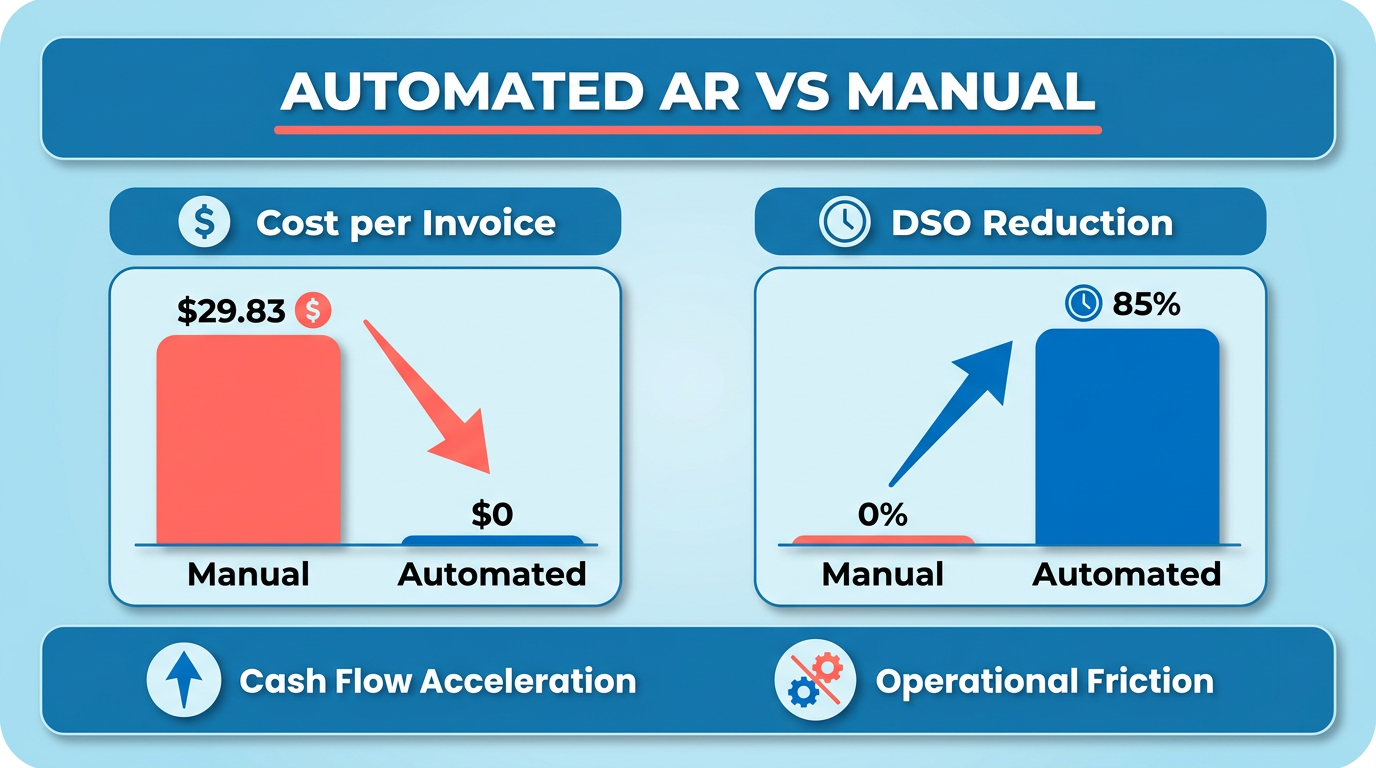
Automated accounts receivable (AR) processing is a critical upgrade for businesses aiming to stay competitive and financially agile. Manual AR processes are error-prone, time-consuming, and costly-costing businesses up to $29.83 per invoice in processing expenses and delaying payments by weeks or months. For example, a 2023 study found that companies automating AR processes reduce Days Sales Outstanding (DSO) by 85%, accelerating cash flow and reducing operational friction. As mentioned in the Reducing Days Sales Outstanding (DSO) with Automation section, lowering DSO is directly tied to improved liquidity and operational efficiency. Below, we break down why automation is essential and how it transforms financial operations..
How Does Manual AR Impact Businesses?
Manual AR processes create bottlenecks in cash flow and operational efficiency. 87% of businesses with automation report faster process speeds, while manual systems often lead to late payments, disputes, and errors. Building on concepts from the Implementing Automated Accounts Receivable Processing: Best Practices and Challenges section, adopting automation requires evaluating current workflows to identify inefficiencies. For instance, a construction firm manually tracking invoices might spend hours reconciling payments, risking delays in project timelines. In contrast, automation reduces DSO by standardizing collections workflows and minimizing human error-cutting reconciliation time by up to 75% in some cases. Without automation, businesses risk stagnant cash flow and strained customer relationships due to inconsistent follow-ups..
What Real-World Benefits Do Businesses See?
Automation delivers measurable results across industries. One nonprofit organization replaced manual invoicing with a digital system, cutting administrative effort by 50% and improving payment accuracy. As highlighted in the Enhancing Customer Experience Through Automated Communications section, consistent and accurate invoicing directly influences customer satisfaction. Similarly, a manufacturing company reduced its collection cycle by 35% using AI-driven tools, recovering $1.5 million in cash flow within six months. These outcomes align with industry benchmarks: 75% of automated businesses report improved customer experiences, as timely, accurate invoicing builds trust. For example, a wholesale business automating invoicing saw payments arrive 23% faster, directly boosting liquidity..
Who Benefits Most from AR Automation?
Small and medium-sized businesses (SMBs) and enterprises both gain value, though their needs differ. SMBs often struggle with manual processing costs-$29.83 per invoice versus $2.00 with automation-while enterprises face complexity in managing high-volume transactions. A retail chain with 500+ stores, for instance, might struggle to track regional payments manually, risking missed revenue. Automation ensures consistency, reducing past-due accounts by 20% on average. Blixo addresses these challenges by offering scalable solutions that integrate with existing systems, helping SMBs and enterprises alike reduce DSO and improve forecasting accuracy..
How Does AR Automation Strengthen Cash Flow?
Cash flow management hinges on visibility and speed. Automated systems track promise-to-pay dates and flag late payments in real time, reducing bad debt by 40% in some cases. For example, a SaaS provider using automated workflows cut DSO from 45 to 22 days, enabling faster reinvestment. Predictive analytics also enhance forecasting: one enterprise improved cash flow accuracy by 80% using AI to analyze payment patterns. By centralizing data and automating reminders, businesses avoid cash shortfalls and allocate resources strategically..
Why Blixo Stands Out
Unlike generic providers, Blixo prioritizes transparent pricing and tailored workflows. Its SaaS service integrates with ERPs like QuickBooks and Oracle, streamlining reconciliation and reducing manual entry errors. A client in the engineering sector reported, “With Blixo, I know exactly when a payment will be made and can let vendors know”, eliminating guesswork. This focus on user-centric design ensures businesses-regardless of size-gain control over their receivables, turning AR from a reactive task into a strategic asset.
By automating AR, businesses enable faster payments, reduce costs, and build stronger customer relationships. Whether you’re a small startup or a global enterprise, the shift to automation isn’t just about efficiency-it’s about future-proofing your financial operations.
Key Processes That Can Be Automated in the AR Cycle
Automating the accounts receivable (AR) cycle transforms manual, error-prone tasks into efficient, data-driven workflows. By targeting key processes like invoicing, payment matching, and cash application, businesses can reduce delays, minimize disputes, and improve cash flow. Let’s break down the most impactful automation opportunities and their benefits..
1. Invoicing and Payment Reminders
What it does: Automating invoice generation and distribution ensures bills are sent promptly and accurately. Systems can also trigger payment reminders based on pre-set schedules, reducing the need for manual follow-ups. Why it matters: Manual invoicing is time-consuming and prone to errors like missing details or delayed delivery. Automated systems integrate with sales data to generate invoices instantly, while AI-driven reminders adapt to customer payment behavior. As mentioned in the Reducing Days Sales Outstanding (DSO) with Automation section, faster invoice delivery directly contributes to lower DSO metrics. Benefits:
- Faster payments: Invoices are sent immediately post-transaction, cutting Days Sales Outstanding (DSO) by up to 85% in some cases.
- Fewer disputes: Standardized templates and real-time data integration eliminate inconsistencies.
- Customer satisfaction: Timely, personalized reminders improve payment experiences.
Example: A construction firm automated billing for project milestones, sending invoices and reminders without manual intervention. This reduced administrative work by 70% and slashed late payments by 40%..
2. Payment Matching and Cash Application
What it does: This process matches incoming payments to the correct invoices and records them in the accounting system. Automation uses rules-based logic and machine learning to reconcile transactions, even handling partial payments or multiple invoices. Why it matters: Manual matching is a major source of errors, with 30% of finance teams reporting mismatches that delay reconciliation. Automated systems flag inconsistencies in real time, ensuring accurate cash application. Building on concepts from the Automating Billing, Invoicing, and Payment Matching section, this process enhances cash flow visibility and reduces reconciliation delays. Benefits:
- Error reduction: Machine learning algorithms can reduce human errors by over 90%, improving data consistency.
- Speed: Payments are applied instantly, accelerating cash flow. One utility company saved 120 hours monthly by automating this task.
- Visibility: Real-time dashboards track payment statuses, helping teams prioritize collections.
Example: A SaaS provider automated cash application using AI, resolving 98% of payments without manual review. This freed up staff to focus on strategic tasks like credit risk analysis..
3. Dispute Resolution and Exception Handling
What it does: Automation identifies disputes or exceptions (e.g., incorrect charges) and routes them to the right team for resolution. AI can even suggest fixes, like adjusting invoices for partial payments. Why it matters: Disputes delay cash flow and strain customer relationships. While 75% of businesses report improved customer experiences with automation, complex cases still require human oversight. As highlighted in the Enhancing Customer Experience Through Automated Communications section, resolving disputes efficiently strengthens trust and satisfaction. Benefits:
- Proactive resolution: AI flags potential disputes before they escalate, reducing bad debt risk by 40%.
- Efficiency: Automated workflows cut dispute resolution time by 50%, as seen in a case where a UK insurer reduced overdue debt by centralizing AR analytics.
- Scalability: Handles high-volume disputes without increasing headcount.
Example: A wholesale business automated dispute routing, resolving 80% of billing issues within 24 hours. This improved customer retention and reduced manual effort by 60%..
Challenges and Limitations
While automation accelerates most AR processes, certain tasks require human judgment. For instance, handling high-stakes disputes or negotiating payment plans often needs a finance professional’s touch. Additionally, integrating automation with legacy systems can pose technical hurdles. As discussed in the Implementing Automated Accounts Receivable Processing: Best Practices and Challenges section, platforms like Blixo simplify adoption by offering pre-built ERP integrations and customizable rules for exception handling. Unlike generic providers, Blixo prioritizes transparency, ensuring businesses maintain control over critical workflows.. By automating these key processes, companies can reduce DSO, cut operational costs, and boost customer satisfaction. The next step is selecting a solution that aligns with your specific needs-whether it’s handling high-volume invoicing or refining dispute resolution.
Reducing Days Sales Outstanding (DSO) with Automation
Reducing Days Sales Outstanding (DSO) with automation starts by understanding the metric itself. DSO measures how quickly a business collects cash from its accounts receivable, calculated as (Average Accounts Receivable / Total Credit Sales) × Number of Days. A lower DSO means faster cash flow, which is critical for operational stability. For example, a company with a DSO of 30 days collects payments in half the time of one with a 60-day DSO, freeing up capital for reinvestment or debt reduction.
How Automation Lowers DSO
Automated accounts receivable systems streamline invoicing, payment tracking, and follow-ups, reducing delays. Platforms like Blixo send invoices instantly, eliminating manual errors and delays in delivery. Automated payment reminders-set for 7, 14, and 30 days after invoicing-ensure customers pay on time without human intervention. A construction company using such tools reported cutting DSO by 40% within six months by standardizing workflows and integrating payment tracking with their accounting software. As mentioned in the Key Processes That Can Be Automated in the AR Cycle section, these tools also enhance efficiency by automating tasks like cash application and dispute resolution.
Automation also accelerates cash application by matching payments to invoices in real time. This reduces disputes and clarifies outstanding balances, as customers can view payment statuses through self-service portals. For example, one company reduced past-due accounts by 20% by enabling customers to pay via ACH or credit card directly from invoice emails. These efficiencies directly lower DSO, as faster processing means less cash sits in limbo.
Real-World Benefits and Challenges
The financial impact of reducing DSO is significant. A 2023 study found businesses using automation saw an average 85% decrease in DSO, while another SME in the leather manufacturing industry cut its collection cycle by 35% using AI-driven tools. Lower DSO improves liquidity, reduces reliance on credit lines, and lowers bad debt risk. One organization avoided $1.3 million in annual interest costs by resolving payment delays through automated workflows.
However, automation isn’t a one-size-fits-all solution. Disputes over invoices or incorrect charges still require manual resolution. For instance, a customer might flag an invoice as incorrect, halting automated collections until a finance team intervenes. To address this, SaaS providers like Blixo flag exceptions for review, ensuring workflows adapt to edge cases. Building on concepts from the Implementing Automated Accounts Receivable Processing… section, integrating automation with legacy systems demands data cleanup and workflow mapping. A nonprofit transitioned from manual processes to automated invoicing by first standardizing invoice formats, saving 500+ hours annually in administrative work.
Challenges also arise when customer habits clash with automation. Some clients prefer paper invoices or delayed payments, slowing adoption. A SaaS company overcame this by offering flexible payment terms and educating clients on the benefits of electronic payments, increasing on-time payments by 25%.
Strategic Value of Automation
The long-term value of reducing DSO through automation lies in its scalability. As businesses grow, manual processes become bottlenecks, but automation scales seamlessly. One enterprise reduced DSO from 45 to 22 days by centralizing collections and using predictive analytics to prioritize high-risk accounts. This not only improved cash flow but also enhanced vendor relationships by ensuring timely payments.
To maximize results, companies should combine automation with proactive financial planning. For example, analyzing DSO trends monthly helps identify patterns-such as seasonal delays-and adjust workflows accordingly. Building on concepts from the Implementing Automated Accounts Receivable Processing… section, training teams to monitor automated systems for exceptions ensures human oversight complements technology.
In summary, automation transforms DSO management by accelerating payments, reducing errors, and freeing teams for strategic work. While challenges like disputes and integration complexity exist, the financial benefits-stronger cash flow, lower bad debt, and operational efficiency-make it a critical investment. By adopting tools like Blixo and refining workflows, businesses can turn receivables into a competitive advantage.
Automating Billing, Invoicing, and Payment Matching
Automating billing, invoicing, and payment matching transforms accounts receivable (AR) processes from time-consuming, error-prone tasks into streamlined, data-driven workflows. Manual invoicing often involves creating paper-based or digital invoices, sending them via email or postal mail, and manually tracking payment statuses. This approach is slow, prone to human errors, and limits visibility into cash flow. In contrast, automation tools generate, send, and reconcile invoices automatically, reducing delays and improving accuracy. For example, AI-powered systems can match payments to invoices in real time, ensuring discrepancies are flagged instantly.
What Automation Enables in Billing and Invoicing
Automation opportunities span the entire billing lifecycle. Invoice generation can be triggered automatically when a service is delivered or a product is shipped, eliminating manual data entry. For instance, a construction firm might use software to generate invoices as project milestones are met, ensuring customers receive timely, accurate bills. Payment matching uses machine learning to reconcile incoming payments with open invoices, even when payment details are incomplete. This reduces the need for manual follow-ups and accelerates cash application. Tools like Blixo integrate with ERPs such as QuickBooks and NetSuite to automate workflows, ensuring consistency across systems.
Key Benefits of Automation
The advantages of automation are measurable and impactful. First, automation enhances audit trails by maintaining detailed records of transactions, simplifying compliance and reducing discrepancy risks. Second, automation improves customer satisfaction by providing self-service portals where clients can view invoices, make payments, and track statuses. Enhancing Customer Experience Through Automated Communications highlights how these features directly impact satisfaction. For example, one company reported a 75% faster resolution time for disputes after implementing automated reminders and payment tracking. Third, automation lowers operational costs. One organization saved $1.3 million annually by reducing late fees and administrative overhead through automated workflows.
Real-World Applications and Challenges
Real-world examples highlight automation’s potential. A utility company automated its billing process, reducing manual tasks by 80% and cutting payment processing time from days to minutes. Another firm used AI to predict payment delays, enabling proactive follow-ups that improved on-time payments by 30%. However, challenges exist. Handling exceptions-such as disputed invoices or partial payments-still requires human oversight. For instance, a manufacturer might receive a payment that doesn’t match an invoice, requiring a finance team to investigate. Additionally, integration complexity can slow adoption. Smaller businesses may struggle to align automation tools with legacy systems, though cloud-based SaaS providers like Blixo offer pre-built integrations to simplify this. Implementing Automated Accounts Receivable Processing: Best Practices and Challenges outlines strategies for overcoming such hurdles.
Measurable Outcomes and Limitations
The results of automation are tangible. Companies using AI-driven solutions report up to a 40% increase in productivity by freeing staff from repetitive tasks. For example, one organization reduced manual follow-ups by 75% after deploying automated dunning workflows. However, automation isn’t a one-size-fits-all solution. Data quality is critical-poorly structured customer records or inconsistent invoice formats can limit AI accuracy. A construction firm initially saw mixed results until it standardized billing data, after which automation reduced DSO by 20%. Reducing Days Sales Outstanding (DSO) with Automation provides further insight into this metric. Similarly, training and adoption are hurdles. Teams may resist new tools, requiring change management strategies to ensure successful implementation.
By addressing these challenges and using automation’s strengths, businesses can turn billing and invoicing from operational burdens into strategic advantages. The next step is aligning automation with broader financial goals, ensuring systems adapt to evolving customer and regulatory needs.
Enhancing Customer Experience Through Automated Communications
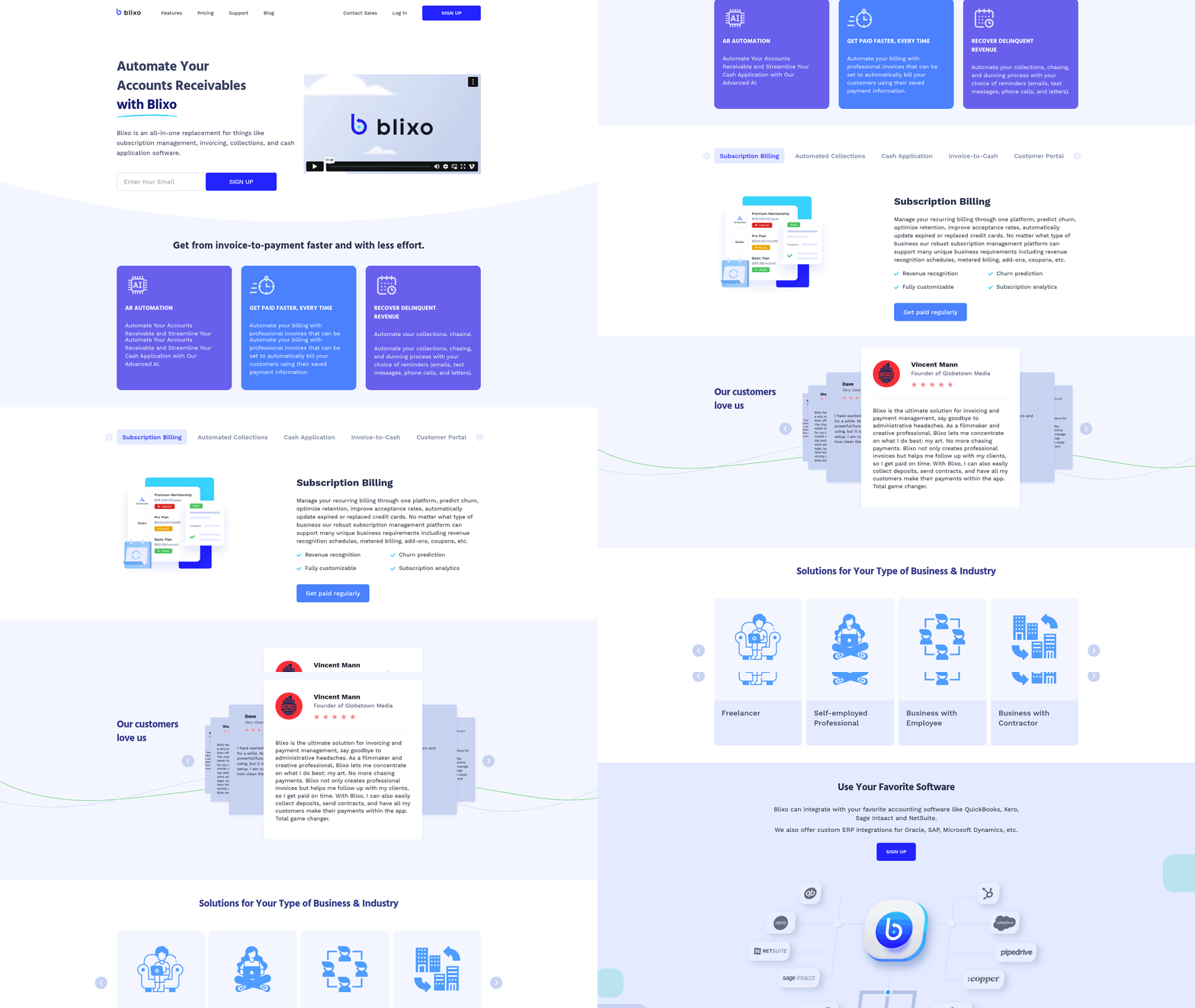
Enhancing customer experience in accounts receivable (AR) processing starts with recognizing how timely, accurate, and personalized communications directly impact satisfaction. Manual processes often lead to delays, errors, and inconsistent follow-ups, which frustrate customers and slow cash flow. Automation eliminates these pain points by ensuring invoices are sent promptly, reminders are tailored to payment histories, and customers can access self-service portals for real-time updates. For example, Blixo streamlines this by generating and delivering invoices instantly upon order fulfillment while sending reminders based on predefined schedules. This reduces friction and builds trust, as customers receive clear, consistent communication without unnecessary delays. As mentioned in the Key Processes That Can Be Automated in the AR Cycle section, automation applies to invoicing, payment reminders, and portal access, all of which enhance efficiency.
How Automated Communications Transform AR Workflows
Automation opportunities in AR extend beyond basic invoice delivery. Systems like Blixo integrate with CRM and ERP platforms to automate recurring billing, subscription invoicing, and payment reminders. For instance, if a customer misses a payment, the system triggers tiered reminders-starting with a gentle nudge, followed by a more urgent notice, and finally a final warning. This structured approach reduces late payments while maintaining a professional tone. Additionally, automated portals let customers view invoices, dispute charges, or update payment methods at any time, giving them control and reducing the need for back-and-forth communication.
A real-world example highlights these benefits: A U.S. leather manufacturer reduced its collection cycle by 35% after implementing AI-driven automation. By analyzing payment patterns and sending reminders at optimal times, the company improved on-time payments and freed up working capital. Tools like Blixo replicate this success by embedding machine learning to predict payment behaviors and optimize follow-up strategies. Building on concepts from the Reducing Days Sales Outstanding (DSO) with Automation section, this approach directly lowers DSO by accelerating collections through data-driven timing.
Key Benefits and Potential Challenges
The advantages of automation include reduced manual errors, faster collections, and higher customer satisfaction. Automated systems eliminate human mistakes in invoice generation and payment reconciliation, ensuring accuracy. They also provide real-time dashboards for both businesses and customers, offering transparency into payment statuses. For example, one company saw a 75% drop in manual follow-ups after adopting automated workflows, allowing finance teams to focus on strategic tasks.
However, challenges remain. Automated systems may struggle with disputes or complex exceptions that require human judgment. A customer might contest an invoice due to a product defect, which an AI-driven tool can flag but not resolve. In such cases, Blixo offers hybrid solutions where exceptions are escalated to support teams for personalized resolution. Training staff to handle these edge cases is critical-SAP Taulia notes that 40% of automation failures stem from inadequate change management. Additionally, integration with legacy systems can complicate implementation, requiring careful planning to avoid disruptions. As outlined in the Implementing Automated Accounts Receivable Processing: Best Practices and Challenges section, auditing workflows and setting clear escalation rules are essential to mitigate these risks.
To mitigate these risks, businesses should audit their workflows before automation and set clear rules for when human intervention is needed. Pairing automation with strong support ensures customers receive both efficiency and empathy, striking the right balance between technology and personal service. For deeper insights into optimizing payment processes, explore how to streamline payment workflows for revenue efficiency.
Implementing Automated Accounts Receivable Processing: Best Practices and Challenges
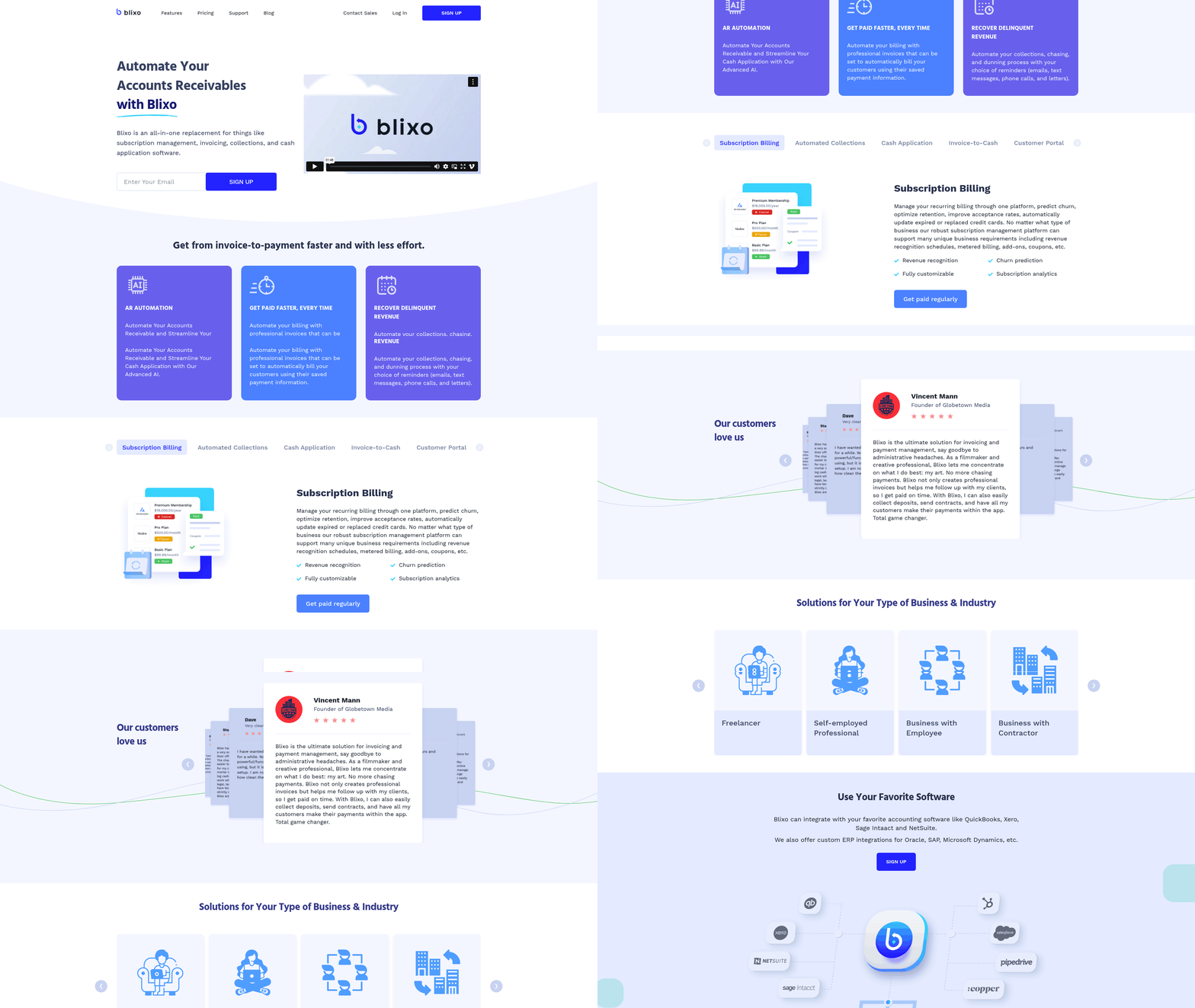
Implementing automated accounts receivable (AR) processing requires a structured approach to ensure efficiency and alignment with business goals. The process begins with assessing current workflows to identify bottlenecks, such as manual invoicing or delayed follow-ups. Next, selecting software that integrates with existing systems like ERPs or CRMs is critical to avoid data silos. For example, platforms with features like automated reminders and real-time analytics can reduce Days Sales Outstanding (DSO) by up to 35% in some cases, as explored in the Reducing Days Sales Outstanding (DSO) with Automation section. Once software is chosen, mapping workflows ensures automation aligns with specific needs, such as customizing payment reminders or cash application rules. Finally, training teams on new tools and setting up dashboards for monitoring performance completes the foundation for success.
What Are Key Best Practices for Implementation?
Change management and training are vital to adoption. Start by involving stakeholders early, including finance teams and customer service representatives, to address concerns and gather input. For instance, one nonprofit organization improved cash flow by 40% after aligning departments on a shared automation strategy. Data cleanup is another priority-resolving inconsistencies in customer records or invoice history prevents errors in automated systems. Training should include role-specific sessions, like teaching finance staff to interpret real-time AR dashboards or customer service teams to handle disputes via self-service portals, as emphasized in the Enhancing Customer Experience Through Automated Communications section. Regular reviews of automation rules, such as adjusting payment reminders based on customer behavior, ensure the system evolves with business needs.
What Challenges Should You Expect?
Handling exceptions and disputes remains a hurdle. Automated systems may struggle with non-standard payments, like partial payments or disputed invoices, requiring manual intervention. For example, a high-net-worth family office faced delays initially due to complex payment terms, but resolved this by adding custom workflows for high-value clients. Data quality issues also arise, as AI-driven tools rely on clean, structured data to predict payment risks, a challenge discussed in the Key Processes That Can Be Automated in the AR Cycle section. One U.S. leather manufacturer saw a 75% drop in manual follow-ups after refining its data but spent months standardizing invoice formats first. Additionally, customer resistance to new processes, such as switching to digital payments, can slow adoption. Proactive communication-like offering tutorials or phased rollouts-mitigates this risk.
How Can You Overcome These Challenges?
Lessons from successful implementations highlight the need for iterative testing. A UK insurer reduced overdue debt by centralizing AR operations and using AI to prioritize high-risk accounts, but only after piloting the system with a small client base. Collaboration between departments is equally important; one SMB improved collections by 71% after linking finance and sales teams to align credit policies. For disputes, integrating customer portals with dispute-resolution tools-like allowing clients to view payment history online-cut resolution times in half for one enterprise. Lastly, monitoring KPIs such as DSO, bad debt ratios, and automation accuracy provides actionable insights. A Chinese SME cut DSO by 25.7% within six months by tracking these metrics weekly and adjusting strategies accordingly.
What Real-World Examples Exist?
Generic descriptions of successful cases illustrate scalability. A construction firm automated invoicing and collections, reducing payment delays by 50% and eliminating manual reconciliation errors. An e-commerce platform integrated AI to predict late payments, lowering bad debt by 40%. In another case, a healthcare provider streamlined cash application using automated matching, cutting reconciliation time from days to hours. These examples align with research showing that automated AR systems can save SMBs $27.83 per invoice compared to manual processes. While SaaS providers like Blixo offer tailored solutions, the core principles-integration, training, and continuous refinement-remain universal for maximizing ROI.
Frequently Asked Questions
1. How much does manual AR processing cost per invoice?
Manual AR processes cost up to $29.83 per invoice due to errors, delays, and labor expenses. Automation reduces costs by minimizing manual intervention and improving accuracy.
2. What is the impact of automation on Days Sales Outstanding (DSO)?
Automation reduces DSO by 85%, accelerating cash flow. A 2023 study linked this improvement to streamlined collections and minimized payment delays compared to manual systems.
3. How does automation improve AR processing speed?
87% of businesses report faster processing with automation. Standardized workflows and reduced errors eliminate bottlenecks, speeding up collections and reconciliation.
4. How much time can automation save in invoice reconciliation?
Automation cuts reconciliation time by up to 75%. Construction firms, for example, save hours weekly by automating data entry and matching invoices with payments.
5. What are the main benefits of automated AR processing?
Automated AR reduces DSO by 85%, cuts costs by $29.83 per invoice, and minimizes errors. It improves cash flow, liquidity, and operational efficiency across industries.
6. Why is evaluating workflows important before AR automation?
Evaluating workflows identifies inefficiencies like bottlenecks or manual steps. This ensures automation targets the right areas, maximizing benefits like faster processing and reduced DSO.
7. What challenges arise when implementing AR automation?
Challenges include resistance to change and integration complexity. Businesses must train teams and customize systems to align with existing processes for seamless adoption.