

Automate Accounts Receivable with Cloud Based AR Solutions

Key Takeaways
- Automating AR reduces errors and accelerates payment cycles by streamlining invoicing and payment tracking.
- 84% of accounting teams manually match payments, increasing DSO by weeks and raising bad debt risks.
- Cloud-based solutions cut manual data entry by 70%, boosting efficiency and reducing human error.
- Real-time insights from automation improve cash flow visibility and decision-making accuracy.
- Automated systems reduce bad debt rates by 30% through timely reminders and accurate invoicing.
- Cloud AR solutions scale seamlessly with business growth, avoiding infrastructure limitations.
- Automation resolves disputes faster, improving customer relationships and reducing finance team workload.
Related Video
Watch: A/R Insite™ - Cloud-Based Accounts Receivable by Etactics
Why Automating Accounts Receivable Matters
Automating accounts receivable with cloud-based solutions transforms how businesses manage cash flow, reduces errors, and accelerates payment cycles. Manual AR processes often lead to delays, disputes, and bad debt, while automation introduces precision, scalability, and real-time insights. As mentioned in the Defining Cloud-Based Accounts Receivable Software section, these solutions rely on cloud infrastructure to centralize and streamline financial operations, offering advantages over traditional systems. Let’s break down why this shift is critical for financial health.
How Do Manual AR Processes Harm Businesses?
Manual accounts receivable workflows are slow, error-prone, and costly. For example, 84% of accounting teams still manually match payments to invoices, increasing the risk of human error and extending Days Sales Outstanding (DSO) by weeks or months. This inefficiency leads to late payments, strained customer relationships, and higher bad debt rates. A single misplaced invoice or delayed reminder can disrupt cash flow, forcing finance teams to spend hours resolving disputes instead of focusing on strategic tasks.
Cloud-based automation solves these issues by streamlining invoicing, reminders, and payment tracking. Building on concepts from the Automation of Billing Processes section, automated systems reduce manual data entry by 70% or more, cutting DSO by up to 30% for industries like manufacturing and healthcare. Real-time dashboards also help identify bottlenecks instantly, ensuring teams can act before payments fall into collections.
What Benefits Do Cloud-Based AR Solutions Deliver?
Cloud-based accounts receivable solutions eliminate the limitations of on-premise software and spreadsheets. They centralize data, automate repetitive tasks, and enable collaboration between finance teams, sales, and customers. Here’s how:
- Faster Cash Flow: Automated invoicing and payment reminders reduce DSO by 20–30%, as seen in healthcare providers who improved cash flow by 25% after switching to electronic statements.
- Improved Accuracy: AI-powered cash application tools match payments to invoices with over 90% accuracy, minimizing reconciliation errors. One company reduced bad debt by 40% after adopting such technology. These tools also align with the Customer Invoicing and Dispute Management section, where real-time invoice visibility helps cut disputes by 50%.
- Scalability: Cloud platforms adapt to business growth without requiring IT infrastructure overhauls. Small businesses benefit from the same automation as enterprises, ensuring seamless scalability.
- Cost Savings: By reducing manual labor and late fees, automation lowers operational costs by up to 30%. For example, a manufacturing firm cut AR processing time by half using cloud-based workflows.
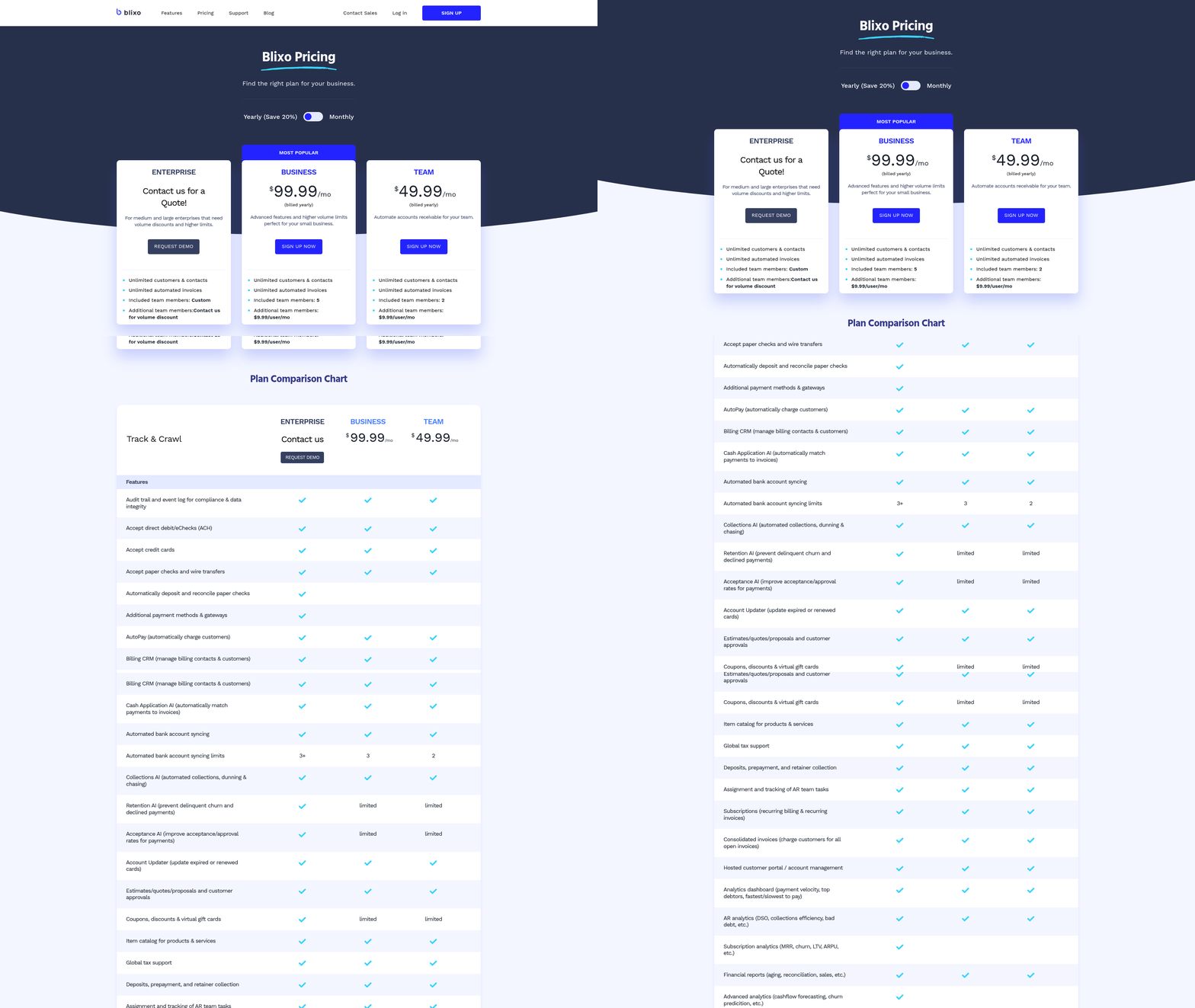
Blixo’s cloud solution stands out by combining these features with transparent pricing and intuitive tools, ensuring businesses of all sizes can optimize their financial operations.
Who Gains the Most from AR Automation?
Small and medium-sized businesses (SMBs) and enterprises with complex billing needs see the most significant returns. SMBs benefit from reduced labor costs and improved cash flow visibility, while large organizations with multi-tier billing structures gain efficiency through centralized data and automated dispute resolution.
Industries like healthcare, manufacturing, and professional services have already adopted cloud-based AR to address sector-specific challenges. For example, healthcare providers automate patient payments to reduce administrative burdens, while manufacturers use online portals to speed up B2B invoicing.
Real-world results from companies using cloud-based AR include:
- 25% faster collections for businesses using automated reminders.
- 30% reduction in DSO for firms with integrated payment gateways.
- 50% fewer disputes due to real-time invoice visibility and customer portals.
By adopting a cloud-based solution like Blixo, businesses turn accounts receivable from a reactive task into a strategic advantage-driving growth, improving customer satisfaction, and ensuring financial stability.
Defining Cloud-Based Accounts Receivable Software
Cloud-based accounts receivable software is a digital solution that automates invoicing, payment processing, and cash management through cloud infrastructure. Unlike traditional on-premise systems, it operates via remote servers, allowing teams to access real-time data from any device with internet connectivity. This model eliminates the need for local software installation, reducing IT maintenance while enabling seamless collaboration between finance teams, sales departments, and customers. For example, Blixo offers automated invoicing and payment tracking, ensuring businesses can monitor receivables without manual intervention. As mentioned in the Automation of Billing Processes section, these systems eliminate repetitive tasks like manual data entry, accelerating payment cycles and reducing errors.
What Are the Core Features of Cloud-Based AR Software?
Cloud-based accounts receivable platforms come with tools designed to streamline workflows and reduce errors. Key features include:
- Automated invoicing and reminders: Systems generate and send invoices on schedule, followed by automated payment reminders to reduce delays. This aligns with the insights in the Why Automating Accounts Receivable Matters section, where automation is highlighted for minimizing disputes and delays.
- Multi-payment acceptance: Customers can pay via credit card, ACH, or other methods directly through online portals.
- Real-time dashboards: Visual analytics track metrics like Days Sales Outstanding (DSO) and aging reports, offering instant insights into cash flow. These dashboards are further explored in the Accounts Receivable Reporting and Analytics section, which emphasizes their role in optimizing financial decisions.
- AI-driven cash application: Machine learning matches incoming payments to invoices with over 90% accuracy, cutting manual reconciliation tasks.
- ERP integrations: APIs connect the AR system with existing accounting software, ensuring data consistency across platforms. As detailed in the Implementation and Integration of Cloud-Based AR Solutions section, these integrations are critical for maintaining seamless financial operations.
These features collectively reduce manual effort. For instance, one company saved 50% on AR processing time after adopting cloud automation, according to industry reports.
Why Choose Cloud-Based AR Over Traditional Methods?
Cloud solutions offer distinct advantages over on-premise systems and manual processes. First, they scale effortlessly with business growth-whether handling 10 invoices or 10,000-without requiring additional hardware. Second, they cut operational costs: McKinsey research found cloud adoption reduces infrastructure expenses by 29% while slashing migration downtime by 57%. Third, they enhance collaboration. Shared dashboards let sales teams view payment statuses and proactively address customer queries, improving relationships. Building on concepts from the Customer Invoicing and Dispute Management section, cloud platforms also streamline dispute resolution by providing centralized access to payment histories and communication logs.
A direct comparison with on-premise software reveals further gaps. Traditional systems often lock businesses into fixed servers, requiring costly upgrades during growth phases. In contrast, cloud platforms operate on a subscription model, offering flexibility to adjust features as needs evolve. For example, Blixo’s SaaS model ensures automatic updates and security patches, whereas on-premise systems demand dedicated IT staff for maintenance.
How Do Cloud-Based AR Solutions Differ in Structure?
Cloud-based AR software falls into two main categories:
- Standalone solutions: These focus exclusively on AR automation, ideal for businesses needing specialized tools without extra features. Blixo, for instance, prioritizes invoicing, payment tracking, and dispute resolution.
- Integrated suites: Part of broader financial platforms, these combine AR with accounts payable, procurement, and analytics. They suit organizations seeking unified financial management.
The choice depends on business size and complexity. Small businesses may prefer standalone tools for simplicity, while enterprises with multi-department workflows benefit from integrated suites.
By centralizing data and automating repetitive tasks, cloud-based AR software transforms accounts receivable from a reactive process into a strategic asset. Its ability to adapt to evolving business needs-paired with cost efficiency and real-time insights-makes it a critical tool for modern financial operations.
Automation of Billing Processes
Cloud-based accounts receivable (AR) solutions streamline billing processes by automating invoicing, payment processing, and cash application, reducing manual effort and improving accuracy. These systems replace error-prone spreadsheets and fragmented workflows with centralized, real-time tools that adapt to business needs. For example, automated invoicing ensures bills are generated instantly after a sale or service, while payment portals allow customers to pay via credit card, ACH, or checks-all integrated into a single SaaS solution. This eliminates delays caused by manual data entry and speeds up cash flow.
How Do Cloud-Based AR Solutions Automate Billing?
Cloud-based AR platforms automate billing through workflows that reduce human intervention at every stage. Invoicing is triggered automatically based on predefined rules, such as contract terms or project milestones. For instance, a manufacturing firm might generate invoices as soon as a shipment is confirmed, with digital copies sent to clients via email. Payment processing is similarly automated: customers receive reminders for overdue balances, and transactions are matched to invoices in real time. Cash application, which traditionally required staff to manually reconcile payments with accounts, is now handled by AI that identifies and allocates funds correctly, even with partial or multiple payments.
These systems also support approval workflows for complex transactions. If a customer requests a discount or payment plan, the platform routes the request to the appropriate manager for review, all within the same interface. This reduces bottlenecks and ensures compliance with company policies. For example, a healthcare provider using electronic statements instead of mailed bills saw a 25% improvement in cash flow by cutting administrative delays and improving payment visibility, as highlighted in the Customer Invoicing and Dispute Management section.
What Benefits Do Automated Billing Systems Provide?
Automation reduces manual work by 50–70% in many organizations, according to industry reports. Staff no longer spend hours reconciling payments or chasing late invoices-tasks that cloud-based tools handle automatically. This also minimizes errors: one company saw a 30% reduction in Days Sales Outstanding (DSO) after implementing automated reminders and online payment options. Accuracy improves because data flows directly into financial systems without human input, preventing mismatches between invoices and payments.
The integration of AR platforms with ERP, CRM, and accounting software further enhances efficiency. For example, when a customer updates their billing address in a CRM, the change syncs instantly with the AR system, ensuring invoices go to the correct recipient. Real-time dashboards provide visibility into outstanding balances, payment trends, and cash flow forecasts, enabling proactive financial decisions. A seamless integration with tools like Salesforce or QuickBooks allows businesses to maintain a unified view of customer data, reducing redundancy, as detailed in the Implementation and Integration of Cloud-Based AR Solutions section.
What Are Best Practices for Implementing Billing Automation?
To maximize the value of cloud-based AR solutions, start by aligning the system with your existing financial processes. Key steps include:
- Audit current workflows to identify manual tasks that automation can replace.
- Choose a platform that integrates with your ERP, CRM, and accounting tools to avoid data silos.
- Train staff on new workflows, especially for approval processes and exception handling.
- Enable customizable payment options, such as recurring invoices or flexible payment schedules, to improve customer satisfaction.
Security and scalability are also critical. Look for solutions that offer role-based access, encryption, and regular updates-features that cloud providers often manage automatically. For instance, cloud-based systems eliminate the need for on-premise hardware, scaling effortlessly as your business grows. Finally, test the solution with a small team or department before full deployment to address any gaps in configuration.
By automating billing processes, businesses gain faster collections, fewer errors, and better visibility into their financial health, as emphasized in the Why Automating Accounts Receivable Matters section. Whether you’re a small firm or a global enterprise, cloud-based AR tools provide the flexibility to adapt to changing demands while maintaining compliance and customer trust.
Accounts Receivable Reporting and Analytics
Accounts receivable (AR) reporting and analytics transform raw financial data into actionable insights, helping businesses optimize cash flow, reduce risk, and improve operational efficiency. By tracking key metrics, identifying trends, and using automation, organizations can turn AR from a reactive task into a strategic advantage. Here’s how to use reporting and analytics to strengthen your financial performance.
What Are the Key Metrics in AR Reporting?
Days Sales Outstanding (DSO) and bad debt ratios are foundational metrics for measuring AR health. DSO calculates the average number of days it takes to collect receivables, while the bad debt ratio shows the percentage of unpaid invoices. Lower DSO scores and minimal bad debt indicate strong collections.
For example, a DSO of 45 days means it takes 45 days on average to receive payments. A high DSO could signal inefficiencies in invoicing, customer payment behavior, or credit policies. Similarly, a rising bad debt ratio might reveal issues with customer creditworthiness or overdue invoice follow-ups.
Cloud-based tools like Blixo provide real-time dashboards to monitor these metrics, enabling teams to spot anomalies and act quickly. As mentioned in the Defining Cloud-Based Accounts Receivable Software section, these platforms offer scalable solutions that integrate seamlessly with existing systems. Unlike generic providers, Blixo offers transparent pricing and customizable reporting, ensuring businesses only pay for the insights they need.
How Can Data Improve Financial Performance?
Analyzing AR data helps identify trends and root causes of delays or losses. For instance, a spike in late payments from a specific customer segment might point to cash flow issues or invoicing errors. By drilling into payment patterns, teams can adjust credit terms, resend invoices, or prioritize collections.
Building on concepts from the Why Automating Accounts Receivable Matters section, automation streamlines data analysis, reducing manual effort and minimizing errors. One business reduced its DSO by 20% after discovering that 30% of invoices were delayed due to incorrect billing addresses. Fixing this issue alone accelerated cash flow by $250,000 monthly. Another company cut bad debt by 15% by flagging high-risk accounts using predictive analytics, allowing early intervention before payments defaulted.
Data also supports proactive decision-making. For example, Blixo’s analytics tools highlight aging receivables and forecast cash flow gaps, giving finance teams time to adjust budgets or renegotiate payment terms.
How to Implement AR Reporting Effectively
Start by defining clear KPIs aligned with business goals, such as reducing DSO by 10% within six months. Next, choose a platform that offers customizable dashboards, automated alerts, and historical trend analysis. Blixo’s SaaS service, for instance, allows users to generate custom reports in minutes, eliminating the need for IT intervention.
As outlined in the Implementation and Integration of Cloud-Based AR Solutions section, integrating AR systems with ERP or accounting software ensures data accuracy. Once integrated, review reports weekly to identify emerging patterns. For example, if a particular sales region consistently shows higher DSO, investigate whether local teams need better collections training. Regularly refine credit policies based on data-like tightening terms for high-risk clients or offering early-payment discounts.
By embedding AR reporting into daily operations, businesses gain visibility into their financial health and agility to adapt to challenges. Tools like Blixo make this process scalable, secure, and cost-effective-turning receivables into a source of competitive advantage.
Customer Invoicing and Dispute Management
Customer invoicing and dispute management are critical components of efficient accounts receivable operations. Manual processes often lead to errors, delayed payments, and frustrated customers, directly impacting cash flow. Cloud-based AR solutions address these challenges by automating invoicing workflows, streamlining dispute resolution, and providing real-time visibility into payment statuses. For example, automated invoicing reduces the risk of human errors in billing, while centralized platforms make it easier to track and resolve customer inquiries. This section explores how businesses can use cloud-based tools to enhance customer satisfaction and operational efficiency.
How Do Cloud-Based AR Solutions Improve Customer Satisfaction?
Cloud-based systems eliminate common pain points like late invoices or unclear payment terms by automating recurring billing, sending timely reminders, and offering multiple payment options. A cloud-based AR solution can integrate with accounting platforms like QuickBooks or Xero, ensuring accurate, up-to-date invoices are sent instantly. As mentioned in the Why Automating Accounts Receivable Matters section, automating these processes reduces errors and accelerates payment cycles. For instance, one company automated its invoicing process, cutting the time spent on manual data entry by 70% while reducing payment errors. Automated workflows also allow customers to access invoices online, check payment histories, and submit disputes through self-service portals. This transparency reduces friction and builds trust.
What Are the Key Benefits of Automating Dispute Management?
Disputes over charges or missing payments can strain customer relationships and delay cash flow. Cloud-based platforms centralize dispute resolution by flagging discrepancies in real time and providing a single source of truth for both teams and customers. For example, a cloud-based system might automatically match payments to invoices, identify mismatches, and notify stakeholders via email or in-app alerts. This reduces the need for back-and-forth communication and accelerates resolution. Building on concepts from the Automation of Billing Processes section, streamlined workflows further enhance accuracy and efficiency. According to industry data, businesses automating over 50% of their AR processes see a 32% reduction in Days Sales Outstanding (DSO), directly improving liquidity.
How Can Businesses Successfully Implement These Systems?
Effective implementation starts with selecting a solution that integrates seamlessly with existing ERP systems and supports scalability. A cloud-based AR platform should offer features like customizable invoice templates, automated dunning workflows, and multi-currency support to cater to diverse customer needs. As discussed in the Implementation and Integration of Cloud-Based AR Solutions section, compatibility with ERP systems is crucial for minimizing disruptions. For example, one provider in this space enabled a mid-sized firm to cut dispute resolution time by 40% by automating initial checks for payment accuracy. Best practices include training staff on new tools, setting up clear customer communication protocols, and continuously monitoring performance metrics like DSO or payment error rates.
Real-World Impact of Cloud-Based AR Tools
Real-world results highlight the transformative potential of automation. A consulting firm used a cloud-based AR solution to eliminate receivables entirely, converting delayed payments into immediate cash flow. Another example shows how a business improved customer satisfaction by 25% after enabling 24/7 access to invoices and dispute forms through a web portal. These outcomes align with broader trends: 62% of organizations plan to upgrade AR technology by 2024, driven by the need for faster collections and reduced operational costs.
By prioritizing automation, integration, and user-friendly design, cloud-based AR solutions turn invoicing and dispute management from operational hurdles into strategic advantages. Businesses that adopt these tools not only reduce manual workloads but also foster stronger, more transparent relationships with customers.
Implementation and Integration of Cloud-Based AR Solutions
Cloud-based accounts receivable (AR) solutions streamline financial operations by automating invoicing, collections, and payment tracking. Implementing these systems requires careful planning, seamless integration with existing tools, and adherence to best practices to maximize efficiency. Below is a step-by-step guide to deploying cloud-based AR solutions, with insights from industry-validated strategies..
What Does the Implementation Process Involve?
The implementation process for cloud-based AR solutions typically follows three phases: planning, configuration, and testing. Each phase ensures the system aligns with business needs while minimizing disruptions.
-
Planning Begin by assessing your organization’s AR workflows, pain points, and integration requirements. Define goals like reducing Days Sales Outstanding (DSO), a metric highlighted in the Why Automating Accounts Receivable Matters section for its impact on cash flow. For example, one company reduced DSO by 32% after automating over 50% of its AR processes, as noted in industry reports. During this phase, prioritize features like multi-currency support and automated reminders, which align with automation benefits discussed in the Automation of Billing Processes section.
-
Configuration Tailor the cloud-based AR platform to match your operational structure. This includes setting up payment methods and defining approval workflows. A critical step is mapping data fields to ensure compatibility with existing systems. For instance, native integration with ERPs, as seen in cloud-based solutions described in the Defining Cloud-Based Accounts Receivable Software section, allows real-time reconciliation and eliminates manual data entry errors. Configuration also involves role-based access controls to secure sensitive financial data.
-
Testing Validate the system through phased testing. Test integrations with tools like Salesforce or QuickBooks to confirm seamless data flow. One organization improved invoicing efficiency by 40% after testing its AR solution with a CRM, per case studies in the field. Address bugs or usability issues before full deployment to avoid operational hiccups..
How Do You Integrate Cloud-Based AR Solutions with Existing Systems?
Integrating cloud-based AR solutions with ERP and CRM systems is essential for unified financial visibility. This process typically involves API connections or pre-built templates.
-
APIs and Middleware Use APIs to synchronize data between the AR platform and systems like SAP or Oracle. Middleware tools like Zapier can automate workflows, such as triggering payment reminders when an invoice is overdue, a process detailed in the Customer Invoicing and Dispute Management section for managing customer interactions.
-
Pre-Built Integrations Many cloud AR providers offer native integrations with popular software. A company mentioned in industry reports streamlined operations by using a solution with built-in Salesforce integration, enabling instant access to customer payment history. These integrations reduce manual reconciliation and errors while accelerating cash flow.
-
Data Migration Migrate historical AR data to the new system using automated scripts. Ensure data formats align with the AR platform’s requirements to avoid mismatches. For instance, a provider in the field used automated data migration to transfer 10 years of records without downtime, as detailed in case studies..
What Are the Best Practices for Successful Implementation?
Adopting cloud-based AR solutions requires strategic change management and user training to ensure adoption and long-term success.
-
Change Management Communicate the benefits of automation to all teams. Highlight how the system reduces manual tasks by up to 60%, as noted in Why Automating Accounts Receivable Matters. Engage finance teams early to gather feedback on workflows and address concerns about system complexity.
-
Training and Support Provide hands-on training sessions and resources like video tutorials to familiarize users with the platform. For example, one organization reduced training time by 50% using interactive onboarding modules. Assign a dedicated support team to troubleshoot issues during the transition period.
-
Ongoing Optimization Continuously monitor system performance using built-in analytics. Track metrics like payment processing speed and error rates to identify areas for improvement. Regularly update the system to use new features, such as AI-driven credit risk assessments, which can reduce bad debt by up to 25%..
What Benefits Can You Expect from Cloud-Based AR Solutions?
Cloud-based AR solutions deliver scalability, cost savings, and operational agility. Businesses using automated solutions report a 68% reduction in DSO and a 40% increase in collections efficiency, according to industry data. Scalability is achieved through cloud infrastructure, which adapts to growing transaction volumes without requiring hardware upgrades. Cost savings come from reduced manual labor-automating 50% of AR tasks can save teams hundreds of hours annually. Additionally, cloud platforms enable remote access, allowing finance teams to manage workflows from any location.
Frequently Asked Questions
1. What are the main benefits of automating accounts receivable with cloud solutions?
Cloud-based AR automation reduces errors by 70%, cuts Days Sales Outstanding (DSO) by 30%, and lowers bad debt risks by 30%. It also accelerates payment cycles and improves cash flow visibility through real-time insights.
2. How do manual AR processes harm businesses?
Manual processes cause 84% of teams to manually match payments, extending DSO by weeks and increasing bad debt risks. Errors in invoicing and delayed reminders disrupt cash flow and strain customer relationships.
3. Can cloud AR solutions scale with business growth?
Yes, cloud-based systems scale seamlessly with growth, avoiding infrastructure limitations. They adapt to increased transaction volumes and support expanding teams without requiring major overhauls.
4. How quickly do businesses see results from AR automation?
Businesses often reduce DSO by 30% within months of implementation. For example, manufacturing and healthcare sectors report significant improvements in payment tracking and dispute resolution within 4–6 weeks.
5. What role do real-time insights play in AR automation?
Real-time dashboards identify bottlenecks instantly, enabling faster decision-making. This visibility improves cash flow management and reduces the risk of late payments by flagging issues early.
6. How does automation impact bad debt rates?
Automated systems reduce bad debt by 30% through timely reminders, accurate invoicing, and faster dispute resolution. Proactive alerts and payment tracking minimize unpaid invoices and collection delays.
7. Are there examples of successful AR automation?
A/R Insite™ by Etactics streamlines invoicing and payment tracking, cutting manual data entry by 70%. It resolves disputes faster and improves customer satisfaction, as demonstrated in the featured video.