

Set Up Recurring ACH Payments with Blixo

Key Takeaways
- Recurring ACH pulls money from a customer’s bank account on a schedule you set. No one has to touch it after setup.
- ACH fees run lower than cards, which usually cost 2.9% plus extras per swipe.
- Card churn quietly bleeds recurring revenue. Replaced cards fail at billing. Bank accounts rarely change and never expire.
- ACH settles in one to two days. Slower than instant card auth, but reliable enough for monthly invoices.
- For recurring SaaS and B2B billing, ACH has the lowest failure risk of any rail, because there’s no card to expire.
- Wire transfers clear same-day or next-day but cost a steep flat fee and need manual handling. Better for big one-off deals.
- Paper checks crawl in over five to ten days and carry medium failure risk from lost or late mail. Fine for legacy shops.
The short version
Set up recurring ACH once and it collects money on its own. It pulls funds straight from your customer’s bank account on a schedule you define. For SaaS businesses billing the same accounts month after month, it beats cards on both cost and reliability.
The mechanics: ACH skips the card networks entirely and routes transactions through the clearing house. Fewer intermediaries, fewer points of failure. The payment method stays active even when your customer loses a wallet or swaps a card.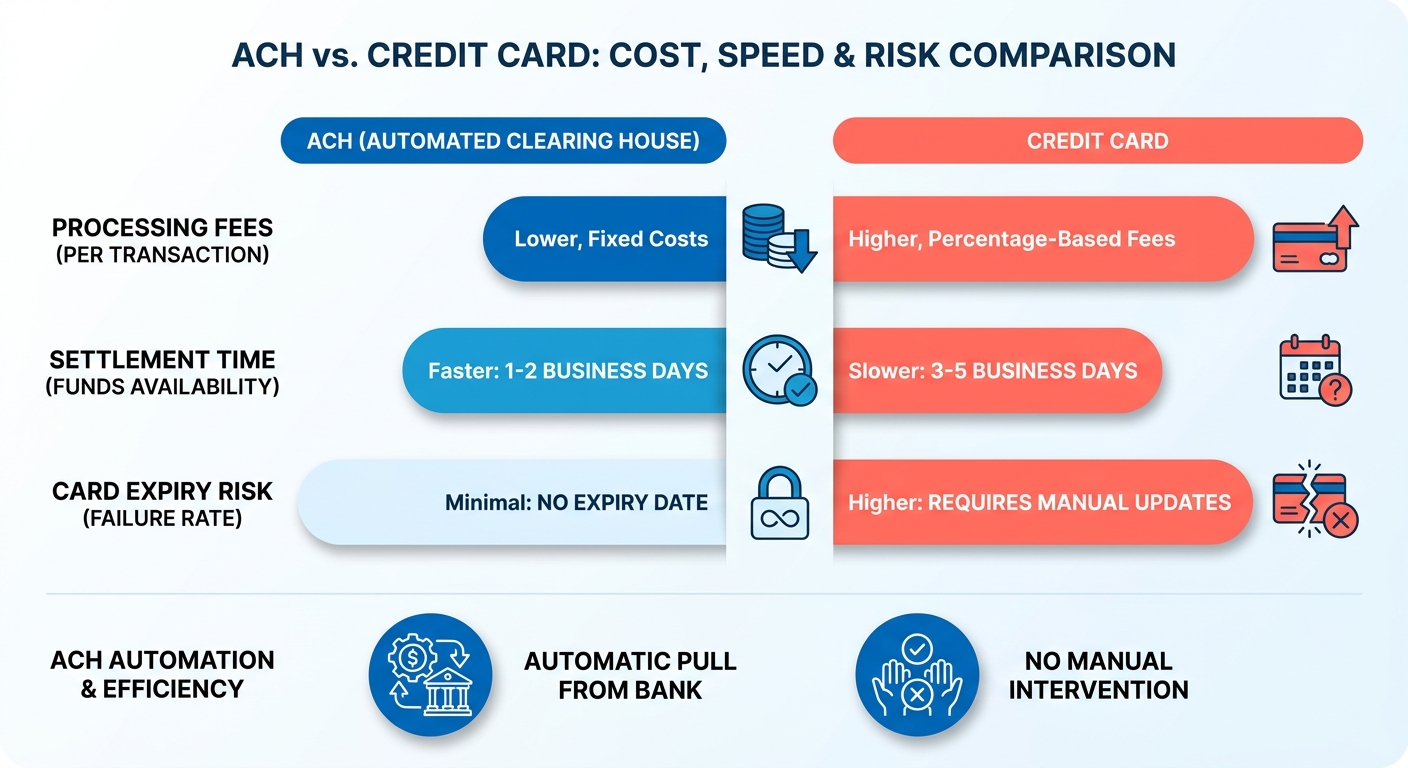
How recurring ACH stacks up against other rails
ACH wins on cost and stability for recurring B2B billing. Cards win on speed and instant authorization. Wires are reliable but expensive and manual. Here’s what actually matters when you’re picking a rail for subscriptions.
| Method | Cost | Settlement | Best For | Failure Risk |
|---|---|---|---|---|
| Recurring ACH | Low (flat or small %) | 1–2 days | Recurring SaaS/B2B billing | Low (no card expiry) |
| Credit Card | High (2.9% + fees) | Instant–1 day | One-off, consumer checkout | High (card churn) |
| Wire Transfer | High (flat fee) | Same–next day | Large one-time invoices | Low but manual |
| Paper Check | Low | 5–10 days | Legacy/brick-and-mortar | Medium (lost/late) |
| Debit Card | Medium | Instant–1 day | Consumer subscriptions | Medium |
For predictable monthly invoices, ACH is the rail I’d default to. Skip it for one-off enterprise deals where a wire clears faster, and skip it for consumer impulse checkout where cards convert better.
What setup actually involves
Three phases, no code. Connect a payment gateway, enroll customers with their bank details, then schedule the recurring charge. Most of the work sits in that first enrollment.
The steps:
- Connect the payment gateway. A one-time config to move funds from customer bank accounts.
- Enroll customers in auto-pay. At checkout or through a billing portal where customers manage their own payment methods.
- Build the recurring schedule. Set the interval, amount, and start date once, then let invoices auto-send and auto-charge.
- Reconcile incoming payments. Hands-off. A matching engine applies payments to invoices for you.
That last piece is where generic billing guides go quiet. Collecting the money is only half the job. Matching each ACH deposit back to the right invoice is what most teams still do by hand. An all-in-one setup applies cash automatically, so your revenue data reconciles in real time instead of at month-end.
A real example
A dev shop bills clients on monthly retainers. Move those accounts to a direct bank-to-bank setup and the whole admin workflow tightens up.
Each month, the billing engine fires the transaction on its own. The finance team skips manual deposit verification entirely. No cross-referencing bank statements line by line. The ledger updates itself, which frees up the finance lead for forecasting and cash-flow work instead of data entry.
Why recurring ACH matters
Recurring ACH isn’t a niche choice anymore. The ACH network processed 7.8 billion payments in a single recent quarter, up 3% year over year. For SaaS founders billing the same accounts every month, that growth says something simple: more businesses are moving recurring revenue off cards and onto bank rails.
Lower transaction overhead is the obvious draw. But the bigger advantage is a direct, uninterrupted link to customer accounts. And the real win for SaaS isn’t collecting funds at all. It’s what happens after the money lands.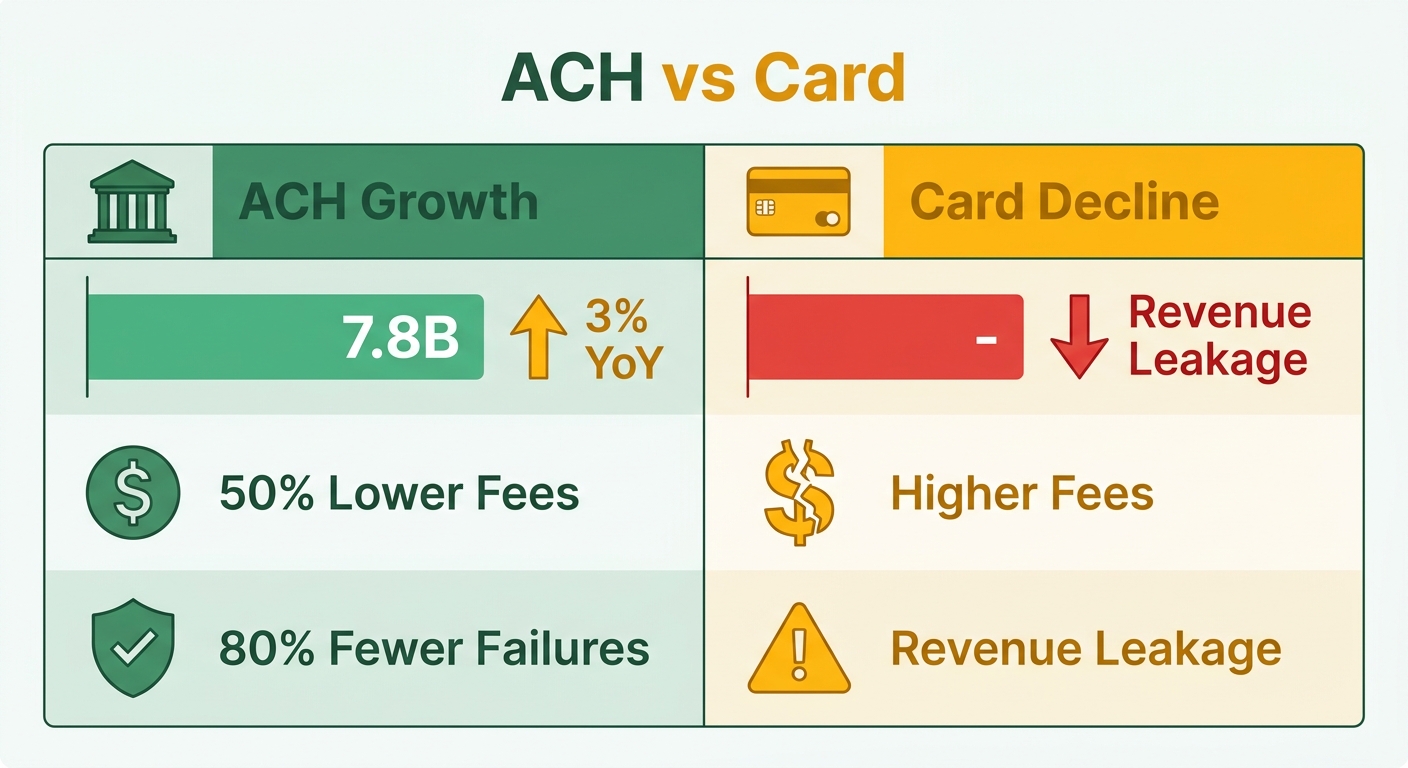
Why ACH beats cards for recurring revenue
ACH gives you predictable cash flow at a fraction of the cost. Businesses save up to 50% on transaction fees versus credit cards and see 80% fewer payment declines.
Stability is what matters most for subscriptions. Bank connections skip the constant card reissue cycle, so success rates stay high over time. And 80% of ACH Network volume now settles in one business day or less, so the old “ACH is slow” complaint barely holds anymore.
Most tutorials stop at initiating the transfer. They ignore the part that eats time: verifying the funds cleared and updating the records to match.
The part nobody automates: cash application
Generating an invoice isn’t the hard part. Cash application is: making sure every incoming bank transfer gets recorded against the right outstanding balance. That’s where an all-in-one subscription and cash-application platform changes the math.
The numbers from teams that automated their recurring billing tell the story. One in eight invoices contains a manual entry error, and those errors delay payment by two weeks or more. A subscription box company cut its monthly billing workload by 75% after automating recurring charges.
Time savings stack up fast. A cleaning business reclaimed 8 to 10 hours a month from automated weekly invoices. A marketing agency saved a full day each month. One growing business handled double its account volume without adding headcount.
“The biggest gains sit in cash application. Generating an invoice on a schedule is trivial, but matching payments to invoices is where teams lose hours.”
That quote, from the Blixo automatic invoicing guide, names the real friction point. Initiating the transfer is easy. Closing the loop on the ledger needs a system that writes back to your books automatically.
Who gets the most out of it
SaaS businesses and e-commerce brands win biggest. Both bill the same accounts on a fixed schedule, so every saved reconciliation hour compounds across hundreds of customers.
SaaS teams get predictable monthly recurring revenue without chasing failed transactions. E-commerce subscription brands keep more revenue through direct bank links that stay valid for years. One utility provider that switched to automated recurring billing cut late payments by 50%.
If you’re deciding between hands-off and hands-on collection, the auto vs manual recurring billing comparison breaks down where the time actually goes. For most subscription businesses, the automated path turns ACH from a monthly chore into steady, self-applying cash flow.
Getting customer authorization for ACH debits
Before you pull a single dollar from a customer’s bank account, you need their explicit permission. ACH authorization is a documented agreement where the customer approves you to debit their account on a defined schedule. Skip it, and you’re exposed to disputes, reversals, and compliance penalties.
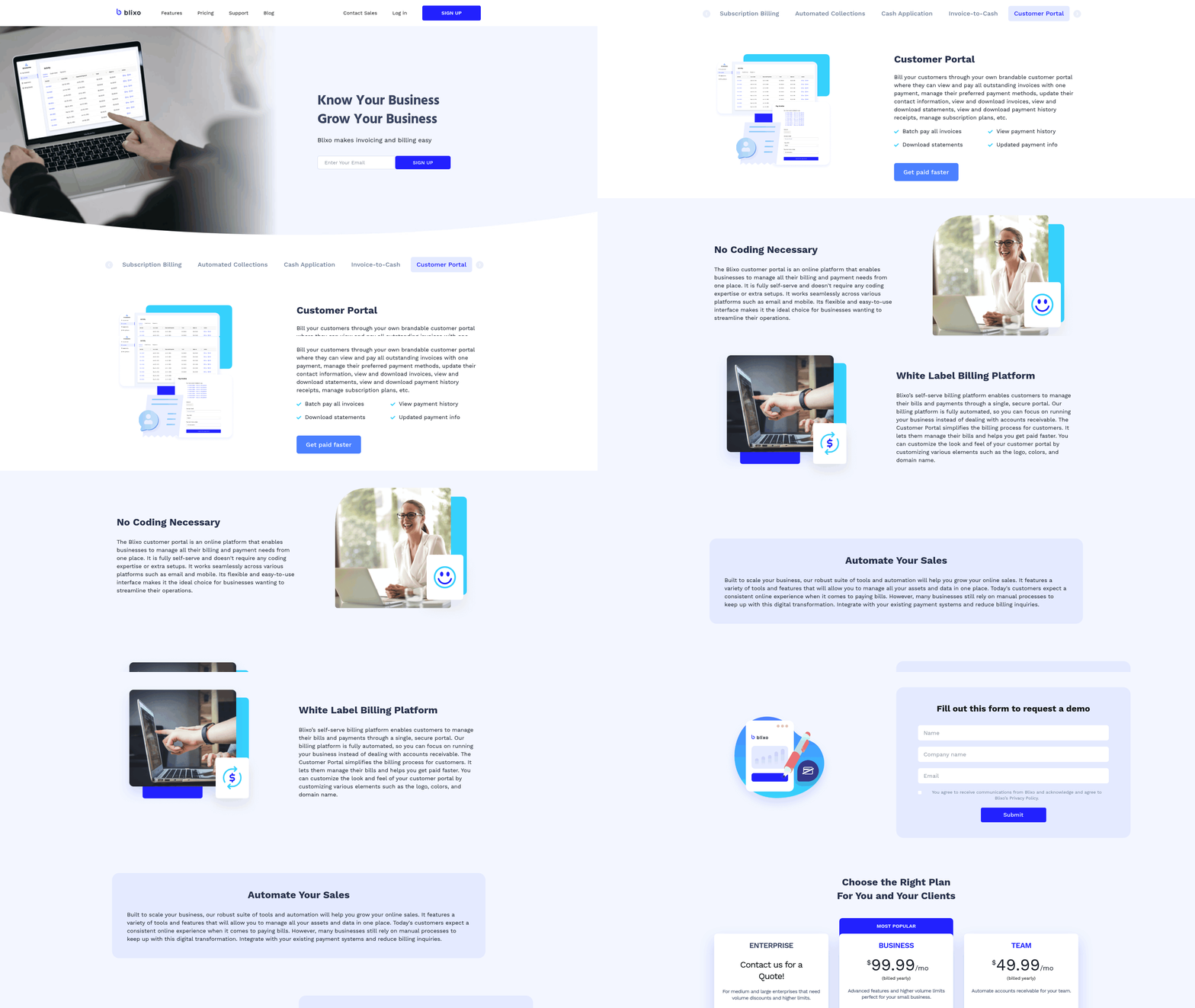
For anyone running recurring revenue, the real work is capturing that consent cleanly, storing it forever, and tying it to every future debit without manual chasing.
What Nacha rules and Regulation E require
Nacha rules govern the ACH network, and they require written or electronically signed authorization before you debit any consumer account. The customer has to agree to the amount, the schedule, and the fact that the charge recurs. For consumer accounts, Regulation E adds disclosure and dispute-resolution rights on top.
Authorization setup means the payer fills out a form with their bank details and payment schedule. That form is your proof. It captures the full legal name, routing number, and account number, plus clear language that the customer authorizes repeating debits.
Handle this digitally. When consent lives inside your billing platform instead of a PDF in someone’s inbox, every debit automatically references a verifiable authorization record. That’s the difference between scrambling during a dispute and pulling up the timestamped agreement in seconds.
How to capture and communicate authorization
Capture authorization the moment the customer signs up, not later. The strongest enrollment flows fold ACH consent directly into self-service checkout, so the customer enrolls in auto-pay during their first purchase or through a billing portal. No separate email, no back-and-forth.
Your disclosure should state four things in plain language:
- The amount to be debited (or how variable amounts get calculated)
- The frequency and start date of the recurring charge
- How to cancel or update bank details
- Who to contact with questions or disputes
Communication doesn’t stop at signup. Send a confirmation the moment authorization is captured, and notify customers before the first debit hits. When people know exactly when money leaves their account, declines and disputes drop. It’s also why a self-service portal beats manual billing: customers update their own account info before a payment fails, not after.
For more on automating these flows versus chasing payments by hand, the auto vs manual recurring billing breakdown covers how self-service portals cut administrative overhead.
The mistakes that cost founders the most
Two big ones: vague authorization language and lost records. If your consent form doesn’t say charges recur, a customer can dispute the debit and win. And if you can’t produce the signed authorization on demand, you lose the dispute by default.
Take a SaaS company billing 500 accounts monthly. Without centralized records, a single chargeback investigation means digging through emails for one signature. With authorization tied to each subscription inside the billing system, that record surfaces instantly.
Never reuse one authorization for a different amount or schedule than the customer agreed to. If the price changes, get fresh consent. Treat every authorization as a permanent record, store it alongside the customer’s billing profile, and your recurring ACH stays clean, compliant, and dispute-ready.
Scheduling and managing recurring payments
Once authorization is locked in, the next job is telling the system when and how often to pull funds. This is where recurring ACH stops being a setup task and becomes a cash-flow engine. Define the schedule once, and payments collect themselves while the matching happens in the background.
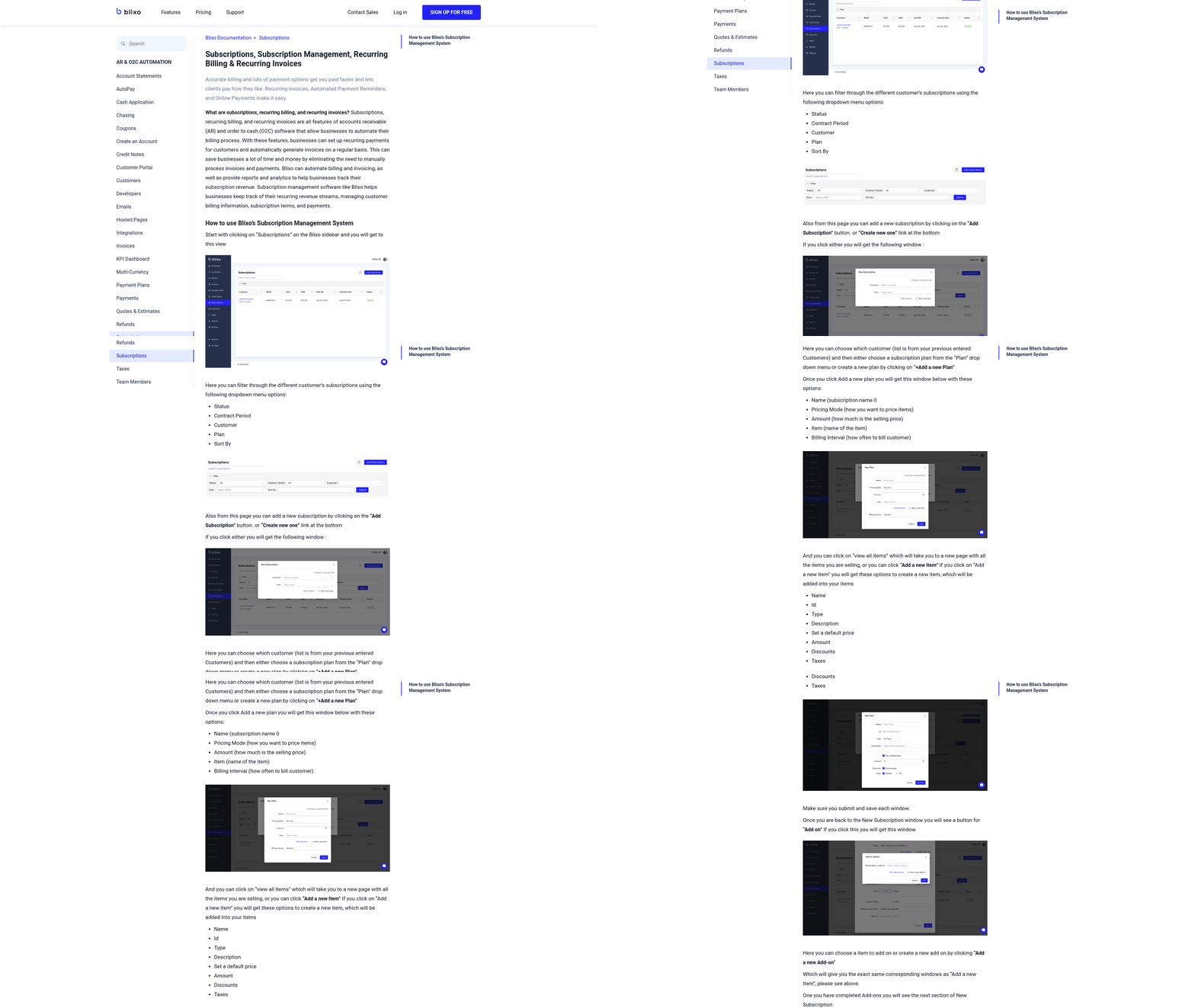
What recurring options you get
You can run recurring ACH on any cadence your billing model needs: weekly, monthly, quarterly, or annual. Each schedule ties to a customer’s authorized mandate and a specific dollar amount, so the system knows exactly what to debit and when.
The flexibility shows up in delivery and timing. Invoices can go out by email, SMS, or a customer portal, and that delivery setup takes 30 to 60 minutes to configure. Payments initiate ahead of the due date, run through the ACH network in batches, and settle in one to two business days.
Batching matters. Instead of firing off individual charges, you queue an entire billing run and let it process at once. That keeps costs low and reconciliation clean.
How to schedule and manage the payments
Set the schedule, attach the mandate, then let automation handle the rest. Here’s the sequence.
-
Create the recurring invoice template. Define the amount, billing frequency, and start date. Setup runs about 1 to 2 hours, and you do it once per plan.
-
Attach the authorized ACH mandate. Each recurring charge links to the customer’s stored consent, so every debit is tied to a documented approval without manual chasing.
-
Configure delivery and reminders. Pick email, SMS, or portal delivery so customers see the charge before it hits. Reminders cut surprise disputes and keep declines down.
-
Turn on AI cash application. This is where the hours actually disappear. Matching payments to invoices is the part teams lose time on, and automated cash application clears it. Plan 2 to 4 hours for setup and connect your accounting software for real-time matching.
To see how these automated steps compare to doing it by hand, the detailed Billing with Blixo guide walks through it.
What results to expect
Automation pays off fast in saved time and fewer errors. Removing manual touchpoints kills the bottlenecks that usually delay payment processing.
The case data backs it up. A B2B software vendor shortened its average collection cycle from 38 days to 12 after moving to scheduled ACH runs. That kind of efficiency lets growing companies scale transaction volume without piling on administrative overhead.
Mistakes to avoid
The biggest one is automating invoice generation but never syncing the backend ledger. If your system doesn’t reconcile incoming bank transfers on its own, your finance team still burns time on manual data entry.
Two more traps: forgetting to connect your accounting tool, which breaks real-time matching, and skipping payment reminders, which spikes avoidable disputes. Set both up front and your recurring ACH runs itself.
Frequently Asked Questions
1. Can a customer dispute or reverse a recurring ACH payment after it clears?
Yes, payers retain the right to contest unauthorized bank debits. To protect your business against chargebacks, you must maintain verifiable proof of consent that clearly outlines the terms of the agreement. If a dispute arises, having an organized digital record of the customer’s agreement is the primary mechanism for validating the transaction.
2. What happens if a customer’s bank account has insufficient funds when an ACH charge runs?
An ACH debit returns as an NSF (non-sufficient funds) failure, similar to a bounced check, and the payment doesn’t settle. You can retry the charge or notify the customer. Unlike card declines from expiration, NSF returns are temporary, so a retry once funds clear usually succeeds.
3. Is ACH available for collecting payments from international customers?
ACH operates only within the United States banking system and cannot pull funds from foreign bank accounts. For cross-border recurring billing, wire transfers or international card processing are necessary. ACH suits domestic SaaS and B2B subscriptions where both parties hold U.S. bank accounts.
4. How does ACH compare to debit cards for consumer subscriptions specifically?
Debit cards offer rapid authorization and settlement, making them highly effective for initial checkout conversion. However, they remain tied to physical card lifecycles, which leads to eventual transaction failures. Direct bank debits, while settling slightly slower, establish a more permanent billing connection that minimizes involuntary churn over the customer lifecycle.
5. Do I need to collect fresh authorization if my subscription price increases?
Yes. Any modification to the billing amount or frequency invalidates the original agreement. To remain compliant with network guidelines, you must secure an updated agreement from the customer reflecting the new pricing structure before initiating the revised debit.
6. How long should I store ACH authorization records?
You should retain these records for the entire duration of the active billing relationship, plus an additional period as required by industry guidelines (typically at least two years from the date of the last transaction). Storing these agreements digitally ensures they are easily accessible should a financial institution request proof of consent.
7. What setup time should I budget across the full Blixo recurring ACH configuration?
The implementation process is structured into distinct phases, including configuring your gateway, establishing customer communication templates, and linking your ledger for automated reconciliation. While basic billing schedules can be active quickly, allocating a dedicated block of time ensures that automated matching and accounting integrations are thoroughly tested before going live.