

Manual vs Automated Invoice Workflow with Blixo

Key Takeaways
- Automation reduces manual billing errors by 50% and cuts processing times by 50–70%, saving $16,000 annually for 10,000 invoices.
- Manual invoice processing costs companies $15–30 per invoice, but automation reduces this to $2–5 per invoice.
- Automated recurring billing boosts SaaS companies’ revenue recognition by 20–30%.
- Manual data entry introduces $16,000 in annual costs for businesses processing 10,000 invoices.
- Manual workflows delay settlements by weeks, creating cash flow gaps disrupting operations.
- Repetitive tasks like data entry and payment tracking consume hours monthly in manual systems.
- Automation eliminates manual errors and administrative burdens, improving accuracy and efficiency.
Why Automated Invoice Workflows Matter
Automated invoice workflows eliminate costly delays and errors that plague manual systems, offering businesses faster cash flow, reduced administrative burdens, and improved accuracy. For example, manual billing errors can cost companies $16,000 annually** when processing 10,000 invoices, while automation slashes error rates by **50%** and processing times by **50–70%**. As mentioned in the ****Limitations of Manual Invoice Workflows** section**, these inefficiencies stem from repetitive tasks like data entry, which automated systems bypass entirely. These improvements translate to real-world gains: a manufacturer reduced invoice processing costs from **$15–30 to $2–5 per invoice, and a SaaS company boosted revenue recognition by 20–30% after adopting automated recurring billing. Below, we explore how automation addresses critical pain points and why SaaS providers like Blixo are reshaping financial operations. Building on concepts from the Automated Invoice Workflow with Blixo section, SaaS providers like Blixo integrate tools to automate cash application and collections, further compounding these benefits.
Limitations of Manual Invoice Workflows
Manual invoice workflows are notoriously slow due to the sheer volume of repetitive tasks they require. Data entry alone consumes hours of work each month, with finance teams manually keying in invoice details, matching purchase orders, and updating spreadsheets. Payment tracking compounds this burden, as employees must constantly monitor due dates and chase down late payments. A LinkedIn report reveals traditional methods often delay settlements by weeks, creating cash flow gaps that disrupt operations.
How Manual Errors Drain Financial Health
Manual data entry introduces a high error rate-studies show up to 4% of invoices contain mistakes like incorrect amounts or vendor details. These errors trigger disputes, payment delays, and even penalties. For example, a finance team using real-time payment tracking cut overdue payments by 40% by automating alerts and reminders, as detailed in the Benefits of Automated Invoice Workflows with Blixo section. Without such systems, businesses risk strained customer relationships and unpredictable cash flow.
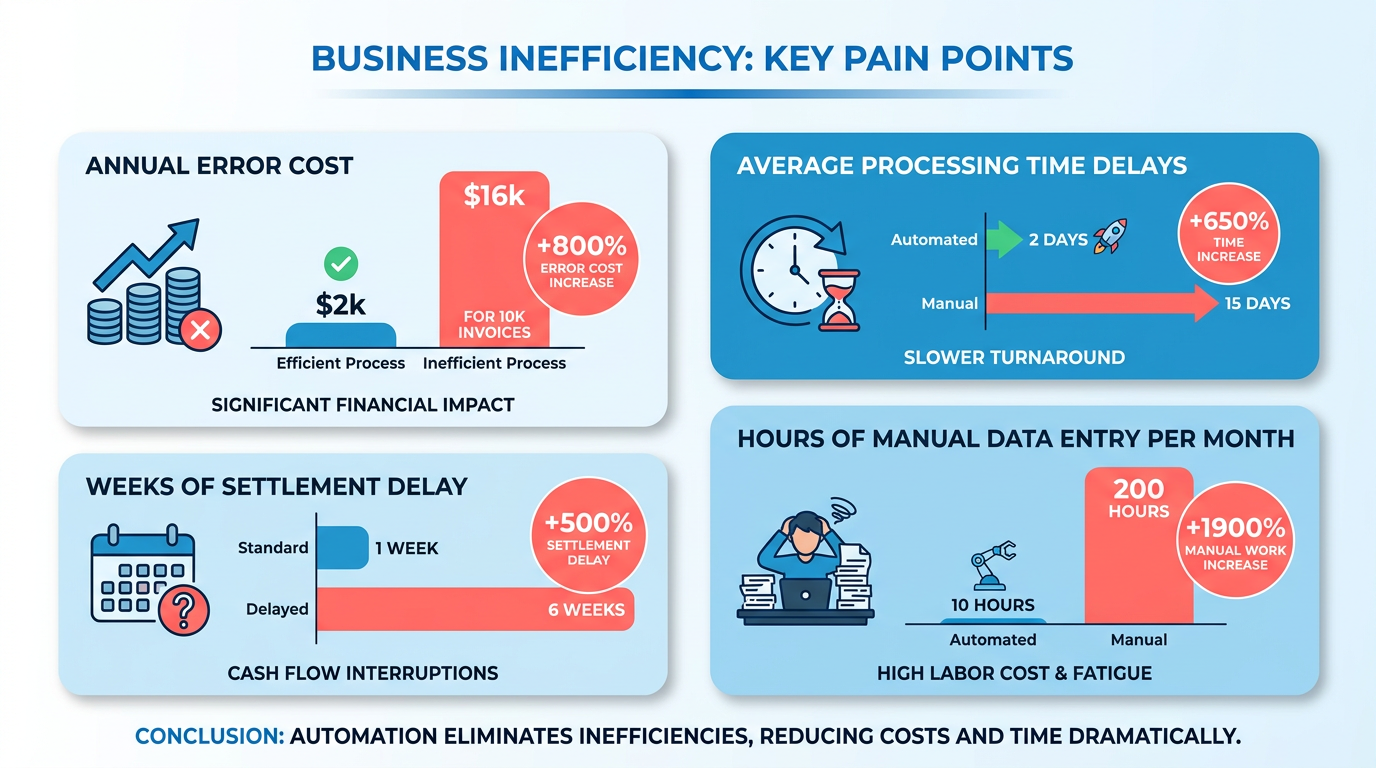
Consider a scenario where a finance team manually processes 500 invoices monthly. A single typo in a payment amount could delay vendor payments by days, leading to late fees or service interruptions. Over time, these small errors accumulate, costing companies thousands in avoidable expenses.
Security Risks in Paper-Based Systems
Manual workflows lack the safeguards of automated systems, making them vulnerable to fraud and data breaches. Paper invoices and shared spreadsheets expose sensitive financial data to unauthorized access, while manual approvals create blind spots for fraudulent transactions. Blixo’s documentation highlights how automation adds layers of security, such as encrypted data storage and AI-driven fraud detection, aligning with the Automated Invoice Workflow with Blixo section.
One real-world case involved a company that struggled with invoice fraud due to its manual approval process. Employees exploited the lack of digital audit trails to submit fake vendor invoices. After implementing automated systems with real-time fraud screening, the company reduced suspicious activity by 70%. Without automation, such vulnerabilities persist, putting revenue at risk.
| Feature | Manual Workflows | Automated Systems |
|---|---|---|
| Processing Time | Weeks due to manual steps | Hours via instant invoice generation |
| Error Rate | 4% average error rate | <1% with automated validation |
| Security | Prone to fraud and leaks | Encrypted, AI-monitored data flow |
| Cash Flow | Unpredictable due to delays | 30% more predictable with automation |
Real-World Consequences of Inefficiency
A LinkedIn case study details a finance team that reduced its order-to-cash cycle by 30% after adopting automation, reflecting the core principles outlined in the Why Automated Invoice Workflows Matter section. Before this shift, manual reconciliation caused monthly delays of up to two weeks, forcing the company to rely on short-term loans to cover operational costs. Similarly, a business using Blixo’s cloud-based platform slashed invoice processing time by 60%, freeing staff to focus on strategic tasks.
The financial toll of manual workflows isn’t just theoretical. Reddit discussions reveal businesses losing thousands to invoice disputes and late fees. One user shared how a $1035 charge from SIXT arose from a miscommunication in manual billing, highlighting how human errors directly impact customer trust and brand reputation.
By automating invoice workflows, companies eliminate these pitfalls while gaining real-time visibility into their financial health. The next section explores how automated systems like Blixo transform billing into a proactive, error-free process.
Automated Invoice Workflow with Blixo
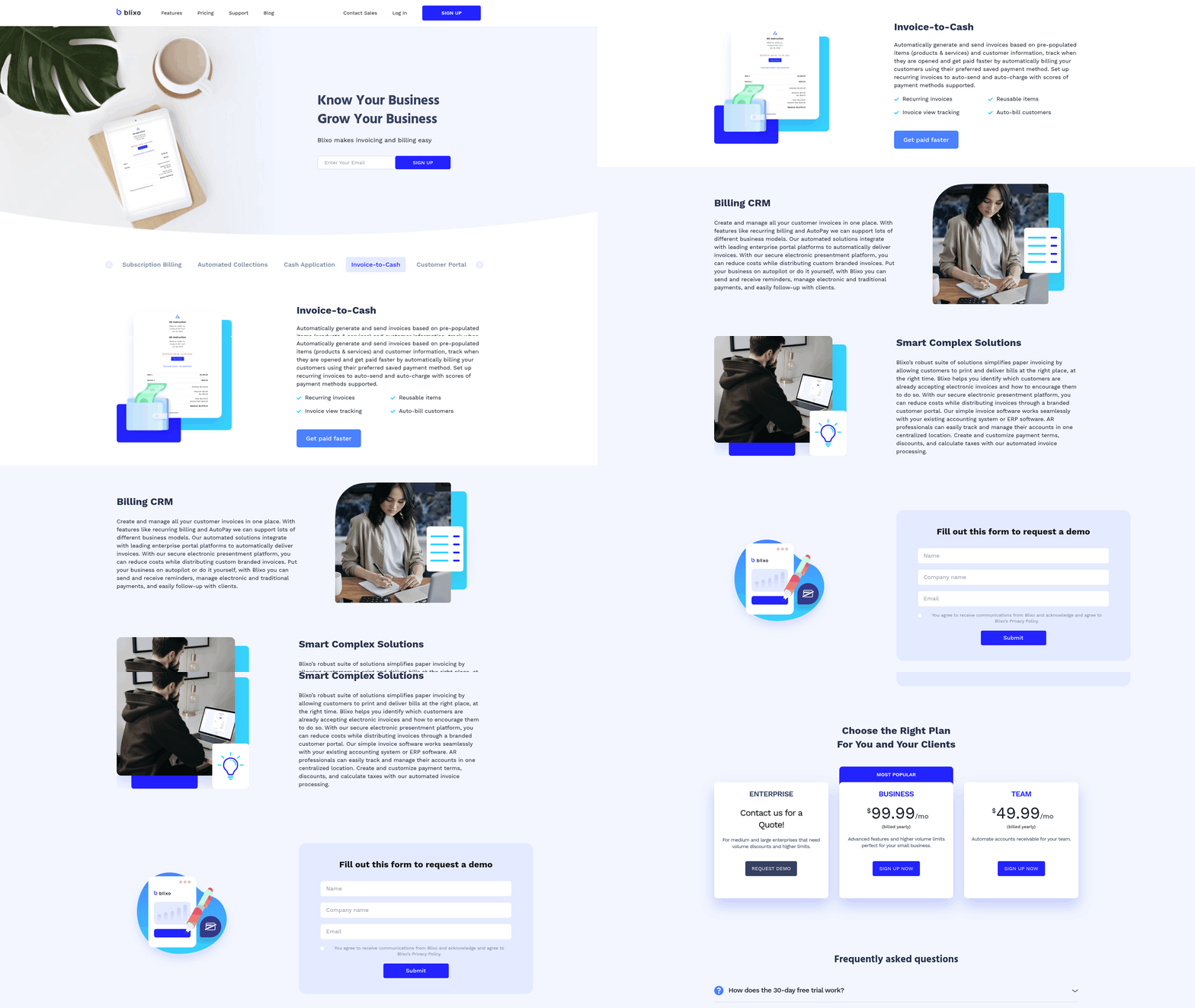
Automated invoice workflows eliminate the inefficiencies of manual processes by using technology to streamline billing, payment collection, and reconciliation. Blixo’s SaaS service automates every step of the invoicing lifecycle, from creating and sending invoices to capturing payments and managing delinquencies. This reduces human error, accelerates cash flow, and ensures consistent revenue recognition. As mentioned in the Limitations of Manual Invoice Workflows section, manual systems often lead to delays and errors, which Blixo addresses through automation. Let’s explore how Blixo’s features transform the billing process.
How Does Blixo Automate Invoice Generation and Dispatch?
Blixo generates and sends invoices automatically based on predefined rules, such as subscription cycles, project milestones, or sales transactions. Users can customize invoice templates to match brand identities, add line items dynamically, and embed payment links for instant settlements. The platform integrates with accounting software like QuickBooks and Xero, syncing data in real time to avoid manual entry. For example, a SaaS business using Blixo can set up recurring billing for subscriptions, ensuring invoices are sent monthly with accurate usage-based charges. This automation cuts invoice processing time by 50–70% compared to manual workflows, reducing labor costs and errors.
A case study from a manufacturer demonstrated how Blixo reduced per-invoice processing costs from $15–30 to $2–5 by automating generation and dispatch. Customizable workflows also allow creative professionals to request upfront deposits, ensuring cash flow stability before project completion. Integration with CRM tools like Salesforce ensures customer data remains consistent across systems, minimizing reconciliation friction.
What Payment Features Enhance Cash Flow Efficiency?
Blixo connects directly to payment gateways like Stripe and PayPal, enabling instant payment capture when invoices are sent. Real-time payment processing reduces delays, with businesses reporting a 30% improvement in cash flow predictability after adoption. Failed transactions trigger automated retries and dunning workflows, recovering 70–80% of delinquent payments without human intervention. As highlighted in the Why Automated Invoice Workflows Matter section, faster payment processing directly impacts operational efficiency. For instance, a SaaS company using Blixo’s dunning system saw a 20–30% increase in revenue recognition by minimizing churn from payment failures.
The platform also supports multiple payment methods, including ACH, credit cards, and digital wallets, accommodating global clients. A real-time cash flow dashboard tracks incoming payments, flagging discrepancies and providing alerts for overdue invoices. This visibility helps finance teams prioritize collections and forecast revenue with accuracy. One expert noted that automation can lower payment processing costs from $15–30 per invoice to just $2–5, a 90% reduction in operational overhead.
How Do Automated Reminders and Reconciliation Work?
Blixo’s dunning system uses smart follow-ups to nudge late payers. Users configure email templates with branded messaging and set schedules for reminders-such as a first notice at due date, a second after five days, and a final alert with a 10% late fee. These customizable workflows cut payment delays by 40%, according to Blixo’s technical data. For example, a creative agency using automated reminders reduced overdue invoices by 60% in six months, improving client satisfaction while maintaining revenue flow.
Reconciliation is handled through AI-driven matching, achieving 99% cash application accuracy. The system auto-maps payments to invoices, updating balances and generating reports for audits. A finance team using Blixo’s reconciliation tools reported a 40% reduction in time spent on manual matching, allowing staff to focus on strategic tasks. Integration with ERP systems like NetSuite ensures financial data flows seamlessly between billing, accounting, and operational platforms.
Why Integration with ERP/CRM Systems Matters
Blixo’s compatibility with enterprise systems like SAP, Oracle, and HubSpot ensures data consistency across departments. For example, a sales team can create quotes in HubSpot, which automatically convert to invoices in Blixo upon approval. This eliminates data silos and reduces errors from rekeying information. A case study highlighted a creative studio that integrated Blixo with its CRM, cutting billing errors by 50% and improving client onboarding speed by 30%.
Third-party app integrations further extend Blixo’s capabilities. A developer using the platform reported automating 80% of their billing tasks by connecting Blixo to their project management tool, syncing hours worked to invoice line items. This level of automation not only saves time but also aligns billing with actual service delivery, enhancing client trust.
Real-World Impact of Blixo’s Automation
Businesses adopting Blixo’s automated workflows report measurable gains. A SaaS company with 10,000 invoices annually estimates it avoids $16,000 in error-related costs yearly. Another client, a digital marketing agency, reduced invoice processing time from hours to minutes by automating dispatch and payment capture. These results, as detailed in the Benefits of Automated Invoice Workflows with Blixo section, underscore how automation transforms billing from a back-office burden into a revenue-driving function.
By combining AI-driven workflows, seamless integrations, and proactive dunning, Blixo addresses common pain points in manual billing. The platform’s focus on accuracy, speed, and scalability makes it a compelling choice for businesses aiming to optimize cash flow and reduce operational friction.
Benefits of Automated Invoice Workflows with Blixo
Automated invoice workflows with Blixo offer businesses a transformative shift from error-prone, time-consuming manual processes to streamlined, efficient systems. By automating tasks like invoice generation, payment reminders, and cash application, Blixo reduces days sales outstanding (DSO) and accelerates cash flow. As mentioned in the Limitations of Manual Invoice Workflows section, manual systems often result in errors costing $16,000 annually for businesses handling 10,000 invoices, which automation directly addresses. For example, automated reminders cut payment delays by up to 40%, while systems like Blixo recover 70–80% of failed payments without customer contact, ensuring consistent revenue inflows.
How Automated Workflows Improve Cash Flow
Building on concepts from the Why Automated Invoice Workflows Matter section, automation eliminates bottlenecks in the invoicing process, reducing processing times by 50–70% and accelerating collections. Blixo’s SaaS service automates recurring billing, which boosts revenue recognition for SaaS companies by 20–30%. A real-world example shows a SaaS business benefiting from predictable revenue, as 60% of SaaS and 40% of e-commerce companies see similar gains with automation. By minimizing manual errors-cutting them by half-businesses avoid costly disputes and delays, ensuring faster cash application. This efficiency translates to a 30% increase in cash flow predictability, as noted in case studies where real-time tracking reduced overdue payments by 40%.
Reducing Administrative Burden and Costs
Manual invoicing demands hours of data entry, credit checks, and follow-ups, often costing $15–30 per invoice. With Blixo, these costs drop to $2–5 per invoice, slashing administrative expenses by 80%. A manufacturer’s case study highlights this: automating invoice processing cut their costs per invoice from $15–30 to $2–5, saving 80% of processing time. For creative professionals, Blixo’s automated collections and deposit reminders eliminate the need for manual follow-ups, streamlining workflows for teams juggling multiple projects.
Enhancing Customer Experience and Transparency
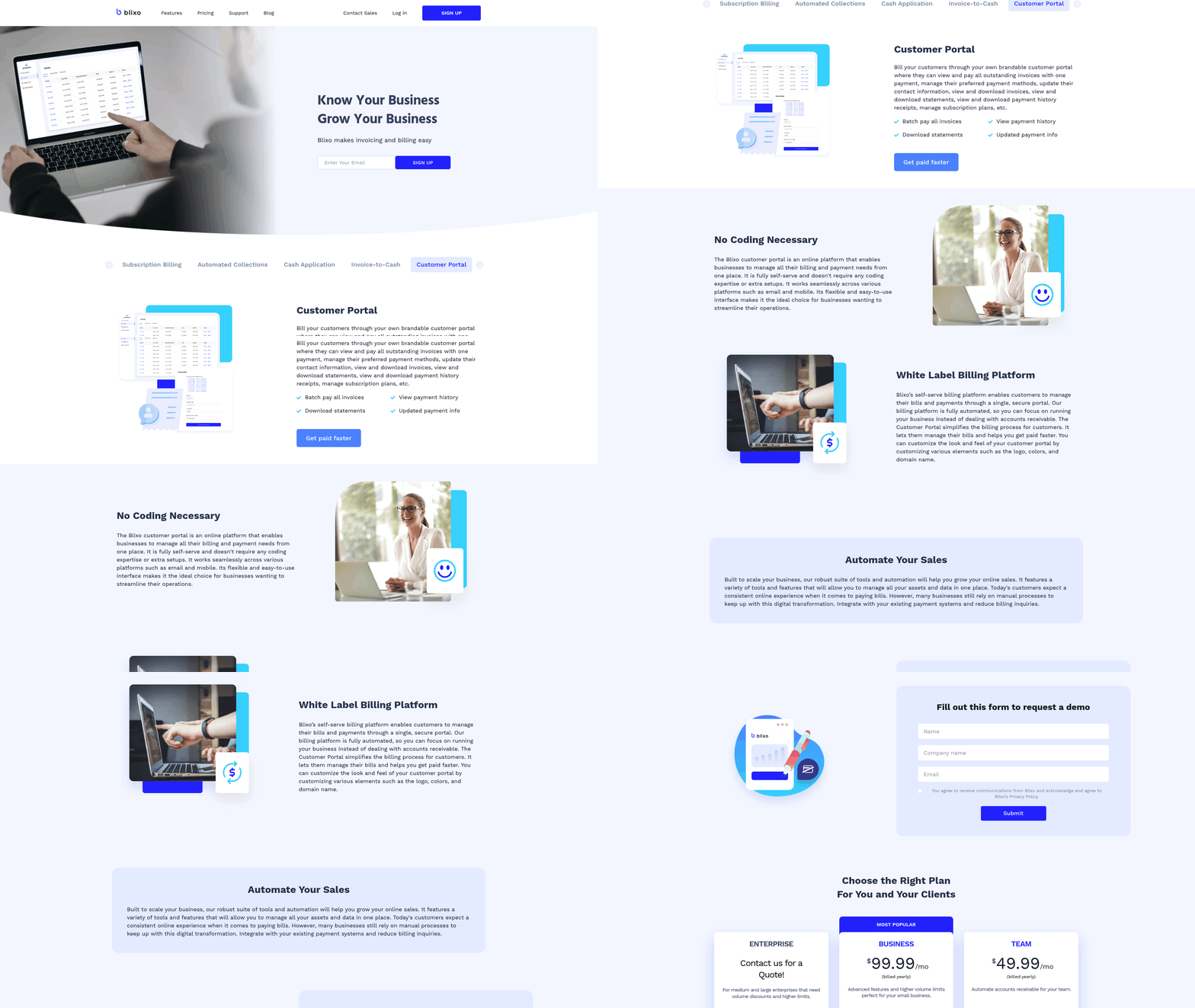
Customers appreciate flexibility and control, which Blixo delivers through customizable billing solutions and self-service portals. As detailed in the Implementing Automated Invoice Workflows with Blixo section, businesses can request upfront deposits, ensuring cash flow while giving clients visibility into payment terms. A SaaS company reported improved customer retention after implementing automated recurring billing, as users no longer faced unexpected charges. Blixo’s customer portal allows clients to view invoices, make payments, and track payment status in real time, reducing disputes and improving trust. Real-time dashboards also provide businesses with clear insights into cash flow and payment trends, enabling proactive financial decisions. This transparency aligns with modern expectations, where 43% of finance teams rely on automation for reporting and analytics.
| Feature | Manual Invoicing | Blixo Automation |
|---|---|---|
| Processing Time | Weeks with high error rates | Hours with 99% accuracy |
| Cost per Invoice | $15–30 | $2–5 |
| Customer Satisfaction | Low due to delays and errors | High via self-service portals |
| Cash Flow Visibility | Limited to periodic reports | Real-time dashboards |
Businesses adopting Blixo see tangible results. A creative agency integrated Blixo into its workflow, reducing invoice processing costs by 80% and improving cash flow management. Similarly, a manufacturer automated collections and cut processing times by 80%, redirecting resources to growth initiatives. These examples underscore automation’s role in turning financial operations from a reactive burden into a strategic asset. By combining speed, accuracy, and user-friendly tools, Blixo helps businesses focus on innovation rather than administrative overhead.
Implementing Automated Invoice Workflows with Blixo
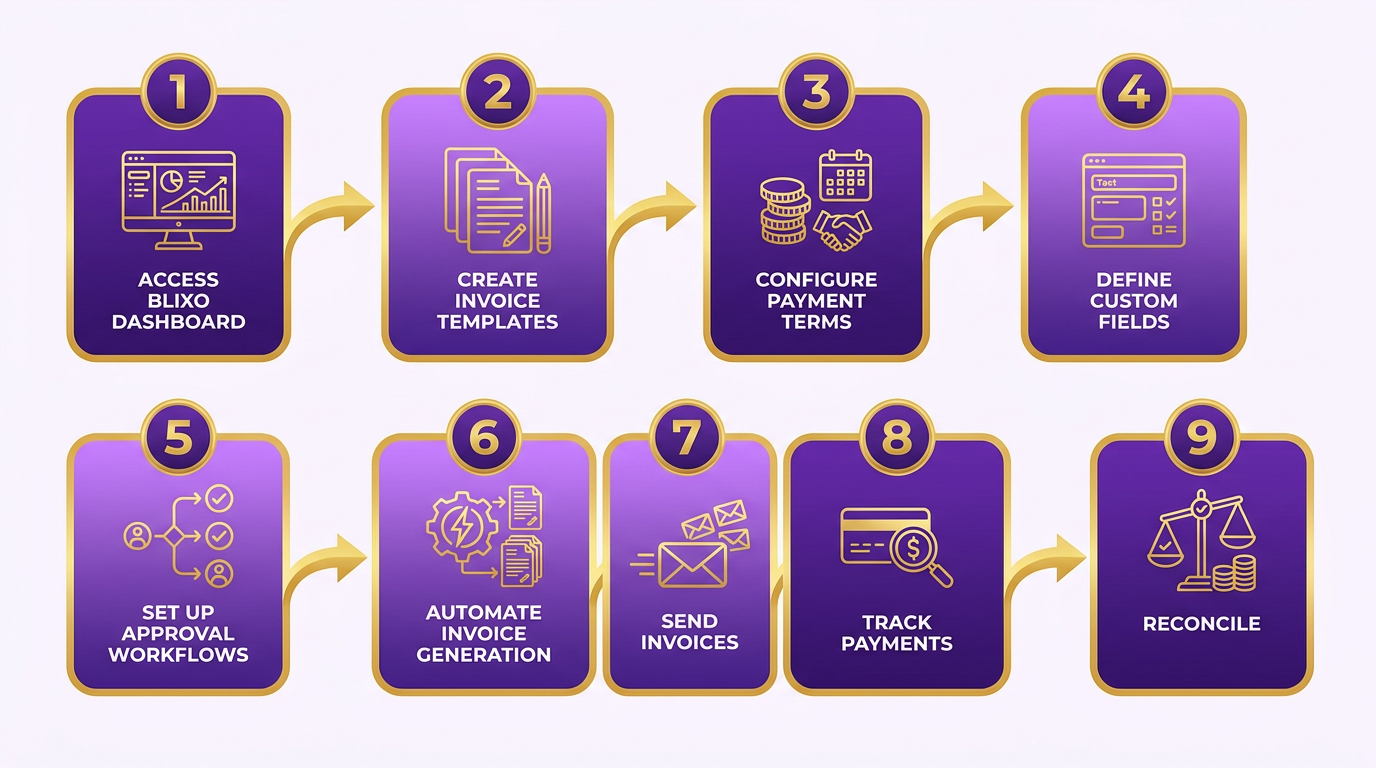
Implementing automated invoice workflows with Blixo begins with setting up the platform to align with your business needs. Start by accessing the Blixo dashboard, where you can create invoice templates, configure payment terms, and define custom fields. For example, a manufacturer reduced invoice processing costs from $15–$30 to $2–$5 per invoice by automating template generation and approval workflows, a benefit as highlighted in the Benefits of Automated Invoice Workflows with Blixo section. This step ensures consistency while minimizing manual data entry errors, which cost businesses $16,000 annually for 10,000 invoices.
How to Configure Automated Workflows
Blixo’s configuration tools allow you to automate repetitive tasks like payment reminders, deposit collection, and recurring billing. To set this up:
- Define rules for automated actions (e.g., sending a payment reminder 3 days before due dates).
- Enable deposit requests to secure upfront payments, a feature trusted by creative professionals to improve cash flow.
- Customize approval chains to route invoices to the right stakeholders.
A SaaS company used automated recurring billing to boost revenue recognition by 20–30%, demonstrating how tailored workflows can align with business models, as detailed in the Measuring ROI of Automated Invoice Workflows with Blixo section.
Integrating with ERP/CRM Systems
Blixo integrates seamlessly with ERP and CRM systems like Salesforce or NetSuite via APIs, ensuring data flows without manual entry. For instance, a finance team reduced overdue payments by 40% after linking Blixo to their CRM for real-time payment tracking. The process involves:
- Mapping Blixo’s data fields to your ERP’s database.
- Migrating historical invoice records using Blixo’s bulk import tools.
- Testing the integration with a small dataset to avoid disruptions.
Experts note that automation can reduce invoice processing costs from $15–$30 to $2–$5 per invoice, making integration a critical step for cost efficiency. This aligns with the Automated Invoice Workflow with Blixo section, which outlines how technology streamlines billing and reconciliation.
Measuring ROI of Automated Invoice Workflows with Blixo
Measuring the return on investment (ROI) of automated invoice workflows with Blixo requires a detailed look at cost savings, productivity gains, and revenue growth. Automated systems eliminate manual errors, accelerate processing times, and improve cash flow-key factors that directly impact a business’s financial health. As mentioned in the Limitations of Manual Invoice Workflows section, manual systems are prone to inefficiencies that automation can resolve, making this transition critical for sustainable growth. By analyzing real-world data and case studies, businesses can quantify the benefits of transitioning from manual to automated workflows.
How Much Can Automated Invoice Workflows Save in Costs?
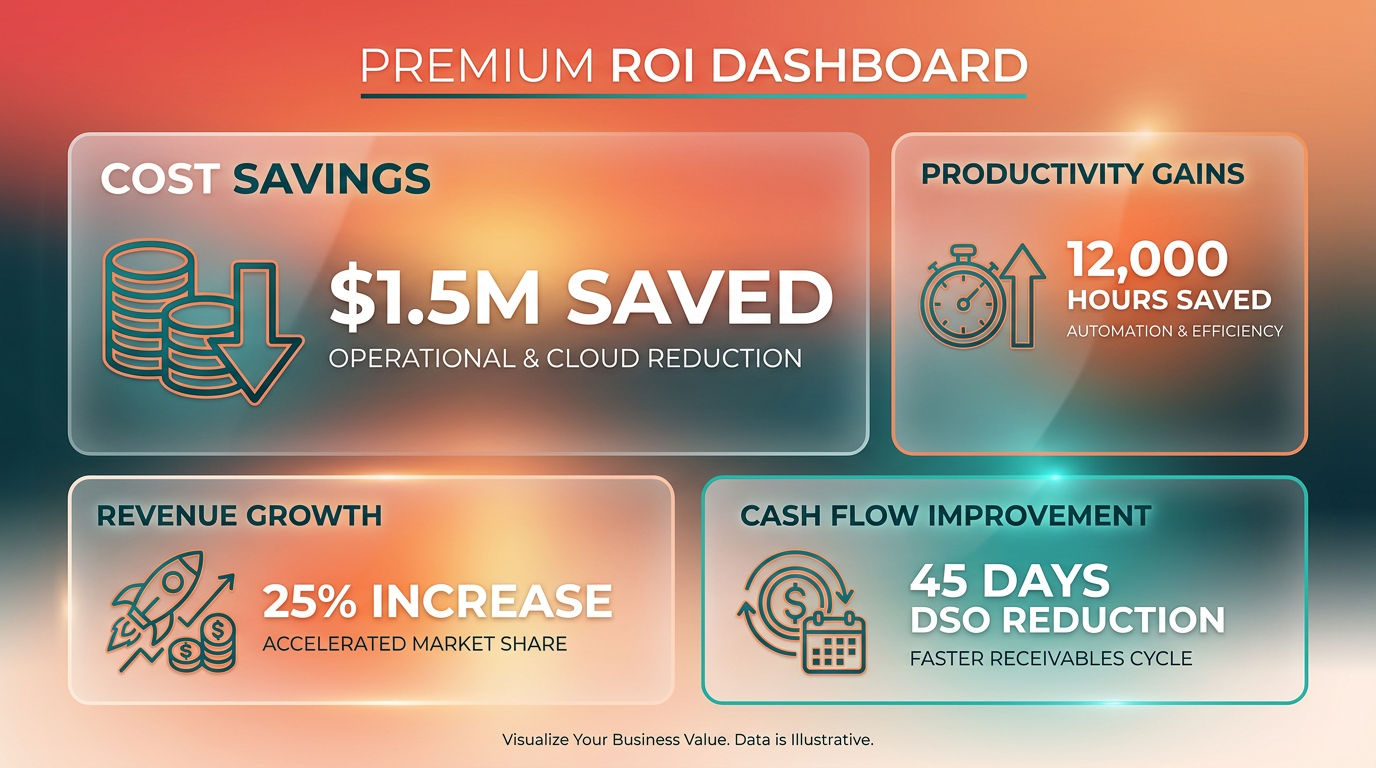
Automated invoicing significantly reduces administrative expenses by minimizing manual labor and errors. For example, manual billing errors can cost businesses up to $16,000 annually** when processing 10,000 invoices. Blixo’s automation cuts billing errors in half, saving time and reducing the need for reconciliation. A manufacturer reported reducing invoice processing costs from **$15–30 per invoice to $2–5**, a 75–85% cost reduction. This translates to **$130,000 in annual savings for a business handling 10,000 invoices yearly.
| Metric | Manual Processing | Automated with Blixo |
|---|---|---|
| Cost per invoice | $15–$30 | $2–$5 |
| Processing time | 100% manual | 50–70% faster |
| Error rate | High | 50% reduction |
What Productivity Gains Does Automation Deliver?
Automation streamlines workflows, enabling teams to focus on strategic tasks rather than administrative busywork. Building on concepts from the Benefits of Automated Invoice Workflows with Blixo section, Blixo’s system achieves 99% cash application accuracy, nearly eliminating manual reconciliation. A SaaS company saw a 20–30% increase in revenue recognition after implementing automated recurring billing, thanks to predictable payment schedules and reduced missed charges.
Processing time improvements are equally striking. Manual workflows often take hours to reconcile invoices, but Blixo automates tasks like deposit collection, reminders, and subscription management. One creative agency reduced invoice processing time by 80%, freeing employees to prioritize client projects. Experts note that automation can cut costs per invoice from $15–$30 to $2–$5, a shift that scales dramatically with volume.
How Does Automation Drive Revenue Growth?
Improved customer experience and faster cash flow directly boost revenue. Blixo’s automated reminders reduce payment delays by 40%, ensuring businesses receive funds quicker. A company using automated subscription management reported a 20% revenue increase from upselling and cross-selling opportunities enabled by streamlined billing.
Failed payments also become less costly with automation. As outlined in the Automated Invoice Workflow with Blixo section, Blixo’s system recovers 70–80% of failed payments without requiring customer contact, maintaining cash flow and reducing customer friction. For businesses with recurring revenue models, this means fewer churned customers and higher retention rates. A SaaS provider noted that predictable billing cycles increased customer satisfaction, contributing to 25% higher annual retention.
Real-World Examples of ROI Success
Case studies highlight measurable outcomes from adopting Blixo. A manufacturing firm slashed processing time from days to hours, while a creative agency improved cash flow by automating deposit requests and collections. Another example: a business reduced its order-to-cash cycle time by 30% after automating invoicing and collections. These results align with industry benchmarks, where automation typically delivers 50–70% faster processing and 50% fewer errors.
Best Practices for Measuring ROI
To track ROI effectively, businesses should monitor metrics like cost per invoice, processing time, error rates, and cash flow velocity. Benchmarking against manual workflows provides clarity-for instance, comparing $15–$30 vs. $2–$5 per invoice. Tools like Blixo offer built-in analytics to track these metrics, but third-party financial software can also help.
For a comprehensive view, pair quantitative data with qualitative feedback. Surveys can reveal how automation impacts customer satisfaction and employee productivity. Regularly reviewing these metrics ensures businesses optimize their workflows and maximize long-term savings.
By automating invoice workflows with Blixo, companies achieve tangible cost reductions, efficiency gains, and revenue growth. The combination of reduced errors, faster processing, and improved customer experiences makes automation a strategic investment with measurable returns.
Conclusion and Next Steps
Automated invoice workflows with Blixo offer clear advantages over manual systems, including faster processing, fewer errors, and better cash flow. By reducing manual data entry and automating recurring billing, businesses save time and money while improving customer satisfaction. Below, we break down the benefits, implementation steps, and resources to help you transition smoothly.
What Are the Key Benefits of Automated Invoicing?
Automated workflows eliminate 50% of billing errors and cut processing times by 50–70%, according to Blixo’s research. Systems also recover 70–80% of failed payments without customer contact, ensuring steady cash flow. For instance, businesses using automated payment retries report a 25% reduction in late fees and collections effort.
| Feature | Manual Invoicing | Automated (Blixo) |
|---|---|---|
| Error Rate | High (up to 50% errors) | Low (99% accuracy) |
| Processing Time | Hours/days | Seconds/minutes |
| Cost per Invoice | $15–30 | $2–5 |
| Payment Recovery | Manual follow-ups | Automated retries |
As mentioned in the Limitations of Manual Invoice Workflows section, manual systems struggle with error rates and slow processing, which automated solutions directly address.
How to Implement Automated Workflows with Blixo?
Start by mapping your current invoice process to identify bottlenecks. Blixo’s web-based platform simplifies setup:
- Configure Rules: Set up recurring billing cycles, payment terms, and approval workflows.
- Integrate Systems: Connect Blixo with your ERP, CRM, or accounting software for seamless data flow.
- Test and Train: Use Blixo’s sandbox environment to simulate workflows before full deployment. Training resources, including step-by-step guides and live demos, ensure your team adapts quickly.
Building on concepts from the Implementing Automated Invoice Workflows with Blixo section, businesses handling 10,000+ invoices annually can reduce operational overhead by 30% within six months. Start with a pilot project-like automating a single department-to measure ROI before scaling.
What Support Exists for Getting Started?
Blixo provides extensive resources to streamline adoption:
- Documentation: Detailed setup guides and API references are available in the [Blixo Documentation].
- Training: On-demand tutorials cover everything from invoice generation to payment tracking.
- Customer Support: Dedicated account managers assist with configuration and troubleshooting.
Real-world examples highlight success: A cloud-based manufacturer reduced payment delays by 40% using Blixo’s automated reminders, while an e-commerce business cut reconciliation time by 80%. These results align with industry trends-60% of SaaS and 40% of e-commerce companies rely on automated billing for predictable revenue.
Final Recommendations
Switching to automated invoicing isn’t just about efficiency-it’s about future-proofing your business. Start by prioritizing high-volume or error-prone processes, then expand to other areas. Use Blixo’s tools to automate reminders, track cash application with 99% accuracy, and minimize disputes. For deeper insights, explore How to reduce manual invoice processing with AP automation or Automated Invoice Processing: Everything You Need to Know.
Building on concepts from the Measuring ROI of Automated Invoice Workflows with Blixo section, the upfront effort to configure Blixo pays off quickly-businesses often see cost savings within the first month. Start your implementation today to turn invoice processing from a burden into a competitive advantage.
Frequently Asked Questions
1. How much does automation save per invoice compared to manual processing?
Automation reduces invoice processing costs from $15–30 to $2–5 per invoice, saving $16,000 annually for 10,000 invoices. Tools like Blixo streamline workflows to achieve these savings efficiently.
2. How does automation reduce billing errors?
Automation reduces manual billing errors by 50%, cutting $16,000 in annual costs for 10,000 invoices. Automated systems eliminate human data entry mistakes, ensuring accuracy in invoice details and payments.
3. What time savings does automation provide for invoice processing?
Automation cuts invoice processing times by 50–70%, accelerating cash flow and reducing delays. Manual workflows often take weeks to settle, while automation resolves issues in hours.
4. How does automation benefit SaaS companies?
Automated recurring billing boosts SaaS revenue recognition by 20–30%. Tools like Blixo streamline recurring payments, improving predictability and reducing manual tracking of subscriptions.
5. How much time do manual workflows waste on repetitive tasks?
Manual workflows consume hundreds of hours monthly on data entry and payment tracking. Automation eliminates these tasks, freeing teams for strategic work while reducing errors.
6. What cash flow advantages does automation offer?
Automation speeds settlements by weeks, closing cash flow gaps. Manual delays disrupt operations, but automated systems ensure timely payments and reduce overdue invoices.
7. How does Blixo improve invoice workflows?
Blixo automates cash application and collections, cutting costs to $2–5 per invoice. Its tools integrate seamlessly, reducing errors and accelerating SaaS revenue recognition by 20–30%.